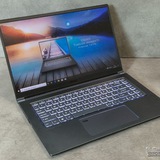
MSI Vector 16 - Issues with FPS and Performance
Hello,
I recently purchased a MSI Vector 16. Specifically the model with the AMD Ryzen 9 8940HX and NVIDIA GeForce RTX 5070Ti. Also 16GB RAM.
I booted it up and got everything updated as far as CPU and GPU drivers. No more windows updates showing.
Only game I've tried so far is BO7 and I'm having horrible performance issues. Stuck at like 30 FPS in the menu and it gets even worse in game. I'm not sure what to do.
I'm wondering if something went wrong in the start up process or updates cause every time I boot up, a System32/Drivers window pops up and is blank.
Does anyone have any ideas or suggestions on what to do? I'm downloading other games currently to see if it's maybe just BO7.
https://redd.it/1p85d76
@MSILaptops
Hello,
I recently purchased a MSI Vector 16. Specifically the model with the AMD Ryzen 9 8940HX and NVIDIA GeForce RTX 5070Ti. Also 16GB RAM.
I booted it up and got everything updated as far as CPU and GPU drivers. No more windows updates showing.
Only game I've tried so far is BO7 and I'm having horrible performance issues. Stuck at like 30 FPS in the menu and it gets even worse in game. I'm not sure what to do.
I'm wondering if something went wrong in the start up process or updates cause every time I boot up, a System32/Drivers window pops up and is blank.
Does anyone have any ideas or suggestions on what to do? I'm downloading other games currently to see if it's maybe just BO7.
https://redd.it/1p85d76
@MSILaptops
Reddit
From the MSILaptops community on Reddit
Explore this post and more from the MSILaptops community
A very serious issue i am facing!!
Laptop: MSI GF63 Thin 11UC
Specs: i5-11260H, RTX 3050 (40W), 16GB DDR4 3200MHz
Age: \~1.5 year
# 1. CPU Temperature Issue (100% vs 99% Max Processor State)
When I keep the “Maximum Processor State” at 100%, my CPU reaches 75–80+°C even during light tasks like Notepad or browsing.
But when I set it to 99% (which disables Turbo Boost), the temperature drops to 55°C, even while multitasking or watching YouTube.
The temperature difference is huge, and I want to understand why. Should I be worried? The laptop is still under warranty.
# 2. Fan RPM Issue
Earlier, my max fan speed in Dragon Center / MSI Center used to show \~6600–6700 RPM.
Recently, it goes up to 7200–7300 RPM on Max.
Also:
The airflow sounds a bit rough
Slight heater-like smell from exhaust
No grinding noise, just not as smooth as before
The laptop is only a year old.
Do I need:
Fan cleaning?
Re-paste?
Warranty service?
Or is this behavior normal for this model?
Any advice is appreciated.
https://redd.it/1p874ho
@MSILaptops
Laptop: MSI GF63 Thin 11UC
Specs: i5-11260H, RTX 3050 (40W), 16GB DDR4 3200MHz
Age: \~1.5 year
# 1. CPU Temperature Issue (100% vs 99% Max Processor State)
When I keep the “Maximum Processor State” at 100%, my CPU reaches 75–80+°C even during light tasks like Notepad or browsing.
But when I set it to 99% (which disables Turbo Boost), the temperature drops to 55°C, even while multitasking or watching YouTube.
The temperature difference is huge, and I want to understand why. Should I be worried? The laptop is still under warranty.
# 2. Fan RPM Issue
Earlier, my max fan speed in Dragon Center / MSI Center used to show \~6600–6700 RPM.
Recently, it goes up to 7200–7300 RPM on Max.
Also:
The airflow sounds a bit rough
Slight heater-like smell from exhaust
No grinding noise, just not as smooth as before
The laptop is only a year old.
Do I need:
Fan cleaning?
Re-paste?
Warranty service?
Or is this behavior normal for this model?
Any advice is appreciated.
https://redd.it/1p874ho
@MSILaptops
Reddit
From the MSILaptops community on Reddit
Explore this post and more from the MSILaptops community
MSI CYBORG 15 IS IT GOOD?
I bought my first gaming laptop which is msi cyborg 15 recently, tho, I am worried if I made the wrong decision about buying it, is there any pointer on what should and shouldn't I do while using the laptop? It has been, 1 or 2 month since I got the laptop, and the laptop has no issues ever since.
https://redd.it/1p86i4g
@MSILaptops
I bought my first gaming laptop which is msi cyborg 15 recently, tho, I am worried if I made the wrong decision about buying it, is there any pointer on what should and shouldn't I do while using the laptop? It has been, 1 or 2 month since I got the laptop, and the laptop has no issues ever since.
https://redd.it/1p86i4g
@MSILaptops
Reddit
From the MSILaptops community on Reddit
Explore this post and more from the MSILaptops community
MSI GF65 Thin 10UE UV+OC
This thread is both in English and French (my native language).
Ce post est disponible en Anglais puis en Français plus bas.
🔥 Introduction
Here is the full breakdown of everything I did to optimize performance and stability on my MSI GF65 Thin (i5-10200H + RTX 3060 Max-Q).
⸻
🧩 1. GPU vBIOS Flash — 60/75W → 115/130W
Huge performance upgrade, temps still under control.
⸻
⚡ 2. GPU Overclock
Memory OC
• +400 MHz in MSI Afterburner
• Real clock: 1750 → 1875 MHz
Stable & artifact-free.
Voltage/Frequency Curve
Custom undervolt around 0.875V, stabilizes the 130W load.
⸻
🔥 3. CPU Undervolt (Exact Values)
Setting Value
Core –100.6 mV
Cache –80.1 mV
Intel iGPU –40.0 mV
VCCIN 2.0V
→ Lower temps (–8 to –10°C)
→ Less throttling
→ Better GPU stability
⸻
🔋 4. Correct CPU Power Limits
Limit Value
PL1 30W
PL2 35W
Turbo Time 28s
⸻
🧊 5. Thermal Paste
Applied Arctic MX-6 on CPU + GPU.
Temps:
• CPU: 70–80°C
• GPU: 77–85°C
⸻
🎮 6. Gaming Results
Silent Hill F
→ 45 stable FPS (1080p)
Hell is Us
→ 50–60 stable FPS (1080p)
⸻
🕹 7. RPCS3 / shadPS4
• MGS4 = more stable & smoother
• P.T on shadPS4 = significantly more stable
⸻
📌 8. Quick Summary
Component Setting
GPU vBIOS 115/130W
Memory OC +400 MHz → 1875 MHz
CPU Core UV –100.6 mV
CPU Cache UV –80.1 mV
Intel iGPU UV –40 mV
VCCIN 2.0V
PL1 / PL2 30W / 35W
Turbo time 28s
Thermal paste Arctic MX-6
⸻
🔥 Introduction
J’ai optimisé mon MSI GF65 Thin (i5-10200H + RTX 3060 Max-Q) en changeant le vBIOS, en undervoltant le CPU, en ajustant les power limits et en overclockant la mémoire GPU.
Voici un récapitulatif clair et complet de chaque étape, avec toutes les valeurs exactes utilisées.
⸻
🧩 1. vBIOS GPU : Max-Q → 115/130W
• vBIOS d’origine : 60/75W
• vBIOS installé : 115/130W
→ Boost massif des performances, températures encore contrôlées.
⸻
⚡ 2. Overclock GPU
Mémoire :
• +400 MHz dans MSI Afterburner
• Fréquence réelle GPU-Z : 1750 → 1875 MHz
Stable, aucun artefact, amélioration FPS nette.
Courbe voltage/frequency :
• Undervolt léger à 0,875V
→ Réduit la chauffe, stabilise la charge à 130W.
⸻
🔥 3. Undervolt du CPU (Throttlestop – valeurs exactes)
Paramètre Valeur
Core –100.6 mV
Cache –80.1 mV
Intel iGPU –40.0 mV
VCCIN 2.0V
Effets :
• –8 à –10°C en jeu
• Beaucoup moins de throttling
• Stabilité accrue avec le GPU 130W
⸻
🔋 4. Power Limits CPU (réels et stables)
Limite Valeur
PL1 30W
PL2 35W
Turbo Time Limit 28 secondes
→ Maintient le CPU \~75–82°C
→ Permet au GPU d’utiliser ses 115/130W sans limitation.
⸻
🧊 5. Repaste
j'ai uniquement remplacé la pâte thermique par de la Arctic MX-6 :
• ✔ CPU repaste
• ✔ GPU repaste
• ❌ Pas de changement de pads
Résultats thermiques :
• CPU : 70–80°C
• GPU : 77–85°C
⸻
🎮 6. Performances en jeu
Silent Hill F
• 1080p
• DLSS Performance
• Présentation % : 25%
• Éclairage Lumen : élevé
• Vsync ON
→ Lock des FPS à 45 dans le NVIDIA Panel
Conso / Temp :
• GPU : 108–126W, 77–79°C
• CPU : 20–25W, 70–72°C
⸻
Hell is Us
• 1080p
• Préréglages moyens
• DLSS équilibré
• Vsync ON
→ 50–60 FPS stables
Temp max :
• CPU : 80°C
• GPU : 85°C
→ Plus beau et reste fluide même sans DLSS
⸻
🕹 7. RPCS3 & shadPS4
RPCS3
• MGS4 = maintenant jouable + plus stable
• Moins de stutter grâce au CPU UV + PL fixes
shadPS4
• P.T devient nettement plus stable
• GPU 130W utile pour les scènes lourdes
⸻
📌 8. Récapitulatif express
Composant Réglage
vBIOS GPU 115/130W
OC mémoire GPU +400 MHz → 1875 MHz réel
Undervolt CPU Core –100.6 mV, Cache –80.1 mV
Undervolt Intel iGPU –40 mV
VCCIN 2.0V
PL1 30W
PL2 35W
Turbo Time 28s
Pâte thermique Arctic MX-6
https://redd.it/1p86j38
@MSILaptops
This thread is both in English and French (my native language).
Ce post est disponible en Anglais puis en Français plus bas.
🔥 Introduction
Here is the full breakdown of everything I did to optimize performance and stability on my MSI GF65 Thin (i5-10200H + RTX 3060 Max-Q).
⸻
🧩 1. GPU vBIOS Flash — 60/75W → 115/130W
Huge performance upgrade, temps still under control.
⸻
⚡ 2. GPU Overclock
Memory OC
• +400 MHz in MSI Afterburner
• Real clock: 1750 → 1875 MHz
Stable & artifact-free.
Voltage/Frequency Curve
Custom undervolt around 0.875V, stabilizes the 130W load.
⸻
🔥 3. CPU Undervolt (Exact Values)
Setting Value
Core –100.6 mV
Cache –80.1 mV
Intel iGPU –40.0 mV
VCCIN 2.0V
→ Lower temps (–8 to –10°C)
→ Less throttling
→ Better GPU stability
⸻
🔋 4. Correct CPU Power Limits
Limit Value
PL1 30W
PL2 35W
Turbo Time 28s
⸻
🧊 5. Thermal Paste
Applied Arctic MX-6 on CPU + GPU.
Temps:
• CPU: 70–80°C
• GPU: 77–85°C
⸻
🎮 6. Gaming Results
Silent Hill F
→ 45 stable FPS (1080p)
Hell is Us
→ 50–60 stable FPS (1080p)
⸻
🕹 7. RPCS3 / shadPS4
• MGS4 = more stable & smoother
• P.T on shadPS4 = significantly more stable
⸻
📌 8. Quick Summary
Component Setting
GPU vBIOS 115/130W
Memory OC +400 MHz → 1875 MHz
CPU Core UV –100.6 mV
CPU Cache UV –80.1 mV
Intel iGPU UV –40 mV
VCCIN 2.0V
PL1 / PL2 30W / 35W
Turbo time 28s
Thermal paste Arctic MX-6
⸻
🔥 Introduction
J’ai optimisé mon MSI GF65 Thin (i5-10200H + RTX 3060 Max-Q) en changeant le vBIOS, en undervoltant le CPU, en ajustant les power limits et en overclockant la mémoire GPU.
Voici un récapitulatif clair et complet de chaque étape, avec toutes les valeurs exactes utilisées.
⸻
🧩 1. vBIOS GPU : Max-Q → 115/130W
• vBIOS d’origine : 60/75W
• vBIOS installé : 115/130W
→ Boost massif des performances, températures encore contrôlées.
⸻
⚡ 2. Overclock GPU
Mémoire :
• +400 MHz dans MSI Afterburner
• Fréquence réelle GPU-Z : 1750 → 1875 MHz
Stable, aucun artefact, amélioration FPS nette.
Courbe voltage/frequency :
• Undervolt léger à 0,875V
→ Réduit la chauffe, stabilise la charge à 130W.
⸻
🔥 3. Undervolt du CPU (Throttlestop – valeurs exactes)
Paramètre Valeur
Core –100.6 mV
Cache –80.1 mV
Intel iGPU –40.0 mV
VCCIN 2.0V
Effets :
• –8 à –10°C en jeu
• Beaucoup moins de throttling
• Stabilité accrue avec le GPU 130W
⸻
🔋 4. Power Limits CPU (réels et stables)
Limite Valeur
PL1 30W
PL2 35W
Turbo Time Limit 28 secondes
→ Maintient le CPU \~75–82°C
→ Permet au GPU d’utiliser ses 115/130W sans limitation.
⸻
🧊 5. Repaste
j'ai uniquement remplacé la pâte thermique par de la Arctic MX-6 :
• ✔ CPU repaste
• ✔ GPU repaste
• ❌ Pas de changement de pads
Résultats thermiques :
• CPU : 70–80°C
• GPU : 77–85°C
⸻
🎮 6. Performances en jeu
Silent Hill F
• 1080p
• DLSS Performance
• Présentation % : 25%
• Éclairage Lumen : élevé
• Vsync ON
→ Lock des FPS à 45 dans le NVIDIA Panel
Conso / Temp :
• GPU : 108–126W, 77–79°C
• CPU : 20–25W, 70–72°C
⸻
Hell is Us
• 1080p
• Préréglages moyens
• DLSS équilibré
• Vsync ON
→ 50–60 FPS stables
Temp max :
• CPU : 80°C
• GPU : 85°C
→ Plus beau et reste fluide même sans DLSS
⸻
🕹 7. RPCS3 & shadPS4
RPCS3
• MGS4 = maintenant jouable + plus stable
• Moins de stutter grâce au CPU UV + PL fixes
shadPS4
• P.T devient nettement plus stable
• GPU 130W utile pour les scènes lourdes
⸻
📌 8. Récapitulatif express
Composant Réglage
vBIOS GPU 115/130W
OC mémoire GPU +400 MHz → 1875 MHz réel
Undervolt CPU Core –100.6 mV, Cache –80.1 mV
Undervolt Intel iGPU –40 mV
VCCIN 2.0V
PL1 30W
PL2 35W
Turbo Time 28s
Pâte thermique Arctic MX-6
https://redd.it/1p86j38
@MSILaptops
Reddit
From the MSILaptops community on Reddit
Explore this post and more from the MSILaptops community
Katana 15 HX B14W Recommendation
I have the firm idea of buying a laptop focused on gaming, my budget is approximately the price of this MSI (Mexican pesos), a co-worker recommended it to me because he had one. I currently have a PS5 but I used to have my laptop to play until it gave up. I have seen little but as users I would like you to tell me if this model would be suitable so as not to fall short with some current games as well.
If my post does not violate any rules, I hope you can help me, if not, an apology. Thank you!
https://redd.it/1p8ceuf
@MSILaptops
I have the firm idea of buying a laptop focused on gaming, my budget is approximately the price of this MSI (Mexican pesos), a co-worker recommended it to me because he had one. I currently have a PS5 but I used to have my laptop to play until it gave up. I have seen little but as users I would like you to tell me if this model would be suitable so as not to fall short with some current games as well.
If my post does not violate any rules, I hope you can help me, if not, an apology. Thank you!
https://redd.it/1p8ceuf
@MSILaptops
Reddit
From the MSILaptops community on Reddit
Explore this post and more from the MSILaptops community
A2VM top bezel?
Anyone know what these two things are on the right side of the top bezel? The left thing looks like a camera but it's not the webcam. The right thing is a blinking red led but no idea what it does. I'd think they're part of the IR cam system but I'm pretty sure those are clustered around the main webcam.
https://preview.redd.it/0uslhtlb7w3g1.png?width=1698&format=png&auto=webp&s=9f9f5290c72ed76857171faba7a03c998fd9cc8d
https://redd.it/1p8h8o3
@MSILaptops
Anyone know what these two things are on the right side of the top bezel? The left thing looks like a camera but it's not the webcam. The right thing is a blinking red led but no idea what it does. I'd think they're part of the IR cam system but I'm pretty sure those are clustered around the main webcam.
https://preview.redd.it/0uslhtlb7w3g1.png?width=1698&format=png&auto=webp&s=9f9f5290c72ed76857171faba7a03c998fd9cc8d
https://redd.it/1p8h8o3
@MSILaptops
Is msi gl72m-7rex still good in 2025?
Well, i have this model from 2 years and for most of mine games it work really well, but im curious yours opinions about this model
https://redd.it/1p8l5al
@MSILaptops
Well, i have this model from 2 years and for most of mine games it work really well, but im curious yours opinions about this model
https://redd.it/1p8l5al
@MSILaptops
Reddit
From the MSILaptops community on Reddit
Explore this post and more from the MSILaptops community
A update bios Update for Msi Thin 12HW
https://preview.redd.it/dfcn5jfaix3g1.png?width=1855&format=png&auto=webp&s=790bab31d579f2b5495e0b0113c0ab2d7a9dec94
anyone updated the bios, just say any issues/instability/features
https://redd.it/1p8m73h
@MSILaptops
https://preview.redd.it/dfcn5jfaix3g1.png?width=1855&format=png&auto=webp&s=790bab31d579f2b5495e0b0113c0ab2d7a9dec94
anyone updated the bios, just say any issues/instability/features
https://redd.it/1p8m73h
@MSILaptops
Performance on battery?
Im the guy who recently bought an MSI Vector 16hx rtx 5070ti with core ultra 7 255hx, its pretty smooth so far.
But the moment i tried gaming or using the laptop in general while unplugged, it suddenly turns to shit. Everything is 5x slower which is pretty much unusable. I tried turning off evrything related to battery saver but it still play like shit when unplugged.
Here's the settings I changed:
MSI Center user scenario: Performance (maxed out just to make a point)
Windows power mode:Best Performance
Winodws Energy Saver: Off
Additional info: it seems my cpu is the bottleneck, barely any usage while gaming, around 20-30% only. Its running on 1.8-2.3GHZ compared to its 3.0-4.0GHZ while idle and Plugged in. A stark contrast with my dedicated GPU with a 100% utilization.
Any tips to make it usable while on battery?
https://redd.it/1p8o8tm
@MSILaptops
Im the guy who recently bought an MSI Vector 16hx rtx 5070ti with core ultra 7 255hx, its pretty smooth so far.
But the moment i tried gaming or using the laptop in general while unplugged, it suddenly turns to shit. Everything is 5x slower which is pretty much unusable. I tried turning off evrything related to battery saver but it still play like shit when unplugged.
Here's the settings I changed:
MSI Center user scenario: Performance (maxed out just to make a point)
Windows power mode:Best Performance
Winodws Energy Saver: Off
Additional info: it seems my cpu is the bottleneck, barely any usage while gaming, around 20-30% only. Its running on 1.8-2.3GHZ compared to its 3.0-4.0GHZ while idle and Plugged in. A stark contrast with my dedicated GPU with a 100% utilization.
Any tips to make it usable while on battery?
https://redd.it/1p8o8tm
@MSILaptops
Reddit
From the MSILaptops community on Reddit
Explore this post and more from the MSILaptops community
MSI Dragon Center Not Downloading
Hello,
I just reinstalled Windows 11 on my MSI laptop. The model of the laptop is the GF65 Thin UE10. After reinstalling windows, I made sure to visit my laptop page on your support website to install all the stuff needed from "Drivers & Downloads" like Intel ME FW Update Tool, BIOS version .105, and EC version .101.
Even after all this, the Dragon Center is refusing to download. When I run the installer, the install bar reaches the end, and then the wizard closes, and the app is nowhere to be found.
I tried using the MSI Cleaner removal tool app then redownloading, but that didn't work. I tried downloading the MSI Center from the Microsoft store, but that app did not have the "Monitor" tab on the top left. Also, the usage scenarios button did nothing when I pressed on it. I even tried removing the MSI Center and keeping its SDK to install Dragon Center, but nothing. I even redownloaded WINDOWS 11 anew to try everything fresh, but nothing.
I also deleted the DRAGONCENTER files created in \\Prefetch folder then rerunning the downloader, but no matter what I do, the downloader reaches the end of the bar, then closes. Nothing happens, nothing is installed.
https://preview.redd.it/707h2vhezx3g1.png?width=591&format=png&auto=webp&s=69c61552dc1b975c38045d88ec3f42cd56ee4a39
Keep in mind, I am using the Dragon Center from the support app for MY laptop model.
I have no idea why this is happening. Please I need help.
https://redd.it/1p8nuze
@MSILaptops
Hello,
I just reinstalled Windows 11 on my MSI laptop. The model of the laptop is the GF65 Thin UE10. After reinstalling windows, I made sure to visit my laptop page on your support website to install all the stuff needed from "Drivers & Downloads" like Intel ME FW Update Tool, BIOS version .105, and EC version .101.
Even after all this, the Dragon Center is refusing to download. When I run the installer, the install bar reaches the end, and then the wizard closes, and the app is nowhere to be found.
I tried using the MSI Cleaner removal tool app then redownloading, but that didn't work. I tried downloading the MSI Center from the Microsoft store, but that app did not have the "Monitor" tab on the top left. Also, the usage scenarios button did nothing when I pressed on it. I even tried removing the MSI Center and keeping its SDK to install Dragon Center, but nothing. I even redownloaded WINDOWS 11 anew to try everything fresh, but nothing.
I also deleted the DRAGONCENTER files created in \\Prefetch folder then rerunning the downloader, but no matter what I do, the downloader reaches the end of the bar, then closes. Nothing happens, nothing is installed.
https://preview.redd.it/707h2vhezx3g1.png?width=591&format=png&auto=webp&s=69c61552dc1b975c38045d88ec3f42cd56ee4a39
Keep in mind, I am using the Dragon Center from the support app for MY laptop model.
I have no idea why this is happening. Please I need help.
https://redd.it/1p8nuze
@MSILaptops
A random question
Guys i got a i5-11260H 3050(40W) 8+8(16GB DDR4 3200MHz) so the thing is i was thinking to buy a stick of 16GB ( not right now but later cuz of inflation ) and my laptop seller told me that he can replace my 8+8 for a single 16 so my laptop will finally have 32 in total.
The main question is that is it even worth it upgrading to 32 on that much specs or is just worthless ( tell me how this affects AAA games rest i dont face any issues with day to day tasks )
Reason to ask -> Even tho my cpu and gpu pull 100+ fps normally but the 1% lows are always like 30-35% less and they drop very frequently.
https://redd.it/1p8ptbq
@MSILaptops
Guys i got a i5-11260H 3050(40W) 8+8(16GB DDR4 3200MHz) so the thing is i was thinking to buy a stick of 16GB ( not right now but later cuz of inflation ) and my laptop seller told me that he can replace my 8+8 for a single 16 so my laptop will finally have 32 in total.
The main question is that is it even worth it upgrading to 32 on that much specs or is just worthless ( tell me how this affects AAA games rest i dont face any issues with day to day tasks )
Reason to ask -> Even tho my cpu and gpu pull 100+ fps normally but the 1% lows are always like 30-35% less and they drop very frequently.
https://redd.it/1p8ptbq
@MSILaptops
Reddit
From the MSILaptops community on Reddit
Explore this post and more from the MSILaptops community
Ssd upgrade
I recently got am MSI katana 15 and would like add a second ssd so i can have more space.
Evetyone on the internet says i have to get some hardware to mount it but on the msi site for my country i cant fond anything. What do i need and how to i get it please.
https://redd.it/1p8qrxd
@MSILaptops
I recently got am MSI katana 15 and would like add a second ssd so i can have more space.
Evetyone on the internet says i have to get some hardware to mount it but on the msi site for my country i cant fond anything. What do i need and how to i get it please.
https://redd.it/1p8qrxd
@MSILaptops
Reddit
From the MSILaptops community on Reddit
Explore this post and more from the MSILaptops community
2020 stealth weird battery issue
Hi, my 2020 stealth-10SE has had a really poor battery, even with all optimizations I can't get 2 hours (although I've had a separate issue with having trouble getting my d-gpu to take a break when on battery). But I realised when i had linux booted, that my capacity was a perfect 60 watt hours, instead of 99. I can't imagine it has deteriorated by 40%, especially as I have almost exclusively kept it on the 'only charge to 60%' mode.
As I am travelling currently, I changed the setting back to 100%, and actually watched it climb to '100%' at the time I had changed it, but I believe now that I was previously at just over a third charged, and now with the mode at 100% am at just under 2/3 of real capacity. I have done a battery calibration and EC reset, and still can't charge past 60 watt hours. Has anyone experienced this, and is there a recommendation to get past this issue? Thank you so much.
https://preview.redd.it/kkwmiypcaz3g1.png?width=626&format=png&auto=webp&s=eb0fd0e63cbfb66243594f2603b985e49ccc844c
**Edited to add an image
https://redd.it/1p8ry7o
@MSILaptops
Hi, my 2020 stealth-10SE has had a really poor battery, even with all optimizations I can't get 2 hours (although I've had a separate issue with having trouble getting my d-gpu to take a break when on battery). But I realised when i had linux booted, that my capacity was a perfect 60 watt hours, instead of 99. I can't imagine it has deteriorated by 40%, especially as I have almost exclusively kept it on the 'only charge to 60%' mode.
As I am travelling currently, I changed the setting back to 100%, and actually watched it climb to '100%' at the time I had changed it, but I believe now that I was previously at just over a third charged, and now with the mode at 100% am at just under 2/3 of real capacity. I have done a battery calibration and EC reset, and still can't charge past 60 watt hours. Has anyone experienced this, and is there a recommendation to get past this issue? Thank you so much.
https://preview.redd.it/kkwmiypcaz3g1.png?width=626&format=png&auto=webp&s=eb0fd0e63cbfb66243594f2603b985e49ccc844c
**Edited to add an image
https://redd.it/1p8ry7o
@MSILaptops
MSI 650 watt's power supply review and after sale support and service
https://x.com/ashishpeter11/status/1994298303908122634?t=VirKhbT07UY_ntmD4qkObA&s=34
https://redd.it/1p8rh9a
@MSILaptops
https://x.com/ashishpeter11/status/1994298303908122634?t=VirKhbT07UY_ntmD4qkObA&s=34
https://redd.it/1p8rh9a
@MSILaptops
X (formerly Twitter)
Ashish (@ashishpeter11) on X
MSI probably the worst brand to buy Power Supply unit and is the worst brand in providing after sale service.I ordered the psu and it only worked for few months then ordered a replacement and they sent a dead replacement then again got a replacement which…
New BIOS with no info on GE76 Raider
So just randomly tonight I got a new BIOS via Windows Update for the first time in a couple years. Can't find any info on it... E17K4IMS.20E dated 9/1/2025. Anyone have any info on it?
https://redd.it/1p8pt76
@MSILaptops
So just randomly tonight I got a new BIOS via Windows Update for the first time in a couple years. Can't find any info on it... E17K4IMS.20E dated 9/1/2025. Anyone have any info on it?
https://redd.it/1p8pt76
@MSILaptops
Reddit
From the MSILaptops community on Reddit
Explore this post and more from the MSILaptops community