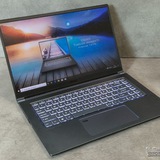
Vector 16 HX AI - Thunderbolt ports don't recognize my second monitor
I recently purchased a new laptop, it's a Vector 16 HX AI with an Intel Ultra 9 275 HX and RTX 5070. On my old Lenovo Legion I used to be able to connect 2 monitors - 1 using an HDMI cable and that monitor would then be powered by an external source, while the second monitor would be connected to the USB C port which would then both power it and send a video signal. I'm now trying to replicate this on my new laptop, however i keep getting an error message. In the device manager it says ''Unknown USB Device (port reset failed). I've tried many solutions, but can't seem to get it to work. What's the fix that I'm missing?
https://redd.it/1pau0ax
@MSILaptops
I recently purchased a new laptop, it's a Vector 16 HX AI with an Intel Ultra 9 275 HX and RTX 5070. On my old Lenovo Legion I used to be able to connect 2 monitors - 1 using an HDMI cable and that monitor would then be powered by an external source, while the second monitor would be connected to the USB C port which would then both power it and send a video signal. I'm now trying to replicate this on my new laptop, however i keep getting an error message. In the device manager it says ''Unknown USB Device (port reset failed). I've tried many solutions, but can't seem to get it to work. What's the fix that I'm missing?
https://redd.it/1pau0ax
@MSILaptops
Reddit
From the MSILaptops community on Reddit
Explore this post and more from the MSILaptops community
Msi katana gf66 fix
Msi katana gf66 fix
My laptop fan started making really loud noises I'm fine with opening laptops so I did and figured out on of the fans were bad does anyone know what caused this and where or how much I can get a replacement
https://redd.it/1paww52
@MSILaptops
Msi katana gf66 fix
My laptop fan started making really loud noises I'm fine with opening laptops so I did and figured out on of the fans were bad does anyone know what caused this and where or how much I can get a replacement
https://redd.it/1paww52
@MSILaptops
Reddit
From the MSILaptops community on Reddit
Explore this post and more from the MSILaptops community
My laptop won't turn on.
Hi everyone, I have a problem with my MSI Raider GE78HX 13V laptop. I did some maintenance today—just cleaning it, which I've done before. I made sure to put everything back in its place and connect everything, but now I can't turn it on. The power button stays lit red and a fan turns on, but the screen doesn't display anything, and it seems the keys aren't working either, since the Caps Lock key doesn't light up when I press it.
https://redd.it/1pb1rjr
@MSILaptops
Hi everyone, I have a problem with my MSI Raider GE78HX 13V laptop. I did some maintenance today—just cleaning it, which I've done before. I made sure to put everything back in its place and connect everything, but now I can't turn it on. The power button stays lit red and a fan turns on, but the screen doesn't display anything, and it seems the keys aren't working either, since the Caps Lock key doesn't light up when I press it.
https://redd.it/1pb1rjr
@MSILaptops
Reddit
From the MSILaptops community on Reddit
Explore this post and more from the MSILaptops community
Hi guys is this normal or too much, crosshair hx 16 i714gen rtx 4060
https://redd.it/1pbae3c
@MSILaptops
https://redd.it/1pbae3c
@MSILaptops
Help with fan settings
I just bought an msi crosshair 16 hx d2wx and I wasn't expecting a silent laptop, but the fan goes to full speed as soon as I do something can u help pls ?
https://redd.it/1pbb9xq
@MSILaptops
I just bought an msi crosshair 16 hx d2wx and I wasn't expecting a silent laptop, but the fan goes to full speed as soon as I do something can u help pls ?
https://redd.it/1pbb9xq
@MSILaptops
Reddit
From the MSILaptops community on Reddit
Explore this post and more from the MSILaptops community
Will this ram stick work with this laptop? Even tho theIntel core is 10th gen
https://redd.it/1pbh0ri
@MSILaptops
https://redd.it/1pbh0ri
@MSILaptops
MSI Cyborg 15 no charging light
I booted up my laptop after not using it in a bit and had it plugged in everything worked for about a minute then the laptop shut down automatically. And now I just have a brick that won’t charge I bought a charger and both work on my parents laptops and won’t charge my MSI I tested them with a multi meter and the test 20v then I plug my laptop in and test the charger voltage again it reads 0v so I’m guessing something is shorted somewhere if anyone has any information on these laptops suck as schematics or anything like that or has encountered this no charging light on problem any help at all would be much appreciated.
https://redd.it/1pbllvf
@MSILaptops
I booted up my laptop after not using it in a bit and had it plugged in everything worked for about a minute then the laptop shut down automatically. And now I just have a brick that won’t charge I bought a charger and both work on my parents laptops and won’t charge my MSI I tested them with a multi meter and the test 20v then I plug my laptop in and test the charger voltage again it reads 0v so I’m guessing something is shorted somewhere if anyone has any information on these laptops suck as schematics or anything like that or has encountered this no charging light on problem any help at all would be much appreciated.
https://redd.it/1pbllvf
@MSILaptops
Reddit
From the MSILaptops community on Reddit
Explore this post and more from the MSILaptops community
Adding second drive to MSI Raider 18 HX AI A2XWJG-416US 18
Have a new MSI Raider 18 HX AI A2XWJG-416US 18 and wanted to add a second drive since this rig will be for 3D scanning and processing meshes and CAD work. I purchased a 4TB samsung NVMe drive (Samsung - 990 PRO 4TB Internal SSD PCle Gen 4x4 NVMe) and when I booted up after the install I could se the drive in windows 11 Pro disk manager. I created the partition and formatted it, and thought nothing of it. After about a week I booted up and started installing my scanning software and CAD tools, and D drive is no longer there and not showing up in disk manager. It's a total pain in the ASS to crack this thing open but it looks like I'll have to. I also looked in the bios and its not showing up there either.
https://redd.it/1pbleqx
@MSILaptops
Have a new MSI Raider 18 HX AI A2XWJG-416US 18 and wanted to add a second drive since this rig will be for 3D scanning and processing meshes and CAD work. I purchased a 4TB samsung NVMe drive (Samsung - 990 PRO 4TB Internal SSD PCle Gen 4x4 NVMe) and when I booted up after the install I could se the drive in windows 11 Pro disk manager. I created the partition and formatted it, and thought nothing of it. After about a week I booted up and started installing my scanning software and CAD tools, and D drive is no longer there and not showing up in disk manager. It's a total pain in the ASS to crack this thing open but it looks like I'll have to. I also looked in the bios and its not showing up there either.
https://redd.it/1pbleqx
@MSILaptops
Reddit
From the MSILaptops community on Reddit
Explore this post and more from the MSILaptops community
ssd upgrade question
hi everyone, i own a msi katana b12vfk-463xru and want to install a second ssd. the problem is I don't know ANYTHING about tech side of laptops so im completely confused on which one to choose. i thought about kingston or msi (safest choice for me bc again I don't know anything lol) with 1tb(or maybe even 2tb but that seems like too much) storage, but I don't know? won't 1tb slow my laptop's performance significantly? what should i buy...
+ i thought about upgrading RAM in the future from 16gb up to 32/64gb but again. don't know about technical characteristics and don't want to screw up by buying something incompatible
I'll be really glad if someone can recommend me a good compatible (and preferably not really expensive) ssd/ram
https://redd.it/1pbkqwu
@MSILaptops
hi everyone, i own a msi katana b12vfk-463xru and want to install a second ssd. the problem is I don't know ANYTHING about tech side of laptops so im completely confused on which one to choose. i thought about kingston or msi (safest choice for me bc again I don't know anything lol) with 1tb(or maybe even 2tb but that seems like too much) storage, but I don't know? won't 1tb slow my laptop's performance significantly? what should i buy...
+ i thought about upgrading RAM in the future from 16gb up to 32/64gb but again. don't know about technical characteristics and don't want to screw up by buying something incompatible
I'll be really glad if someone can recommend me a good compatible (and preferably not really expensive) ssd/ram
https://redd.it/1pbkqwu
@MSILaptops
Reddit
From the MSILaptops community on Reddit
Explore this post and more from the MSILaptops community
Storage upgrade (A11UD)
Hello! I know nothing about laptops so I need some advice here. I have an MSI Sword 15 A11UD gaming laptop with 454 GB. I'm starting to run low on storage, so I was wondering what's my cheapest or the best priced option for more storage?
https://redd.it/1pbq2vp
@MSILaptops
Hello! I know nothing about laptops so I need some advice here. I have an MSI Sword 15 A11UD gaming laptop with 454 GB. I'm starting to run low on storage, so I was wondering what's my cheapest or the best priced option for more storage?
https://redd.it/1pbq2vp
@MSILaptops
Reddit
From the MSILaptops community on Reddit
Explore this post and more from the MSILaptops community
Troubleshooting- MSI Prestige A16 AI+ laptop has a flickering screen on boot up, and my f5 mic light is always on (Microphone not working)
Hello All, I've been very impressed with this computer since I got it, but there's a persistent problem that I shouldn't have ignored for so long (the screen flickering) and one that I just recently noticed (the microphone not working)
When turning the laptop on, boot up and before putting my pin in, the screen flickers intensely. It stops entirely when I close the laptop screen and open again immediately, and the flickering never happens again until the next time i boot up.
Secondly, I just noticed when trying to do a teams meeting- my microphone is NOT working! the Mic light (F5) is lit, but no amount of pressing (or FN+F5, or FN+esc and then F5) or looking for a mic in the devices section of my settings works at all. I did a hard reset of the computer (Turned off, press the power button until the light flashes on and off, then plug charger in and turn on) and this didn't work.
I'm checking my warranty but I wanted to ask on here as well.
https://redd.it/1pbpsgt
@MSILaptops
Hello All, I've been very impressed with this computer since I got it, but there's a persistent problem that I shouldn't have ignored for so long (the screen flickering) and one that I just recently noticed (the microphone not working)
When turning the laptop on, boot up and before putting my pin in, the screen flickers intensely. It stops entirely when I close the laptop screen and open again immediately, and the flickering never happens again until the next time i boot up.
Secondly, I just noticed when trying to do a teams meeting- my microphone is NOT working! the Mic light (F5) is lit, but no amount of pressing (or FN+F5, or FN+esc and then F5) or looking for a mic in the devices section of my settings works at all. I did a hard reset of the computer (Turned off, press the power button until the light flashes on and off, then plug charger in and turn on) and this didn't work.
I'm checking my warranty but I wanted to ask on here as well.
https://redd.it/1pbpsgt
@MSILaptops
Reddit
From the MSILaptops community on Reddit
Explore this post and more from the MSILaptops community
CYBORG 15 A12VF Thermals
Situation: I've had this laptop for about a year now, about 6ish months ago my temperature started to rise. Around august I decided to change the thermal paste and pads.
After the initial switch everything was going. After a month it spiked so hard that with turbo enabled booting up anything would cause the CPU to jump to 95 degrees and throttle. Solution turn of turbo, now while gaming the CPU would be around 75 degrees. Everything was fine until recently where I am seeing the temperatures are starting to rise again.
I must have severely messed up whilst reapplying the thermal paste or chose the wrong thickness of thermal pads.
I am planning on reappling it once more but this time using thermal putty.
Now the question is can anyone say if TG basic/advanced is any good and does anyone have some other ideas on fixing this issue, I need this laptop to last me at least another 2 years
Any and all help is greatly appreciated
https://redd.it/1pbsffj
@MSILaptops
Situation: I've had this laptop for about a year now, about 6ish months ago my temperature started to rise. Around august I decided to change the thermal paste and pads.
After the initial switch everything was going. After a month it spiked so hard that with turbo enabled booting up anything would cause the CPU to jump to 95 degrees and throttle. Solution turn of turbo, now while gaming the CPU would be around 75 degrees. Everything was fine until recently where I am seeing the temperatures are starting to rise again.
I must have severely messed up whilst reapplying the thermal paste or chose the wrong thickness of thermal pads.
I am planning on reappling it once more but this time using thermal putty.
Now the question is can anyone say if TG basic/advanced is any good and does anyone have some other ideas on fixing this issue, I need this laptop to last me at least another 2 years
Any and all help is greatly appreciated
https://redd.it/1pbsffj
@MSILaptops
Reddit
From the MSILaptops community on Reddit
Explore this post and more from the MSILaptops community
Converting a GT83VR to linux mint
Hello, I wanted to ask has anyone done this before? Does it work for the SLI bridged 1080s?
https://redd.it/1pbs5yy
@MSILaptops
Hello, I wanted to ask has anyone done this before? Does it work for the SLI bridged 1080s?
https://redd.it/1pbs5yy
@MSILaptops
Reddit
From the MSILaptops community on Reddit
Explore this post and more from the MSILaptops community
MDI Vector A16 HX A8W I am disappointed over the fact that I just found out I can’t upgrade SSD on this computer or it seems rather tedious
So how am I supposed to upgrade storage when the laptop only allows for one 2280 ssd(so the one it comes with) or 2 2030 ssd which how do I transfer the stuff from one. And that would mean I need to buy two ssds. Please help
https://redd.it/1pby2x0
@MSILaptops
So how am I supposed to upgrade storage when the laptop only allows for one 2280 ssd(so the one it comes with) or 2 2030 ssd which how do I transfer the stuff from one. And that would mean I need to buy two ssds. Please help
https://redd.it/1pby2x0
@MSILaptops
Reddit
From the MSILaptops community on Reddit
Explore this post and more from the MSILaptops community