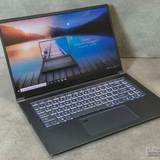
Troubleshooting- MSI Prestige A16 AI+ laptop has a flickering screen on boot up, and my f5 mic light is always on (Microphone not working)
Hello All, I've been very impressed with this computer since I got it, but there's a persistent problem that I shouldn't have ignored for so long (the screen flickering) and one that I just recently noticed (the microphone not working)
When turning the laptop on, boot up and before putting my pin in, the screen flickers intensely. It stops entirely when I close the laptop screen and open again immediately, and the flickering never happens again until the next time i boot up.
Secondly, I just noticed when trying to do a teams meeting- my microphone is NOT working! the Mic light (F5) is lit, but no amount of pressing (or FN+F5, or FN+esc and then F5) or looking for a mic in the devices section of my settings works at all. I did a hard reset of the computer (Turned off, press the power button until the light flashes on and off, then plug charger in and turn on) and this didn't work.
I'm checking my warranty but I wanted to ask on here as well.
https://redd.it/1pbpsgt
@MSILaptops
Hello All, I've been very impressed with this computer since I got it, but there's a persistent problem that I shouldn't have ignored for so long (the screen flickering) and one that I just recently noticed (the microphone not working)
When turning the laptop on, boot up and before putting my pin in, the screen flickers intensely. It stops entirely when I close the laptop screen and open again immediately, and the flickering never happens again until the next time i boot up.
Secondly, I just noticed when trying to do a teams meeting- my microphone is NOT working! the Mic light (F5) is lit, but no amount of pressing (or FN+F5, or FN+esc and then F5) or looking for a mic in the devices section of my settings works at all. I did a hard reset of the computer (Turned off, press the power button until the light flashes on and off, then plug charger in and turn on) and this didn't work.
I'm checking my warranty but I wanted to ask on here as well.
https://redd.it/1pbpsgt
@MSILaptops
Reddit
From the MSILaptops community on Reddit
Explore this post and more from the MSILaptops community
CYBORG 15 A12VF Thermals
Situation: I've had this laptop for about a year now, about 6ish months ago my temperature started to rise. Around august I decided to change the thermal paste and pads.
After the initial switch everything was going. After a month it spiked so hard that with turbo enabled booting up anything would cause the CPU to jump to 95 degrees and throttle. Solution turn of turbo, now while gaming the CPU would be around 75 degrees. Everything was fine until recently where I am seeing the temperatures are starting to rise again.
I must have severely messed up whilst reapplying the thermal paste or chose the wrong thickness of thermal pads.
I am planning on reappling it once more but this time using thermal putty.
Now the question is can anyone say if TG basic/advanced is any good and does anyone have some other ideas on fixing this issue, I need this laptop to last me at least another 2 years
Any and all help is greatly appreciated
https://redd.it/1pbsffj
@MSILaptops
Situation: I've had this laptop for about a year now, about 6ish months ago my temperature started to rise. Around august I decided to change the thermal paste and pads.
After the initial switch everything was going. After a month it spiked so hard that with turbo enabled booting up anything would cause the CPU to jump to 95 degrees and throttle. Solution turn of turbo, now while gaming the CPU would be around 75 degrees. Everything was fine until recently where I am seeing the temperatures are starting to rise again.
I must have severely messed up whilst reapplying the thermal paste or chose the wrong thickness of thermal pads.
I am planning on reappling it once more but this time using thermal putty.
Now the question is can anyone say if TG basic/advanced is any good and does anyone have some other ideas on fixing this issue, I need this laptop to last me at least another 2 years
Any and all help is greatly appreciated
https://redd.it/1pbsffj
@MSILaptops
Reddit
From the MSILaptops community on Reddit
Explore this post and more from the MSILaptops community
Converting a GT83VR to linux mint
Hello, I wanted to ask has anyone done this before? Does it work for the SLI bridged 1080s?
https://redd.it/1pbs5yy
@MSILaptops
Hello, I wanted to ask has anyone done this before? Does it work for the SLI bridged 1080s?
https://redd.it/1pbs5yy
@MSILaptops
Reddit
From the MSILaptops community on Reddit
Explore this post and more from the MSILaptops community
MDI Vector A16 HX A8W I am disappointed over the fact that I just found out I can’t upgrade SSD on this computer or it seems rather tedious
So how am I supposed to upgrade storage when the laptop only allows for one 2280 ssd(so the one it comes with) or 2 2030 ssd which how do I transfer the stuff from one. And that would mean I need to buy two ssds. Please help
https://redd.it/1pby2x0
@MSILaptops
So how am I supposed to upgrade storage when the laptop only allows for one 2280 ssd(so the one it comes with) or 2 2030 ssd which how do I transfer the stuff from one. And that would mean I need to buy two ssds. Please help
https://redd.it/1pby2x0
@MSILaptops
Reddit
From the MSILaptops community on Reddit
Explore this post and more from the MSILaptops community
MDI Vector A16 HX A8W I am disappointed over the fact that I just found out I can’t upgrade SSD on this computer or it seems rather tedious
So how am I supposed to upgrade storage when the laptop only allows for one 2080 ssd(so the one it comes with) or 2 2030 ssd which how do I transfer the stuff from one. And that would mean I need to buy two ssds. Please help
https://redd.it/1pby2t1
@MSILaptops
So how am I supposed to upgrade storage when the laptop only allows for one 2080 ssd(so the one it comes with) or 2 2030 ssd which how do I transfer the stuff from one. And that would mean I need to buy two ssds. Please help
https://redd.it/1pby2t1
@MSILaptops
Reddit
From the MSILaptops community on Reddit
Explore this post and more from the MSILaptops community
MSI laptop charging stuck at ~24 W even with original charger — help?
Hey everyone,
I’m running into a weird issue with my laptop (Model: MSI GF63).
What’s happening:
I’m using the original charger(120W Chicony A17-120P2A)
The battery used to charge at around 45 W, but now it’s stuck at ~24–25 W
The battery is somewhere between 17–54%, and the wattage just doesn’t go up
Charger and battery are detected correctly, and the laptop powers on normally
What I’ve tried so far:
EC reset
Clean reinstall of MSI Center + SDK
Battery calibration
Uninstalling/reinstalling the Microsoft ACPI battery driver
BIOS has never been updated, and I haven’t changed any settings
Other info:
Charger and battery seem healthy, no physical damage
Charging is consistent at ~24 W, not intermittent
Has anyone else run into something like this with MSI laptops? Do you think it’s an EC/firmware thing, MSI Center, or something else? I’d really appreciate any tips for safe next steps — I’d like to avoid wiping or updating BIOS unless it’s necessary.
Thanks in advance!
https://redd.it/1pc16aq
@MSILaptops
Hey everyone,
I’m running into a weird issue with my laptop (Model: MSI GF63).
What’s happening:
I’m using the original charger(120W Chicony A17-120P2A)
The battery used to charge at around 45 W, but now it’s stuck at ~24–25 W
The battery is somewhere between 17–54%, and the wattage just doesn’t go up
Charger and battery are detected correctly, and the laptop powers on normally
What I’ve tried so far:
EC reset
Clean reinstall of MSI Center + SDK
Battery calibration
Uninstalling/reinstalling the Microsoft ACPI battery driver
BIOS has never been updated, and I haven’t changed any settings
Other info:
Charger and battery seem healthy, no physical damage
Charging is consistent at ~24 W, not intermittent
Has anyone else run into something like this with MSI laptops? Do you think it’s an EC/firmware thing, MSI Center, or something else? I’d really appreciate any tips for safe next steps — I’d like to avoid wiping or updating BIOS unless it’s necessary.
Thanks in advance!
https://redd.it/1pc16aq
@MSILaptops
Reddit
From the MSILaptops community on Reddit
Explore this post and more from the MSILaptops community
My RTX 4050 disappeared after an SSD swap + fresh Windows install (MSI Cyborg 15 A12V)
I’m genuinely losing my mind right now. I have an MSI Cyborg 15 A12V with an i5-12450H and an RTX 4050. Everything was working perfectly until I swapped the SSD. I installed a brand new SSD, did a completely fresh Windows 11 install, and the moment the system booted up, my RTX 4050 basically vanished from the universe.
It’s not disabled, not hidden, not showing errors, not listed as an unknown device. It’s literally not detected anywhere. Nvidia installer says “No compatible hardware found.” Device Manager shows nothing. BIOS doesn’t show the GPU at all. The laptop only uses the Intel iGPU now.
Here’s the crazy part: I even put my old SSD back in—the one where everything used to work perfectly. And the GPU is STILL gone. So whatever happened, it happened exactly during or right after the SSD swap and Windows reinstall.
I’ve tried everything I could think of: resetting BIOS to defaults, switching primary display between Auto, PEG, IGFX, PCH PCI, HG, doing a clean Windows install, updating chipset drivers, reinstalling with no internet, even opening the hidden developer BIOS menu. Nothing brings back the GPU. VMD is on and locked in the BIOS, and I’ve heard that MSI laptops can bug out with PCIe routing when VMD is involved, but it still doesn’t explain why the GPU is completely gone on BIOS level.
There were no sparks, no pressure, no cracks, no weird sounds, nothing. The laptop was perfectly fine before the SSD swap. Then after reinstalling Windows, the GPU simply stopped existing for the system.
At this point I don’t know if this is a VMD/Intel RST bug, some BIOS-level PCIe routing corruption, or a hardware issue like the GPU losing power or the PCIe root port failing. I’m just hoping someone has seen anything similar, because it feels insane that changing an SSD and reinstalling Windows could make a whole RTX 4050 disappear like it never existed.
Any advice, theories, or random guesses are welcome. I just want my GPU back.
https://redd.it/1pc274a
@MSILaptops
I’m genuinely losing my mind right now. I have an MSI Cyborg 15 A12V with an i5-12450H and an RTX 4050. Everything was working perfectly until I swapped the SSD. I installed a brand new SSD, did a completely fresh Windows 11 install, and the moment the system booted up, my RTX 4050 basically vanished from the universe.
It’s not disabled, not hidden, not showing errors, not listed as an unknown device. It’s literally not detected anywhere. Nvidia installer says “No compatible hardware found.” Device Manager shows nothing. BIOS doesn’t show the GPU at all. The laptop only uses the Intel iGPU now.
Here’s the crazy part: I even put my old SSD back in—the one where everything used to work perfectly. And the GPU is STILL gone. So whatever happened, it happened exactly during or right after the SSD swap and Windows reinstall.
I’ve tried everything I could think of: resetting BIOS to defaults, switching primary display between Auto, PEG, IGFX, PCH PCI, HG, doing a clean Windows install, updating chipset drivers, reinstalling with no internet, even opening the hidden developer BIOS menu. Nothing brings back the GPU. VMD is on and locked in the BIOS, and I’ve heard that MSI laptops can bug out with PCIe routing when VMD is involved, but it still doesn’t explain why the GPU is completely gone on BIOS level.
There were no sparks, no pressure, no cracks, no weird sounds, nothing. The laptop was perfectly fine before the SSD swap. Then after reinstalling Windows, the GPU simply stopped existing for the system.
At this point I don’t know if this is a VMD/Intel RST bug, some BIOS-level PCIe routing corruption, or a hardware issue like the GPU losing power or the PCIe root port failing. I’m just hoping someone has seen anything similar, because it feels insane that changing an SSD and reinstalling Windows could make a whole RTX 4050 disappear like it never existed.
Any advice, theories, or random guesses are welcome. I just want my GPU back.
https://redd.it/1pc274a
@MSILaptops
Reddit
From the MSILaptops community on Reddit
Explore this post and more from the MSILaptops community
Game Performance of MSI SWORD 16 HX B14VFKG-491PH (MH WILDS, DD2 AND ReBLIVION)
Planning on getting this laptop for these 3 games. I'll be upgrading it to 16GB if ever, and want to know how it performs on a 1080p native and with those fps boosting features (Framegen, FSR/DLSS). I also want to know the temps and if you are using a laptop cooler.
https://redd.it/1pc7nh6
@MSILaptops
Planning on getting this laptop for these 3 games. I'll be upgrading it to 16GB if ever, and want to know how it performs on a 1080p native and with those fps boosting features (Framegen, FSR/DLSS). I also want to know the temps and if you are using a laptop cooler.
https://redd.it/1pc7nh6
@MSILaptops
Reddit
From the MSILaptops community on Reddit
Explore this post and more from the MSILaptops community
Repasting my Laptop
This is my first time repasting my laptop that is an MSI Thin 15 B12UCX, I know phase changing sheets are the meta but the best I could get my hands on where I live is SYY 157, now do I make a dot, a line, or a cross? Or do I spread it evenly and seal the heatsink? As I understand the SYY 157 is non-conductive so It wouldn’t cause any short-circuiting from any extra spill but I am concerned about it leaving air-bubbles. So any inputs are appreciated, thanks!
https://redd.it/1pc6k0n
@MSILaptops
This is my first time repasting my laptop that is an MSI Thin 15 B12UCX, I know phase changing sheets are the meta but the best I could get my hands on where I live is SYY 157, now do I make a dot, a line, or a cross? Or do I spread it evenly and seal the heatsink? As I understand the SYY 157 is non-conductive so It wouldn’t cause any short-circuiting from any extra spill but I am concerned about it leaving air-bubbles. So any inputs are appreciated, thanks!
https://redd.it/1pc6k0n
@MSILaptops
Reddit
From the MSILaptops community on Reddit
Explore this post and more from the MSILaptops community
change components
hello, i have an Katana GF66 12UC and its been working preety fine, but im thinking about buying another but at the same time i discovered that i can change the ram of the laptop, so idk, is it worth it? or its better to buy a new one, thanks!
https://redd.it/1pc6j5m
@MSILaptops
hello, i have an Katana GF66 12UC and its been working preety fine, but im thinking about buying another but at the same time i discovered that i can change the ram of the laptop, so idk, is it worth it? or its better to buy a new one, thanks!
https://redd.it/1pc6j5m
@MSILaptops
Reddit
From the MSILaptops community on Reddit
Explore this post and more from the MSILaptops community
Upgraded my ram on my MSI Vector 16 HX
So I upgraded the ram and wanted to turn on XMP Profile 1 in the bios, when I did that it doesn't post anymore what can I do?
https://redd.it/1pcccia
@MSILaptops
So I upgraded the ram and wanted to turn on XMP Profile 1 in the bios, when I did that it doesn't post anymore what can I do?
https://redd.it/1pcccia
@MSILaptops
Reddit
From the MSILaptops community on Reddit
Explore this post and more from the MSILaptops community
MSI Thin 15 B12UCX-1684CA 15.6" Gaming Laptop - Intel Core i5-12450H - RTX 2050 - 512 GB NVMe SSD - 16 GB RAM - Windows 11
https://redd.it/1pcd2c1
@MSILaptops
https://redd.it/1pcd2c1
@MSILaptops
Reddit
From the MSILaptops community on Reddit
Explore this post and more from the MSILaptops community
MSI GF63 i7 9th Gen keyboard backlight not working
I just notice that my laptop keyboard backlight isn't switching on anymore with the Fn+ Pg Up/Down button.
Can anyone suggest a DIY solution for this?
https://redd.it/1pcet9w
@MSILaptops
I just notice that my laptop keyboard backlight isn't switching on anymore with the Fn+ Pg Up/Down button.
Can anyone suggest a DIY solution for this?
https://redd.it/1pcet9w
@MSILaptops
Reddit
From the MSILaptops community on Reddit
Explore this post and more from the MSILaptops community
I Upgraded My MSI Vector GP68HX with a Mini LED Screen - Video tutorial
¡Hola a todos! 👋
Hace poco le puse una pantalla mini LED (NE160QDM-NM8) a mi MSI Vector 16HX y grabé el proceso. Este es mi primer video tutorial.
https://youtube.com/watch?v=epgNC6P0hl0&si
Todavía estoy aprendiendo a hacer mejores tutoriales, así que agradecería mucho cualquier comentario constructivo o sugerencia para mejorar.
¡También feliz de responder cualquier pregunta sobre el proceso!
https://redd.it/1pchm0t
@MSILaptops
¡Hola a todos! 👋
Hace poco le puse una pantalla mini LED (NE160QDM-NM8) a mi MSI Vector 16HX y grabé el proceso. Este es mi primer video tutorial.
https://youtube.com/watch?v=epgNC6P0hl0&si
Todavía estoy aprendiendo a hacer mejores tutoriales, así que agradecería mucho cualquier comentario constructivo o sugerencia para mejorar.
¡También feliz de responder cualquier pregunta sobre el proceso!
https://redd.it/1pchm0t
@MSILaptops
YouTube
MSI Vector 16 Mini LED Upgrade - Step by step tutorial
-Tutorial completo para actualizar la pantalla de tu MSI Vector 16 a mini LED NE160QDM.
-Complete tutorial to upgrade your MSI Vector 16 screen to an NE160QDM mini LED.
-En este video te muestro paso a paso cómo cambiar la pantalla original de tu MSI Vector…
-Complete tutorial to upgrade your MSI Vector 16 screen to an NE160QDM mini LED.
-En este video te muestro paso a paso cómo cambiar la pantalla original de tu MSI Vector…
Problemas de temperatura del procesador de una msi gf65 thin 9sd
Hola a todos, necesito su ayuda y consejos
Tengo una msi gf65 thin 9sd
I7 9750h
Gtx 1660ti
24gb ram
500 m.2 nvme
He cambiado de pasta, thermal pads y la temperatura sigue siendo muy alta, apenas abro un juego que no es muy demandante, la temperatura aumenta hasta 95°-97° y el ventilador a tope.
En caso de days gone el rendimiento es pesimo, 40-60 fps en calidad gráfica baja-media el procesador está a 95°, haciendo uso solo el 40-50% y con un máximo de 2.1ghz
Tengo cooler boost activado y el plan de energía en alto rendimiento. Les agradecería su ayuda
https://redd.it/1pchd1m
@MSILaptops
Hola a todos, necesito su ayuda y consejos
Tengo una msi gf65 thin 9sd
I7 9750h
Gtx 1660ti
24gb ram
500 m.2 nvme
He cambiado de pasta, thermal pads y la temperatura sigue siendo muy alta, apenas abro un juego que no es muy demandante, la temperatura aumenta hasta 95°-97° y el ventilador a tope.
En caso de days gone el rendimiento es pesimo, 40-60 fps en calidad gráfica baja-media el procesador está a 95°, haciendo uso solo el 40-50% y con un máximo de 2.1ghz
Tengo cooler boost activado y el plan de energía en alto rendimiento. Les agradecería su ayuda
https://redd.it/1pchd1m
@MSILaptops
Reddit
From the MSILaptops community on Reddit
Explore this post and more from the MSILaptops community