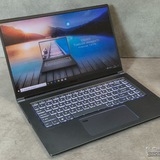
Msi Raider
I'm looking to buy a laptop and have chosen the MSI Raider A18 A9WHG.
AMD Ryzen 9 9955HX3D
RTX 5070Ti (12 GB).
32 GB RAM (upgradeable)
240 Hz/2560x1600/IPS/18
SSD 2048
What do you think of this laptop? What is the cooling system like? What is the gaming performance like?
https://redd.it/1pfvc69
@MSILaptops
I'm looking to buy a laptop and have chosen the MSI Raider A18 A9WHG.
AMD Ryzen 9 9955HX3D
RTX 5070Ti (12 GB).
32 GB RAM (upgradeable)
240 Hz/2560x1600/IPS/18
SSD 2048
What do you think of this laptop? What is the cooling system like? What is the gaming performance like?
https://redd.it/1pfvc69
@MSILaptops
Reddit
From the MSILaptops community on Reddit
Explore this post and more from the MSILaptops community
Msi Bravo 15 C7V sudden crashes
Hi there!
I've had this one problem with my laptop that doesn't seem to have any fix and it resolves around serie Bravo 15 C7V.
The laptop just randomly while using, shuts down and goes into a recovery mode that doesn't do anything and sends me to the troubleshooting mode of windows. Recently i discovered a temporary solution which is called battery discharge that takes around 20 minutes and the laptop turns back on like nothing happened.
I also wanna add that i did put an extra m.2 1tb disk and a new set of ddr5 32gb from kingston. Im not certain if that problem occured before that upgrade. I did indeed update BIOS to the newest version TWICE.
The problem did occur on windows 10 as on windows 11, for some reason it took a while for it to reappear on windows 10. When it comes to 11, it happened right after a fresh install of the system.
There's also another problem of the laptop just completly dropping the fps in games to critical levels, putting fans on max speed(even after turning the game off) and the only thing that fixes it is rebooting the laptop. I tried using dragon center to control the fans in some sort of way but it didnt help. I didnt try working with overclocking in any way.
I hope there's some sort of fix that this community is aware of that would help me with this laptop.
https://redd.it/1pfwd8k
@MSILaptops
Hi there!
I've had this one problem with my laptop that doesn't seem to have any fix and it resolves around serie Bravo 15 C7V.
The laptop just randomly while using, shuts down and goes into a recovery mode that doesn't do anything and sends me to the troubleshooting mode of windows. Recently i discovered a temporary solution which is called battery discharge that takes around 20 minutes and the laptop turns back on like nothing happened.
I also wanna add that i did put an extra m.2 1tb disk and a new set of ddr5 32gb from kingston. Im not certain if that problem occured before that upgrade. I did indeed update BIOS to the newest version TWICE.
The problem did occur on windows 10 as on windows 11, for some reason it took a while for it to reappear on windows 10. When it comes to 11, it happened right after a fresh install of the system.
There's also another problem of the laptop just completly dropping the fps in games to critical levels, putting fans on max speed(even after turning the game off) and the only thing that fixes it is rebooting the laptop. I tried using dragon center to control the fans in some sort of way but it didnt help. I didnt try working with overclocking in any way.
I hope there's some sort of fix that this community is aware of that would help me with this laptop.
https://redd.it/1pfwd8k
@MSILaptops
Reddit
From the MSILaptops community on Reddit
Explore this post and more from the MSILaptops community
Vector 16 HX AI - BSOD 0x116 on Wake (Discrete Mode) & BIOS .114 Regression
Hi everyone,
[Vector-16-HX-AI-A2XWHG - BSOD 0x116 on Wake (Discrete Mode) & BIOS .114 Regression | MSI Global English Forum](https://forum-en.msi.com/index.php?threads/vector-16-hx-ai-a2xwhg-bsod-0x116-on-wake-discrete-mode-bios-114-regression.416651/)
I am experiencing a persistent **VIDEO\_TDR\_FAILURE (0x00000116)** BSOD on my MSI Vector 16 HX AI. I have performed extensive testing and isolated the issue to a specific scenario involving the MUX Switch, AC Power, and a suspected BIOS regression.
Here are my system details and findings:
**System Information:**
* **Model:** Vector 16 HX AI A2XWX / A2XWHG
* **BIOS Version:** E15M3IMS.114 (Current)
* **VBIOS Version:** 98.05.56.00.0B (Latest)
* **OS:** Windows 11
**The Issue:** The system crashes with a BSOD (0x116 - nvlddmkm.sys) when waking up from "Sleep" mode.
**Crucial Isolation Step:** **This issue does NOT occur when using Integrated Graphics (MSHybrid mode).** It is exclusive to Discrete Graphics Mode via the MUX switch.
**Steps to Reproduce:**
1. Set the laptop to **Discrete Graphics Mode** (via MUX switch).
2. Connect the **AC Power Adapter** (Issue observed while plugged in; battery behavior not fully tested for this crash).
3. Put the laptop to **Sleep**.
4. Wake the laptop.
* *Note:* If the crash does not happen immediately on the first wake, put it back to sleep (using Fn + Sleep shortcut) and leave it for **about 15 minutes**.
5. **Result:** Upon waking, the system hangs and crashes with BSOD 0x116.
**Driver & BIOS Observations:**
**1. With Latest Generic Nvidia Drivers (581.80, 591.44):**
* The system consistently crashes with the 0x116 BSOD upon waking up from sleep (especially after a 15-minute duration).
**2. With MSI OEM Driver (573.22):**
* The BSOD does *not* occur.
* **HOWEVER:** There is a power state bug. When plugged in and put to sleep, the DGPU does not fully power down. The Power LED remains **Orange** (indicating DGPU is active/awake).
* *Contrast:* On battery mode with this driver, the Orange light turns off correctly.
**Conclusion & Suspected Regression:** It appears the GPU is failing to handle power state transitions (Sleep -> Wake) correctly while on AC power in Discrete Mode.
* The **OEM driver** masks the issue by keeping the GPU "awake" (Orange light), preventing the crash but failing to save power.
* The **newer Nvidia drivers** likely attempt a proper sleep cycle, which fails to wake up correctly, triggering the TDR crash.
I strongly suspect this is a regression in **BIOS E15M3IMS.114**. I do not recall experiencing this behavior on the previous BIOS version (**E15M3IMS.112**).
Has anyone else faced this with the .114 BIOS?
Thank you.
https://preview.redd.it/y5ui9zcrwm5g1.png?width=939&format=png&auto=webp&s=908562a1d36d3e8b9100d03a76b59a95f4929892
https://redd.it/1pfxlmc
@MSILaptops
Hi everyone,
[Vector-16-HX-AI-A2XWHG - BSOD 0x116 on Wake (Discrete Mode) & BIOS .114 Regression | MSI Global English Forum](https://forum-en.msi.com/index.php?threads/vector-16-hx-ai-a2xwhg-bsod-0x116-on-wake-discrete-mode-bios-114-regression.416651/)
I am experiencing a persistent **VIDEO\_TDR\_FAILURE (0x00000116)** BSOD on my MSI Vector 16 HX AI. I have performed extensive testing and isolated the issue to a specific scenario involving the MUX Switch, AC Power, and a suspected BIOS regression.
Here are my system details and findings:
**System Information:**
* **Model:** Vector 16 HX AI A2XWX / A2XWHG
* **BIOS Version:** E15M3IMS.114 (Current)
* **VBIOS Version:** 98.05.56.00.0B (Latest)
* **OS:** Windows 11
**The Issue:** The system crashes with a BSOD (0x116 - nvlddmkm.sys) when waking up from "Sleep" mode.
**Crucial Isolation Step:** **This issue does NOT occur when using Integrated Graphics (MSHybrid mode).** It is exclusive to Discrete Graphics Mode via the MUX switch.
**Steps to Reproduce:**
1. Set the laptop to **Discrete Graphics Mode** (via MUX switch).
2. Connect the **AC Power Adapter** (Issue observed while plugged in; battery behavior not fully tested for this crash).
3. Put the laptop to **Sleep**.
4. Wake the laptop.
* *Note:* If the crash does not happen immediately on the first wake, put it back to sleep (using Fn + Sleep shortcut) and leave it for **about 15 minutes**.
5. **Result:** Upon waking, the system hangs and crashes with BSOD 0x116.
**Driver & BIOS Observations:**
**1. With Latest Generic Nvidia Drivers (581.80, 591.44):**
* The system consistently crashes with the 0x116 BSOD upon waking up from sleep (especially after a 15-minute duration).
**2. With MSI OEM Driver (573.22):**
* The BSOD does *not* occur.
* **HOWEVER:** There is a power state bug. When plugged in and put to sleep, the DGPU does not fully power down. The Power LED remains **Orange** (indicating DGPU is active/awake).
* *Contrast:* On battery mode with this driver, the Orange light turns off correctly.
**Conclusion & Suspected Regression:** It appears the GPU is failing to handle power state transitions (Sleep -> Wake) correctly while on AC power in Discrete Mode.
* The **OEM driver** masks the issue by keeping the GPU "awake" (Orange light), preventing the crash but failing to save power.
* The **newer Nvidia drivers** likely attempt a proper sleep cycle, which fails to wake up correctly, triggering the TDR crash.
I strongly suspect this is a regression in **BIOS E15M3IMS.114**. I do not recall experiencing this behavior on the previous BIOS version (**E15M3IMS.112**).
Has anyone else faced this with the .114 BIOS?
Thank you.
https://preview.redd.it/y5ui9zcrwm5g1.png?width=939&format=png&auto=webp&s=908562a1d36d3e8b9100d03a76b59a95f4929892
https://redd.it/1pfxlmc
@MSILaptops
MSI GF63 Thin 12VE bug on USB-C for monitor video
Hi guys, I am looking for help since I don't know where else to get it.
I have a MSI GF63 Thin 12VE that I've been using for a while now, I used to have a monitor where I could use the USB-C to transfer video normally, so no need for HDMI.
I recently got a Lenovo L27M-30-2022 monitor to replace the previous one, which also has USB-C video transfer, but when I try to connect it the laptop just keeps making the sound of connect/disconnect without showing any images. I tried the monitor with another laptop and the monitor shows video from that laptop accordingly. What can be the issue here?
https://redd.it/1pfyux2
@MSILaptops
Hi guys, I am looking for help since I don't know where else to get it.
I have a MSI GF63 Thin 12VE that I've been using for a while now, I used to have a monitor where I could use the USB-C to transfer video normally, so no need for HDMI.
I recently got a Lenovo L27M-30-2022 monitor to replace the previous one, which also has USB-C video transfer, but when I try to connect it the laptop just keeps making the sound of connect/disconnect without showing any images. I tried the monitor with another laptop and the monitor shows video from that laptop accordingly. What can be the issue here?
https://redd.it/1pfyux2
@MSILaptops
Reddit
From the MSILaptops community on Reddit
Explore this post and more from the MSILaptops community
Touchpad doesn't showing in control panel
The touchpad usually stops working whenever a BIOS update is released, but this time there was no BIOS update and the laptop is still not detecting the touchpad. Is there any solution?
Laptop is MSI Katana GF66 12UE
https://redd.it/1pfxs9f
@MSILaptops
The touchpad usually stops working whenever a BIOS update is released, but this time there was no BIOS update and the laptop is still not detecting the touchpad. Is there any solution?
Laptop is MSI Katana GF66 12UE
https://redd.it/1pfxs9f
@MSILaptops
GE68HX V13 killed by accessing "hidden BIOS" menu 😒
I picked up a GE68HX V13 locally for super cheap, and I transplanted over my 64GB of RAM and my SSDs from my old laptop, all excited to finally have a laptop with a 4070, but I noticed the XMP enabled RAM kit was only posting at 5200 MTs instead of the rated 5600 MTs, so I looked online and found a couple of Reddits about a hidden advanced mode in BIOS which could possibly expose the XMP setting to me... Atl+Right Crtl+Shift+F2
So, I foolishly did this. I spent about 20 minutes looking though menus but couldn't find the XMP setting, so I just exited the BIOS without changing a single setting*,* and booted into Windows and finished setting up all of the MSI bloatware I somewhat needed, and then rebooted.
On reboot, the screen was black, the power LED went from white to orange after a second or two, and the CPU fan ramped up. No signs of life. I did the CMOS reset trick with the power button - it flashed as it should, but when I reconnected my charger, it booted back up to a black screen and orange button. I opened the laptop (a nightmare in itself) and disconnected the CMOS and main battery and let it sit all night. After reconnecting these, the same issue... No sign of life. 😩
I've scoured the internet, and the couple of people who have posted about having this same issue never followed up on their posts, so I don't even know it it's somethin that I can actually fix myself.
At the moment, the laptop it sitting with CMOS and main batteries both unplugged, I'm hoping for a miracle.
I am just so baffled - I have never had a PC brick itself from simply accessing a menu! This is wild.
https://redd.it/1pg2bpz
@MSILaptops
I picked up a GE68HX V13 locally for super cheap, and I transplanted over my 64GB of RAM and my SSDs from my old laptop, all excited to finally have a laptop with a 4070, but I noticed the XMP enabled RAM kit was only posting at 5200 MTs instead of the rated 5600 MTs, so I looked online and found a couple of Reddits about a hidden advanced mode in BIOS which could possibly expose the XMP setting to me... Atl+Right Crtl+Shift+F2
So, I foolishly did this. I spent about 20 minutes looking though menus but couldn't find the XMP setting, so I just exited the BIOS without changing a single setting*,* and booted into Windows and finished setting up all of the MSI bloatware I somewhat needed, and then rebooted.
On reboot, the screen was black, the power LED went from white to orange after a second or two, and the CPU fan ramped up. No signs of life. I did the CMOS reset trick with the power button - it flashed as it should, but when I reconnected my charger, it booted back up to a black screen and orange button. I opened the laptop (a nightmare in itself) and disconnected the CMOS and main battery and let it sit all night. After reconnecting these, the same issue... No sign of life. 😩
I've scoured the internet, and the couple of people who have posted about having this same issue never followed up on their posts, so I don't even know it it's somethin that I can actually fix myself.
At the moment, the laptop it sitting with CMOS and main batteries both unplugged, I'm hoping for a miracle.
I am just so baffled - I have never had a PC brick itself from simply accessing a menu! This is wild.
https://redd.it/1pg2bpz
@MSILaptops
Reddit
From the MSILaptops community on Reddit
Explore this post and more from the MSILaptops community
Stealth 15m B12UE Output to Monitor
Hello!
I have been using my Stealth 15m now for a couple of years, and now would like to set it up with a docking station and monitor. From what I've seen, it uses the Intel graphics over HDMI but not thunderbolt, so using a thunderbolt dock and appropriate display cable to my monitor, would I be able to get 120/144hz refresh rate? Been trying but not able to as of yet.
https://redd.it/1pg1mo2
@MSILaptops
Hello!
I have been using my Stealth 15m now for a couple of years, and now would like to set it up with a docking station and monitor. From what I've seen, it uses the Intel graphics over HDMI but not thunderbolt, so using a thunderbolt dock and appropriate display cable to my monitor, would I be able to get 120/144hz refresh rate? Been trying but not able to as of yet.
https://redd.it/1pg1mo2
@MSILaptops
Reddit
From the MSILaptops community on Reddit
Explore this post and more from the MSILaptops community
I get bluescreens and crashes unless i use a custom curve on afterburner
https://redd.it/1pg40rk
@MSILaptops
https://redd.it/1pg40rk
@MSILaptops
MSI Vector HX AI 16 owner thoughts
I am considering buying the MSI Vector 16 with a 275hx and a 5080, does anyone who owns the laptop have any thing (good or bad) regarding the laptop?
Battery life off charge is a particular point of interest, as I am a university student, but all insights are greatly appreciated. Is msi centre sufficient or should i use an external tool instead?
thank you in advance
https://redd.it/1pg5iwt
@MSILaptops
I am considering buying the MSI Vector 16 with a 275hx and a 5080, does anyone who owns the laptop have any thing (good or bad) regarding the laptop?
Battery life off charge is a particular point of interest, as I am a university student, but all insights are greatly appreciated. Is msi centre sufficient or should i use an external tool instead?
thank you in advance
https://redd.it/1pg5iwt
@MSILaptops
Reddit
From the MSILaptops community on Reddit
Explore this post and more from the MSILaptops community
looking for stability tips. Occasional HYPERVISORERROR after DDR5 upgrade on MSI Pulse 17 B13V
Hello everyone!
I recently upgraded the RAM on my MSI Pulse 17 B13V to two Patriot DDR5 SODIMM 16GB modules (5600 MT/s). Initially, I was experiencing frequent BSODs (HYPERVISOR\ERROR), but lowering the memory frequency from auto/5200 to 4800 MT/s helped a lot.
Crashes are rare now, but they still happen when working intensively in After Effects or ComfyUI rendering. It's not catastrophic anymore, just annoying.
I don't care about squeezing maximum performance out of the RAM—stability is my priority.
Questions:
Are there any other BIOS settings I can change (even if it slightly impacts performance) to achieve complete stability?
Is 4800 a "safe baseline" for mobile DDR5, or should I try 4400 or other JEDEC values?
I'd appreciate any advice from anyone.
Thanks!
https://redd.it/1pgbktp
@MSILaptops
Hello everyone!
I recently upgraded the RAM on my MSI Pulse 17 B13V to two Patriot DDR5 SODIMM 16GB modules (5600 MT/s). Initially, I was experiencing frequent BSODs (HYPERVISOR\ERROR), but lowering the memory frequency from auto/5200 to 4800 MT/s helped a lot.
Crashes are rare now, but they still happen when working intensively in After Effects or ComfyUI rendering. It's not catastrophic anymore, just annoying.
I don't care about squeezing maximum performance out of the RAM—stability is my priority.
Questions:
Are there any other BIOS settings I can change (even if it slightly impacts performance) to achieve complete stability?
Is 4800 a "safe baseline" for mobile DDR5, or should I try 4400 or other JEDEC values?
I'd appreciate any advice from anyone.
Thanks!
https://redd.it/1pgbktp
@MSILaptops
Reddit
From the MSILaptops community on Reddit
Explore this post and more from the MSILaptops community
display + preformance issue with msi raider 18 hx 14av
as the noscript state i have a problem with my lap top as the following
1- display color is off , way off is either 2 bright or 2 washed out tried multiple profiles no luck
reseted my msi center , got even worse -_- youtube looks pale and orange when i picked a new profile its bright and pale checked every setting possible maybe im missing out
2- my laptop suppose to be high end ? with cori 9 still it struggles with gaming on low setting for example ( when winds meet) it runs on low with 50 fps 50-40
battlefiled 6 with 70-75 fps on low also
3- when using my vm as ( vmware) the display settings is not matching what i have even tried some reselution edit , still blury ich
thanks >>>.
https://redd.it/1pgb770
@MSILaptops
as the noscript state i have a problem with my lap top as the following
1- display color is off , way off is either 2 bright or 2 washed out tried multiple profiles no luck
reseted my msi center , got even worse -_- youtube looks pale and orange when i picked a new profile its bright and pale checked every setting possible maybe im missing out
2- my laptop suppose to be high end ? with cori 9 still it struggles with gaming on low setting for example ( when winds meet) it runs on low with 50 fps 50-40
battlefiled 6 with 70-75 fps on low also
3- when using my vm as ( vmware) the display settings is not matching what i have even tried some reselution edit , still blury ich
thanks >>>.
https://redd.it/1pgb770
@MSILaptops
Reddit
From the MSILaptops community on Reddit
Explore this post and more from the MSILaptops community
MSI Stealth 18 HX AI vs Raider GE78 vs Vector 17 HX
There is an option for me to buy one of these 3 laptops in a good price.
Stealth 18 - RTX 5080, Intel Ultra 9 275HX, 64GB ram, 4K display
Raider Ge78 - RTX 4080, i9-14900HX, 32GB ram, 2K display
Vector 17 - RTX 4080, i9-14900HX, 32GB ram, 2k display
What do you guys think? Im not sure what to get.
The Stealth 18 is supposed to have the best specs but I heard it performs worse because its built to be thin and portable, also the screen has too high res for a laptop tbh. It also has 280W Ac adapter which is kinda low for that spec.
The Raider and Vector are similar but from what I know the Raider has backlight bleeding problems and low contrast ratio. But I've seen performance tests and it does really good.
The Vector should perform identical to the raider, but maybe it has a better screen and I like the design a lot more.
Does anyone have any of these and could tell me whats the experience??
https://redd.it/1pgfl4a
@MSILaptops
There is an option for me to buy one of these 3 laptops in a good price.
Stealth 18 - RTX 5080, Intel Ultra 9 275HX, 64GB ram, 4K display
Raider Ge78 - RTX 4080, i9-14900HX, 32GB ram, 2K display
Vector 17 - RTX 4080, i9-14900HX, 32GB ram, 2k display
What do you guys think? Im not sure what to get.
The Stealth 18 is supposed to have the best specs but I heard it performs worse because its built to be thin and portable, also the screen has too high res for a laptop tbh. It also has 280W Ac adapter which is kinda low for that spec.
The Raider and Vector are similar but from what I know the Raider has backlight bleeding problems and low contrast ratio. But I've seen performance tests and it does really good.
The Vector should perform identical to the raider, but maybe it has a better screen and I like the design a lot more.
Does anyone have any of these and could tell me whats the experience??
https://redd.it/1pgfl4a
@MSILaptops
Reddit
From the MSILaptops community on Reddit
Explore this post and more from the MSILaptops community
Fan control and performance apps
Does anyone know any apps better than msi centre for fan speed control and user scenario(silent, balance, extreme performance)
Even when i put it to silent my fans still stay loud for some time and sometimes they randomly get loud when im doing basic tasks like word.
https://redd.it/1pghxcl
@MSILaptops
Does anyone know any apps better than msi centre for fan speed control and user scenario(silent, balance, extreme performance)
Even when i put it to silent my fans still stay loud for some time and sometimes they randomly get loud when im doing basic tasks like word.
https://redd.it/1pghxcl
@MSILaptops
Reddit
From the MSILaptops community on Reddit
Explore this post and more from the MSILaptops community
Aumento de memoria a MSI Katana b14wgk
Hola, tengo una msi katana 15 hx b14wgk-293us-bb71465x16gxxdx11ma , con procesador Intel® Core™ i7-14650HX, RTX 5070 de 8gb, 16 gb de Ram de 5600 MHz y 1TB de SSD.
Quiero actualizar tanto la memoria Ram y la SSD, cuál es la capacidad máxima que me soporta de memoria ram? Trabajo en un estudio de arquitectura y requiero más Ram, ya que trabajo mucho con modelados y uso Twinmotion, D5 Render, y varios motores de renders. Ya que se tironea mucho al usar esos programas.
Que me recomiendan? Aumentar a 32 gb o 64 gb? Bastará los 32 gb? O me opto a los 64 gb?
Y de la SSD, quisiera agregarle otra SSD para aumentarle la memoria, pero quiero ver tambien si la laptop lo permite, si tiene más slots para agregar otra SSD.
Saludos a todos
https://redd.it/1pgitdh
@MSILaptops
Hola, tengo una msi katana 15 hx b14wgk-293us-bb71465x16gxxdx11ma , con procesador Intel® Core™ i7-14650HX, RTX 5070 de 8gb, 16 gb de Ram de 5600 MHz y 1TB de SSD.
Quiero actualizar tanto la memoria Ram y la SSD, cuál es la capacidad máxima que me soporta de memoria ram? Trabajo en un estudio de arquitectura y requiero más Ram, ya que trabajo mucho con modelados y uso Twinmotion, D5 Render, y varios motores de renders. Ya que se tironea mucho al usar esos programas.
Que me recomiendan? Aumentar a 32 gb o 64 gb? Bastará los 32 gb? O me opto a los 64 gb?
Y de la SSD, quisiera agregarle otra SSD para aumentarle la memoria, pero quiero ver tambien si la laptop lo permite, si tiene más slots para agregar otra SSD.
Saludos a todos
https://redd.it/1pgitdh
@MSILaptops
Reddit
From the MSILaptops community on Reddit
Explore this post and more from the MSILaptops community
Best Black Ops Settings?
What is the highest fps for msi cyborg 15 4050 rtx ?
Some say dlss and some say FidelityFX
https://redd.it/1pgf7h6
@MSILaptops
What is the highest fps for msi cyborg 15 4050 rtx ?
Some say dlss and some say FidelityFX
https://redd.it/1pgf7h6
@MSILaptops
Reddit
From the MSILaptops community on Reddit
Explore this post and more from the MSILaptops community
how much memory can i put in my msi cx61 2pf?
Currently have 16Gb ram on my i7, nvidia geforce 840M (which is barely used as far as i can tell from the task manager). Used mostly for programming, running docker/vmware, and internet stuff and its running at low cpu but 80/90% memory. I dont really want a new laptop so looking to maximise what i can upgrade on this.
https://redd.it/1pgnchq
@MSILaptops
Currently have 16Gb ram on my i7, nvidia geforce 840M (which is barely used as far as i can tell from the task manager). Used mostly for programming, running docker/vmware, and internet stuff and its running at low cpu but 80/90% memory. I dont really want a new laptop so looking to maximise what i can upgrade on this.
https://redd.it/1pgnchq
@MSILaptops
Reddit
From the MSILaptops community on Reddit
Explore this post and more from the MSILaptops community
MSI VECTOR 16HX AI A2XWHG BIOS E15M3IMS.114 is locking my CPU to 55W — anyone else experiencing this?
https://preview.redd.it/jkg8py8d6u5g1.png?width=2557&format=png&auto=webp&s=6db13b2c948fa8bce83e6ff062ed2f3632d5a5c8
Im running an **MSI laptop with BIOS version E15M3IMS.114**, and I’ve noticed that this BIOS version **hard-limits my CPU (Intel Core Ultra 9 275HX) to only 55W**, even under full load.
# 🔍 Symptoms
* Cinebench R23 multi-core score is **much lower than expected**
* CPU never goes above **55W**, even in Extreme Performance / Discrete GPU mode
* Temps are fine (around 75–80°C), so thermal throttling isn't the cause
* Older BIOS versions did **not** have this 55W limit
# ❓ My question
Is anyone else on BIOS **E15M3IMS.114** seeing the same **55W CPU power limit**?
Is this:
* a **bug**,
* an intentional **power limit change**, or
* something MSI will fix in the next BIOS update?
This issue affects performance heavily, especially on a high-core-count CPU like the 275HX.
# 🛠️ What I already tried
* Reset BIOS → No change
* Reinstall Windows → No change
* MSI Center & latest drivers → No change
* EC reset → No change
It looks like the BIOS itself is enforcing a strict PPT limit.
https://redd.it/1pgrp86
@MSILaptops
https://preview.redd.it/jkg8py8d6u5g1.png?width=2557&format=png&auto=webp&s=6db13b2c948fa8bce83e6ff062ed2f3632d5a5c8
Im running an **MSI laptop with BIOS version E15M3IMS.114**, and I’ve noticed that this BIOS version **hard-limits my CPU (Intel Core Ultra 9 275HX) to only 55W**, even under full load.
# 🔍 Symptoms
* Cinebench R23 multi-core score is **much lower than expected**
* CPU never goes above **55W**, even in Extreme Performance / Discrete GPU mode
* Temps are fine (around 75–80°C), so thermal throttling isn't the cause
* Older BIOS versions did **not** have this 55W limit
# ❓ My question
Is anyone else on BIOS **E15M3IMS.114** seeing the same **55W CPU power limit**?
Is this:
* a **bug**,
* an intentional **power limit change**, or
* something MSI will fix in the next BIOS update?
This issue affects performance heavily, especially on a high-core-count CPU like the 275HX.
# 🛠️ What I already tried
* Reset BIOS → No change
* Reinstall Windows → No change
* MSI Center & latest drivers → No change
* EC reset → No change
It looks like the BIOS itself is enforcing a strict PPT limit.
https://redd.it/1pgrp86
@MSILaptops
Why is HWiNFO reporting some CPU cores are thermal throttling even though the CPU core temperatures according to HWiNFO/CoreTemp is much below TjMAX?
Why is HWiNFO reporting some CPU cores are thermal throttling, even though their temperatures according to HWiNFO and CoreTemp is much below TjMAX? https://ia803401.us.archive.org/19/items/images-for-questions/gXk7R3Iz.png
HWiNFO says thermal throttling is based on CPU core temperatures so I am confused: https://ia803401.us.archive.org/19/items/images-for-questions/ySPrEx0w.png
My laptop is a MSI GS76 Stealth 11UH (mirror).
https://redd.it/1pgupht
@MSILaptops
Why is HWiNFO reporting some CPU cores are thermal throttling, even though their temperatures according to HWiNFO and CoreTemp is much below TjMAX? https://ia803401.us.archive.org/19/items/images-for-questions/gXk7R3Iz.png
HWiNFO says thermal throttling is based on CPU core temperatures so I am confused: https://ia803401.us.archive.org/19/items/images-for-questions/ySPrEx0w.png
My laptop is a MSI GS76 Stealth 11UH (mirror).
https://redd.it/1pgupht
@MSILaptops
HWiNFO
Free Download HWiNFO Sofware | Installer & Portable for Windows, DOS
Start to analyze your hardware right now! HWiNFO has available as an Installer and Portable version for Windows (32/64-bit) and Portable version for DOS.