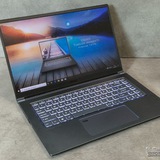
Raider GE76, replaced my fans after bearing went out, but now GPU fan won't turn on.
So I bought a GE76 Raider a few years ago and about a week ago the GPU fan went out. It started making a grinding noise that would start and stop. I figured the bearing was going out, so I turned it off and figured I needed to swap it. I had to use the laptop for some school stuff, so unfortunately I had to still run it a few times during the week and a half it took for the replacement to arrive. I turned the GPU fan off on MSI Center while I was using it to avoid any issues. Today, I replaced the fan, cleaned out the case, closed it up, and the laptops now running fine, the CPU fan replacement is great, but the GPU fan is now not working. I decided to swap both the fans while I had it open since the replacement came in a set. What I'm seeing with the hardware monitoring is that the GPU fan will stay at 0rpm while cooler boost is on, then every 10 seconds or so it'll go from 0rpm to between 1500-4000rpm, and then jump to 18000rpm, before going back to 0rpm. When it does this the fan doesn't spin up at all. My concern is that because I kept using it something may have happened to the board, but I'm curious if anyone else has had experience with this and has a fix or troubleshooting ideas. The hardware test shows and recognizes fan 2, but doesn't even list fan 1. Any help, suggestions, or ideas are welcome.
https://redd.it/1pnrv2z
@MSILaptops
So I bought a GE76 Raider a few years ago and about a week ago the GPU fan went out. It started making a grinding noise that would start and stop. I figured the bearing was going out, so I turned it off and figured I needed to swap it. I had to use the laptop for some school stuff, so unfortunately I had to still run it a few times during the week and a half it took for the replacement to arrive. I turned the GPU fan off on MSI Center while I was using it to avoid any issues. Today, I replaced the fan, cleaned out the case, closed it up, and the laptops now running fine, the CPU fan replacement is great, but the GPU fan is now not working. I decided to swap both the fans while I had it open since the replacement came in a set. What I'm seeing with the hardware monitoring is that the GPU fan will stay at 0rpm while cooler boost is on, then every 10 seconds or so it'll go from 0rpm to between 1500-4000rpm, and then jump to 18000rpm, before going back to 0rpm. When it does this the fan doesn't spin up at all. My concern is that because I kept using it something may have happened to the board, but I'm curious if anyone else has had experience with this and has a fix or troubleshooting ideas. The hardware test shows and recognizes fan 2, but doesn't even list fan 1. Any help, suggestions, or ideas are welcome.
https://redd.it/1pnrv2z
@MSILaptops
Reddit
From the MSILaptops community on Reddit
Explore this post and more from the MSILaptops community
Laptop CPU/GPU Loads
So I just want to start by saying I truly have no idea what is the issue but I've got several problems within this.
I have an MSI Crosshair 16 and it's a fairly new laptop. I bought it back in May of this year and over the summer I didn't really have any issues with it. It worked great and was an amazing laptop. But I'm also in the navy aboard a very active ship which meant going in and out a lot and being away from wifi allowing updates to drivers and windows. I had came back in August and was greeted with a new driver update for nvidia. After downloading that update my performance tanked and I started getting a lot of artifracting issues. After some messing around and talking to MSI support which lead me to using DDU the issue was kind of fixed. Any laptop software updates though did cause some issues but running DDU and reinstalling drivers generally fixed the problems that were prevalent. Another issue that signaled something was wrong was my laptop RGB keyboard turning off upon start up, it would turn on and until I loaded into the main homescreen would stay on but then shut off meaning there was something wrong again. No action by me and I would immediately notice my CPU load spike and any games I tried to play artifracted or tanked when there was never previously an issue with those games.
I left for a deployment in august and while away I had no issues with the laptop with the exception of two isolated keyboard lights shut offs but the rest of the time the keyboard stayed on and the system behaved. I just got back though and since then the system worked for the first few days but now it's having a host of issues which are resulting in extremely bizarre performance problems. There is no more artifracting but the performance issues are signaled by the keyboard lighting turning off once again while CPU loads just spike and games just tank in playability. Normally FPS had remained at or above 70 but now it's 28 or less. GPU and CPU temps are fine, the system hasn't detected any problems itself, and task manager isn't showing anything out of the ordinary or believed to be out of the ordinary to me.
MSI Support, me, and tech friends are all puzzled though one possible problem is that the board is potentially dying or something is corrupted with the CPU. I think this could be a hardware issue but what do other people think?
https://redd.it/1pnt3rp
@MSILaptops
So I just want to start by saying I truly have no idea what is the issue but I've got several problems within this.
I have an MSI Crosshair 16 and it's a fairly new laptop. I bought it back in May of this year and over the summer I didn't really have any issues with it. It worked great and was an amazing laptop. But I'm also in the navy aboard a very active ship which meant going in and out a lot and being away from wifi allowing updates to drivers and windows. I had came back in August and was greeted with a new driver update for nvidia. After downloading that update my performance tanked and I started getting a lot of artifracting issues. After some messing around and talking to MSI support which lead me to using DDU the issue was kind of fixed. Any laptop software updates though did cause some issues but running DDU and reinstalling drivers generally fixed the problems that were prevalent. Another issue that signaled something was wrong was my laptop RGB keyboard turning off upon start up, it would turn on and until I loaded into the main homescreen would stay on but then shut off meaning there was something wrong again. No action by me and I would immediately notice my CPU load spike and any games I tried to play artifracted or tanked when there was never previously an issue with those games.
I left for a deployment in august and while away I had no issues with the laptop with the exception of two isolated keyboard lights shut offs but the rest of the time the keyboard stayed on and the system behaved. I just got back though and since then the system worked for the first few days but now it's having a host of issues which are resulting in extremely bizarre performance problems. There is no more artifracting but the performance issues are signaled by the keyboard lighting turning off once again while CPU loads just spike and games just tank in playability. Normally FPS had remained at or above 70 but now it's 28 or less. GPU and CPU temps are fine, the system hasn't detected any problems itself, and task manager isn't showing anything out of the ordinary or believed to be out of the ordinary to me.
MSI Support, me, and tech friends are all puzzled though one possible problem is that the board is potentially dying or something is corrupted with the CPU. I think this could be a hardware issue but what do other people think?
https://redd.it/1pnt3rp
@MSILaptops
Reddit
From the MSILaptops community on Reddit
Explore this post and more from the MSILaptops community
Could you suggest me a good gaming laptop? I want to use it for work also… a lot of browsers and many tabs + live streams…
https://redd.it/1po6weq
@MSILaptops
https://redd.it/1po6weq
@MSILaptops
Mis gf 63 thin not turning on
I had to reacently replace the screen on my laptop and now when I go to turn it on it does not I have homely removed to bottom plate, the cooler and the screen from the laptop and I have no idea why it no longer turnes on
https://redd.it/1pobyjk
@MSILaptops
I had to reacently replace the screen on my laptop and now when I go to turn it on it does not I have homely removed to bottom plate, the cooler and the screen from the laptop and I have no idea why it no longer turnes on
https://redd.it/1pobyjk
@MSILaptops
Reddit
From the MSILaptops community on Reddit
Explore this post and more from the MSILaptops community
MSI GE66 12UGS boot issue
So basically, here’s a rundown of what happened. I was playing Helldivers 2 with a friend and my PC was chugging and overheating, so I closed the game and turned it off. I took out the screws and used a mini hoover to get rid of the dust. The weird thing is, I tested it before I put the back on and it worked fine. But after I put the back on with the screws, now it boot loops sometimes. Other times it boots up normally, but the power button acts like it's constantly being pressed. Oh, and it only boots with the power cable attached. Can anyone help?
https://redd.it/1pok4wx
@MSILaptops
So basically, here’s a rundown of what happened. I was playing Helldivers 2 with a friend and my PC was chugging and overheating, so I closed the game and turned it off. I took out the screws and used a mini hoover to get rid of the dust. The weird thing is, I tested it before I put the back on and it worked fine. But after I put the back on with the screws, now it boot loops sometimes. Other times it boots up normally, but the power button acts like it's constantly being pressed. Oh, and it only boots with the power cable attached. Can anyone help?
https://redd.it/1pok4wx
@MSILaptops
Reddit
From the MSILaptops community on Reddit
Explore this post and more from the MSILaptops community
Thoughts about MSI Katana A15 AI
Planning to buy a lptop for work (architect). Is this laptop can handle my workload?
𝐌𝐒𝐈 𝐊𝐀𝐓𝐀𝐍𝐀 𝐀𝟏𝟓 𝐀𝐈
- B8VF-404PH Black
𝐒𝐩𝐞𝐜𝐬:
• AMD Ryzen 7 8845HS
• 16GB(8GBx2) 4800Mhz
• 512GB NVME PCIE
• Nvidia RTX4060 8GB Nvidia DLSS 3
• 15.6" FHD IPS 144Hz
• Exclusive Cooler Boost 5 Technology
• Window 11
----
Also thinking if this is better than my other option:
ASUS TUF Gaming A15
fa507nur-lp051w
https://redd.it/1poqzyf
@MSILaptops
Planning to buy a lptop for work (architect). Is this laptop can handle my workload?
𝐌𝐒𝐈 𝐊𝐀𝐓𝐀𝐍𝐀 𝐀𝟏𝟓 𝐀𝐈
- B8VF-404PH Black
𝐒𝐩𝐞𝐜𝐬:
• AMD Ryzen 7 8845HS
• 16GB(8GBx2) 4800Mhz
• 512GB NVME PCIE
• Nvidia RTX4060 8GB Nvidia DLSS 3
• 15.6" FHD IPS 144Hz
• Exclusive Cooler Boost 5 Technology
• Window 11
----
Also thinking if this is better than my other option:
ASUS TUF Gaming A15
fa507nur-lp051w
https://redd.it/1poqzyf
@MSILaptops
Reddit
From the MSILaptops community on Reddit
Explore this post and more from the MSILaptops community
Help not ruining my laptop
I usually send my laptop to a technician to clean it and replace the thermal paste, but I really want to try doing it myself. I’m a bit scared, though, because once I tried opening an old 2009 laptop that was barely working, and after reassembling it, it didn’t work anymore :'D.
Even though I don’t think I damaged anything, I later read about static electricity damage, which might be the reason the laptop stopped working, even though I had detached the battery. However, I don’t fully understand how that happens. Because of that experience, I’m now hesitant to do the same with my personal laptop, an MSI GF65, and I’m afraid it might end up with the same fate as the old one.
So what are the things I should avoid and take care of while operating this mission.
https://redd.it/1posv97
@MSILaptops
I usually send my laptop to a technician to clean it and replace the thermal paste, but I really want to try doing it myself. I’m a bit scared, though, because once I tried opening an old 2009 laptop that was barely working, and after reassembling it, it didn’t work anymore :'D.
Even though I don’t think I damaged anything, I later read about static electricity damage, which might be the reason the laptop stopped working, even though I had detached the battery. However, I don’t fully understand how that happens. Because of that experience, I’m now hesitant to do the same with my personal laptop, an MSI GF65, and I’m afraid it might end up with the same fate as the old one.
So what are the things I should avoid and take care of while operating this mission.
https://redd.it/1posv97
@MSILaptops
Reddit
From the MSILaptops community on Reddit
Explore this post and more from the MSILaptops community
Low cinebench scores and abysmal battery performance on msi katana 15
Hello everyone!
I recently got a msi katana 15 B14W with the i9 14900hx and rtx 5060 8gb.
I did some benchmarking with cinebench and I got 21k score for multi core and 2k for single core, I asked chatgpt about this and according to it the scores shouldn't be this low.
Also, the performance on battery is absolute trash like it sometimes caps the cpu at 0.4ghz making it unusable for a minute or two and i get only 5 fps in games i get 160 in while plugged in.
I have all the settings at max performance and also got the battery replaced under warranty but nothing helped.
It would be really helpful if someone with the same specs could share their scores too.
https://redd.it/1pot0j0
@MSILaptops
Hello everyone!
I recently got a msi katana 15 B14W with the i9 14900hx and rtx 5060 8gb.
I did some benchmarking with cinebench and I got 21k score for multi core and 2k for single core, I asked chatgpt about this and according to it the scores shouldn't be this low.
Also, the performance on battery is absolute trash like it sometimes caps the cpu at 0.4ghz making it unusable for a minute or two and i get only 5 fps in games i get 160 in while plugged in.
I have all the settings at max performance and also got the battery replaced under warranty but nothing helped.
It would be really helpful if someone with the same specs could share their scores too.
https://redd.it/1pot0j0
@MSILaptops
Reddit
From the MSILaptops community on Reddit
Explore this post and more from the MSILaptops community
Need help with upping the GPU wattage MSI Katana GF-66 (3060, I7 11800h)
Recently ordered the MSI Katana GF-66, but I've heard it's GPU wattage is sub-optimal (65-85w.) Is there anyway of upping the GPU wattage to atleast 100w?
https://redd.it/1pouqrw
@MSILaptops
Recently ordered the MSI Katana GF-66, but I've heard it's GPU wattage is sub-optimal (65-85w.) Is there anyway of upping the GPU wattage to atleast 100w?
https://redd.it/1pouqrw
@MSILaptops
Reddit
From the MSILaptops community on Reddit
Explore this post and more from the MSILaptops community
Купил ноутбук Ноутбук MSI Cyborg 17 B13WGKG-219XRU, 17.3" IPS, Core i7 13620H/ 32Gb/ 1TbSSD/ RTX 5070 8Gb/ Black (9S7-17U332-219)
Доброго времени. Купил ноутбук. А на накопителе весит пароль. Как сбросить пароль? TCG Storag
https://redd.it/1poshr2
@MSILaptops
Доброго времени. Купил ноутбук. А на накопителе весит пароль. Как сбросить пароль? TCG Storag
https://redd.it/1poshr2
@MSILaptops
Reddit
From the MSILaptops community on Reddit
Explore this post and more from the MSILaptops community
Laptop dock support
Hello I bought this laptop recently and wondering if it supports a dock. It doesn’t have to be the Msi brand but support two monitors. I usually will have my laptop closed.
msi Thin 15 Gaming Laptop 15.6" FHD IPS 144Hz Intel Octa-core i5-13420H (> i7-11800H) 32GB RAM 1TB SSD GeForce RTX 4050 Backlit Type-C Win11 ICP Hub
https://redd.it/1poy35l
@MSILaptops
Hello I bought this laptop recently and wondering if it supports a dock. It doesn’t have to be the Msi brand but support two monitors. I usually will have my laptop closed.
msi Thin 15 Gaming Laptop 15.6" FHD IPS 144Hz Intel Octa-core i5-13420H (> i7-11800H) 32GB RAM 1TB SSD GeForce RTX 4050 Backlit Type-C Win11 ICP Hub
https://redd.it/1poy35l
@MSILaptops
Reddit
From the MSILaptops community on Reddit
Explore this post and more from the MSILaptops community
MSI Thin 15 B12UC Wi-Fi Becomes Unstable When Charging During Gaming
My Wi-Fi becomes unstable whenever my laptop is plugged in and charging, but it works normally when unplugged. Additionally, when using a LAN connection, the speed is capped at 100 Mbps instead of the expected higher speed. I would appreciate any help or solutions.
https://redd.it/1poz764
@MSILaptops
My Wi-Fi becomes unstable whenever my laptop is plugged in and charging, but it works normally when unplugged. Additionally, when using a LAN connection, the speed is capped at 100 Mbps instead of the expected higher speed. I would appreciate any help or solutions.
https://redd.it/1poz764
@MSILaptops
Reddit
From the MSILaptops community on Reddit
Explore this post and more from the MSILaptops community
Overheating MSI Vector 16 HX
My son saved for two years and got himself this MSI Vector 16 HX in April this year. It been ok till now. Recently though its shutting down after fairly normal load. I’m a Mac sys admin, no idea about pcs really so I used Ai to assist troubleshooting. HWinfo logs showed an issue which along with Kernel-Power Event ID 41 / Event ID 6008 resulted in ai stating. This behaviour indicates a fault with the cooling system (thermal paste, heatsink seating, heatpipe or fan), not a software or configuration issue, and to seek repair or replacement. We changed maximum processor state to 98 before generating the logs and configured MSI center to balanced as well. What I’m asking is does this confidently look like a product issue where return is best. It’s still under warranty
https://redd.it/1poywzz
@MSILaptops
My son saved for two years and got himself this MSI Vector 16 HX in April this year. It been ok till now. Recently though its shutting down after fairly normal load. I’m a Mac sys admin, no idea about pcs really so I used Ai to assist troubleshooting. HWinfo logs showed an issue which along with Kernel-Power Event ID 41 / Event ID 6008 resulted in ai stating. This behaviour indicates a fault with the cooling system (thermal paste, heatsink seating, heatpipe or fan), not a software or configuration issue, and to seek repair or replacement. We changed maximum processor state to 98 before generating the logs and configured MSI center to balanced as well. What I’m asking is does this confidently look like a product issue where return is best. It’s still under warranty
https://redd.it/1poywzz
@MSILaptops
Reddit
From the MSILaptops community on Reddit
Explore this post and more from the MSILaptops community
Need help with weird performance
I have an msi katana a17 ai with a ryzen 7 ai and an rtx 4060. After not even an hour the laptop will start performing very poorly with severe frame drops. It feels like it's thermal throttling but it shouldn't be since the temps are around 40-60°C. Also the fans are on full speed the whole time and they don't slow down even after closing the game and waiting for a while (even fn + arrow key up doesn't work which is supposed to be fan control). Another thing is that turning DLSS on or off doesn't affect performance at all when this is happening. I'd really appreciate any help with this since it's very frustrating.
https://redd.it/1pp1t65
@MSILaptops
I have an msi katana a17 ai with a ryzen 7 ai and an rtx 4060. After not even an hour the laptop will start performing very poorly with severe frame drops. It feels like it's thermal throttling but it shouldn't be since the temps are around 40-60°C. Also the fans are on full speed the whole time and they don't slow down even after closing the game and waiting for a while (even fn + arrow key up doesn't work which is supposed to be fan control). Another thing is that turning DLSS on or off doesn't affect performance at all when this is happening. I'd really appreciate any help with this since it's very frustrating.
https://redd.it/1pp1t65
@MSILaptops
Reddit
From the MSILaptops community on Reddit
Explore this post and more from the MSILaptops community
Ripple effect on keyboard(Stealth 16, steelseries)
Hey folks, I have an MSI Stealth 16 AI laptop with steelseries keyboard and it has per key rgb as y'all know. But Steelseries app doesn't have ripple effect which I think is pretty nice. Is there any workaround to get ripple effect on it?
https://redd.it/1poxfvx
@MSILaptops
Hey folks, I have an MSI Stealth 16 AI laptop with steelseries keyboard and it has per key rgb as y'all know. But Steelseries app doesn't have ripple effect which I think is pretty nice. Is there any workaround to get ripple effect on it?
https://redd.it/1poxfvx
@MSILaptops
Reddit
From the MSILaptops community on Reddit
Explore this post and more from the MSILaptops community
MSI Service Center quoted $880 for a motherboard, then $300 for a CPU? Need advice on this inconsistency
I’m looking for some insight into a very strange repair experience with an official service center (ServisPoint Turkiye) regarding my 5 years old MSI GL65 Leopard (10SFK-062).
The Specs:
Intel Core i7-10750H
RTX 2070
Upgraded: 64GB RAM, 2TB PNY NVMe + 960GB SanDisk SSD.
The Issue: While performing a routine thermal paste change, two screw heads sheared off (likely oxidation). During the process of removing the remaining parts of the screws, something went wrong. Now, the laptop won't boot—no fans, just a single light on the middle front panel.
1. Monday 2 PM: Laptop checked in.
2. Monday 5 PM: Tech calls and says the Motherboard (MOBO) has no power. Quote: $880 USD + VAT for a full replacement. I refused.
3. Tuesday: I pushed for extensive troubleshooting because of the status light.
4. The Pivot: The same technician calls back. Suddenly, he says it’s just a "CPU problem" and some other "unnamed components." New quote: \~$300 USD + VAT.
The Red Flags:
The Price Gap: Why was there a $500+ difference for the same non-functional machine within 24 hours?
The Hardware: As far as I know, i7-10750H is a BGA (soldered) chip. Usually, official centers replace the whole board. How are they quoting a "CPU replacement" for $300 unless they are doing board-level repair they previously claimed they wouldn't do?
Transparency: The tech refuses to provide component codes or photos of the damage.
The "US Product" Excuse: They are now claiming they "don't normally service US products" (bought via Amazon.com) as a reason for the friction.
My Questions:
1. Has anyone dealt with ServisPoint Turkiye? Is this "price sliding" normal?
2. If the CPU is soldered, is a $300 "CPU repair" even legitimate for an authorized center, or are they just trying to see what I’ll pay?
3. What should my next move be to get an honest diagnostic?
https://redd.it/1pp5akp
@MSILaptops
I’m looking for some insight into a very strange repair experience with an official service center (ServisPoint Turkiye) regarding my 5 years old MSI GL65 Leopard (10SFK-062).
The Specs:
Intel Core i7-10750H
RTX 2070
Upgraded: 64GB RAM, 2TB PNY NVMe + 960GB SanDisk SSD.
The Issue: While performing a routine thermal paste change, two screw heads sheared off (likely oxidation). During the process of removing the remaining parts of the screws, something went wrong. Now, the laptop won't boot—no fans, just a single light on the middle front panel.
1. Monday 2 PM: Laptop checked in.
2. Monday 5 PM: Tech calls and says the Motherboard (MOBO) has no power. Quote: $880 USD + VAT for a full replacement. I refused.
3. Tuesday: I pushed for extensive troubleshooting because of the status light.
4. The Pivot: The same technician calls back. Suddenly, he says it’s just a "CPU problem" and some other "unnamed components." New quote: \~$300 USD + VAT.
The Red Flags:
The Price Gap: Why was there a $500+ difference for the same non-functional machine within 24 hours?
The Hardware: As far as I know, i7-10750H is a BGA (soldered) chip. Usually, official centers replace the whole board. How are they quoting a "CPU replacement" for $300 unless they are doing board-level repair they previously claimed they wouldn't do?
Transparency: The tech refuses to provide component codes or photos of the damage.
The "US Product" Excuse: They are now claiming they "don't normally service US products" (bought via Amazon.com) as a reason for the friction.
My Questions:
1. Has anyone dealt with ServisPoint Turkiye? Is this "price sliding" normal?
2. If the CPU is soldered, is a $300 "CPU repair" even legitimate for an authorized center, or are they just trying to see what I’ll pay?
3. What should my next move be to get an honest diagnostic?
https://redd.it/1pp5akp
@MSILaptops
Reddit
From the MSILaptops community on Reddit
Explore this post and more from the MSILaptops community
Need help undervolting a Titan w/ 285hx
Im was a AMD user prior to getting my Titan. Ive never undervolted an Intel cpu, let alone a laptop cpu. Im curious if anyone can help me get started? I've never used throttlestop. Are there any Titan owners that have some pointers on using throttlestop. I know each silicon is differentMy temps are great so far but temps can always be lower.
https://redd.it/1ppek6i
@MSILaptops
Im was a AMD user prior to getting my Titan. Ive never undervolted an Intel cpu, let alone a laptop cpu. Im curious if anyone can help me get started? I've never used throttlestop. Are there any Titan owners that have some pointers on using throttlestop. I know each silicon is differentMy temps are great so far but temps can always be lower.
https://redd.it/1ppek6i
@MSILaptops
Reddit
From the MSILaptops community on Reddit
Explore this post and more from the MSILaptops community