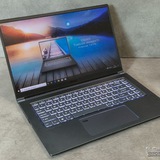
Msi katana a15 fans
I got an MSI katana a15 January this year and it's been perfectly fine. This past week anytime I try to play any resource intensive games after about 15-30 mins then fans kick on to full power, abt 7000 rpm, and don't turn off at all until I restart the laptop. The laptop temps aren't even that high when it happens, usually 50- 60⁰c. I've tried everything I can think of to fix it and nothing worked. I've
Reinstalled then fully uninstalled MSI center,
Factory reset
Installed Yamdcc plus like 3 other fan control software, they all work up until the fans kick on max speed then they lose control of the fans.
I'm honestly at a loss to what I can do next.
https://redd.it/1pun3zb
@MSILaptops
I got an MSI katana a15 January this year and it's been perfectly fine. This past week anytime I try to play any resource intensive games after about 15-30 mins then fans kick on to full power, abt 7000 rpm, and don't turn off at all until I restart the laptop. The laptop temps aren't even that high when it happens, usually 50- 60⁰c. I've tried everything I can think of to fix it and nothing worked. I've
Reinstalled then fully uninstalled MSI center,
Factory reset
Installed Yamdcc plus like 3 other fan control software, they all work up until the fans kick on max speed then they lose control of the fans.
I'm honestly at a loss to what I can do next.
https://redd.it/1pun3zb
@MSILaptops
Reddit
From the MSILaptops community on Reddit
Explore this post and more from the MSILaptops community
Katana A15 AI B8VF - throttles itself on Extreme performance
AMD Ryzen 7 8845HS and 4060
My problem is that when I use MSI Center and put laptop in the Extreme performance and if I play the game for 20 min then it enables Cooler booster automatically and tanks performance completely. cpu and gpu usage and temps go way down, fps drops dramatically and I cant turn off cooler booster, this happens when the temps are not even that bad with GPU around 75 degree and CPU 80, and once it throttles itself the only fix is to restart the laptop. no matter how long I want and how cold it gets.
But if I use Balance mode then it just never happens. I just turn on the cooler booster myself when I play and no matter how hot PC gets it just never throttles itself with manual cooler booster on. then I just turn it off too.
On balanced laptop still gives good performance that I dont see a difference anyways so I dont think extreme performance mode would do anyways, my laptop is set up to always use 4060 and max power anyways.
So why is this happening with Extreme performance but not with balanced ?
https://redd.it/1puqvnq
@MSILaptops
AMD Ryzen 7 8845HS and 4060
My problem is that when I use MSI Center and put laptop in the Extreme performance and if I play the game for 20 min then it enables Cooler booster automatically and tanks performance completely. cpu and gpu usage and temps go way down, fps drops dramatically and I cant turn off cooler booster, this happens when the temps are not even that bad with GPU around 75 degree and CPU 80, and once it throttles itself the only fix is to restart the laptop. no matter how long I want and how cold it gets.
But if I use Balance mode then it just never happens. I just turn on the cooler booster myself when I play and no matter how hot PC gets it just never throttles itself with manual cooler booster on. then I just turn it off too.
On balanced laptop still gives good performance that I dont see a difference anyways so I dont think extreme performance mode would do anyways, my laptop is set up to always use 4060 and max power anyways.
So why is this happening with Extreme performance but not with balanced ?
https://redd.it/1puqvnq
@MSILaptops
Reddit
From the MSILaptops community on Reddit
Explore this post and more from the MSILaptops community
HELP Vector 16 CPU/GPU Problems? Disconnecting USBs
I've had the Vector 16 HX AI A2XW for a couple of months and it's not too bad overall. However, some games that are usually either high in physic computing or high in graphics such as "The Finals" or "Arc Raiders" will at some point disconnect all my USB devices and I either have to reboot my laptop or close the game. I've solved this issue for some games by undervolting with MSI Afterburner but it does not always help. Especially since I like to stream and record as a hobby, this causes many issues. I've tried many solutions such as BIOS Update, Windows Update, Resetting Audio, Reinstall Drivers, Changing Performance Mode and none seem to work. Any suggestions will be greatly appreciated, thank you for reading!
https://redd.it/1pusoup
@MSILaptops
I've had the Vector 16 HX AI A2XW for a couple of months and it's not too bad overall. However, some games that are usually either high in physic computing or high in graphics such as "The Finals" or "Arc Raiders" will at some point disconnect all my USB devices and I either have to reboot my laptop or close the game. I've solved this issue for some games by undervolting with MSI Afterburner but it does not always help. Especially since I like to stream and record as a hobby, this causes many issues. I've tried many solutions such as BIOS Update, Windows Update, Resetting Audio, Reinstall Drivers, Changing Performance Mode and none seem to work. Any suggestions will be greatly appreciated, thank you for reading!
https://redd.it/1pusoup
@MSILaptops
Reddit
From the MSILaptops community on Reddit
Explore this post and more from the MSILaptops community
Msi user scenarios
I just got un update it removed silent mode and fuse with eco, now there are just 4 modes.
AI mode, Performance Mode, Balanced Mode and Eco-silent, is there a way to downgrade the msi center? new eco-silent mode isnt as silent as it was
https://preview.redd.it/xuorsamfj79g1.png?width=599&format=png&auto=webp&s=0a93038245bfc78fefe9c199045926cfc7c600e5
https://redd.it/1puvxxg
@MSILaptops
I just got un update it removed silent mode and fuse with eco, now there are just 4 modes.
AI mode, Performance Mode, Balanced Mode and Eco-silent, is there a way to downgrade the msi center? new eco-silent mode isnt as silent as it was
https://preview.redd.it/xuorsamfj79g1.png?width=599&format=png&auto=webp&s=0a93038245bfc78fefe9c199045926cfc7c600e5
https://redd.it/1puvxxg
@MSILaptops
MSI Z16 A11 UET - Ghost touch after fall from couch
Hi..
Looking for help on how to fix issues with ghost touches on my laptop?
It started after my laptop slipped from my couch and fell from 50cm (2 feet) height on a soft carpet. I found it standing in this position /\\ Standing on the side of the palmrest and top side of the screen. I picked it up and continued watching a movie..... until i saw weird circles and lines....
the laptop did not reacted to mouse or keyboard actions. (on hindsight that makes sense)
A short google search made me aware that this behaviour also know as ghost touching is a thing for laptops with touchscreens..
I'm trying to find out if i can fix it and im curious if anyone has experience with this and found a fix. (a fix, besides disabling touch functionality in windows settings )
I see no visible damage on the laptops. Nothing bend. The frame looks solid,
Also the screen looks fine. No cracks, no weird flickering that could be related to a screen malfunctioning.
But when i position the screen in a 90 degrees angle (or smaller) with the keyboard, the ghostying starts. Opening the screen, >90 degrees, immediate stops the ghosting effect.
I'm curious what you think this could be. Does the touch function has its own connector? seperate from the videodata? Any other connectors?
Please let me know. Thanks :-)
https://redd.it/1pux2ni
@MSILaptops
Hi..
Looking for help on how to fix issues with ghost touches on my laptop?
It started after my laptop slipped from my couch and fell from 50cm (2 feet) height on a soft carpet. I found it standing in this position /\\ Standing on the side of the palmrest and top side of the screen. I picked it up and continued watching a movie..... until i saw weird circles and lines....
the laptop did not reacted to mouse or keyboard actions. (on hindsight that makes sense)
A short google search made me aware that this behaviour also know as ghost touching is a thing for laptops with touchscreens..
I'm trying to find out if i can fix it and im curious if anyone has experience with this and found a fix. (a fix, besides disabling touch functionality in windows settings )
I see no visible damage on the laptops. Nothing bend. The frame looks solid,
Also the screen looks fine. No cracks, no weird flickering that could be related to a screen malfunctioning.
But when i position the screen in a 90 degrees angle (or smaller) with the keyboard, the ghostying starts. Opening the screen, >90 degrees, immediate stops the ghosting effect.
I'm curious what you think this could be. Does the touch function has its own connector? seperate from the videodata? Any other connectors?
Please let me know. Thanks :-)
https://redd.it/1pux2ni
@MSILaptops
Reddit
From the MSILaptops community on Reddit
Explore this post and more from the MSILaptops community
HELP looking for alternatives of MSI dragon center
Device: MSI GF65 thin 9SD (MSI GF75 Thin – THIN.GAMING)
So here is the thing, whenever im trying to play EA FC26, the ea anti cheat is blocking it due to msi dragon center being too old. version being 2.6.2005.0601
https://preview.redd.it/ihr2zdz9b69g1.png?width=394&format=png&auto=webp&s=591739a89a271b29f6b3c64f6863bf7c6f5a1e64
couldnt find any latest version of it, tried installing the MSI dragon center (MSI Dragon Center Download Center), but it doesnt show me monitor features, it only shows me the screen RGB filter options.
i really need the monitoring options, where i can change the shift mode(Turbo,sport,eco etc) and also the fan speed to have better gaming experience. but as this EA is blocking it, i tried uninstalling it, and my system is heating up too much as cooler booster is not on. so im looking for any alternative options to adjust my fan speed or to make the dragon center work.
Thank you.
https://redd.it/1puqjso
@MSILaptops
Device: MSI GF65 thin 9SD (MSI GF75 Thin – THIN.GAMING)
So here is the thing, whenever im trying to play EA FC26, the ea anti cheat is blocking it due to msi dragon center being too old. version being 2.6.2005.0601
https://preview.redd.it/ihr2zdz9b69g1.png?width=394&format=png&auto=webp&s=591739a89a271b29f6b3c64f6863bf7c6f5a1e64
couldnt find any latest version of it, tried installing the MSI dragon center (MSI Dragon Center Download Center), but it doesnt show me monitor features, it only shows me the screen RGB filter options.
i really need the monitoring options, where i can change the shift mode(Turbo,sport,eco etc) and also the fan speed to have better gaming experience. but as this EA is blocking it, i tried uninstalling it, and my system is heating up too much as cooler booster is not on. so im looking for any alternative options to adjust my fan speed or to make the dragon center work.
Thank you.
https://redd.it/1puqjso
@MSILaptops
Msi
MSI GF75 Thin – THIN.GAMING
MSI GF75 Thin brings thin and light to the 17” mainstream gaming laptop, featuring 4-sided thin bezel display with up to 9th gen Intel Core i7 processor and GeForce GTX 1660 Ti graphics. GF75 Thin breaks the stereotype of traditional bulky 17” laptop.
MSI has bad Quality Assurance
I purchased my MSI Vector A16 A8W. Ryzen 9 8940HX + RTX 5070 TI 140W. I bought this during Black Friday for 1299 USD (before tax). It has not been a month and my laptop is having an issue with their fan. my right fan (GPU fan? CPU fan?) is making a weird brrr noise. Not super loud like something broke it spins and spits out air. I cleaned out the fan using a electronic air compressor (max speed) and the turned it on and it still has the brrrrr faint sound. This didn't happen yesterday, but this morning my laptop is making that weird noise. Max Fan level I hear nothing, but normal fan speed I hear it. I hope nothing is broken, but damn first MSI laptop what a disappointment. Should of stayed with Lenovo. MSI in my opinion second worst laptop company after HP.
https://redd.it/1puyvs9
@MSILaptops
I purchased my MSI Vector A16 A8W. Ryzen 9 8940HX + RTX 5070 TI 140W. I bought this during Black Friday for 1299 USD (before tax). It has not been a month and my laptop is having an issue with their fan. my right fan (GPU fan? CPU fan?) is making a weird brrr noise. Not super loud like something broke it spins and spits out air. I cleaned out the fan using a electronic air compressor (max speed) and the turned it on and it still has the brrrrr faint sound. This didn't happen yesterday, but this morning my laptop is making that weird noise. Max Fan level I hear nothing, but normal fan speed I hear it. I hope nothing is broken, but damn first MSI laptop what a disappointment. Should of stayed with Lenovo. MSI in my opinion second worst laptop company after HP.
https://redd.it/1puyvs9
@MSILaptops
Reddit
From the MSILaptops community on Reddit
Explore this post and more from the MSILaptops community
my laptop won’t charge, need advice
this is the laptop I have: https://www.msi.com/Laptop/GF75-Thin-10SX-GTX/Specification
I got my laptop in late 2020 and about a year ago my laptop‘s charging port started getting finicky. It worked somewhat if I found ways to apply pressure so that it fit into the port just right, but it didn’t work well and got worse over time. I tried buying a new charger and that had the same issue. I think it‘s an issue with the charging port, since it still could turn on. I haven’t gotten it checked out yet, but before I try to, is there anything I could/should do that could get it to charge?
https://redd.it/1pv2jj7
@MSILaptops
this is the laptop I have: https://www.msi.com/Laptop/GF75-Thin-10SX-GTX/Specification
I got my laptop in late 2020 and about a year ago my laptop‘s charging port started getting finicky. It worked somewhat if I found ways to apply pressure so that it fit into the port just right, but it didn’t work well and got worse over time. I tried buying a new charger and that had the same issue. I think it‘s an issue with the charging port, since it still could turn on. I haven’t gotten it checked out yet, but before I try to, is there anything I could/should do that could get it to charge?
https://redd.it/1pv2jj7
@MSILaptops
Msi
MSI GF75 Thin- Evolve! Be Enchanted with The Dragon Spirit
MSI GF75 Thin brings thin and light to the 17” mainstream gaming laptop, featuring 4-sided thin bezel display with up to 10th gen Intel Core i7 processor and GeForce GTX 1660 Ti graphics. GF75 Thin breaks the stereotype of traditional bulky 17” laptop.
"Switching to eco silent mode" keeps popping up over and over again when on low battery
As soon as my laptop gets to low battery I get the pop-up saying "switching to eco silent mode" literally every 5 seconds. How do I stop this?
https://redd.it/1pv5zx2
@MSILaptops
As soon as my laptop gets to low battery I get the pop-up saying "switching to eco silent mode" literally every 5 seconds. How do I stop this?
https://redd.it/1pv5zx2
@MSILaptops
Reddit
From the MSILaptops community on Reddit
Explore this post and more from the MSILaptops community
Microphone not working after downloading tiny11
i downloaded the microphone drivers for my laptop, the inbuilt microphone and my external microphone aren't working. i think im gonna get flamed for being stupid but i legitimately cant get my mic to work. none of my apps are detecting it. i remember there used to be different options here but i forgot what they were.
https://preview.redd.it/retrlpqxna9g1.png?width=349&format=png&auto=webp&s=d7d87c31d8f0f3c80874c8cba289a7e43abcf936
https://redd.it/1pv749c
@MSILaptops
i downloaded the microphone drivers for my laptop, the inbuilt microphone and my external microphone aren't working. i think im gonna get flamed for being stupid but i legitimately cant get my mic to work. none of my apps are detecting it. i remember there used to be different options here but i forgot what they were.
https://preview.redd.it/retrlpqxna9g1.png?width=349&format=png&auto=webp&s=d7d87c31d8f0f3c80874c8cba289a7e43abcf936
https://redd.it/1pv749c
@MSILaptops
High-end MSI laptop: display died twice in a year, power adapter burned, GPU instability
https://redd.it/1pv88q5
@MSILaptops
https://redd.it/1pv88q5
@MSILaptops
Vector 17HX, Too hot on idle
https://preview.redd.it/reza5s2gdb9g1.png?width=1942&format=png&auto=webp&s=e21cafe268f0b7d10355c3c928dc6443dbdaafdb
Hi everyone,
During light use / studying (you can call it idle), my laptop CPU stays around 72–73 °C.
Under heavy gaming load, the CPU sits at a constant 95 °C.
A few months ago, I experienced several Kernel-Power 41 errors, I sent the laptop to a service center; they reported no hardware issues, performed general cleaning and maintenance, and returned it, the errors were gone but i wasnt quite sure that they were totally solved.
Since then, I have reinstalled both CPU and GPU drivers from scratch with DDU.
Do these temperatures sound normal for a high-performance laptop, or could there still be an underlying thermal or power-related issue?
Any insights would be appreciated.
https://redd.it/1pv9aaz
@MSILaptops
https://preview.redd.it/reza5s2gdb9g1.png?width=1942&format=png&auto=webp&s=e21cafe268f0b7d10355c3c928dc6443dbdaafdb
Hi everyone,
During light use / studying (you can call it idle), my laptop CPU stays around 72–73 °C.
Under heavy gaming load, the CPU sits at a constant 95 °C.
A few months ago, I experienced several Kernel-Power 41 errors, I sent the laptop to a service center; they reported no hardware issues, performed general cleaning and maintenance, and returned it, the errors were gone but i wasnt quite sure that they were totally solved.
Since then, I have reinstalled both CPU and GPU drivers from scratch with DDU.
Do these temperatures sound normal for a high-performance laptop, or could there still be an underlying thermal or power-related issue?
Any insights would be appreciated.
https://redd.it/1pv9aaz
@MSILaptops
Intel SST audio crackle / hum on MSI Vector 16 HX (Win11) – root cause & fix
I had an intermittent but severe audio issue on an MSI Vector 16 HX (Intel HX platform, Windows 11): occasional audio “crunching”, and twice a full audio lock where sound degraded into a loud continuous hum that only cleared after a hard reboot. No BSOD, no AudioSrv crash.
Symptoms
Audio crackle under load (games/video)
Rare hard lock → continuous hum
Event Viewer mostly clean
Reinstalling Realtek/Nahimic didn’t fix it
Intel Smart Sound Technology (SST) runtime device never appeared (only BUS + OED)
What I tried (summary)
Clean Windows install (issue existed before and after)
Full driver re-installs (Realtek, Nahimic, Intel SST via pnputil)
ACPI resets, power drains
BIOS “Load Optimized Defaults” None of the above reliably fixed it. Forcing SST runtime enumeration actually made things less stable.
Root cause (conclusion)
This turned out to be a firmware-level issue, not Windows or drivers.
The system exposed Intel SST BUS + OED, but never the SST runtime device. That left the audio DSP in a degraded, unstable state that could occasionally lock (DMA-style failure → hum).
Actual fix
Updating the BIOS to the latest version completely stabilized the platform:
Audio crackle/hum stopped
GPU and LAN issues that appeared after resets were also fixed
Intel SST runtime device still does not appear — but audio is now stable
Key insight: on this machine, missing SST runtime is acceptable as long as firmware is stable. Trying to force SST back caused instability.
Takeaway
If you have:
MSI + Intel HX
Windows 11
Audio crackle or rare hum lockups
SST BUS present but no SST runtime
Don’t keep reinstalling drivers or Windows.
Check for a BIOS update first — that’s what actually fixed it.
https://redd.it/1pv8isi
@MSILaptops
I had an intermittent but severe audio issue on an MSI Vector 16 HX (Intel HX platform, Windows 11): occasional audio “crunching”, and twice a full audio lock where sound degraded into a loud continuous hum that only cleared after a hard reboot. No BSOD, no AudioSrv crash.
Symptoms
Audio crackle under load (games/video)
Rare hard lock → continuous hum
Event Viewer mostly clean
Reinstalling Realtek/Nahimic didn’t fix it
Intel Smart Sound Technology (SST) runtime device never appeared (only BUS + OED)
What I tried (summary)
Clean Windows install (issue existed before and after)
Full driver re-installs (Realtek, Nahimic, Intel SST via pnputil)
ACPI resets, power drains
BIOS “Load Optimized Defaults” None of the above reliably fixed it. Forcing SST runtime enumeration actually made things less stable.
Root cause (conclusion)
This turned out to be a firmware-level issue, not Windows or drivers.
The system exposed Intel SST BUS + OED, but never the SST runtime device. That left the audio DSP in a degraded, unstable state that could occasionally lock (DMA-style failure → hum).
Actual fix
Updating the BIOS to the latest version completely stabilized the platform:
Audio crackle/hum stopped
GPU and LAN issues that appeared after resets were also fixed
Intel SST runtime device still does not appear — but audio is now stable
Key insight: on this machine, missing SST runtime is acceptable as long as firmware is stable. Trying to force SST back caused instability.
Takeaway
If you have:
MSI + Intel HX
Windows 11
Audio crackle or rare hum lockups
SST BUS present but no SST runtime
Don’t keep reinstalling drivers or Windows.
Check for a BIOS update first — that’s what actually fixed it.
https://redd.it/1pv8isi
@MSILaptops
Reddit
From the MSILaptops community on Reddit
Explore this post and more from the MSILaptops community
Reviews on the Stealth A16 AI+ w 5070TI AMD?
I can barely find any reviews on it and the price for it w AMD seems very decent. Can anyone give a review about it?
I am especially curious bout the fan noise and speakers since they are upfiring so should sound decent.
https://redd.it/1pvfqtj
@MSILaptops
I can barely find any reviews on it and the price for it w AMD seems very decent. Can anyone give a review about it?
I am especially curious bout the fan noise and speakers since they are upfiring so should sound decent.
https://redd.it/1pvfqtj
@MSILaptops
Reddit
From the MSILaptops community on Reddit
Explore this post and more from the MSILaptops community
Vector 16 hx ai
Was mir besonders gut gefällt:
Extreme Rechenpower: Dank des Intel Core i9 (HX-Serie) und der RTX 40er Grafikkarte meistert der Laptop jedes aktuelle Spiel auf ultra-Einstellungen ohne Probleme. Auch Videoschnitt und 3D-Rendering laufen extrem flüssig.
Intelligente KI-Optimierung: Man merkt deutlich, dass die "AI"-Komponente nicht nur Marketing ist. Die MSI AI Engine passt die Einstellungen (Lüfter, Leistung, Beleuchtung) automatisch an das an, was ich gerade mache. Das spart Zeit und optimiert die Performance spürbar.
Brillantes Display: Das 16-Zoll-Display bietet eine hervorragende Bildwiederholrate und knackige Farben. Die Immersion beim Zocken ist durch das 16:10 Format und die dünnen Displayränder fantastisch.
Kühlung (Cooler Boost 5): Trotz der enormen Leistung bleibt das System stabil. Die Lüfter werden unter Volllast zwar hörbar (was bei dieser Leistung normal ist), aber die Temperaturen bleiben in einem sehr guten Bereich, ohne dass die Hardware drosselt.
Verarbeitung & Tastatur: Das Gehäuse wirkt sehr wertig und robust. Die SteelSeries-Tastatur schreibt sich hervorragend und die Einzeltasten-RGB-Beleuchtung ist ein optisches Highlight.
Fazit:
Der Vector 16 HX AI ist zwar eine Investition, aber er liefert genau das ab, was man von einem High-End-Gaming-Laptop erwartet: Pure Leistung gepaart mit moderner Technik. Wer ein zukunftssicheres Gerät für Gaming und professionelle Arbeit sucht, wird hier nicht enttäuscht.
https://redd.it/1pvkaxv
@MSILaptops
Was mir besonders gut gefällt:
Extreme Rechenpower: Dank des Intel Core i9 (HX-Serie) und der RTX 40er Grafikkarte meistert der Laptop jedes aktuelle Spiel auf ultra-Einstellungen ohne Probleme. Auch Videoschnitt und 3D-Rendering laufen extrem flüssig.
Intelligente KI-Optimierung: Man merkt deutlich, dass die "AI"-Komponente nicht nur Marketing ist. Die MSI AI Engine passt die Einstellungen (Lüfter, Leistung, Beleuchtung) automatisch an das an, was ich gerade mache. Das spart Zeit und optimiert die Performance spürbar.
Brillantes Display: Das 16-Zoll-Display bietet eine hervorragende Bildwiederholrate und knackige Farben. Die Immersion beim Zocken ist durch das 16:10 Format und die dünnen Displayränder fantastisch.
Kühlung (Cooler Boost 5): Trotz der enormen Leistung bleibt das System stabil. Die Lüfter werden unter Volllast zwar hörbar (was bei dieser Leistung normal ist), aber die Temperaturen bleiben in einem sehr guten Bereich, ohne dass die Hardware drosselt.
Verarbeitung & Tastatur: Das Gehäuse wirkt sehr wertig und robust. Die SteelSeries-Tastatur schreibt sich hervorragend und die Einzeltasten-RGB-Beleuchtung ist ein optisches Highlight.
Fazit:
Der Vector 16 HX AI ist zwar eine Investition, aber er liefert genau das ab, was man von einem High-End-Gaming-Laptop erwartet: Pure Leistung gepaart mit moderner Technik. Wer ein zukunftssicheres Gerät für Gaming und professionelle Arbeit sucht, wird hier nicht enttäuscht.
https://redd.it/1pvkaxv
@MSILaptops
Reddit
From the MSILaptops community on Reddit
Explore this post and more from the MSILaptops community
How to put windows back?
Hi, I have an MSI cyborg 15 and now I'm on linux mint because I wanted to try it, yesterday I wanted to switch back to Windows but was impossible for me to do that, what can I do?
https://redd.it/1pvj213
@MSILaptops
Hi, I have an MSI cyborg 15 and now I'm on linux mint because I wanted to try it, yesterday I wanted to switch back to Windows but was impossible for me to do that, what can I do?
https://redd.it/1pvj213
@MSILaptops
Reddit
From the MSILaptops community on Reddit
Explore this post and more from the MSILaptops community
My MSI Prestige 14 A11SCX laptop shuts down when ever i play games
https://redd.it/1pvojzh
@MSILaptops
https://redd.it/1pvojzh
@MSILaptops