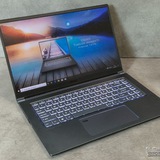
MSI Replacement Battery - BTY-M6L - GS75 Stealth 8SF.
Seeking Assistance for GS75 Stealth Battery Replacement
Hello Everyone,
I have been searching for a replacement battery for my GS75 Stealth laptop since 2019. I truly love my MSI laptop; it has been reliable and long-lasting, and I don't want to replace it just because of this battery issue.
Unfortunately, I have been unable to find a replacement battery with the correct connector orientation. Most of the batteries available in the market have the connector pin flipped (upside down) or facing the wrong direction. I have contacted numerous suppliers worldwide, but although they advertise their batteries as compatible replacements for my laptop, they cannot explain the difference in connector pin orientation.
Many suppliers suggested that I rotate the connector and install it anyway. I tried this approach with a battery I purchased on Amazon, but encountered a significant issue: the black (negative) cable of the connector was not long enough to reach and align properly with the motherboard. As a result, I was unable to proceed with that battery. I even attempted to use the original cable from my old battery with the replacement, but it only worked for a couple of days before failing again.
Left: Correct Orientation of the connector pin Right: Orientation of the replacement battery.
I’m hesitant to purchase another battery that may potentially damage my laptop. I would greatly appreciate any suggestions or guidance on how to give my laptop another chance.
Thank you!
https://redd.it/1pwq6ji
@MSILaptops
Seeking Assistance for GS75 Stealth Battery Replacement
Hello Everyone,
I have been searching for a replacement battery for my GS75 Stealth laptop since 2019. I truly love my MSI laptop; it has been reliable and long-lasting, and I don't want to replace it just because of this battery issue.
Unfortunately, I have been unable to find a replacement battery with the correct connector orientation. Most of the batteries available in the market have the connector pin flipped (upside down) or facing the wrong direction. I have contacted numerous suppliers worldwide, but although they advertise their batteries as compatible replacements for my laptop, they cannot explain the difference in connector pin orientation.
Many suppliers suggested that I rotate the connector and install it anyway. I tried this approach with a battery I purchased on Amazon, but encountered a significant issue: the black (negative) cable of the connector was not long enough to reach and align properly with the motherboard. As a result, I was unable to proceed with that battery. I even attempted to use the original cable from my old battery with the replacement, but it only worked for a couple of days before failing again.
Left: Correct Orientation of the connector pin Right: Orientation of the replacement battery.
I’m hesitant to purchase another battery that may potentially damage my laptop. I would greatly appreciate any suggestions or guidance on how to give my laptop another chance.
Thank you!
https://redd.it/1pwq6ji
@MSILaptops
Help.
So i recently asked my sister for her old gaming laptop and she gave it to me. it’s a gf63 thin. i dont have a clue about laptops or pcs and didnt know really what i was doing. i tried updating the drivers and for i think it was either the graphic card or gbe something and it took me to the automatic repair and wouldnt boot. i tired countless things like using coding and uninstalling recent updates but it wouldnt let me. i finally looked a vid up and it said maybe switching to legacy would help? i did that and now it keep sending me to a black screen saying my gbe family controller isnt picking up media and its offline. i plugged an ethernet into it and it says getting my mac stuff or something but just fails. i dont know what else do.
https://redd.it/1pwrprf
@MSILaptops
So i recently asked my sister for her old gaming laptop and she gave it to me. it’s a gf63 thin. i dont have a clue about laptops or pcs and didnt know really what i was doing. i tried updating the drivers and for i think it was either the graphic card or gbe something and it took me to the automatic repair and wouldnt boot. i tired countless things like using coding and uninstalling recent updates but it wouldnt let me. i finally looked a vid up and it said maybe switching to legacy would help? i did that and now it keep sending me to a black screen saying my gbe family controller isnt picking up media and its offline. i plugged an ethernet into it and it says getting my mac stuff or something but just fails. i dont know what else do.
https://redd.it/1pwrprf
@MSILaptops
Reddit
From the MSILaptops community on Reddit
Explore this post and more from the MSILaptops community
internet
Happy new year! does any one experience to your MSI gaming laptop that when it comes to dota2 it always disconnected to server even though the WIFI connection is very good? don't know what to na e
https://redd.it/1pwrmu8
@MSILaptops
Happy new year! does any one experience to your MSI gaming laptop that when it comes to dota2 it always disconnected to server even though the WIFI connection is very good? don't know what to na e
https://redd.it/1pwrmu8
@MSILaptops
Reddit
From the MSILaptops community on Reddit
Explore this post and more from the MSILaptops community
Сомневаюсь в правильности выбора. Gtx 5060 mobile vs Gtx 5070 mobile.
Msi cyborg 15
Приобрела данную игрушку, для игр. Цена вопроса 93к. Но потом нашла конфиг за 137к, но уже с 32гб оперативки и gtx 5070 на борту. Стоит ли такая переплата этой разницы?
Так же очень сомнительный продавец. Но есть альтернатива и за 142к. Если оперативку можно проапгрейдить, то с видеокартой уже не выйдет. По бенчмаркам прирост 10-15%. Это вообще заметно и как то влияет?
А так же интересует, как обстоит вопрос с запасом про будущее. На сколько хватит такой машины? Спасибо всем.
https://redd.it/1pwv65s
@MSILaptops
Msi cyborg 15
Приобрела данную игрушку, для игр. Цена вопроса 93к. Но потом нашла конфиг за 137к, но уже с 32гб оперативки и gtx 5070 на борту. Стоит ли такая переплата этой разницы?
Так же очень сомнительный продавец. Но есть альтернатива и за 142к. Если оперативку можно проапгрейдить, то с видеокартой уже не выйдет. По бенчмаркам прирост 10-15%. Это вообще заметно и как то влияет?
А так же интересует, как обстоит вопрос с запасом про будущее. На сколько хватит такой машины? Спасибо всем.
https://redd.it/1pwv65s
@MSILaptops
MSI Katana 17HX B14W
hello, i got myself a gaming laptop like a month ago, its running well while gaming but sometimes when its on akku mode or when i plug in the charger it crashes saying „your device run into a problem“.
When this happens the fans mostly get really loud but the laptop itself is not hot, im watching temperature and i never see the cpu hit over 75°, not even when playing games.
i updated all drivers the only thing i can see is a windows safety update that always crashes and starts from new even if i dont klick restart.
can this issue come from the crashing update or is it hardware related and i should send it back? i really have no other issue with it, it just happens when plugging in or when being on akku mode, when im gaming i never had a issue before and i think this behavior started when the windows update came. maybe i have no problem while gaming because i deactivated background tasks when in game.
i also repaired some corrupt files with cmd, after i found a tutorial how to fix the windows update, but it still does not run trough. i also have norton 360 for gamers, can this be a problem running an update?
im not the best with pc or laptops, so if anyone has encountered a problem like this please let me know how to fix it
i have a intel i7 - 14650HX and nvidia rtx 5070 laptop gpu built in
on akku and plugged in mode i have energy settings on balanced
and in msi center i also have balanced graphic mode - which means so far i think the nvidia gpu will be used only while gaming (im not sure if this is the best setting for my gpu)
https://redd.it/1pwwgux
@MSILaptops
hello, i got myself a gaming laptop like a month ago, its running well while gaming but sometimes when its on akku mode or when i plug in the charger it crashes saying „your device run into a problem“.
When this happens the fans mostly get really loud but the laptop itself is not hot, im watching temperature and i never see the cpu hit over 75°, not even when playing games.
i updated all drivers the only thing i can see is a windows safety update that always crashes and starts from new even if i dont klick restart.
can this issue come from the crashing update or is it hardware related and i should send it back? i really have no other issue with it, it just happens when plugging in or when being on akku mode, when im gaming i never had a issue before and i think this behavior started when the windows update came. maybe i have no problem while gaming because i deactivated background tasks when in game.
i also repaired some corrupt files with cmd, after i found a tutorial how to fix the windows update, but it still does not run trough. i also have norton 360 for gamers, can this be a problem running an update?
im not the best with pc or laptops, so if anyone has encountered a problem like this please let me know how to fix it
i have a intel i7 - 14650HX and nvidia rtx 5070 laptop gpu built in
on akku and plugged in mode i have energy settings on balanced
and in msi center i also have balanced graphic mode - which means so far i think the nvidia gpu will be used only while gaming (im not sure if this is the best setting for my gpu)
https://redd.it/1pwwgux
@MSILaptops
Reddit
From the MSILaptops community on Reddit
Explore this post and more from the MSILaptops community
MSI Katana 17 B13VFK DOGSHIT ?
Hi! I recently bought a new laptop and since the very start, when I have an playing audio in the background (usually YouTube or Spotify), sometimes the audio just does this very weird half second audio stutter (I don't really know how to describe it, it sounds kinda like "drrrrrrrr", if that explains it more somehow) and the screen freezes for half a second as well. It also seems to happen more often when I'm downloading something or when I open an app/a game. I've tried so many things from updating drivers to looking into BIOS and I just don't know what it could be. My temps are not problematic, CPU and GPU usage also looks fine, although I'm not a big laptop/PC expert, so what do I know.
CPU : 13th Gen Intel(R) Core(TM) i7-13620H 2.40 GHz
RAM 16GB DDR5, GPU : NVIDIA GeForce RTX 4070 Laptop 8GB
Thanks for any help !
https://redd.it/1pwxlhe
@MSILaptops
Hi! I recently bought a new laptop and since the very start, when I have an playing audio in the background (usually YouTube or Spotify), sometimes the audio just does this very weird half second audio stutter (I don't really know how to describe it, it sounds kinda like "drrrrrrrr", if that explains it more somehow) and the screen freezes for half a second as well. It also seems to happen more often when I'm downloading something or when I open an app/a game. I've tried so many things from updating drivers to looking into BIOS and I just don't know what it could be. My temps are not problematic, CPU and GPU usage also looks fine, although I'm not a big laptop/PC expert, so what do I know.
CPU : 13th Gen Intel(R) Core(TM) i7-13620H 2.40 GHz
RAM 16GB DDR5, GPU : NVIDIA GeForce RTX 4070 Laptop 8GB
Thanks for any help !
https://redd.it/1pwxlhe
@MSILaptops
Reddit
From the MSILaptops community on Reddit
Explore this post and more from the MSILaptops community
GE66 raider temps and in-game performance
If you own one, what temps do you get during heavy tasks? ie gaming or rendering? And have you done any tweaks to limit or boost performance?
I happen to have one and for the past 2 weeks I've been having thermal issues with it, can't seem to figure out what's wrong, I repasted it with PTM 7950, configured Throttlestop to lower the PL1/PL2 numbers, lowered the multiplier and somehow it still heats up despite the cut performance, so I'm asking to see if anyone else might be having the same issue if you own the same model of mine might be having an issue
Please reply, I'd appreciate the feedback 🙂
https://redd.it/1pwytn4
@MSILaptops
If you own one, what temps do you get during heavy tasks? ie gaming or rendering? And have you done any tweaks to limit or boost performance?
I happen to have one and for the past 2 weeks I've been having thermal issues with it, can't seem to figure out what's wrong, I repasted it with PTM 7950, configured Throttlestop to lower the PL1/PL2 numbers, lowered the multiplier and somehow it still heats up despite the cut performance, so I'm asking to see if anyone else might be having the same issue if you own the same model of mine might be having an issue
Please reply, I'd appreciate the feedback 🙂
https://redd.it/1pwytn4
@MSILaptops
Reddit
From the MSILaptops community on Reddit
Explore this post and more from the MSILaptops community
MSI Katana 17 B13VFK is dogshit ?
Hi! I recently bought a new laptop and since the very start, when I have an playing audio in the background (usually YouTube or Spotify), sometimes the audio just does this very weird half second audio stutter (I don't really know how to describe it, it sounds kinda like "drrrrrrrr", if that explains it more somehow) and the screen freezes for half a second as well. It also seems to happen more often when I'm downloading something or when I open an app/a game. I've tried so many things from updating drivers to looking into BIOS and I just don't know what it could be. My temps are not problematic, CPU and GPU usage also looks fine, although I'm not a big laptop/PC expert, so what do I know.
CPU : 13th Gen Intel(R) Core(TM) i7-13620H 2.40 GHz
RAM 16GB DDR5, GPU : NVIDIA GeForce RTX 4070 Laptop 8GB
Thanks for any help !
https://redd.it/1pwxkhb
@MSILaptops
Hi! I recently bought a new laptop and since the very start, when I have an playing audio in the background (usually YouTube or Spotify), sometimes the audio just does this very weird half second audio stutter (I don't really know how to describe it, it sounds kinda like "drrrrrrrr", if that explains it more somehow) and the screen freezes for half a second as well. It also seems to happen more often when I'm downloading something or when I open an app/a game. I've tried so many things from updating drivers to looking into BIOS and I just don't know what it could be. My temps are not problematic, CPU and GPU usage also looks fine, although I'm not a big laptop/PC expert, so what do I know.
CPU : 13th Gen Intel(R) Core(TM) i7-13620H 2.40 GHz
RAM 16GB DDR5, GPU : NVIDIA GeForce RTX 4070 Laptop 8GB
Thanks for any help !
https://redd.it/1pwxkhb
@MSILaptops
Reddit
From the MSILaptops community on Reddit
Explore this post and more from the MSILaptops community
Touchpad feels weird
Hey, i have a msi katana gf76, and for some reason my mouse keeps losing sensitivity, for example i am using it at X sensitivity, and suddenly it becomes slower and have slower scrolling, what can i do to try and fix this? i'm praying it's not a hardware problem i'm broke as fuck
https://redd.it/1px1g8n
@MSILaptops
Hey, i have a msi katana gf76, and for some reason my mouse keeps losing sensitivity, for example i am using it at X sensitivity, and suddenly it becomes slower and have slower scrolling, what can i do to try and fix this? i'm praying it's not a hardware problem i'm broke as fuck
https://redd.it/1px1g8n
@MSILaptops
Reddit
From the MSILaptops community on Reddit
Explore this post and more from the MSILaptops community
MSI GF63 9SCXR Keyboard backlight not working
My keyboard backlight has not been working since I updated my laptop to Windows 11.
I have already tried the below:
1. EC Reset
2. MSI Centre Installation
3. Dragon Centre Reinstall
Please suggest a solution
https://redd.it/1px43l7
@MSILaptops
My keyboard backlight has not been working since I updated my laptop to Windows 11.
I have already tried the below:
1. EC Reset
2. MSI Centre Installation
3. Dragon Centre Reinstall
Please suggest a solution
https://redd.it/1px43l7
@MSILaptops
Reddit
From the MSILaptops community on Reddit
Explore this post and more from the MSILaptops community
Please, help with screen tearing in MSI Titan 18 HX AI
Hi,
I'm new to laptop gaming since I have my main battlestation, but I'm getting old and want to play some games in my bed. That led me to this laptop. It's quite good in terms of raw performance and build quality, but I'm missing VRR on internal screen.
How to compensate for the lack of VRR?
Nvidia app:
V-sync - on
Low latency mode - Ultra
FPS lock - 144 just in case
Intel control panel:
VRR - enabled
Power saving on 1
All other settings are default.
Windows:
VRR - enabled.
Using MSI Hybrid Mode.
In games V-sync - off.
Am I missing smth? Can I make something better?
Right now I'm playing Routine and see some tearing with these settings. FPS is around 110 - 120.
Thanks.
https://redd.it/1px5vda
@MSILaptops
Hi,
I'm new to laptop gaming since I have my main battlestation, but I'm getting old and want to play some games in my bed. That led me to this laptop. It's quite good in terms of raw performance and build quality, but I'm missing VRR on internal screen.
How to compensate for the lack of VRR?
Nvidia app:
V-sync - on
Low latency mode - Ultra
FPS lock - 144 just in case
Intel control panel:
VRR - enabled
Power saving on 1
All other settings are default.
Windows:
VRR - enabled.
Using MSI Hybrid Mode.
In games V-sync - off.
Am I missing smth? Can I make something better?
Right now I'm playing Routine and see some tearing with these settings. FPS is around 110 - 120.
Thanks.
https://redd.it/1px5vda
@MSILaptops
Reddit
From the MSILaptops community on Reddit
Explore this post and more from the MSILaptops community
MSI Katana 17 B12U laptop has fan noise all the time
Hello! I would like to ask for help with something.
My laptop has fan noise all the time, even in ECO-Silent mode or Extreme Performance mode with the fans maxed out to 0%. I expected fan noise when i am playing games or doing extensive work, however most of the time I am just browsing and my fans make a lot of noise, making it hard to join scroll or watch movies. How can i fix that on my own?
https://preview.redd.it/r6b2mvff5t9g1.png?width=1279&format=png&auto=webp&s=b9674c87a036b4db10ee80a94c1a1b1d950fa026
Maybe this image will help. My fans are still noisy right now. Cooler boost is also off.
https://redd.it/1px7z0q
@MSILaptops
Hello! I would like to ask for help with something.
My laptop has fan noise all the time, even in ECO-Silent mode or Extreme Performance mode with the fans maxed out to 0%. I expected fan noise when i am playing games or doing extensive work, however most of the time I am just browsing and my fans make a lot of noise, making it hard to join scroll or watch movies. How can i fix that on my own?
https://preview.redd.it/r6b2mvff5t9g1.png?width=1279&format=png&auto=webp&s=b9674c87a036b4db10ee80a94c1a1b1d950fa026
Maybe this image will help. My fans are still noisy right now. Cooler boost is also off.
https://redd.it/1px7z0q
@MSILaptops
Trying to use msi kombustor
i want to use msi kombustor but it automatically stays on my igpu, when i try to change it i cant as it is greyed out and doesnt let me click on the dropdown menu.
https://redd.it/1pxb9ps
@MSILaptops
i want to use msi kombustor but it automatically stays on my igpu, when i try to change it i cant as it is greyed out and doesnt let me click on the dropdown menu.
https://redd.it/1pxb9ps
@MSILaptops
Reddit
From the MSILaptops community on Reddit
Explore this post and more from the MSILaptops community
December 2025 update rollout
for context I do not know much of this update considering it will not work however I must ask this,
hey guys, msi center has been the bane of my existence ever since i got this laptop. ever since the new update apeared to start downloading on it has caused my computer to start screetching then poping up with the text “unable to download …….” then asks if id like to override, retry, or stop download. after clicking stop download it will proceed to retry downloading after 5 or so minutes. its really freaking me out and I would like any insight into this. thank you so much.
https://redd.it/1pxi7yn
@MSILaptops
for context I do not know much of this update considering it will not work however I must ask this,
hey guys, msi center has been the bane of my existence ever since i got this laptop. ever since the new update apeared to start downloading on it has caused my computer to start screetching then poping up with the text “unable to download …….” then asks if id like to override, retry, or stop download. after clicking stop download it will proceed to retry downloading after 5 or so minutes. its really freaking me out and I would like any insight into this. thank you so much.
https://redd.it/1pxi7yn
@MSILaptops
Reddit
From the MSILaptops community on Reddit
Explore this post and more from the MSILaptops community
Is 4g decoding on my laptop?
I have the ge 76 raider with a rtx 3060 and a i7-11800h
https://redd.it/1pxjhu3
@MSILaptops
I have the ge 76 raider with a rtx 3060 and a i7-11800h
https://redd.it/1pxjhu3
@MSILaptops
Reddit
From the MSILaptops community on Reddit
Explore this post and more from the MSILaptops community
MSI Katana 17 B13VFK Stutters and Audio crackles, pop
Hi! I recently bought a new laptop and since the very start, when I have an playing audio in the background (usually YouTube or Spotify), sometimes the audio just does this very weird half second audio stutter (I don't really know how to describe it, it sounds kinda like "drrrrrrrr", if that explains it more somehow) and the screen freezes for half a second as well. It also seems to happen more often when I'm downloading something or when I open an app/a game. I've tried so many things from updating drivers to looking into BIOS and I just don't know what it could be. My temps are not problematic, CPU and GPU usage also looks fine, although I'm not a big laptop/PC expert, so what do I know.
CPU : 13th Gen Intel(R) Core(TM) i7-13620H 2.40 GHz
RAM 32GB DDR5 5200MHZ , GPU : NVIDIA GeForce RTX 4060 Laptop 8GB
Thanks for any help !
https://redd.it/1pxkjx3
@MSILaptops
Hi! I recently bought a new laptop and since the very start, when I have an playing audio in the background (usually YouTube or Spotify), sometimes the audio just does this very weird half second audio stutter (I don't really know how to describe it, it sounds kinda like "drrrrrrrr", if that explains it more somehow) and the screen freezes for half a second as well. It also seems to happen more often when I'm downloading something or when I open an app/a game. I've tried so many things from updating drivers to looking into BIOS and I just don't know what it could be. My temps are not problematic, CPU and GPU usage also looks fine, although I'm not a big laptop/PC expert, so what do I know.
CPU : 13th Gen Intel(R) Core(TM) i7-13620H 2.40 GHz
RAM 32GB DDR5 5200MHZ , GPU : NVIDIA GeForce RTX 4060 Laptop 8GB
Thanks for any help !
https://redd.it/1pxkjx3
@MSILaptops
Reddit
From the MSILaptops community on Reddit
Explore this post and more from the MSILaptops community
what price these 2 four wheeler
hi everyone, i'm consider selling these 2 four wheelers Honda ATVs and wanted to know the realistic price. i live in Saint George, UTAH and need to flip these quickly.
https://preview.redd.it/af3cii8oew9g1.jpg?width=1152&format=pjpg&auto=webp&s=cb6ff29fe16337d2a9c4c2e855142616384e9900
https://redd.it/1pxkrlq
@MSILaptops
hi everyone, i'm consider selling these 2 four wheelers Honda ATVs and wanted to know the realistic price. i live in Saint George, UTAH and need to flip these quickly.
https://preview.redd.it/af3cii8oew9g1.jpg?width=1152&format=pjpg&auto=webp&s=cb6ff29fe16337d2a9c4c2e855142616384e9900
https://redd.it/1pxkrlq
@MSILaptops
New laptop recommendations
Hello you all,
I have just recently bought a gaming laptop, specifically MSI Crosshair A16 HX D8WGKG-200XES AMD Ryzen 9 8940HX 64GB 1TB SSD RTX 5070 QHD+ 240Hz.
Just got it yesterday and already installed windows and updated driver from the partition and so far it’s been great, but I have never had a gaming laptop before so I don’t know if I should do something more to it.
Thank you so much.
https://redd.it/1pxnnci
@MSILaptops
Hello you all,
I have just recently bought a gaming laptop, specifically MSI Crosshair A16 HX D8WGKG-200XES AMD Ryzen 9 8940HX 64GB 1TB SSD RTX 5070 QHD+ 240Hz.
Just got it yesterday and already installed windows and updated driver from the partition and so far it’s been great, but I have never had a gaming laptop before so I don’t know if I should do something more to it.
Thank you so much.
https://redd.it/1pxnnci
@MSILaptops
Reddit
From the MSILaptops community on Reddit
Explore this post and more from the MSILaptops community
How to request second SSD kit
I know I should contact support but none of the categories show something related can someone please tell me how to request it without saying contact support? Thanks.
https://redd.it/1pxutcn
@MSILaptops
I know I should contact support but none of the categories show something related can someone please tell me how to request it without saying contact support? Thanks.
https://redd.it/1pxutcn
@MSILaptops
Reddit
From the MSILaptops community on Reddit
Explore this post and more from the MSILaptops community
MSI Laptop Performance mode and Using external monitor
https://preview.redd.it/vrvp0qphxy9g1.png?width=1462&format=png&auto=webp&s=70a95331a23bcbd20e4ba9f72e32e26db4110ade
this is my msi cyborg rtx 4060 laptop in windows setting i have set the performance to Best performance and in the msi center it is on extreme but this HW monitoring shows balance, am i getting full potential out of the laptop?
and also i wan to upgrade to ASUS 2K 180Hz monitor and i think it supports higher FPS at DP port, so what cable do i need Type c to DP or HDMI to DP? to get higher FPS and also what is the purpose behind using the 2nd display only or should i set it to extended?
https://redd.it/1pxuz4d
@MSILaptops
https://preview.redd.it/vrvp0qphxy9g1.png?width=1462&format=png&auto=webp&s=70a95331a23bcbd20e4ba9f72e32e26db4110ade
this is my msi cyborg rtx 4060 laptop in windows setting i have set the performance to Best performance and in the msi center it is on extreme but this HW monitoring shows balance, am i getting full potential out of the laptop?
and also i wan to upgrade to ASUS 2K 180Hz monitor and i think it supports higher FPS at DP port, so what cable do i need Type c to DP or HDMI to DP? to get higher FPS and also what is the purpose behind using the 2nd display only or should i set it to extended?
https://redd.it/1pxuz4d
@MSILaptops
MSI CrossHair or Vector , which to choose ? I would use that in Gaming,Coding and Cybersecurity tools usage.
Budget can be flexible for both. I am from India and people here are saying that MSI have very bad to worst build quality and weak hardware. Is that true for Crosshair and Vector series as well ?
https://redd.it/1pxuae1
@MSILaptops
Budget can be flexible for both. I am from India and people here are saying that MSI have very bad to worst build quality and weak hardware. Is that true for Crosshair and Vector series as well ?
https://redd.it/1pxuae1
@MSILaptops
Reddit
From the MSILaptops community on Reddit
Explore this post and more from the MSILaptops community