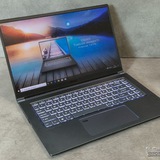
MSI GS66 Stealth 10UH broken af
I need help. I got this laptop back in 2021 and within the first 2 years, it’s been messing up .
the main things is how loud the fan is just from turning on. it’s so loud that I can barely hear myself. the other main thing is how hot it gets even if i’m not playing anything. it goes up and over 90 degrees Celsius and literally burns me. I can smell how hot this thing is.
other problems that occur is the screen switching between a blue hue to a warm hue randomly, battery going down crazy fast, and recently it’s crashed twice from playing Mortal Kombat.
mind you, i recently factory reset this laptop and MK is the only game i have downloaded now. and I tried to take it to Best Buy (Geek Squad) so they can fix it and they didn’t even open up the laptop or do jack shit. i tried to sell it to Best Buy and they tried to give me like $100 for a $2000+ laptop……..
nothing has worked. idk anything about laptops, so pls dumb down anything u guys say 💔
and if it matters my processor is Intel(R) Core(TM) i7-10750H CPU @ 2.60GHz 2.59 GHz (idk what any of this means either)
to put it short: got laptop 4 years ago, gets too hot, fan too loud, screen switches hues, battery drains fast, crashed twice, don’t know what to do. Thanks. :-)
https://redd.it/1pyb8sa
@MSILaptops
I need help. I got this laptop back in 2021 and within the first 2 years, it’s been messing up .
the main things is how loud the fan is just from turning on. it’s so loud that I can barely hear myself. the other main thing is how hot it gets even if i’m not playing anything. it goes up and over 90 degrees Celsius and literally burns me. I can smell how hot this thing is.
other problems that occur is the screen switching between a blue hue to a warm hue randomly, battery going down crazy fast, and recently it’s crashed twice from playing Mortal Kombat.
mind you, i recently factory reset this laptop and MK is the only game i have downloaded now. and I tried to take it to Best Buy (Geek Squad) so they can fix it and they didn’t even open up the laptop or do jack shit. i tried to sell it to Best Buy and they tried to give me like $100 for a $2000+ laptop……..
nothing has worked. idk anything about laptops, so pls dumb down anything u guys say 💔
and if it matters my processor is Intel(R) Core(TM) i7-10750H CPU @ 2.60GHz 2.59 GHz (idk what any of this means either)
to put it short: got laptop 4 years ago, gets too hot, fan too loud, screen switches hues, battery drains fast, crashed twice, don’t know what to do. Thanks. :-)
https://redd.it/1pyb8sa
@MSILaptops
Reddit
From the MSILaptops community on Reddit
Explore this post and more from the MSILaptops community
my msi is a whole furnace bro
how does cyborg a13v overheat after like 20 minutes of cs2? and how do i get it to last longer
https://redd.it/1pye1x7
@MSILaptops
how does cyborg a13v overheat after like 20 minutes of cs2? and how do i get it to last longer
https://redd.it/1pye1x7
@MSILaptops
Reddit
From the MSILaptops community on Reddit
Explore this post and more from the MSILaptops community
Msi thin b13 gpu not using and black screens when it does
My laptop have been have trouble for weeks every time I restart it there is like a 10% chance it uses my GPU and even if it does it black screens after a little while
extra info
Getting this issue “D:/WINDOWS/System32/LogFiles/Srt/SrtTrail.txt”
and this one driver irql_less_or_not_equal
https://preview.redd.it/cw655x2vk3ag1.jpg?width=3072&format=pjpg&auto=webp&s=a6b00b501c3b048dc40c0315d957fe266a76eee9
https://redd.it/1pyfotd
@MSILaptops
My laptop have been have trouble for weeks every time I restart it there is like a 10% chance it uses my GPU and even if it does it black screens after a little while
extra info
Getting this issue “D:/WINDOWS/System32/LogFiles/Srt/SrtTrail.txt”
and this one driver irql_less_or_not_equal
https://preview.redd.it/cw655x2vk3ag1.jpg?width=3072&format=pjpg&auto=webp&s=a6b00b501c3b048dc40c0315d957fe266a76eee9
https://redd.it/1pyfotd
@MSILaptops
Keyboard keys failing + keyboard backlight issues on MSI Stealth (bought Oct 2023) – should I format or give up?
Hello, I really need some advice because I’m starting to panic a bit.
I’m using an MSI Stealth 16 studio A13V laptop that I bought in October 2023, so it’s still relatively new. Lately, I’ve been
running into multiple keyboard issues:
\- Numpad 1 and 2 are not working properly
\- The letter “O” is failing (Had to change its position in the keyboard)
\- The Backspace key feels like it’s slowly dying / becoming unreliable
\- The keyboard lighting has faded a lot There are no more lighting settings available (it’s stuck at a very dim brightness)
I tried turning the keyboard light off completely, thinking it might reduce stress on the keyboard
What’s weird is that the indicator lights (ESC, F1, Caps Lock, and the power button) are still very bright, so it doesn’t seem like a full lighting failure
I honestly don’t know if this is a software/driver issue, firmware problem or a hardware failure (keyboard dying already??!!!)
I’m not sure whether I should try formatting it or is there a troubleshooting method i need to try or just accept that the keyboard is failing
I really love this laptop, which makes this frustrating. My previous laptop (HP Omen) lasted me 7+ years ( I only replaced it because the battery completely died). That’s why this feels way too early for major issues.
Has anyone experienced something similar on MSI laptops or the Stealth series?
Is formatting even worth trying, or does this sound like a hardware problem?
Any advice would be greatly appreciated. Thanks
https://redd.it/1pyi89m
@MSILaptops
Hello, I really need some advice because I’m starting to panic a bit.
I’m using an MSI Stealth 16 studio A13V laptop that I bought in October 2023, so it’s still relatively new. Lately, I’ve been
running into multiple keyboard issues:
\- Numpad 1 and 2 are not working properly
\- The letter “O” is failing (Had to change its position in the keyboard)
\- The Backspace key feels like it’s slowly dying / becoming unreliable
\- The keyboard lighting has faded a lot There are no more lighting settings available (it’s stuck at a very dim brightness)
I tried turning the keyboard light off completely, thinking it might reduce stress on the keyboard
What’s weird is that the indicator lights (ESC, F1, Caps Lock, and the power button) are still very bright, so it doesn’t seem like a full lighting failure
I honestly don’t know if this is a software/driver issue, firmware problem or a hardware failure (keyboard dying already??!!!)
I’m not sure whether I should try formatting it or is there a troubleshooting method i need to try or just accept that the keyboard is failing
I really love this laptop, which makes this frustrating. My previous laptop (HP Omen) lasted me 7+ years ( I only replaced it because the battery completely died). That’s why this feels way too early for major issues.
Has anyone experienced something similar on MSI laptops or the Stealth series?
Is formatting even worth trying, or does this sound like a hardware problem?
Any advice would be greatly appreciated. Thanks
https://redd.it/1pyi89m
@MSILaptops
Reddit
From the MSILaptops community on Reddit
Explore this post and more from the MSILaptops community
I can't unlock option to undervolt CPU (core I7 13700 Hz) - MSI Sword 16 Hx B13
Basically I've completed every possible step to enable undervolting on my MSI Sword 16 HX (i7-13700HX), yet the Offset still remains at 0.0000 in ThrottleStop.
In the BIOS, I have already:
Set Undervolt Protection to Disabled.
Set CFG Lock and Overclocking Lock to Disabled.
Disabled IA CEP and GT CEP
In Windows 11, disabled VBS and Core Isolation/Memory Integrity and Disabled the Hypervisor Turned off Fast Startup, any advice or help would be greatly appreciated
https://redd.it/1pylikj
@MSILaptops
Basically I've completed every possible step to enable undervolting on my MSI Sword 16 HX (i7-13700HX), yet the Offset still remains at 0.0000 in ThrottleStop.
In the BIOS, I have already:
Set Undervolt Protection to Disabled.
Set CFG Lock and Overclocking Lock to Disabled.
Disabled IA CEP and GT CEP
In Windows 11, disabled VBS and Core Isolation/Memory Integrity and Disabled the Hypervisor Turned off Fast Startup, any advice or help would be greatly appreciated
https://redd.it/1pylikj
@MSILaptops
Reddit
From the MSILaptops community on Reddit
Explore this post and more from the MSILaptops community
TRANSCEND 16gb (2x) 5600mHz good for an upgrade in laptop?
So I have this MSI VECTOR 16 HX AI 2XWIG is this a worthy upgrade sum halppp
https://redd.it/1pymll6
@MSILaptops
So I have this MSI VECTOR 16 HX AI 2XWIG is this a worthy upgrade sum halppp
https://redd.it/1pymll6
@MSILaptops
Reddit
From the MSILaptops community on Reddit
Explore this post and more from the MSILaptops community
MSI HX 16 AI A2XWIG
Is Transcend 16gb (2x) 5600mHz okay to use as an upgrade for the ram?
https://redd.it/1pykyfc
@MSILaptops
Is Transcend 16gb (2x) 5600mHz okay to use as an upgrade for the ram?
https://redd.it/1pykyfc
@MSILaptops
Reddit
From the MSILaptops community on Reddit
Explore this post and more from the MSILaptops community
I'm confused what to buy assus tuf gaming a15 vs msi thin 15 i5 13th gen
I decided to buy assus a15 but my friend that mf fucked my clarity he said assus has lot of problem especially in the a series don't waste your money and he suggested msi and he's been using that and said till now he haven't got any problem and i compared both and i couldn't come to a conclusion but my heart wants a15 because the older lap which i have been using is from assus i have connected with the brand and after seeing spec of mis thin 15 i5 13th gen i'm impressed 6gb ram and 1tb storage but the main problem is build quality and heating issuses now i got fucked i don't know what to choose so any one help me out guys
https://redd.it/1pyq2tm
@MSILaptops
I decided to buy assus a15 but my friend that mf fucked my clarity he said assus has lot of problem especially in the a series don't waste your money and he suggested msi and he's been using that and said till now he haven't got any problem and i compared both and i couldn't come to a conclusion but my heart wants a15 because the older lap which i have been using is from assus i have connected with the brand and after seeing spec of mis thin 15 i5 13th gen i'm impressed 6gb ram and 1tb storage but the main problem is build quality and heating issuses now i got fucked i don't know what to choose so any one help me out guys
https://redd.it/1pyq2tm
@MSILaptops
Reddit
From the MSILaptops community on Reddit
Explore this post and more from the MSILaptops community
Should I uninstall Killer software?
I have MSI GE66 Raider 10UG
**https://www.msi.com/Laptop/GE66-Raider-10UX/Specification**
It has Killer LAN device.
I have 1000mbps fiber internet and today I noticed Killer Performance Suite caps Google Chrome speed to 600mpbs. My macbooks getting 1000mbps with the same ethernet cable.
After disabling "Prioritization Engine" of Killer Performance Suite, Google Chrome downloads with full bandwidth. It seems "Prioritization Engine" caps Google Chrome and other software regardless of a Game is running or not. I thought this kind of software supposed to enhance network when a Game runs. What is the point of capping a browser when no Game runs?
Also Steam Sync does not work for some games. I thought it was about Steam software and Steam servers. After disabling "Prioritization Engine", the Steam sync worked flawlessly.
At this point the Killer Performance Suite seems to giving more issues than expected. I have seen ping issues during online gaming even when "Prioritization Engine" was ON though I am not sure the root cause was Killer Performance Suite.
Should I uninstall Killer software? Is there any benefit keeping the software and its 5 related services at all?
https://redd.it/1pyqabs
@MSILaptops
I have MSI GE66 Raider 10UG
**https://www.msi.com/Laptop/GE66-Raider-10UX/Specification**
It has Killer LAN device.
I have 1000mbps fiber internet and today I noticed Killer Performance Suite caps Google Chrome speed to 600mpbs. My macbooks getting 1000mbps with the same ethernet cable.
After disabling "Prioritization Engine" of Killer Performance Suite, Google Chrome downloads with full bandwidth. It seems "Prioritization Engine" caps Google Chrome and other software regardless of a Game is running or not. I thought this kind of software supposed to enhance network when a Game runs. What is the point of capping a browser when no Game runs?
Also Steam Sync does not work for some games. I thought it was about Steam software and Steam servers. After disabling "Prioritization Engine", the Steam sync worked flawlessly.
At this point the Killer Performance Suite seems to giving more issues than expected. I have seen ping issues during online gaming even when "Prioritization Engine" was ON though I am not sure the root cause was Killer Performance Suite.
Should I uninstall Killer software? Is there any benefit keeping the software and its 5 related services at all?
https://redd.it/1pyqabs
@MSILaptops
Msi
MSI GE66 Raider – Light'em Up
GE66 Raider is a portable gaming laptop packed with up to 10th Gen. Intel® Core™ i9 processor and the NVIDIA® GeForce RTX™ 3080 graphics, cooled by cooler boost 5 for extreme performance. Mystic light, Wi-Fi 6E and the 99.9Whr large battery are best-suite
Please treat your MSI good
Hi everybody, it’s my first time messaging on the sub. Reddit has a MSI laptop fan boy for as long as I can remember I have just never been so upset.
To keep it short. three laptops I’ve purchased to replace the last. They all ended up broken whether it was a screen because somebody disrespected anIt broke it off. I tried repairing it that worked out for a little while I ended up purchasing a MSI stealth. I love the stealth… had to sell it to help my surgery I’m Sept. my old gs rtx4050 had the gpu go out. Sorry for the grammar and the typing the surgery they had to fuse my wrist bones together, so I’m paralyzed h my left wrist an thumb.
Thank you for listening to me. I love you guys and game on.
https://redd.it/1pysik9
@MSILaptops
Hi everybody, it’s my first time messaging on the sub. Reddit has a MSI laptop fan boy for as long as I can remember I have just never been so upset.
To keep it short. three laptops I’ve purchased to replace the last. They all ended up broken whether it was a screen because somebody disrespected anIt broke it off. I tried repairing it that worked out for a little while I ended up purchasing a MSI stealth. I love the stealth… had to sell it to help my surgery I’m Sept. my old gs rtx4050 had the gpu go out. Sorry for the grammar and the typing the surgery they had to fuse my wrist bones together, so I’m paralyzed h my left wrist an thumb.
Thank you for listening to me. I love you guys and game on.
https://redd.it/1pysik9
@MSILaptops
Reddit
From the MSILaptops community on Reddit
Explore this post and more from the MSILaptops community
Need help finding a part
I need a keyboard replacement for a msi prestige a16 ai+ a3hmg 016us
One of my mothers cat threw up on the track pad in the middle of the night because for whatever reason she leaves a $1200 laptop sitting out i told her to get the warranty off newegg when she bought it but is now paying the price for not doing so
Also the track pad doesn't work and only QWE keys work
https://redd.it/1pyw382
@MSILaptops
I need a keyboard replacement for a msi prestige a16 ai+ a3hmg 016us
One of my mothers cat threw up on the track pad in the middle of the night because for whatever reason she leaves a $1200 laptop sitting out i told her to get the warranty off newegg when she bought it but is now paying the price for not doing so
Also the track pad doesn't work and only QWE keys work
https://redd.it/1pyw382
@MSILaptops
Reddit
From the MSILaptops community on Reddit
Explore this post and more from the MSILaptops community
Laptop shuts down randomly
I have a MSI Raider GE68 HX 13V laptop that randomly shuts off when playing games like; Fortnite, Roblox, call of duty, etc...
Everything else runs fine when not gaming
I've tried countless things and nothing can fix it but I think I may be due to overheating. I've put my laptop on a cooling pad for better airflow and that didn't do much as well as maxing the fans out. Usually before shutdown the cpu temp is at 95 and the gpu temp is at around 91-92.
Anyone know what I can do to fix it? Or should I send it to MSI or bring it to a tech store.
https://redd.it/1pyvd3n
@MSILaptops
I have a MSI Raider GE68 HX 13V laptop that randomly shuts off when playing games like; Fortnite, Roblox, call of duty, etc...
Everything else runs fine when not gaming
I've tried countless things and nothing can fix it but I think I may be due to overheating. I've put my laptop on a cooling pad for better airflow and that didn't do much as well as maxing the fans out. Usually before shutdown the cpu temp is at 95 and the gpu temp is at around 91-92.
Anyone know what I can do to fix it? Or should I send it to MSI or bring it to a tech store.
https://redd.it/1pyvd3n
@MSILaptops
Reddit
From the MSILaptops community on Reddit
Explore this post and more from the MSILaptops community