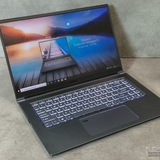
Problem with MSI Thin 15 laptop
I've had this computer for a year now and everything had been perfect, but recently when playing certain games I've been experiencing sudden drops in FPS that then go back up. I tried updating the Intel and Nvidia drivers but there's no solution. What could it be?
https://redd.it/1q1indt
@MSILaptops
I've had this computer for a year now and everything had been perfect, but recently when playing certain games I've been experiencing sudden drops in FPS that then go back up. I tried updating the Intel and Nvidia drivers but there's no solution. What could it be?
https://redd.it/1q1indt
@MSILaptops
Reddit
From the MSILaptops community on Reddit
Explore this post and more from the MSILaptops community
Can’t figure out how to update Bios
I’m trying to update my Raider GE76-11UH to Windows 11(been putting this off because I prefer Windows 10) but I can’t update without enabling the TPM. I updated BIOS from the last update under my laptop on the site but it’s still not the BIOS 5 interface that all the tutorials display. I tried to update with a newer BIOS update for a similar build but got an error so that didn’t work. Any suggestions on what I could try to enable the TPM?
https://redd.it/1q1mdrb
@MSILaptops
I’m trying to update my Raider GE76-11UH to Windows 11(been putting this off because I prefer Windows 10) but I can’t update without enabling the TPM. I updated BIOS from the last update under my laptop on the site but it’s still not the BIOS 5 interface that all the tutorials display. I tried to update with a newer BIOS update for a similar build but got an error so that didn’t work. Any suggestions on what I could try to enable the TPM?
https://redd.it/1q1mdrb
@MSILaptops
Reddit
From the MSILaptops community on Reddit
Explore this post and more from the MSILaptops community
Keys splitting...
Apostrophe key split and is now gone. Q key is halfway through being split. E key just split on half. Shift ctrl alt and mouse pad stopped working. Wth is with this laptop I have never experienced anything this shoddy with much less expensive systems....
Model: Sword 17 HX B14VGKG
https://redd.it/1q1oa54
@MSILaptops
Apostrophe key split and is now gone. Q key is halfway through being split. E key just split on half. Shift ctrl alt and mouse pad stopped working. Wth is with this laptop I have never experienced anything this shoddy with much less expensive systems....
Model: Sword 17 HX B14VGKG
https://redd.it/1q1oa54
@MSILaptops
Reddit
From the MSILaptops community on Reddit
Explore this post and more from the MSILaptops community
Проблемы с новым ноутбуком
Hello everyone, I need some expert opinions.
Just two days ago, I bought a new MSI Cyborg 15 B2RWFKG Core 7-240H RTX 5060 laptop. I bought it in Poland (where I live), and it came without an operating system (by the way, all laptops in Poland from decent stores don't come with an operating system).
"No problem," I thought, and calmly ordered it. I bought a 32GB flash drive, downloaded Windows 11 to the same flash drive, and was already in deep anticipation.
And then that day arrived. I picked it up from the courier and was already installing Windows when I noticed that the laptop wasn't detecting the SSD. After long sessions and messaging with all the AIs, I downloaded the necessary drivers to the right flash drive, and everything was downloading more or less, when suddenly I saw that Windows was loading to 82% and rebooting the laptop. Finally, after many attempts, I realized that I had no further options. I'll be able to move forward (based on my experience) and will need the opinion of local professionals with their price tag of 250 zlotys, or $70.
Guys, if anyone has been in a similar situation, could you give me some advice or what the best course of action is?
I'd be very grateful!)
https://redd.it/1q1mcj6
@MSILaptops
Hello everyone, I need some expert opinions.
Just two days ago, I bought a new MSI Cyborg 15 B2RWFKG Core 7-240H RTX 5060 laptop. I bought it in Poland (where I live), and it came without an operating system (by the way, all laptops in Poland from decent stores don't come with an operating system).
"No problem," I thought, and calmly ordered it. I bought a 32GB flash drive, downloaded Windows 11 to the same flash drive, and was already in deep anticipation.
And then that day arrived. I picked it up from the courier and was already installing Windows when I noticed that the laptop wasn't detecting the SSD. After long sessions and messaging with all the AIs, I downloaded the necessary drivers to the right flash drive, and everything was downloading more or less, when suddenly I saw that Windows was loading to 82% and rebooting the laptop. Finally, after many attempts, I realized that I had no further options. I'll be able to move forward (based on my experience) and will need the opinion of local professionals with their price tag of 250 zlotys, or $70.
Guys, if anyone has been in a similar situation, could you give me some advice or what the best course of action is?
I'd be very grateful!)
https://redd.it/1q1mcj6
@MSILaptops
Reddit
From the MSILaptops community on Reddit
Explore this post and more from the MSILaptops community
MSI freezing.
Hello my laptop is a 1650ti max q and it freezes when watching youtube or playing games. It was running smoothly for months before and suddenly this happened. I suspect somethin with windows update but whatever, I did everything to fix it. Disable updates on drivers, downgraded nvidia graphics driver to a stable one, reinstall windows and all. Everything software related I've done in settings and all. All i have left is to check if there's anything wrong with the hardware. And yes it doesn't freeze on BIOS, which indicates hardware level stuff is okay? Also when disable my dedicated gpu and run laptop on only intel integrated gpu, everything is stable. I don't know what could help anymore. Some say it's because OEM drivers are conflicting with Windows drivers. Others say it's a kernel level lock or something. But yes in BIOS for about an hour, it didn't freeze at all. Can anyone help please? Or did something fix this? Idk anymore if it's a hardware level issue.
https://redd.it/1q1v3ef
@MSILaptops
Hello my laptop is a 1650ti max q and it freezes when watching youtube or playing games. It was running smoothly for months before and suddenly this happened. I suspect somethin with windows update but whatever, I did everything to fix it. Disable updates on drivers, downgraded nvidia graphics driver to a stable one, reinstall windows and all. Everything software related I've done in settings and all. All i have left is to check if there's anything wrong with the hardware. And yes it doesn't freeze on BIOS, which indicates hardware level stuff is okay? Also when disable my dedicated gpu and run laptop on only intel integrated gpu, everything is stable. I don't know what could help anymore. Some say it's because OEM drivers are conflicting with Windows drivers. Others say it's a kernel level lock or something. But yes in BIOS for about an hour, it didn't freeze at all. Can anyone help please? Or did something fix this? Idk anymore if it's a hardware level issue.
https://redd.it/1q1v3ef
@MSILaptops
Reddit
From the MSILaptops community on Reddit
Explore this post and more from the MSILaptops community
Why even make laptops with high TDP CPUs if you can't properly cool them? And the stupid MSI Center.
So I have a Thin GF63 12uc laptop with i5-12450h and rtx 3050. Proper gaming isn't even possible on this laptop because the CPU on balanced/high performance mode (MSI Center) runs up to 95 degrees and then starts to throttle - which obviously starts to impact the game performance with stuttering.
The obvious solution is to switch to eco mode which limits the CPUs TDP. The performance hit is rather small compared to massive improvement in thermals. Games run great and stable, BUT the fan speed is limited to 2400rpm in this mode, which obviously leads to eventual overheating to the the same 95 degrees and throttling.
So why the idiotic MSI Center doesn't allow me to use eco mode + manually control the fan speed? The fan speed control is allowed only in high performance mode which makes the CPU go all out but can't even cool it properly to run it stable.
It's really frustrating when the hardware is capable but the software limits you.
I guess the only option is to uninstall this useless app and use custom software to lower TDP and adjust the fan curve.
https://redd.it/1q1yyt8
@MSILaptops
So I have a Thin GF63 12uc laptop with i5-12450h and rtx 3050. Proper gaming isn't even possible on this laptop because the CPU on balanced/high performance mode (MSI Center) runs up to 95 degrees and then starts to throttle - which obviously starts to impact the game performance with stuttering.
The obvious solution is to switch to eco mode which limits the CPUs TDP. The performance hit is rather small compared to massive improvement in thermals. Games run great and stable, BUT the fan speed is limited to 2400rpm in this mode, which obviously leads to eventual overheating to the the same 95 degrees and throttling.
So why the idiotic MSI Center doesn't allow me to use eco mode + manually control the fan speed? The fan speed control is allowed only in high performance mode which makes the CPU go all out but can't even cool it properly to run it stable.
It's really frustrating when the hardware is capable but the software limits you.
I guess the only option is to uninstall this useless app and use custom software to lower TDP and adjust the fan curve.
https://redd.it/1q1yyt8
@MSILaptops
Reddit
From the MSILaptops community on Reddit
Explore this post and more from the MSILaptops community
bios problema msi
Ciao Ho un cyborg 15v ho messo una password Bios Quando entro nel bios però alcune opzioni sono grigie e non selezionabili io Come posso fare a risolvere questo problema perché vorrei cambiare la password
https://redd.it/1q1zwcy
@MSILaptops
Ciao Ho un cyborg 15v ho messo una password Bios Quando entro nel bios però alcune opzioni sono grigie e non selezionabili io Come posso fare a risolvere questo problema perché vorrei cambiare la password
https://redd.it/1q1zwcy
@MSILaptops
Reddit
From the MSILaptops community on Reddit
Explore this post and more from the MSILaptops community
My MSI laptop freezes when running on battery.
I bought an MSI laptop (sword 15 B13V) on August 18, but I'm experiencing a freezing issue.
To describe the problem: when using it on battery—whether I'm gaming, using Blender, or just watching YouTube—it freezes completely. The Caps Lock and Num Lock lights don't respond, the mouse cursor doesn't move, and the system becomes entirely unresponsive. I have to press and hold the power button to force a shutdown and restart. It's only 4 months old. Should I send it to MSI service or request a return? What would you recommend?
https://redd.it/1q243fl
@MSILaptops
I bought an MSI laptop (sword 15 B13V) on August 18, but I'm experiencing a freezing issue.
To describe the problem: when using it on battery—whether I'm gaming, using Blender, or just watching YouTube—it freezes completely. The Caps Lock and Num Lock lights don't respond, the mouse cursor doesn't move, and the system becomes entirely unresponsive. I have to press and hold the power button to force a shutdown and restart. It's only 4 months old. Should I send it to MSI service or request a return? What would you recommend?
https://redd.it/1q243fl
@MSILaptops
Reddit
From the MSILaptops community on Reddit
Explore this post and more from the MSILaptops community
So, I have a 4050 laptop and i have this weird problem that forces the display to always revert back to 60hz once i turn it off.
I figured I should have my display connect to my RTX 4050 instead of the integrated graphics card, But i don't know how. I saw a post here earlier that said "Use ddu" which i don't know. Can anyone help me or this doesn't have a solution?
https://redd.it/1q22x2k
@MSILaptops
I figured I should have my display connect to my RTX 4050 instead of the integrated graphics card, But i don't know how. I saw a post here earlier that said "Use ddu" which i don't know. Can anyone help me or this doesn't have a solution?
https://redd.it/1q22x2k
@MSILaptops
Reddit
From the MSILaptops community on Reddit
Explore this post and more from the MSILaptops community
AMD adrenaline opening command prompt/driver or install issue MSI Vector 16 hx A8W laptop
https://redd.it/1q2cdec
@MSILaptops
https://redd.it/1q2cdec
@MSILaptops
ssd
I have a gf 63 thin, and was trying to upgrade my graphics card. again idk much abt computers but is there a way to create a hard disk as an external usb ssd? bc i dont have an extra m.2 port and i cant use an oculink cable without putting a m.2 to oculink adapter in but then i dont have windows. and ideas to help?
https://redd.it/1q2gmuk
@MSILaptops
I have a gf 63 thin, and was trying to upgrade my graphics card. again idk much abt computers but is there a way to create a hard disk as an external usb ssd? bc i dont have an extra m.2 port and i cant use an oculink cable without putting a m.2 to oculink adapter in but then i dont have windows. and ideas to help?
https://redd.it/1q2gmuk
@MSILaptops
Reddit
From the MSILaptops community on Reddit
Explore this post and more from the MSILaptops community
High temperatures on MSI Vector 16HX AI
Hello.
Recently I bought the MSI Vector 16HXAI. I love this laptop. Previously I had the Katana 15 but I gave it to my incle. Short story, I played some videogames in the laptop like MAFIA 1 and NFS Heat and I see that the CPU temps are so high in both games.
In everything low, in NFS-HEAT, the temp reached 102 degree Celsius. With Mafia, just 97 degrees.
Do you know if I need to do something that low those temperatures? I know that I can stay in 40 degrees playing some demanding games, but staying around the 85-90 degrees. More than the 95 scares me a lot jejeje
Thanks and happy new year
https://redd.it/1q2j2ij
@MSILaptops
Hello.
Recently I bought the MSI Vector 16HXAI. I love this laptop. Previously I had the Katana 15 but I gave it to my incle. Short story, I played some videogames in the laptop like MAFIA 1 and NFS Heat and I see that the CPU temps are so high in both games.
In everything low, in NFS-HEAT, the temp reached 102 degree Celsius. With Mafia, just 97 degrees.
Do you know if I need to do something that low those temperatures? I know that I can stay in 40 degrees playing some demanding games, but staying around the 85-90 degrees. More than the 95 scares me a lot jejeje
Thanks and happy new year
https://redd.it/1q2j2ij
@MSILaptops
Reddit
From the MSILaptops community on Reddit
Explore this post and more from the MSILaptops community
Keyboard backlight on an MSI laptop
I have an MSI laptop and it has a red keyboard backlight, but I flooded it and I plan to replace it, I see that on Aliexpress there are keyboards with white and RGB backlight, and can I buy one with a color other than red?
https://redd.it/1q2kjpw
@MSILaptops
I have an MSI laptop and it has a red keyboard backlight, but I flooded it and I plan to replace it, I see that on Aliexpress there are keyboards with white and RGB backlight, and can I buy one with a color other than red?
https://redd.it/1q2kjpw
@MSILaptops
Reddit
From the MSILaptops community on Reddit
Explore this post and more from the MSILaptops community
Disappointed with MSI Bravo 15 B7EDP-024US
Either the DRAM MOSFETs or the SODIMMs themselves are overheating in my msi bravo b7edp-024us. It reboots after some time in prime95 max power and memtest86+ in default parallel testing mode. It passes in the slower round robin mode (if somebody else is having this issue). Haven't had time to pinpoint the issue but I'll figure it out with my FLIR camera and remedy it. The firmware is also very limited; advanced stuff is hidden behind a key combo and half of it doesn't work. It won't respect my cTDP settings; have to limit cpu power via EDC. PBO is completely disabled despite there being a menu entry; it's very clear that little to no work went into the firmware and it's nearly a stock firmware image from AMI. The windows MSI control software is also terrible. How hard would it have been to give us a simple 2 axis fan curve settings for BOTH (can't control the right at all beyond setting it to full blast, GG) fans like every other desktop motherboard and most laptops I've used. It's a shame because the physical build quality is pretty solid beyond the overheating issue from what I can tell. High efficiency mosfets, decent thermal pads and good TIM on the CPU and GPU. Definitely my last MSI laptop though, and I won't be recommending them.
https://redd.it/1q2k6fj
@MSILaptops
Either the DRAM MOSFETs or the SODIMMs themselves are overheating in my msi bravo b7edp-024us. It reboots after some time in prime95 max power and memtest86+ in default parallel testing mode. It passes in the slower round robin mode (if somebody else is having this issue). Haven't had time to pinpoint the issue but I'll figure it out with my FLIR camera and remedy it. The firmware is also very limited; advanced stuff is hidden behind a key combo and half of it doesn't work. It won't respect my cTDP settings; have to limit cpu power via EDC. PBO is completely disabled despite there being a menu entry; it's very clear that little to no work went into the firmware and it's nearly a stock firmware image from AMI. The windows MSI control software is also terrible. How hard would it have been to give us a simple 2 axis fan curve settings for BOTH (can't control the right at all beyond setting it to full blast, GG) fans like every other desktop motherboard and most laptops I've used. It's a shame because the physical build quality is pretty solid beyond the overheating issue from what I can tell. High efficiency mosfets, decent thermal pads and good TIM on the CPU and GPU. Definitely my last MSI laptop though, and I won't be recommending them.
https://redd.it/1q2k6fj
@MSILaptops
Reddit
From the MSILaptops community on Reddit
Explore this post and more from the MSILaptops community
How much is my t80: heroes of the storm edition worth?
I just found it in storage while looking through some old things, I only have the original ac adapter and the laptop itself.
https://redd.it/1q2fvxs
@MSILaptops
I just found it in storage while looking through some old things, I only have the original ac adapter and the laptop itself.
https://redd.it/1q2fvxs
@MSILaptops
Reddit
From the MSILaptops community on Reddit
Explore this post and more from the MSILaptops community
GL62M Case Repair
Hello guys, i have GL62M 7RDX since 2018 and i am using in work field and also in home. My case is broken from lots of places like fan radiators, screw sockets, screen hinge covers. I want to buy spare set from aliexpress and want to change it compeletely. Is anyone here experience this procces that can help me to suggest any seller about it. Thanks in advance.
https://redd.it/1q2s2ru
@MSILaptops
Hello guys, i have GL62M 7RDX since 2018 and i am using in work field and also in home. My case is broken from lots of places like fan radiators, screw sockets, screen hinge covers. I want to buy spare set from aliexpress and want to change it compeletely. Is anyone here experience this procces that can help me to suggest any seller about it. Thanks in advance.
https://redd.it/1q2s2ru
@MSILaptops
Reddit
From the MSILaptops community on Reddit
Explore this post and more from the MSILaptops community
A fast, lightweight MSI Center alternative and fan control utility for MSI laptops.
https://preview.redd.it/e0e0vc540ltf1.jpg?width=678&format=pjpg&auto=webp&s=7619101c1f8f37cdd736aadd82e3c95dd4f3d8cd
Useful tool for control MSI laptops has been released. Excellent replacement for MSI Center. Its free and open source. Works on most of modern MSI laptops.
More info here: https://codeberg.org/Sparronator9999/YAMDCC
Download latest version: https://codeberg.org/Sparronator9999/YAMDCC/releases
If your laptop is not in the supported list yet, check the wiki page there is described how to simply generate config for it.
P.S. im not an author of that app, just sharing this good tool for MSI laptops owners.
https://redd.it/1idihmu
@MSILaptops
https://preview.redd.it/e0e0vc540ltf1.jpg?width=678&format=pjpg&auto=webp&s=7619101c1f8f37cdd736aadd82e3c95dd4f3d8cd
Useful tool for control MSI laptops has been released. Excellent replacement for MSI Center. Its free and open source. Works on most of modern MSI laptops.
More info here: https://codeberg.org/Sparronator9999/YAMDCC
Download latest version: https://codeberg.org/Sparronator9999/YAMDCC/releases
If your laptop is not in the supported list yet, check the wiki page there is described how to simply generate config for it.
P.S. im not an author of that app, just sharing this good tool for MSI laptops owners.
https://redd.it/1idihmu
@MSILaptops
MSI Laptop Battery Drain when SHUT DOWN or OFF FIX | WORKING SOLUTION
PART 1: THE ISSUE
Hello guys! I just got an MSI Modern 15 H AI and I was pretty satisfied by it and happy, until I found out that whenever I shut it down, be it from Linux Mint or Windows 11 (I set up dual boot on this laptop), its battery would be drained to 0% in the 2-3 hours it was technically shut down. I recall charging it to 100% and left it unplugged for 2 hours only to see it completely discharged when I had shut it down earlier. This pissed me off considering that this issue would completely defeat the use of a laptop, if it couldn't retain its charge while shut down.
\------
PART 2: BANDAID SOLUTION (Embedded Controller Switch)
Searching online, I found out that MSI Laptops are apparently infamous for their issues maintaining their charge (even while shut down) and for their battery drain. This is one of the reasons MSI decided to implement a so called EC switch, a pinhole switch on the bottom of MSI laptops that allow the battery to be completely off, with the disadvantage of having to plug in the AC adapter/charger in order to switch the laptop on again regardless if it still has some remaining charge.
This means that in order to not experience battery drain even while the laptop is shut down, you have to press the EC Switch to “disconnect” the battery, and once you decide to use it, the laptop will switch on only once you’ve connected the AC adapter/charger, basically defeating the purpose, comfort, and portability of a laptop considering that you always need to have a SIM card pin to press the EC Switch and your charger.
This link shows the post of a user having the same problems and the comment that allowed me to discover about EC switch, with comments from other users on possible fixes:
https://www.reddit.com/r/MSILaptops/comments/13qqmys/comment/jsqmq2g/?utm\_source=share&utm\_medium=web3x&utm\_name=web3xcss&utm\_term=1&utm\_content=share\_button)
More on the Embedded Controller Switch (EC Switch) from the official MSI Website:
https://www.msi.com/support/technical\_details/NB\_EC\_RESET
\------
Here are some other posts that highlight MSI battery drain issues even while shut down with other possible solutions.
“Battery drains even when Shutdown” (same link shown earlier)
https://www.reddit.com/r/MSILaptops/comments/13qqmys/comment/jsqmq2g/?utm\_source=share&utm\_medium=web3x&utm\_name=web3xcss&utm\_term=1&utm\_content=share\_button
“MSI Prestige 15 battery drain while shut down”
https://www.reddit.com/r/MSILaptops/comments/13syxhz/msi\_katana\_sudden\_battery\_drain\_to\_0\_when\_turned/
“GF65 battery drain even when turned off”
https://www.reddit.com/r/MSILaptops/comments/11jgp5u/gf65\_battery\_drain\_even\_when\_turned\_off/
“My laptop battery dies when it’s off”
https://www.reddit.com/r/linuxquestions/comments/1669sn8/my\_laptop\_battery\_dies\_while\_its\_off/
\------
PART 3: FINAL SOLUTION
By looking at all of the posts and researching more about the possible causes my battery would drain even while shutting it down, I found out that disabling Fast Boot completely solved this issue for me. In fact, after charging it to 98% and shutting it down, I ran errands for about 4 hours and the battery managed to keep its charge to 98% once I switched it on, like a laptop should. Never had any issues
PART 1: THE ISSUE
Hello guys! I just got an MSI Modern 15 H AI and I was pretty satisfied by it and happy, until I found out that whenever I shut it down, be it from Linux Mint or Windows 11 (I set up dual boot on this laptop), its battery would be drained to 0% in the 2-3 hours it was technically shut down. I recall charging it to 100% and left it unplugged for 2 hours only to see it completely discharged when I had shut it down earlier. This pissed me off considering that this issue would completely defeat the use of a laptop, if it couldn't retain its charge while shut down.
\------
PART 2: BANDAID SOLUTION (Embedded Controller Switch)
Searching online, I found out that MSI Laptops are apparently infamous for their issues maintaining their charge (even while shut down) and for their battery drain. This is one of the reasons MSI decided to implement a so called EC switch, a pinhole switch on the bottom of MSI laptops that allow the battery to be completely off, with the disadvantage of having to plug in the AC adapter/charger in order to switch the laptop on again regardless if it still has some remaining charge.
This means that in order to not experience battery drain even while the laptop is shut down, you have to press the EC Switch to “disconnect” the battery, and once you decide to use it, the laptop will switch on only once you’ve connected the AC adapter/charger, basically defeating the purpose, comfort, and portability of a laptop considering that you always need to have a SIM card pin to press the EC Switch and your charger.
This link shows the post of a user having the same problems and the comment that allowed me to discover about EC switch, with comments from other users on possible fixes:
https://www.reddit.com/r/MSILaptops/comments/13qqmys/comment/jsqmq2g/?utm\_source=share&utm\_medium=web3x&utm\_name=web3xcss&utm\_term=1&utm\_content=share\_button)
More on the Embedded Controller Switch (EC Switch) from the official MSI Website:
https://www.msi.com/support/technical\_details/NB\_EC\_RESET
\------
Here are some other posts that highlight MSI battery drain issues even while shut down with other possible solutions.
“Battery drains even when Shutdown” (same link shown earlier)
https://www.reddit.com/r/MSILaptops/comments/13qqmys/comment/jsqmq2g/?utm\_source=share&utm\_medium=web3x&utm\_name=web3xcss&utm\_term=1&utm\_content=share\_button
“MSI Prestige 15 battery drain while shut down”
https://www.reddit.com/r/MSILaptops/comments/13syxhz/msi\_katana\_sudden\_battery\_drain\_to\_0\_when\_turned/
“GF65 battery drain even when turned off”
https://www.reddit.com/r/MSILaptops/comments/11jgp5u/gf65\_battery\_drain\_even\_when\_turned\_off/
“My laptop battery dies when it’s off”
https://www.reddit.com/r/linuxquestions/comments/1669sn8/my\_laptop\_battery\_dies\_while\_its\_off/
\------
PART 3: FINAL SOLUTION
By looking at all of the posts and researching more about the possible causes my battery would drain even while shutting it down, I found out that disabling Fast Boot completely solved this issue for me. In fact, after charging it to 98% and shutting it down, I ran errands for about 4 hours and the battery managed to keep its charge to 98% once I switched it on, like a laptop should. Never had any issues
Reddit
abhi_rawat's comment on "Battery drains even when Shutdown"
Explore this conversation and more from the MSILaptops community
with the battery draining while my laptop was shut down ever since.
To disable Fast Boot, go into your BIOS and you should be able to disable it there as it is probably enabled by default. If you do not know how to, the link below shows you how to access your BIOS on Windows 11.
https://www.youtube.com/watch?v=clsiPUEzy6U
\------
PART 4: How does Fast Boot work?
Essentially what Fast Boot does is that it allows you to restore your session even after shutting the laptop down, which is great in theory, until you realize that the drawback, a big one at that, is that it makes your Shut Down button regardless of your OS a glorified Sleep or Hibernate button. This is because the session is apparently saved to the RAM and a few components are not completely shut down to preserve this data and to make all of the stuff you had open load immediately.
On some laptops, battery drain while the laptop is shut down an Fast Boot is enabled is not that drastic, but apparently on the MSI Modern 15 H AI, it definitely is, and probably other MSI models considering how infamous MSI is for battery drain and poor circuitry (This comment seems to point out that MSI perhaps hasn’t taken Fast Boot in consideration when designing their laptops, leading to this phenomenon of battery drain even while their laptops are technical shut down: https://www.reddit.com/r/MSILaptops/comments/13qqmys/comment/kpjkw9d/?utm\_source=share&utm\_medium=web3x&utm\_name=web3xcss&utm\_term=1&utm\_content=share\_button)
Hope this helps! I’m really glad that I can enjoy my laptop normally now and let me know if it works for you or if you have any problems.
\------
TL;DR
I own an MSI Modern 15 H AI.
I and many others have had issues with laptop battery drain even while our laptops were shut down or off and it seems to be a common MSI problem too considering they even implemented an EC Reset Switch. I found out that Fast Boot, a setting in your BIOS settings that allows you to restore your session after shutting down your laptop, was draining the battery of my laptop even while it was shut down. This is probably since some components are still being powered to be able to restore this session as fast as possible. Disabling Fast Boot in the BIOS settings fixed this issue for me and never had any problems with my battery draining while my laptop was shut down ever since. Hope this post helps and let me know if it works and if you found other fixes too!
https://redd.it/1gajylg
@MSILaptops
To disable Fast Boot, go into your BIOS and you should be able to disable it there as it is probably enabled by default. If you do not know how to, the link below shows you how to access your BIOS on Windows 11.
https://www.youtube.com/watch?v=clsiPUEzy6U
\------
PART 4: How does Fast Boot work?
Essentially what Fast Boot does is that it allows you to restore your session even after shutting the laptop down, which is great in theory, until you realize that the drawback, a big one at that, is that it makes your Shut Down button regardless of your OS a glorified Sleep or Hibernate button. This is because the session is apparently saved to the RAM and a few components are not completely shut down to preserve this data and to make all of the stuff you had open load immediately.
On some laptops, battery drain while the laptop is shut down an Fast Boot is enabled is not that drastic, but apparently on the MSI Modern 15 H AI, it definitely is, and probably other MSI models considering how infamous MSI is for battery drain and poor circuitry (This comment seems to point out that MSI perhaps hasn’t taken Fast Boot in consideration when designing their laptops, leading to this phenomenon of battery drain even while their laptops are technical shut down: https://www.reddit.com/r/MSILaptops/comments/13qqmys/comment/kpjkw9d/?utm\_source=share&utm\_medium=web3x&utm\_name=web3xcss&utm\_term=1&utm\_content=share\_button)
Hope this helps! I’m really glad that I can enjoy my laptop normally now and let me know if it works for you or if you have any problems.
\------
TL;DR
I own an MSI Modern 15 H AI.
I and many others have had issues with laptop battery drain even while our laptops were shut down or off and it seems to be a common MSI problem too considering they even implemented an EC Reset Switch. I found out that Fast Boot, a setting in your BIOS settings that allows you to restore your session after shutting down your laptop, was draining the battery of my laptop even while it was shut down. This is probably since some components are still being powered to be able to restore this session as fast as possible. Disabling Fast Boot in the BIOS settings fixed this issue for me and never had any problems with my battery draining while my laptop was shut down ever since. Hope this post helps and let me know if it works and if you found other fixes too!
https://redd.it/1gajylg
@MSILaptops
YouTube
How To Enter BIOS In Windows 11 - Full Guide
Learn how to enter and access bios in windows 11 in this video. For more videos like this then please leave a like.
GuideRealm is the home of technology-based how-to's, guides & tips
Equipment & tools I use (affiliate links):
Tubebuddy (YouTube tools):…
GuideRealm is the home of technology-based how-to's, guides & tips
Equipment & tools I use (affiliate links):
Tubebuddy (YouTube tools):…