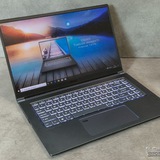
Hi, I changed the keyboard from my laptop MSI GL65 leopard RTX 2060 i7 10750h
https://redd.it/1qsfgep
@MSILaptops
https://redd.it/1qsfgep
@MSILaptops
For those of you who have a Titan or Raider are you happy with it?
I have the Titan 18 HX AI with a 5090. 24TB and 96GB of RAM with a 285HX CPU. It's a beast but the display is horrible. 120hz isn't enough for the horsepower and the blooming is really annoying. Supposedly they've fixed the blooming on the 2026 refresh and upped it to a 240hz Mini LED. If this is the case I might buy it but it seems like MSI is positioning the Raider 16 Max HX as their new flagship. Though admittedly the Titan still has the better build quality.
https://redd.it/1qspdj0
@MSILaptops
I have the Titan 18 HX AI with a 5090. 24TB and 96GB of RAM with a 285HX CPU. It's a beast but the display is horrible. 120hz isn't enough for the horsepower and the blooming is really annoying. Supposedly they've fixed the blooming on the 2026 refresh and upped it to a 240hz Mini LED. If this is the case I might buy it but it seems like MSI is positioning the Raider 16 Max HX as their new flagship. Though admittedly the Titan still has the better build quality.
https://redd.it/1qspdj0
@MSILaptops
Reddit
From the MSILaptops community on Reddit
Explore this post and more from the MSILaptops community
MSI GF63 Thin Battery Issue
I have an MSI GF63 THIN laptop. It doesn't seem to run without plugging in the charger, if I remove the charger it turns off after a few minutes. I have already run the battery diagnostics test and it shows about 80% battery health. What's the issue, do I need a new battery?
https://redd.it/1qsronz
@MSILaptops
I have an MSI GF63 THIN laptop. It doesn't seem to run without plugging in the charger, if I remove the charger it turns off after a few minutes. I have already run the battery diagnostics test and it shows about 80% battery health. What's the issue, do I need a new battery?
https://redd.it/1qsronz
@MSILaptops
Reddit
From the MSILaptops community on Reddit
Explore this post and more from the MSILaptops community
cpu overheating constantly on MSI Thin 15
i bought my msi thin 15 just over a year ago and as of the past few weeks its been heating uncontrollably, im talking js using yt or sum and cpu temps would be 92 or 93 . when it comes to gaming it gets to a point where i can burn myself if i keep my hand on it for too long, doesnt matter the game spec , if im running some high end game like forza it just thermal throttles and shuts down after 20 mins of gaming , ive already cleaned the fans what else can i do?? , both system and hardware tweaks.
these are my specs
intel core i5-13420H
RTX 4050 6gb
16gb device ram
https://redd.it/1qsqeiz
@MSILaptops
i bought my msi thin 15 just over a year ago and as of the past few weeks its been heating uncontrollably, im talking js using yt or sum and cpu temps would be 92 or 93 . when it comes to gaming it gets to a point where i can burn myself if i keep my hand on it for too long, doesnt matter the game spec , if im running some high end game like forza it just thermal throttles and shuts down after 20 mins of gaming , ive already cleaned the fans what else can i do?? , both system and hardware tweaks.
these are my specs
intel core i5-13420H
RTX 4050 6gb
16gb device ram
https://redd.it/1qsqeiz
@MSILaptops
Reddit
From the MSILaptops community on Reddit
Explore this post and more from the MSILaptops community
Issue with After Effects. MSI Gf76 3070ti
Since laptop manages gpu cycle depending on the load (example: less than 10% - use internal CPU video processor, 10% and up - use GPU)
The problem is while rendering a video in after effects, I switch in setting to my 3070ti and when I press render my laptop renders at a turtle speed because 3070ti doesn't fire up and laptop using CPU video processor to render.
When it heats up (during long renders) it magically switches to GPU (load more than 10%) and finishes the render within seconds.
Question: how to make my laptop use 3070ti while rendering and limit CPU video processor usage? It's obviously a bug I guess since AE doesn't send a signal to my laptop "We render now, switch to 3070ti and do the job, don't use CPU video processor"
https://redd.it/1qsmtij
@MSILaptops
Since laptop manages gpu cycle depending on the load (example: less than 10% - use internal CPU video processor, 10% and up - use GPU)
The problem is while rendering a video in after effects, I switch in setting to my 3070ti and when I press render my laptop renders at a turtle speed because 3070ti doesn't fire up and laptop using CPU video processor to render.
When it heats up (during long renders) it magically switches to GPU (load more than 10%) and finishes the render within seconds.
Question: how to make my laptop use 3070ti while rendering and limit CPU video processor usage? It's obviously a bug I guess since AE doesn't send a signal to my laptop "We render now, switch to 3070ti and do the job, don't use CPU video processor"
https://redd.it/1qsmtij
@MSILaptops
Reddit
From the MSILaptops community on Reddit
Explore this post and more from the MSILaptops community
Dual booting windows 11 and cachyos
Hello i need help everyone
Im dual booting cachyos and w11 and using limine as the bootloader yesterday i reset to setup mode and disabled secure boot to setup secure boot on cachyos and when i enrolled the keys and rebooted it didnt wanna go to the bios and showed a black screen but when i press enter it boots to cachyos i have my cachyos disk partition encrypted dont hesitate to ask me any question just please help me
https://redd.it/1qsxgzl
@MSILaptops
Hello i need help everyone
Im dual booting cachyos and w11 and using limine as the bootloader yesterday i reset to setup mode and disabled secure boot to setup secure boot on cachyos and when i enrolled the keys and rebooted it didnt wanna go to the bios and showed a black screen but when i press enter it boots to cachyos i have my cachyos disk partition encrypted dont hesitate to ask me any question just please help me
https://redd.it/1qsxgzl
@MSILaptops
Reddit
From the MSILaptops community on Reddit
Explore this post and more from the MSILaptops community
Booting issue
Hello i need help everyone
Im dual booting cachyos and w11 and using limine as the bootloader yesterday i reset to setup mode and disabled secure boot to setup secure boot on cachyos and when i enrolled the keys and rebooted it didnt wanna go to the bios and showed a black screen but when i press enter it boots to cachyos i have my cachyos disk partition encrypted dont hesitate to ask me any question just please help me
https://redd.it/1qsxcv5
@MSILaptops
Hello i need help everyone
Im dual booting cachyos and w11 and using limine as the bootloader yesterday i reset to setup mode and disabled secure boot to setup secure boot on cachyos and when i enrolled the keys and rebooted it didnt wanna go to the bios and showed a black screen but when i press enter it boots to cachyos i have my cachyos disk partition encrypted dont hesitate to ask me any question just please help me
https://redd.it/1qsxcv5
@MSILaptops
Reddit
From the MSILaptops community on Reddit
Explore this post and more from the MSILaptops community
USB instability under load – ACPI / DPC latency issue
Hello.
I am experiencing a reproducible issue with USB devices on my laptop.
Model: MSI Vector 17 HX AI
CPU: Intel Core Ultra 9 275HX
GPU: RTX 5090 Laptop
OS: Windows 11 (latest updates)
BIOS: E17S3IMS.110
Issue denoscription:
When the system is under load (games / GPU load), USB devices start to malfunction.
A USB audio interface (MOTU M2) produces audio crackling and then disconnects completely.
An external USB hub connected to the laptop disconnects as well.
Keyboard and mouse usually remain working.
The issue is reproducible and occurs only under load.
Diagnostics:
LatencyMon shows high DPC / interrupt latency spikes under load:
ACPI.sys
dxgkrnl.sys / nvlddmkm.sys Peaks exceed 4–5 ms, which is critical for USB isochronous audio devices.
GPU drivers were clean-installed (Studio Driver), power management settings adjusted, USB power saving disabled — the issue persists.
Important note:
This does not appear to be a problem with the audio interface itself.
The same behavior occurs with a USB hub, which indicates a system-level USB / ACPI / EC issue.
Please advise if this is a known issue related to BIOS / EC firmware or power management on this model.
Are there any BIOS / EC updates planned that address USB stability and DPC latency under load?
Thank you.
https://redd.it/1qt27k1
@MSILaptops
Hello.
I am experiencing a reproducible issue with USB devices on my laptop.
Model: MSI Vector 17 HX AI
CPU: Intel Core Ultra 9 275HX
GPU: RTX 5090 Laptop
OS: Windows 11 (latest updates)
BIOS: E17S3IMS.110
Issue denoscription:
When the system is under load (games / GPU load), USB devices start to malfunction.
A USB audio interface (MOTU M2) produces audio crackling and then disconnects completely.
An external USB hub connected to the laptop disconnects as well.
Keyboard and mouse usually remain working.
The issue is reproducible and occurs only under load.
Diagnostics:
LatencyMon shows high DPC / interrupt latency spikes under load:
ACPI.sys
dxgkrnl.sys / nvlddmkm.sys Peaks exceed 4–5 ms, which is critical for USB isochronous audio devices.
GPU drivers were clean-installed (Studio Driver), power management settings adjusted, USB power saving disabled — the issue persists.
Important note:
This does not appear to be a problem with the audio interface itself.
The same behavior occurs with a USB hub, which indicates a system-level USB / ACPI / EC issue.
Please advise if this is a known issue related to BIOS / EC firmware or power management on this model.
Are there any BIOS / EC updates planned that address USB stability and DPC latency under load?
Thank you.
https://redd.it/1qt27k1
@MSILaptops
Reddit
From the MSILaptops community on Reddit
Explore this post and more from the MSILaptops community
PC crashing consistently
I have a MSI Bravo C7V. This past year it started crashing pretty regularly. Just completely shutting off or just getting a bsod. I've tried a few things to fix it and nothing has worked yet.\\
I'll add some screenshots below of event viewer and my specs.
I would really appreciate any help I can get. This laptop is not very old either, only about 3 years. When its not crashing it runs great.
The error code I get for the bsod is- "SYSTEM_SERVICE_EXCEPTION"
https://preview.redd.it/zyxya90hixgg1.png?width=851&format=png&auto=webp&s=afa6bc8e7df3faab2ba3f8bad2277e4962428f8c
https://redd.it/1qt6x9k
@MSILaptops
I have a MSI Bravo C7V. This past year it started crashing pretty regularly. Just completely shutting off or just getting a bsod. I've tried a few things to fix it and nothing has worked yet.\\
I'll add some screenshots below of event viewer and my specs.
I would really appreciate any help I can get. This laptop is not very old either, only about 3 years. When its not crashing it runs great.
The error code I get for the bsod is- "SYSTEM_SERVICE_EXCEPTION"
https://preview.redd.it/zyxya90hixgg1.png?width=851&format=png&auto=webp&s=afa6bc8e7df3faab2ba3f8bad2277e4962428f8c
https://redd.it/1qt6x9k
@MSILaptops
Laptop Logo Light
Is there a way to turn on my Vector 16 HX MSI Laptop? I have SteelSeriesGG but it only shows my keyboard nothing else and I already installed Mystic Light and nothing not showing up indicating the back logo.
https://redd.it/1qwdzw9
@MSILaptops
Is there a way to turn on my Vector 16 HX MSI Laptop? I have SteelSeriesGG but it only shows my keyboard nothing else and I already installed Mystic Light and nothing not showing up indicating the back logo.
https://redd.it/1qwdzw9
@MSILaptops
Reddit
From the MSILaptops community on Reddit
Explore this post and more from the MSILaptops community
Audio Enhancement with 16bit, 24 bit 48000hz can cause audio distortion/crackling noise and lag with Nahimic
After encounter this issue after new window update and do multiple test in-game and youtube videos with max volume. Audio enhancement with 24bit can cause lag in-game even stutter. This never happen to me before, maybe it just new AI update messed thing up with window 11 25h2
https://redd.it/1qwb2ok
@MSILaptops
After encounter this issue after new window update and do multiple test in-game and youtube videos with max volume. Audio enhancement with 24bit can cause lag in-game even stutter. This never happen to me before, maybe it just new AI update messed thing up with window 11 25h2
https://redd.it/1qwb2ok
@MSILaptops
Reddit
From the MSILaptops community on Reddit
Explore this post and more from the MSILaptops community
Laptop dying
Hey! I have a MSI thin15 (im being beyond unreasonable with a tower rn so we just picked a cheap option that would run my games) and it has started dying on me even when plugged in. I keep it on a cooling mat that keeps the temps down pretty decent and it does stay plugged in basically 24/7 (what i was told would be my best bet to keep a battery while using it).
My boyfriend is pretty tech savey and has built his own tower and solves his own issues. We are just dumbfounded on why it keeps dying (it'll be fully charged and working not even 5mins before).
https://redd.it/1qwfqz7
@MSILaptops
Hey! I have a MSI thin15 (im being beyond unreasonable with a tower rn so we just picked a cheap option that would run my games) and it has started dying on me even when plugged in. I keep it on a cooling mat that keeps the temps down pretty decent and it does stay plugged in basically 24/7 (what i was told would be my best bet to keep a battery while using it).
My boyfriend is pretty tech savey and has built his own tower and solves his own issues. We are just dumbfounded on why it keeps dying (it'll be fully charged and working not even 5mins before).
https://redd.it/1qwfqz7
@MSILaptops
Reddit
From the MSILaptops community on Reddit
Explore this post and more from the MSILaptops community
How do you deal with that god awful software
Recently got a raider GE78 HX 13V, its aight but the software is so bad compared to my legion, how do i streamline it to make it somewhat bearable?
https://redd.it/1qwgk6q
@MSILaptops
Recently got a raider GE78 HX 13V, its aight but the software is so bad compared to my legion, how do i streamline it to make it somewhat bearable?
https://redd.it/1qwgk6q
@MSILaptops
Reddit
From the MSILaptops community on Reddit
Explore this post and more from the MSILaptops community
Linux on GF63 Thin 10SCSR
Hello guys, I have a gamin laptop model MSI GF63 Thin 10SCSR and I want to install linux on it. what is the best distro that I can install on my pc. and is there someone who did the same? did he face any issues or smthg?
Thank you!
https://redd.it/1qwjjri
@MSILaptops
Hello guys, I have a gamin laptop model MSI GF63 Thin 10SCSR and I want to install linux on it. what is the best distro that I can install on my pc. and is there someone who did the same? did he face any issues or smthg?
Thank you!
https://redd.it/1qwjjri
@MSILaptops
Reddit
From the MSILaptops community on Reddit
Explore this post and more from the MSILaptops community
its not Nahimic, it was 360 Norton Antivirus that causing weird audio distort
ive been getting this audio distort crackling since last year, but its getting worse yesterday after my first attempt to stream using OBS. I was mad at OBS bcoz i thought it was OBS fault that making the crackling and stutter audio when watching youtube. After doing a lot of reserach through reddit, google and even AI of course,
MSI told me that 360 Norton is the culprit. If you dont use it, better uninstall it because it cause this audio distort issue, i tested the same game audio and some extreme bass youtube videos. It is now fixed. Thank you MSI for the help.
i see a lot of discussion saying that remove nahimic was the solution but nahimic is the only free audio enhancement that was built in for MSI laptop. So i refuse to do it.
https://redd.it/1qwih0w
@MSILaptops
ive been getting this audio distort crackling since last year, but its getting worse yesterday after my first attempt to stream using OBS. I was mad at OBS bcoz i thought it was OBS fault that making the crackling and stutter audio when watching youtube. After doing a lot of reserach through reddit, google and even AI of course,
MSI told me that 360 Norton is the culprit. If you dont use it, better uninstall it because it cause this audio distort issue, i tested the same game audio and some extreme bass youtube videos. It is now fixed. Thank you MSI for the help.
i see a lot of discussion saying that remove nahimic was the solution but nahimic is the only free audio enhancement that was built in for MSI laptop. So i refuse to do it.
https://redd.it/1qwih0w
@MSILaptops
Reddit
From the MSILaptops community on Reddit
Explore this post and more from the MSILaptops community
My audio has some weird noise
So this happened 2 nights ago where I opened Minecraft but had Google Chrome and was watching a YouTube video but on Minecraft I was playing a server and my audio has like some small noise thing which I don't understand how to fix it, my realtek audio drivers are all fixed but the noise only happens a bit then stops then it makes the same noise again, I'm not sure why my laptop makes the weird noise but every time it makes that noise when I'm watching something, the video stops for a second then plays again, what is the issue with this?
https://redd.it/1qwkyp1
@MSILaptops
So this happened 2 nights ago where I opened Minecraft but had Google Chrome and was watching a YouTube video but on Minecraft I was playing a server and my audio has like some small noise thing which I don't understand how to fix it, my realtek audio drivers are all fixed but the noise only happens a bit then stops then it makes the same noise again, I'm not sure why my laptop makes the weird noise but every time it makes that noise when I'm watching something, the video stops for a second then plays again, what is the issue with this?
https://redd.it/1qwkyp1
@MSILaptops
Reddit
From the MSILaptops community on Reddit
Explore this post and more from the MSILaptops community
MSI laptop suddenly not powering on after being plugged in for 2 days
Hi everyone,
I’m having a serious issue with my MSI laptop and I’m stuck.
I left the laptop plugged into the charger for about 2 days without turning it on. When I tried to power it on after that, it completely stopped working.
What I’ve tried so far:
Drained the battery (power reset)
Removed and cleaned both RAM sticks and tried them one by one
Tried powering on with and without the battery
Tried different chargers (USB-C as well)
Current symptoms:
No charging LED at all
Keyboard does not light up or blink
No fan, no screen, completely dead
Before this, the laptop was working normally.
Could this be a dead motherboard, charging IC, or power circuit issue?
Any suggestions or troubleshooting steps would be really appreciated.
Thanks in advance.
https://redd.it/1qwmxd0
@MSILaptops
Hi everyone,
I’m having a serious issue with my MSI laptop and I’m stuck.
I left the laptop plugged into the charger for about 2 days without turning it on. When I tried to power it on after that, it completely stopped working.
What I’ve tried so far:
Drained the battery (power reset)
Removed and cleaned both RAM sticks and tried them one by one
Tried powering on with and without the battery
Tried different chargers (USB-C as well)
Current symptoms:
No charging LED at all
Keyboard does not light up or blink
No fan, no screen, completely dead
Before this, the laptop was working normally.
Could this be a dead motherboard, charging IC, or power circuit issue?
Any suggestions or troubleshooting steps would be really appreciated.
Thanks in advance.
https://redd.it/1qwmxd0
@MSILaptops
Reddit
From the MSILaptops community on Reddit
Explore this post and more from the MSILaptops community
CapsLock pop up started appearing today and can't disable it
Hello,
When I woke up this morning, everytime I press the caps lock a pop appears alerting that 'm writing in Capital letters or not and it is very annoying.
I've checked all the configuration possible, MSI center, settings tab, ease of access, checked for internal services, hot keys, OSD or lack off, and nothing has worked.
Have you experienced the same?
MSI Laptop with steelseries mouse. I've had this laptop for 1 year and a half and this issue started today and I didn't even update anything!
https://redd.it/1qwme2r
@MSILaptops
Hello,
When I woke up this morning, everytime I press the caps lock a pop appears alerting that 'm writing in Capital letters or not and it is very annoying.
I've checked all the configuration possible, MSI center, settings tab, ease of access, checked for internal services, hot keys, OSD or lack off, and nothing has worked.
Have you experienced the same?
MSI Laptop with steelseries mouse. I've had this laptop for 1 year and a half and this issue started today and I didn't even update anything!
https://redd.it/1qwme2r
@MSILaptops
Reddit
From the MSILaptops community on Reddit
Explore this post and more from the MSILaptops community
MSI Vector 17 HX A13V – battery connector very tight & PTM7950 repaste questions
Hello everyone,
I'm planning to clean and replace the thermal paste on my MSI Vector 17 HX A13V, but I'm running into a few issues.
First, the battery connector is extremely tight. I tried to unplug it, but I’m afraid of breaking the white plastic connector on the motherboard. Do you have any tips for safely removing it?
Second, I plan to use Honeywell PTM7950 instead of standard thermal paste. However, to apply it, I need to remove the cooling assembly.
How many screws does the fan/heatsink assembly usually have? From what I understand, they are numbered.
Finally, if you have any tips or precautions, I’d really appreciate it.
For reference, I’ve already opened the laptop and cleaned the dust.
Thanks!
https://redd.it/1qwpj09
@MSILaptops
Hello everyone,
I'm planning to clean and replace the thermal paste on my MSI Vector 17 HX A13V, but I'm running into a few issues.
First, the battery connector is extremely tight. I tried to unplug it, but I’m afraid of breaking the white plastic connector on the motherboard. Do you have any tips for safely removing it?
Second, I plan to use Honeywell PTM7950 instead of standard thermal paste. However, to apply it, I need to remove the cooling assembly.
How many screws does the fan/heatsink assembly usually have? From what I understand, they are numbered.
Finally, if you have any tips or precautions, I’d really appreciate it.
For reference, I’ve already opened the laptop and cleaned the dust.
Thanks!
https://redd.it/1qwpj09
@MSILaptops
Msi
Vector 17 HX A13V - Born for Performance
Powered by Intel® Core™ i9 processor 13980HX and equipped with Nvidia GeForce RTX™ 4080 graphics, Vector 17 HX A13V effortlessly merges top-tier computational performance with an immersive working environment, making it the perfect choice for STEM users.