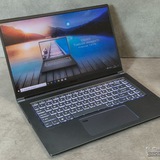
MSI Katana 15 HX B14W, is there any good place to get a skin and keyboard cover for this?
https://redd.it/1qywfvp
@MSILaptops
https://redd.it/1qywfvp
@MSILaptops
Need advice on which laptop charger to get
I know this is probably a super stupid question but I have an MSI Delta 15 and I lost my charger and was looking to replace it but I have absolutely no clue which charger I need and looking it up I’m not exactly sure what chargers are like reliable and correct for my laptop and where to buy them
https://redd.it/1qyl23k
@MSILaptops
I know this is probably a super stupid question but I have an MSI Delta 15 and I lost my charger and was looking to replace it but I have absolutely no clue which charger I need and looking it up I’m not exactly sure what chargers are like reliable and correct for my laptop and where to buy them
https://redd.it/1qyl23k
@MSILaptops
Reddit
From the MSILaptops community on Reddit
Explore this post and more from the MSILaptops community
Me waiting 5+ minutes for this pos app to update although auto update is turned off
https://redd.it/1qye7w9
@MSILaptops
https://redd.it/1qye7w9
@MSILaptops
Need help
I bought a used MSI GF63 8RD from FB Marketplace and reinstalled Windows, and as I installed Dragon Center in it, only thing that I can see in the UI is just "True Color", why isn't there "Gaming mode" or smth?
https://redd.it/1qz7b4y
@MSILaptops
I bought a used MSI GF63 8RD from FB Marketplace and reinstalled Windows, and as I installed Dragon Center in it, only thing that I can see in the UI is just "True Color", why isn't there "Gaming mode" or smth?
https://redd.it/1qz7b4y
@MSILaptops
Reddit
From the MSILaptops community on Reddit
Explore this post and more from the MSILaptops community
Can my GF66 12UC support the Intel AX211?
Hello everyone, I'm looking for support in solving a problem that's driving me crazy. Using the computer for work, I have to make calls and I wish I could use my Galaxy Buds 3, but when I turn on the microphone, they have terrible sound.
I'm looking for a solution to the problem, and trying, I seem to have realized that the problem is the Bluetooth card (AX201) that doesn't support Bluetooth 5.3. I tried to solve the problem via software by updating the drivers and everything but the problem persists. so, even with so much confusion in my head I wanted to update this component that would allow me to unlock the LE Audio Bluetooth option on Windows 11.
I ask for help before doing more stupid things, I hope you can help me.
Thanks in advance!
https://redd.it/1qzb7r1
@MSILaptops
Hello everyone, I'm looking for support in solving a problem that's driving me crazy. Using the computer for work, I have to make calls and I wish I could use my Galaxy Buds 3, but when I turn on the microphone, they have terrible sound.
I'm looking for a solution to the problem, and trying, I seem to have realized that the problem is the Bluetooth card (AX201) that doesn't support Bluetooth 5.3. I tried to solve the problem via software by updating the drivers and everything but the problem persists. so, even with so much confusion in my head I wanted to update this component that would allow me to unlock the LE Audio Bluetooth option on Windows 11.
I ask for help before doing more stupid things, I hope you can help me.
Thanks in advance!
https://redd.it/1qzb7r1
@MSILaptops
Reddit
From the MSILaptops community on Reddit
Explore this post and more from the MSILaptops community
Anything I should know about MSI Vector 16 HX?
Since extended warranty was not able to repair loq with 4060 rtx(and they are out of stock of lenovo laptops) they offered me couple of choices for other laptops.
One of which is a MSI Vector 16 with 255HX, 16gb ram(fortunately i got my own 2 sticks so its non issue), rtx 5070ti, 1tb(again non issue, i got my own stick). Finally, it has 2560 x1600.
So the question goes as follows: Anything i should know about said model other than what anyone say about unlocking back cover? Any response would be good.
https://redd.it/1qzckv7
@MSILaptops
Since extended warranty was not able to repair loq with 4060 rtx(and they are out of stock of lenovo laptops) they offered me couple of choices for other laptops.
One of which is a MSI Vector 16 with 255HX, 16gb ram(fortunately i got my own 2 sticks so its non issue), rtx 5070ti, 1tb(again non issue, i got my own stick). Finally, it has 2560 x1600.
So the question goes as follows: Anything i should know about said model other than what anyone say about unlocking back cover? Any response would be good.
https://redd.it/1qzckv7
@MSILaptops
Reddit
From the MSILaptops community on Reddit
Explore this post and more from the MSILaptops community
battery calibration and performance
Hi, I have an older laptop (GL638RC). It still runs pretty well in games if you make a few compromises. At least until a few days ago. I recently calibrated the battery using Dragon Center, and gaming performance has dropped since then. Any similar experiences?
https://redd.it/1qze9wr
@MSILaptops
Hi, I have an older laptop (GL638RC). It still runs pretty well in games if you make a few compromises. At least until a few days ago. I recently calibrated the battery using Dragon Center, and gaming performance has dropped since then. Any similar experiences?
https://redd.it/1qze9wr
@MSILaptops
Reddit
From the MSILaptops community on Reddit
Explore this post and more from the MSILaptops community
Does anyone know how to disable this icon? It appears every time I click the Caps Lock key
https://redd.it/1qzeooz
@MSILaptops
https://redd.it/1qzeooz
@MSILaptops
проблема с подключением ZEUSLAP 18.5" Монитор Z-Z18S
Привет я купил себе переносной монитор (ZEUSLAP 18.5" Монитор Z-Z18S). и у меня ноутбук MSI katana gf76 11uek. возникает такая же проблема с подключением не могу решить. Много чего перепробывал даже разбирал и отключал аккумулятор. И оперативную память доставал. все бестолку
Hi, I bought a portable monitor (ZEUSLAP 18.5" Z-Z18S Monitor). I also have an MSI Katana GF76 11UEK laptop. I'm having the same connection issue and can't solve it. I've tried everything, even disassembled and disconnected the battery. I even removed the RAM, but it's all to no avail.
https://redd.it/1qziyyd
@MSILaptops
Привет я купил себе переносной монитор (ZEUSLAP 18.5" Монитор Z-Z18S). и у меня ноутбук MSI katana gf76 11uek. возникает такая же проблема с подключением не могу решить. Много чего перепробывал даже разбирал и отключал аккумулятор. И оперативную память доставал. все бестолку
Hi, I bought a portable monitor (ZEUSLAP 18.5" Z-Z18S Monitor). I also have an MSI Katana GF76 11UEK laptop. I'm having the same connection issue and can't solve it. I've tried everything, even disassembled and disconnected the battery. I even removed the RAM, but it's all to no avail.
https://redd.it/1qziyyd
@MSILaptops
Reddit
From the MSILaptops community on Reddit
Explore this post and more from the MSILaptops community
Looking to sell ASUS Vivobook 15 15.6" AMD Ryzen 7 5800H/512GB SSD/16GB RAM
Looking to sell ASUS Vivobook 15 15.6" AMD Ryzen 7 5800H/512GB SSD/16GB RAM, what should I be selling it for?
https://redd.it/1qzkuby
@MSILaptops
Looking to sell ASUS Vivobook 15 15.6" AMD Ryzen 7 5800H/512GB SSD/16GB RAM, what should I be selling it for?
https://redd.it/1qzkuby
@MSILaptops
Reddit
From the MSILaptops community on Reddit
Explore this post and more from the MSILaptops community
Is the MSI Raider 16 HX AI any good?
Looking to purchase the MSI Raider 16 HX AI Gaming Notebook 16" 240Hz Intel Ultra 9-275HX GeForce RTX 5070 Ti 32GB RAM & 1TB SSD. But seen some mixed reviews for the Raider line.
https://redd.it/1qzkrse
@MSILaptops
Looking to purchase the MSI Raider 16 HX AI Gaming Notebook 16" 240Hz Intel Ultra 9-275HX GeForce RTX 5070 Ti 32GB RAM & 1TB SSD. But seen some mixed reviews for the Raider line.
https://redd.it/1qzkrse
@MSILaptops
Reddit
From the MSILaptops community on Reddit
Explore this post and more from the MSILaptops community
Need fans fixed, but i can't bring it into a repair shop until the semester is over, will a cooling pad help regulate temperatures enough?
I think my fans on my GE66 Raider are going out. they still work but sound loud and temps are higher than they should be. the problem is, I need my laptop for school and can't bring it to a repair shop until the end of the semester. would getting a cooling pad help regulate the temperatures enough until i can get it repaired? I have gone in to try to clean the fans, but there's only so much i can do without completely removing and repasting everything, which i am not confident in being able to do myself.
https://redd.it/1qzk6sc
@MSILaptops
I think my fans on my GE66 Raider are going out. they still work but sound loud and temps are higher than they should be. the problem is, I need my laptop for school and can't bring it to a repair shop until the end of the semester. would getting a cooling pad help regulate the temperatures enough until i can get it repaired? I have gone in to try to clean the fans, but there's only so much i can do without completely removing and repasting everything, which i am not confident in being able to do myself.
https://redd.it/1qzk6sc
@MSILaptops
Reddit
From the MSILaptops community on Reddit
Explore this post and more from the MSILaptops community
Very specific problem with MSI Stealth 14 Studio launching GBA with Player
Hello,
If any MSI user are also using an Epilogue GB Operator, I'm wondering if you can help me.
I’m running into a pretty niche issue with my MSI Stealth 14 Studio A13VF and my GB Operator. On this laptop, GBA games won’t launch at all. I get the “check for dirty pins” error, and while it’s trying to load, the LED cycles white, blue, white, blue, then settles on solid white.
Game Boy (GB) games work perfectly, but GBA refuses to load.
I’m confident it’s not the cartridges. My GB Operator launches both GB and GBA games on my desktop and on my wife’s laptop with no issues. That makes me think something specific to this MSI machine is interfering, IDK, maybe a driver, USB controller behavior, or some MSI software.
Has anyone else with this laptop (or another MSI system) run into this and found a fix? I’d really prefer not to wipe the machine and reinstall Windows without all the MSI bloatware, but I’ll do it if that’s the only reliable solution.
Thanks!
https://redd.it/1qzqkh2
@MSILaptops
Hello,
If any MSI user are also using an Epilogue GB Operator, I'm wondering if you can help me.
I’m running into a pretty niche issue with my MSI Stealth 14 Studio A13VF and my GB Operator. On this laptop, GBA games won’t launch at all. I get the “check for dirty pins” error, and while it’s trying to load, the LED cycles white, blue, white, blue, then settles on solid white.
Game Boy (GB) games work perfectly, but GBA refuses to load.
I’m confident it’s not the cartridges. My GB Operator launches both GB and GBA games on my desktop and on my wife’s laptop with no issues. That makes me think something specific to this MSI machine is interfering, IDK, maybe a driver, USB controller behavior, or some MSI software.
Has anyone else with this laptop (or another MSI system) run into this and found a fix? I’d really prefer not to wipe the machine and reinstall Windows without all the MSI bloatware, but I’ll do it if that’s the only reliable solution.
Thanks!
https://redd.it/1qzqkh2
@MSILaptops
Reddit
From the MSILaptops community on Reddit
Explore this post and more from the MSILaptops community
Fps dropped and settled
Hi, recently I got an msi gf63 (I5 12th Gen, 8gb ddr4 ram, rtx 2050) and I ran GTA v and online on it and it was kinda lagging but then I added another stick of ram in it (16gb total now) and when I got the laptop back home and tested a few games on it, they all worked good and I was getting higher and stable fps but after like 2 days, the fps kinda dropped down a bit on GTA v and online and that's how it's been for a week now. I have checked for hardware problems and ram clock speeds but everything is fine and the ram are 3200mhz. I also tried clearing caches but that didn't seem to help either. Can you guys let me know why this happened? Is it a hardware issue or power delivery issue. Another point I'd like to make is that I've checked thermals and they don't go above 75 both cpu and gpu.
https://redd.it/1r058ki
@MSILaptops
Hi, recently I got an msi gf63 (I5 12th Gen, 8gb ddr4 ram, rtx 2050) and I ran GTA v and online on it and it was kinda lagging but then I added another stick of ram in it (16gb total now) and when I got the laptop back home and tested a few games on it, they all worked good and I was getting higher and stable fps but after like 2 days, the fps kinda dropped down a bit on GTA v and online and that's how it's been for a week now. I have checked for hardware problems and ram clock speeds but everything is fine and the ram are 3200mhz. I also tried clearing caches but that didn't seem to help either. Can you guys let me know why this happened? Is it a hardware issue or power delivery issue. Another point I'd like to make is that I've checked thermals and they don't go above 75 both cpu and gpu.
https://redd.it/1r058ki
@MSILaptops
Reddit
From the MSILaptops community on Reddit
Explore this post and more from the MSILaptops community
GS65 stealth thin 8rf screen won't turn on but laptop is functional
https://redd.it/1r091x2
@MSILaptops
https://redd.it/1r091x2
@MSILaptops
10th Gen GP66 - Dragon Center custom fan speeds not working
I have a GP66 Leopard 10UG. I recently upgraded from Windows 10 to Windows 11.
I had to do a clean install and since reinstalling Dragon Center, DC does not seem to have any effect on the fan speeds. I edited the User Scenario and changed the fan speeds at the various temps. I tested the fans and they aren't changing according to what I set for the fan speeds.
I have tried installing DC from both the support page for my device, as well as the main MSI page for DC. This hasn't made a difference.
Please note:
\- I can't use MSI Center because my laptop is 10th Gen.
\- I don't have any other fan control apps installed, although I do have Throttlestop and Afterburner.
\- Cooler Boost works
Is there a solution to this so that I can get my fans to respond to the custom fan speeds I set in Dragon Center?
https://redd.it/1r0jal5
@MSILaptops
I have a GP66 Leopard 10UG. I recently upgraded from Windows 10 to Windows 11.
I had to do a clean install and since reinstalling Dragon Center, DC does not seem to have any effect on the fan speeds. I edited the User Scenario and changed the fan speeds at the various temps. I tested the fans and they aren't changing according to what I set for the fan speeds.
I have tried installing DC from both the support page for my device, as well as the main MSI page for DC. This hasn't made a difference.
Please note:
\- I can't use MSI Center because my laptop is 10th Gen.
\- I don't have any other fan control apps installed, although I do have Throttlestop and Afterburner.
\- Cooler Boost works
Is there a solution to this so that I can get my fans to respond to the custom fan speeds I set in Dragon Center?
https://redd.it/1r0jal5
@MSILaptops
Reddit
From the MSILaptops community on Reddit
Explore this post and more from the MSILaptops community