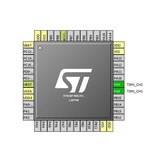
آموزش تایمرکانتر و pwm در stm32f0
https://letanphuc.net/2015/06/stm32f0-timer-tutorial-and-counter-tutorial/
🆔 @C_MICRO
https://letanphuc.net/2015/06/stm32f0-timer-tutorial-and-counter-tutorial/
🆔 @C_MICRO
LTP's archive
STM32F0 Tutorial 4: Timer and Counter
In this post, we will explore the Timer and Counter of STM32F0 using CubeMX. In this STM32F0 timer tutorial, I will try to cover as many functions of the STM32F0’s Timer as possible because this peripheral may have the greatest features and functions among…
مانیتورینگ متغیرها در stm32 با stm studio
https://letanphuc.net/2015/04/stm-studio-variables-monitoring-and-visualization-tool-for-stm32/
🆔 @C_micro
https://letanphuc.net/2015/04/stm-studio-variables-monitoring-and-visualization-tool-for-stm32/
🆔 @C_micro
LTP's archive
STM Studio: Variables monitoring and visualization tool for STM32
In the previous tutorials, I have shown how to use the simple GPIO and external interrupt of the STM32. Since these peripherals are connected with external pins, we can visually observe how it works through some LEDs of the Discovery kit. Therefore, it is…
❇️ مثال های کاربردی برای printf
#include <stdio.h>
int main()
{
printf ("Characters: %c %c \n", 'a', 65);
printf ("Decimals: %d %ld\n", 1977, 650000L);
printf ("Preceding with blanks: %10d \n", 1977);
printf ("Preceding with zeros: %010d \n", 1977);
printf ("Some different radices: %d %x %o %#x %#o \n", 100, 100, 100, 100, 100);
printf ("floats: %4.2f %+.0e %E \n", 3.1416, 3.1416, 3.1416);
printf ("Width trick: %*d \n", 5, 10);
printf ("%s \n", "A string");
return 0;
}
OUTPUT:
Characters: a A
Decimals: 1977 650000
Preceding with blanks: 1977
Preceding with zeros: 0000001977
Some different radices: 100 64 144 0x64 0144
floats: 3.14 +3e+000 3.141600E+000
Width trick: 10
A string
🔰 @c_micro
#include <stdio.h>
int main()
{
printf ("Characters: %c %c \n", 'a', 65);
printf ("Decimals: %d %ld\n", 1977, 650000L);
printf ("Preceding with blanks: %10d \n", 1977);
printf ("Preceding with zeros: %010d \n", 1977);
printf ("Some different radices: %d %x %o %#x %#o \n", 100, 100, 100, 100, 100);
printf ("floats: %4.2f %+.0e %E \n", 3.1416, 3.1416, 3.1416);
printf ("Width trick: %*d \n", 5, 10);
printf ("%s \n", "A string");
return 0;
}
OUTPUT:
Characters: a A
Decimals: 1977 650000
Preceding with blanks: 1977
Preceding with zeros: 0000001977
Some different radices: 100 64 144 0x64 0144
floats: 3.14 +3e+000 3.141600E+000
Width trick: 10
A string
🔰 @c_micro
❇️ سینتکس nested switch
switch(ch1) {
case 'A':
printf("This A is part of outer switch" );
switch(ch2) {
case 'A':
printf("This A is part of inner switch" );
break;
case 'B': /* case code */
}
break;
case 'B': /* case code */
}
❇️ @c_micro
switch(ch1) {
case 'A':
printf("This A is part of outer switch" );
switch(ch2) {
case 'A':
printf("This A is part of inner switch" );
break;
case 'B': /* case code */
}
break;
case 'B': /* case code */
}
❇️ @c_micro
❇️ مثال های کاربردی برای scanf
#include <stdio.h>
int main ()
{
char str [80];
int i;
printf ("Enter your family name: ");
scanf ("%79s",str);
printf ("Enter your age: ");
scanf ("%d",&i);
printf ("Mr. %s , %d years old.\n",str,i);
printf ("Enter a hexadecimal number: ");
scanf ("%x",&i);
printf ("You have entered %#x (%d).\n",i,i);
return 0;
}
OUTPUT :
Enter your family name: Soulie
Enter your age: 29
Mr. Soulie , 29 years old.
Enter a hexadecimal number: ff
You have entered 0xff (255).
🔰 @C_micro
#include <stdio.h>
int main ()
{
char str [80];
int i;
printf ("Enter your family name: ");
scanf ("%79s",str);
printf ("Enter your age: ");
scanf ("%d",&i);
printf ("Mr. %s , %d years old.\n",str,i);
printf ("Enter a hexadecimal number: ");
scanf ("%x",&i);
printf ("You have entered %#x (%d).\n",i,i);
return 0;
}
OUTPUT :
Enter your family name: Soulie
Enter your age: 29
Mr. Soulie , 29 years old.
Enter a hexadecimal number: ff
You have entered 0xff (255).
🔰 @C_micro
❇️ Calling a Function
💎 مثالی برا صدا زدن تابع
#include <stdio.h>
/* function declaration */
int max(int num1, int num2);
int main ()
{
/* local variable definition */
int a = 100;
int b = 200;
int ret;
/* calling a function to get max value */
ret = max(a, b);
printf( "Max value is : %d\n", ret );
return 0;
}
/* function returning the max between two numbers */
int max(int num1, int num2)
{
/* local variable declaration */
int result;
if (num1 > num2)
result = num1;
else
result = num2;
return result;
}
OUTPUT :
Max value is : 200
🔰 @C_micro
💎 مثالی برا صدا زدن تابع
#include <stdio.h>
/* function declaration */
int max(int num1, int num2);
int main ()
{
/* local variable definition */
int a = 100;
int b = 200;
int ret;
/* calling a function to get max value */
ret = max(a, b);
printf( "Max value is : %d\n", ret );
return 0;
}
/* function returning the max between two numbers */
int max(int num1, int num2)
{
/* local variable declaration */
int result;
if (num1 > num2)
result = num1;
else
result = num2;
return result;
}
OUTPUT :
Max value is : 200
🔰 @C_micro
اندازه گیری ولتاژ آنالوگ با ADC میکروکنترلر stm32f0103c8
https://circuitdigest.com/microcontroller-projects/how-to-use-adc-in-stm32f103c8-stm32-blue-pill-board
🆔 @C_MICRO
https://circuitdigest.com/microcontroller-projects/how-to-use-adc-in-stm32f103c8-stm32-blue-pill-board
🆔 @C_MICRO
مثالی جهت آموزش pointers
#include <stdio.h>
int main ()
{
int var = 20;
int *ip;
ip = &var;
printf("Address of var variable: %x\n", &var );
printf("Address stored in ip variable: %x\n", ip );
printf("Value of *ip variable: %d\n", *ip );
return 0;
}
OUTPUT :
Address of var variable: bffd8b3c
Address stored in ip variable: bffd8b3c
Value of *ip variable: 20
🔰 @c_micro
#include <stdio.h>
int main ()
{
int var = 20;
int *ip;
ip = &var;
printf("Address of var variable: %x\n", &var );
printf("Address stored in ip variable: %x\n", ip );
printf("Value of *ip variable: %d\n", *ip );
return 0;
}
OUTPUT :
Address of var variable: bffd8b3c
Address stored in ip variable: bffd8b3c
Value of *ip variable: 20
🔰 @c_micro
کد اندازه گیری رطوبت خاک
#include <LiquidCrystal.h>
const int sensor_pin = A1;
LiquidCrystal lcd(12, 11, 5, 4, 3, 2);
void setup() {
lcd.begin(16, 2);
lcd.print("Soil Moisture");
}
void loop() {
float moisture_percentage;
int sensor_analog;
sensor_analog = analogRead(sensor_pin);
moisture_percentage = ( 100 - ( (sensor_analog/1023.00) * 100 ) );
lcd.setCursor(0, 1);
Serial.print("Moisture Percentage = ");
lcd.print(moisture_percentage);
delay(1000);
}
@c_micro
#include <LiquidCrystal.h>
const int sensor_pin = A1;
LiquidCrystal lcd(12, 11, 5, 4, 3, 2);
void setup() {
lcd.begin(16, 2);
lcd.print("Soil Moisture");
}
void loop() {
float moisture_percentage;
int sensor_analog;
sensor_analog = analogRead(sensor_pin);
moisture_percentage = ( 100 - ( (sensor_analog/1023.00) * 100 ) );
lcd.setCursor(0, 1);
Serial.print("Moisture Percentage = ");
lcd.print(moisture_percentage);
delay(1000);
}
@c_micro