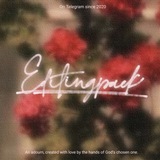
⋆ Di main toolbar bagian tool selector, pilih F(x) > style terus tinggal pilih effect "Wet Edge" atau "Glow (inner)" deh! Kedua effect ini bisa di ganti warnanya yaa. Cukup scroll effect setting nya aja nanti bakal ada option "color".
⋆ Add text apapun yang mau kamu kasih effect. Setelah itu, rasterize layer text tersebut.
⋆ Di main toolbar bagian tool selector, pilih F(x) > style terus tinggal pilih effect "Bevel". Hasil effect ini bakal beda-beda tergantung settings kalian di set gimana ya. Untuk preview effect yang ini, saya pakainya :
Height : 10px
Smoothness : 12px
Highlight size : 10%
Highlight color : sama kayak warna font.
Environment color : White.
Feel free to adjust it the way you wanted!
Height : 10px
Smoothness : 12px
Highlight size : 10%
Highlight color : sama kayak warna font.
Environment color : White.
Feel free to adjust it the way you wanted!
👍1
⋆ Add text apapun yang mau kamu kasih effect. Setelah itu, rasterize layer text tersebut.
👍1
⋆ Di main toolbar bagian tool selector, pilih F(x) > style terus tinggal pilih effect "Relief". Untuk preview effect yang di foto, saya pakainya :
Flatness : 28%
Height : 523px (makin besar height nya, makin keliatan juga efek reliefnya).
Smoothness : 50%
Roundness;: 0px
Highlight size : 8%
Highlight color : White
Environment color : White
Feel free to adjust it the way you wanted!
Flatness : 28%
Height : 523px (makin besar height nya, makin keliatan juga efek reliefnya).
Smoothness : 50%
Roundness;: 0px
Highlight size : 8%
Highlight color : White
Environment color : White
Feel free to adjust it the way you wanted!