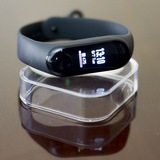
How to flash Firmware | Resources | Font ?
⤳ Download and open Notify and Fitness for Mi Band.
⤳ Pass "authorize localisation", "import save", "authorize access at notifications").
⤳ Expand the menu with icon at left top, and go in "Settings".
⤳ Scroll down in "Basics" tab, and at "Mi Band firmware version" tap on "Update".
⤳ Accept the required authorization.
⤳ Choose "Custom firmware" and choose your Firmware | Resources | Font file.
⤳ Tap on "Start update".
⤳ After update the Mi Band 3 will reboot (Firmware only).
⤳ Mi Fit will connect automatically at your Mi Band 3.
⤳ Uninstall Notify and Fitness for Mi Band.
/* —— (-_-) —— */
Modified Mi Fit :
⤳ "Unlock Screen" function Force Close (FC).
⤳ Google Account connection doesn't work.
★ Weather in the same language as the phone system language (For all languages).
★ Caller ID for messages and calls works with all phone system languages.
/* —— (°_°) —— */
Custom Firmwares :
★ Language set as a default.
★ Date Format changed to DD/MM from MM/DD (MM/DD for Korean).
★ Date Format changed to DD/MM from MM.DD (Russian, German, Polish, Dutch).
★ French Firmware : Fixed all wrongs translations.
/* —— (+_+) —— */
Custom Resources :
⤳ Photos : https://news.1rj.ru/str/mb3mod/24.
⤳ Animation : https://news.1rj.ru/str/mb3mod/25.
⤳ Heart Rate animation : https://news.1rj.ru/str/mb3mod/26.
★ Checkerboard | CheckerBoard with Rabbit : C | CR.
★ Neon | Neon with Rabbit : N | NR.
★ Oblique Stripes | Oblique Stripes with Rabbit : OS | OSR.
/* —— (*_*) —— */
Original Fonts :
⤳ https://www.solidfiles.com/v/DKwakx7gPVeja.
★ Mili_wuhan.ft.kj is only for Korean and Japanese languages.
⤳ Download and open Notify and Fitness for Mi Band.
⤳ Pass "authorize localisation", "import save", "authorize access at notifications").
⤳ Expand the menu with icon at left top, and go in "Settings".
⤳ Scroll down in "Basics" tab, and at "Mi Band firmware version" tap on "Update".
⤳ Accept the required authorization.
⤳ Choose "Custom firmware" and choose your Firmware | Resources | Font file.
⤳ Tap on "Start update".
⤳ After update the Mi Band 3 will reboot (Firmware only).
⤳ Mi Fit will connect automatically at your Mi Band 3.
⤳ Uninstall Notify and Fitness for Mi Band.
/* —— (-_-) —— */
Modified Mi Fit :
⤳ "Unlock Screen" function Force Close (FC).
⤳ Google Account connection doesn't work.
★ Weather in the same language as the phone system language (For all languages).
★ Caller ID for messages and calls works with all phone system languages.
/* —— (°_°) —— */
Custom Firmwares :
★ Language set as a default.
★ Date Format changed to DD/MM from MM/DD (MM/DD for Korean).
★ Date Format changed to DD/MM from MM.DD (Russian, German, Polish, Dutch).
★ French Firmware : Fixed all wrongs translations.
/* —— (+_+) —— */
Custom Resources :
⤳ Photos : https://news.1rj.ru/str/mb3mod/24.
⤳ Animation : https://news.1rj.ru/str/mb3mod/25.
⤳ Heart Rate animation : https://news.1rj.ru/str/mb3mod/26.
★ Checkerboard | CheckerBoard with Rabbit : C | CR.
★ Neon | Neon with Rabbit : N | NR.
★ Oblique Stripes | Oblique Stripes with Rabbit : OS | OSR.
/* —— (*_*) —— */
Original Fonts :
⤳ https://www.solidfiles.com/v/DKwakx7gPVeja.
★ Mili_wuhan.ft.kj is only for Korean and Japanese languages.
Google Play
Notify for Mi Band 1-7 (Old) - Apps on Google Play
Heart and activities tracker, notifications, maps, button actions and more tools
/* —— All you must know : Click | Tap here —— */
Modified Mi Fit 3.5.2 : SolidFiles (Reuploaded)
Firmwares 1.8.0.0 | Mi Band 3 : SolidFiles
Firmwares 1.3.0.0 | Mi Band 3 NFC : SolidFiles
Custom Resources v42 : SolidFiles
Modified Mi Fit 3.5.2 : SolidFiles (Reuploaded)
Firmwares 1.8.0.0 | Mi Band 3 : SolidFiles
Firmwares 1.3.0.0 | Mi Band 3 NFC : SolidFiles
Custom Resources v42 : SolidFiles
After the Firmware 1.6.0.16 without Custom English Firmware with Bold Font, I succeed to make a Custom English Firmware 1.8.0.0 with Bold Font 😊 !
English Firmware 1.8.0.0 | Bold Font - DD/MM : SolidFiles
English Firmware 1.8.0.0 | Bold Font - MM/DD : SolidFiles
(The Bold Font permit to show all characters)
English Firmware 1.8.0.0 | Bold Font - DD/MM : SolidFiles
English Firmware 1.8.0.0 | Bold Font - MM/DD : SolidFiles
(The Bold Font permit to show all characters)
/* —— All you must know : Click | Tap here —— */
Modified Mi Fit 3.5.3 : SolidFiles
Firmwares 2.0.0.4 | Mi Band 3 : SolidFiles
Firmwares 1.4.0.4 | Mi Band 3 NFC : SolidFiles
Custom Resources v44 : SolidFiles
With the Firmware 2.0.0.4 French | Italian | Portuguese | Spanish | Thai (for other languages I don't know) have DD/MM by default, so you don't need install a Custom Firmware 😊.
Modified Mi Fit 3.5.3 : SolidFiles
Firmwares 2.0.0.4 | Mi Band 3 : SolidFiles
Firmwares 1.4.0.4 | Mi Band 3 NFC : SolidFiles
Custom Resources v44 : SolidFiles
With the Firmware 2.0.0.4 French | Italian | Portuguese | Spanish | Thai (for other languages I don't know) have DD/MM by default, so you don't need install a Custom Firmware 😊.
/* —— All you must know : Click | Tap here —— */
Modified Mi Fit 3.5.4 : SolidFiles
Firmwares 2.0.0.4 | Mi Band 3 : SolidFiles (like Mi Fit 3.5.3)
Firmwares 1.5.0.2 | Mi Band 3 NFC : SolidFiles
Custom Resources v44 : SolidFiles (like Mi Fit 3.5.3)
With Mi Fit 3.5.4, only the Firmware for Mi Band 3 NFC is updated !
Modified Mi Fit 3.5.4 : SolidFiles
Firmwares 2.0.0.4 | Mi Band 3 : SolidFiles (like Mi Fit 3.5.3)
Firmwares 1.5.0.2 | Mi Band 3 NFC : SolidFiles
Custom Resources v44 : SolidFiles (like Mi Fit 3.5.3)
With Mi Fit 3.5.4, only the Firmware for Mi Band 3 NFC is updated !
/* —— All you must know : Click | Tap here —— */
Modified Mi Fit 3.5.5.1 BETA : SolidFiles
Changelog :
★ GPS problems with Mi Fit 3.5.4 are fixed.
Modified Mi Fit 3.5.5.1 BETA : SolidFiles
Changelog :
★ GPS problems with Mi Fit 3.5.4 are fixed.
/* —— All you must know : Click | Tap here —— */
Modified Mi Fit 3.5.5.3 (BETA) : SolidFiles
Firmwares 2.2.0.12 | Mi Band 3 : SolidFiles
Firmwares 1.6.0.6| Mi Band 3 NFC : SolidFiles
Custom Resources v46 : SolidFiles
Modified Mi Fit 3.5.5.3 (BETA) : SolidFiles
Firmwares 2.2.0.12 | Mi Band 3 : SolidFiles
Firmwares 1.6.0.6| Mi Band 3 NFC : SolidFiles
Custom Resources v46 : SolidFiles