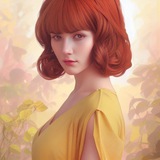
Multi-Angle Editing with Qwen-Edit-2509 (ComfyUI Local + API Ready)
Sharing a workflow for anyone exploring multi-angle image generation and camera-style edits in ComfyUI, powered by Qwen-Image-Edit-2509-Lightning-4steps-V1.0-bf16 for lightning-fast outputs.
https://preview.redd.it/8b7ckbj0j10g1.png?width=1529&format=png&auto=webp&s=28d011f82bf245b610506b6d371cc78bfdd30d69
You can rotate your scene by 45° or 90°, switch to top-down, low-angle, or close-up views, and experiment with cinematic lens presets using simple text prompts.
🔗 Setup & Links:
• API ready: Replicate – Any ComfyUI Workflow \+ Workflow
• LoRA: Qwen-Edit-2509-Multiple-Angles
• Workflow: GitHub – ComfyUI-Workflows
📸 Example Prompts:
Use any of these supported commands directly in your prompt:
• Rotate camera 45° left
• Rotate camera 90° right
• Switch to top-down view
• Switch to low-angle view
• Switch to close-up lens
• Switch to medium close-up lens
• Switch to zoom out lens
You can combine them with your main denoscription, for example:
portrait of a knight in forest, cinematic lighting, rotate camera 45° left, switch to low-angle view
If you’re into building, experimenting, or creating with AI, feel free to follow or connect. Excited to see how you use this workflow to capture new perspectives.
Credits: dx8152 – Original Model
https://redd.it/1orq4s3
@rStableDiffusion
Sharing a workflow for anyone exploring multi-angle image generation and camera-style edits in ComfyUI, powered by Qwen-Image-Edit-2509-Lightning-4steps-V1.0-bf16 for lightning-fast outputs.
https://preview.redd.it/8b7ckbj0j10g1.png?width=1529&format=png&auto=webp&s=28d011f82bf245b610506b6d371cc78bfdd30d69
You can rotate your scene by 45° or 90°, switch to top-down, low-angle, or close-up views, and experiment with cinematic lens presets using simple text prompts.
🔗 Setup & Links:
• API ready: Replicate – Any ComfyUI Workflow \+ Workflow
• LoRA: Qwen-Edit-2509-Multiple-Angles
• Workflow: GitHub – ComfyUI-Workflows
📸 Example Prompts:
Use any of these supported commands directly in your prompt:
• Rotate camera 45° left
• Rotate camera 90° right
• Switch to top-down view
• Switch to low-angle view
• Switch to close-up lens
• Switch to medium close-up lens
• Switch to zoom out lens
You can combine them with your main denoscription, for example:
portrait of a knight in forest, cinematic lighting, rotate camera 45° left, switch to low-angle view
If you’re into building, experimenting, or creating with AI, feel free to follow or connect. Excited to see how you use this workflow to capture new perspectives.
Credits: dx8152 – Original Model
https://redd.it/1orq4s3
@rStableDiffusion
I made a set of enhancers and fixers for sdxl (yellow cast remover, skin detail, hand fix, image composition, add detail and many others)
https://redd.it/1orzfn4
@rStableDiffusion
https://redd.it/1orzfn4
@rStableDiffusion
Reddit
From the StableDiffusion community on Reddit: I made a set of enhancers and fixers for sdxl (yellow cast remover, skin detail,…
Explore this post and more from the StableDiffusion community
Cathedral (video version). Chroma Radiance + wan refiner, wan 2.2 3 steps in total workflow, topaz upscaling and interpolation
https://www.youtube.com/watch?v=R0hlhm_P3W8
https://redd.it/1ortlkn
@rStableDiffusion
https://www.youtube.com/watch?v=R0hlhm_P3W8
https://redd.it/1ortlkn
@rStableDiffusion
YouTube
The Cathedral
Little experiment with Chroma Radiance model and wan 2.2
[LoRA] PanelPainter — Manga Panel Coloring (Qwen Image Edit 2509)
https://redd.it/1os7ut5
@rStableDiffusion
https://redd.it/1os7ut5
@rStableDiffusion