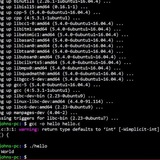
Everytime I enter "./filename -s s" in the command line I get the usage message.
I am very new at this and I don't know what im doing wrong. If you know please help.
https://redd.it/xg68qd
@r_bash
I am very new at this and I don't know what im doing wrong. If you know please help.
#global areaSORT="cat"DATAFILE="zipcodes.dat"#functions areausage(){cat 1>&2 <<EOFusage: $(basename $0)-h this is a help message.-s sort by zipcode, city, and or state.-d set output delimeter-l locate city by text.-c data to display.EOFexit $1}sort_zip_city_state(){local which_sort=$1case $which_sort ins)SORT="sort -k3,3";;c)SORT="sort -k2,2";;z)SORT="sort -k1,1";;*) usage 0;;esacshift}#read parameterswhile [ $# -gt 0 ]; docase $1 in-h) usage 0;;-s) sort_zip_city_state $1;;*) usage 1;;esacshiftdone# call the utilitiescat $DATAFILE | $SORThttps://redd.it/xg68qd
@r_bash
reddit
Everytime I enter "./filename -s s" in the command line I get the...
I am very new at this and I don't know what im doing wrong. If you know please help. `#global...
breaking my PS1 too many times
I was trying to edit my PS0 and PS1 and things went wrong quickly so I wrote:
alias PS1='saveps1() { [[ -z "${1}" ]] && (echo "PS1 ${PS1@Q}";) || PS1="${1}"; echo "PS1 ${1@Q}" >> ~/ps.txt ; }; saveps1'
alias PS0='saveps0() { [[ -z "${1}" ]] && (echo "PS0 ${PS0@Q}";) || PS0="${1}"; echo "PS0 ${1@Q}" >> ~/ps.txt ; }; saveps0'
So I could edit with
Now, I wanted a basic elapsed time in PS1 from PS0 made by myself, and after some quite breaking shells I found this is working quite well:
PS0='${PS1:(PStime=$(printtime)):0}'
PS1='$(elapsed $PStime)${PS1:(PStime=0):0}\u@\h:\w\$ '
Functions:
printtime ()
{
local var=${EPOCHREALTIME/,/};
echo ${var%???}
}
elapsed ()
{
[ -v "${1}" ] || ( local VAR=$(printtime);
local ELAPSED=$(( ${VAR} - ${1} ));
echo "${ELAPTXT}$(formatms ${ELAPSED})"$'\e[0m' )
}
formatms ()
{
local n=$((${1})) && case ${n} in
? | ?? | ???)
echo $n"ms"
;;
????)
echo ${n:0:1}${n:0,-3}"ms"
;;
?????)
echo ${n:0:2}","${n:0,-3}"s"
;;
??????)
printf $((${n:0:3}/60))m+$((${n:0:3}%60)),${n:0,-3}"s"
;;
???????)
printf $((${n:0:4}/60))m$((${n:0:4}%60))s${n:0,-3}"ms"
;;
*)
printf "too much!"
;;
esac
}
ELAPTXT=$'\E1;33m \uf135 '
​
[testing
Please criticize, optimize or comment any bad approach here.
I'm new to bash but found it very enjoyable.
https://redd.it/xgirh0
@r_bash
I was trying to edit my PS0 and PS1 and things went wrong quickly so I wrote:
alias PS1='saveps1() { [[ -z "${1}" ]] && (echo "PS1 ${PS1@Q}";) || PS1="${1}"; echo "PS1 ${1@Q}" >> ~/ps.txt ; }; saveps1'
alias PS0='saveps0() { [[ -z "${1}" ]] && (echo "PS0 ${PS0@Q}";) || PS0="${1}"; echo "PS0 ${1@Q}" >> ~/ps.txt ; }; saveps0'
So I could edit with
_PS1 'whatever' or just _PS1 for fast checking and get things stored into _ps.txtNow, I wanted a basic elapsed time in PS1 from PS0 made by myself, and after some quite breaking shells I found this is working quite well:
PS0='${PS1:(PStime=$(printtime)):0}'
PS1='$(elapsed $PStime)${PS1:(PStime=0):0}\u@\h:\w\$ '
Functions:
printtime ()
{
local var=${EPOCHREALTIME/,/};
echo ${var%???}
}
elapsed ()
{
[ -v "${1}" ] || ( local VAR=$(printtime);
local ELAPSED=$(( ${VAR} - ${1} ));
echo "${ELAPTXT}$(formatms ${ELAPSED})"$'\e[0m' )
}
formatms ()
{
local n=$((${1})) && case ${n} in
? | ?? | ???)
echo $n"ms"
;;
????)
echo ${n:0:1}${n:0,-3}"ms"
;;
?????)
echo ${n:0:2}","${n:0,-3}"s"
;;
??????)
printf $((${n:0:3}/60))m+$((${n:0:3}%60)),${n:0,-3}"s"
;;
???????)
printf $((${n:0:4}/60))m$((${n:0:4}%60))s${n:0,-3}"ms"
;;
*)
printf "too much!"
;;
esac
}
ELAPTXT=$'\E1;33m \uf135 '
​
[testing
Please criticize, optimize or comment any bad approach here.
I'm new to bash but found it very enjoyable.
https://redd.it/xgirh0
@r_bash
What am I doing wrong with my if statement?
##START FUNCTION
function maintenabledisable() {
if $MAINT_CONFIG_ENABLED -gt "0" ; then
if "$ARGV" = "enable_maint" ; then
echo "enabling maintenance";
else
echo "disabling maintenance";
fi
else
echo "Maintenance config disabled. Nothing to do.";
fi
}#end maintenabledisable
##END FUNCTION
I keep getting "syntax error: unexpected end of file". Through trouble shooting I have narrowed it down to this section.
​
edit: solution found thanks to @**o11c** I was missing a space at my end-of-line note between the } and #
https://redd.it/x10eu8
@r_bash
##START FUNCTION
function maintenabledisable() {
if $MAINT_CONFIG_ENABLED -gt "0" ; then
if "$ARGV" = "enable_maint" ; then
echo "enabling maintenance";
else
echo "disabling maintenance";
fi
else
echo "Maintenance config disabled. Nothing to do.";
fi
}#end maintenabledisable
##END FUNCTION
I keep getting "syntax error: unexpected end of file". Through trouble shooting I have narrowed it down to this section.
​
edit: solution found thanks to @**o11c** I was missing a space at my end-of-line note between the } and #
https://redd.it/x10eu8
@r_bash
Reddit
overview for o11c
The u/o11c community on Reddit. Reddit gives you the best of the internet in one place.
how do we curl an http link every 5 seconds and check if it's returning a 200
https://redd.it/x1da5m
@r_bash
https://redd.it/x1da5m
@r_bash
reddit
how do we curl an http link every 5 seconds and check if it's...
Posted in r/bash by u/Beginning_Jelly_3734 • 0 points and 15 comments
Change font color for various cli's
I have several cli's on my arch linux system (node,python,sql,etc.). I want to set it so that when I run one of these it outputs a specific font color for each one. For example, if I run my node cli all of the font will be in green, sql in yellow, docker in another color, etc. What would be the best approach to do this? Is it something that requires a config file for each program or could I have an alias that runs the program in with a bash command attached to it?
https://redd.it/xgvhrp
@r_bash
I have several cli's on my arch linux system (node,python,sql,etc.). I want to set it so that when I run one of these it outputs a specific font color for each one. For example, if I run my node cli all of the font will be in green, sql in yellow, docker in another color, etc. What would be the best approach to do this? Is it something that requires a config file for each program or could I have an alias that runs the program in with a bash command attached to it?
https://redd.it/xgvhrp
@r_bash
reddit
Change font color for various cli's
I have several cli's on my arch linux system (node,python,sql,etc.). I want to set it so that when I run one of these it outputs a specific font...
Remove header from my command
Hi all,
I am playing around with sed and gawk trying to learn it. How can I remove the first row of output (in my case, "filesystem" and "use"
df -H | gawk '{ print $1 $5}'
I want to return partitions and usage but not the headers in my df command.
I found out if I try to use sed again to remove column 1, it bumps all columns left and now the second column displays because it's now considered 1. Interesting.
Reminder the df outputs:
Filesystem. Size. Used. Avail. Use. Mounted on.
https://redd.it/xgzuck
@r_bash
Hi all,
I am playing around with sed and gawk trying to learn it. How can I remove the first row of output (in my case, "filesystem" and "use"
df -H | gawk '{ print $1 $5}'
I want to return partitions and usage but not the headers in my df command.
I found out if I try to use sed again to remove column 1, it bumps all columns left and now the second column displays because it's now considered 1. Interesting.
Reminder the df outputs:
Filesystem. Size. Used. Avail. Use. Mounted on.
https://redd.it/xgzuck
@r_bash
reddit
Remove header from my command
Hi all, I am playing around with sed and gawk trying to learn it. How can I remove the first row of output (in my case, "filesystem" and...
Extend a csv file
For exercise I need to create a bash noscript that receives one or more csv files, calculates the maximum number of rows (N) and columns (M) and then, for each file create an extended (-extended.csv) version that has the maximum number of rows and columns.
For example, if I receive a file file1.csv of 2 rows and 3 columns and, the maximum numbers found are 4 rows and 4 columns, file1-extended.csv will have 4 rows and 4 columns where the missing rows and columns will be replaced by zeros.
#! /bin/bash
if $# < 1 ;then echo "error: $0 <file1.csv> <file2.csv>...<filen.csv>"; exit 1; fi
N=0
M=0
for file in "${@}"
do
extension="${file##.}"
if [[ $extension == "csv" ]] && [[ -f $file ]]
then
files+=("$file")
tmp=$(awk -F, 'END{print NR}' $file)
if [[ $tmp > $N ]];then N=$tmp; fi
tmp=$(awk -F, 'END{print NF}' $file)
if [[ $tmp > $M ]];then M=$tmp; fi
else
>&2 echo "$file not processed"
fi
done
for file in ${files[@]}
do
filename="${file%.}"
awk -F, -v column=$M 'BEGIN{OFS=","};NF<column{print $0; for(i=NF+1;i<column;i++) print 0;}{print $0};' $file >> "$filename-extended.csv"
done
Many of my colleagues have done the exercise by creating external fors and then finishing using AWK with the data generated by the external fors. I would like to use AWK exclusively but I have 2 problems:
How to fill empty columns w/ zeroes
How to fill in the blank lines w/ zeroes
Because if I receive a file whose number of columns and rows is less than the maximum number of columns and rows, I have to add one (or more) column and one (or more) row of all zeros.
https://redd.it/xh8603
@r_bash
For exercise I need to create a bash noscript that receives one or more csv files, calculates the maximum number of rows (N) and columns (M) and then, for each file create an extended (-extended.csv) version that has the maximum number of rows and columns.
For example, if I receive a file file1.csv of 2 rows and 3 columns and, the maximum numbers found are 4 rows and 4 columns, file1-extended.csv will have 4 rows and 4 columns where the missing rows and columns will be replaced by zeros.
#! /bin/bash
if $# < 1 ;then echo "error: $0 <file1.csv> <file2.csv>...<filen.csv>"; exit 1; fi
N=0
M=0
for file in "${@}"
do
extension="${file##.}"
if [[ $extension == "csv" ]] && [[ -f $file ]]
then
files+=("$file")
tmp=$(awk -F, 'END{print NR}' $file)
if [[ $tmp > $N ]];then N=$tmp; fi
tmp=$(awk -F, 'END{print NF}' $file)
if [[ $tmp > $M ]];then M=$tmp; fi
else
>&2 echo "$file not processed"
fi
done
for file in ${files[@]}
do
filename="${file%.}"
awk -F, -v column=$M 'BEGIN{OFS=","};NF<column{print $0; for(i=NF+1;i<column;i++) print 0;}{print $0};' $file >> "$filename-extended.csv"
done
Many of my colleagues have done the exercise by creating external fors and then finishing using AWK with the data generated by the external fors. I would like to use AWK exclusively but I have 2 problems:
How to fill empty columns w/ zeroes
How to fill in the blank lines w/ zeroes
Because if I receive a file whose number of columns and rows is less than the maximum number of columns and rows, I have to add one (or more) column and one (or more) row of all zeros.
https://redd.it/xh8603
@r_bash
reddit
Extend a csv file
For exercise I need to create a bash noscript that receives one or more **csv files**, calculates the maximum number of rows (**N**) and columns...
How to clean the terminal when running bash noscript (like when you open vim or less)?
Hi, I would like to know how to flush or clean the terminal when run noscript and at the end of the noscript back to what was before the noscript run.
For example, when I open a tool like vim or less The terminal window isn’t show the last commands, when I quit I back to the terminal, This is exactly what I would like to achieve.
https://redd.it/xh92pl
@r_bash
Hi, I would like to know how to flush or clean the terminal when run noscript and at the end of the noscript back to what was before the noscript run.
For example, when I open a tool like vim or less The terminal window isn’t show the last commands, when I quit I back to the terminal, This is exactly what I would like to achieve.
https://redd.it/xh92pl
@r_bash
reddit
How to clean the terminal when running bash noscript (like when you...
Hi, I would like to know how to flush or clean the terminal when run noscript and at the end of the noscript back to what was before the noscript...
How to clean the terminal when running bash noscript (like when you open vim or less)?
Hi, I would like to know how to flush or clean the terminal when run noscript and at the end of the noscript back to what was before the noscript run.
For example, when I open a tool like vim or less The terminal window isn’t show the last commands, when I quit I back to the terminal, This is exactly what I would like to achieve.
https://redd.it/xh92pl
@r_bash
Hi, I would like to know how to flush or clean the terminal when run noscript and at the end of the noscript back to what was before the noscript run.
For example, when I open a tool like vim or less The terminal window isn’t show the last commands, when I quit I back to the terminal, This is exactly what I would like to achieve.
https://redd.it/xh92pl
@r_bash
reddit
How to clean the terminal when running bash noscript (like when you...
Hi, I would like to know how to flush or clean the terminal when run noscript and at the end of the noscript back to what was before the noscript...
How to redirect or control ffmpeg output?
I want the error and processing messages to be stored in a log.txt , but I cant do it
ffmpeg song.mp3 > log.txt # this doesnt work
https://redd.it/xhhxa6
@r_bash
I want the error and processing messages to be stored in a log.txt , but I cant do it
ffmpeg song.mp3 > log.txt # this doesnt work
https://redd.it/xhhxa6
@r_bash
reddit
How to redirect or control ffmpeg output?
I want the error and processing messages to be stored in a log.txt , but I cant do it ffmpeg song.mp3 > log.txt # this doesnt work
transposing text in a file rows and columns, using awk or possibly xargs.
from a leetcode question, just for fun, I have
name age
alice 21
ryan 30
I want to transpose this replacing each row into a column so that it becomes:
name alice ryan
age 21 30
I'm pretty new to awk, and played with using xargs redirection such as
which wouldn't quite do the trick.
Wondering if there's a simple way to do this in awk.
https://redd.it/xhotw6
@r_bash
from a leetcode question, just for fun, I have
file.txtname age
alice 21
ryan 30
I want to transpose this replacing each row into a column so that it becomes:
name alice ryan
age 21 30
I'm pretty new to awk, and played with using xargs redirection such as
xargs -n3 < file.txtwhich wouldn't quite do the trick.
Wondering if there's a simple way to do this in awk.
https://redd.it/xhotw6
@r_bash
reddit
transposing text in a file rows and columns, using awk or possibly...
from a leetcode question, just for fun, I have `file.txt` name age alice 21 ryan 30 I want to transpose this replacing each row into...
Correct way to pipe data to specific screen.
So i'm trying to pipe different data to different screens from ssh via crontab.
So the screens need to persist, even after logout of ssh.
And i need to be able to to see the specific screens later and see the piped data.
And i'm wondering about the correct way to do this since i get duplicates of the same data on different screens.
To watch an ongoing session i use
screen -x -S data
To exit current screen i use
ctrl a+d
to pipe data to a specific screen i've tried.
screen -S data bash -c "/noscript.sh" &
And
/files/noscript.sh >> /dev/pts/6 2>&1
The second option made the closest result of what iam looking for.
But the issue persist.
Duplicates of the same data gets on another screen.
Which is supposed to be for another data1/Screen
Even though i specify different tty's on different screens.
Is there another more stable solution than screen or is there a better solution?
https://redd.it/xhqs3x
@r_bash
So i'm trying to pipe different data to different screens from ssh via crontab.
So the screens need to persist, even after logout of ssh.
And i need to be able to to see the specific screens later and see the piped data.
And i'm wondering about the correct way to do this since i get duplicates of the same data on different screens.
To watch an ongoing session i use
screen -x -S data
To exit current screen i use
ctrl a+d
to pipe data to a specific screen i've tried.
screen -S data bash -c "/noscript.sh" &
And
/files/noscript.sh >> /dev/pts/6 2>&1
The second option made the closest result of what iam looking for.
But the issue persist.
Duplicates of the same data gets on another screen.
Which is supposed to be for another data1/Screen
Even though i specify different tty's on different screens.
Is there another more stable solution than screen or is there a better solution?
https://redd.it/xhqs3x
@r_bash
reddit
Correct way to pipe data to specific screen.
So i'm trying to pipe different data to different screens from ssh via crontab. So the screens need to persist, even after logout of ssh. And i...
Is there a way to quickly translate a command into human readable text?
Is there a way to quickly translate a command into human readable text? I sometimes see >> > * and various symbols and syntax and I would like to know if there's a way to quickly check what a command does.
https://redd.it/xhxx6p
@r_bash
Is there a way to quickly translate a command into human readable text? I sometimes see >> > * and various symbols and syntax and I would like to know if there's a way to quickly check what a command does.
https://redd.it/xhxx6p
@r_bash
reddit
Is there a way to quickly translate a command into human readable...
Is there a way to quickly translate a command into human readable text? I sometimes see >> > * and various symbols and syntax and I would like to...
Trying to run cat and forward to file without interpreting variables
I have a bash noscript where it attempts to cat a file, and send the output to a file somewhere else. The relevant blob is below:
cat > $PLUGIN_NAME/build.sh <<EOF
#!/bin/sh
# Set the variable MCSERVER to ~/Desktop/server
# unless it's already set
: ${MCSERVER:="/mnt/c/Users/<user>/Desktop/server"}
BUKKIT="$MCSERVER"/bukkit.jar
however, what actually ends up in the file is
#!/bin/sh
# Set the variable MCSERVER to ~/Desktop/server
# unless it's already set
: /home/<user>/Desktop/server
BUKKIT="$MCSERVER"/bukkit.jar
How can I get the `cat` output to forward to the secondary file without the variables being interpreted and sent to the file with their current values?
https://redd.it/xhxw8w
@r_bash
I have a bash noscript where it attempts to cat a file, and send the output to a file somewhere else. The relevant blob is below:
cat > $PLUGIN_NAME/build.sh <<EOF
#!/bin/sh
# Set the variable MCSERVER to ~/Desktop/server
# unless it's already set
: ${MCSERVER:="/mnt/c/Users/<user>/Desktop/server"}
BUKKIT="$MCSERVER"/bukkit.jar
however, what actually ends up in the file is
#!/bin/sh
# Set the variable MCSERVER to ~/Desktop/server
# unless it's already set
: /home/<user>/Desktop/server
BUKKIT="$MCSERVER"/bukkit.jar
How can I get the `cat` output to forward to the secondary file without the variables being interpreted and sent to the file with their current values?
https://redd.it/xhxw8w
@r_bash
reddit
Trying to run cat and forward to file without interpreting variables
I have a bash noscript where it attempts to cat a file, and send the output to a file somewhere else. The relevant blob is below: cat >...
Issues with white spaces in file names
Bash noob here. I have a bunch of numbered directories that contain unremembered files. I want to create a noscript that renames files within each directory starting with the number of their parent directory. So from this :
.
├── 1-folder
│ ├── files1
│ ├── files2
│ ├── files3
│ └── files4
├── 2-folder
│ ├── files1
│ ├── files2
│ ├── files3
│ └── files4
I want to get this :
├── 1-folder
│ ├── 1-files1
│ ├── 1-files2
│ ├── 1-files3
│ └── 1-files4
├── 2-folder
│ ├── 2-files1
│ ├── 2-files2
│ ├── 2-files3
│ └── 2-files4
I created a noscript and it works if the directories and files don't have any space
for d in ; do
num=$(echo $d | cut -d'-' -f1)
for f in "$d"/; do
mv $f $d/${num}-$(basename $f)
done
done
But I get an error when trying to do the same for directories that contain white spaces
.
├── 1- folder
│ ├── files 1.png
│ ├── files 2.png
│ ├── files3 3.mp4
│ └── files4 4.mp3
└── 2- folder
├── files 1.mp3
├── files 2.png
├── files 3.jpeg
└── files 4.pdf
error :
mv: target 'folder/1-' is not a directory
https://redd.it/xhrqg1
@r_bash
Bash noob here. I have a bunch of numbered directories that contain unremembered files. I want to create a noscript that renames files within each directory starting with the number of their parent directory. So from this :
.
├── 1-folder
│ ├── files1
│ ├── files2
│ ├── files3
│ └── files4
├── 2-folder
│ ├── files1
│ ├── files2
│ ├── files3
│ └── files4
I want to get this :
├── 1-folder
│ ├── 1-files1
│ ├── 1-files2
│ ├── 1-files3
│ └── 1-files4
├── 2-folder
│ ├── 2-files1
│ ├── 2-files2
│ ├── 2-files3
│ └── 2-files4
I created a noscript and it works if the directories and files don't have any space
for d in ; do
num=$(echo $d | cut -d'-' -f1)
for f in "$d"/; do
mv $f $d/${num}-$(basename $f)
done
done
But I get an error when trying to do the same for directories that contain white spaces
.
├── 1- folder
│ ├── files 1.png
│ ├── files 2.png
│ ├── files3 3.mp4
│ └── files4 4.mp3
└── 2- folder
├── files 1.mp3
├── files 2.png
├── files 3.jpeg
└── files 4.pdf
error :
mv: target 'folder/1-' is not a directory
https://redd.it/xhrqg1
@r_bash
reddit
Issues with white spaces in file names
Bash noob here. I have a bunch of numbered directories that contain unremembered files. I want to create a noscript that renames files within each...
Script that runs every second-last sunday of every month
Hi everyone, i'm trying to create a noscript that run a command every second-last sunday of every month.
until now i'm here:
#!/bin/bash
d=$(date +%Y-%m-%d) echo "$d"
data=$(date +%Y-%m-%d -d '14 days') echo "$data"
nextmonth=$(date +"%B %Y" --date="$(date +%Y-%m) next month") echo "$nextmonth"
currentmonth=$(date +"%B" -d '14 days'="$(date +%Y-%m) next month") echo
"$currentmonth"
if $current_month -eq $next_month
then
echo "SCRIPT START"
else
echo "SCRIPT DON'T START"
fi
Can you help me and telling me what i'm doing wrong?
https://redd.it/xi9laz
@r_bash
Hi everyone, i'm trying to create a noscript that run a command every second-last sunday of every month.
until now i'm here:
#!/bin/bash
d=$(date +%Y-%m-%d) echo "$d"
data=$(date +%Y-%m-%d -d '14 days') echo "$data"
nextmonth=$(date +"%B %Y" --date="$(date +%Y-%m) next month") echo "$nextmonth"
currentmonth=$(date +"%B" -d '14 days'="$(date +%Y-%m) next month") echo
"$currentmonth"
if $current_month -eq $next_month
then
echo "SCRIPT START"
else
echo "SCRIPT DON'T START"
fi
Can you help me and telling me what i'm doing wrong?
https://redd.it/xi9laz
@r_bash
reddit
Script that runs every second-last sunday of every month
Hi everyone, i'm trying to create a noscript that run a command every second-last sunday of every month. until now i'm here: #!/bin/bash ...
Bash Game of Life (problem with neighbor detection)
GitHub - Bash Game of Life (WIP)
I've made the Game of Life in Python, but also wanted to write it in Bash since I'm new to it and want to get a feel for working with it. It was going okay until I started to test and make sure the correct next state is created, but it's having problems detecting neighbors on the bottom 3 cells and keeping alive cells that should remain alive.
I've set 3 cells in an L shape so that the next state will create a new cell inside of the L. The new cell is created, but the first 3 cells I had preset would disappear.
I've added a bunch of debug echo lines in the next_board function to show when/where neighbors are detected. The first cell that it checks (top-left) should have a neighbor on the bottom-right, but it doesn't. By the 8 or 9th cell, it starts to detect neighbors.
TLDR: Problems detecting any bottom 3 neighbors and keeping cells alive that are supposed to remain alive.
https://redd.it/xindh5
@r_bash
GitHub - Bash Game of Life (WIP)
I've made the Game of Life in Python, but also wanted to write it in Bash since I'm new to it and want to get a feel for working with it. It was going okay until I started to test and make sure the correct next state is created, but it's having problems detecting neighbors on the bottom 3 cells and keeping alive cells that should remain alive.
I've set 3 cells in an L shape so that the next state will create a new cell inside of the L. The new cell is created, but the first 3 cells I had preset would disappear.
I've added a bunch of debug echo lines in the next_board function to show when/where neighbors are detected. The first cell that it checks (top-left) should have a neighbor on the bottom-right, but it doesn't. By the 8 or 9th cell, it starts to detect neighbors.
TLDR: Problems detecting any bottom 3 neighbors and keeping cells alive that are supposed to remain alive.
https://redd.it/xindh5
@r_bash
GitHub
GitHub - tlarson91119/bash-game-of-life: This is my attempt at creating Conway's Game of Life in a bash shell noscript
This is my attempt at creating Conway's Game of Life in a bash shell noscript - GitHub - tlarson91119/bash-game-of-life: This is my attempt at creating Conway's Game of Life in a bash...
Bash Game of Life (problem with neighbor detection)
GitHub - Bash Game of Life (WIP)
I've made the Game of Life in Python, but also wanted to write it in Bash since I'm new to it and want to get a feel for working with it. It was going okay until I started to test and make sure the correct next state is created, but it's having problems detecting neighbors on the bottom 3 cells and keeping alive cells that should remain alive.
I've set 3 cells in an L shape so that the next state will create a new cell inside of the L. The new cell is created, but the first 3 cells I had preset would disappear.
I've added a bunch of debug echo lines in the next_board function to show when/where neighbors are detected. The first cell that it checks (top-left) should have a neighbor on the bottom-right, but it doesn't. By the 8 or 9th cell, it starts to detect neighbors.
TLDR: Problems detecting any bottom 3 neighbors and keeping cells alive that are supposed to remain alive.
https://redd.it/xindh5
@r_bash
GitHub - Bash Game of Life (WIP)
I've made the Game of Life in Python, but also wanted to write it in Bash since I'm new to it and want to get a feel for working with it. It was going okay until I started to test and make sure the correct next state is created, but it's having problems detecting neighbors on the bottom 3 cells and keeping alive cells that should remain alive.
I've set 3 cells in an L shape so that the next state will create a new cell inside of the L. The new cell is created, but the first 3 cells I had preset would disappear.
I've added a bunch of debug echo lines in the next_board function to show when/where neighbors are detected. The first cell that it checks (top-left) should have a neighbor on the bottom-right, but it doesn't. By the 8 or 9th cell, it starts to detect neighbors.
TLDR: Problems detecting any bottom 3 neighbors and keeping cells alive that are supposed to remain alive.
https://redd.it/xindh5
@r_bash
GitHub
GitHub - tlarson91119/bash-game-of-life: This is my attempt at creating Conway's Game of Life in a bash shell noscript
This is my attempt at creating Conway's Game of Life in a bash shell noscript - GitHub - tlarson91119/bash-game-of-life: This is my attempt at creating Conway's Game of Life in a bash...
how do we write a bash noscript to run python or pip commands.
Want to create a bash noscript to upload a custom package i created to pypi. Includes commands like
python setup.py sdist
Pip install twine
Twine upload dist/*
Twine upload must be able yo take user name and password as well.
Would be helpful if someone could point me towards any resource or example as I'm not familiar with noscripting.
Thankyou.
https://redd.it/xiyk0p
@r_bash
Want to create a bash noscript to upload a custom package i created to pypi. Includes commands like
python setup.py sdist
Pip install twine
Twine upload dist/*
Twine upload must be able yo take user name and password as well.
Would be helpful if someone could point me towards any resource or example as I'm not familiar with noscripting.
Thankyou.
https://redd.it/xiyk0p
@r_bash
reddit
how do we write a bash noscript to run python or pip commands.
Want to create a bash noscript to upload a custom package i created to pypi. Includes commands like python setup.py sdist Pip install twine Twine...
how do we write a bash noscript to run python or pip commands
Need to create a bash noscript that is able to upload a custom python package to pypi. Hence run python and pip command , also upload to pypi with the correct credentials.
Will something like this work if python is already installed in the environment i am running this.
#!/bin/bash
python setup.py sdist
pip install twine
twine upload dist/* -u 'username:password'
Nog familiar with bash, could someone point me towards any resource to do something like this.
https://redd.it/xiz6gc
@r_bash
Need to create a bash noscript that is able to upload a custom python package to pypi. Hence run python and pip command , also upload to pypi with the correct credentials.
Will something like this work if python is already installed in the environment i am running this.
#!/bin/bash
python setup.py sdist
pip install twine
twine upload dist/* -u 'username:password'
Nog familiar with bash, could someone point me towards any resource to do something like this.
https://redd.it/xiz6gc
@r_bash
reddit
how do we write a bash noscript to run python or pip commands
Need to create a bash noscript that is able to upload a custom python package to pypi. Hence run python and pip command , also upload to pypi with...
Awk only processing the first word
I am trying to make a simple histogram for a text file.
​
input.txt has Hello world
but the output is only H:1 and no other letters.
Can someone point out where I messed up? I am still very new to awk.
https://redd.it/xisr2a
@r_bash
I am trying to make a simple histogram for a text file.
declare -A letters​
awk 'BEGIN{FS=""}{letters[$(NR)]++}END {for(letter in letters){print letter ":" letters[letter]}}' input.txtinput.txt has Hello world
but the output is only H:1 and no other letters.
Can someone point out where I messed up? I am still very new to awk.
https://redd.it/xisr2a
@r_bash
reddit
Awk only processing the first word
I am trying to make a simple histogram for a text file. `declare -A letters` `awk 'BEGIN{FS=""}` `{letters[$(NR)]++}` `END...