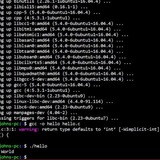
is it impossible to have trap catch stuff during sleep
id like to have trap catch stuff with sleep infinity for speed and cpu savings is this not possible? id assume just not ending the bash noscript with no sleep would fix this but cant find out how to do that
https://redd.it/y3e9dd
@r_bash
id like to have trap catch stuff with sleep infinity for speed and cpu savings is this not possible? id assume just not ending the bash noscript with no sleep would fix this but cant find out how to do that
https://redd.it/y3e9dd
@r_bash
reddit
is it impossible to have trap catch stuff during sleep
id like to have trap catch stuff with sleep infinity for speed and cpu savings is this not possible? id assume just not ending the bash noscript...
problem with automating artix linux install noscript
When I run my install noscript: https://github.com/Luharion/Lis/blob/master/lis.sh. It says
Error detected while processing command line
E492: not an editor command: PlugInstall|q|q
The function that is having problems is
vimplugininstall() {
# Installs vim plugins.
whiptail --infobox "Installing neovim plugins..." 7 60
mkdir -p "/home/$name/.config/nvim/autoload"
curl -Ls "https://raw.githubusercontent.com/junegunn/vim-plug/master/plug.vim" > "/home/$name/.config/nvim/autoload/plug.vim"
chown -R "$name:wheel" "/home/$name/.config/nvim"
sudo -u "$name" nvim -c "PlugInstall|q|q"
}
Can anyone help me?
https://redd.it/y3ffie
@r_bash
When I run my install noscript: https://github.com/Luharion/Lis/blob/master/lis.sh. It says
Error detected while processing command line
E492: not an editor command: PlugInstall|q|q
The function that is having problems is
vimplugininstall() {
# Installs vim plugins.
whiptail --infobox "Installing neovim plugins..." 7 60
mkdir -p "/home/$name/.config/nvim/autoload"
curl -Ls "https://raw.githubusercontent.com/junegunn/vim-plug/master/plug.vim" > "/home/$name/.config/nvim/autoload/plug.vim"
chown -R "$name:wheel" "/home/$name/.config/nvim"
sudo -u "$name" nvim -c "PlugInstall|q|q"
}
Can anyone help me?
https://redd.it/y3ffie
@r_bash
GitHub
Lis/lis.sh at master · Luharion/Lis
Contribute to Luharion/Lis development by creating an account on GitHub.
A complex question
There are four type of files I have. I have 11 files in total. I am required to write a noscript that create 4 new sub directories named after the four type of files and move each file to the correct directory via making a loop variable which places all the files of the same type in the same directory
Let me use an analogy to help understand:
I have 11 fruits. Red Apple, Green Apple, Blue Banana, Red Banana, Yellow Banana, Blue Grape, Yellow Grape, Red Grape, Blue Watermelon, Green Watermelon & Yellow Watermelon.
All the fruits that I have mentioned are part of one of the following groups: Apple, Banana, Grape and Watermelon.
So to go back in Bash terms, I have to create a command that directs all the files of one particular group to a newly made directory which is only for that one particular group of files.
For example,
I need to make a command that makes Blue Banana, Red Banana and Yellow Banana move into one file called Banana. And it cannot be manually, the terminal needs to select it based on the attributes just described and move it there.
​
I know how to make directories, all of that but it's the making the loop variable that is confusing me so if anyone can help me explain how I could go about doing this. I would appreciate it.
https://redd.it/y3ezwy
@r_bash
There are four type of files I have. I have 11 files in total. I am required to write a noscript that create 4 new sub directories named after the four type of files and move each file to the correct directory via making a loop variable which places all the files of the same type in the same directory
Let me use an analogy to help understand:
I have 11 fruits. Red Apple, Green Apple, Blue Banana, Red Banana, Yellow Banana, Blue Grape, Yellow Grape, Red Grape, Blue Watermelon, Green Watermelon & Yellow Watermelon.
All the fruits that I have mentioned are part of one of the following groups: Apple, Banana, Grape and Watermelon.
So to go back in Bash terms, I have to create a command that directs all the files of one particular group to a newly made directory which is only for that one particular group of files.
For example,
I need to make a command that makes Blue Banana, Red Banana and Yellow Banana move into one file called Banana. And it cannot be manually, the terminal needs to select it based on the attributes just described and move it there.
​
I know how to make directories, all of that but it's the making the loop variable that is confusing me so if anyone can help me explain how I could go about doing this. I would appreciate it.
https://redd.it/y3ezwy
@r_bash
reddit
A complex question
There are four type of files I have. I have 11 files in total. I am required to write a noscript that create 4 new sub directories named after the...
I need help to fix my noscript for concatenation of xml files
Needing help with a concatenate of xml files.
Hello, I have been tasked to work with concatenating xml files from a path and merge them into a single xml.
I have the following noscript
​
#!usr/bin/sh
ORIGIN_PATH="/backup/data/export/imatchISO"
HISTORY_PATH="/backup/data/batch/hist"
SEND_PATH="/backup/data/batch/output"
DATE=`date +%y%m%d`
LOG="/backup/data/batch/log/concatIMatch_"$DATE
cd $ORIGIN_PATH
ls -lrt >> $LOG
cat $ORIGIN_PATH/SWIFTCAMT053_* >> $SEND_PATH/SWIFTCAMT053.XML_$DATE 2>> $LOG
mv $ORIGIN_PATH/SWIFTCAMT053_* $HISTORY_PATH >> $LOG 2>> $LOG
if [[ $(ls -A $SEND_PATH/SWIFTCAMT053.XML_$DATE) ]]; then
echo $(date "+%Y-%m-%d %H:%M:%S")" - Ficheros 053 concatenados" >> $LOG
mv $SEND_PATH/SWIFTCAMT053.XML_$DATE $SEND_PATH/SWIFTCAMT053.XML 2>> $LOG
exit 0
else
echo $(date "+%Y-%m-%d %H:%M:%S")" - ¡ERROR CON LOS FICHEROS 053 AL CONCATENAR!" >> $LOG
exit 1
fi
and what I have is a path containing several xml files with the same format:
​
<?xml version="1.0" ?>
<DataPDU xmlns:ns2="urn:swift:saa:xsd:saa.2.0">
<ns2:Revision>2.0.13</ns2:Revision>
<ns2:Header>
...
</ns2:Header>
<ns2:Body>
...
</ns2:Body>
<ns2:Header>
...
</ns2:Header>
<ns2:Body>
...
</ns2:Body>
</DataPDU>
the thing is that when I concatenate with this is appending the end of the file to the next one , which is not the expected result as it is duplicating the xml declaration tag and the opening <DataPDU> and closing <DataPDU> for all files.
What I'm needing is to have a single xml file with the following sctructure
&#x200B;
<?xml version="1.0" ?>
<DataPDU xmlns:ns2="urn:swift:saa:xsd:saa.2.0">
<ns2:Revision>2.0.13</ns2:Revision>
<ns2:Header>
...
</ns2:Header>
<ns2:Body>
...
</ns2:Body>
<ns2:Header>
...
</ns2:Header>
<ns2:Body>
...
</ns2:Body>
<ns2:Header>
...
</ns2:Header>
<ns2:Body>
...
</ns2:Body>
<ns2:Header>
...
</ns2:Header>
<ns2:Body>
...
</ns2:Body>
<ns2:Header>
...
</ns2:Header>
<ns2:Body>
...
</ns2:Body>
<ns2:Header>
...
</ns2:Header>
<ns2:Body>
...
</ns2:Body>
</DataPDU>
So technically what I want is to have the first 3 lines and the last line only occurring once.
&#x200B;
I have received a tip that I could do something with:
$ awk 'NR<3 {print} FNR>3 {print last} {last=$0} END{print}' *.xml
But I don't understand how to modify my noscript for this
Edit: I'm having also problems putting format from mobile to this thread
https://redd.it/y3rg99
@r_bash
Needing help with a concatenate of xml files.
Hello, I have been tasked to work with concatenating xml files from a path and merge them into a single xml.
I have the following noscript
&#x200B;
#!usr/bin/sh
ORIGIN_PATH="/backup/data/export/imatchISO"
HISTORY_PATH="/backup/data/batch/hist"
SEND_PATH="/backup/data/batch/output"
DATE=`date +%y%m%d`
LOG="/backup/data/batch/log/concatIMatch_"$DATE
cd $ORIGIN_PATH
ls -lrt >> $LOG
cat $ORIGIN_PATH/SWIFTCAMT053_* >> $SEND_PATH/SWIFTCAMT053.XML_$DATE 2>> $LOG
mv $ORIGIN_PATH/SWIFTCAMT053_* $HISTORY_PATH >> $LOG 2>> $LOG
if [[ $(ls -A $SEND_PATH/SWIFTCAMT053.XML_$DATE) ]]; then
echo $(date "+%Y-%m-%d %H:%M:%S")" - Ficheros 053 concatenados" >> $LOG
mv $SEND_PATH/SWIFTCAMT053.XML_$DATE $SEND_PATH/SWIFTCAMT053.XML 2>> $LOG
exit 0
else
echo $(date "+%Y-%m-%d %H:%M:%S")" - ¡ERROR CON LOS FICHEROS 053 AL CONCATENAR!" >> $LOG
exit 1
fi
and what I have is a path containing several xml files with the same format:
&#x200B;
<?xml version="1.0" ?>
<DataPDU xmlns:ns2="urn:swift:saa:xsd:saa.2.0">
<ns2:Revision>2.0.13</ns2:Revision>
<ns2:Header>
...
</ns2:Header>
<ns2:Body>
...
</ns2:Body>
<ns2:Header>
...
</ns2:Header>
<ns2:Body>
...
</ns2:Body>
</DataPDU>
the thing is that when I concatenate with this is appending the end of the file to the next one , which is not the expected result as it is duplicating the xml declaration tag and the opening <DataPDU> and closing <DataPDU> for all files.
What I'm needing is to have a single xml file with the following sctructure
&#x200B;
<?xml version="1.0" ?>
<DataPDU xmlns:ns2="urn:swift:saa:xsd:saa.2.0">
<ns2:Revision>2.0.13</ns2:Revision>
<ns2:Header>
...
</ns2:Header>
<ns2:Body>
...
</ns2:Body>
<ns2:Header>
...
</ns2:Header>
<ns2:Body>
...
</ns2:Body>
<ns2:Header>
...
</ns2:Header>
<ns2:Body>
...
</ns2:Body>
<ns2:Header>
...
</ns2:Header>
<ns2:Body>
...
</ns2:Body>
<ns2:Header>
...
</ns2:Header>
<ns2:Body>
...
</ns2:Body>
<ns2:Header>
...
</ns2:Header>
<ns2:Body>
...
</ns2:Body>
</DataPDU>
So technically what I want is to have the first 3 lines and the last line only occurring once.
&#x200B;
I have received a tip that I could do something with:
$ awk 'NR<3 {print} FNR>3 {print last} {last=$0} END{print}' *.xml
But I don't understand how to modify my noscript for this
Edit: I'm having also problems putting format from mobile to this thread
https://redd.it/y3rg99
@r_bash
reddit
I need help to fix my noscript for concatenation of xml files
Needing help with a concatenate of xml files. Hello, I have been tasked to work with concatenating xml files from a path and merge them into a...
Fuzzy file completion in bash
I used oh-my-zsh zsh on the computer of another person.
When I typed `md<tab>` it nicely completed to the first markdown file `first.md`. Can I have the same in bash?
https://redd.it/y3rmqs
@r_bash
I used oh-my-zsh zsh on the computer of another person.
When I typed `md<tab>` it nicely completed to the first markdown file `first.md`. Can I have the same in bash?
https://redd.it/y3rmqs
@r_bash
reddit
Fuzzy file completion in bash
I used oh-my-zsh zsh on the computer of another person. When I typed \`md<tab>\` it nicely completed to the first markdown file \`first.md\`. Can...
Having trouble saving full sub directory names
I'm trying to save the folder name of sub directories, for example I want to store "long folder name" in x/folder/long folder name, but from folders with multiple words I'm only getting the first word and I can't figure out how to get the whole thing.
The whole thing does print when I just run the command in terminal though.
$ find . -type d -maxdepth 2 -mindepth 2
./folder/Apple Banana
Script:
#!/bin/bash
set -x
for directory in
do
echo "$directory" exists here - do something with it
done
Output:
+ for directory in
+ echo ./folder/Apple exists here - do something with it
./folder/Apple exists here - do something with it
+ for directory in
+ echo Banana exists here - do something with it
Banana exists here - do something with it
Single word folders print as expected:
+ for directory in
+ echo ./aaa/bbb exists here - do something with it
./aaa/bbb exists here - do something with it
https://redd.it/y3w2t2
@r_bash
I'm trying to save the folder name of sub directories, for example I want to store "long folder name" in x/folder/long folder name, but from folders with multiple words I'm only getting the first word and I can't figure out how to get the whole thing.
The whole thing does print when I just run the command in terminal though.
$ find . -type d -maxdepth 2 -mindepth 2
./folder/Apple Banana
Script:
#!/bin/bash
set -x
for directory in
find . -type d -maxdepth 2 -mindepth 2do
echo "$directory" exists here - do something with it
done
Output:
+ for directory in
find . -type d -maxdepth 2 -mindepth 2+ echo ./folder/Apple exists here - do something with it
./folder/Apple exists here - do something with it
+ for directory in
find . -type d -maxdepth 2 -mindepth 2+ echo Banana exists here - do something with it
Banana exists here - do something with it
Single word folders print as expected:
+ for directory in
find . -type d -maxdepth 2 -mindepth 2+ echo ./aaa/bbb exists here - do something with it
./aaa/bbb exists here - do something with it
https://redd.it/y3w2t2
@r_bash
reddit
Having trouble saving full sub directory names
I'm trying to save the folder name of sub directories, for example I want to store "long folder name" in x/folder/long folder name, but from...
GUI Sudo Password Prompto for launching Applications as root?
How does one prompt the GUI sudo password window to launch applications such as xed without launching a terminal window.
I want to create a launcher which will launched xed as root and be able to edit some files from XAMPP to allow me to do modify my XAMPP virtual hosts.
pkexec xed /etc/hosts /opt/lampp/etc/extra/httpd-vhosts.conf /opt/lampp/etc/httpd.conf
https://redd.it/y4ays3
@r_bash
How does one prompt the GUI sudo password window to launch applications such as xed without launching a terminal window.
I want to create a launcher which will launched xed as root and be able to edit some files from XAMPP to allow me to do modify my XAMPP virtual hosts.
pkexec xed /etc/hosts /opt/lampp/etc/extra/httpd-vhosts.conf /opt/lampp/etc/httpd.conf
https://redd.it/y4ays3
@r_bash
reddit
GUI Sudo Password Prompto for launching Applications as root?
How does one prompt the GUI sudo password window to launch applications such as xed without launching a terminal window. I want to create a...
What is the asterisk between the patterns, in Grep AND using -E?
grep -E 'pattern1.*pattern2' filename
I know this command should bring `pattern1` and `pattern2` in the file `filename`.
But what is the asterisk in the second pattern and not the first one, and what is its usage?
https://redd.it/y4pwh5
@r_bash
grep -E 'pattern1.*pattern2' filename
I know this command should bring `pattern1` and `pattern2` in the file `filename`.
But what is the asterisk in the second pattern and not the first one, and what is its usage?
https://redd.it/y4pwh5
@r_bash
reddit
What is the asterisk between the patterns, in Grep AND using -E?
grep -E 'pattern1.*pattern2' filename I know this command should bring `pattern1` and `pattern2` in the file `filename`. But what is the...
Is it possible to handle a command before it's passed to the bash command parser?
I'm not sure how to word the question correctly, so ill try to explain.
When you want to increment an integer, you have to do
NUMBER=$((NUMBER + 1))
I'm wanting to simplify this by doing what other languages do, which would be
NUMBER++
Is there something that I can make that looks through all the input before it's executed by bash? Because I know that I could just make a command and pass it in as an argument like
math NUMBER++
But id like this to be simpler than that.
​
Sorry if this sounds weird. I'm not sure how bash handles commands, so I'm just going off of what I assume happens.
https://redd.it/y51b3q
@r_bash
I'm not sure how to word the question correctly, so ill try to explain.
When you want to increment an integer, you have to do
NUMBER=$((NUMBER + 1))
I'm wanting to simplify this by doing what other languages do, which would be
NUMBER++
Is there something that I can make that looks through all the input before it's executed by bash? Because I know that I could just make a command and pass it in as an argument like
math NUMBER++
But id like this to be simpler than that.
​
Sorry if this sounds weird. I'm not sure how bash handles commands, so I'm just going off of what I assume happens.
https://redd.it/y51b3q
@r_bash
reddit
Is it possible to handle a command before it's passed to the bash...
I'm not sure how to word the question correctly, so ill try to explain. When you want to increment an integer, you have to do ...
Confusion with Bash and Z shell
Hi!
So I'm trying to install flutter on my macOS Monterey. When I first ran the command in terminal to see what shell I have it told me bash. I had some trouble finding the .bashrc file but eventually I was able to find it and make the necessary changes. But when I tried to run flutter in terminal it would not let me. Now when I run the command to see what shell I have it's telling me zsh. So I tried opening the .zshrc file in textedit to input path of my flutter git repo but it keeps telling me that I do not have permission to make changes to it. Does anyone know how I can fix this?
https://redd.it/y5owuv
@r_bash
Hi!
So I'm trying to install flutter on my macOS Monterey. When I first ran the command in terminal to see what shell I have it told me bash. I had some trouble finding the .bashrc file but eventually I was able to find it and make the necessary changes. But when I tried to run flutter in terminal it would not let me. Now when I run the command to see what shell I have it's telling me zsh. So I tried opening the .zshrc file in textedit to input path of my flutter git repo but it keeps telling me that I do not have permission to make changes to it. Does anyone know how I can fix this?
https://redd.it/y5owuv
@r_bash
reddit
Confusion with Bash and Z shell
Hi! So I'm trying to install flutter on my macOS Monterey. When I first ran the command in terminal to see what shell I have it told me bash. I...
What's the best way to localize (for different languages and locales) bash terminal apps?
Just wondering what a good solution to localize an existing app might be, with string text embedded in the noscripts. Refactoring isn't an obstacle (and eventual translation of text blocks), but what options are there in terms of libraries to achieve this. Thanks.
https://redd.it/y5rp0a
@r_bash
Just wondering what a good solution to localize an existing app might be, with string text embedded in the noscripts. Refactoring isn't an obstacle (and eventual translation of text blocks), but what options are there in terms of libraries to achieve this. Thanks.
https://redd.it/y5rp0a
@r_bash
reddit
What's the best way to localize (for different languages and...
Just wondering what a good solution to localize an existing app might be, with string text embedded in the noscripts. Refactoring isn't an obstacle...
Using a bash noscript to streamline GitHub Actions
Using a bash noscript (based on bashew framework) to centralize the GitHub Action setup (e.g.
- name: gha:before
run: |
./bashewgithubaction.sh gha:before
- name: gha:execute
run: |
./bashewgithubaction.sh gha:execute
- name: gha:after
run: |-
./bashewgithubaction.sh gha:after
Advantages:
Single Responsibility. You edit your setup code in the same file as the payload or the wrap-up code. You don’t touch the `action.yml` file anymore after initial setup.
Cleaner Code. The YML syntax forces you to a
one-liner format. A
Easy Debugging. `bashew` has built-in support for log files and optional verbose mode. It also cleans up log files after 30 days, so they don’t clog up your repo.
Self-Contained. You don’t need external libraries or runtimes.
More details on blog.forret.com
https://redd.it/y5t8me
@r_bash
Using a bash noscript (based on bashew framework) to centralize the GitHub Action setup (e.g.
pip install), Action payload and Action wrap-up (commit/push the results) in one place, so that the Action config YML becomes this simple:- name: gha:before
run: |
./bashewgithubaction.sh gha:before
- name: gha:execute
run: |
./bashewgithubaction.sh gha:execute
- name: gha:after
run: |-
./bashewgithubaction.sh gha:after
Advantages:
Single Responsibility. You edit your setup code in the same file as the payload or the wrap-up code. You don’t touch the `action.yml` file anymore after initial setup.
Cleaner Code. The YML syntax forces you to a
do this && do that && do the other one-liner format. A
bash noscript allows you to do if/then, for/do, while/do, recursion … in an easy and clean way.Easy Debugging. `bashew` has built-in support for log files and optional verbose mode. It also cleans up log files after 30 days, so they don’t clog up your repo.
Self-Contained. You don’t need external libraries or runtimes.
bash runs on most Action Runners (Linux/MacOS) and each bashew noscript contains the entire framework.More details on blog.forret.com
https://redd.it/y5t8me
@r_bash
Linux/Ubuntu Commands To Speed Up Your Daily Work
https://levelup.gitconnected.com/linux-ubuntu-commands-to-speed-up-your-daily-work-32f0d2517e8b?sk=5fb5bb58871e03926a6e089ac8fefc27
https://redd.it/y60r0l
@r_bash
https://levelup.gitconnected.com/linux-ubuntu-commands-to-speed-up-your-daily-work-32f0d2517e8b?sk=5fb5bb58871e03926a6e089ac8fefc27
https://redd.it/y60r0l
@r_bash
Medium
Linux/Ubuntu Commands To Speed Up Your Daily Work
Use these commands in your terminal and shell noscripts to boost your daily productivity
inline noscript runs as expected, however not when read from file
I am at a loss here. I write my code inline and it just works. Then I transfer the code into a .sh file and it no longer does.
I am in a directory /foo/bar and there is a subdirectory present named cfg
while true; do { if -d ./cfg ; then cd ./cfg/; break; fi; } done
Running this, it changes into the director cfg as expected. However after transferring it to a file:
1 #!/bin/bash
2
3 while true; do
4 {
5 if -d ./cfg ; then
6 cd ./cfg/; else
7 break;
8 fi;
9 }
10 done
it does nothing, outputs no errors and merely rests in the directory /foo/bar.
Any tips would be appreciated
Edit: Obviously it works fine while being run in the same shell with
https://redd.it/y64byl
@r_bash
I am at a loss here. I write my code inline and it just works. Then I transfer the code into a .sh file and it no longer does.
I am in a directory /foo/bar and there is a subdirectory present named cfg
while true; do { if -d ./cfg ; then cd ./cfg/; break; fi; } done
Running this, it changes into the director cfg as expected. However after transferring it to a file:
1 #!/bin/bash
2
3 while true; do
4 {
5 if -d ./cfg ; then
6 cd ./cfg/; else
7 break;
8 fi;
9 }
10 done
it does nothing, outputs no errors and merely rests in the directory /foo/bar.
Any tips would be appreciated
Edit: Obviously it works fine while being run in the same shell with
source noscript.sh . However I am looking for a way that it executes without the source command.https://redd.it/y64byl
@r_bash
reddit
inline noscript runs as expected, however not when read from file
I am at a loss here. I write my code inline and it just works. Then I transfer the code into a .sh file and it no longer does. I am in a...
Suggest courses for learning bash
Hi , im very new to using bash. I know basic commands in terminal such as ls , cd , mkdir , vi editor , chmod .
I was to be able to use if conditions and awk ,sed and regular expression more flexibly since that would make my work alot more easier . Can anyone suggest a site to learn them ?
https://redd.it/y66ij2
@r_bash
Hi , im very new to using bash. I know basic commands in terminal such as ls , cd , mkdir , vi editor , chmod .
I was to be able to use if conditions and awk ,sed and regular expression more flexibly since that would make my work alot more easier . Can anyone suggest a site to learn them ?
https://redd.it/y66ij2
@r_bash
reddit
Suggest courses for learning bash
Hi , im very new to using bash. I know basic commands in terminal such as ls , cd , mkdir , vi editor , chmod . I was to be able to use if...
Curl sse streaming output in a do loop input
I am trying to figure out how to use Curl output in a loop.
while IFS= read -r linestream
do
//Some logic
done < $(curl https://some.url)
The source URL is a Server Side Event, which constantly streams data. The problem is that Curl is outputting the progress bar. How do I feed the standard output to the loop instead of the apparently standard error?
​
Edit: Typo in the tile while instead of do
https://redd.it/y6a8sx
@r_bash
I am trying to figure out how to use Curl output in a loop.
while IFS= read -r linestream
do
//Some logic
done < $(curl https://some.url)
The source URL is a Server Side Event, which constantly streams data. The problem is that Curl is outputting the progress bar. How do I feed the standard output to the loop instead of the apparently standard error?
​
Edit: Typo in the tile while instead of do
https://redd.it/y6a8sx
@r_bash
reddit
Curl sse streaming output in a do loop input
I am trying to figure out how to use Curl output in a loop. while IFS= read -r linestream do //Some logic done < $(curl...
Add trailing slashes to all arguments for rsync
Hi,
I’m using the following function to rsync a ton of media from one location to another:
nsync () {
sdir=“${1%/}/”
ddir=“${2%/}/”
command rsync -avvhP --remove-source-files “$sdir” “$ddir”
}
I’m trying to change this so that I can add multiple source directories and adding a trailing slash to them all (technically it wouldn’t matter whether the destination dir has a slash), but I’m not sure how to set this up to handle an unknown amount of source directories, most likely between 2 and 6, but really not sure. I’m assuming I’d need to loop through all the arguments, which I can do, but I’m not sure how I could get a variable for each one, name it, and have it included in the rsync command.
Any help would be appreciated.
Thank you!
https://redd.it/y6mhzi
@r_bash
Hi,
I’m using the following function to rsync a ton of media from one location to another:
nsync () {
sdir=“${1%/}/”
ddir=“${2%/}/”
command rsync -avvhP --remove-source-files “$sdir” “$ddir”
}
I’m trying to change this so that I can add multiple source directories and adding a trailing slash to them all (technically it wouldn’t matter whether the destination dir has a slash), but I’m not sure how to set this up to handle an unknown amount of source directories, most likely between 2 and 6, but really not sure. I’m assuming I’d need to loop through all the arguments, which I can do, but I’m not sure how I could get a variable for each one, name it, and have it included in the rsync command.
Any help would be appreciated.
Thank you!
https://redd.it/y6mhzi
@r_bash
reddit
Add trailing slashes to all arguments for rsync
Hi, I’m using the following function to rsync a ton of media from one location to another: nsync () { sdir=“${1%/}/” ...
Automating ssh using a file with IP addresses
I am trying to automate sending commands to machines in a local cluster. I have the IPs saved in a file and I am using this noscript to simply make a file on the Desktop. See below:
#!bin/bash
input="/home/user/Desktop/deploy/IPs.txt"
while read -r line
do
echo "connecting to $line"
sshpass -pPASSWORD ssh remoteUser@$line mkdir ~/Desktop/folder || echo "error occured on IP:$line"
echo "$line setup!"
done < "$input"
This however, only works for the first IP listed in the file and then quits before doing the same thing for all the other IPs. Why does this happen and how can I fix it?
https://redd.it/y6nah9
@r_bash
I am trying to automate sending commands to machines in a local cluster. I have the IPs saved in a file and I am using this noscript to simply make a file on the Desktop. See below:
#!bin/bash
input="/home/user/Desktop/deploy/IPs.txt"
while read -r line
do
echo "connecting to $line"
sshpass -pPASSWORD ssh remoteUser@$line mkdir ~/Desktop/folder || echo "error occured on IP:$line"
echo "$line setup!"
done < "$input"
This however, only works for the first IP listed in the file and then quits before doing the same thing for all the other IPs. Why does this happen and how can I fix it?
https://redd.it/y6nah9
@r_bash
reddit
Automating ssh using a file with IP addresses
I am trying to automate sending commands to machines in a local cluster. I have the IPs saved in a file and I am using this noscript to simply ...