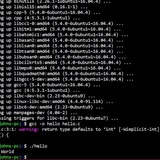
dd from image to SD card: "short write on character device"
Hi,
I'm using MACOS but I think the OS is not the problem here.I tried to backup my 64GB SD card using DD, with:
That goes well. I put in another SD card (same size) and try to restore that same image with:
However, it fails and I then get the error
When I try to restore the image to SD card using the desktop (Disk Utility.app) it fails.
Another thing I tried is to mount both the .dmg image as wel as the new SD card and just copy the content from the image to the SD card, but then I get the error destination is full!
I've tried several SD cards, the image is fine, I can mount it and browse succesfully/any thoughts what can be the issue?
Another thing I was thinking of is the blocksize in the command (1M in my case), but then, I used the same blocksize for writing as reading, so I guess that cannot be the problem.
PLEASE HELP, I tried everything and I'm desperate howto get my SD card cloned.
https://redd.it/yg0sqt
@r_bash
Hi,
I'm using MACOS but I think the OS is not the problem here.I tried to backup my 64GB SD card using DD, with:
sudo dd if=/dev/rdisk2 of=Miyoo64Gb.dmg status=progress bs=16MThat goes well. I put in another SD card (same size) and try to restore that same image with:
sudo dd if=Miyoo64Gb.dmg of=/dev/rdisk2 status=progress bs=1mHowever, it fails and I then get the error
"short write on character device"When I try to restore the image to SD card using the desktop (Disk Utility.app) it fails.
Another thing I tried is to mount both the .dmg image as wel as the new SD card and just copy the content from the image to the SD card, but then I get the error destination is full!
I've tried several SD cards, the image is fine, I can mount it and browse succesfully/any thoughts what can be the issue?
Another thing I was thinking of is the blocksize in the command (1M in my case), but then, I used the same blocksize for writing as reading, so I guess that cannot be the problem.
PLEASE HELP, I tried everything and I'm desperate howto get my SD card cloned.
https://redd.it/yg0sqt
@r_bash
Using output of one curl request in the next noscript
Hey guys, sorry if this has been asked here before, but I couldn’t find anything specific to my scenario and I don’t use bash that much.
I use a curl post request to get an address from an api, that I’m currently copy pasting as the location for the noscript I use next. The issue is the first noscript outputs other stuff too like status codes, upload speeds etc and I just need the url and without the quotation marks and then use it for the second noscript, what’s the simplest way to go about this in a bash file?
https://redd.it/yg7qcl
@r_bash
Hey guys, sorry if this has been asked here before, but I couldn’t find anything specific to my scenario and I don’t use bash that much.
I use a curl post request to get an address from an api, that I’m currently copy pasting as the location for the noscript I use next. The issue is the first noscript outputs other stuff too like status codes, upload speeds etc and I just need the url and without the quotation marks and then use it for the second noscript, what’s the simplest way to go about this in a bash file?
https://redd.it/yg7qcl
@r_bash
reddit
Using output of one curl request in the next noscript
Hey guys, sorry if this has been asked here before, but I couldn’t find anything specific to my scenario and I don’t use bash that much. I use a...
How to determine what block device is mapped to /dev/mapper/
I have an external drive mapped to /dev/mapper/backup.
My question is how do I verify what block device said mapping is mapped to?
My backup drive appears as /dev/sda, what would the command/noscript look like in order to verify that /dev/mapper/backup is in fact /dev/sda?
My god the amount of research I've done trying to figure how to do this is insane. Please send help, thank you
https://redd.it/yg91x4
@r_bash
I have an external drive mapped to /dev/mapper/backup.
My question is how do I verify what block device said mapping is mapped to?
My backup drive appears as /dev/sda, what would the command/noscript look like in order to verify that /dev/mapper/backup is in fact /dev/sda?
My god the amount of research I've done trying to figure how to do this is insane. Please send help, thank you
https://redd.it/yg91x4
@r_bash
reddit
How to determine what block device is mapped to /dev/mapper/
I have an external drive mapped to /dev/mapper/backup. My question is how do I verify what block device said mapping is mapped to? My backup...
How to test for connections excluding ping's
Hi
i am trying to run a minecraft(game) server, and make it start the server when someone tries to connect.
so, i tried using
so, my question is, how to test for a connection that is not ping (or test if a connection is ping, to ignore it.)
https://redd.it/yh6wd3
@r_bash
Hi
i am trying to run a minecraft(game) server, and make it start the server when someone tries to connect.
so, i tried using
netcat -l 25565 and it work when i tried to connect, but that also accepted a ping connection and exited.so, my question is, how to test for a connection that is not ping (or test if a connection is ping, to ignore it.)
https://redd.it/yh6wd3
@r_bash
reddit
How to test for connections excluding ping's
Hi i am trying to run a minecraft(game) server, and make it start the server when someone tries to connect. so, i tried using `netcat -l 25565`...
if something > do something
hey so I have this noscript here and I was wondering about the reposonse from git pull "Already up to date."... Is there anyway I can just continue (break) if git pull returns "Already up to date." and if not continue to pull the next repo? like automate those two pulls so I dont have to press y or n to confirm to continue? Thanks alot!
​
#!/bin/bash
cd ~/github/ares; git pull
while true; do
read -p "##### ares-update? ##### " yn
case $yn in
yes ) ares-update; break;;
[Nn] ) break;;
) echo "Please answer yes or no.";;
esac
done
cd ~/github/dhewm3; git pull
while true; do
read -p "##### dhewm3-update? ##### " yn
case $yn in
[Yy] ) dhewm3-update; break;;
Nn ) break;;
) echo "Please answer yes or no.";;
esac
done
​
https://redd.it/yhbvcv
@r_bash
hey so I have this noscript here and I was wondering about the reposonse from git pull "Already up to date."... Is there anyway I can just continue (break) if git pull returns "Already up to date." and if not continue to pull the next repo? like automate those two pulls so I dont have to press y or n to confirm to continue? Thanks alot!
​
#!/bin/bash
cd ~/github/ares; git pull
while true; do
read -p "##### ares-update? ##### " yn
case $yn in
yes ) ares-update; break;;
[Nn] ) break;;
) echo "Please answer yes or no.";;
esac
done
cd ~/github/dhewm3; git pull
while true; do
read -p "##### dhewm3-update? ##### " yn
case $yn in
[Yy] ) dhewm3-update; break;;
Nn ) break;;
) echo "Please answer yes or no.";;
esac
done
​
https://redd.it/yhbvcv
@r_bash
reddit
if something > do something
hey so I have this noscript here and I was wondering about the reposonse from git pull "Already up to date."... Is there anyway I can just continue...
Standard place to define PATH and other environment variables
I've noticed that almost every installation noscript that adds something to PATH, and almost every guide that instructs the reader to define environment variables, chooses
I can see the value of keeping non-interactive SSH commands quick by not loading more than is necessary, but I would think there would be a noscript where you could define things that you always want, like custom PATH additions. I haven't found a standard solution for this, and it's often annoying and surprising when my commands don't work because PATH isn't getting populated like I thought it would.
Am I missing something? How do you solve this problem?
https://redd.it/yhlriw
@r_bash
I've noticed that almost every installation noscript that adds something to PATH, and almost every guide that instructs the reader to define environment variables, chooses
.bashrc for that. But if you want to be able to run commands over SSH non-interactively which depend on those modifications, .bashrc has no effect. In fact, at least on Ubuntu, .bashrc comes with code at the top to prevent you from sourcing it even explicitly in a non-interactive shell.I can see the value of keeping non-interactive SSH commands quick by not loading more than is necessary, but I would think there would be a noscript where you could define things that you always want, like custom PATH additions. I haven't found a standard solution for this, and it's often annoying and surprising when my commands don't work because PATH isn't getting populated like I thought it would.
Am I missing something? How do you solve this problem?
https://redd.it/yhlriw
@r_bash
reddit
Standard place to define PATH and other environment variables
I've noticed that almost every installation noscript that adds something to PATH, and almost every guide that instructs the reader to define...
Workspace ONE Delivers the MacOS Updater Utility (MUU): Does it Finally Solve the Patching Woes of WS1 Mac Software Updates?
https://mobile-jon.com/2022/10/31/workspace-one-delivers-the-macos-updater-utility-does-it-finally-solve-the-patching-woes-of-ws1-mac-software-updates/
https://redd.it/yi0gv5
@r_bash
https://mobile-jon.com/2022/10/31/workspace-one-delivers-the-macos-updater-utility-does-it-finally-solve-the-patching-woes-of-ws1-mac-software-updates/
https://redd.it/yi0gv5
@r_bash
Mobile-Jon
Workspace ONE Delivers the MacOS Updater Utility (MUU): Does it Finally Solve the Patching Woes of WS1 Mac Software Updates?
Historically, I'm proud to say I have been one of the primary thought-leaders when it comes to MacOS management on Workspace ONE. As evident, from ...
How can I get simple output from cURL download progress data?
I'm trying to "marry" `cURL` with `grep`|`awk`|`sed` to extract from the cURL output the real-time download percentage without using extra tools like `pv` and without showing the progress bar.
Preferred format: **Installing file... 55%** ### incrementing on the same position.
This is what I've tried so far after some research:
curl -L --output-dir ${apps_dir} "${url}" -o "${file_name}" 2>&1 | awk 'FNR == 2 '{print $1}' ### fails to show any data
Then I tried this:
curl -# -L --output-dir ${apps_dir} "${url}" -o "${file_name}" 2>&1 | stdbuf -o L tr '\r' '\n' | stdbuf -o L grep -Eo '[0-9.]*%'
The problem with the last line of code (note `-#`) is that it shows what I want but:
* prints out data on new line
* I don't know how to put the printout next to the string "Installing file..." (shame on me!)
Thank you!
https://redd.it/yi8sou
@r_bash
I'm trying to "marry" `cURL` with `grep`|`awk`|`sed` to extract from the cURL output the real-time download percentage without using extra tools like `pv` and without showing the progress bar.
Preferred format: **Installing file... 55%** ### incrementing on the same position.
This is what I've tried so far after some research:
curl -L --output-dir ${apps_dir} "${url}" -o "${file_name}" 2>&1 | awk 'FNR == 2 '{print $1}' ### fails to show any data
Then I tried this:
curl -# -L --output-dir ${apps_dir} "${url}" -o "${file_name}" 2>&1 | stdbuf -o L tr '\r' '\n' | stdbuf -o L grep -Eo '[0-9.]*%'
The problem with the last line of code (note `-#`) is that it shows what I want but:
* prints out data on new line
* I don't know how to put the printout next to the string "Installing file..." (shame on me!)
Thank you!
https://redd.it/yi8sou
@r_bash
reddit
How can I get simple output from cURL download progress data?
I'm trying to "marry" `cURL` with `grep`|`awk`|`sed` to extract from the cURL output the real-time download percentage without using extra tools...
If first word starts with a vowel?
Hi, I’m trying to make a if statement that prints the 10 first lines if the first word in the file starts with a vowel. If not, it should print the 15 first lines in the file.
$first is the first word in the text file
words-sorted.txt is a text file containing a lot of random words
This is what I have tried:
if [[ "$first" == [^aeiou]* ]]
then
cat words-sorted.txt | head -n10
else
cat words-sorted.txt | head -n15
fi
I think there is something wrong with the «[^aeiou]*» part, but I don’t quite understand it.
Now it just prints the first 10 lines of the file, even if the first word starts with a consonant.
If I remove the «*» it print the first 15 lines, even if the first word starts with a vowel.
Any help is appreciated :)
https://redd.it/yidruk
@r_bash
Hi, I’m trying to make a if statement that prints the 10 first lines if the first word in the file starts with a vowel. If not, it should print the 15 first lines in the file.
$first is the first word in the text file
words-sorted.txt is a text file containing a lot of random words
This is what I have tried:
if [[ "$first" == [^aeiou]* ]]
then
cat words-sorted.txt | head -n10
else
cat words-sorted.txt | head -n15
fi
I think there is something wrong with the «[^aeiou]*» part, but I don’t quite understand it.
Now it just prints the first 10 lines of the file, even if the first word starts with a consonant.
If I remove the «*» it print the first 15 lines, even if the first word starts with a vowel.
Any help is appreciated :)
https://redd.it/yidruk
@r_bash
reddit
If first word starts with a vowel?
Hi, I’m trying to make a if statement that prints the 10 first lines if the first word in the file starts with a vowel. If not, it should print...
My first noscript, would appriacate feedback!
I wrote my first bash noscript for users and groups management, I've been studying on my own for around two weeks and thought I should try to write somthing.
The noscript is around 95% bash with little bit of awk.
I would appriacate any feedback or suggestion as for how to improve the noscript or what to learn next.
Also, I got help in this forum so I want to say thank you very much to anyone that helped!
Its too long to post here so I pasted it in github.
https://github.com/Kakabom/Kakabom/blob/main/Script.bash
https://redd.it/yilt70
@r_bash
I wrote my first bash noscript for users and groups management, I've been studying on my own for around two weeks and thought I should try to write somthing.
The noscript is around 95% bash with little bit of awk.
I would appriacate any feedback or suggestion as for how to improve the noscript or what to learn next.
Also, I got help in this forum so I want to say thank you very much to anyone that helped!
Its too long to post here so I pasted it in github.
https://github.com/Kakabom/Kakabom/blob/main/Script.bash
https://redd.it/yilt70
@r_bash
GitHub
Kakabom/Script.bash at main · Kakabom/Kakabom
Config files for my GitHub profile. Contribute to Kakabom/Kakabom development by creating an account on GitHub.
Use diff to find new usb port
Hi, I have a lot of usb ports on my pc and oftentimes I don't seem to find the right one under
Currently Im doing this:
\- I did a /dev/tty* snapshot with all usb devices I normally use plugged in and store it somewhere. The command is:
\-as I am plugging in a new usb device I run this noscript and get the newly added usb tty port:
​
I just wonder, whether there is a cleaner solution to get the same output.
​
Thank you
Edit: if it is important, I'm on a mac
https://redd.it/yipoqr
@r_bash
Hi, I have a lot of usb ports on my pc and oftentimes I don't seem to find the right one under
/dev/tty*. Is there a cleaner version of what I do here to detect a newly added usbport?Currently Im doing this:
\- I did a /dev/tty* snapshot with all usb devices I normally use plugged in and store it somewhere. The command is:
ls /dev/tty* > ~/somewhere/usbdevices \-as I am plugging in a new usb device I run this noscript and get the newly added usb tty port:
diff ~/somewhere/usbdevices <(ls /dev/tty*).​
I just wonder, whether there is a cleaner solution to get the same output.
​
Thank you
Edit: if it is important, I'm on a mac
https://redd.it/yipoqr
@r_bash
reddit
Use diff to find new usb port
Hi, I have a lot of usb ports on my pc and oftentimes I don't seem to find the right one under `/dev/tty*`. Is there a cleaner version of what I...
ssh with expect, send and interact
Have this code, which works as intended:
I would like to add another line under the one with "password:" for auto "sudo su -" . How can I do that? - Adding multiple expects. Adding the trigger keyword and the send doesn't work.
TIA
https://redd.it/yjfc69
@r_bash
Have this code, which works as intended:
exec expect -c "
        spawn ssh user@host
        expect {
                "password:" {send "1234"}
        }
        interact timeout 3599 {send "000"}
"
I would like to add another line under the one with "password:" for auto "sudo su -" . How can I do that? - Adding multiple expects. Adding the trigger keyword and the send doesn't work.
TIA
https://redd.it/yjfc69
@r_bash
reddit
ssh with expect, send and interact
Have this code, which works as intended: ``` exec expect -c " spawn ssh user@host expect { "password:" {send...
How do you create custom user interfaces for bash noscripts?
Just something like telnet which gives you a > instead of hostname:username:workingdirectory$, and lets you run functions and commands in it, unlike (code here) where everything is executed after you close it with a ).
https://redd.it/yjgkh3
@r_bash
Just something like telnet which gives you a > instead of hostname:username:workingdirectory$, and lets you run functions and commands in it, unlike (code here) where everything is executed after you close it with a ).
https://redd.it/yjgkh3
@r_bash
reddit
How do you create custom user interfaces for bash noscripts?
Just something like telnet which gives you a > instead of hostname:username:workingdirectory$, and lets you run functions and commands in it,...
How to set Mouse Cursor to Busy (or diff cursor) Temporarily?
I have a noscript that runs for a bit so i would like to modify the mouse cursor to give some indication that its busy (e.g. hourglass). The cursor can be anything as long as its just not the current one.
After the noscript is done i would like it to return back to normal.
https://redd.it/yjnmzn
@r_bash
I have a noscript that runs for a bit so i would like to modify the mouse cursor to give some indication that its busy (e.g. hourglass). The cursor can be anything as long as its just not the current one.
After the noscript is done i would like it to return back to normal.
https://redd.it/yjnmzn
@r_bash
reddit
How to set Mouse Cursor to Busy (or diff cursor) Temporarily?
I have a noscript that runs for a bit so i would like to modify the mouse cursor to give some indication that its busy (e.g. hourglass). The cursor...
Extreme brain fart and I should know this. How do I expand the variables in this use case for a curl string?
So...
curl -k https://10.10.10.10:666/api/thing -b 'variable=$result'
The value of $result is what I need to have function out of single quotes here, and for some reason I'm either blanking on the correct terminology to google or man page to flip here.
Basically I'm gonna for loop through a bunch of files (thousands of lines each) and then spin up a ton of arbitrary dynamic curl commands to this API to have it do things.
What was the quoting/bracketing malarkey to make that $result expand properly into a usable form here? It's probably been 10+ years since I've done this...
https://redd.it/yjpzil
@r_bash
So...
curl -k https://10.10.10.10:666/api/thing -b 'variable=$result'
The value of $result is what I need to have function out of single quotes here, and for some reason I'm either blanking on the correct terminology to google or man page to flip here.
Basically I'm gonna for loop through a bunch of files (thousands of lines each) and then spin up a ton of arbitrary dynamic curl commands to this API to have it do things.
What was the quoting/bracketing malarkey to make that $result expand properly into a usable form here? It's probably been 10+ years since I've done this...
https://redd.it/yjpzil
@r_bash
reddit
Extreme brain fart and I should know this. How do I expand the...
So... curl -k https://10.10.10.10:666/api/thing -b 'variable=$result' The value of $result is what I need to have function out of single...
Run remote commands then connect to interactive shell
LTLFTP
Yall im lost and I need some serious help. I'm driving myself insane.
I have a giant ssh command that is running remote commands on a client server.
It's running this way without double quotes because
1) im connecting to a ksh shell
2) I have other commands running that use double quotes.
Is there ANY way I can add something to the end of my command string to drop me into a shell on the remote system?
https://redd.it/yjrtzt
@r_bash
LTLFTP
Yall im lost and I need some serious help. I'm driving myself insane.
I have a giant ssh command that is running remote commands on a client server.
ssh user@host \' command1 && command 2 && command3.....\'It's running this way without double quotes because
1) im connecting to a ksh shell
2) I have other commands running that use double quotes.
Is there ANY way I can add something to the end of my command string to drop me into a shell on the remote system?
https://redd.it/yjrtzt
@r_bash
reddit
Run remote commands then connect to interactive shell
LTLFTP Yall im lost and I need some serious help. I'm driving myself insane. I have a giant ssh command that is running remote commands on a...
Array looping to csv
Hello
I've written a noscript which saves arrays to csv however it not output how i expect it to be.
channel=($(seq 1 3)
channelid=(1 2 3)
channelname=(one two three)
echo channel, channelid, channelname > mycsv.csv
echo "${channel@}", "${channelid@}", "${channelname@" >> mycsv.csv
but this output as
channel, channelid, channelname
1 2 3, 1 2 3, one two three
what i was hoping it'd output as
channel, channelid, channelname
1,1,one
2,2,two
3,3,three
I know know i can re-write this as
echo channel, channelid, channelname > mycsv.csv
echo "${channel0}", "${channelid0}", "${channelname0" >> mycsv.csv
echo "${channel1}", "${channelid1}", "${channelname1" >> mycsv.csv
echo "${channel2}", "${channelid2}", "${channelname2" >> mycsv.csv
is there a more cleaner way to output arrays to csv without referring to index number?
https://redd.it/yjotom
@r_bash
Hello
I've written a noscript which saves arrays to csv however it not output how i expect it to be.
channel=($(seq 1 3)
channelid=(1 2 3)
channelname=(one two three)
echo channel, channelid, channelname > mycsv.csv
echo "${channel@}", "${channelid@}", "${channelname@" >> mycsv.csv
but this output as
channel, channelid, channelname
1 2 3, 1 2 3, one two three
what i was hoping it'd output as
channel, channelid, channelname
1,1,one
2,2,two
3,3,three
I know know i can re-write this as
echo channel, channelid, channelname > mycsv.csv
echo "${channel0}", "${channelid0}", "${channelname0" >> mycsv.csv
echo "${channel1}", "${channelid1}", "${channelname1" >> mycsv.csv
echo "${channel2}", "${channelid2}", "${channelname2" >> mycsv.csv
is there a more cleaner way to output arrays to csv without referring to index number?
https://redd.it/yjotom
@r_bash
reddit
Array looping to csv
Hello I've written a noscript which saves arrays to csv however it not output how i expect it to be. channel=($(seq 1 3) channelid=(1 2...
tr command not working inside noscript.
date +%X | tr ":" " " | cut -d " " -f1
This command gives only the hour from date command. It works fine on the console but doesn't work inside a bash noscript? How can I use it inside a noscript?
https://redd.it/yjztj7
@r_bash
date +%X | tr ":" " " | cut -d " " -f1
This command gives only the hour from date command. It works fine on the console but doesn't work inside a bash noscript? How can I use it inside a noscript?
https://redd.it/yjztj7
@r_bash
reddit
tr command not working inside noscript.
date +%X | tr ":" " " | cut -d " " -f1 This command gives only the hour from date command. It works fine on the console but doesn't work inside a...
brem - My first released noscript/program
After lurking on this subreddit for a while now, I've finally gathered the courage to write my first post and release my first real program/noscript. It's written in POSIX sh because I wanted to challenge myself a little and learn new stuff.
It's a notes/reminders management program, with a weird design decision about it's storage format.
I would greatly appreciate any feedback you might have!
https://gitlab.com/k\_lar/brem
https://redd.it/yk8jde
@r_bash
After lurking on this subreddit for a while now, I've finally gathered the courage to write my first post and release my first real program/noscript. It's written in POSIX sh because I wanted to challenge myself a little and learn new stuff.
It's a notes/reminders management program, with a weird design decision about it's storage format.
I would greatly appreciate any feedback you might have!
https://gitlab.com/k\_lar/brem
https://redd.it/yk8jde
@r_bash
GitLab
K_Lar / brem · GitLab