Can we convert the bash noscript into a custom command on our system?
Let's say I've made a bash noscript.
We have to run this command to execute that bash: `bash yourbash.sh`
But can I make any command which will execute the above command?
https://redd.it/ylt80l
@r_bash
Let's say I've made a bash noscript.
We have to run this command to execute that bash: `bash yourbash.sh`
But can I make any command which will execute the above command?
https://redd.it/ylt80l
@r_bash
reddit
Can we convert the bash noscript into a custom command on our system?
Let's say I've made a bash noscript. We have to run this command to execute that bash: \`bash yourbash.sh\` But can I make any command which will...
I have this little noscript to command from my MacBook, a Linux Enigma2 Decoder TV
#!/bin/sh
sshpass -p asdfg ssh root@192.168.5.192 opkg update
sshpass -p asdfg ssh root@192.168.5.192 opkg upgrade
sshpass -p asdfg ssh root@192.168.5.192 reboot
I have this little noscript to command from my MacBook, a Linux Enigma2 Decoder TV
I would simply like to run the update upgrade and finally reboot commands.
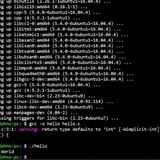
When I launch it, it updates and upgrades me correctly, but it doesn't reboot. It gives me this error.
How can I solve? Thank you.
https://preview.redd.it/ghlug79dewx91.jpg?width=1934&format=pjpg&auto=webp&s=a4245b31379dff8e74b954343b6afa1fd55ab18f
https://redd.it/ylt62g
@r_bash
#!/bin/sh
sshpass -p asdfg ssh root@192.168.5.192 opkg update
sshpass -p asdfg ssh root@192.168.5.192 opkg upgrade
sshpass -p asdfg ssh root@192.168.5.192 reboot
I have this little noscript to command from my MacBook, a Linux Enigma2 Decoder TV
I would simply like to run the update upgrade and finally reboot commands.
When I launch it, it updates and upgrades me correctly, but it doesn't reboot. It gives me this error.
How can I solve? Thank you.
https://preview.redd.it/ghlug79dewx91.jpg?width=1934&format=pjpg&auto=webp&s=a4245b31379dff8e74b954343b6afa1fd55ab18f
https://redd.it/ylt62g
@r_bash
reading CSV file and producing output
Hi All,
I'm in a little bit of a pickle and was wondering if someone could help with a small noscript.
I have this csv in this format:
root@ip-192-168-1-18:~# cat listing.csv
www.trust115.com/projectId=814aebb0113fcb9a1ad5a897,trust115.com/startingUserId=345bb1ce0113fcb9a1ad5a897,trust115.com/type=Workspace,trust115.com.com/wspaceid=2235a1ce91423fcc7ad5a897
www.trust115.com/projectId=814aebb0113fcb9a1ad5a897,trust115.com/startingUserId=345bb1ce0113fcb9a1ad5a897,trust115.com/type=Workspace,trust115.com.com/wspaceid=3335k11e31413ffc7vc51827
I'm looking at extracting the wspace id and then running the command below against each wspace id i extract to get the Used by run result.
root@ip-192-168-1-18: ~]$ kubectl describe pvc -n hardware-compute wspaceid-2235a1ce91423fcc7ad5a897 | grep run-
Used By: run-7354e65ba872320fa5e4862e-chb6b
Is there a quick way to noscript this?
https://redd.it/ylvijr
@r_bash
Hi All,
I'm in a little bit of a pickle and was wondering if someone could help with a small noscript.
I have this csv in this format:
root@ip-192-168-1-18:~# cat listing.csv
www.trust115.com/projectId=814aebb0113fcb9a1ad5a897,trust115.com/startingUserId=345bb1ce0113fcb9a1ad5a897,trust115.com/type=Workspace,trust115.com.com/wspaceid=2235a1ce91423fcc7ad5a897
www.trust115.com/projectId=814aebb0113fcb9a1ad5a897,trust115.com/startingUserId=345bb1ce0113fcb9a1ad5a897,trust115.com/type=Workspace,trust115.com.com/wspaceid=3335k11e31413ffc7vc51827
I'm looking at extracting the wspace id and then running the command below against each wspace id i extract to get the Used by run result.
root@ip-192-168-1-18: ~]$ kubectl describe pvc -n hardware-compute wspaceid-2235a1ce91423fcc7ad5a897 | grep run-
Used By: run-7354e65ba872320fa5e4862e-chb6b
Is there a quick way to noscript this?
https://redd.it/ylvijr
@r_bash
New to bash, please help with my function.
Hello!
I am making a function that I am going to put in bashrc like an alias. Here is a simplification:
I have several questions about this:
1. do you need to write "function" before the function?
2. is it "$whoami" or $(whoami) ?
3. do variable pahs need quotes?
4. do variables that contain paths with spaces ignored by
5. does
6. does the output reditection
7. does the
8. is the
9. is there a way to bundle this (with hardcoded paths ofc) into a single line? Because I haven't found how to do
Please if you can answer any of my questions, it would be great. I find so many sources online, but some do it this way some do it that way, and I can never deduce what the correct way is.
Thank you!
https://redd.it/ylxww2
@r_bash
Hello!
I am making a function that I am going to put in bashrc like an alias. Here is a simplification:
my_cp() = {
 user="$whoami"
 a="/home/$user/Desktop/project1"
 b="/run/media/$user/My\ USB/project1"
 err="/var/log/my_cp.log"
 desk="/home/$user/Desktop/ERROR_OCURRED.log"

 if ! cp -r $a $b 2> $err; then
  cp $err $desk
 fi
 echo "func done"
}
I have several questions about this:
1. do you need to write "function" before the function?
2. is it "$whoami" or $(whoami) ?
3. do variable pahs need quotes?
4. do variables that contain paths with spaces ignored by
\, need quotes?5. does
! really negate the output of the command with multiple components?6. does the output reditection
> really not influence the success or failure status of the command that is then negated by ! and evaluated with if? Without any braces or parantheses or anything?7. does the
if condition need to be put in [] brackets?8. is the
; at the end of the condition ok?9. is there a way to bundle this (with hardcoded paths ofc) into a single line? Because I haven't found how to do
(cp -r $a $b 2> $err || cp $err $desk) && echo "func done"Please if you can answer any of my questions, it would be great. I find so many sources online, but some do it this way some do it that way, and I can never deduce what the correct way is.
Thank you!
https://redd.it/ylxww2
@r_bash
reddit
New to bash, please help with my function.
Hello! I am making a function that I am going to put in bashrc like an alias. Here is a simplification: ``` my_cp() =...
Permission denied error after executing a shell noscript for SSHing into an instance
Hi guys,
I'm trying to develop an automation noscript for automatically generating a user's SSH key pair and uploading it in Jenkins, but am experiencing issues, as the SSH connection cannot be established:
ssh <user>@<ip> -- "sudo -i | mv /home/<user>/file /etc/asdf/asdf.bla"
the error is: mv: cannot stat 'path/to/file': permission denied
Everything in the noscript that's above the above line works just perfeclty, but when it comes to it it breaks with a permission denied error even tho there is sudo -i in the command
Any assistance would be greatly appreciated!
Thank you!
https://redd.it/ym0a2b
@r_bash
Hi guys,
I'm trying to develop an automation noscript for automatically generating a user's SSH key pair and uploading it in Jenkins, but am experiencing issues, as the SSH connection cannot be established:
ssh <user>@<ip> -- "sudo -i | mv /home/<user>/file /etc/asdf/asdf.bla"
the error is: mv: cannot stat 'path/to/file': permission denied
Everything in the noscript that's above the above line works just perfeclty, but when it comes to it it breaks with a permission denied error even tho there is sudo -i in the command
Any assistance would be greatly appreciated!
Thank you!
https://redd.it/ym0a2b
@r_bash
reddit
Permission denied error after executing a shell noscript for SSHing...
Hi guys, I'm trying to develop an automation noscript for automatically generating a user's SSH key pair and uploading it in Jenkins, but am...
[Newb] how do I assign variable to adb devices output?
Trying to automate adb command using a noscript
ADB="adb"
$ADB devices
output
id1 devices
id2 devices
id3 devices
How do i grab these and assign
MAIN=id1
SUB1=id2
SUB2=id3
When more than 1 id requires -s command, so do i use -lt 1? or do I write
if $adb_device > 1 then
do $ADB -s
else $ADB
Thanks
https://redd.it/ym54js
@r_bash
Trying to automate adb command using a noscript
ADB="adb"
$ADB devices
output
id1 devices
id2 devices
id3 devices
How do i grab these and assign
MAIN=id1
SUB1=id2
SUB2=id3
When more than 1 id requires -s command, so do i use -lt 1? or do I write
if $adb_device > 1 then
do $ADB -s
else $ADB
Thanks
https://redd.it/ym54js
@r_bash
reddit
[Newb] how do I assign variable to adb devices output?
Trying to automate adb command using a noscript ADB="adb" $ADB devices output id1 devices id2 devices id3 devices How do i grab these...
Argument count
With a function that takes a lot of arguments, where several of the arguments appear multiple times, is it possible to count exactly HOW many times any given argument occurred?
Example:
main() {
echo $1 $2 $3 $4 $5 $6 $7 $8 $9
}
main a b b n c c a n a
and then find how many times I used "a" as an argument?
https://redd.it/ymdi45
@r_bash
With a function that takes a lot of arguments, where several of the arguments appear multiple times, is it possible to count exactly HOW many times any given argument occurred?
Example:
main() {
echo $1 $2 $3 $4 $5 $6 $7 $8 $9
}
main a b b n c c a n a
and then find how many times I used "a" as an argument?
https://redd.it/ymdi45
@r_bash
reddit
Argument count
With a function that takes a lot of arguments, where several of the arguments appear multiple times, is it possible to count exactly HOW many...
How can I write the heroku pg:copy command?
Heroku allows to copy from one app database to another app database. The command is heroku
restore-a-backup
How do I write this in my bash noscript.
#!/bin/bash
echo $HEROKUAPPNAME
heroku pg:copy $HEROKUAPPNAME::$DATABASEURL $DATABASEURL --app $HEROKUAPPNAME
echo "Import is done."
bundle exec rake db:migrate
​
This is getting syntax error.
https://redd.it/ymnj63
@r_bash
Heroku allows to copy from one app database to another app database. The command is heroku
pg:copy example-app::HEROKU_POSTGRESQL_ORANGE_URL GREEN --app example-staging-apprestore-a-backup
How do I write this in my bash noscript.
#!/bin/bash
echo $HEROKUAPPNAME
heroku pg:copy $HEROKUAPPNAME::$DATABASEURL $DATABASEURL --app $HEROKUAPPNAME
echo "Import is done."
bundle exec rake db:migrate
​
This is getting syntax error.
https://redd.it/ymnj63
@r_bash
Heroku
Heroku PGBackups | Heroku Dev Center
Heroku PGBackups allows you to capture backups of your databases using logical backup techniques.
Using CSV field as an arguments in loop
Hi!
I'm trying to copy some files with a bash noscript. In the CSV file there would be two columns - file_path and copy_path, for example.
​
I want to loop through CSV and copy using
In powershell I would use each field as a variable, but in bash this does no work.
For now my bash noscript looks like this
​
​
Any help or direction appreciated :)
https://redd.it/ympovr
@r_bash
Hi!
I'm trying to copy some files with a bash noscript. In the CSV file there would be two columns - file_path and copy_path, for example.
​
I want to loop through CSV and copy using
cp file\_path copy\_pathIn powershell I would use each field as a variable, but in bash this does no work.
For now my bash noscript looks like this
​
#!/bin/bashwhile IFS="," read -r name pathdocp $name $pathdone < nfs.csv​
Any help or direction appreciated :)
https://redd.it/ympovr
@r_bash
reddit
Using CSV field as an arguments in loop
Hi! I'm trying to copy some files with a bash noscript. In the CSV file there would be two columns - file\_path and copy\_path, for...
Script issue that Lecturer couldn't solve?
I'm just beginning to study Bash noscripting at Uni, and none of my lecturers could work out why this noscript wouldn't work.
Is there anyone in this subreddit who can identify what's wrong?
The menu appears correctly, but then when an option is selected, it gives this:
​
./week6_lab.sh: line 23: syntax error near unexpected token `elif'
./week6_lab.sh: line 23: ` elif [ $choice == "2" \]; then'
​
I've tried commenting out the elif statements, but it just changes the error to the if statement.
Thanks
#!/usr/bin/bash
function menu
{
echo ""
echo "Please choose an option from the list below:"
echo ""
echo "1) List current folder contents"
echo "2) Echo logged in user"
echo "3) List contents of /etc/passwd/"
echo "4) Exit noscript"
echo ""
read -p "Option #: " choice
return $choice
}
menu
while $choice != "4"
do
if $choice == "1" ; then
{ ls }
elif $choice == "2" ; then
{ whoami }
elif $choice == "3" ; then
{ cat /etc/passwd/ }
fi
menu
choice=$?
done
exit 0;
https://redd.it/ymvg5k
@r_bash
I'm just beginning to study Bash noscripting at Uni, and none of my lecturers could work out why this noscript wouldn't work.
Is there anyone in this subreddit who can identify what's wrong?
The menu appears correctly, but then when an option is selected, it gives this:
​
./week6_lab.sh: line 23: syntax error near unexpected token `elif'
./week6_lab.sh: line 23: ` elif [ $choice == "2" \]; then'
​
I've tried commenting out the elif statements, but it just changes the error to the if statement.
Thanks
#!/usr/bin/bash
function menu
{
echo ""
echo "Please choose an option from the list below:"
echo ""
echo "1) List current folder contents"
echo "2) Echo logged in user"
echo "3) List contents of /etc/passwd/"
echo "4) Exit noscript"
echo ""
read -p "Option #: " choice
return $choice
}
menu
while $choice != "4"
do
if $choice == "1" ; then
{ ls }
elif $choice == "2" ; then
{ whoami }
elif $choice == "3" ; then
{ cat /etc/passwd/ }
fi
menu
choice=$?
done
exit 0;
https://redd.it/ymvg5k
@r_bash
reddit
Script issue that Lecturer couldn't solve?
I'm just beginning to study Bash noscripting at Uni, and none of my lecturers could work out why this noscript wouldn't work. Is there anyone in this...
How i can prevent killing the child processes in my noscript
Hi, i have this noscript:
Is a Minecraft launcher that i want to run with that command in front, the problem is that if i execute from the .sh, after finishing the command, the child processes are killed, and i cant get to the game itself.
thanks.
https://redd.it/ymxlsa
@r_bash
Hi, i have this noscript:
#!/bin/bash__NV_PRIME_RENDER_OFFLOAD=1 __GLX_VENDOR_LIBRARY_NAME=nvidia java -jar java.jar Is a Minecraft launcher that i want to run with that command in front, the problem is that if i execute from the .sh, after finishing the command, the child processes are killed, and i cant get to the game itself.
thanks.
https://redd.it/ymxlsa
@r_bash
reddit
How i can prevent killing the child processes in my noscript
Hi, i have this noscript: `#!/bin/bash` `__NV_PRIME_RENDER_OFFLOAD=1 __GLX_VENDOR_LIBRARY_NAME=nvidia java -jar java.jar` Is a Minecraft...
Convert lines from multiple text files into columns on a single csv file
Hi bash wizards, have been banging my head against the table trying to figure this out.
Let’s say I have three text files:
names.txt
Joe
Jane
Pablo
jobs.txt
butcher
golf player
pianist
favoritesports.txt
football
tennis
baseball
I’d like to take these three text files and create a single csv so it would end up looking like this:
output.csv
Joe,butcher,football
Jane,golf player,tennis
Pablo,pianist,baseball
Any help would be greatly appreciated!
https://redd.it/ymzrq1
@r_bash
Hi bash wizards, have been banging my head against the table trying to figure this out.
Let’s say I have three text files:
names.txt
Joe
Jane
Pablo
jobs.txt
butcher
golf player
pianist
favoritesports.txt
football
tennis
baseball
I’d like to take these three text files and create a single csv so it would end up looking like this:
output.csv
Joe,butcher,football
Jane,golf player,tennis
Pablo,pianist,baseball
Any help would be greatly appreciated!
https://redd.it/ymzrq1
@r_bash
reddit
Convert lines from multiple text files into columns on a single...
Hi bash wizards, have been banging my head against the table trying to figure this out. Let’s say I have three text files: names.txt Joe ...
Hello, im new to shell noscripts and i have a little bit of trouble with this task i got.
​
Let's create a shell noscript called orak.sh that processes a text data file specified in an argument and answers the given questions!
In the text file, the lessons of teachers are recorded. Line by line, the teacher's name, and by day his lessons are located, separated by commas.
e.g. Gypsum James, Mon 1 3 4 5, Tue 1 2 3, Wed, Thu 3 4 5 6 7, Fri 1 2 3 4
a) Specify the teacher(s) who do not have a Wednesday class - if everyone has one, write "NONE"
b) Specify per teacher how many hours each person has.
c) Scan a day and specify who does not have the first hour of the day
That's the task above, can anyone help me out with some code? Would really be grateful!
https://redd.it/yn5lr3
@r_bash
​
Let's create a shell noscript called orak.sh that processes a text data file specified in an argument and answers the given questions!
In the text file, the lessons of teachers are recorded. Line by line, the teacher's name, and by day his lessons are located, separated by commas.
e.g. Gypsum James, Mon 1 3 4 5, Tue 1 2 3, Wed, Thu 3 4 5 6 7, Fri 1 2 3 4
a) Specify the teacher(s) who do not have a Wednesday class - if everyone has one, write "NONE"
b) Specify per teacher how many hours each person has.
c) Scan a day and specify who does not have the first hour of the day
That's the task above, can anyone help me out with some code? Would really be grateful!
https://redd.it/yn5lr3
@r_bash
How do I go about mkdir with 3 different variables as a name of the directory?
How to mkdir with 2 different variables_$(date +%m-%d)
A=shopping
B=food
BOK=/Users/rpi/expense/book/$A_$B_$(date +"%m-%d")
mkdir -v -p "$BOK"
​
Only creates a directory with date. Any help would be appreciated.
https://redd.it/yniu94
@r_bash
How to mkdir with 2 different variables_$(date +%m-%d)
A=shopping
B=food
BOK=/Users/rpi/expense/book/$A_$B_$(date +"%m-%d")
mkdir -v -p "$BOK"
​
Only creates a directory with date. Any help would be appreciated.
https://redd.it/yniu94
@r_bash
reddit
How do I go about mkdir with 3 different variables as a name of...
How to mkdir with 2 different variables\_$(date +%m-%d) A=shopping B=food BOK=/Users/rpi/expense/book/$A\_$B\_$(date +"%m-%d") mkdir -v -p...
proper syntax in bash, running out of quotes/delimiting?
newbie mistake but how do I format this correctly:
#!/bin/bash
echo 'this noscript has been invoked by "$USER" ';
echo 'the default gateway is: "route | grep default | awk '{print $2}'
I've tried a bunch of stuff but surely I'm missing something.
Ideally I want to print out only the 1st column, 2rd row of:
default 192.***.**.** 0.0.0.0 UG 100 0 0 eth0
https://redd.it/ynmt56
@r_bash
newbie mistake but how do I format this correctly:
#!/bin/bash
echo 'this noscript has been invoked by "$USER" ';
echo 'the default gateway is: "route | grep default | awk '{print $2}'
I've tried a bunch of stuff but surely I'm missing something.
Ideally I want to print out only the 1st column, 2rd row of:
default 192.***.**.** 0.0.0.0 UG 100 0 0 eth0
https://redd.it/ynmt56
@r_bash
reddit
proper syntax in bash, running out of quotes/delimiting?
newbie mistake but how do I format this correctly: #!/bin/bash echo 'this noscript has been invoked by "$USER" '; echo 'the...
Wrote a little noscript to translate any text from a terminal
Wrote a bash noscript for myself, and wanted to share with you.
You can translate a text on the go, in your terminal on Google supported languages
https://github.com/mariodujic/Bash-Translate
https://redd.it/ynni09
@r_bash
Wrote a bash noscript for myself, and wanted to share with you.
You can translate a text on the go, in your terminal on Google supported languages
https://github.com/mariodujic/Bash-Translate
https://redd.it/ynni09
@r_bash
GitHub
GitHub - mariodujic/Bash-Translate
Contribute to mariodujic/Bash-Translate development by creating an account on GitHub.
variable in while not working as expected
hi im noob bash user \^_\^ and i have problem with my noscript
#!/bin/bash -e
RETURNARRAY=( )
findarray () {
unset RETURNARRAY
RETURNARRAY=()
i=0
find "$@" | while read FINDLINE
do
echo i $i
RETURNARRAY[$((i++))]="$FINDLINE"
echo ra* ${RETURNARRAY[*]}
echo ra0 ${RETURNARRAY[0]}
done
echo i-func $i
echo ra0-func ${RETURNARRAY[0]}
echo ra*-func ${RETURNARRAY[*]}
}
find . -type f -name "*.zip" -exec basename {} \; | while read FILE
do
NAME=$(echo $FILE | cut -d \( -f 1)
EXTRA=${FILE:${#NAME}}
findarray . -name "${NAME}\("
echo "ra0-main ${RETURNARRAY[0]}"
echo "ra-main ${RETURNARRAY*}"
if $(find . -name "$NAME\(*" | wc -l) -gt 1 ;
then
echo $FILE
fi
done
my problem is that RETURNSARRAY is always empty
ok not allways echos for ra0 ra works as expected but ra0-func ra\-func ra0-main ra*-main are allways empty
i-func is also 0
can you help me?
https://redd.it/ynslna
@r_bash
hi im noob bash user \^_\^ and i have problem with my noscript
#!/bin/bash -e
RETURNARRAY=( )
findarray () {
unset RETURNARRAY
RETURNARRAY=()
i=0
find "$@" | while read FINDLINE
do
echo i $i
RETURNARRAY[$((i++))]="$FINDLINE"
echo ra* ${RETURNARRAY[*]}
echo ra0 ${RETURNARRAY[0]}
done
echo i-func $i
echo ra0-func ${RETURNARRAY[0]}
echo ra*-func ${RETURNARRAY[*]}
}
find . -type f -name "*.zip" -exec basename {} \; | while read FILE
do
NAME=$(echo $FILE | cut -d \( -f 1)
EXTRA=${FILE:${#NAME}}
findarray . -name "${NAME}\("
echo "ra0-main ${RETURNARRAY[0]}"
echo "ra-main ${RETURNARRAY*}"
if $(find . -name "$NAME\(*" | wc -l) -gt 1 ;
then
echo $FILE
fi
done
my problem is that RETURNSARRAY is always empty
ok not allways echos for ra0 ra works as expected but ra0-func ra\-func ra0-main ra*-main are allways empty
i-func is also 0
can you help me?
https://redd.it/ynslna
@r_bash
reddit
variable in while not working as expected
hi im noob bash user \^\_\^ and i have problem with my noscript #!/bin/bash -e RETURNARRAY=( ) find_array () { unset...
How to shorten repetitive parts of a noscript?
I have had this in mind for a while now, but with no clue whatsoever if it's possible or not. Hope you guys can help me finally realize if it makes no sense or if it's something that can be done.
I have [this](https://github.com/rizzini/DotfilesGentooHome/blob/master/Documentos/noscripts/taskbar_disk_monitor.sh) noscript to print my storage devices' I/O stats. Basically, the noscript gets the stats of `/dev/sda`, `/dev/sdb` if exists, and `/dev/sdc` if exists, and, for each block device, it does the **exact** same if/else conditions for each. I have the feeling that the whole noscript could be a lot shorter.
Example:
if [ $((counter_no_data_sda+show_data_seconds)) == $counter_sda ]; then
do stuff;
fi
if [ $((counter_no_data_sdb+show_data_seconds)) == $counter_sdb ]; then
do stuff;
fi
if [ $((counter_no_data_sdc+show_data_seconds)) == $counter_sdc ]; then
do stuff;
fi
* As you guys can see, the only thing that changes is the name of the block devices, `sda`, `sdb`, and `sdc`.
**My question is**, is it possible to shorten these conditions to have one instead of three?
I'm thinking something like the example below. It's just an abstract idea, not real code:
if [ $((counter_no_data_sd{a,b,c}+show_data_seconds)) == $counter_sd{a,b,c} ]; then
do stuff;
fi
https://redd.it/yny9gh
@r_bash
I have had this in mind for a while now, but with no clue whatsoever if it's possible or not. Hope you guys can help me finally realize if it makes no sense or if it's something that can be done.
I have [this](https://github.com/rizzini/DotfilesGentooHome/blob/master/Documentos/noscripts/taskbar_disk_monitor.sh) noscript to print my storage devices' I/O stats. Basically, the noscript gets the stats of `/dev/sda`, `/dev/sdb` if exists, and `/dev/sdc` if exists, and, for each block device, it does the **exact** same if/else conditions for each. I have the feeling that the whole noscript could be a lot shorter.
Example:
if [ $((counter_no_data_sda+show_data_seconds)) == $counter_sda ]; then
do stuff;
fi
if [ $((counter_no_data_sdb+show_data_seconds)) == $counter_sdb ]; then
do stuff;
fi
if [ $((counter_no_data_sdc+show_data_seconds)) == $counter_sdc ]; then
do stuff;
fi
* As you guys can see, the only thing that changes is the name of the block devices, `sda`, `sdb`, and `sdc`.
**My question is**, is it possible to shorten these conditions to have one instead of three?
I'm thinking something like the example below. It's just an abstract idea, not real code:
if [ $((counter_no_data_sd{a,b,c}+show_data_seconds)) == $counter_sd{a,b,c} ]; then
do stuff;
fi
https://redd.it/yny9gh
@r_bash
GitHub
DotfilesGentooHome/taskbar_disk_monitor.sh at master · rizzini/DotfilesGentooHome
Contribute to rizzini/DotfilesGentooHome development by creating an account on GitHub.
Git batch mode?
I has been recently struggling to figure out a way to use git with bash noscripts(cronjobs), I don't know if there is something like a git batch mode, where I can read variables and text from a file when prompt to enter git credentials such like user email and token, sorry for the nook question, but could I have sources for studying how to use git with cronjobs?
The idea behind this tiny noscript is to keep a notations and general information repo always up to date.
https://redd.it/yoasq7
@r_bash
I has been recently struggling to figure out a way to use git with bash noscripts(cronjobs), I don't know if there is something like a git batch mode, where I can read variables and text from a file when prompt to enter git credentials such like user email and token, sorry for the nook question, but could I have sources for studying how to use git with cronjobs?
The idea behind this tiny noscript is to keep a notations and general information repo always up to date.
https://redd.it/yoasq7
@r_bash
reddit
Git batch mode?
I has been recently struggling to figure out a way to use git with bash noscripts(cronjobs), I don't know if there is something like a git batch...
Lesser-Known Options of Well-Known Unix/Linux Commands
https://levelup.gitconnected.com/lesser-known-options-of-well-known-unix-linux-commands-67acb60ea6c0?sk=f987c616b7ec9cc5a182487ee8518dba
https://redd.it/yocx84
@r_bash
https://levelup.gitconnected.com/lesser-known-options-of-well-known-unix-linux-commands-67acb60ea6c0?sk=f987c616b7ec9cc5a182487ee8518dba
https://redd.it/yocx84
@r_bash
Medium
Lesser-Known Options of Well-Known Unix/Linux Commands
Use these command-line switches in your terminal and shell noscripts to boost your productivity
Tar archive
I have
# files.txt:
file1.txt
file2.txt
file3.txt
here is my command:
tar -cvf archive.tar.gz cat files.txt
It creates an empty archive. What do I do wrong?
https://redd.it/yog6mi
@r_bash
I have
files.txt that contains list of files that I want to add to archive.tar.gz# files.txt:
file1.txt
file2.txt
file3.txt
here is my command:
tar -cvf archive.tar.gz cat files.txt
It creates an empty archive. What do I do wrong?
https://redd.it/yog6mi
@r_bash
reddit
Tar archive
I have `files.txt` that contains list of files that I want to add to `archive.tar.gz` # files.txt: file1.txt file2.txt ...