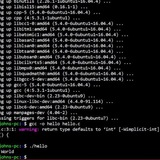
Command not found
When I try to use `date = ($date)` it says that the "command was not found". This is also the case for other commands like pwd and whoami. Anyone know whats up?
https://redd.it/zcj8rl
@r_bash
When I try to use `date = ($date)` it says that the "command was not found". This is also the case for other commands like pwd and whoami. Anyone know whats up?
https://redd.it/zcj8rl
@r_bash
reddit
Command not found
When I try to use \`date = ($date)\` it says that the "command was not found". This is also the case for other commands like pwd and whoami....
How to create a bashrc url fetch noscript?
I'm complete noob when it comes to shell and i'm learning so please tolerate me xD
i already have a alias set to download with yt-dlp and wget but can somone write me a noscript that i could put in my bashrc so i can just put the url without any alias in the terminal and start downloading like for example if i use https://youtu* it would start using yt-dlp and if i put https://** if would start using wget??
Thank you!
https://redd.it/zcoav5
@r_bash
I'm complete noob when it comes to shell and i'm learning so please tolerate me xD
i already have a alias set to download with yt-dlp and wget but can somone write me a noscript that i could put in my bashrc so i can just put the url without any alias in the terminal and start downloading like for example if i use https://youtu* it would start using yt-dlp and if i put https://** if would start using wget??
Thank you!
https://redd.it/zcoav5
@r_bash
reddit
How to create a bashrc url fetch noscript?
I'm complete noob when it comes to shell and i'm learning so please tolerate me xD i already have a alias set to download with yt-dlp and wget...
Need some help with a ffmpeg bash noscript
This is what I have:
#!/usr/bin/env bash
set -e
mkdir -p $HOME/Videos/WhatsPrep 2>/dev/null || true
for i in "$@"; do output=$(ls "$@" /path/glob | tr '\n' '\0' | xargs -0 -n 1 basename); ffmpeg -hide_banner -y -i "$i" -c:v libx264 -c:a aac -filter_complex scale=w=-2:h=720 -crf 24 -movflags +faststart -pix_fmt yuv420p "$HOME/Videos/WhatsPrep/${output%.*}.mp4"; done
What I'm trying to do is to let ffmpeg convert multiple files which are in different locations. However they create a single file with a filename which contains all output filenames. What am I doing wrong?
https://redd.it/zcri87
@r_bash
This is what I have:
#!/usr/bin/env bash
set -e
mkdir -p $HOME/Videos/WhatsPrep 2>/dev/null || true
for i in "$@"; do output=$(ls "$@" /path/glob | tr '\n' '\0' | xargs -0 -n 1 basename); ffmpeg -hide_banner -y -i "$i" -c:v libx264 -c:a aac -filter_complex scale=w=-2:h=720 -crf 24 -movflags +faststart -pix_fmt yuv420p "$HOME/Videos/WhatsPrep/${output%.*}.mp4"; done
What I'm trying to do is to let ffmpeg convert multiple files which are in different locations. However they create a single file with a filename which contains all output filenames. What am I doing wrong?
https://redd.it/zcri87
@r_bash
reddit
Need some help with a ffmpeg bash noscript
This is what I have: #!/usr/bin/env bash set -e mkdir -p $HOME/Videos/WhatsPrep 2>/dev/null || true for i in "$@"; do...
How can I write something into a file on an non-interactive shell?
I am relatively new to bash. I am trying to write something into a file using bash and Java.
In the interactive mode it works fine.
echo "Hello World" > new_file
But when I am, e.g. trying to execute this with help of the Java runtime nothing happens.
runtime.exec('echo "Hello World" > new_file');
doesn't work, while
runtime.exec('touch new_file');
works just fine.
Why is that and how can I make it work? Thanks in advance!
https://redd.it/zd1fnt
@r_bash
I am relatively new to bash. I am trying to write something into a file using bash and Java.
In the interactive mode it works fine.
echo "Hello World" > new_file
But when I am, e.g. trying to execute this with help of the Java runtime nothing happens.
runtime.exec('echo "Hello World" > new_file');
doesn't work, while
runtime.exec('touch new_file');
works just fine.
Why is that and how can I make it work? Thanks in advance!
https://redd.it/zd1fnt
@r_bash
reddit
How can I write something into a file on an non-interactive shell?
I am relatively new to bash. I am trying to write something into a file using bash and Java. In the interactive mode it works fine. echo...
What is @SOMETHING@ assigned to variable
Trying to read a bash noscript and I'm baffled with this construction. Never seen that before. Can some1 explain that to me?
https://redd.it/zd1rnx
@r_bash
Trying to read a bash noscript and I'm baffled with this construction. Never seen that before. Can some1 explain that to me?
https://redd.it/zd1rnx
@r_bash
reddit
What is @SOMETHING@ assigned to variable
Trying to read a bash noscript and I'm baffled with this construction. Never seen that before. Can some1 explain that to me?
quotes from command output are treated as literal characters?
i'm trying to build a noscript that opens a dialog box with radio buttons, each button being assigned a name. these names can contain spaces, so obviously i try to quote the output from the array which contains the names.
when i run my current attempt, being
for n in ${!list@}; do
printf "$n "
printf "\"${list$n}\" "
done
it works as intended. it outputs the index of the name, followed by the name itself, in quotes.
giving it
so when i wrap this in a nice $() and use that as arguments for kdialog (or a quick testing noscript that loops through all cli arguments) i would expect the shell to treat the quoted parts as single arguments, rather than treating the quotes as literal characters. so when i make a noscript "test.sh" which contains
#!/usr/bin/bash
for item in $@; do
echo $item
done
and run it like this
0
"test1"
1
"test2"
2
"test 3"
as output but instead i get
0
"test1"
1
"test2"
2
"test
3"
which leads me to believe that the shell is treating the quotes as literal. which sounds an awful lot like it's designed that way.
so is this supposed to happen? and is there a way around it?
i've already checked, single quotes don't work either.
https://redd.it/zd7axm
@r_bash
i'm trying to build a noscript that opens a dialog box with radio buttons, each button being assigned a name. these names can contain spaces, so obviously i try to quote the output from the array which contains the names.
when i run my current attempt, being
for n in ${!list@}; do
printf "$n "
printf "\"${list$n}\" "
done
it works as intended. it outputs the index of the name, followed by the name itself, in quotes.
giving it
list=(test1 test2 "test 3") outputs 0 "test1" 1 "test2" 2 "test 3" which is exactly what i need.so when i wrap this in a nice $() and use that as arguments for kdialog (or a quick testing noscript that loops through all cli arguments) i would expect the shell to treat the quoted parts as single arguments, rather than treating the quotes as literal characters. so when i make a noscript "test.sh" which contains
#!/usr/bin/bash
for item in $@; do
echo $item
done
and run it like this
/test.sh $(for n in ${!list[@]}; do printf "$n "; printf "\"${list[$n]}\" "; done) i would expect to see0
"test1"
1
"test2"
2
"test 3"
as output but instead i get
0
"test1"
1
"test2"
2
"test
3"
which leads me to believe that the shell is treating the quotes as literal. which sounds an awful lot like it's designed that way.
so is this supposed to happen? and is there a way around it?
i've already checked, single quotes don't work either.
https://redd.it/zd7axm
@r_bash
reddit
quotes from command output are treated as literal characters?
i'm trying to build a noscript that opens a dialog box with radio buttons, each button being assigned a name. these names can contain spaces, so...
Help with homebrew and bash
Hi everyone, I've changed my shell to the homebrew bash after installing homebrew in zsh. When I use "brew" it tells me that the command is not found. Is there some way to use both the homebrew bash and also be able to access homebrew while inside that bash?
Currently I am using the /opt/homebrew/bin/bash and it will not allow me to use the “brew” command.
Thank you!
https://redd.it/zdfrfp
@r_bash
Hi everyone, I've changed my shell to the homebrew bash after installing homebrew in zsh. When I use "brew" it tells me that the command is not found. Is there some way to use both the homebrew bash and also be able to access homebrew while inside that bash?
Currently I am using the /opt/homebrew/bin/bash and it will not allow me to use the “brew” command.
Thank you!
https://redd.it/zdfrfp
@r_bash
reddit
Help with homebrew and bash
Hi everyone, I've changed my shell to the homebrew bash after installing homebrew in zsh. When I use "brew" it tells me that the command is not...
Bash syntax - why?
Hi folks,
I just came across the bash syntax for a switch statement. It's... surprising.
Are there any resources online that explain how this syntax came to existence, and why it is still in use today?
https://redd.it/zeepuh
@r_bash
Hi folks,
I just came across the bash syntax for a switch statement. It's... surprising.
Are there any resources online that explain how this syntax came to existence, and why it is still in use today?
https://redd.it/zeepuh
@r_bash
Linuxize
Bash Case Statement
This tutorial will cover the basics of the Bash case statement and show you how to use it in your shell noscripts.
Hey y’all i’m super new to bashing and i’m curious on where to start. I know nothing about bash but i was going to ask if y’all have any resources to help me get started with it? thank you!
https://redd.it/zem5a0
@r_bash
https://redd.it/zem5a0
@r_bash
reddit
Hey y’all i’m super new to bashing and i’m curious on where to...
Posted in r/bash by u/Psychological_One479 • 1 point and 1 comment
Replace hostname
Hi All,
I am planning to replace existing hostname by making simple interactive noscript
#!/bin/bash
echo "Set Hostname"
read name1
name='cat /proc/sys/kernel/hostname'
sed -i 's/$name/$name1/g' /etc/hostname
hostname $name1
The issue here is - it changes hostname. I exit and log back in. I see new hostname. But nothing gets changed in /etc/hostname file. reboot and I am back to old hostname.
​
What am I missing here?
https://redd.it/zexcn4
@r_bash
Hi All,
I am planning to replace existing hostname by making simple interactive noscript
#!/bin/bash
echo "Set Hostname"
read name1
name='cat /proc/sys/kernel/hostname'
sed -i 's/$name/$name1/g' /etc/hostname
hostname $name1
The issue here is - it changes hostname. I exit and log back in. I see new hostname. But nothing gets changed in /etc/hostname file. reboot and I am back to old hostname.
​
What am I missing here?
https://redd.it/zexcn4
@r_bash
reddit
Replace hostname
Hi All, I am planning to replace existing hostname by making simple interactive noscript #!/bin/bash echo "Set Hostname" read name1 ...
Finding a 5 digit code for a locked zip file
As the noscript states, I am looking to create a noscript that goes through 0 to 99999 and once it finds the right code it unlocks and unzips the contents. I know the use of a for loop and it will be slow but that's nothing to worry about for my noscript. The locked file is using 7-zip.
https://redd.it/zey4h8
@r_bash
As the noscript states, I am looking to create a noscript that goes through 0 to 99999 and once it finds the right code it unlocks and unzips the contents. I know the use of a for loop and it will be slow but that's nothing to worry about for my noscript. The locked file is using 7-zip.
https://redd.it/zey4h8
@r_bash
reddit
Finding a 5 digit code for a locked zip file
As the noscript states, I am looking to create a noscript that goes through 0 to 99999 and once it finds the right code it unlocks and unzips the...
Reading stdin of a parent process from within a child process?
# edit: Excellent solution by oh5nxo
{
coproc {
while read -sn1 -u3 line # original stdin
do
echo "coproc got $line" >&4 # original stdout
done
}
} 3<&0 4>&1 # hackery to "ship" stdin and stdout into coprocess
while sleep 1
do
echo "toplevel doing other things"
done
[https://www.reddit.com/r/bash/comments/zeyt4f/comment/iz9el4q/?utm\_source=share&utm\_medium=web2x&context=3](https://www.reddit.com/r/bash/comments/zeyt4f/comment/iz9el4q/?utm_source=share&utm_medium=web2x&context=3)
# Objective:
Reading `stdin` of the parent process ongoing from within a coproc child process.
* Can't use root
* Can't block the parent process
* Can't use `read` in the parent process because even if it's not blocking for long it's very messy and defeats the purpose of having an unhindered co-running process (see: `read` examples below).
# What I have:
ParentPid=$$
coproc {
exec 1>/proc/$ParentPid/fd/1 2>/proc/$ParentPid/fd/2
printf '\n%s\n' 'COPROC reading...' 2>&1
while true; do
read -n 1
printf 'KEY: >%q<\n' "$REPLY"
done
}
# Output should look like:
...the following when `asdf` is typed or sent into `stdin` of the parent process:
KEY: >a<
KEY: >s<
KEY: >d<
KEY: >f<
# Example output if something isn't working:
asdf
# Solutions that don't work:
/dev/stdin>/proc/$!/fd/0
# bash: /dev/stdin: Permission denied
/dev/stdin>&"${COPROC[1]}"
# bash: /dev/stdin: Permission denied
/proc/$$/fd/0>&"${COPROC[1]}"
# bash: /proc/13852/fd/0: Permission denied
# ___Inside coproc process___
exec /proc/$ParentPid/fd/0>&0
/bin/bash: line 3: exec: /proc/16449/fd/0: cannot execute: Permission denied
Works but blocks the parent process:
while true; do
read -s -n 1
echo -n "$REPLY" >&"${COPROC[1]}"
done
Works but it's sloppy, can leak text onto the tty and lags input if "do other things" takes too long:
while true; do
read -s -t 0.1 -n 999
echo -n "$REPLY" >&"${COPROC[1]}"
# do other things
sleep 0.5
done
Completely at the end of my rope on how to solve this, any help is greatly appreciated.
Big thank you,
https://redd.it/zeyt4f
@r_bash
# edit: Excellent solution by oh5nxo
{
coproc {
while read -sn1 -u3 line # original stdin
do
echo "coproc got $line" >&4 # original stdout
done
}
} 3<&0 4>&1 # hackery to "ship" stdin and stdout into coprocess
while sleep 1
do
echo "toplevel doing other things"
done
[https://www.reddit.com/r/bash/comments/zeyt4f/comment/iz9el4q/?utm\_source=share&utm\_medium=web2x&context=3](https://www.reddit.com/r/bash/comments/zeyt4f/comment/iz9el4q/?utm_source=share&utm_medium=web2x&context=3)
# Objective:
Reading `stdin` of the parent process ongoing from within a coproc child process.
* Can't use root
* Can't block the parent process
* Can't use `read` in the parent process because even if it's not blocking for long it's very messy and defeats the purpose of having an unhindered co-running process (see: `read` examples below).
# What I have:
ParentPid=$$
coproc {
exec 1>/proc/$ParentPid/fd/1 2>/proc/$ParentPid/fd/2
printf '\n%s\n' 'COPROC reading...' 2>&1
while true; do
read -n 1
printf 'KEY: >%q<\n' "$REPLY"
done
}
# Output should look like:
...the following when `asdf` is typed or sent into `stdin` of the parent process:
KEY: >a<
KEY: >s<
KEY: >d<
KEY: >f<
# Example output if something isn't working:
asdf
# Solutions that don't work:
/dev/stdin>/proc/$!/fd/0
# bash: /dev/stdin: Permission denied
/dev/stdin>&"${COPROC[1]}"
# bash: /dev/stdin: Permission denied
/proc/$$/fd/0>&"${COPROC[1]}"
# bash: /proc/13852/fd/0: Permission denied
# ___Inside coproc process___
exec /proc/$ParentPid/fd/0>&0
/bin/bash: line 3: exec: /proc/16449/fd/0: cannot execute: Permission denied
Works but blocks the parent process:
while true; do
read -s -n 1
echo -n "$REPLY" >&"${COPROC[1]}"
done
Works but it's sloppy, can leak text onto the tty and lags input if "do other things" takes too long:
while true; do
read -s -t 0.1 -n 999
echo -n "$REPLY" >&"${COPROC[1]}"
# do other things
sleep 0.5
done
Completely at the end of my rope on how to solve this, any help is greatly appreciated.
Big thank you,
https://redd.it/zeyt4f
@r_bash
reddit
Reading stdin of a parent process from within a child process?
# edit: Excellent solution by oh5nxo { coproc { while read -sn1 -u3 line # original stdin do echo "coproc got...
what is this? !::=::\
Running
!::=::\
Any ideas?
https://redd.it/zf48j3
@r_bash
Running
env in bash in cygwin terminal shows this in my environment variables and I am ashamed to say I don't have any idea what it does or what it's for:!::=::\
Any ideas?
https://redd.it/zf48j3
@r_bash
reddit
what is this? !::=::\
Running `env` in bash in cygwin terminal shows this in my environment variables and I am ashamed to say I don't have any idea what it does or what...
I'm preparing for the LPIC-1 exam and I cannot figure out why the correct answers to this question are the marked ones. Can someone help me?
https://redd.it/zf6nte
@r_bash
https://redd.it/zf6nte
@r_bash
Why is the output in a different order?
declare -A beatles
beatles=(
singer=John
bassist=Paul
drummer=Ringo
guitarist=George
)
# Loop as written in the O'Reilly book
for musician in singer bassist drummer guitarist
do
echo "The ${musician} is ${beatles$musician}."
done
echo
# My way
for i in "${!beatles@}"
do
printf '%s\n' "The $i is ${beatles${i}}."
done
https://redd.it/zf7g2o
@r_bash
declare -A beatles
beatles=(
singer=John
bassist=Paul
drummer=Ringo
guitarist=George
)
# Loop as written in the O'Reilly book
for musician in singer bassist drummer guitarist
do
echo "The ${musician} is ${beatles$musician}."
done
echo
# My way
for i in "${!beatles@}"
do
printf '%s\n' "The $i is ${beatles${i}}."
done
https://redd.it/zf7g2o
@r_bash
reddit
Why is the output in a different order?
declare -A beatles beatles=( [singer]=John [bassist]=Paul [drummer]=Ringo [guitarist]=George ) # Loop as...
Hello guys! Im writing to here with the last hope. Im doing my first semester in uni and I have to write a bash noscript and I cant do it, I’Ve seen a lot of videos but I just simply dont understand it. I have 15 hours to make it so please, if anyone can help, help!
My homework is called Letter/Email Script (idk whice one, im not native english).
The denoscription to is:
“The program runs in the background and monitors incoming mail, if the subject of the mail is a certain pre-specified text (argument), then the
takes the contents of the letter as the sh shell noscript, executes it, and captures its output and sends it back to the sender. Don't disturb others during rehearsals”
I translated the dinoscription with google so Idk how accurate is it. :(
https://redd.it/zfdik9
@r_bash
My homework is called Letter/Email Script (idk whice one, im not native english).
The denoscription to is:
“The program runs in the background and monitors incoming mail, if the subject of the mail is a certain pre-specified text (argument), then the
takes the contents of the letter as the sh shell noscript, executes it, and captures its output and sends it back to the sender. Don't disturb others during rehearsals”
I translated the dinoscription with google so Idk how accurate is it. :(
https://redd.it/zfdik9
@r_bash
reddit
Hello guys! Im writing to here with the last hope. Im doing my...
My homework is called Letter/Email Script (idk whice one, im not native english). The denoscription to is: “The program runs in the background and...
Losing my mind trying to add to my startup noscript
Hi folks! I am working on setting up Robot Operating System on Ubuntu 22.04LTS. I need to add an
I can't figure out how to do this - i've just been told that stuff about ~/.bashrc, which I opened in vim. I looked at it and i don't see where I would add the
Thanks in advance!
https://redd.it/zfh9p0
@r_bash
Hi folks! I am working on setting up Robot Operating System on Ubuntu 22.04LTS. I need to add an
echo line to my startup noscript, so that when I open my terminal it will automatically run a source command to setup the source for ROS.I can't figure out how to do this - i've just been told that stuff about ~/.bashrc, which I opened in vim. I looked at it and i don't see where I would add the
echo line. If anyone can provide advice, or point me towards a helpful resource, I'd greatly appreciate it.Thanks in advance!
https://redd.it/zfh9p0
@r_bash
reddit
Losing my mind trying to add to my startup noscript
Hi folks! I am working on setting up Robot Operating System on Ubuntu 22.04LTS. I need to add an `echo` line to my startup noscript, so that when I...
Spoof MAC address to random Apple vendor and Change to random IP according to current network ID
# CREATED BY: Zerodark875
# PROOF OF CONCEPT
if [[ $(id -u) -ne 0 ]]; then
echo "Need root. Quiting."
exit 1
fi
if [[ -z ${1} ]]; then
echo "Usage: ${0} [network_device]\nExample: ${0} eth0"
exit 2
fi
net_dev=${1}
current_ip=$(ip addr show ${net_dev} | grep -w inet | awk -F' ' {'print$2'} | cut -f1 -d'/')
network_id=$(echo ${current_ip} | awk -F'.' {'print$1"."$2"."$3'})
current_mac=$(ip link show ${net_dev} | grep -w ether | awk -F" " {'print $2'})
apple_mac_addresses=$(macchanger --list=Apple | cut -f3 -d" " | awk {'if ($1 != ""){print$1}'})
apple_mac_address_length=$(wc -l<<<${apple_mac_addresses})
picked_apple_mac_address=$(expr $(expr ${RANDOM} % ${apple_mac_address_length}) + 1)
vendor_id=$(echo ${apple_mac_addresses} | awk -v line=${picked_apple_mac_address} -F" " {'print$line'})
final_mac_address="${vendor_id}:$(expr $(expr ${RANDOM} % 89) + 10):$(expr $(expr ${RANDOM} % 89) + 10):$(expr $(expr ${RANDOM} % 89) + 10)"
final_ip="${network_id}.$(expr $(expr ${RANDOM} % 254) + 1)"
echo "Generating new ip and Mac address with Apple as vendor ID ;)"
echo "Current IP: ${current_ip} Current MAC: ${current_mac}"
echo ${final_ip} ${final_mac_address}
echo -n "Apply changes to the machine? (N/y):"
read choice
c=$(awk {'print tolower($0)'} <<< ${choice})
if [[ ${c} == "y" ]]; then
echo "Changing mac address to ${final_mac_address}"
ip link set ${net_dev} down
macchanger -m ${final_mac_address} ${net_dev}
ip link set ${net_dev} up
echo "Mac address changed. Waiting 5 seconds for new IP from DHCP server then we change it again"
sleep 5
current_ip=$(ip addr show ${net_dev} | grep -w inet | awk -F' ' {'print$2'} | cut -f1 -d'/')
echo "Deleting current IP ${current_ip}"
ip addr del ${current_ip}/24 dev ${net_dev}
echo "Adding new IP ${final_ip}"
ip addr add ${final_ip}/24 dev ${net_dev}
fi
https://redd.it/zfreok
@r_bash
# CREATED BY: Zerodark875
# PROOF OF CONCEPT
if [[ $(id -u) -ne 0 ]]; then
echo "Need root. Quiting."
exit 1
fi
if [[ -z ${1} ]]; then
echo "Usage: ${0} [network_device]\nExample: ${0} eth0"
exit 2
fi
net_dev=${1}
current_ip=$(ip addr show ${net_dev} | grep -w inet | awk -F' ' {'print$2'} | cut -f1 -d'/')
network_id=$(echo ${current_ip} | awk -F'.' {'print$1"."$2"."$3'})
current_mac=$(ip link show ${net_dev} | grep -w ether | awk -F" " {'print $2'})
apple_mac_addresses=$(macchanger --list=Apple | cut -f3 -d" " | awk {'if ($1 != ""){print$1}'})
apple_mac_address_length=$(wc -l<<<${apple_mac_addresses})
picked_apple_mac_address=$(expr $(expr ${RANDOM} % ${apple_mac_address_length}) + 1)
vendor_id=$(echo ${apple_mac_addresses} | awk -v line=${picked_apple_mac_address} -F" " {'print$line'})
final_mac_address="${vendor_id}:$(expr $(expr ${RANDOM} % 89) + 10):$(expr $(expr ${RANDOM} % 89) + 10):$(expr $(expr ${RANDOM} % 89) + 10)"
final_ip="${network_id}.$(expr $(expr ${RANDOM} % 254) + 1)"
echo "Generating new ip and Mac address with Apple as vendor ID ;)"
echo "Current IP: ${current_ip} Current MAC: ${current_mac}"
echo ${final_ip} ${final_mac_address}
echo -n "Apply changes to the machine? (N/y):"
read choice
c=$(awk {'print tolower($0)'} <<< ${choice})
if [[ ${c} == "y" ]]; then
echo "Changing mac address to ${final_mac_address}"
ip link set ${net_dev} down
macchanger -m ${final_mac_address} ${net_dev}
ip link set ${net_dev} up
echo "Mac address changed. Waiting 5 seconds for new IP from DHCP server then we change it again"
sleep 5
current_ip=$(ip addr show ${net_dev} | grep -w inet | awk -F' ' {'print$2'} | cut -f1 -d'/')
echo "Deleting current IP ${current_ip}"
ip addr del ${current_ip}/24 dev ${net_dev}
echo "Adding new IP ${final_ip}"
ip addr add ${final_ip}/24 dev ${net_dev}
fi
https://redd.it/zfreok
@r_bash
reddit
Spoof MAC address to random Apple vendor and Change to random IP...
# CREATED BY: Zerodark875 # PROOF OF CONCEPT if [[ $(id -u) -ne 0 ]]; then echo "Need root. Quiting." exit 1 fi ...