An extended which alias
Hello guys. I found this reddit yesterday. It's nice.
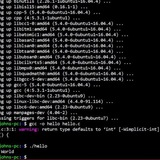
Thought I'd share an alias fresh from the press. I use aliases, and it is cumbersome to have to use `alias` and `which` / `which -a` to figure out what is going on, at times, so, I made a `which alias` that caters for both cases, and thereby having a centralized point of inspection, and here it is:
alias which='f() { [ $# -eq 2 ] && SEARCH=$2 || SEARCH=$1 ; alias $SEARCH &>/dev/null && alias $SEARCH; \which $* ; unset -f f ; } ; f'
It prints out any alias you may have made for the command, before you get either the command that is first in the path with that name, or all, in order of appearance of the path.
`man which`
This command, only applies to those, that doesn't have aliases returned by `which`, and if you prefer it as a shell noscript, it should be easy to rework it.
**Edit**
Here is the accompanying `what` command, that displays the noscript, or alias, by a construction like this:
what ` which what`
Here is `what`
#!/bin/bash
file "$1" | grep ASCII >/dev/null
if [ $? -eq 0 ] ; then
batcat --style="header" --theme "$BATCATTHEME" $(which $1)
else
[ -f "$1" ] && file $1 || echo "$1" alias >/dev/null && echo $@
fi
Enjoy, and thank you for your contributions.
https://redd.it/105msez
@r_bash
Hello guys. I found this reddit yesterday. It's nice.
Thought I'd share an alias fresh from the press. I use aliases, and it is cumbersome to have to use `alias` and `which` / `which -a` to figure out what is going on, at times, so, I made a `which alias` that caters for both cases, and thereby having a centralized point of inspection, and here it is:
alias which='f() { [ $# -eq 2 ] && SEARCH=$2 || SEARCH=$1 ; alias $SEARCH &>/dev/null && alias $SEARCH; \which $* ; unset -f f ; } ; f'
It prints out any alias you may have made for the command, before you get either the command that is first in the path with that name, or all, in order of appearance of the path.
`man which`
This command, only applies to those, that doesn't have aliases returned by `which`, and if you prefer it as a shell noscript, it should be easy to rework it.
**Edit**
Here is the accompanying `what` command, that displays the noscript, or alias, by a construction like this:
what ` which what`
Here is `what`
#!/bin/bash
file "$1" | grep ASCII >/dev/null
if [ $? -eq 0 ] ; then
batcat --style="header" --theme "$BATCATTHEME" $(which $1)
else
[ -f "$1" ] && file $1 || echo "$1" alias >/dev/null && echo $@
fi
Enjoy, and thank you for your contributions.
https://redd.it/105msez
@r_bash
reddit
An extended which alias
Hello guys. I found this reddit yesterday. It's nice. Thought I'd share an alias fresh from the press. I use aliases, and it is cumbersome to...
Sshto update
Happiu-piu New Year to all!
Guess everyone stepped into this:
@@@@@@@@@@@@@@@@@@@@@@@@@@@@@@@@@@@@@@@@@@@@@@@@@@@@@@@@@@@
@ WARNING: REMOTE HOST IDENTIFICATION HAS CHANGED! @
@@@@@@@@@@@@@@@@@@@@@@@@@@@@@@@@@@@@@@@@@@@@@@@@@@@@@@@@@@@
IT IS POSSIBLE THAT SOMEONE IS DOING SOMETHING NASTY!
Someone could be eavesdropping on you right now (man-in-the-middle attack)!
It is also possible that a host key has just been changed.
The fingerprint for the ECDSA key sent by the remote host is
...
And most of the time it's not something nasty but reinstalled VM or server. To fix this you had to remove host from known\_hosts file and then set it back. I've automated this process in sshto via Fix\_id command:
sshto commands list
Have fun!)
https://redd.it/105umac
@r_bash
Happiu-piu New Year to all!
Guess everyone stepped into this:
@@@@@@@@@@@@@@@@@@@@@@@@@@@@@@@@@@@@@@@@@@@@@@@@@@@@@@@@@@@
@ WARNING: REMOTE HOST IDENTIFICATION HAS CHANGED! @
@@@@@@@@@@@@@@@@@@@@@@@@@@@@@@@@@@@@@@@@@@@@@@@@@@@@@@@@@@@
IT IS POSSIBLE THAT SOMEONE IS DOING SOMETHING NASTY!
Someone could be eavesdropping on you right now (man-in-the-middle attack)!
It is also possible that a host key has just been changed.
The fingerprint for the ECDSA key sent by the remote host is
...
And most of the time it's not something nasty but reinstalled VM or server. To fix this you had to remove host from known\_hosts file and then set it back. I've automated this process in sshto via Fix\_id command:
sshto commands list
Have fun!)
https://redd.it/105umac
@r_bash
GitHub
GitHub - vaniacer/piu-piu-SH at starship
This is an Old School horizontal scroller 'Shoot Them All' game in bash. With multiplayer modes team and duel. You have to defeat 100 aliens to fight with Boss. I'm using ne...
"Polus" A new amazing theme for Bash
If you are looking for a good-looking, fast and lightweight theme for Bash, then you must use "Polus". Its fully written in Bash under 60 lines of code and doesn't require additional dependencies.
https://github.com/rashed145/polus-bash-theme
https://redd.it/105z38u
@r_bash
If you are looking for a good-looking, fast and lightweight theme for Bash, then you must use "Polus". Its fully written in Bash under 60 lines of code and doesn't require additional dependencies.
https://github.com/rashed145/polus-bash-theme
https://redd.it/105z38u
@r_bash
GitHub
GitHub - rashed145/polus-bash-theme: Modern lightweight Bash theme
Modern lightweight Bash theme. Contribute to rashed145/polus-bash-theme development by creating an account on GitHub.
Question for an example in the oreillys book on bash?
What does it mean if there is just a string, no other test arguments in square brackets. What is it testing for?
The image/code I am referring to is : https://imgur.com/a/7D1HirV
https://redd.it/10664i2
@r_bash
What does it mean if there is just a string, no other test arguments in square brackets. What is it testing for?
The image/code I am referring to is : https://imgur.com/a/7D1HirV
https://redd.it/10664i2
@r_bash
Imgur
Post with 1 views.
PS1 exit code function
I have been customizing my PS1 and I only want an error code to populate if it is non-zero. I wrote a simple function that works if I call it from the CLI but in the PS1 it always returns as 0. I'm thinking because the other functions/noscripts running in PS1 are exiting 0. How do I work around this or am I just wrong...lolz.
PS1='\[$(tput sc; rightprompt; tput rc)\][\A] [\w] `RAM_USE``CPU_USE`\n`EXIT_CODE`-->'
function EXIT_CODE {
if [[ $? = 0 ]]; then
sleep 0
else
echo "[$?]"
fi
}
https://redd.it/106gygr
@r_bash
I have been customizing my PS1 and I only want an error code to populate if it is non-zero. I wrote a simple function that works if I call it from the CLI but in the PS1 it always returns as 0. I'm thinking because the other functions/noscripts running in PS1 are exiting 0. How do I work around this or am I just wrong...lolz.
PS1='\[$(tput sc; rightprompt; tput rc)\][\A] [\w] `RAM_USE``CPU_USE`\n`EXIT_CODE`-->'
function EXIT_CODE {
if [[ $? = 0 ]]; then
sleep 0
else
echo "[$?]"
fi
}
https://redd.it/106gygr
@r_bash
reddit
PS1 exit code function
I have been customizing my PS1 and I only want an error code to populate if it is non-zero. I wrote a simple function that works if I call it from...
Can't properly execute Bash variable as options
I have a [noscript](https://gist.github.com/mbierman/6cf22430ca0c2ddb699ac8780ef281ef) that defines a variable that becomes equal to the following. This variable , "args" includes other variables which have to be expanded to complete it.
--name=homebridge --hostname=homebridge --env=HOMEBRIDGE_CONFIG_UI_PORT=8581 --env=PATH=/opt/homebridge/bin:/var/lib/homebridge/node_modules/.bin:/usr/local/sbin:/usr/local/bin:/usr/sbin:/usr/bin:/sbin:/bin --env=S6_OVERLAY_VERSION=3.1.1.2--env=S6_CMD_WAIT_FOR_SERVICES_MAXTIME=0 --env=S6_KEEP_ENV=1 --env=ENABLE_AVAHI=0 --env=USER=root --env=HOMEBRIDGE_APT_PACKAGE=1 --env=UIX_CUSTOM_PLUGIN_PATH=/var/lib/homebridge/node_modules --env=HOME=/home/homebridge --env=npm_config_prefix=/opt/homebridge --env=npm_config_global_style=true --env=npm_config_audit=false --env=npm_config_fund=false --env=npm_config_update_notifier=false --env=npm_config_loglevel=error --env=HOMEBRIDGE_PKG_VERSION=1.0.33 --volume=/volume1/docker/homebridge:/homebridge:rw --volume=/homebridge --network=host --workdir=/homebridge --restart=always --label='org.opencontainers.image.noscript=Homebridge in Docker' --label='org.opencontainers.image.authors=oznu' --label='org.opencontainers.image.licenses=GPL-3.0' --label='org.opencontainers.image.url=https://github.com/oznu/docker-homebridge' --label='org.opencontainers.image.denoscription=Official Homebridge Docker Image' --log-driver=db --runtime=runc --detach=true -t oznu/homebridge:ubuntu
The variable is defined perfectly and returns what I need and expect.
I then want to execute the arguments in $args, like so:
`sudo docker run "$args"` or `sudo docker run $args`
The problem is I get
sudo docker run '
--name=homebridge --hostname=homebridge --env=HOMEBRIDGE_CONFIG_UI_PORT=8581 --env=PATH=/opt/homebridge/bin:/var/lib/homebridge/node_modules/.bin:/usr/local/sbin:/usr/local/bin:/usr/sbin:/usr/bin:/sbin:/bin --env=S6_OVERLAY_VERSION=3.1.1.2--env=S6_CMD_WAIT_FOR_SERVICES_MAXTIME=0 --env=S6_KEEP_ENV=1 --env=ENABLE_AVAHI=0 --env=USER=root --env=HOMEBRIDGE_APT_PACKAGE=1 --env=UIX_CUSTOM_PLUGIN_PATH=/var/lib/homebridge/node_modules --env=HOME=/home/homebridge --env=npm_config_prefix=/opt/homebridge --env=npm_config_global_style=true --env=npm_config_audit=false --env=npm_config_fund=false --env=npm_config_update_notifier=false --env=npm_config_loglevel=error --env=HOMEBRIDGE_PKG_VERSION=1.0.33 --volume=/volume1/docker/homebridge:/homebridge:rw --volume=/homebridge --network=host --workdir=/homebridge --restart=always --label='\''org.opencontainers.image.noscript=Homebridge in Docker'\'' --label='\''org.opencontainers.image.authors=oznu'\'' --label='\''org.opencontainers.image.licenses=GPL-3.0'\'' --label='\''org.opencontainers.image.url=https://github.com/oznu/docker-homebridge'\'' --label='\''org.opencontainers.image.denoscription=Official Homebridge Docker Image'\'' --log-driver=db --runtime=runc --detach=true -t oznu/homebridge:ubuntu'
which fails. Obviously I'm not escaping something properly or something like that but I'm not seeing how to solve it.
If I simply echo the entire command rather than executing it, it comes out fine and if executed, works but I want this to work interactively.
sudo docker run --name=homebridge --hostname=homebridge --env=HOMEBRIDGE_CONFIG_UI_PORT=8581
I have a [noscript](https://gist.github.com/mbierman/6cf22430ca0c2ddb699ac8780ef281ef) that defines a variable that becomes equal to the following. This variable , "args" includes other variables which have to be expanded to complete it.
--name=homebridge --hostname=homebridge --env=HOMEBRIDGE_CONFIG_UI_PORT=8581 --env=PATH=/opt/homebridge/bin:/var/lib/homebridge/node_modules/.bin:/usr/local/sbin:/usr/local/bin:/usr/sbin:/usr/bin:/sbin:/bin --env=S6_OVERLAY_VERSION=3.1.1.2--env=S6_CMD_WAIT_FOR_SERVICES_MAXTIME=0 --env=S6_KEEP_ENV=1 --env=ENABLE_AVAHI=0 --env=USER=root --env=HOMEBRIDGE_APT_PACKAGE=1 --env=UIX_CUSTOM_PLUGIN_PATH=/var/lib/homebridge/node_modules --env=HOME=/home/homebridge --env=npm_config_prefix=/opt/homebridge --env=npm_config_global_style=true --env=npm_config_audit=false --env=npm_config_fund=false --env=npm_config_update_notifier=false --env=npm_config_loglevel=error --env=HOMEBRIDGE_PKG_VERSION=1.0.33 --volume=/volume1/docker/homebridge:/homebridge:rw --volume=/homebridge --network=host --workdir=/homebridge --restart=always --label='org.opencontainers.image.noscript=Homebridge in Docker' --label='org.opencontainers.image.authors=oznu' --label='org.opencontainers.image.licenses=GPL-3.0' --label='org.opencontainers.image.url=https://github.com/oznu/docker-homebridge' --label='org.opencontainers.image.denoscription=Official Homebridge Docker Image' --log-driver=db --runtime=runc --detach=true -t oznu/homebridge:ubuntu
The variable is defined perfectly and returns what I need and expect.
I then want to execute the arguments in $args, like so:
`sudo docker run "$args"` or `sudo docker run $args`
The problem is I get
sudo docker run '
--name=homebridge --hostname=homebridge --env=HOMEBRIDGE_CONFIG_UI_PORT=8581 --env=PATH=/opt/homebridge/bin:/var/lib/homebridge/node_modules/.bin:/usr/local/sbin:/usr/local/bin:/usr/sbin:/usr/bin:/sbin:/bin --env=S6_OVERLAY_VERSION=3.1.1.2--env=S6_CMD_WAIT_FOR_SERVICES_MAXTIME=0 --env=S6_KEEP_ENV=1 --env=ENABLE_AVAHI=0 --env=USER=root --env=HOMEBRIDGE_APT_PACKAGE=1 --env=UIX_CUSTOM_PLUGIN_PATH=/var/lib/homebridge/node_modules --env=HOME=/home/homebridge --env=npm_config_prefix=/opt/homebridge --env=npm_config_global_style=true --env=npm_config_audit=false --env=npm_config_fund=false --env=npm_config_update_notifier=false --env=npm_config_loglevel=error --env=HOMEBRIDGE_PKG_VERSION=1.0.33 --volume=/volume1/docker/homebridge:/homebridge:rw --volume=/homebridge --network=host --workdir=/homebridge --restart=always --label='\''org.opencontainers.image.noscript=Homebridge in Docker'\'' --label='\''org.opencontainers.image.authors=oznu'\'' --label='\''org.opencontainers.image.licenses=GPL-3.0'\'' --label='\''org.opencontainers.image.url=https://github.com/oznu/docker-homebridge'\'' --label='\''org.opencontainers.image.denoscription=Official Homebridge Docker Image'\'' --log-driver=db --runtime=runc --detach=true -t oznu/homebridge:ubuntu'
which fails. Obviously I'm not escaping something properly or something like that but I'm not seeing how to solve it.
If I simply echo the entire command rather than executing it, it comes out fine and if executed, works but I want this to work interactively.
sudo docker run --name=homebridge --hostname=homebridge --env=HOMEBRIDGE_CONFIG_UI_PORT=8581
Gist
Update Docker containers
Update Docker containers. GitHub Gist: instantly share code, notes, and snippets.
--env=PATH=/opt/homebridge/bin:/var/lib/homebridge/node_modules/.bin:/usr/local/sbin:/usr/local/bin:/usr/sbin:/usr/bin:/sbin:/bin --env=S6_OVERLAY_VERSION=3.1.1.2 --env=S6_CMD_WAIT_FOR_SERVICES_MAXTIME=0 --env=S6_KEEP_ENV=1 --env=ENABLE_AVAHI=0 --env=USER=root --env=HOMEBRIDGE_APT_PACKAGE=1 --env=UIX_CUSTOM_PLUGIN_PATH=/var/lib/homebridge/node_modules --env=HOME=/home/homebridge --env=npm_config_prefix=/opt/homebridge --env=npm_config_global_style=true --env=npm_config_audit=false --env=npm_config_fund=false --env=npm_config_update_notifier=false --env=npm_config_loglevel=error --env=HOMEBRIDGE_PKG_VERSION=1.0.33 --volume=/volume1/docker/homebridge:/homebridge:rw --volume=/homebridge --network=host --workdir=/homebridge --restart=always --label='org.opencontainers.image.noscript=Homebridge in Docker' --label='org.opencontainers.image.authors=oznu' --label='org.opencontainers.image.licenses=GPL-3.0' --label='org.opencontainers.image.url=https://github.com/oznu/docker-homebridge' --label='org.opencontainers.image.denoscription=Official Homebridge Docker Image' --log-driver=db --runtime=runc --detach=true -t oznu/homebridge:ubuntu
https://redd.it/106vxnb
@r_bash
https://redd.it/106vxnb
@r_bash
GitHub
GitHub - homebridge/docker-homebridge: Homebridge Docker. HomeKit support for the impatient using Docker on x86_64, Raspberry Pi…
Homebridge Docker. HomeKit support for the impatient using Docker on x86_64, Raspberry Pi (armhf) and ARM64. Includes ffmpeg + libfdk-aac. - GitHub - homebridge/docker-homebridge: Homebridge Docke...
Escape Whitespace in command not working
Why is this not working?
$ touch "this is a test"
$ echo "./this is a test" | sed -e 's/^a-zA-Z0-9,._+@%-//\\&/g'
./this\ is\ a\ test
$ rm "$(echo "./this is a test" | sed -e 's/^a-zA-Z0-9,._+@%-//\\&/g')"
but this does
https://redd.it/106ulbu
@r_bash
Why is this not working?
$ touch "this is a test"
$ echo "./this is a test" | sed -e 's/^a-zA-Z0-9,._+@%-//\\&/g'
./this\ is\ a\ test
$ rm "$(echo "./this is a test" | sed -e 's/^a-zA-Z0-9,._+@%-//\\&/g')"
but this does
$ rm ./this\ is\ a\ \ testhttps://redd.it/106ulbu
@r_bash
reddit
Escape Whitespace in command not working
Why is this not working? $ touch "this is a test" $ echo "./this is a test" | sed -e 's/[^a-zA-Z0-9,._+@%-/]/\\&/g' ./this\ is\ a\...
SCREAMINGCASE variables - is it really essential?
I read someone who mentioend that if you don't use SCREAMING\CASE then you have zero chance of accidently overwriting important environment variables. Also I find camelCase a lot nicer to read.
For that reason, I always use camelCase for my own variables, but will continue to use SCREAMING_CASE for environment variables
What's your thoughts?
https://redd.it/107aw18
@r_bash
I read someone who mentioend that if you don't use SCREAMING\CASE then you have zero chance of accidently overwriting important environment variables. Also I find camelCase a lot nicer to read.
For that reason, I always use camelCase for my own variables, but will continue to use SCREAMING_CASE for environment variables
What's your thoughts?
https://redd.it/107aw18
@r_bash
reddit
SCREAMING_CASE variables - is it really essential?
I read someone who mentioend that if you don't use SCREAMING\_CASE then you have zero chance of accidently overwriting important environment...
A function that uses coprocs to parallelize loops in a way that is orders of magnitude faster than forking
LINK TO CODE ON GITHUB
I wrote a function that parallelizes a loop using bash coprocs instead of forking. To run
The syntax is much like the basic usage of
source /path/to/forkruncoproc.bash
find ./ -type f | forkruncoproc sha256sum
Why would you want to use this over standard forking /
1. Its a pure-bash solution - no external dependencies are required (with the exception of
2. It is fast.
It is so fast because forking has a lot of overhead - see man fork(2) for all the stuff that is copied into the child process during a fork syscall. To run a function with
traditional forking requires `M` fork syscalls, plus `M` calls to `jobs -r | wc -l` to control the number of active current forks.
using forkruncoprocs only requires `N` forked coprocs. Once these are setup, data is passed to/from them without additional forks.
This means that, in particular for loops that have numerous inputs to parallelize over but where each individual input runs very fast, there is a HUGE speed increase. How huge? Heres an example:
On my machine I tested/timed computing the sha256sum of every file under `/lib*/`. (which are symlinks to /usr/lib* on my machine). This comes out to about ~85k files, most of which are very small (and as such computing their sha256sum is very fast for each individual file). Here's how standard forking / paralel / xargs -P / forkruncoproc performed (on an admittedly beefy 28-core i9-7940x-based machine running fedora):
runcontrolledfork() {
mapfile -t inArgs < <(find /usr/lib -type f)
nArgs=${#inArgs[@]}
nProcs=$(which nproc 2>/dev/null 1>/dev/null && nproc || grep -cE '^processor.: ' /proc/cpuinfo)
for nn in "${inArgs@}"; do
sha256sum "$nn" &
(( $(jobs -rp | wc -l) >= ${nProcs} )) && wait -nf
done
}
runparallel() {
find /usr/lib* -type f | xargs -l1 -P$(which nproc 2>/dev/null 1>/dev/null && nproc || grep -cE '^processor.*: ' /proc/cpuinfo) sha256sum
}
runxargs() {
find /usr/lib -type f | parallel -j $(which nproc 2>/dev/null 1>/dev/null && nproc || grep -cE '^processor.: ' /proc/cpuinfo) sha256sum
}
runforkruncoproc() {
find /usr/lib -type f | forkrun_coproc sha256sum
}
time run_controlled_fork
real 28m16.651s
user 20m21.887s
sys 32m26.817s
time run_parallel
real 3m59.612s
user 5m46.280s
sys 9m19.121s
time run_xargs
real 1m24.514s
user 1m30.911s
sys 3m44.941s
time run_forkrun_coproc
real 0m18.589s
user 1m14.336s
sys 2m45.950s
In terms of real-world execution time, `forkrun_coproc` was
\~91x faster than simple forking (just shy of 2 orders of magnitude)
\~13x faster than `parallel`
\~4.5x faster than
https://redd.it/107f1mw
@r_bash
LINK TO CODE ON GITHUB
I wrote a function that parallelizes a loop using bash coprocs instead of forking. To run
N tasks at a time, the code forks off N coprocs and then pipes data to them, passing a new input each time one finishes its current task. The syntax is much like the basic usage of
xargs -P or parallel. for example: finding the sha256sum of all files under the current path is done via:source /path/to/forkruncoproc.bash
find ./ -type f | forkruncoproc sha256sum
Why would you want to use this over standard forking /
xargs -P / parallel? Well, a couple of reasons:1. Its a pure-bash solution - no external dependencies are required (with the exception of
printf, but its hard to imagine a system that has bash but not printf). NOTE: bash 4.0+ is needed, since this is when coprocs were introduced into bash.2. It is fast.
It is so fast because forking has a lot of overhead - see man fork(2) for all the stuff that is copied into the child process during a fork syscall. To run a function with
M different inputs using N parallel processes:traditional forking requires `M` fork syscalls, plus `M` calls to `jobs -r | wc -l` to control the number of active current forks.
using forkruncoprocs only requires `N` forked coprocs. Once these are setup, data is passed to/from them without additional forks.
This means that, in particular for loops that have numerous inputs to parallelize over but where each individual input runs very fast, there is a HUGE speed increase. How huge? Heres an example:
On my machine I tested/timed computing the sha256sum of every file under `/lib*/`. (which are symlinks to /usr/lib* on my machine). This comes out to about ~85k files, most of which are very small (and as such computing their sha256sum is very fast for each individual file). Here's how standard forking / paralel / xargs -P / forkruncoproc performed (on an admittedly beefy 28-core i9-7940x-based machine running fedora):
runcontrolledfork() {
mapfile -t inArgs < <(find /usr/lib -type f)
nArgs=${#inArgs[@]}
nProcs=$(which nproc 2>/dev/null 1>/dev/null && nproc || grep -cE '^processor.: ' /proc/cpuinfo)
for nn in "${inArgs@}"; do
sha256sum "$nn" &
(( $(jobs -rp | wc -l) >= ${nProcs} )) && wait -nf
done
}
runparallel() {
find /usr/lib* -type f | xargs -l1 -P$(which nproc 2>/dev/null 1>/dev/null && nproc || grep -cE '^processor.*: ' /proc/cpuinfo) sha256sum
}
runxargs() {
find /usr/lib -type f | parallel -j $(which nproc 2>/dev/null 1>/dev/null && nproc || grep -cE '^processor.: ' /proc/cpuinfo) sha256sum
}
runforkruncoproc() {
find /usr/lib -type f | forkrun_coproc sha256sum
}
time run_controlled_fork
real 28m16.651s
user 20m21.887s
sys 32m26.817s
time run_parallel
real 3m59.612s
user 5m46.280s
sys 9m19.121s
time run_xargs
real 1m24.514s
user 1m30.911s
sys 3m44.941s
time run_forkrun_coproc
real 0m18.589s
user 1m14.336s
sys 2m45.950s
In terms of real-world execution time, `forkrun_coproc` was
\~91x faster than simple forking (just shy of 2 orders of magnitude)
\~13x faster than `parallel`
\~4.5x faster than
xargs -Pforkrun_coproc, was also the lightest on cpu cycles used (followed close-ish-ly by xargs -P).https://redd.it/107f1mw
@r_bash
GitHub
forkrun/forkrun_coproc.bash at main · jkool702/forkrun
runs a noscript/function in a controlled forked loop - forkrun/forkrun_coproc.bash at main · jkool702/forkrun
I give up: WTF is #ifs!
23 years of Bash and today I come across this in code I need to maintain. Very first line is:
\#ifs!/bin/bash
What the hell is #ifs doing before the ! ? Googling stuff like this is pretty futile; can anyone enlighten me?
EDIT: The answer is - this is a typo which someone made and is the reason I had to look at the noscript in the first place! Duh! Git history to the rescue!
https://redd.it/107i7vx
@r_bash
23 years of Bash and today I come across this in code I need to maintain. Very first line is:
\#ifs!/bin/bash
What the hell is #ifs doing before the ! ? Googling stuff like this is pretty futile; can anyone enlighten me?
EDIT: The answer is - this is a typo which someone made and is the reason I had to look at the noscript in the first place! Duh! Git history to the rescue!
https://redd.it/107i7vx
@r_bash
reddit
I give up: WTF is #ifs!
23 years of Bash and today I come across this in code I need to maintain. Very first line is: \#ifs!/bin/bash What the hell is #ifs doing before...
Help with function command format and execution
So I've been compiling a good sized list if bash functions and I've hit a bit of a snag.
I've made some functions for portability between a few systems I run.
So I set up a few firewall functions that work well.
However, I decided to create a function that could serve as a catch-all, so-to-speak.
The individual
The general idea is by running
Unfortunately, when I run
If anyone has an idea on how to get it to run properly, I would very much appreciate it.
At this point, since the individual functions work, I'm just looking to understand more about what it's doing versus what it's supposed to be doing.
​
​
function allowip-fwd() {
sudo firewall-cmd --zone=home --add-source="$1" --permanent
sudo firewall-cmd --reload
}
​
function blockip-fwd() {
sudo firewall-cmd --zone=home --remove-source="$1" --permanent
sudo firewall-cmd --reload
}
​
function allowport-fwd() {
sudo firewall-cmd --zone=home --add-port="$1"/tcp --permanent
sudo firewall-cmd --reload
}
​
function blockport-fwd() {
sudo firewall-cmd --zone=home --remove-port="$1"/tcp --permanent
sudo firewall-cmd --reload
}
​
function allowip-ufw() {
sudo ufw allow from "$1"
}
​
function blockip-ufw() {
sudo ufw delete allow from "$1"
}
​
function allowport-ufw() {
sudo ufw allow "$1"/tcp
}
​
function blockport-ufw() {
sudo ufw delete allow "$1"/tcp
}
​
function allowip-ipfw() {
sudo iptables -I INPUT -s "$1" -j ACCEPT
sudo iptables -A OUTPUT -d "$1" -j ACCEPT
}
​
function blockip-ipfw() {
sudo iptables -I INPUT -s "$1" -j DROP
sudo iptables -A OUTPUT -d "$1" -j DROP
}
​
function allowport-ipfw() {
sudo iptables -I INPUT -p tcp -m tcp --dport "$1" -j ACCEPT
sudo iptables -A OUTPUT -p tcp -m tcp --dport "$1" -j ACCEPT
}
​
function blockport-ipfw() {
sudo iptables -I INPUT -p tcp -m tcp --dport "$1" -j REJECT
sudo iptables -A OUTPUT -p tcp -m tcp --dport "$1" -j REJECT
}
​
function allowip() {
if ! -x "$(command -v firewall-cmd)" ; then
sudo firewall-cmd --zone=home --add-source="$1" --permanent
sudo firewall-cmd --reload
elif ! -x "$(command -v ufw)" ; then
sudo ufw allow from "$1"
elif ! -x "$(command -v iptables)" ; then
sudo iptables -I INPUT -s "$1" -j ACCEPT
sudo iptables -A OUTPUT -d "$1" -j ACCEPT
else
echo "Something is wrong with your firewall... exiting" >&2
fi
}
​
function blockip() {
if ! [ -x "$(command -v firewall-cmd)" \]; then
sudo firewall-cmd --zone=home --remove-source="$1" --permanent
sudo firewall-cmd --reload
elif ! [ -x "$(command -v ufw)" \]; then
sudo ufw delete allow from "$1"
elif ! [ -x "$(command -v iptables)" \]; then
sudo iptables -I
So I've been compiling a good sized list if bash functions and I've hit a bit of a snag.
I've made some functions for portability between a few systems I run.
So I set up a few firewall functions that work well.
However, I decided to create a function that could serve as a catch-all, so-to-speak.
The individual
*-{fwd,ufw,ipfw} functions run properly but when i try to run allowip 8000 it's not running as I had expected.The general idea is by running
$ allowport 8000 the function would check if firewall-cmd is installed then run those commands. If firewall-cmd isn't found check for ufw and run those. If neither are found, check for and run the iptables commands.Unfortunately, when I run
$ allowip 8000 the only output I get is sudo: ufw: command not found. This would be OK as I don't have ufw installed on my main system. Since I use firewalld on my main system (Fedora), the function should just run the first set of commands then exit but it doesn't. I've probably missed something obvious but I'm still learning.If anyone has an idea on how to get it to run properly, I would very much appreciate it.
At this point, since the individual functions work, I'm just looking to understand more about what it's doing versus what it's supposed to be doing.
​
​
function allowip-fwd() {
sudo firewall-cmd --zone=home --add-source="$1" --permanent
sudo firewall-cmd --reload
}
​
function blockip-fwd() {
sudo firewall-cmd --zone=home --remove-source="$1" --permanent
sudo firewall-cmd --reload
}
​
function allowport-fwd() {
sudo firewall-cmd --zone=home --add-port="$1"/tcp --permanent
sudo firewall-cmd --reload
}
​
function blockport-fwd() {
sudo firewall-cmd --zone=home --remove-port="$1"/tcp --permanent
sudo firewall-cmd --reload
}
​
function allowip-ufw() {
sudo ufw allow from "$1"
}
​
function blockip-ufw() {
sudo ufw delete allow from "$1"
}
​
function allowport-ufw() {
sudo ufw allow "$1"/tcp
}
​
function blockport-ufw() {
sudo ufw delete allow "$1"/tcp
}
​
function allowip-ipfw() {
sudo iptables -I INPUT -s "$1" -j ACCEPT
sudo iptables -A OUTPUT -d "$1" -j ACCEPT
}
​
function blockip-ipfw() {
sudo iptables -I INPUT -s "$1" -j DROP
sudo iptables -A OUTPUT -d "$1" -j DROP
}
​
function allowport-ipfw() {
sudo iptables -I INPUT -p tcp -m tcp --dport "$1" -j ACCEPT
sudo iptables -A OUTPUT -p tcp -m tcp --dport "$1" -j ACCEPT
}
​
function blockport-ipfw() {
sudo iptables -I INPUT -p tcp -m tcp --dport "$1" -j REJECT
sudo iptables -A OUTPUT -p tcp -m tcp --dport "$1" -j REJECT
}
​
function allowip() {
if ! -x "$(command -v firewall-cmd)" ; then
sudo firewall-cmd --zone=home --add-source="$1" --permanent
sudo firewall-cmd --reload
elif ! -x "$(command -v ufw)" ; then
sudo ufw allow from "$1"
elif ! -x "$(command -v iptables)" ; then
sudo iptables -I INPUT -s "$1" -j ACCEPT
sudo iptables -A OUTPUT -d "$1" -j ACCEPT
else
echo "Something is wrong with your firewall... exiting" >&2
fi
}
​
function blockip() {
if ! [ -x "$(command -v firewall-cmd)" \]; then
sudo firewall-cmd --zone=home --remove-source="$1" --permanent
sudo firewall-cmd --reload
elif ! [ -x "$(command -v ufw)" \]; then
sudo ufw delete allow from "$1"
elif ! [ -x "$(command -v iptables)" \]; then
sudo iptables -I
INPUT -s "$1" -j DROP
sudo iptables -A OUTPUT -d "$1" -j DROP
else
echo "Something is wrong with your firewall... exiting" >&2
fi
}
​
function allowport() {
if ! [ -x "$(command -v firewall-cmd)" \]; then
sudo firewall-cmd --zone=home --add-port="$1"/tcp --permanent
sudo firewall-cmd --reload
elif ! [ -x "$(command -v ufw)" \]; then
sudo ufw allow "$1"/tcp
elif ! [ -x "$(command -v iptables)" \]; then
sudo iptables -I INPUT -p tcp -m tcp --dport "$1" -j ACCEPT
sudo iptables -A OUTPUT -p tcp -m tcp --dport "$1" -j ACCEPT
else
echo "Something is wrong with your firewall... exiting" >&2
fi
}
​
function blockport() { # Function to cover most used firewalls on other distributions
if ! [ -x "$(command -v firewall-cmd)" \]; then # Check if firewall-cmd is installed
sudo firewall-cmd --zone=home --remove-port="$1"/tcp --permanent
sudo firewall-cmd --reload
elif ! [ -x "$(command -v ufw)" \]; then # If no firewall-cmd check for ufw
sudo ufw delete allow "$1"/tcp
elif ! [ -x "$(command -v iptables)" \]; then # If ufw unavailable, resort to iptables
sudo iptables -I INPUT -p tcp -m tcp --dport "$1" -j REJECT
sudo iptables -A OUTPUT -p tcp -m tcp --dport "$1" -j REJECT
else
echo "Something is wrong with your firewall... exiting" >&2 # If no Firewalld, ufw or iptables
exit
fi
}
https://redd.it/107larf
@r_bash
sudo iptables -A OUTPUT -d "$1" -j DROP
else
echo "Something is wrong with your firewall... exiting" >&2
fi
}
​
function allowport() {
if ! [ -x "$(command -v firewall-cmd)" \]; then
sudo firewall-cmd --zone=home --add-port="$1"/tcp --permanent
sudo firewall-cmd --reload
elif ! [ -x "$(command -v ufw)" \]; then
sudo ufw allow "$1"/tcp
elif ! [ -x "$(command -v iptables)" \]; then
sudo iptables -I INPUT -p tcp -m tcp --dport "$1" -j ACCEPT
sudo iptables -A OUTPUT -p tcp -m tcp --dport "$1" -j ACCEPT
else
echo "Something is wrong with your firewall... exiting" >&2
fi
}
​
function blockport() { # Function to cover most used firewalls on other distributions
if ! [ -x "$(command -v firewall-cmd)" \]; then # Check if firewall-cmd is installed
sudo firewall-cmd --zone=home --remove-port="$1"/tcp --permanent
sudo firewall-cmd --reload
elif ! [ -x "$(command -v ufw)" \]; then # If no firewall-cmd check for ufw
sudo ufw delete allow "$1"/tcp
elif ! [ -x "$(command -v iptables)" \]; then # If ufw unavailable, resort to iptables
sudo iptables -I INPUT -p tcp -m tcp --dport "$1" -j REJECT
sudo iptables -A OUTPUT -p tcp -m tcp --dport "$1" -j REJECT
else
echo "Something is wrong with your firewall... exiting" >&2 # If no Firewalld, ufw or iptables
exit
fi
}
https://redd.it/107larf
@r_bash
reddit
Help with function command format and execution
So I've been compiling a good sized list if bash functions and I've hit a bit of a snag. I've made some functions for portability between a few...
How to read a text file and delete files listed in the file?
I am using a noscript that makes a list of audio files in a directory, then it concatenates the files via ffmpeg into one big file, then I want it to read the text file again and delete all the component files that went into the big file. But I'm having trouble doing it because the noscript keeps breaking the lines of the text file into multiple strings, instead i want it to find the file listed and delete it.
Here is the noscript:
#!/bin/bash
read -p 'Type the noscript of the book here: ' noscript
read -p 'Type the extension of the book here: ' ext
for f in *.$ext; do echo "file '$f'" >> book_order.txt; done
ffmpeg -safe 0 -f concat -i book_order.txt -c:a copy $noscript.$ext && \
IFS='' && \
for f in `cat book_order.txt`; do rm -r `$f`; done && \
rm -f book_order.txt
I set IFS to blank because it was initially separating each line of the file by blank spaces. This makes it set $f to the full `file ./book-part1.mp3` line of the text file. I want the second for loop to have an array of the file commands and then execute the file command to get the file location and then delete it.
I know the IFS thing is wrong because now it doesn't have a delimiter at all. I know by default it uses blank spaces and newlines i thought initially i could use `IFS='\n'` but it just read that as `'n'` and later found that the for loop may just be stripping the new line altogether.
Does anyone know how I could achieve this?
https://redd.it/107mw17
@r_bash
I am using a noscript that makes a list of audio files in a directory, then it concatenates the files via ffmpeg into one big file, then I want it to read the text file again and delete all the component files that went into the big file. But I'm having trouble doing it because the noscript keeps breaking the lines of the text file into multiple strings, instead i want it to find the file listed and delete it.
Here is the noscript:
#!/bin/bash
read -p 'Type the noscript of the book here: ' noscript
read -p 'Type the extension of the book here: ' ext
for f in *.$ext; do echo "file '$f'" >> book_order.txt; done
ffmpeg -safe 0 -f concat -i book_order.txt -c:a copy $noscript.$ext && \
IFS='' && \
for f in `cat book_order.txt`; do rm -r `$f`; done && \
rm -f book_order.txt
I set IFS to blank because it was initially separating each line of the file by blank spaces. This makes it set $f to the full `file ./book-part1.mp3` line of the text file. I want the second for loop to have an array of the file commands and then execute the file command to get the file location and then delete it.
I know the IFS thing is wrong because now it doesn't have a delimiter at all. I know by default it uses blank spaces and newlines i thought initially i could use `IFS='\n'` but it just read that as `'n'` and later found that the for loop may just be stripping the new line altogether.
Does anyone know how I could achieve this?
https://redd.it/107mw17
@r_bash
reddit
How to read a text file and delete files listed in the file?
I am using a noscript that makes a list of audio files in a directory, then it concatenates the files via ffmpeg into one big file, then I want it...
Grep 2 strings to print missing items - what am I doing wrong??
tag1 (file) - just an example, these will be strings instead of numbers
1,2,3,4,5,6,7,8
​
tag2 (file)
3
4
7
​
GOAL: Print missing items from tag1 that SHOULD BE in tag2
​
egrep -v -f tag2 tag1 \# Returns no output - should be 1,2,5,6,8
​
I've tried doing this in bash with strings and files as well, getting frustrated :(
TIA
https://redd.it/107jn0o
@r_bash
tag1 (file) - just an example, these will be strings instead of numbers
1,2,3,4,5,6,7,8
​
tag2 (file)
3
4
7
​
GOAL: Print missing items from tag1 that SHOULD BE in tag2
​
egrep -v -f tag2 tag1 \# Returns no output - should be 1,2,5,6,8
​
I've tried doing this in bash with strings and files as well, getting frustrated :(
TIA
https://redd.it/107jn0o
@r_bash
reddit
Grep 2 strings to print missing items - what am I doing wrong??
tag1 (file) - just an example, these will be strings instead of numbers 1,2,3,4,5,6,7,8 tag2 (file) 3 4 7 GOAL: Print...
How to select the latest created directory among multiple directories?
Hi everyone!
A beginner at bash here, still trying to understand stuff. I have a noscript which runs a program in a docker container like
For file in subdirectory
Do
Docker run
/Path/to/directory/subdirectory
Done
However, the folder called "directory" has multiple subdirectories, named on numbers like
102011, 102345, etc
Now I want to always select 102345 (the largest number) in the run because it was created last. How can I add a chunk which specifies: (in all runs of my for loop)?
For file in subdirectory
Do
Docker run
/Path/to/directory/latest_subdirectory
Done
https://redd.it/107qjhd
@r_bash
Hi everyone!
A beginner at bash here, still trying to understand stuff. I have a noscript which runs a program in a docker container like
For file in subdirectory
Do
Docker run
/Path/to/directory/subdirectory
Done
However, the folder called "directory" has multiple subdirectories, named on numbers like
102011, 102345, etc
Now I want to always select 102345 (the largest number) in the run because it was created last. How can I add a chunk which specifies: (in all runs of my for loop)?
For file in subdirectory
Do
Docker run
/Path/to/directory/latest_subdirectory
Done
https://redd.it/107qjhd
@r_bash
reddit
How to select the latest created directory among multiple directories?
Hi everyone! A beginner at bash here, still trying to understand stuff. I have a noscript which runs a program in a docker container like For file...
Deleting folders greater than X days old?
I'm cobbling together a backup noscript to do a database export and copy that and a number of other files to our file server. Thus far, it's working exactly as intended (which is good), but however, since i don't want to overwrite everything on a daily basis, i am leaving every backup in a folder with a time stamped name, eg:
Each backup is 500MB, so while not huge, they will snowball pretty quickly. So now, I would like to start removing backups older than a few days old. Well, I'd like to preserve one backup per month, except I'd also like to keep the last 5 days of backups as well.
I can do the monthly backup just by running
Now, I need to delete the oldest backups.
It appears i have two choices:
find /path/ -mtime +14 -type d | xargs rm -rf;
Or there is package i've just learned about called
Figured i'd give the entire background.
Any thoughts appreciated.
(i'm doing backups this way, because it honestly be easier for my coworkers to do a recovery if they ever need to. I've created a document outlining what files go where, etc)
https://redd.it/107omg4
@r_bash
I'm cobbling together a backup noscript to do a database export and copy that and a number of other files to our file server. Thus far, it's working exactly as intended (which is good), but however, since i don't want to overwrite everything on a daily basis, i am leaving every backup in a folder with a time stamped name, eg:
/mnt/smb/backups/daily/2023-01-08 /mnt/smb/backups/daily/2023-01-07 /mnt/smb/backups/daily/2023-01-06 /mnt/smb/backups/daily/2023-01-05Each backup is 500MB, so while not huge, they will snowball pretty quickly. So now, I would like to start removing backups older than a few days old. Well, I'd like to preserve one backup per month, except I'd also like to keep the last 5 days of backups as well.
I can do the monthly backup just by running
cp *0101 /smb/backups/monthly/Now, I need to delete the oldest backups.
It appears i have two choices:
find /path/ -mtime +14 -type d | xargs rm -rf;
Or there is package i've just learned about called
tmpreaper which looks like it could be pretty simple, but which has a very long scary warning.Figured i'd give the entire background.
Any thoughts appreciated.
(i'm doing backups this way, because it honestly be easier for my coworkers to do a recovery if they ever need to. I've created a document outlining what files go where, etc)
https://redd.it/107omg4
@r_bash
reddit
Deleting folders greater than X days old?
I'm cobbling together a backup noscript to do a database export and copy that and a number of other files to our file server. Thus far, it's working...
pkill -u $username vs pkill -9 -u $username, difference and flag explanation?
We have this code so that we close all processes of a user and log them out before changing name on them.
pkill -u $unam 2> /dev/null
pkill -9 -u $unam 2> /dev/null
usermod -l $newnam $unam
We're not 100% about the details, though.
What does "pkill -u jackiie" do, or more specifically, what does the -u flag do? Does it kill all the processes of the effective user ID of "jackiie"?
And "pkill -9 -u jackiie", does this kill the user itself, so that it forces a "log out"? Is the -u flag needed?
https://redd.it/107imam
@r_bash
We have this code so that we close all processes of a user and log them out before changing name on them.
pkill -u $unam 2> /dev/null
pkill -9 -u $unam 2> /dev/null
usermod -l $newnam $unam
We're not 100% about the details, though.
What does "pkill -u jackiie" do, or more specifically, what does the -u flag do? Does it kill all the processes of the effective user ID of "jackiie"?
And "pkill -9 -u jackiie", does this kill the user itself, so that it forces a "log out"? Is the -u flag needed?
https://redd.it/107imam
@r_bash
reddit
pkill -u $username vs pkill -9 -u $username, difference and flag...
We have this code so that we close all processes of a user and log them out before changing name on them. pkill -u $unam 2> /dev/null ...
i=0; ((i++)); echo "${i}${?}" # why 11 not 10?!!
Hi all!
I cannot understand why $? is set to error in the line below
i=0; ((i++)); echo "${i}${?}"
>11
But if I init with 1 there is no error:
i=1; ((i++)); echo "${i}${?}"
>20
Can you explain it?
https://redd.it/1086qqx
@r_bash
Hi all!
I cannot understand why $? is set to error in the line below
i=0; ((i++)); echo "${i}${?}"
>11
But if I init with 1 there is no error:
i=1; ((i++)); echo "${i}${?}"
>20
Can you explain it?
https://redd.it/1086qqx
@r_bash
reddit
i=0; ((i++)); echo "${i}${?}" # why 11 not 10?!!
Hi all! I cannot understand why $? is set to error in the line below i=0; ((i++)); echo "${i}${?}" >11 But if I init with 1 there is no...
Catch error in command
Hi all, Is there a way to use "try" as in Python to capture errors when executing commands?
I’m running the following:
snapshotid=$(head -n 10 /home/egonzalez/ansible/awsoutput.txt)
for snapshot in $snapshotid ; do
aws ec2 modify-snapshot-tier --snapshot-id "${snapshot}" --storage-tier archive
done
The modify-snapshot-tier command will return the error message containing the word "already in progress" my idea is to capture the error of the command and if it contains the word "already in progress" delete id snapshot from the file to follow with other snapshot IDs.
Regards,
https://redd.it/1089cr8
@r_bash
Hi all, Is there a way to use "try" as in Python to capture errors when executing commands?
I’m running the following:
snapshotid=$(head -n 10 /home/egonzalez/ansible/awsoutput.txt)
for snapshot in $snapshotid ; do
aws ec2 modify-snapshot-tier --snapshot-id "${snapshot}" --storage-tier archive
done
The modify-snapshot-tier command will return the error message containing the word "already in progress" my idea is to capture the error of the command and if it contains the word "already in progress" delete id snapshot from the file to follow with other snapshot IDs.
Regards,
https://redd.it/1089cr8
@r_bash
reddit
Catch error in command
Hi all, Is there a way to use "try" as in Python to capture errors when executing commands? I’m running the following: snapshot_id=$(head -n...
Script can handle spaces in file names when run without sudo, but can't when run with sudo
I have a noscript that finds all pdf files in certain folder and then moves them depending in their date. However, since I move them in the shared folder, I need to run noscript with sudo in order to make permission to move them. The problem is, that with sudo, for some reason, it can't handle spaces in names. So I created a test noscript:
#/!bin/bash
OIFS="$IFS"
IFS=$'\n'
for f in
do
echo "$f"
done
IFS="$OIFS"
When run it without sudo I get the result:
/mnt/test/I love spaces.pdf
However, when I run it with sudo, I get:
/m
t/test/I love spaces.pdf
And if I run it without OIFC and IFC thing, I get this result both with sudo and without:
/mnt/test/I
love
spaces.pdf
So for some reason, when run with sudo, it removes letter "n"
https://redd.it/1089bp3
@r_bash
I have a noscript that finds all pdf files in certain folder and then moves them depending in their date. However, since I move them in the shared folder, I need to run noscript with sudo in order to make permission to move them. The problem is, that with sudo, for some reason, it can't handle spaces in names. So I created a test noscript:
#/!bin/bash
OIFS="$IFS"
IFS=$'\n'
for f in
find /mnt/test -maxdepth 1 -type f -name "*.pdf"do
echo "$f"
done
IFS="$OIFS"
When run it without sudo I get the result:
/mnt/test/I love spaces.pdf
However, when I run it with sudo, I get:
/m
t/test/I love spaces.pdf
And if I run it without OIFC and IFC thing, I get this result both with sudo and without:
/mnt/test/I
love
spaces.pdf
So for some reason, when run with sudo, it removes letter "n"
https://redd.it/1089bp3
@r_bash
reddit
Script can handle spaces in file names when run without sudo, but...
I have a noscript that finds all pdf files in certain folder and then moves them depending in their date. However, since I move them in the shared...