CSV to variables
I'm trying to parse a csv to variables to use it in "update all wordpress/nextcloud/..." noscripts
The CSV looks like this:
nicename,application,directory
blog1,wordpress,/var/www/wordpress1
blog2,wordpress,/var/www/wordpress2
cloud,nextcloud,/var/www/nextcloud
How do i parse these into variables like $blog1.directory (using the nicename)?
https://redd.it/126rxvi
@r_bash
I'm trying to parse a csv to variables to use it in "update all wordpress/nextcloud/..." noscripts
The CSV looks like this:
nicename,application,directory
blog1,wordpress,/var/www/wordpress1
blog2,wordpress,/var/www/wordpress2
cloud,nextcloud,/var/www/nextcloud
How do i parse these into variables like $blog1.directory (using the nicename)?
https://redd.it/126rxvi
@r_bash
Need help creating a simple loading noscript
Hi everyone! I am currently creating a noscript that saves data to a file, and another one that loads that data. I have already create the saving part, but now I need to figure out the loading part. I need to load the even lines as "arg1(number of line)" and "arg2(number of line)". How can i do it?
https://redd.it/126xl55
@r_bash
Hi everyone! I am currently creating a noscript that saves data to a file, and another one that loads that data. I have already create the saving part, but now I need to figure out the loading part. I need to load the even lines as "arg1(number of line)" and "arg2(number of line)". How can i do it?
https://redd.it/126xl55
@r_bash
Reddit
r/bash on Reddit: Need help creating a simple loading noscript
Posted by u/imjusthereforthelul - No votes and no comments
Aiyu, a set of shell functions that wraps around all major AI projects and interconnects them. It's a shell function!
https://github.com/GabrieleRisso/aiyu
https:\/\/github.com\/GabrieleRisso\/aiyu
https://redd.it/126xde6
@r_bash
https://github.com/GabrieleRisso/aiyu
https:\/\/github.com\/GabrieleRisso\/aiyu
https://redd.it/126xde6
@r_bash
GitHub
GitHub - GabrieleRisso/aiyu: shell functions building blocks for advance ai.
shell functions building blocks for advance ai. . Contribute to GabrieleRisso/aiyu development by creating an account on GitHub.
Learning bash is so frustrating
Can you recommend to me any site more preferably a pdf tutorial for bash.
Thank you.
https://redd.it/1272uv3
@r_bash
Can you recommend to me any site more preferably a pdf tutorial for bash.
Thank you.
https://redd.it/1272uv3
@r_bash
Reddit
r/bash on Reddit: Learning bash is so frustrating
Posted by u/SuggestionFit5492 - No votes and 2 comments
Color schemes in Micro
Hello, I am just wondering how to change the color scheme of micro text editor in a bash noscript.
the command to change the color scheme is
^e set colorscheme "colorscheme"
https://redd.it/1279ifv
@r_bash
Hello, I am just wondering how to change the color scheme of micro text editor in a bash noscript.
the command to change the color scheme is
^e set colorscheme "colorscheme"
https://redd.it/1279ifv
@r_bash
Reddit
r/bash on Reddit: Color schemes in Micro
Posted by u/04AE - No votes and no comments
Made a noscript manager for non-savvy users
Hey there,
​
I work with a lot of field techs, skill levels on computers vary. We have a bunch of various noscripts that we need the techs to run, but some have a hard time staying organized.
I made this so that there is a single folder, where all the noscripts reside. You only have to open this single "app" if you call it that. From there, they can run multiple noscripts with an interface.
​
I couldn't really find anything like this, so I made it.
​
Thoughts on improving? Also feel free to use it.
​
https://github.com/kylezwhite/slector
https://redd.it/127f4tk
@r_bash
Hey there,
​
I work with a lot of field techs, skill levels on computers vary. We have a bunch of various noscripts that we need the techs to run, but some have a hard time staying organized.
I made this so that there is a single folder, where all the noscripts reside. You only have to open this single "app" if you call it that. From there, they can run multiple noscripts with an interface.
​
I couldn't really find anything like this, so I made it.
​
Thoughts on improving? Also feel free to use it.
​
https://github.com/kylezwhite/slector
https://redd.it/127f4tk
@r_bash
GitHub
GitHub - kylezwhite/slector: Script selector tool
Script selector tool. Contribute to kylezwhite/slector development by creating an account on GitHub.
Sshto update
Hi, sshto got an update, I've added quick filter!)
Due to lack of buttons in dialog I had to add it to the list.
https://preview.redd.it/wz0q5bnq03ra1.png?width=861&format=png&auto=webp&v=enabled&s=beb7d077864954f90e22aab7a4d148e49ae35f4a
https://redd.it/127mqo0
@r_bash
Hi, sshto got an update, I've added quick filter!)
Due to lack of buttons in dialog I had to add it to the list.
https://preview.redd.it/wz0q5bnq03ra1.png?width=861&format=png&auto=webp&v=enabled&s=beb7d077864954f90e22aab7a4d148e49ae35f4a
https://redd.it/127mqo0
@r_bash
GitHub
GitHub - vaniacer/sshto: Small bash noscript to manage your ssh connections. It builds menu (via dialog) from your ~/.ssh/config.…
Small bash noscript to manage your ssh connections. It builds menu (via dialog) from your ~/.ssh/config. It can not only connect but also to run commands, copy files, tunnel ports. - vaniacer/sshto
Question about calls with relative paths
The following is a call with an absolute path specification that works for me. This call, opens the file samplefile with the editor xed:
xed /a/b/c/d/e/f/g/samplefile.txt
Suppose I open a terminal and type the following:
cd /a/b/c/d
How would I then have to open the text file with the editor xed from this position with a relative specification. For example the following call I tried seems to be wrong here:
./e/f/g/samplefile.txt
https://redd.it/12809zu
@r_bash
The following is a call with an absolute path specification that works for me. This call, opens the file samplefile with the editor xed:
xed /a/b/c/d/e/f/g/samplefile.txt
Suppose I open a terminal and type the following:
cd /a/b/c/d
How would I then have to open the text file with the editor xed from this position with a relative specification. For example the following call I tried seems to be wrong here:
./e/f/g/samplefile.txt
https://redd.it/12809zu
@r_bash
Reddit
r/bash on Reddit: Question about calls with relative paths
Posted by u/TitleApprehensive360 - No votes and 1 comment
Issue with sorting grep results in bash noscript
I do not know how to get my bash noscript to produce the right output, but it's very close. I need it to sort from highest frequency codon to lowest like this for an example correct output:
aac 20
aag 9
cgg 2
pastebin w/ code: https://pastebin.com/hH1p1Yxk
output: https://imgur.com/a/y78dy5l
https://redd.it/12854yn
@r_bash
I do not know how to get my bash noscript to produce the right output, but it's very close. I need it to sort from highest frequency codon to lowest like this for an example correct output:
aac 20
aag 9
cgg 2
pastebin w/ code: https://pastebin.com/hH1p1Yxk
output: https://imgur.com/a/y78dy5l
https://redd.it/12854yn
@r_bash
Pastebin
bash_noscript - Pastebin.com
Pastebin.com is the number one paste tool since 2002. Pastebin is a website where you can store text online for a set period of time.
I don't know who needs to see this but I wrote a noscript to optimize Arch for Persian/Farsi writing/reading. (Link below)
Here is the noscript
It's a dead-simple noscript that only installs some packages and generates proper locale and sets the time and date, but I guess it could still help new users.
Cheers.
https://redd.it/1287vum
@r_bash
Here is the noscript
It's a dead-simple noscript that only installs some packages and generates proper locale and sets the time and date, but I guess it could still help new users.
Cheers.
https://redd.it/1287vum
@r_bash
GitHub
GitHub - wolandark/Arch-Persianizer: A simple noscript for localizing Arch linux for RTL and Persian language یک اسکریپت ساده برای…
A simple noscript for localizing Arch linux for RTL and Persian language یک اسکریپت ساده برای فارسیسازی آرچ لینوکس - wolandark/Arch-Persianizer
N00b question
This is the noscript I'm using.
Now, I'm supposed to replace every instance of
https://redd.it/128g3h7
@r_bash
This is the noscript I'm using.
Now, I'm supposed to replace every instance of
RAW_FILE with the actual path to my file. I'm having trouble with this. I've tried single quotes, double quotes, a space between the parentheses, and none of them work. Let's say the file in question is called file.xyz for example, how would I reference it? Note that the file is in the same directory as the noscript.https://redd.it/128g3h7
@r_bash
using grep in noscript
I am trying to write a noscript that will list a directory's contents and use grep to filter for only certain match sub directories and files. While the grep command works in command line fine when I put it in a noscript it no longer gives a return just holds up the noscript causing me to have to Ctrl-C out of it. I'm now a brand new noscripting guy but definitely a novice. I am on a Linux Machine attempting this. Any assistance would be greatly appreciated.
https://redd.it/128otp8
@r_bash
I am trying to write a noscript that will list a directory's contents and use grep to filter for only certain match sub directories and files. While the grep command works in command line fine when I put it in a noscript it no longer gives a return just holds up the noscript causing me to have to Ctrl-C out of it. I'm now a brand new noscripting guy but definitely a novice. I am on a Linux Machine attempting this. Any assistance would be greatly appreciated.
https://redd.it/128otp8
@r_bash
Reddit
r/bash on Reddit: using grep in noscript
Posted by u/bfpa40 - No votes and 3 comments
Need assistance for bash noscript
I have a noscript i am writing which lists directories or files in a location and displays them as selections to choose from. Once Chosen I would like to copy the "file" or "directory" to a new locations keeping all the contents. The copy part is goofing me up I cant seem to figure out how as when I am listing the choices its saving the full directory path PLUS a ":" sign. All I need is the full path call out and then a way to copy to a new given location. This noscript is being written on a linux machine.
Following is what I have thus far.. its proving challenging but ive been working on this for 4 hours just to get this far... I know the final line does not work.
#!/bin/bash
echo "Please select the item from the list"
files=$(ls /home/mib2/WorkTest/20230331*)
i=1
for j in $files
do
echo "$i.$j"
file[i]=$j
i=$(( i + 1 ))
done
echo "Enter number to select"
read input
echo "You selected: ${file[$input]}"
cp -R "${file[$input]}" /home/mib2/WorkTest/WWW/NEW1/
https://redd.it/128tnm0
@r_bash
I have a noscript i am writing which lists directories or files in a location and displays them as selections to choose from. Once Chosen I would like to copy the "file" or "directory" to a new locations keeping all the contents. The copy part is goofing me up I cant seem to figure out how as when I am listing the choices its saving the full directory path PLUS a ":" sign. All I need is the full path call out and then a way to copy to a new given location. This noscript is being written on a linux machine.
Following is what I have thus far.. its proving challenging but ive been working on this for 4 hours just to get this far... I know the final line does not work.
#!/bin/bash
echo "Please select the item from the list"
files=$(ls /home/mib2/WorkTest/20230331*)
i=1
for j in $files
do
echo "$i.$j"
file[i]=$j
i=$(( i + 1 ))
done
echo "Enter number to select"
read input
echo "You selected: ${file[$input]}"
cp -R "${file[$input]}" /home/mib2/WorkTest/WWW/NEW1/
https://redd.it/128tnm0
@r_bash
Reddit
r/bash on Reddit: Need assistance for bash noscript
Posted by u/bfpa40 - No votes and no comments
Core shell functions for AI. I wrote a library that allows you to easily use the most powerful AI's project to date.
Good evening. Here it is.
https://github.com/GabrieleRisso/aiyu
​
https://preview.redd.it/xy2vswez4bra1.jpg?width=1902&format=pjpg&auto=webp&v=enabled&s=1e78b11cc1c9e0e137ef12332dadbf332ff4e0cf
I'm looking for your feedback and opinions. Thanks.
https://redd.it/128srgn
@r_bash
Good evening. Here it is.
https://github.com/GabrieleRisso/aiyu
​
https://preview.redd.it/xy2vswez4bra1.jpg?width=1902&format=pjpg&auto=webp&v=enabled&s=1e78b11cc1c9e0e137ef12332dadbf332ff4e0cf
I'm looking for your feedback and opinions. Thanks.
https://redd.it/128srgn
@r_bash
GitHub
GitHub - GabrieleRisso/aiyu: shell functions building blocks for advance ai.
shell functions building blocks for advance ai. . Contribute to GabrieleRisso/aiyu development by creating an account on GitHub.
Writing a noscript that adds numbers to the end of a text file full of words
I am trying to write a noscript that adds numbers to the end of a list of words. Here's what I've tried:
#!/bin/bash
# add_numbers.sh
while read w; do
echo ${w}{0..9}
done
Then I run it with `$ ./add_numbers.sh < words.txt`
This runs, but it adds the numbers on the next line down, I think:
9 ZOOS
9 ZORN
9 ZOROASTER
9 ZOROASTRIAN
​
So I tried to strip the carriage return (right?) at the end of the line when `read` gets the line:
#!/bin/bash
# add_numbers.sh
while read w; do
stripped=echo ${w} | tr -d "\r"
echo ${stripped}{0..9}
done
But the output just gives errors:
./add_numbers.sh: line 4: $'AGGLUTINATE\r': command not found
0 1 2 3 4 5 6 7 8 9
./add_numbers.sh: line 4: $'AGGLUTINATED\r': command not found
​
What am I doing wrong?
​
EDIT: For the heck of it I asked GPT3.5 to do this and here's what I got:
#!/bin/bash
while read line; do
for i in {0..9}; do
echo "$line$i"
done
done < "${1:-/dev/stdin}"
I left out the stdin redirect at the bottom, but what it outputs replaces the first character with a number in each word:
9ULU
0ULUS
1ULUS
Those lines would be ZULU and ZULUS.
https://redd.it/128y3cp
@r_bash
I am trying to write a noscript that adds numbers to the end of a list of words. Here's what I've tried:
#!/bin/bash
# add_numbers.sh
while read w; do
echo ${w}{0..9}
done
Then I run it with `$ ./add_numbers.sh < words.txt`
This runs, but it adds the numbers on the next line down, I think:
9 ZOOS
9 ZORN
9 ZOROASTER
9 ZOROASTRIAN
​
So I tried to strip the carriage return (right?) at the end of the line when `read` gets the line:
#!/bin/bash
# add_numbers.sh
while read w; do
stripped=echo ${w} | tr -d "\r"
echo ${stripped}{0..9}
done
But the output just gives errors:
./add_numbers.sh: line 4: $'AGGLUTINATE\r': command not found
0 1 2 3 4 5 6 7 8 9
./add_numbers.sh: line 4: $'AGGLUTINATED\r': command not found
​
What am I doing wrong?
​
EDIT: For the heck of it I asked GPT3.5 to do this and here's what I got:
#!/bin/bash
while read line; do
for i in {0..9}; do
echo "$line$i"
done
done < "${1:-/dev/stdin}"
I left out the stdin redirect at the bottom, but what it outputs replaces the first character with a number in each word:
9ULU
0ULUS
1ULUS
Those lines would be ZULU and ZULUS.
https://redd.it/128y3cp
@r_bash
Reddit
r/bash on Reddit: Writing a noscript that adds numbers to the end of a text file full of words
Posted by u/RiverBard - No votes and no comments
icsp - a command-line utility I wrote to turn calendar exports (.ics files) into CSV files for easily manipulation and analysis
https://github.com/loteoo/icsp
https://redd.it/129aoq9
@r_bash
https://github.com/loteoo/icsp
https://redd.it/129aoq9
@r_bash
GitHub
GitHub - loteoo/icsp: Command-line iCalendar (.ics) to TSV / CSV utility. Written in Bash + AWK
Command-line iCalendar (.ics) to TSV / CSV utility. Written in Bash + AWK - loteoo/icsp
Noobie BASH help
Hi -
New to BASH noscripting and need some direction.
I have this noscript below, but it's not creating the file i'm after. I think its related to path name for the new file location.
The error i'm getting is:
Start time: Sun, 02 Apr 2023 15:05:17 GMT
Stop time: Sun, 02 Apr 2023 15:05:18 GMT
Current status: 0 (Normal)
Standard output/error:
/bin/bash: line 15: Scripts/test/20230402-150518.txt: No such file or directory
Text file created at: Scripts/test/20230402-150518.txt
But no file created. I think i have the path name wrong, but not sure how to format it?
I think this is wrong.... folder_path="/Scripts/test"
but i'm not sure "why" its wrong.
​
Any help appreciated-
\~\~
\#!/bin/bash
\# Get the current date and time
datetime=$(date +"%Y%m%d-%H%M%S")
​
\# Get the current day name and date
day_and_date=$(date +"%A, %B %d, %Y")
​
\# Specify the folder where you want to create the text file
folder_path="/Scripts/test"
​
\# Create the text file with the date time stamp as the file name
file_path="${folder_path}/${datetime}.txt"
​
\# Write the day name and date to the text file
echo "$day_and_date" > "$file_path"
​
\# Print the file path for reference
echo "Text file created at: $file_path"
\~\~
https://redd.it/129b1l5
@r_bash
Hi -
New to BASH noscripting and need some direction.
I have this noscript below, but it's not creating the file i'm after. I think its related to path name for the new file location.
The error i'm getting is:
Start time: Sun, 02 Apr 2023 15:05:17 GMT
Stop time: Sun, 02 Apr 2023 15:05:18 GMT
Current status: 0 (Normal)
Standard output/error:
/bin/bash: line 15: Scripts/test/20230402-150518.txt: No such file or directory
Text file created at: Scripts/test/20230402-150518.txt
But no file created. I think i have the path name wrong, but not sure how to format it?
I think this is wrong.... folder_path="/Scripts/test"
but i'm not sure "why" its wrong.
​
Any help appreciated-
\~\~
\#!/bin/bash
\# Get the current date and time
datetime=$(date +"%Y%m%d-%H%M%S")
​
\# Get the current day name and date
day_and_date=$(date +"%A, %B %d, %Y")
​
\# Specify the folder where you want to create the text file
folder_path="/Scripts/test"
​
\# Create the text file with the date time stamp as the file name
file_path="${folder_path}/${datetime}.txt"
​
\# Write the day name and date to the text file
echo "$day_and_date" > "$file_path"
​
\# Print the file path for reference
echo "Text file created at: $file_path"
\~\~
https://redd.it/129b1l5
@r_bash
Reddit
r/bash on Reddit: Noobie BASH help
Posted by u/spannertech2001 - No votes and 3 comments
What constitutes a "debugger enabled version of bash"
Hello.
Just for the hell of it for now, but it may be useful in the future, to have a gdb-alike front end for debugging bash noscripts, I think it is more pleasant than just a DEBUG trap.
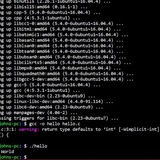
Right now, I'm getting feedback indicating that `bashdb` isn't installed, but I also get the message:
warning: cannot start debugger; debugging mode disabled
So, I'm in doubt whether it is:
* A special version of bash, built for supporting [bashdb](https://sourceforge.net/projects/bashdb/files/bashdb/).
* Having a properly installed version of bashdb.
* One of the above in combination with `shopt -s extdebug`.
And I won't take further action, before I understand what that means.
I haven't installed `bashdb` yet. I can't find a debugger enabled version of bash in the `apt` repository, so, I wonder if I ultimately have to build a debug-enabled bash version myself. :)
Thanks!
https://redd.it/129fc1g
@r_bash
Hello.
Just for the hell of it for now, but it may be useful in the future, to have a gdb-alike front end for debugging bash noscripts, I think it is more pleasant than just a DEBUG trap.
Right now, I'm getting feedback indicating that `bashdb` isn't installed, but I also get the message:
warning: cannot start debugger; debugging mode disabled
So, I'm in doubt whether it is:
* A special version of bash, built for supporting [bashdb](https://sourceforge.net/projects/bashdb/files/bashdb/).
* Having a properly installed version of bashdb.
* One of the above in combination with `shopt -s extdebug`.
And I won't take further action, before I understand what that means.
I haven't installed `bashdb` yet. I can't find a debugger enabled version of bash in the `apt` repository, so, I wonder if I ultimately have to build a debug-enabled bash version myself. :)
Thanks!
https://redd.it/129fc1g
@r_bash
How to differentiate between output and information in bash noscript
Sorry for the terrible noscript but I really couldn't think of anything better.
I have a bash noscript that uses echo to print some information about the execution context and then execute a command with said context.
I want to take the output of that command and save it into a variable or pipe it into another program.
The problem is that the contextual information is also considered as part of the output.
In PowerShell I can use Write-Host and Write-Output to differentiate the two.
Is there something similar in bash?
Example:
Obviously I want to save the output in a variable and be able to use it somewhere else without the information line printed before.
https://redd.it/129i3d7
@r_bash
Sorry for the terrible noscript but I really couldn't think of anything better.
I have a bash noscript that uses echo to print some information about the execution context and then execute a command with said context.
I want to take the output of that command and save it into a variable or pipe it into another program.
The problem is that the contextual information is also considered as part of the output.
In PowerShell I can use Write-Host and Write-Output to differentiate the two.
Is there something similar in bash?
Example:
$ ./terraform.sh env output -raw some_value
Environment 'env' running on '<AWS region>'
a_very_useful_information
Obviously I want to save the output in a variable and be able to use it somewhere else without the information line printed before.
https://redd.it/129i3d7
@r_bash
Reddit
r/bash on Reddit: How to differentiate between output and information in bash noscript
Posted by u/Kralizek82 - No votes and no comments
bash behavior with nested parentheses?
Is there a (documented) reason why I can use
https://redd.it/129m660
@r_bash
Is there a (documented) reason why I can use
for i in sd[abc]; do … , done and get correct values of sda, sdb, sdc, but I can't use for i in {sd[abc],mmcblk0}; do … , done because I only get sdaabc and mmcblk0, not sda, sdb, sdc and mmcblk0?https://redd.it/129m660
@r_bash
Reddit
r/bash on Reddit: bash behavior with nested parentheses?
Posted by u/spryfigure - No votes and no comments
Script Complete for now
I finally have the noscript i was working on all day yesterday to a point where it works. There is a couple of nuances id like to refine number 1 being 1.) Have the Choice menu pop up after completion of each section. I know its probably an easy fix but....as I seen yesterday nothing is as simple as you think it is. Following is the noscript i have that works.
#!/bin/bash
var1=/home/mib2/WorkTest/SavedData
var3=/home/mib2/WorkTest/Item1_Data/
var4=/home/mib2/WorkTest/Item2_Data/
cat /home/mib2/WorkTest/paths.txt #Prints the 3 paths above form .txt file)
PS3='Choose what you want to do: '
choices=("Make_Directory" "Copy_Item2_Data" "Copy_Item1_Data" "Tar_Data" "Quit")
select item in "${choices[@]}"; do
case $item in
"Make_Directory")
cd $var1
echo "What is the new directory to save data going to be called?"
read var2
mkdir -m 777 $var2
echo ""
echo "Directory has been made"
echo ""
echo "The Contents of $var1 is now: " ; ls -al --color=none $var1
var5=/home/mib2/WorkTest/SavedData/$var2
echo "The new Data Name and its Location is: $var5 "
;;
"Copy_Item2_Data")
# Generate list of files in directory
echo "Please enter a directory path which has the Truth Data contained within: "
ls $var4 | grep 20230331
# Ask user to choose a file
echo "Please choose the Data to copy:"
read file_name
# Copy chosen file to another directory
cp -r "$var4/$file_name" "$var5"
echo "The file has been successfully copied to $var5"
ls -al --color=none $var5
;;
"Copy_Item1_Data")
# Generate list of files in directory
echo "The following directories or files are in the Item1 Data directory:"
ls $var3 | grep 20230331
# Ask user to choose a file
echo "Please choose a file or Directory to copy:"
read file_name2
# Copy chosen file to another directory
cp -r "$var3/$file_name2" "$var5"
echo "The file has been successfully copied to $var5"
ls -al --color=none $var5
;;
"Tar_Data")
# Generate list of files in Saved Data directory
echo "The following directories or files are in the Saved Data directory:"
ls -al /home/mib2/WorkTest/SavedData
# Ask user to choose a file
echo "Please choose a Directory to tar:"
read file_name3
#cd $var1
tar -cvf $var5.tar $var5
chmod 777 $var5.tar
break
;;
"Quit")
echo "User requested exit"
exit
;;
*) echo "invalid option $REPLY";;
esac
done
https://redd.it/129n103
@r_bash
I finally have the noscript i was working on all day yesterday to a point where it works. There is a couple of nuances id like to refine number 1 being 1.) Have the Choice menu pop up after completion of each section. I know its probably an easy fix but....as I seen yesterday nothing is as simple as you think it is. Following is the noscript i have that works.
#!/bin/bash
var1=/home/mib2/WorkTest/SavedData
var3=/home/mib2/WorkTest/Item1_Data/
var4=/home/mib2/WorkTest/Item2_Data/
cat /home/mib2/WorkTest/paths.txt #Prints the 3 paths above form .txt file)
PS3='Choose what you want to do: '
choices=("Make_Directory" "Copy_Item2_Data" "Copy_Item1_Data" "Tar_Data" "Quit")
select item in "${choices[@]}"; do
case $item in
"Make_Directory")
cd $var1
echo "What is the new directory to save data going to be called?"
read var2
mkdir -m 777 $var2
echo ""
echo "Directory has been made"
echo ""
echo "The Contents of $var1 is now: " ; ls -al --color=none $var1
var5=/home/mib2/WorkTest/SavedData/$var2
echo "The new Data Name and its Location is: $var5 "
;;
"Copy_Item2_Data")
# Generate list of files in directory
echo "Please enter a directory path which has the Truth Data contained within: "
ls $var4 | grep 20230331
# Ask user to choose a file
echo "Please choose the Data to copy:"
read file_name
# Copy chosen file to another directory
cp -r "$var4/$file_name" "$var5"
echo "The file has been successfully copied to $var5"
ls -al --color=none $var5
;;
"Copy_Item1_Data")
# Generate list of files in directory
echo "The following directories or files are in the Item1 Data directory:"
ls $var3 | grep 20230331
# Ask user to choose a file
echo "Please choose a file or Directory to copy:"
read file_name2
# Copy chosen file to another directory
cp -r "$var3/$file_name2" "$var5"
echo "The file has been successfully copied to $var5"
ls -al --color=none $var5
;;
"Tar_Data")
# Generate list of files in Saved Data directory
echo "The following directories or files are in the Saved Data directory:"
ls -al /home/mib2/WorkTest/SavedData
# Ask user to choose a file
echo "Please choose a Directory to tar:"
read file_name3
#cd $var1
tar -cvf $var5.tar $var5
chmod 777 $var5.tar
break
;;
"Quit")
echo "User requested exit"
exit
;;
*) echo "invalid option $REPLY";;
esac
done
https://redd.it/129n103
@r_bash
Reddit
r/bash on Reddit: Script Complete for now
Posted by u/bfpa40 - No votes and 1 comment