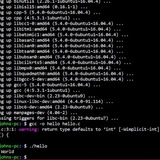
Bash must not run in POSIX mode. Please unset POSIXLYCORRECT and try again.
I'm trying to run a ruby noscript that downloads the Homebrew [install.sh](https://install.sh) noscript and executes it, but I'm getting **Bash must not run in POSIX mode. Please unset POSIXLY\CORRECT and try again.
Did some little research on it, but still not clear what it is.
Can you give a little explanation on what it is, is it safe to unset it? and... What kind of "unexpected or different behavior" may I experience if unset?
https://redd.it/13fmc3l
@r_bash
I'm trying to run a ruby noscript that downloads the Homebrew [install.sh](https://install.sh) noscript and executes it, but I'm getting **Bash must not run in POSIX mode. Please unset POSIXLY\CORRECT and try again.
Did some little research on it, but still not clear what it is.
Can you give a little explanation on what it is, is it safe to unset it? and... What kind of "unexpected or different behavior" may I experience if unset?
https://redd.it/13fmc3l
@r_bash
Reddit
r/bash on Reddit: Bash must not run in POSIX mode. Please unset POSIXLY_CORRECT and try again.
Posted by u/aeum3893 - No votes and 1 comment
piu-piu
Massive piu-piu update!
Finally got some time to fix some bugs and merge starship branch into master. For those who unfamiliar with piu-piu it's a scroller game with text based graphics written on bash that runs in CLI terminals. It looks like this:
shoot them all
Enemies can drop some power-ups like health packs, you'll need them to stay alive a bit longer:
health pack
Ammo is depleting, grab some in the process to keep firing:
ammo pack
And gun upgrades x2, x3, x4 and x5:
gun x2
gun x3
gun x4
gun x5
Here is gun x5 in action)
x5 in action
But the small ones it's just the beginning, there is a big guy in the end, Boss)
boss fight
The game supports multiplayer modes co-op and duel. It uses netcat for this so it must be installed if you want to play with friend.
team play
duel
Spoiler, I'm planing to do the next chapter on Mars, here is the story:
here the story goes
See you on Mars!)
https://i.redd.it/utlgcdbxmgza1.gif
https://redd.it/13fw8ph
@r_bash
Massive piu-piu update!
Finally got some time to fix some bugs and merge starship branch into master. For those who unfamiliar with piu-piu it's a scroller game with text based graphics written on bash that runs in CLI terminals. It looks like this:
shoot them all
Enemies can drop some power-ups like health packs, you'll need them to stay alive a bit longer:
health pack
Ammo is depleting, grab some in the process to keep firing:
ammo pack
And gun upgrades x2, x3, x4 and x5:
gun x2
gun x3
gun x4
gun x5
Here is gun x5 in action)
x5 in action
But the small ones it's just the beginning, there is a big guy in the end, Boss)
boss fight
The game supports multiplayer modes co-op and duel. It uses netcat for this so it must be installed if you want to play with friend.
team play
duel
Spoiler, I'm planing to do the next chapter on Mars, here is the story:
here the story goes
See you on Mars!)
https://i.redd.it/utlgcdbxmgza1.gif
https://redd.it/13fw8ph
@r_bash
GitHub
GitHub - vaniacer/piu-piu-SH: This is an Old School horizontal scroller 'Shoot Them All' game in bash. With multiplayer modes team…
This is an Old School horizontal scroller 'Shoot Them All' game in bash. With multiplayer modes team and duel. You have to defeat 100 aliens to fight with Boss. I'm using ne...
This media is not supported in your browser
VIEW IN TELEGRAM
AppImagen: A noscript that generates a custom AppImage from Debian or from a PPA of your choice for the previous (not the oldest) and still supported Ubuntu LTS
https://redd.it/13gljdc
@r_bash
https://redd.it/13gljdc
@r_bash
Proxmox check assigned PCIe device noscript isn't working.
I'm trying to check for unassigned and assigned SR-IOV Virtual Function PCIe devices in Proxmox, but the bash noscript isn't displaying the PCIe devices attached to the VMs, and is instead stating "No PCIe device assigned". Any thoughts?
​
Basic idea:
* Get a list of the VM IDs, and other info with `qm list --full`
* Get a list of all PCIe devices, except the main controllers with `lspci | grep "Ethernet controller: | grep -v "Ethernet controller: Intel Corporation Ethernet Controller 10G X550T (rev 01)"`
* Find the PCIe devices attached to each VM by getting all VMIDs with the from the qm list --full command, then running `qm config <VMID> | grep -E 'hostpci'` to get the attached PCIe device ID.
* Output a list of the VMs, assigned PCIe devices to each VM, and then all of the unassigned PCIe devices.
​
#!/bin/bash
# Get the list of VMs and their details
vm_list=$(qm list --full)
# Get a list of all Ethernet devices excluding specified ones
all_eth_devices=$(lspci | grep "Ethernet controller" | grep -v "Ethernet controller: Intel Corporation Ethernet Controller 10G X550T (rev 01)" | awk '{print $1}')
# Initialize an empty array to store assigned PCIe devices
assigned_pcie_devices=()
# Iterate through the VM list
while read -r line; do
# Skip the header line
if [[ "$line" =~ VMID ]]; then
continue
fi
# Get VMID, NAME, and STATUS
vmid=$(echo "$line" | awk '{print $1}')
name=$(echo "$line" | awk '{print $2}')
status=$(echo "$line" | awk '{print $3}')
# Get hostpci configuration
hostpci=$(qm config "$vmid" 2>/dev/null | grep -E 'hostpci\d+')
# Check if the hostpci configuration exists
if [ ! -z "$hostpci" ]; then
# Extract all PCIe devices
pcie_devices=$(echo "$hostpci" | perl -ne 'print "$1\n" while(/(?:^|\s)host=([^,]+)/g)')
# Concatenate the PCIe devices into a single string
pcie_device_str=$(echo "$pcie_devices" | tr '\n' ',' | sed 's/,$//')
# Add PCIe devices to the assigned devices array
assigned_pcie_devices+=($pcie_devices)
# Print VMID, NAME, STATUS, and PCIe devices
echo "VMID: $vmid, NAME: $name, STATUS: $status, PCIe Devices: $pcie_device_str"
else
# Print VMID, NAME, and STATUS with "No PCIe device assigned"
echo "VMID: $vmid, NAME: $name, STATUS: $status, No PCIe device assigned."
fi
done <<< "$(echo "$vm_list" | tail -n +3)"
# Print a list of unassigned PCIe devices
echo "Unassigned PCIe devices:"
for device in $all_eth_devices; do
if ! [[ "${assigned_pcie_devices[*]}" =~ $device ]]; then
echo "$device"
fi
done
Any help would be greatly apprciated!
https://redd.it/13gu78h
@r_bash
I'm trying to check for unassigned and assigned SR-IOV Virtual Function PCIe devices in Proxmox, but the bash noscript isn't displaying the PCIe devices attached to the VMs, and is instead stating "No PCIe device assigned". Any thoughts?
​
Basic idea:
* Get a list of the VM IDs, and other info with `qm list --full`
* Get a list of all PCIe devices, except the main controllers with `lspci | grep "Ethernet controller: | grep -v "Ethernet controller: Intel Corporation Ethernet Controller 10G X550T (rev 01)"`
* Find the PCIe devices attached to each VM by getting all VMIDs with the from the qm list --full command, then running `qm config <VMID> | grep -E 'hostpci'` to get the attached PCIe device ID.
* Output a list of the VMs, assigned PCIe devices to each VM, and then all of the unassigned PCIe devices.
​
#!/bin/bash
# Get the list of VMs and their details
vm_list=$(qm list --full)
# Get a list of all Ethernet devices excluding specified ones
all_eth_devices=$(lspci | grep "Ethernet controller" | grep -v "Ethernet controller: Intel Corporation Ethernet Controller 10G X550T (rev 01)" | awk '{print $1}')
# Initialize an empty array to store assigned PCIe devices
assigned_pcie_devices=()
# Iterate through the VM list
while read -r line; do
# Skip the header line
if [[ "$line" =~ VMID ]]; then
continue
fi
# Get VMID, NAME, and STATUS
vmid=$(echo "$line" | awk '{print $1}')
name=$(echo "$line" | awk '{print $2}')
status=$(echo "$line" | awk '{print $3}')
# Get hostpci configuration
hostpci=$(qm config "$vmid" 2>/dev/null | grep -E 'hostpci\d+')
# Check if the hostpci configuration exists
if [ ! -z "$hostpci" ]; then
# Extract all PCIe devices
pcie_devices=$(echo "$hostpci" | perl -ne 'print "$1\n" while(/(?:^|\s)host=([^,]+)/g)')
# Concatenate the PCIe devices into a single string
pcie_device_str=$(echo "$pcie_devices" | tr '\n' ',' | sed 's/,$//')
# Add PCIe devices to the assigned devices array
assigned_pcie_devices+=($pcie_devices)
# Print VMID, NAME, STATUS, and PCIe devices
echo "VMID: $vmid, NAME: $name, STATUS: $status, PCIe Devices: $pcie_device_str"
else
# Print VMID, NAME, and STATUS with "No PCIe device assigned"
echo "VMID: $vmid, NAME: $name, STATUS: $status, No PCIe device assigned."
fi
done <<< "$(echo "$vm_list" | tail -n +3)"
# Print a list of unassigned PCIe devices
echo "Unassigned PCIe devices:"
for device in $all_eth_devices; do
if ! [[ "${assigned_pcie_devices[*]}" =~ $device ]]; then
echo "$device"
fi
done
Any help would be greatly apprciated!
https://redd.it/13gu78h
@r_bash
Reddit
r/bash on Reddit: Proxmox check assigned PCIe device noscript isn't working.
Posted by u/iRustock - No votes and 1 comment
HTOP thr
Hi guys, I hope you’re all good!
I’m racking my brain about something.
Basically I want to get the number of threads from HTOP. Now I know this is near-impossible so I have found other solutions, however when I try and understand them they seem contradictory.
My original plan was to parse Top, which was simple enough but when I checked my work I found that Top displays more threads than HTOP, so it was back to the drawing board.
After playing around I stumbled across two commands, and when the output of one is subtracted by the output of the other, the number matches what’s displayed on HTOP, these commands are:
‘’’ ps -eLf | tail -n+2 | wc -l ‘’’
And
‘’’ ps -eo nlwp | tail -n+2 | wc -l ‘’’
From my understanding, the first command lists all the all the processes on the system, and the second one lists the number of threads being used by each active process, so if that’s correct then the result of my sum is the number of processes without threads allocated to them, which doesn’t make sense.
Please can somebody enlighten me so that I can go back to living a normal life and think about other things.
Thanks in advance, and I widh you all the best.
https://redd.it/13gtgsn
@r_bash
Hi guys, I hope you’re all good!
I’m racking my brain about something.
Basically I want to get the number of threads from HTOP. Now I know this is near-impossible so I have found other solutions, however when I try and understand them they seem contradictory.
My original plan was to parse Top, which was simple enough but when I checked my work I found that Top displays more threads than HTOP, so it was back to the drawing board.
After playing around I stumbled across two commands, and when the output of one is subtracted by the output of the other, the number matches what’s displayed on HTOP, these commands are:
‘’’ ps -eLf | tail -n+2 | wc -l ‘’’
And
‘’’ ps -eo nlwp | tail -n+2 | wc -l ‘’’
From my understanding, the first command lists all the all the processes on the system, and the second one lists the number of threads being used by each active process, so if that’s correct then the result of my sum is the number of processes without threads allocated to them, which doesn’t make sense.
Please can somebody enlighten me so that I can go back to living a normal life and think about other things.
Thanks in advance, and I widh you all the best.
https://redd.it/13gtgsn
@r_bash
Reddit
r/bash on Reddit: HTOP thr
Posted by u/rocket_186 - No votes and 3 comments
huge list of bash aliases
I have been compiling some aliases for debian based systems over a while and here is the list. please feel free to suggest or improvise as I have modified some to the extend of my knowledge
alias config="$(which git) -C $HOME --git-dir=$HOME/.dots/ --work-tree=$HOME"
# ------------------------------------------------------------------
# Common
# ------------------------------------------------------------------
alias python="$(which python3)"
alias pip=pip3
# Place above other sudo commands to enable aliases to be sudo-ed.
alias sudo="sudo "
# if [ $UID -ne 0 ]; then
# ## Effective UID is the user you changed to, UID is the original user.
# # echo "UID is $UID and EUID is $EUID"
# fi
# ------------------------------------------------------------------
# Navigation
# ------------------------------------------------------------------
alias cd..="cd .."
alias ..="cd .."
alias ...="cd ../.."
alias ....="cd ../../.."
alias .....="cd ../../../.."
alias ~="cd $HOME" # `cd` is probably faster to type though
alias -- -="cd -"
# ------------------------------------------------------------------
# Copy / Get / Remove
# ------------------------------------------------------------------
# mv, cp confirmation
alias mkdir="mkdir -pv"
alias cp="cp -iv"
alias ln='ln -i'
alias mv="mv -iv"
if hash rsync 2>/dev/null; then
# alias cpv="rsync -ah --info=progress2"
alias cpv="rsync -ah --info=progress2 --no-inc-recursive --stats" # progress bar
alias rcopy="rsync -av --progress -h"
alias rmove="rsync -av --progress -h --remove-source-files"
alias rupdate="rsync -avu --progress -h"
alias rsynchronize="rsync -avu --delete --progress -h"
fi
# ------------------------------------------------------------------
# Safetynets/Permission/Ownership
# ------------------------------------------------------------------
# do not delete / or prompt if deleting more than 3 files at a time #
alias rm='rm -vI --preserve-root' # 'rm -i' prompts for every file
# Safetynets [Parenting changing perms on / #]
alias chown='chown -v --preserve-root'
alias chmod='chmod -v --preserve-root'
alias chgrp='chgrp --preserve-root'
alias chmox="chmod +x --preserve-root"
if [ $UID -ne 0 ]; then
# Add sudo if forgotten. i.e.
# require sudo if user is not root
alias reboot='sudo reboot'
alias update='sudo apt-get upgrade'
alias susp='sudo /usr/sbin/pm-suspend'
alias dpkg='sudo dpkg'
fi
# ------------------------------------------------------------------
# File managements
# ------------------------------------------------------------------
alias df='df -h'
alias du='du -hs'
alias fs="stat -f \"%z bytes\"" # File size
## Alisase: new
# List all files colorized in long format
alias l="ls -lF ${colorflag}"
# List all files colorized in long format, excluding . and ..
alias la="ls -lAF ${colorflag}"
# List only directories
alias lsd="ls -lF ${colorflag} | grep '^d' --color=never"
alias ls="ls --classify --tabsize=0 --group-directories-first --literal --show-control-chars ${colorflag} --human-readable"
alias lh="ls -d .*" # show hidden files/directories only
# tree should be in most distributions (maybe as an optional install)
# alias tree="ls -R | grep ":$" | sed -e 's/:$//' -e 's/[^-][^\/]*\//--/g' -e 's/^/ /' -e 's/-/|/'"
alias lsblkid="lsblk -o name,label,fstype,size,uuid --noheadings" #: A more denoscriptive, yet concise lsblk.
alias blkid_="blkid -o list"
alias new="/usr/bin/ls -lth | head -15" # a quick glance at the newest files.
alias big="command du -a -BM | sort -n -r | head -n 10" # Find 10 largest files in pwd.
# ------------------------------------------------------------------
# Nginx
#
I have been compiling some aliases for debian based systems over a while and here is the list. please feel free to suggest or improvise as I have modified some to the extend of my knowledge
alias config="$(which git) -C $HOME --git-dir=$HOME/.dots/ --work-tree=$HOME"
# ------------------------------------------------------------------
# Common
# ------------------------------------------------------------------
alias python="$(which python3)"
alias pip=pip3
# Place above other sudo commands to enable aliases to be sudo-ed.
alias sudo="sudo "
# if [ $UID -ne 0 ]; then
# ## Effective UID is the user you changed to, UID is the original user.
# # echo "UID is $UID and EUID is $EUID"
# fi
# ------------------------------------------------------------------
# Navigation
# ------------------------------------------------------------------
alias cd..="cd .."
alias ..="cd .."
alias ...="cd ../.."
alias ....="cd ../../.."
alias .....="cd ../../../.."
alias ~="cd $HOME" # `cd` is probably faster to type though
alias -- -="cd -"
# ------------------------------------------------------------------
# Copy / Get / Remove
# ------------------------------------------------------------------
# mv, cp confirmation
alias mkdir="mkdir -pv"
alias cp="cp -iv"
alias ln='ln -i'
alias mv="mv -iv"
if hash rsync 2>/dev/null; then
# alias cpv="rsync -ah --info=progress2"
alias cpv="rsync -ah --info=progress2 --no-inc-recursive --stats" # progress bar
alias rcopy="rsync -av --progress -h"
alias rmove="rsync -av --progress -h --remove-source-files"
alias rupdate="rsync -avu --progress -h"
alias rsynchronize="rsync -avu --delete --progress -h"
fi
# ------------------------------------------------------------------
# Safetynets/Permission/Ownership
# ------------------------------------------------------------------
# do not delete / or prompt if deleting more than 3 files at a time #
alias rm='rm -vI --preserve-root' # 'rm -i' prompts for every file
# Safetynets [Parenting changing perms on / #]
alias chown='chown -v --preserve-root'
alias chmod='chmod -v --preserve-root'
alias chgrp='chgrp --preserve-root'
alias chmox="chmod +x --preserve-root"
if [ $UID -ne 0 ]; then
# Add sudo if forgotten. i.e.
# require sudo if user is not root
alias reboot='sudo reboot'
alias update='sudo apt-get upgrade'
alias susp='sudo /usr/sbin/pm-suspend'
alias dpkg='sudo dpkg'
fi
# ------------------------------------------------------------------
# File managements
# ------------------------------------------------------------------
alias df='df -h'
alias du='du -hs'
alias fs="stat -f \"%z bytes\"" # File size
## Alisase: new
# List all files colorized in long format
alias l="ls -lF ${colorflag}"
# List all files colorized in long format, excluding . and ..
alias la="ls -lAF ${colorflag}"
# List only directories
alias lsd="ls -lF ${colorflag} | grep '^d' --color=never"
alias ls="ls --classify --tabsize=0 --group-directories-first --literal --show-control-chars ${colorflag} --human-readable"
alias lh="ls -d .*" # show hidden files/directories only
# tree should be in most distributions (maybe as an optional install)
# alias tree="ls -R | grep ":$" | sed -e 's/:$//' -e 's/[^-][^\/]*\//--/g' -e 's/^/ /' -e 's/-/|/'"
alias lsblkid="lsblk -o name,label,fstype,size,uuid --noheadings" #: A more denoscriptive, yet concise lsblk.
alias blkid_="blkid -o list"
alias new="/usr/bin/ls -lth | head -15" # a quick glance at the newest files.
alias big="command du -a -BM | sort -n -r | head -n 10" # Find 10 largest files in pwd.
# ------------------------------------------------------------------
# Nginx
#
------------------------------------------------------------------
if hash nginx 2>/dev/null; then
function ngensite { sudo ln -s "/etc/nginx/sites-available/$1" /etc/nginx/sites-enabled; }
function ngdissite { sudo rm "/etc/nginx/sites-enabled/$1"; }
alias nginx='sudo nginx'
alias ngdir='cd /etc/nginx/'
alias nglog-access='tail -f /var/log/nginx/access.log'
alias nglog-error='tail -f /var/log/nginx/error.log'
alias ngsites='ls /etc/nginx/sites-available'
alias ngsitesen='ls /etc/nginx/sites-enabled'
alias ngreload='sudo service nginx reload'
alias ngrestart='sudo service nginx restart'
alias ngstart='sudo service nginx start'
alias ngstatus='sudo service nginx status'
alias ngstop='sudo service nginx stop'
alias ngtest='sudo nginx -t'
fi
# ------------------------------------------------------------------
# Networking and IP addresses
# ------------------------------------------------------------------
alias ping="ping -c 5"
alias ports='sudo netstat -vatnp'
alias ifconfig="ip -c a | sed -e 's/\// \//g'"
# Show active network interfaces
alias ifactive="ifconfig | pcregrep -M -o '^[^\t:]+:([^\n]|\n\t)*status: active'"
#alias ip="dig +short myip.opendns.com @resolver1.opendns.com"
alias localip="ipconfig getifaddr en1"
alias ips="ifconfig -a | grep -o 'inet6\? \(addr:\)\?\s\?\(\(\([0-9]\+\.\)\{3\}[0-9]\+\)\|[a-fA-F0-9:]\+\)' | awk '{ sub(/inet6? (addr:)? ?/, \"\"); print }'"
# Enhanced WHOIS lookups
alias whois="whois -h whois-servers.net"
# View HTTP traffic
alias sniff="sudo ngrep -d 'en1' -t '^(GET|POST) ' 'tcp and port 80'"
alias httpdump="sudo tcpdump -i en1 -n -s 0 -w - | grep -a -o -E \"Host\: .*|GET \/.*\""
alias ports='sudo lsof -nP 2>/dev/null | grep LISTEN | sed -re "s/ +/ /g" | cut -d " " -f 1,3,9 | sort -u | column -t'
# https://github.com/terminalforlife/BashConfig/
alias joke='command wget -U "curl/7.55.1" -o /dev/null -qO - https://icanhazdadjoke.com || printf "No jokes today"; echo'
# Always enable colored `grep` output
if [ -x /usr/bin/dircolors ]; then
test -r $HOME/.dircolors && eval "$(dircolors -b ~/.dircolors)" || eval "$(dircolors -b)"
alias grep="grep -sI --color=auto --exclude-dir=__pycache__"
alias grepi="grep -i --color=auto --exclude-dir=__pycache__"
alias fgrep="fgrep --color=auto --exclude-dir=__pycache__"
alias egrep="egrep --color=auto --exclude-dir=__pycache__"
fi
# One of @janmoesen’s ProTip™s
for method in GET HEAD POST PUT DELETE TRACE OPTIONS; do
alias "${method}"="lwp-request -m '${method}'"
done
# ------------------------------------------------------------------
# My Specific
# ------------------------------------------------------------------
# Mine Specific Shortcuts
alias dl="cd $HOME/Downloads"
alias dt="cd $HOME/Desktop"
if hash subl 2>/dev/null; then
if [ $UID -ne 0 ]; then
# If Sublime Text installed - use it istead of gedit
# only for non-root to prevent side effects
alias gedit=subl
fi
fi
if hash nnn 2>/dev/null; then
alias nnn="nnn -Rd"
fi
if [ -f ${HOME}/.local/bin/bat ]; then
alias aliases="bat $HOME/.bash_aliases" # for quick reference
if [ $UID -ne 0 ]; then
# apply bat style inline incase .config/bat/conf is not available
alias cat="bat -pp --paging=never --style='plain' --theme=TwoDark --color=always --decorations=always"
fi
fi
if hash wget 2>/dev/null; then
#alias wget="curl -O"
alias wget="wget -c - --hsts-file='$XDG_CACHE_HOME/wget-hsts'" # resume if failed by default
fi
# ------------------------------------------------------------------
# Misc
# ------------------------------------------------------------------
# Add an "alert" alias for long running commands.
# Usage example:
if hash nginx 2>/dev/null; then
function ngensite { sudo ln -s "/etc/nginx/sites-available/$1" /etc/nginx/sites-enabled; }
function ngdissite { sudo rm "/etc/nginx/sites-enabled/$1"; }
alias nginx='sudo nginx'
alias ngdir='cd /etc/nginx/'
alias nglog-access='tail -f /var/log/nginx/access.log'
alias nglog-error='tail -f /var/log/nginx/error.log'
alias ngsites='ls /etc/nginx/sites-available'
alias ngsitesen='ls /etc/nginx/sites-enabled'
alias ngreload='sudo service nginx reload'
alias ngrestart='sudo service nginx restart'
alias ngstart='sudo service nginx start'
alias ngstatus='sudo service nginx status'
alias ngstop='sudo service nginx stop'
alias ngtest='sudo nginx -t'
fi
# ------------------------------------------------------------------
# Networking and IP addresses
# ------------------------------------------------------------------
alias ping="ping -c 5"
alias ports='sudo netstat -vatnp'
alias ifconfig="ip -c a | sed -e 's/\// \//g'"
# Show active network interfaces
alias ifactive="ifconfig | pcregrep -M -o '^[^\t:]+:([^\n]|\n\t)*status: active'"
#alias ip="dig +short myip.opendns.com @resolver1.opendns.com"
alias localip="ipconfig getifaddr en1"
alias ips="ifconfig -a | grep -o 'inet6\? \(addr:\)\?\s\?\(\(\([0-9]\+\.\)\{3\}[0-9]\+\)\|[a-fA-F0-9:]\+\)' | awk '{ sub(/inet6? (addr:)? ?/, \"\"); print }'"
# Enhanced WHOIS lookups
alias whois="whois -h whois-servers.net"
# View HTTP traffic
alias sniff="sudo ngrep -d 'en1' -t '^(GET|POST) ' 'tcp and port 80'"
alias httpdump="sudo tcpdump -i en1 -n -s 0 -w - | grep -a -o -E \"Host\: .*|GET \/.*\""
alias ports='sudo lsof -nP 2>/dev/null | grep LISTEN | sed -re "s/ +/ /g" | cut -d " " -f 1,3,9 | sort -u | column -t'
# https://github.com/terminalforlife/BashConfig/
alias joke='command wget -U "curl/7.55.1" -o /dev/null -qO - https://icanhazdadjoke.com || printf "No jokes today"; echo'
# Always enable colored `grep` output
if [ -x /usr/bin/dircolors ]; then
test -r $HOME/.dircolors && eval "$(dircolors -b ~/.dircolors)" || eval "$(dircolors -b)"
alias grep="grep -sI --color=auto --exclude-dir=__pycache__"
alias grepi="grep -i --color=auto --exclude-dir=__pycache__"
alias fgrep="fgrep --color=auto --exclude-dir=__pycache__"
alias egrep="egrep --color=auto --exclude-dir=__pycache__"
fi
# One of @janmoesen’s ProTip™s
for method in GET HEAD POST PUT DELETE TRACE OPTIONS; do
alias "${method}"="lwp-request -m '${method}'"
done
# ------------------------------------------------------------------
# My Specific
# ------------------------------------------------------------------
# Mine Specific Shortcuts
alias dl="cd $HOME/Downloads"
alias dt="cd $HOME/Desktop"
if hash subl 2>/dev/null; then
if [ $UID -ne 0 ]; then
# If Sublime Text installed - use it istead of gedit
# only for non-root to prevent side effects
alias gedit=subl
fi
fi
if hash nnn 2>/dev/null; then
alias nnn="nnn -Rd"
fi
if [ -f ${HOME}/.local/bin/bat ]; then
alias aliases="bat $HOME/.bash_aliases" # for quick reference
if [ $UID -ne 0 ]; then
# apply bat style inline incase .config/bat/conf is not available
alias cat="bat -pp --paging=never --style='plain' --theme=TwoDark --color=always --decorations=always"
fi
fi
if hash wget 2>/dev/null; then
#alias wget="curl -O"
alias wget="wget -c - --hsts-file='$XDG_CACHE_HOME/wget-hsts'" # resume if failed by default
fi
# ------------------------------------------------------------------
# Misc
# ------------------------------------------------------------------
# Add an "alert" alias for long running commands.
# Usage example:
GitHub
GitHub - terminalforlife/BashConfig: BASH configuration files.
BASH configuration files. Contribute to terminalforlife/BashConfig development by creating an account on GitHub.
$ sleep 5; alert
alias alert='notify-send --urgency=low -i "$([ $? = 0 ] && echo terminal || echo error)" "$(history|tail -n1|sed -e '\''s/^\s*[0-9]\+\s*//;s/[;&|]\s*alert$//'\'')"'
# Much nicer output for the apt-get command.
alias apt-get="apt-get -q -o Dpkg::Progress=true -o Dpkg::Progress-Fancy=true -o APT::Get::AutomaticRemove=true"
# Show which commands you use the most
alias freq='cut -f1 -d" " $HOME/.bash_history | sort | uniq -c | sort -nr | head -n 30'
alias fuck="killall -9"
# alias g="git"
alias h="history"
alias incognito='export HISTFILE=/dev/null'
# Potentially useful option for viewing the kernel log.
alias klog="dmesg -t -L=never -l emerg,alert,crit,err,warn --human --nopager"
alias vi="vim"
alias where=which # sometimes i forget
alias shh="pkill mpv; pkill mpv"
# Play online drum and bass radio station.
alias dnb="shh; mpv --really-quiet https://dnbradio.com/hi.pls &"
# make easier editing
alias vimrc="$EDITOR $HOME/.vimrc"
alias bashrc="$EDITOR $HOME/.bashrc"
alias alia="$EDITOR $HOME/.bash_aliases"
alias func="$EDITOR $HOME/.bash_functions"
# Print each PATH entry on a separate line
alias path="echo -e ${PATH//:/\\n}"
# Control Sequences / Reload the shell
alias cls='printf "\ec"'
alias reload="exec $SHELL -l" # invoke as a login shell
alias c="clear;exec bash"
# Shell exit alias
alias q="exit"
alias :q="exit"
initially borrowed from [these dots](https://github.com/mathiasbynens/dotfiles/) and then tailored to my needs.
https://redd.it/13h7fo8
@r_bash
alias alert='notify-send --urgency=low -i "$([ $? = 0 ] && echo terminal || echo error)" "$(history|tail -n1|sed -e '\''s/^\s*[0-9]\+\s*//;s/[;&|]\s*alert$//'\'')"'
# Much nicer output for the apt-get command.
alias apt-get="apt-get -q -o Dpkg::Progress=true -o Dpkg::Progress-Fancy=true -o APT::Get::AutomaticRemove=true"
# Show which commands you use the most
alias freq='cut -f1 -d" " $HOME/.bash_history | sort | uniq -c | sort -nr | head -n 30'
alias fuck="killall -9"
# alias g="git"
alias h="history"
alias incognito='export HISTFILE=/dev/null'
# Potentially useful option for viewing the kernel log.
alias klog="dmesg -t -L=never -l emerg,alert,crit,err,warn --human --nopager"
alias vi="vim"
alias where=which # sometimes i forget
alias shh="pkill mpv; pkill mpv"
# Play online drum and bass radio station.
alias dnb="shh; mpv --really-quiet https://dnbradio.com/hi.pls &"
# make easier editing
alias vimrc="$EDITOR $HOME/.vimrc"
alias bashrc="$EDITOR $HOME/.bashrc"
alias alia="$EDITOR $HOME/.bash_aliases"
alias func="$EDITOR $HOME/.bash_functions"
# Print each PATH entry on a separate line
alias path="echo -e ${PATH//:/\\n}"
# Control Sequences / Reload the shell
alias cls='printf "\ec"'
alias reload="exec $SHELL -l" # invoke as a login shell
alias c="clear;exec bash"
# Shell exit alias
alias q="exit"
alias :q="exit"
initially borrowed from [these dots](https://github.com/mathiasbynens/dotfiles/) and then tailored to my needs.
https://redd.it/13h7fo8
@r_bash
Can't get temperature conversion noscript to pass floating point to the rest of the noscript
So, I've been working on expanding a temperature conversion noscript I found in a BASH book, and I got it to convert one scale to 7 others, including 3 pretty much useless, but historical scales (Rømer, Delisle and Réaumur), and the noscript will output the converted temperatures to two decimal places, but it won't accept input such as '98.6'. Unless the value of $1 is a whole number, it doesn't get passed to the rest of the noscript. It makes up to the point that it's time to convert, but when the scale equivalents are echoed, every single one, including the scale being converted from, prints as empty, with no value.
https://redd.it/13h9wnf
@r_bash
So, I've been working on expanding a temperature conversion noscript I found in a BASH book, and I got it to convert one scale to 7 others, including 3 pretty much useless, but historical scales (Rømer, Delisle and Réaumur), and the noscript will output the converted temperatures to two decimal places, but it won't accept input such as '98.6'. Unless the value of $1 is a whole number, it doesn't get passed to the rest of the noscript. It makes up to the point that it's time to convert, but when the scale equivalents are echoed, every single one, including the scale being converted from, prints as empty, with no value.
https://redd.it/13h9wnf
@r_bash
Reddit
r/bash on Reddit: Can't get temperature conversion noscript to pass floating point to the rest of the noscript
Posted by u/StrangeCrunchy1 - No votes and 1 comment
bash-boost 1.14: now with directory bookmarks
https://asciinema.org/a/584985
https://github.com/tomocafe/bash-boost
I added a new bookmark package to the bash-boost interactive module to quickly move around to directories. I use
bash-boost has lots of other useful functions, if you haven't seen it, please check it out!
https://redd.it/13i7h2e
@r_bash
https://asciinema.org/a/584985
https://github.com/tomocafe/bash-boost
I added a new bookmark package to the bash-boost interactive module to quickly move around to directories. I use
bind to map these functions to keyboard shortcuts: Ctrl+B to create and/or go to a bookmark and Ctrl+X Ctrl+B to delete bookmarks. There's also functions to load bookmarks from a file (probably most useful in .bashrc) and show/get bookmarks.bash-boost has lots of other useful functions, if you haven't seen it, please check it out!
https://redd.it/13i7h2e
@r_bash
asciinema.org
bash-boost bookmarks
Recorded by tomocafe
Alternatives to eval that don't create a subshell
Basically I want to run a noscript that respects the aliases of the environment in which it's executed. I could make a noscript to convert all the aliases into functions in the same noscript and most should work but I bet there's a more elegant solution. For those curious this is the part of the code that I'm trying to use:
eval "$(echo -e "...commands" | dmenu_instant -l 5 -p "These are the commands: " -fn "monospace:size=9" )"
https://redd.it/13ia9qj
@r_bash
Basically I want to run a noscript that respects the aliases of the environment in which it's executed. I could make a noscript to convert all the aliases into functions in the same noscript and most should work but I bet there's a more elegant solution. For those curious this is the part of the code that I'm trying to use:
eval "$(echo -e "...commands" | dmenu_instant -l 5 -p "These are the commands: " -fn "monospace:size=9" )"
https://redd.it/13ia9qj
@r_bash
Reddit
r/bash on Reddit: Alternatives to eval that don't create a subshell
Posted by u/Velascu - No votes and 1 comment
Loco.sh: program your env
Loco.sh helps you program UNIX configurations, known as profiles.
Maintaining noscripts and dotfiles over many systems, manually bootstrapping VMs, new laptops, complex DSLs impossible to forget at night, this is over.
https://github.com/t0pd4wn/loco.sh
https://i.redd.it/r13b8cgt980b1.gif
https://redd.it/13jbp91
@r_bash
Loco.sh helps you program UNIX configurations, known as profiles.
Maintaining noscripts and dotfiles over many systems, manually bootstrapping VMs, new laptops, complex DSLs impossible to forget at night, this is over.
https://github.com/t0pd4wn/loco.sh
https://i.redd.it/r13b8cgt980b1.gif
https://redd.it/13jbp91
@r_bash
How to display the stdout data from background subfunctions, when calling bash noscripts using "sudo -u"?
I have a bash noscript that has an internal function, which in turn is started as a background process. The main noscript basically sets up the subfunction, starts it, and then exists (I need to do this since this noscript is supposed to be able to be used as a systemd oneshot service).
When I run the noscript, I see the stdout output from both the main noscript and the subfunction, no problem.
When I start the noscript using "sudo -u anotheruser mynoscript.sh", I only see the stdout output from the main noscript, but nothing from the subfunction (which is perhaps not surprising since the
​
One possible workaround I can think of is to redirect stdout to a file under /tmp, and read it as the original user with "tail -f" or similar, but is there a better way to see all outputs, even after the
https://redd.it/13k21n3
@r_bash
I have a bash noscript that has an internal function, which in turn is started as a background process. The main noscript basically sets up the subfunction, starts it, and then exists (I need to do this since this noscript is supposed to be able to be used as a systemd oneshot service).
When I run the noscript, I see the stdout output from both the main noscript and the subfunction, no problem.
When I start the noscript using "sudo -u anotheruser mynoscript.sh", I only see the stdout output from the main noscript, but nothing from the subfunction (which is perhaps not surprising since the
sudo command terminates just about then).​
One possible workaround I can think of is to redirect stdout to a file under /tmp, and read it as the original user with "tail -f" or similar, but is there a better way to see all outputs, even after the
sudo command has terminated? I.e., some way to direct stdout from "anotheruser" to the normal user session?https://redd.it/13k21n3
@r_bash
Insert command output into current cursor location?
Please don't mind my English since it's not my mother tongue.
Basically, I want to insert some command's output to current line.
Take
Say my cursor is at the end of
I heard that When shell-command is executed, the shell sets the READLINE_LINE variable to the contents of the readline line buffer, but
Is this achievable using only bash builtins?
Thanks in advance!
https://redd.it/13k54ua
@r_bash
Please don't mind my English since it's not my mother tongue.
Basically, I want to insert some command's output to current line.
Take
fzf as an example.Say my cursor is at the end of
~$ vim , now I press some key and fzf selection menu pops up. After file selection and exiting of fzf, bash current line looks like ~$ vim OUTPUT_STR_HERE.I heard that When shell-command is executed, the shell sets the READLINE_LINE variable to the contents of the readline line buffer, but
bind -x '...' print output to the previous line.Is this achievable using only bash builtins?
Thanks in advance!
https://redd.it/13k54ua
@r_bash
Stack Overflow
Can "bind -x" access the current command line?
When I type some command, I sometimes want to read the help of the command. For example, when I'm typing
sort --overwrite some_texI # I is a cursor
, I'd like to check if sort command has --overw...
sort --overwrite some_texI # I is a cursor
, I'd like to check if sort command has --overw...
Bash noscript collection
I created a bash noscript collection github repo https://github.com/jothi-prasath/bash-noscripts
currently there is less noscripts.
checkout the repo and contribute your noscripts.
https://redd.it/13k8b5j
@r_bash
I created a bash noscript collection github repo https://github.com/jothi-prasath/bash-noscripts
currently there is less noscripts.
checkout the repo and contribute your noscripts.
https://redd.it/13k8b5j
@r_bash
GitHub
GitHub - jothi-prasath/bash-noscripts: Collection of bash noscripts
Collection of bash noscripts. Contribute to jothi-prasath/bash-noscripts development by creating an account on GitHub.
Seeking critique: shell function for reading a password into a variable
This is something I wrote quite a while ago, but I am now wondering whether there's a better way. In particular, I'm not happy with the use of
# password <varname>: prompt for and read a password into varname.
password () {
[ -t 0 ] || { echo "$FUNCNAME: stdin is not a tty"; return 2; }
# We use the var=$(foo) && eval construct so that we can run foo
# in a subshell but still get data back from it.
# Since this variable would clash with the user-supplied variable
# name in the eval, we pick something unlikely to be used.
local passwdstr=$(
local ch='' str=''
# Restore echo even if we die
trap 'stty echo' EXIT
# Just read -s is not enough, because characters might
# arrive between calls to read; we must keep echo disabled
# the whole time.
stty -echo
printf "Password: " >&2
while
IFS='' read -r -s -n 1 ch || {
exit 1;
}
# Is the character not a newline?
[[ "$ch" ]]
do
str="$str$ch"
printf "*" >&2
done
printf "%s" "$str"
echo >&2
) && eval "${1-REPLY}="'$passwdstr';
}
https://redd.it/13kcizq
@r_bash
This is something I wrote quite a while ago, but I am now wondering whether there's a better way. In particular, I'm not happy with the use of
eval. Also, I'm not convinced the use of trap is entirely bullet-proof.# password <varname>: prompt for and read a password into varname.
password () {
[ -t 0 ] || { echo "$FUNCNAME: stdin is not a tty"; return 2; }
# We use the var=$(foo) && eval construct so that we can run foo
# in a subshell but still get data back from it.
# Since this variable would clash with the user-supplied variable
# name in the eval, we pick something unlikely to be used.
local passwdstr=$(
local ch='' str=''
# Restore echo even if we die
trap 'stty echo' EXIT
# Just read -s is not enough, because characters might
# arrive between calls to read; we must keep echo disabled
# the whole time.
stty -echo
printf "Password: " >&2
while
IFS='' read -r -s -n 1 ch || {
exit 1;
}
# Is the character not a newline?
[[ "$ch" ]]
do
str="$str$ch"
printf "*" >&2
done
printf "%s" "$str"
echo >&2
) && eval "${1-REPLY}="'$passwdstr';
}
https://redd.it/13kcizq
@r_bash
Reddit
r/bash on Reddit: Seeking critique: shell function for reading a password into a variable
Posted by u/neilmoore - No votes and no comments
need help with xdg-open noscript
Hello I'm a Linux noob trying to get my all my application to work on Linux. I finally got Unreal Engine 5 to work on Ubuntu, but I'm having trouble getting a bash noscript to open Unreal Editor and would like some help.
\#! /bin/bash
xdg-open "../UnrealEngine/Engine/Binaries/Linux/UnrealEditor"
It will open the file location if I don't put "UnrealEditor" but when I do it gives me a
:Failed to find default application for content type ‘application/x-executable’
any advice would help
https://redd.it/13kf6hd
@r_bash
Hello I'm a Linux noob trying to get my all my application to work on Linux. I finally got Unreal Engine 5 to work on Ubuntu, but I'm having trouble getting a bash noscript to open Unreal Editor and would like some help.
\#! /bin/bash
xdg-open "../UnrealEngine/Engine/Binaries/Linux/UnrealEditor"
It will open the file location if I don't put "UnrealEditor" but when I do it gives me a
:Failed to find default application for content type ‘application/x-executable’
any advice would help
https://redd.it/13kf6hd
@r_bash
Reddit
r/bash on Reddit: need help with xdg-open noscript
Posted by u/DomFreecss - No votes and 1 comment
showing system stats during startup (novice showcase)
Hi. I have been tinkering around with bash and have the following setup to email me some stats during startup -
## cat /etc/systemd/system/customstartup.service
[Unit]
Denoscription=Notify that system has booted.
Wants=network-online.target
After=network-online.target
[Service]
Type=simple
ExecStart=/bin/bash /home/user/bin/startupbootstrap.sh
Install
WantedBy=multi-user.target
and here's the noscript
## cat /home/user/bin/startupbootstrap.sh
#!/usr/bin/env bash
hostname=$(hostname -s)
lastreboot=$(command last -xF reboot | head -1 | awk {'print $5, $6, $7, $8'})
lastshutdown=$(command last -xF shutdown | head -1 | awk {'print $5, $6, $7, $8'})
uptime=$(uptime -p)
lastboot=$(who -b) # display time of last system boot
avgload=$(grep 'cpu ' /proc/stat | awk '{cpuusage=($2+$4)*100/($2+$4+$5)} END {print cpuusage "%"}')
cpuusage=$(top -n 1 | head -n 3 | tail -n 1 | awk '{print $2 + $4}')
day=`date +"%F %T"`
printf "[ %s ] %s\n\n" "$day" "$hostname"
printf "System powered ON at %s. " "$lastreboot"
printf " %s \n" "$uptime"
printf "Last successful shutdown at %s \n\n" "$lastshutdown"
printf " %s Avg. CPU Load\n" "$avgload"
printf "[ %s ] CPU Usage\n" "$cpuusage"
Any way I can improvise the noscript ? Thanks in advance.
cpu load source1 source2
https://redd.it/13kr1t1
@r_bash
Hi. I have been tinkering around with bash and have the following setup to email me some stats during startup -
## cat /etc/systemd/system/customstartup.service
[Unit]
Denoscription=Notify that system has booted.
Wants=network-online.target
After=network-online.target
[Service]
Type=simple
ExecStart=/bin/bash /home/user/bin/startupbootstrap.sh
Install
WantedBy=multi-user.target
and here's the noscript
## cat /home/user/bin/startupbootstrap.sh
#!/usr/bin/env bash
hostname=$(hostname -s)
lastreboot=$(command last -xF reboot | head -1 | awk {'print $5, $6, $7, $8'})
lastshutdown=$(command last -xF shutdown | head -1 | awk {'print $5, $6, $7, $8'})
uptime=$(uptime -p)
lastboot=$(who -b) # display time of last system boot
avgload=$(grep 'cpu ' /proc/stat | awk '{cpuusage=($2+$4)*100/($2+$4+$5)} END {print cpuusage "%"}')
cpuusage=$(top -n 1 | head -n 3 | tail -n 1 | awk '{print $2 + $4}')
day=`date +"%F %T"`
printf "[ %s ] %s\n\n" "$day" "$hostname"
printf "System powered ON at %s. " "$lastreboot"
printf " %s \n" "$uptime"
printf "Last successful shutdown at %s \n\n" "$lastshutdown"
printf " %s Avg. CPU Load\n" "$avgload"
printf "[ %s ] CPU Usage\n" "$cpuusage"
Any way I can improvise the noscript ? Thanks in advance.
cpu load source1 source2
https://redd.it/13kr1t1
@r_bash
Unix & Linux Stack Exchange
how to check CPU usage at linux system startup?
I am stuck on finding a way to test CPU usage for a linux system at startup, usuing top or htop is too late for me to see the real usage at startup; is there an efficient way to it ?