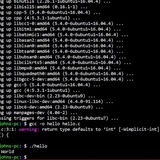
What is this command?
I have a noscript that should run only when certain directory exists. It begins like that:
-d /home/path/to/directory &&
I found that example somewhere and it works, but I don't understand what these brackets really do. Is it correct way?
https://redd.it/13z8dfl
@r_bash
I have a noscript that should run only when certain directory exists. It begins like that:
-d /home/path/to/directory &&
I found that example somewhere and it works, but I don't understand what these brackets really do. Is it correct way?
https://redd.it/13z8dfl
@r_bash
Reddit
r/bash on Reddit: What is this command?
Posted by u/VoivodeVukodlak - No votes and 9 comments
Curious Bash: Get Notified When It's Done
https://blog.carlolobrano.com/posts/2023-06-02-curious-bash-get-notified-when-done/
https://redd.it/13zj9ly
@r_bash
https://blog.carlolobrano.com/posts/2023-06-02-curious-bash-get-notified-when-done/
https://redd.it/13zj9ly
@r_bash
IT works, for me.
Curious Bash: Get Notified When It's Done
Bash noscripting is a powerful tool that allows you to automate various tasks on your computer.
Run a noscript into a new "less" istance then go back to the normal shell when the noscript has finished
Scenario: I want run a noscript into a terminal window, but to keep this window "clean" (ie I want to display only START and FINISHED) I want to display all the outputs into a clean space (like into the "less" command or even by opening it in "xterm"), then when the noscript has finisced I want to come back to the terminal window, automatically, so without having to press a key (like Q in "less"). All I want to see on that window is START and FINISCED! Nothing more. How should I do? I'm going mad!
https://redd.it/13zo2g6
@r_bash
Scenario: I want run a noscript into a terminal window, but to keep this window "clean" (ie I want to display only START and FINISHED) I want to display all the outputs into a clean space (like into the "less" command or even by opening it in "xterm"), then when the noscript has finisced I want to come back to the terminal window, automatically, so without having to press a key (like Q in "less"). All I want to see on that window is START and FINISCED! Nothing more. How should I do? I'm going mad!
https://redd.it/13zo2g6
@r_bash
Reddit
r/bash on Reddit: Run a noscript into a new "less" istance then go back to the normal shell when the noscript has finished
Posted by u/am-ivan - No votes and no comments
Idempotent mutation of PATH-like env variables
It always bothered me that every example of altering colon-separated values in an environment variable such as
# function to prepend paths in an idempotent way
prependpath() {
local dir="${1%/}" # discard trailing slash
local var="${2:-PATH}"
if [ -z "$dir" ]; then
echo "Usage: prependpath <pathtoprepend> name_of_path_var" >&2
return 2 # incorrect usage return code, may be an informal standard
fi
local newvalue=${!var}
[ $newvalue =~ ^$dir: ] && return # quit if value already starts with $dir
newvalue=${newvalue%:$dir} # remove $dir from end of path
newvalue=${newvalue//:$dir:/:} # remove $dir from middle of path
# prepend the new entry
export ${var}="$dir:$newvalue"
}
Usage examples:
prependpath $HOME/.linuxbrew/lib LDLIBRARYPATH
prependpath $HOME/.nix-profile/bin
Note that of course the order matters; the last one to be prepended that matches, triggers first, since it's put earlier in the PATHlike. Also, due to the use of some Bash-only features (I believe) such as the
EDIT: code modified per /u/rustyflavor 's recommendations, which were good. thanks!!
https://redd.it/13zmp3w
@r_bash
It always bothered me that every example of altering colon-separated values in an environment variable such as
PATH or LD_LIBRARY_PATH (usually by prepending a new value) wouldn't bother to check if it was already in there and delete it if so, leading to garbage entries and violating idempotency (in other words, re-running the same command WOULD NOT result in the same value, it would duplicate the entry). So I present to you, prepend_path:# function to prepend paths in an idempotent way
prependpath() {
local dir="${1%/}" # discard trailing slash
local var="${2:-PATH}"
if [ -z "$dir" ]; then
echo "Usage: prependpath <pathtoprepend> name_of_path_var" >&2
return 2 # incorrect usage return code, may be an informal standard
fi
local newvalue=${!var}
[ $newvalue =~ ^$dir: ] && return # quit if value already starts with $dir
newvalue=${newvalue%:$dir} # remove $dir from end of path
newvalue=${newvalue//:$dir:/:} # remove $dir from middle of path
# prepend the new entry
export ${var}="$dir:$newvalue"
}
Usage examples:
prependpath $HOME/.linuxbrew/lib LDLIBRARYPATH
prependpath $HOME/.nix-profile/bin
Note that of course the order matters; the last one to be prepended that matches, triggers first, since it's put earlier in the PATHlike. Also, due to the use of some Bash-only features (I believe) such as the
${!var} construct, it's only being posted to /r/bash =)EDIT: code modified per /u/rustyflavor 's recommendations, which were good. thanks!!
https://redd.it/13zmp3w
@r_bash
Reddit
r/bash on Reddit: Idempotent mutation of PATH-like env variables
Posted by u/ABC_AlwaysBeCoding - No votes and 2 comments
How to recursively rename photographs/videos to their respective folder name
To preface, I'm very new to bash. I have several thousand photographs and videos that I imported from Photos (macOS) and they were stored in folders based on their date. I'm not on Fedora and using gThumb and I cannot view all of my photographs/videos at once since there are so many sub-folders. I'd like to have them all in one folder, but still organized. So, as the noscript states, I'd like help writing a noscript that could recursively scan a directory (including one tier of sub-folders) and rename each photograph/video to the respective directory. Even better if it could remove any alphabetical letters.
Here's an example of a directory: Christmas Eve, December 24, 2018
Here's an example of what I'd like the files to be named: 12-24-2018 (1), 12-24-2018 (2), etc.
This way all of my photographs/videos could be stored in one folder.
Here's something I had tried:
It obviously doesn't work, but I'd appreciate any help in fixing my errors.
https://redd.it/13zuyrj
@r_bash
To preface, I'm very new to bash. I have several thousand photographs and videos that I imported from Photos (macOS) and they were stored in folders based on their date. I'm not on Fedora and using gThumb and I cannot view all of my photographs/videos at once since there are so many sub-folders. I'd like to have them all in one folder, but still organized. So, as the noscript states, I'd like help writing a noscript that could recursively scan a directory (including one tier of sub-folders) and rename each photograph/video to the respective directory. Even better if it could remove any alphabetical letters.
Here's an example of a directory: Christmas Eve, December 24, 2018
Here's an example of what I'd like the files to be named: 12-24-2018 (1), 12-24-2018 (2), etc.
This way all of my photographs/videos could be stored in one folder.
Here's something I had tried:
#!/bin/bashfor i in ~/Pictures/*/*.png;do $parentFolder = dirname $i;mv $i $parentFolder.png;echo "Renamed $i to $parentFolder.png";doneIt obviously doesn't work, but I'd appreciate any help in fixing my errors.
https://redd.it/13zuyrj
@r_bash
Reddit
r/bash on Reddit: How to recursively rename photographs/videos to their respective folder name
Posted by u/obculte - No votes and 1 comment
these lines causing errors but I swear they weren't causing error before and I didn't change anything
i=0
while read l
do
varr=$(printf "$l" | awk --field-separator="|" "{ print NF }" )
"$varr" -eq 2 || "$varr" -eq 4 || i=$((i+2))
done < file
the error is this
[: Illegal number:
https://redd.it/140q88d
@r_bash
i=0
while read l
do
varr=$(printf "$l" | awk --field-separator="|" "{ print NF }" )
"$varr" -eq 2 || "$varr" -eq 4 || i=$((i+2))
done < file
the error is this
[: Illegal number:
https://redd.it/140q88d
@r_bash
Reddit
r/bash on Reddit: these lines causing errors but I swear they weren't causing error before and I didn't change anything
Posted by u/Aeul289 - No votes and 1 comment
Dispatcher does nothing on my machine?
I am using this commonly known noscript which isn't working for me at all. As in, no output and no changes in WiFi status:
​
#!/bin/bash
enabledisablewifi ()
{
result=$(nmcli dev | grep "ethernet" | grep -w "connected")
if -n "$result" ; then
nmcli radio wifi off
# echo "off"
else
nmcli radio wifi on
# echo "on"
fi
}
if "$2" = "up" ; then
enabledisablewifi
fi
if "$2" = "down" ; then
enabledisablewifi
fi
This is my output of "nmcli dev | grep "ethernet" | grep -w "connected"
enp52s0f3u1u3u4 ethernet connected My Ethernet
What am I doing wrong? :o
https://redd.it/1414kpb
@r_bash
I am using this commonly known noscript which isn't working for me at all. As in, no output and no changes in WiFi status:
​
#!/bin/bash
enabledisablewifi ()
{
result=$(nmcli dev | grep "ethernet" | grep -w "connected")
if -n "$result" ; then
nmcli radio wifi off
# echo "off"
else
nmcli radio wifi on
# echo "on"
fi
}
if "$2" = "up" ; then
enabledisablewifi
fi
if "$2" = "down" ; then
enabledisablewifi
fi
This is my output of "nmcli dev | grep "ethernet" | grep -w "connected"
enp52s0f3u1u3u4 ethernet connected My Ethernet
What am I doing wrong? :o
https://redd.it/1414kpb
@r_bash
Reddit
r/bash on Reddit: Dispatcher does nothing on my machine?
Posted by u/zakazak - No votes and 1 comment
printf not completely converted
numbers="50 75"
thistime=$(( $(date +%s)+$(printf '%d' "$numbers" | awk '{print $1}') ))
printf: 50 75: not completely converted
​
thisTime should be equal to the current time in seconds (since 1970) + 50
https://redd.it/141ly34
@r_bash
numbers="50 75"
thistime=$(( $(date +%s)+$(printf '%d' "$numbers" | awk '{print $1}') ))
printf: 50 75: not completely converted
​
thisTime should be equal to the current time in seconds (since 1970) + 50
https://redd.it/141ly34
@r_bash
Reddit
r/bash on Reddit: printf not completely converted
Posted by u/Aeul289 - No votes and 2 comments
#!/usr/bin/bash -eu
Can someone explain what the -eu means in this example please?
I see it mostly at the beginning of shell noscripts, etc.
Thanks.
https://redd.it/141ry2f
@r_bash
Can someone explain what the -eu means in this example please?
I see it mostly at the beginning of shell noscripts, etc.
Thanks.
https://redd.it/141ry2f
@r_bash
Reddit
r/bash on Reddit: #!/usr/bin/bash -eu
Posted by u/Mortuary-Dream - No votes and 2 comments
awk just printing what I want it to append in the console instead of actually appending it
awk -v mynum="$(mynumber)" -F ',' 'NF==2{print $0" , -5 , mynum , 3 "}' file
so if there is one comma on a line, it should turn
a ,b
to
a , b , -5, mynum , 3
I don't understand why this doesn't work
https://redd.it/141xsra
@r_bash
awk -v mynum="$(mynumber)" -F ',' 'NF==2{print $0" , -5 , mynum , 3 "}' file
so if there is one comma on a line, it should turn
a ,b
to
a , b , -5, mynum , 3
I don't understand why this doesn't work
https://redd.it/141xsra
@r_bash
Reddit
r/bash on Reddit: awk just printing what I want it to append in the console instead of actually appending it
Posted by u/Aeul289 - No votes and no comments
Terminal acts sporadic at times
If I run a command
https://redd.it/141xccx
@r_bash
If I run a command
$ while ! ping -c 1 -W 1 1.1.1.1; do echo "still waiting for 1.1.1.1" sleep 1 done and I recall it with the up arrow or I recopy and paste it, the order of the command comes up in a weird order and there is no dollar sign preceding the command like such still waiting for 1.1.1.1" sleep 1 done while ! ping -c 1 -W 1 1.1.1.1; do echo ". Also when I press backspace, it clears what I inputted but then it continues to clear what I've entered previously in "history", the backspace doesn't stop at the end of the line, it continues onto the previous lines (as if the screen is a giant txt file). I've had this issue come up in git bash as well. When I reopen my terminal this issue is resolved. It seems like a common issue and I've entered some sort of mode but I don't know how to fix it besides restarting the terminal. Any help would be appreciated.https://redd.it/141xccx
@r_bash
Reddit
r/bash on Reddit: Terminal acts sporadic at times
Posted by u/PickandRoll - No votes and 2 comments
I made a better bashmarks
So, I was trying to find a good directory bookmarking utility for terminal use, so I can cd faster and also build other noscripts around it too. I didn't find anything satisfactory. The closest thing was bashmarks, but I didn't like the way it was written and it worked. It already had done a lot of the groundwork for me and it was a good basis to start, so I decided to fork it and work from there.
And that's what I did. I also decided to make it POSIX compliant so it works with /bin/sh and dash for speed or whatever. Took me a few hours as I'm not great at shell noscripting. If anyone wants to check it out, here's the github repo.
In my opinion, which is correct, it is better than bashmarks because it doesn't hijack the possible one character aliases one might personally want to make, it also doesn't require the user to source the noscript in their bash or zsh config, and it doesn't work using environment variables like bashmarks does. It's easy to combine with a program like dmenu or fzf to choose from the list of available bookmarks as well. It also does thorough error checking, and extends the noscripts functionality. With my noscript you are able to print or delete multiple bookmarks at once, and set a new bookmark using the current working directory, or pass one as an argument.
Anyway, if you want to try a faster way to travel between commonly CDed dirs, then give it a try.
https://redd.it/142460x
@r_bash
So, I was trying to find a good directory bookmarking utility for terminal use, so I can cd faster and also build other noscripts around it too. I didn't find anything satisfactory. The closest thing was bashmarks, but I didn't like the way it was written and it worked. It already had done a lot of the groundwork for me and it was a good basis to start, so I decided to fork it and work from there.
And that's what I did. I also decided to make it POSIX compliant so it works with /bin/sh and dash for speed or whatever. Took me a few hours as I'm not great at shell noscripting. If anyone wants to check it out, here's the github repo.
In my opinion, which is correct, it is better than bashmarks because it doesn't hijack the possible one character aliases one might personally want to make, it also doesn't require the user to source the noscript in their bash or zsh config, and it doesn't work using environment variables like bashmarks does. It's easy to combine with a program like dmenu or fzf to choose from the list of available bookmarks as well. It also does thorough error checking, and extends the noscripts functionality. With my noscript you are able to print or delete multiple bookmarks at once, and set a new bookmark using the current working directory, or pass one as an argument.
Anyway, if you want to try a faster way to travel between commonly CDed dirs, then give it a try.
https://redd.it/142460x
@r_bash
GitHub
GitHub - sonjiku/shellmark: Directory bookmarks for the shell
Directory bookmarks for the shell. Contribute to sonjiku/shellmark development by creating an account on GitHub.
My bash noscript work manually, but in crontab does not work
I have this shell noscript
#!/bin/bash
userendpoints=`cat user.log |cut -d '|' -f5|jq '.request.address'|sed -e 's|upload|\nupload|g'|grep -v upload|sort |uniq`
IFS=$'\n'
echo "endpoint|count|type of response"
for i in $userendpoints
do
data=
for d in
do
echo "$i" "|"
done
done
serviceendpoints=` cat service.log |cut -d '|' -f5|jq '.request.address'|sed -e 's|compare|compare\n trunk|g' -e 's|livenessCheck|livenessCheck\n trunk|g'|grep -v trunk|sort |uniq`
for i in $serviceendpoints
do
data=
for d in
do
echo "$i" "|"
done
done
when I run this shell noscript manually it work and give me result, but when I put it in crontab I see this error and does not give us result and I see this error
cat: user.log: No such file or directory
cat: user.log: No such file or directory
cat: user.log: No such file or directory
cat: user.log: No such file or directory
cat: user.log: No such file or directory
cat: user.log: No such file or directory
cat: user.log: No such file or directory
cat: user.log: No such file or directory
cat: user.log: No such file or directory
cat: user.log: No such file or directory
cat: user.log: No such file or directory
cat: user.log: No such file or directory
cat: user.log: No such file or directory
cat: user.log: No such file or directory
cat: user.log: No such file or directory
cat: user.log: No such file or directory
cat: user.log: No such file or directory
cat: user.log: No such file or directory
cat: user.log: No such file or directory
cat: user.log: No such file or directory
cat: service.log: No such file or directory
cat: service.log: No such file or directory
cat: service.log: No such file or directory
cat: service.log: No such file or directory
cat: service.log: No such file or directory
I use oracle Linux.
https://redd.it/1429m19
@r_bash
I have this shell noscript
#!/bin/bash
userendpoints=`cat user.log |cut -d '|' -f5|jq '.request.address'|sed -e 's|upload|\nupload|g'|grep -v upload|sort |uniq`
IFS=$'\n'
echo "endpoint|count|type of response"
for i in $userendpoints
do
data=
cat user.log|grep "$i"|cut -d '|' -f5|jq '.response.status'|sort|uniq -c|sed -e 's/$/|/g' -e 's/ //g' -e 's/^ //g'for d in
echo $data|tr '|' '\n'do
echo "$i" "|"
echo $d|sed -e 's/^ //'|tr -s ' ' '|'done
done
serviceendpoints=` cat service.log |cut -d '|' -f5|jq '.request.address'|sed -e 's|compare|compare\n trunk|g' -e 's|livenessCheck|livenessCheck\n trunk|g'|grep -v trunk|sort |uniq`
for i in $serviceendpoints
do
data=
cat service.log|grep "$i"|cut -d '|' -f5|jq '.response.status'|sort|uniq -c|sed -e 's/$/|/g' -e 's/ //g' -e 's/^ //g'for d in
echo $data|tr '|' '\n'do
echo "$i" "|"
echo $d|sed -e 's/^ //'|tr -s ' ' '|'done
done
when I run this shell noscript manually it work and give me result, but when I put it in crontab I see this error and does not give us result and I see this error
cat: user.log: No such file or directory
cat: user.log: No such file or directory
cat: user.log: No such file or directory
cat: user.log: No such file or directory
cat: user.log: No such file or directory
cat: user.log: No such file or directory
cat: user.log: No such file or directory
cat: user.log: No such file or directory
cat: user.log: No such file or directory
cat: user.log: No such file or directory
cat: user.log: No such file or directory
cat: user.log: No such file or directory
cat: user.log: No such file or directory
cat: user.log: No such file or directory
cat: user.log: No such file or directory
cat: user.log: No such file or directory
cat: user.log: No such file or directory
cat: user.log: No such file or directory
cat: user.log: No such file or directory
cat: user.log: No such file or directory
cat: service.log: No such file or directory
cat: service.log: No such file or directory
cat: service.log: No such file or directory
cat: service.log: No such file or directory
cat: service.log: No such file or directory
I use oracle Linux.
https://redd.it/1429m19
@r_bash
Reddit
r/bash on Reddit: My bash noscript work manually, but in crontab does not work
Posted by u/mfaridi1978 - No votes and 1 comment
This media is not supported in your browser
VIEW IN TELEGRAM
I have developed my own Appimage package manager in full BASH, here are 3 different approuches to install the apps: xterm (1, the default one, allows to interact when prompted questions), less (2, clean but non interactive) or nothing (not clean). What is better? Have you got suggestions?
https://redd.it/142d9nx
@r_bash
https://redd.it/142d9nx
@r_bash
Add timestamp to stderr redirect
I'm running a noscript on my machine that displays a bunch of junk as it runs. I pipe that junk into /dev/null because I don't care what it says and I capture any errors in a file (I only care if the noscript doesn't run), however, the errors don't come with a time stamp. Is there a way to append a timestamp to the stderr redirect? This is the command I have, but can't figure out how to add the timestamp:
myScript.sh 2>> logfile.txt 1>/dev/null
I can't modify myScript.sh to print a date so that's not an option either. I tried something like this:
myScript.sh 2>> logfile.txt << date
but that doesn't work.
https://redd.it/142fbfs
@r_bash
I'm running a noscript on my machine that displays a bunch of junk as it runs. I pipe that junk into /dev/null because I don't care what it says and I capture any errors in a file (I only care if the noscript doesn't run), however, the errors don't come with a time stamp. Is there a way to append a timestamp to the stderr redirect? This is the command I have, but can't figure out how to add the timestamp:
myScript.sh 2>> logfile.txt 1>/dev/null
I can't modify myScript.sh to print a date so that's not an option either. I tried something like this:
myScript.sh 2>> logfile.txt << date
but that doesn't work.
https://redd.it/142fbfs
@r_bash
Reddit
r/bash on Reddit: Add timestamp to stderr redirect
Posted by u/SewerRanger - No votes and 3 comments
Temporary symlink in shell - "named process substitution" - rename a file without creating a copy/symlink on the disk?
Thunderbird doesn't open files that don't have .eml extension as email files, but instead starts to compose a new message and adds them as attachments. To use thunderbird in noscripts I'm looking for a way that would allow you to "temporarily rename" a `file` as a `file.eml`, open it in thunderbird (possibly edit, but at least read) and close it without saving anything to the disk.
While this could be achieved by either copying or creating a symlink to that file there are many elegant ways to use process substitution or here strings that instead create "temporary files" that live only for duration of the process.
Is there anything that could create such "pseudo symlinks" in bash/zsh?
https://redd.it/142srw1
@r_bash
Thunderbird doesn't open files that don't have .eml extension as email files, but instead starts to compose a new message and adds them as attachments. To use thunderbird in noscripts I'm looking for a way that would allow you to "temporarily rename" a `file` as a `file.eml`, open it in thunderbird (possibly edit, but at least read) and close it without saving anything to the disk.
While this could be achieved by either copying or creating a symlink to that file there are many elegant ways to use process substitution or here strings that instead create "temporary files" that live only for duration of the process.
Is there anything that could create such "pseudo symlinks" in bash/zsh?
https://redd.it/142srw1
@r_bash
Unix & Linux Stack Exchange
Pseudo files for temporary data
I often want to feed relatively short string data (could be several lines though) to commandline programs which accept only input from files (e.g. wdiff) in a repeated fashion. Sure I can create on...
Career Question
Sorry if this is the wrong place to post but just genuinely curious and heck there may be somewhere out there in a similar position.I currently work in tech for a large company as a tech support engineer. Its a "good" job in terms of benefits, PTO, Salary is just about six figures however I am over tech support. I have been doing some for of tech support the last 5 five years and am looking to make a pivot or at least a bigger jump in salary. My natural passion leads me to UX research/design.
I don't have a portfolio or direct UX experience yet so breaking in to that type of role is a strectch. Currently I am working on a Google UX certificate but in the interim I would like to leverage some of the skills I have gathered and increase my salary. My question is about the command line. I am pretty well versed in the Linux Bash Shell / MacOs terminal / command line as my day to day involves me scraping support logs for trouble shooting purposes.
Are there any roles, certs or career progressions you would recommend for someone in my position? I do not want to corner myself as a career long tech support engineer and would like to leverage my bash/mac os/Zsh terminal knowledge, is it possible any tips? What are some specific careers, anything tech related, that terminal/bash skills would be really helpful in? I do not necessarily expect any high paying jobs to hire me based on terminal usage alone, so obviously, you can recommended careers where I'll have to learn more. I have a few certs from Coursera, Udemy related to linux bash, Mac OS terminal as well as a VMware VCP Unified endpoint management certification. Thanks guys.
https://redd.it/14343st
@r_bash
Sorry if this is the wrong place to post but just genuinely curious and heck there may be somewhere out there in a similar position.I currently work in tech for a large company as a tech support engineer. Its a "good" job in terms of benefits, PTO, Salary is just about six figures however I am over tech support. I have been doing some for of tech support the last 5 five years and am looking to make a pivot or at least a bigger jump in salary. My natural passion leads me to UX research/design.
I don't have a portfolio or direct UX experience yet so breaking in to that type of role is a strectch. Currently I am working on a Google UX certificate but in the interim I would like to leverage some of the skills I have gathered and increase my salary. My question is about the command line. I am pretty well versed in the Linux Bash Shell / MacOs terminal / command line as my day to day involves me scraping support logs for trouble shooting purposes.
Are there any roles, certs or career progressions you would recommend for someone in my position? I do not want to corner myself as a career long tech support engineer and would like to leverage my bash/mac os/Zsh terminal knowledge, is it possible any tips? What are some specific careers, anything tech related, that terminal/bash skills would be really helpful in? I do not necessarily expect any high paying jobs to hire me based on terminal usage alone, so obviously, you can recommended careers where I'll have to learn more. I have a few certs from Coursera, Udemy related to linux bash, Mac OS terminal as well as a VMware VCP Unified endpoint management certification. Thanks guys.
https://redd.it/14343st
@r_bash
Reddit
r/bash on Reddit: Career Question
Posted by u/Tommy_Sands - No votes and no comments
Unbind ctrl+l from clearing terminal
I'm trying to unbind ctrl+l from
So far I could come up with this which is apparently not working:
https://redd.it/1439tlq
@r_bash
I'm trying to unbind ctrl+l from
clear and trying to bind Ctrl + shift + l to it.So far I could come up with this which is apparently not working:
bind -r "\C-l"
bind -x '"C-L":clear'
https://redd.it/1439tlq
@r_bash
Reddit
r/bash on Reddit: Unbind ctrl+l from clearing terminal
Posted by u/invoked_vilgax - No votes and no comments
Convert an if/else to case statement
I have this if/else chain and think it could be probably better off as a case statement but could use some pointers on evaluating the array vars.
Any tips/pointers would be much appreciated
https://redd.it/143e4y4
@r_bash
I have this if/else chain and think it could be probably better off as a case statement but could use some pointers on evaluating the array vars.
Any tips/pointers would be much appreciated
if [[ -n "${CHAIN3[0]}" ]] ;
         then
                 printf "\t   %s\n  %s %s %s %s %s\n\n" \
                 "Evolution Chain" "${CHAIN1^}" "►" "${CHAIN2^}" "►" "${CHAIN3^}";
         elif [[ -z "${CHAIN2[0]}" ]] ;
         then
                 printf "  %s\n\n" "Single Stage Evolution Pokémon";
         else
                 printf "\t%s\n      %s %s %s\n\n" \
         "Evolution Chain" "${CHAIN1^}" "►" "${CHAIN2^}";
 fi;
 if [[ ${#CHAIN1[@]} -gt 1 ]] ;
         then
                 printf "%s:\n" "Stage 1 Forms";
                 for ((i=0; i<${#CHAIN1[@]}; i++)); do
                         printf "  %s\n" "${CHAIN1[i]}";
                 done;
         printf "\n";
 fi;
 if [[ ${#CHAIN2[@]} -gt 1 ]] ;
         then
                 printf " %s:\n" "Stage 2 Forms";
                 for ((i=0; i<${#CHAIN2[@]}; i++)); do
                         printf "  %s\n" "${CHAIN2[i]}";
                 done;
         printf "\n";
 fi;
 if [[ ${#CHAIN3[@]} -gt 1 ]] ;
         then
                 printf " %s:\n" "Stage 3 Forms";
                 for ((i=0; i<${#CHAIN3[@]}; i++)); do
                         printf "  %s\n" "${CHAIN3[i]}";
                 done;
         printf "\n";
 fi;
https://redd.it/143e4y4
@r_bash
Reddit
r/bash on Reddit: Convert an if/else to case statement
Posted by u/airclay - No votes and no comments