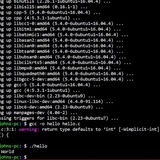
How to escape special character, quotes (single and double) and spaces?
I am a beginner and I got to know that we have to escape some characters in bash.
this is the string stored in "testing" variable.
1.) Vehicle_Media_Update_Image_Sequence====Flow====The field "EPM_Image_Sequence__c" for the object "EPM_Vehicle_Media__c" doesn't exist.
2.) Account_Score_Inactivity_Decrease====Flow====Update_Accounts_IER (Action) - We can't find an action with the name and action type that you specified.
3.) WebForm_RecordTrigger_WebFormFlow====Flow====Update_WFH_Score (Update Records) - The field "EPM_Score__c" for the object "EPM_Web_Form_History__c" doesn't exist.
I tried to use tr but it didn't work.
https://redd.it/14vusjs
@r_bash
I am a beginner and I got to know that we have to escape some characters in bash.
this is the string stored in "testing" variable.
1.) Vehicle_Media_Update_Image_Sequence====Flow====The field "EPM_Image_Sequence__c" for the object "EPM_Vehicle_Media__c" doesn't exist.
2.) Account_Score_Inactivity_Decrease====Flow====Update_Accounts_IER (Action) - We can't find an action with the name and action type that you specified.
3.) WebForm_RecordTrigger_WebFormFlow====Flow====Update_WFH_Score (Update Records) - The field "EPM_Score__c" for the object "EPM_Web_Form_History__c" doesn't exist.
I tried to use tr but it didn't work.
https://redd.it/14vusjs
@r_bash
Reddit
From the bash community on Reddit
Explore this post and more from the bash community
Can bash be used to crop images by inserting pixel dimensions?
Just like there is Bash commands/noscripts to edit folders and text files, I'm wondering if it can also be used to crop a bunch of images at once, using the pixels (or something else) as a parameter to crop all of them equally.
https://redd.it/14vwob1
@r_bash
Just like there is Bash commands/noscripts to edit folders and text files, I'm wondering if it can also be used to crop a bunch of images at once, using the pixels (or something else) as a parameter to crop all of them equally.
https://redd.it/14vwob1
@r_bash
Reddit
From the bash community on Reddit
Explore this post and more from the bash community
I'd like some feedback and suggestions for how to improve my shell noscript
Hey everyone, I'm relatively new to programming and I've started to seriously get into writing small utilities for myself that automate a lot of time consuming tasks. This noscript aims to tackle a niche use case of mine - running games via WINE without leaning on apps like Lutris, Bottles, etc. This is more of a personal preference - I just like to simply type a single command into a terminal and be in-game within a few seconds.
The noscript accepts an .exe file as an argument and prompts you to enter a name for the prefix you'd like to use, then it sets everything up for you and runs the .exe file that was passed (ideally an installer of some sort). It then prompts you to install recommended libraries like \`dxvk\` and/or \`vkd3d\` if desired, and then searches for any unique .exe files located within the prefix and presents the user with a numbered list of the .exe files it found. Then, you once select the .exe you want to use it will automatically create an executable wrapper noscript for that game/exe file and place it in my $PATH.
#!/bin/bash
# Set the WINE prefix path -- This is the directory where
# the noscript will help to manage your WINE prefixes
PFX_PATH="$HOME/Games/Wine"
# Function for checking which directories are WINE prefixes
# and displaying them to the user.
set_prefix() {
echo -e "\033[1mAvailable WINE prefixes: \033[0m"
for dir in "$PFX_PATH"/*; do
if [ -d "$dir/drive_c" ]; then
echo "$(basename "$dir")"
else
continue
fi
done
read -p $'\e[1;33mEnter a name for the WINE prefix: \e[0m' PFX_NAME
export WINEPREFIX="$PFX_PATH/$PFX_NAME"
}
find_exe_files() {
echo -e "\033[1mSelect which .exe file to use: \033[0m"
PFS=$IFS
IFS=$'\n'
select option in $(
find "$WINEPREFIX" -type f\
-a -not \(\
-path "*/drive_c/Program Files*/Common Files/*" -o\
-path "*/drive_c/Program Files*/Internet Explorer/*" -o\
-path "*/drive_c/Program Files*/Windows Media Player/*" -o\
-path "*/drive_c/Program Files*/Windows NT/*" -o\
-path "*/drive_c/ProgramData/*" -o\
-path "*/drive_c/users/*" -o\
-path "*/drive_c/windows/*"\
-prune \)\
-a -name "*.exe"\
-print
); do
if [[ -n "$option" ]]; then
exe_dir="$(dirname "$option")"
exe_file="$(basename "$option")"
break
else
echo "Invalid option."
fi
done
IFS=$PFS
}
make_run_noscript() {
read -p $'\033[1mEnter a name for the run command to use: \033[0m' cmd
run_noscript_path="$HOME/.bin/$cmd"
cat <<EOF > "$run_noscript_path"
#!/bin/bash
pfx="$WINEPREFIX"
exe_dir="$exe_dir"
cache_dir="\$pfx/shadercache/$(basename "$WINEPREFIX")"
mkdir -p "\$cache_dir"
cd "\$exe_dir"
# Default environment variables
export WINEPREFIX="\$pfx"
export __GL_SHADER_DISK_CACHE=1
export __GL_SHADER_DISK_CACHE_PATH="\$cache_dir"
export WINEFSYNC=1
export WINEESYNC=1
export DXVK_HUD="compiler"
export GAMEMODERUNEXEC="wine $exe_file"
# Additional environment variables
gamemoderun "\$@"
EOF
chmod +x "$run_noscript_path"
echo "Run noscript created for $(basename "$WINEPREFIX")."
echo "Now, simply type '$cmd' in a terminal to run the game :)"
}
run_with_wine() {
cd "$exe_dir"
wine "$exe_file"
}
# Function for checking if 'dxvk-bin' is installed, and
# setting it up on the desired prefix
install_dxvk() {
read -p $'\e[1;33mInstall DXVK (Y/n)? \e[0m' INSTALL_DXVK
# read -p "Install DXVK (Y/n)? " INSTALL_DXVK
if [[ $INSTALL_DXVK =~ ^[Yy]$ ]]; then
if ! command -v setup_dxvk &> /dev/null; then
echo "The package 'dxvk-bin' is missing on your system. Aborting."
exit 1
else
echo "Installing DXVK on Wine prefix: $WINEPREFIX"
Hey everyone, I'm relatively new to programming and I've started to seriously get into writing small utilities for myself that automate a lot of time consuming tasks. This noscript aims to tackle a niche use case of mine - running games via WINE without leaning on apps like Lutris, Bottles, etc. This is more of a personal preference - I just like to simply type a single command into a terminal and be in-game within a few seconds.
The noscript accepts an .exe file as an argument and prompts you to enter a name for the prefix you'd like to use, then it sets everything up for you and runs the .exe file that was passed (ideally an installer of some sort). It then prompts you to install recommended libraries like \`dxvk\` and/or \`vkd3d\` if desired, and then searches for any unique .exe files located within the prefix and presents the user with a numbered list of the .exe files it found. Then, you once select the .exe you want to use it will automatically create an executable wrapper noscript for that game/exe file and place it in my $PATH.
#!/bin/bash
# Set the WINE prefix path -- This is the directory where
# the noscript will help to manage your WINE prefixes
PFX_PATH="$HOME/Games/Wine"
# Function for checking which directories are WINE prefixes
# and displaying them to the user.
set_prefix() {
echo -e "\033[1mAvailable WINE prefixes: \033[0m"
for dir in "$PFX_PATH"/*; do
if [ -d "$dir/drive_c" ]; then
echo "$(basename "$dir")"
else
continue
fi
done
read -p $'\e[1;33mEnter a name for the WINE prefix: \e[0m' PFX_NAME
export WINEPREFIX="$PFX_PATH/$PFX_NAME"
}
find_exe_files() {
echo -e "\033[1mSelect which .exe file to use: \033[0m"
PFS=$IFS
IFS=$'\n'
select option in $(
find "$WINEPREFIX" -type f\
-a -not \(\
-path "*/drive_c/Program Files*/Common Files/*" -o\
-path "*/drive_c/Program Files*/Internet Explorer/*" -o\
-path "*/drive_c/Program Files*/Windows Media Player/*" -o\
-path "*/drive_c/Program Files*/Windows NT/*" -o\
-path "*/drive_c/ProgramData/*" -o\
-path "*/drive_c/users/*" -o\
-path "*/drive_c/windows/*"\
-prune \)\
-a -name "*.exe"\
); do
if [[ -n "$option" ]]; then
exe_dir="$(dirname "$option")"
exe_file="$(basename "$option")"
break
else
echo "Invalid option."
fi
done
IFS=$PFS
}
make_run_noscript() {
read -p $'\033[1mEnter a name for the run command to use: \033[0m' cmd
run_noscript_path="$HOME/.bin/$cmd"
cat <<EOF > "$run_noscript_path"
#!/bin/bash
pfx="$WINEPREFIX"
exe_dir="$exe_dir"
cache_dir="\$pfx/shadercache/$(basename "$WINEPREFIX")"
mkdir -p "\$cache_dir"
cd "\$exe_dir"
# Default environment variables
export WINEPREFIX="\$pfx"
export __GL_SHADER_DISK_CACHE=1
export __GL_SHADER_DISK_CACHE_PATH="\$cache_dir"
export WINEFSYNC=1
export WINEESYNC=1
export DXVK_HUD="compiler"
export GAMEMODERUNEXEC="wine $exe_file"
# Additional environment variables
gamemoderun "\$@"
EOF
chmod +x "$run_noscript_path"
echo "Run noscript created for $(basename "$WINEPREFIX")."
echo "Now, simply type '$cmd' in a terminal to run the game :)"
}
run_with_wine() {
cd "$exe_dir"
wine "$exe_file"
}
# Function for checking if 'dxvk-bin' is installed, and
# setting it up on the desired prefix
install_dxvk() {
read -p $'\e[1;33mInstall DXVK (Y/n)? \e[0m' INSTALL_DXVK
# read -p "Install DXVK (Y/n)? " INSTALL_DXVK
if [[ $INSTALL_DXVK =~ ^[Yy]$ ]]; then
if ! command -v setup_dxvk &> /dev/null; then
echo "The package 'dxvk-bin' is missing on your system. Aborting."
exit 1
else
echo "Installing DXVK on Wine prefix: $WINEPREFIX"
setup_dxvk install
fi
fi
}
# Function for checking if 'vkd3d-proton-bin' is installed, and
# setting it up on the desired prefix
install_vkd3d() {
read -p $'\e[1;33mInstall VKD3D Proton (Y/n)? \e[0m' INSTALL_VKD3D
# read -p "Install VKD3D Proton (Y/n)? " INSTALL_VKD3D
if [[ $INSTALL_VKD3D =~ ^[Yy]$ ]]; then
if ! command -v setup_vkd3d_proton &> /dev/null; then
echo "The package 'vkd3d-proton-bin' is missing on your system. Aborting."
exit 1
else
echo "Installing VKD3D Proton on Wine prefix: $WINEPREFIX"
setup_vkd3d_proton install
fi
fi
}
# Check if WINE is installed
if ! command -v wine &> /dev/null; then
echo "Wine is not installed"
exit 1
fi
# Display options if no argument is passed
if [ -z "$1" ]; then
cat <<EOF
Options:
-setup /path/to/*.exe Install the specified .exe file using WINE
-empty Create a new empty prefix
-run Run an exe within an existing WINE prefix
-remove Remove an existing WINE prefix
-modify Modify an existing WINE prefix
-dxvk Setup DXVK on an existing WINE prefix
-vkd3d Setup VKD3D on an existing WINE prefix
EOF
exit 0
fi
# Manage the options
case "$1" in
"-setup")
if [[ "$2" == "-empty" ]]; then
set_prefix
wineboot -u
echo "New WINE prefix $WINEPREFIX created."
elif [[ "$2" != *.exe ]]; then
if [[ -z "$2" ]]; then
echo "Missing .exe file"
exit 1
fi
echo "Not a valid .exe file"
exit 1
else
# Extract the directory and filename of the .exe
DIR="$(dirname "$2")"
FILE="$(basename "$2")"
set_prefix
if [ -d "$WINEPREFIX" ]; then
echo "Using existing WINE prefix $WINEPREFIX"
else
echo "Creating a new WINE prefix $WINEPREFIX"
wineboot -u
fi
wine "$DIR/$FILE"
install_dxvk
install_vkd3d
find_exe_files
make_run_noscript
fi
;;
"-run")
set_prefix
if [ -d "$WINEPREFIX" ]; then
echo "Using WINE prefix $WINEPREFIX"
find_exe_files
run_with_wine
else
echo "Not yet implemented."
exit 1
fi
;;
"-remove")
set_prefix
if [ -d "$WINEPREFIX" ]; then
read -p "Are you sure? This will delete the prefix and all data inside (Y/n)? " CONFIRM
if [[ $CONFIRM =~ [Yy]$ ]]; then
echo "Removing WINE prefix $WINEPREFIX"
rm -rf "$WINEPREFIX"
else
echo "Aborting."
exit 1
fi
else
echo "WINE prefix $WINEPREFIX does not exist."
exit 1
fi
;;
"-modify")
set_prefix
if [ -d "$WINEPREFIX" ]; then
echo "Modifying WINE prefix $WINEPREFIX..."
winecfg
else
echo "WINE prefix $WINEPREFIX does not exist."
exit 1
fi
;;
"-dxvk")
set_prefix
if [ -d "$WINEPREFIX" ]; then
install_dxvk
else
echo "WINE prefix $WINEPREFIX does not exist."
fi
;;
"-vkd3d")
set_prefix
if [ -d "$WINEPREFIX" ]; then
install_vkd3d
else
echo "WINE prefix $WINEPREFIX does not exist."
fi
;;
*)
echo "Not a valid option."
exit 1
;;
esac
All in all, I'm happy with the result but I'm always looking to improve and learn. I also leaned heavily on ChatGPT for this so I'd like some real human feedback on how to improve or reimplement existing features. To anyone who takes the time to read through this, I'd greatly appreciate the feedback!
https://redd.it/14rfgjg
@r_bash
fi
fi
}
# Function for checking if 'vkd3d-proton-bin' is installed, and
# setting it up on the desired prefix
install_vkd3d() {
read -p $'\e[1;33mInstall VKD3D Proton (Y/n)? \e[0m' INSTALL_VKD3D
# read -p "Install VKD3D Proton (Y/n)? " INSTALL_VKD3D
if [[ $INSTALL_VKD3D =~ ^[Yy]$ ]]; then
if ! command -v setup_vkd3d_proton &> /dev/null; then
echo "The package 'vkd3d-proton-bin' is missing on your system. Aborting."
exit 1
else
echo "Installing VKD3D Proton on Wine prefix: $WINEPREFIX"
setup_vkd3d_proton install
fi
fi
}
# Check if WINE is installed
if ! command -v wine &> /dev/null; then
echo "Wine is not installed"
exit 1
fi
# Display options if no argument is passed
if [ -z "$1" ]; then
cat <<EOF
Options:
-setup /path/to/*.exe Install the specified .exe file using WINE
-empty Create a new empty prefix
-run Run an exe within an existing WINE prefix
-remove Remove an existing WINE prefix
-modify Modify an existing WINE prefix
-dxvk Setup DXVK on an existing WINE prefix
-vkd3d Setup VKD3D on an existing WINE prefix
EOF
exit 0
fi
# Manage the options
case "$1" in
"-setup")
if [[ "$2" == "-empty" ]]; then
set_prefix
wineboot -u
echo "New WINE prefix $WINEPREFIX created."
elif [[ "$2" != *.exe ]]; then
if [[ -z "$2" ]]; then
echo "Missing .exe file"
exit 1
fi
echo "Not a valid .exe file"
exit 1
else
# Extract the directory and filename of the .exe
DIR="$(dirname "$2")"
FILE="$(basename "$2")"
set_prefix
if [ -d "$WINEPREFIX" ]; then
echo "Using existing WINE prefix $WINEPREFIX"
else
echo "Creating a new WINE prefix $WINEPREFIX"
wineboot -u
fi
wine "$DIR/$FILE"
install_dxvk
install_vkd3d
find_exe_files
make_run_noscript
fi
;;
"-run")
set_prefix
if [ -d "$WINEPREFIX" ]; then
echo "Using WINE prefix $WINEPREFIX"
find_exe_files
run_with_wine
else
echo "Not yet implemented."
exit 1
fi
;;
"-remove")
set_prefix
if [ -d "$WINEPREFIX" ]; then
read -p "Are you sure? This will delete the prefix and all data inside (Y/n)? " CONFIRM
if [[ $CONFIRM =~ [Yy]$ ]]; then
echo "Removing WINE prefix $WINEPREFIX"
rm -rf "$WINEPREFIX"
else
echo "Aborting."
exit 1
fi
else
echo "WINE prefix $WINEPREFIX does not exist."
exit 1
fi
;;
"-modify")
set_prefix
if [ -d "$WINEPREFIX" ]; then
echo "Modifying WINE prefix $WINEPREFIX..."
winecfg
else
echo "WINE prefix $WINEPREFIX does not exist."
exit 1
fi
;;
"-dxvk")
set_prefix
if [ -d "$WINEPREFIX" ]; then
install_dxvk
else
echo "WINE prefix $WINEPREFIX does not exist."
fi
;;
"-vkd3d")
set_prefix
if [ -d "$WINEPREFIX" ]; then
install_vkd3d
else
echo "WINE prefix $WINEPREFIX does not exist."
fi
;;
*)
echo "Not a valid option."
exit 1
;;
esac
All in all, I'm happy with the result but I'm always looking to improve and learn. I also leaned heavily on ChatGPT for this so I'd like some real human feedback on how to improve or reimplement existing features. To anyone who takes the time to read through this, I'd greatly appreciate the feedback!
https://redd.it/14rfgjg
@r_bash
Reddit
From the bash community on Reddit
Explore this post and more from the bash community
SMSgpt: PoC SMS gateway to serve queries to chatGPT over GSM network using adb and the regular Android message app.
https://github.com/GabrieleRisso/SMSgpt
https://redd.it/14r8kho
@r_bash
https://github.com/GabrieleRisso/SMSgpt
https://redd.it/14r8kho
@r_bash
GitHub
GitHub - GabrieleRisso/SMSgpt: POC of a phone used as SMS gateway to serve queries to chatGPT over GSM network using the regular…
POC of a phone used as SMS gateway to serve queries to chatGPT over GSM network using the regular Android message app. - GitHub - GabrieleRisso/SMSgpt: POC of a phone used as SMS gateway to serve...
Is there a linux/bash command that will recursively fix invalid filenames in my 3.5TB harddrive to make them more universally compatible with most software & filesystems?
So, here's the deal.
I've been making folder names that include characters like the colon : and parenthesis ( and dashes - etc. for years without thinking too much of it until now.
This was all on linux, and I didn't think much of it because the computer allowed me to name files however I wanted.
For example, I'll have a folder called
...and sometimes some weird glitch would have added quotes ' or " into the filename, too - this wasn't me, but I reckon it happened when it was downloaded or something.
But when I try to rsync, many will fail due to weird characters.
It's not just rsync. it's a lot of scenarios.
It's been a huge headache.
Even when I restored some of my folders from my cloud backup on Crashplan, the software itself renamed my folders by removing colons and adding slashes / to likely make them more universally compatible etc.
My question is, is there a simple and safe command that will recursively remove or fix these filename issues to make them universally compatible?
I wish I hadn't used colons, but I certainly don't want to break any files or screw up the renaming so royally that I have tens of thousands of misnamed files/folders either.
Thanks for any help.
https://redd.it/14qix2c
@r_bash
So, here's the deal.
I've been making folder names that include characters like the colon : and parenthesis ( and dashes - etc. for years without thinking too much of it until now.
This was all on linux, and I didn't think much of it because the computer allowed me to name files however I wanted.
For example, I'll have a folder called
BOOKSor have
(Unabridged)in the filename etc.
...and sometimes some weird glitch would have added quotes ' or " into the filename, too - this wasn't me, but I reckon it happened when it was downloaded or something.
But when I try to rsync, many will fail due to weird characters.
It's not just rsync. it's a lot of scenarios.
It's been a huge headache.
Even when I restored some of my folders from my cloud backup on Crashplan, the software itself renamed my folders by removing colons and adding slashes / to likely make them more universally compatible etc.
My question is, is there a simple and safe command that will recursively remove or fix these filename issues to make them universally compatible?
I wish I hadn't used colons, but I certainly don't want to break any files or screw up the renaming so royally that I have tens of thousands of misnamed files/folders either.
Thanks for any help.
https://redd.it/14qix2c
@r_bash
Unix & Linux Stack Exchange
rsync with colons in filenames
I have a fairly large directory that I need to sync to an external hard drive for both backup and portability reasons.
/work
I try to run the following rsync command in order to copy this folder ...
/work
I try to run the following rsync command in order to copy this folder ...
Unable to call executable from .gitconfig even though its in PATH, but can call it with full path
I'm struggling to understand why this is occurring, but it seems that .gitconfig doesn't have permission to call some executables by name, even if they are in PATH.
For context, I am setting up diff-so-fancy, and have cloned the git repo, changed the permissions of the executable and added the directory to PATH in my dotfiles. I then added the following line in the [core\] section of my gitconfig as instructed:
however, that results in the following error
>diff-so-fancy | less --tabs=4 -RFX: 1: diff-so-fancy: Permission denied
​
So I decided to make sure PATH contained the directory at the time of calling
which did have the appropriate path in it, prior to printing the permission-denied error
​
Just having the executable directory in PATH and calling it by name in gitconfig does work on my Mac laptop for work.
​
It also works when I just call
​
I then decided to check what would happen if I had the full path to the executable within the gitconfig alias, so I added
which did have the expected output.
​
It doesn't, however, work if I make a symlink to the executable and put it in /usr/bin/
​
Its also worth noting that .gitconfig can call other executables, such as
​
Also, yes, I know, I could just leave the full path in my gitconfig and have the expected output, but I just wanted to figure out why it wouldn't work, when it does on my Mac laptop.
​
System Information:
Shell: Bash 5.1.16
Git 2.34.1
OS: Windows 10 22H2 19045.3086
WSL version: 1.2.5.0
WSL Kernel version: 5.15.90.1
https://redd.it/14qpk0y
@r_bash
I'm struggling to understand why this is occurring, but it seems that .gitconfig doesn't have permission to call some executables by name, even if they are in PATH.
For context, I am setting up diff-so-fancy, and have cloned the git repo, changed the permissions of the executable and added the directory to PATH in my dotfiles. I then added the following line in the [core\] section of my gitconfig as instructed:
pager = diff-so-fancy | less --tabs=4 -RFXhowever, that results in the following error
>diff-so-fancy | less --tabs=4 -RFX: 1: diff-so-fancy: Permission denied
​
So I decided to make sure PATH contained the directory at the time of calling
git diff and added the following line pager = echo $PATH && diff-so-fancy | less --tabs=4 -RFXwhich did have the appropriate path in it, prior to printing the permission-denied error
​
Just having the executable directory in PATH and calling it by name in gitconfig does work on my Mac laptop for work.
​
It also works when I just call
diff-so-fancy by its name in the terminal, so it is clear to me that it is in the path and callable. ​
I then decided to check what would happen if I had the full path to the executable within the gitconfig alias, so I added
pager = ~/path/to/diff-so-fancy | less --tabs=4 -RFXwhich did have the expected output.
​
It doesn't, however, work if I make a symlink to the executable and put it in /usr/bin/
​
Its also worth noting that .gitconfig can call other executables, such as
less just fine, without needing to specify the full path. The only time it doesn't work is when gitconfig is trying to call the specific executables. ​
Also, yes, I know, I could just leave the full path in my gitconfig and have the expected output, but I just wanted to figure out why it wouldn't work, when it does on my Mac laptop.
​
System Information:
Shell: Bash 5.1.16
Git 2.34.1
OS: Windows 10 22H2 19045.3086
WSL version: 1.2.5.0
WSL Kernel version: 5.15.90.1
https://redd.it/14qpk0y
@r_bash
Reddit
From the bash community on Reddit
Explore this post and more from the bash community
Invisible window I can't click throuh
When i open gitbash console a huge portion of my screen becomes unclickable, like if i have an invisible window over my desktop. Can't click any shortcuts or file explorer, any idea what it could be? when i close the msys2 process in the task manager it goes away, but every time the console is open it's there. Im running windows 11 btw, any help is appreciated, thanks.
https://redd.it/14w4l6n
@r_bash
When i open gitbash console a huge portion of my screen becomes unclickable, like if i have an invisible window over my desktop. Can't click any shortcuts or file explorer, any idea what it could be? when i close the msys2 process in the task manager it goes away, but every time the console is open it's there. Im running windows 11 btw, any help is appreciated, thanks.
https://redd.it/14w4l6n
@r_bash
Reddit
From the bash community on Reddit
Explore this post and more from the bash community
Resources on learning bash noscripting
I already know how to traverse the file system, I also know the purpose of certain files in the root directory
https://redd.it/14q9k5t
@r_bash
I already know how to traverse the file system, I also know the purpose of certain files in the root directory
https://redd.it/14q9k5t
@r_bash
Reddit
From the bash community on Reddit
Explore this post and more from the bash community
Remove all words after another word from multiple lines lines
Hi, I have a text file containing
libargon2.so
libargon2.so.1
libasan.so
libasan.so.8
libasan.so.8.0.0
libasm-0.189.so
libasm.a
libasm.so
libasm.so.1
libasprintf.so
libasprintf.so.0
libasprintf.so.0.0.0
I want to convert it like this
libargon2.so
libargon2.so
libasan.so
libasan.so
libasan.so
libasm-0.189.so
libasm.a
libasm.so
libasm.so
libasprintf.so
libasprintf.so
libasprintf.so
i.e. I want to remove all the text after ".so".
How can I do?
Thanks in advance.
https://redd.it/14pix7v
@r_bash
Hi, I have a text file containing
libargon2.so
libargon2.so.1
libasan.so
libasan.so.8
libasan.so.8.0.0
libasm-0.189.so
libasm.a
libasm.so
libasm.so.1
libasprintf.so
libasprintf.so.0
libasprintf.so.0.0.0
I want to convert it like this
libargon2.so
libargon2.so
libasan.so
libasan.so
libasan.so
libasm-0.189.so
libasm.a
libasm.so
libasm.so
libasprintf.so
libasprintf.so
libasprintf.so
i.e. I want to remove all the text after ".so".
How can I do?
Thanks in advance.
https://redd.it/14pix7v
@r_bash
Reddit
From the bash community on Reddit
Explore this post and more from the bash community
Are there any tools to analyse/modify colours directly from a bash noscript?
I am on Arch Linux and I am using pywal to generate a colour palette from my wallpaper, which I then use throughout my system. In particular, i have a bash noscript which grabs these colours and uses them for polybar. The problem is that sometimes these colours do not have enough contrast, and the bar is hard to read. Is there any tool that would allow me to check the readability of my colours, and modify them accordingly, directly from my noscript? If not, how should I be approaching this issue?
https://redd.it/14pfnqk
@r_bash
I am on Arch Linux and I am using pywal to generate a colour palette from my wallpaper, which I then use throughout my system. In particular, i have a bash noscript which grabs these colours and uses them for polybar. The problem is that sometimes these colours do not have enough contrast, and the bar is hard to read. Is there any tool that would allow me to check the readability of my colours, and modify them accordingly, directly from my noscript? If not, how should I be approaching this issue?
https://redd.it/14pfnqk
@r_bash
GitHub
GitHub - dylanaraps/pywal: 🎨 Generate and change color-schemes on the fly.
🎨 Generate and change color-schemes on the fly. Contribute to dylanaraps/pywal development by creating an account on GitHub.
Help in determining if I should use if/then or case/esac or what?
I am trying to write a BASH Script for use at work and I am in need of assistance. The noscript I m writing will need operator input and run in sections depending on the users input. What I would like the noscript to do is ask the user how many times it needs to run the subroutine or at the end of each subroutine ask if they would like to continue with next subroutine.
We process files at work sometimes 1 sometimes 3 or 4 or 5. I would like the noscript to ask the user how many files the user is interested in processing and have the noscript run the subroutines for that many.
I don’t know its I should use if/then or case/ecase or whatever else to structure the noscript with.
Following is a step by step of what im intending to do:
Step 1- Ask user how many file values it wants to process
Step 2- Start processing the first file values saving variable values to print out at the end of the noscript
Step 3- Ask the user if they would like to continue
Step 3- Continue to the next file saving its variables to print out at the end also
Step 4- After the last file is processed print the values of the variables from each section
If I set it up for say 5 sections this will cover a number up to what we can do during the day. After it comes to the end of each section if User Input Yes/No to continue with another until the final is reached that would be good. The at the end when the user is asked do you want to continue processing and the answer no it prints the variables retrieved from the different sections.
https://redd.it/14o87vc
@r_bash
I am trying to write a BASH Script for use at work and I am in need of assistance. The noscript I m writing will need operator input and run in sections depending on the users input. What I would like the noscript to do is ask the user how many times it needs to run the subroutine or at the end of each subroutine ask if they would like to continue with next subroutine.
We process files at work sometimes 1 sometimes 3 or 4 or 5. I would like the noscript to ask the user how many files the user is interested in processing and have the noscript run the subroutines for that many.
I don’t know its I should use if/then or case/ecase or whatever else to structure the noscript with.
Following is a step by step of what im intending to do:
Step 1- Ask user how many file values it wants to process
Step 2- Start processing the first file values saving variable values to print out at the end of the noscript
Step 3- Ask the user if they would like to continue
Step 3- Continue to the next file saving its variables to print out at the end also
Step 4- After the last file is processed print the values of the variables from each section
If I set it up for say 5 sections this will cover a number up to what we can do during the day. After it comes to the end of each section if User Input Yes/No to continue with another until the final is reached that would be good. The at the end when the user is asked do you want to continue processing and the answer no it prints the variables retrieved from the different sections.
https://redd.it/14o87vc
@r_bash
Reddit
From the bash community on Reddit
Explore this post and more from the bash community
Help optimizing my box drawing function
drawbox() {
tput clear
# gettermsize
horiz="$((COLUMNS - 1))"
# vert="$((LINES - 2 ))"
vert="$LINES"
itera=1
# boxchar0="╭" boxchar1="╮" boxchar2="╰" boxchar3="╯" boxchar4="│"
# boxchar5="─" boxchar6="┑" boxchar7="┎" boxchar8="├" boxchar9="┤"
# put corner left & right top
# and then top line
cuphome && cupxeol && printf '╭'
perl -E "print '─' x $horiz"
cupright 1 && printf '╮'
# input vertical lines on both sides
for ((itera=1; itera<vert; itera++)); do
tput cup "$itera" 0 && printf "│"
tput cup "$itera" "$horiz" && printf "│"
done
# put left & right bottom corner
# and then top line
cup "$vert" 0 && cupxeol && printf '╰'
perl -E "print '─' x $horiz"
cupright 1 && printf '╯'
# put left & right bottom middle delim
# and then mid-line
cup "$((vert - 2))" 0 && cupxeol && printf '├'
perl -E "print '─' x $horiz"
cupright 1 && printf '┤'
}
So I have this noscript that I'm writing, it's pretty large at this point and it's still in it's early stages called [catnip](https://raw.githubusercontent.com/sweetbbak/catnip/main/cn). It is a little command console that lets you pick a directory and shuffle through the images in that directory. I'm on my 2nd or 3rd re-write right now and I'm having trouble optimizing some of these core functions, the worst one is this box drawing function. Its like Box() in C from Ncurses except that it has a little command line box at the bottom.
The main issues that I'm running into are speed, trouble writing unicode characters and portability. I'm using Perl here because it can easily handle unicode characters and its far far faster than using tput.
I'm curious if you all would have some advice here? I'd like to use a bash builtin instead of Perl and I'd really like to speed this up. It's not so bad with perl and only redrawing when the box gets destroyed but I'm still not happy with it.
# cup in the above function is defined as:
# Cursor to absolute position
cup() { printf '\e[%s;%sH' "$1" "$2" ; }
# Erase from cursor to end of line
cupxeol() { printf '\e[K'; }
# Cursor 0, 0
cuphome() { printf '\eH' ; }
Im using this in place of Tput but I'm open to using that instead. In my mind I felt going top left box char, across the top, top right box char... then each side and then the bottom horizontal bar and left + right box characters, then the middle line with a special right and left character on each edge.
The repo has three videos in it that show it in action if you're curious. One weird side-effect of another function is that the characters are colored blue, but only after the "gradient" function is called that takes a string and divides it up to make a color gradient. I'm sure the entire thing is pretty rough but any help would be appreciated.
[https://redd.it/14nnh95
@r_bash
drawbox() {
tput clear
# gettermsize
horiz="$((COLUMNS - 1))"
# vert="$((LINES - 2 ))"
vert="$LINES"
itera=1
# boxchar0="╭" boxchar1="╮" boxchar2="╰" boxchar3="╯" boxchar4="│"
# boxchar5="─" boxchar6="┑" boxchar7="┎" boxchar8="├" boxchar9="┤"
# put corner left & right top
# and then top line
cuphome && cupxeol && printf '╭'
perl -E "print '─' x $horiz"
cupright 1 && printf '╮'
# input vertical lines on both sides
for ((itera=1; itera<vert; itera++)); do
tput cup "$itera" 0 && printf "│"
tput cup "$itera" "$horiz" && printf "│"
done
# put left & right bottom corner
# and then top line
cup "$vert" 0 && cupxeol && printf '╰'
perl -E "print '─' x $horiz"
cupright 1 && printf '╯'
# put left & right bottom middle delim
# and then mid-line
cup "$((vert - 2))" 0 && cupxeol && printf '├'
perl -E "print '─' x $horiz"
cupright 1 && printf '┤'
}
So I have this noscript that I'm writing, it's pretty large at this point and it's still in it's early stages called [catnip](https://raw.githubusercontent.com/sweetbbak/catnip/main/cn). It is a little command console that lets you pick a directory and shuffle through the images in that directory. I'm on my 2nd or 3rd re-write right now and I'm having trouble optimizing some of these core functions, the worst one is this box drawing function. Its like Box() in C from Ncurses except that it has a little command line box at the bottom.
The main issues that I'm running into are speed, trouble writing unicode characters and portability. I'm using Perl here because it can easily handle unicode characters and its far far faster than using tput.
I'm curious if you all would have some advice here? I'd like to use a bash builtin instead of Perl and I'd really like to speed this up. It's not so bad with perl and only redrawing when the box gets destroyed but I'm still not happy with it.
# cup in the above function is defined as:
# Cursor to absolute position
cup() { printf '\e[%s;%sH' "$1" "$2" ; }
# Erase from cursor to end of line
cupxeol() { printf '\e[K'; }
# Cursor 0, 0
cuphome() { printf '\eH' ; }
Im using this in place of Tput but I'm open to using that instead. In my mind I felt going top left box char, across the top, top right box char... then each side and then the bottom horizontal bar and left + right box characters, then the middle line with a special right and left character on each edge.
The repo has three videos in it that show it in action if you're curious. One weird side-effect of another function is that the characters are colored blue, but only after the "gradient" function is called that takes a string and divides it up to make a color gradient. I'm sure the entire thing is pretty rough but any help would be appreciated.
[https://redd.it/14nnh95
@r_bash
Quoting value in string w/ multiple matches
I am looking to add some quotes to a string, and am having some issues with doing it with sed:
>$ value='abc=123'
>
>$ echo $value
>
>abc=123
>
>$ echo $value | sed "s/\\(.*\\)=\\(.*\\)/\\1='\\2'/g"
>
>abc='123' <-- This is what I want, with the value quoted
>
>$ value='JAVA_OPTS=-Xms1G -Xmx3G -Dcom.redhat.fips=false'
>
>$ echo $value
>
>JAVA_OPTS=-Xms1G -Xmx3G -Dcom.redhat.fips=false
>
>$ echo $value | sed "s/\\(.*\\)=\\(.*\\)/\\1='\\2'/g"
>
>JAVA_OPTS=-Xms1G -Xmx3G -Dcom.redhat.fips='false' <-- it's picking up the = inside the value
This is for use in a container, so I would rather not add something bulky like perl or python that could do this easier than sed. awk and other basic GNU Utilities are available
https://redd.it/14n4n9g
@r_bash
I am looking to add some quotes to a string, and am having some issues with doing it with sed:
>$ value='abc=123'
>
>$ echo $value
>
>abc=123
>
>$ echo $value | sed "s/\\(.*\\)=\\(.*\\)/\\1='\\2'/g"
>
>abc='123' <-- This is what I want, with the value quoted
>
>$ value='JAVA_OPTS=-Xms1G -Xmx3G -Dcom.redhat.fips=false'
>
>$ echo $value
>
>JAVA_OPTS=-Xms1G -Xmx3G -Dcom.redhat.fips=false
>
>$ echo $value | sed "s/\\(.*\\)=\\(.*\\)/\\1='\\2'/g"
>
>JAVA_OPTS=-Xms1G -Xmx3G -Dcom.redhat.fips='false' <-- it's picking up the = inside the value
This is for use in a container, so I would rather not add something bulky like perl or python that could do this easier than sed. awk and other basic GNU Utilities are available
https://redd.it/14n4n9g
@r_bash
Reddit
From the bash community on Reddit
Explore this post and more from the bash community
A little bash noscript for new Ubuntu users to help them install Flatpak with necessary software center & desktop integrations
https://github.com/hakerdefo/flatjak
https://redd.it/14ldurr
@r_bash
https://github.com/hakerdefo/flatjak
https://redd.it/14ldurr
@r_bash
GitHub
GitHub - hakerdefo/flatjak: Wee helper noscript that installs Flatpak with required integrations & enables the Flathub repo.
Wee helper noscript that installs Flatpak with required integrations & enables the Flathub repo. - GitHub - hakerdefo/flatjak: Wee helper noscript that installs Flatpak with required integratio...
xdotool help - adding in --window breaks things
Can anyone help with this one, using xdotool to do a shift click .
i have to specify the window with --window which seems to make things not work
This works
xdotool keydown shift click 1 keyup shift
Adding --window in this does not.
xdotool keydown --window $windowid shift click --window $windowid 1 keyup --window $windowid shift
the keydown doesnt work for shift as soon as i add in --window
Making it into single lines also has the same issue
xdotool keydown --window $windowid shift
xdotool click --window $windowid 1
xdotool keyup --window $windowid shift
Any suggestions?
Google only finds similar issues or fixes that dont include --window (which is required since its a background window)
https://redd.it/14ltoul
@r_bash
Can anyone help with this one, using xdotool to do a shift click .
i have to specify the window with --window which seems to make things not work
This works
xdotool keydown shift click 1 keyup shift
Adding --window in this does not.
xdotool keydown --window $windowid shift click --window $windowid 1 keyup --window $windowid shift
the keydown doesnt work for shift as soon as i add in --window
Making it into single lines also has the same issue
xdotool keydown --window $windowid shift
xdotool click --window $windowid 1
xdotool keyup --window $windowid shift
Any suggestions?
Google only finds similar issues or fixes that dont include --window (which is required since its a background window)
https://redd.it/14ltoul
@r_bash
Reddit
From the bash community on Reddit
Explore this post and more from the bash community
how to get PID to not appear from a while loop?
So I have a while loop in my PS1 prompt but everytime I open a new terminal a PID shows up at the top like [1\] 28014
I tried 2>/dev/null, it did not work
https://redd.it/14lhf7b
@r_bash
So I have a while loop in my PS1 prompt but everytime I open a new terminal a PID shows up at the top like [1\] 28014
I tried 2>/dev/null, it did not work
https://redd.it/14lhf7b
@r_bash
Reddit
From the bash community on Reddit
Explore this post and more from the bash community
Capturing history of bash on exit
I have been using something the TRAP command in my .bashrc file for over 10 years to get a history of all commands run in the shell.
I have this line in my .bashrc:
trap $HOME/bin/save_history.sh EXIT
$ cat bin/save_history.sh
\#!/bin/bash
history > \~/.hist/`date +%d%b%y_%H%M_``echo $RANDOM`
This will capture the history into a file with the date, time and a random number so multiple files will not over write each other. A typical file name looks like
28Jun23_1047_25998
I started doing this so I had a log of whatever I did with git.
I am using git-bash on a win11 system. I have used this in my .bashrc on both linux systems and recently it has stopped working. The file is created, but it is empty. If I run that command from a command line in a live shell, it works. I get a file with 500 lines, the last 500 commands run in that shell.
Is there some reason that history output doesn't go to the file when run from a noscript?
​
https://redd.it/14lgdq3
@r_bash
I have been using something the TRAP command in my .bashrc file for over 10 years to get a history of all commands run in the shell.
I have this line in my .bashrc:
trap $HOME/bin/save_history.sh EXIT
$ cat bin/save_history.sh
\#!/bin/bash
history > \~/.hist/`date +%d%b%y_%H%M_``echo $RANDOM`
This will capture the history into a file with the date, time and a random number so multiple files will not over write each other. A typical file name looks like
28Jun23_1047_25998
I started doing this so I had a log of whatever I did with git.
I am using git-bash on a win11 system. I have used this in my .bashrc on both linux systems and recently it has stopped working. The file is created, but it is empty. If I run that command from a command line in a live shell, it works. I get a file with 500 lines, the last 500 commands run in that shell.
Is there some reason that history output doesn't go to the file when run from a noscript?
​
https://redd.it/14lgdq3
@r_bash
Reddit
From the bash community on Reddit
Explore this post and more from the bash community