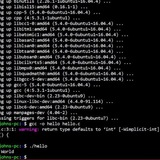
getopts "require" flag (or running noscript with no flags just shows usage)
Hey all,
I've got a generic noscript that I'd like to *require* a/any flag in order for it do anything, and if no flag is included (i.e. just running ./foo.sh) outputs the usage function.
​
So:
running
running
running
​
Note: none of the flags require any arguments. The flags alone is all that's needed
​
Full getopts part of function will be in a comment so as to not fill the OP
https://redd.it/16n07lb
@r_bash
Hey all,
I've got a generic noscript that I'd like to *require* a/any flag in order for it do anything, and if no flag is included (i.e. just running ./foo.sh) outputs the usage function.
​
So:
running
./foo.sh outputs via 'echo' ./foo.sh [ -s \] to do bar, ./foo.sh [ -d \] to do foobarrunning
./foo.sh -s does foorunning
./foo.sh -d does foobar​
Note: none of the flags require any arguments. The flags alone is all that's needed
​
Full getopts part of function will be in a comment so as to not fill the OP
https://redd.it/16n07lb
@r_bash
Reddit
From the bash community on Reddit
Explore this post and more from the bash community
Format Bash Command – apply indentation and line breaks
https://ray.run/tools/bash-command-formatter
https://redd.it/16n234s
@r_bash
https://ray.run/tools/bash-command-formatter
https://redd.it/16n234s
@r_bash
ray.run
Format Bash Command
A Bash command formatter tool takes in a Bash command and formats it, applying proper indentation, line breaks, and formatting to make it more readable and structured.
Question about read command
I need my read loop to break when it hits an empty line. I was suggested to use this command, but I am confused why the "-z $line" conditional is true when there is an empty line?
while IFS= read -r line; do
if [ -z $line ]; then
break
​
https://redd.it/16nbzro
@r_bash
I need my read loop to break when it hits an empty line. I was suggested to use this command, but I am confused why the "-z $line" conditional is true when there is an empty line?
while IFS= read -r line; do
if [ -z $line ]; then
break
​
https://redd.it/16nbzro
@r_bash
Reddit
From the bash community on Reddit
Explore this post and more from the bash community
Here is VEDV written in pure BASH, A tool for developing applications with virtual machines using a Docker-like workflow.
The software we are developing needs to be tested on a system as closed as possible to the one where it is going to be executed. Sometimes it is very difficult to satisfy this requirement with docker and we have to use virtual machines missing the docker workflow. This is why I started the development of vedv. I hope you find it useful. Thank you.
https://github.com/yunielrc/vedv
​
https://redd.it/16mvdnf
@r_bash
The software we are developing needs to be tested on a system as closed as possible to the one where it is going to be executed. Sometimes it is very difficult to satisfy this requirement with docker and we have to use virtual machines missing the docker workflow. This is why I started the development of vedv. I hope you find it useful. Thank you.
https://github.com/yunielrc/vedv
​
https://redd.it/16mvdnf
@r_bash
GitHub
GitHub - yunielrc/vedv: A tool for developing in a secure and reproducible environment
A tool for developing in a secure and reproducible environment - GitHub - yunielrc/vedv: A tool for developing in a secure and reproducible environment
Working with fzf - The Command-Line Fuzzy Finder
https://muhammadraza.me/2023/fzf/
https://redd.it/16nkjz7
@r_bash
https://muhammadraza.me/2023/fzf/
https://redd.it/16nkjz7
@r_bash
Muhammad Raza
fzf - The Command-Line Fuzzy Finder | Muhammad
Dive into fzf: the ultimate command-line fuzzy finder. Master terminal searches, enhance productivity, and streamline tasks with this must-have tool.
Can get env when run the noscript via SSH
// Look at the picture first in case TLDR
I have a noscript like this:
deploy_test_env.sh
#!/bin/bash
echo $ENVVAR
$ENV\VAR is an env variable on the host I want to run deploy_test_env.sh.
When I try to run this noscript normally, it works fine.
But when I run it by pipe it into ssh like this:
\-ssh $SSH_USERNAME@$SSH_HOSTNAME 'bash -s' < ./deploy_test_env.sh
The output is nothing.
I have edited the \~/.bashrc on the remote host also.
​
https://preview.redd.it/sthy0zxxlfpb1.png?width=1152&format=png&auto=webp&s=f2284c7ed235f205a097e65a3ef94177d3550094
https://redd.it/16nonv2
@r_bash
// Look at the picture first in case TLDR
I have a noscript like this:
deploy_test_env.sh
#!/bin/bash
echo $ENVVAR
$ENV\VAR is an env variable on the host I want to run deploy_test_env.sh.
When I try to run this noscript normally, it works fine.
But when I run it by pipe it into ssh like this:
\-ssh $SSH_USERNAME@$SSH_HOSTNAME 'bash -s' < ./deploy_test_env.sh
The output is nothing.
I have edited the \~/.bashrc on the remote host also.
​
https://preview.redd.it/sthy0zxxlfpb1.png?width=1152&format=png&auto=webp&s=f2284c7ed235f205a097e65a3ef94177d3550094
https://redd.it/16nonv2
@r_bash
Give value tp variable through ssh from windows
There are any solution to give values to variable through ssh? i echo the variable to check its blank
ssh user@remoteip "
backuppath=/some/path
read -p 'Do you really want to delete backups [Y/n\] ' Answer;
if [ $answer ==Y \]; then
find $backuppath -type d -name ""BKP_*"" -exec rm -rf {} \\;
echo "backups deleted"
else
echo ""ERRO""
"
There are any solotion to give values to variable through ssh?
Thanks in advance.
https://redd.it/16nr13u
@r_bash
There are any solution to give values to variable through ssh? i echo the variable to check its blank
ssh user@remoteip "
backuppath=/some/path
read -p 'Do you really want to delete backups [Y/n\] ' Answer;
if [ $answer ==Y \]; then
find $backuppath -type d -name ""BKP_*"" -exec rm -rf {} \\;
echo "backups deleted"
else
echo ""ERRO""
"
There are any solotion to give values to variable through ssh?
Thanks in advance.
https://redd.it/16nr13u
@r_bash
Reddit
From the bash community on Reddit
Explore this post and more from the bash community
bash noscript help
Hello everyone,
I am trying to do this bash noscript that allows me to choose between .conf files in /etc/wireguard and at the end of it will execute wg-quick ... it is giving me configuration not found, the files exist...can someone tell me where I am failing please..much appreciated. Thank you.
#!/bin/bash
# Directory where WireGuard configuration files are stored
CONFIG_DIR="/etc/wireguard"
# List all files in the configuration directory
config_files=("gb-mnc-wg-007.conf" "pt-lis-wg-102.conf")
# Prompt user to choose a configuration file
echo "Available WireGuard configuration files:"
for ((i=0; i<${#config_files[@]}; i++)); do
echo "[$i] $(basename "${config_files[i]}")"
done
read -p "Enter the number of the configuration file you want to execute: " choice
# Validate user input
if [[ ! "$choice" =~ ^[0-9]+$ ]] || ((choice < 0)) || ((choice >= ${#config_files[@]})); then
echo "Invalid choice. Please enter a valid number."
exit 1
fi
# Get the chosen configuration file
selected_config="${config_files[choice]}"
# Execute WireGuard with the chosen configuration
if [[ -f "$selected_config" ]]; then
sudo wg-quick up "$CONFIG_DIR/$selected_config"
echo "WireGuard configuration '$selected_config' has been activated."
else
echo "Configuration file not found."
exit 1
fi
​
https://redd.it/16nyb0n
@r_bash
Hello everyone,
I am trying to do this bash noscript that allows me to choose between .conf files in /etc/wireguard and at the end of it will execute wg-quick ... it is giving me configuration not found, the files exist...can someone tell me where I am failing please..much appreciated. Thank you.
#!/bin/bash
# Directory where WireGuard configuration files are stored
CONFIG_DIR="/etc/wireguard"
# List all files in the configuration directory
config_files=("gb-mnc-wg-007.conf" "pt-lis-wg-102.conf")
# Prompt user to choose a configuration file
echo "Available WireGuard configuration files:"
for ((i=0; i<${#config_files[@]}; i++)); do
echo "[$i] $(basename "${config_files[i]}")"
done
read -p "Enter the number of the configuration file you want to execute: " choice
# Validate user input
if [[ ! "$choice" =~ ^[0-9]+$ ]] || ((choice < 0)) || ((choice >= ${#config_files[@]})); then
echo "Invalid choice. Please enter a valid number."
exit 1
fi
# Get the chosen configuration file
selected_config="${config_files[choice]}"
# Execute WireGuard with the chosen configuration
if [[ -f "$selected_config" ]]; then
sudo wg-quick up "$CONFIG_DIR/$selected_config"
echo "WireGuard configuration '$selected_config' has been activated."
else
echo "Configuration file not found."
exit 1
fi
​
https://redd.it/16nyb0n
@r_bash
Reddit
From the bash community on Reddit
Explore this post and more from the bash community
How did you made this incredible banners.... in your noscripts
Hello guys I was thinking how the hell is possible to make incredible banners like this and what would you recommend me to be a pro in noscripting(bash) ? I like to learn by books and videos.
https://preview.redd.it/69qmvubiajpb1.png?width=1030&format=png&auto=webp&s=5884d84e5461069031fb4be748771358c1ad22bf
https://preview.redd.it/0iuk8hhdajpb1.png?width=544&format=png&auto=webp&s=4b2c04debab9cdb9428d6281287db8ed7aa2b5a0
https://redd.it/16o61qm
@r_bash
Hello guys I was thinking how the hell is possible to make incredible banners like this and what would you recommend me to be a pro in noscripting(bash) ? I like to learn by books and videos.
https://preview.redd.it/69qmvubiajpb1.png?width=1030&format=png&auto=webp&s=5884d84e5461069031fb4be748771358c1ad22bf
https://preview.redd.it/0iuk8hhdajpb1.png?width=544&format=png&auto=webp&s=4b2c04debab9cdb9428d6281287db8ed7aa2b5a0
https://redd.it/16o61qm
@r_bash
Here is ydf written in full BASH, The disruptive dotfiles manager+
https://github.com/yunielrc/ydf
https://redd.it/16o5sla
@r_bash
https://github.com/yunielrc/ydf
https://redd.it/16o5sla
@r_bash
GitHub
GitHub - yunielrc/ydf: A dotfiles manager+. Be ready to work in just a few minutes on your Fresh OS
A dotfiles manager+. Be ready to work in just a few minutes on your Fresh OS - yunielrc/ydf
overthinking it to noscript exporting keys from /etc/apt/trusted.gpg to /etc/apt/trusted.gpg.d
I like to automate the installation of programs as much as I can. In my stable of shell noscripts I have ones like i-ghostnoscript-from-source.sh, i-github-cli.sh, and i-apache2.sh that build or install the program and set up basic configuration.
As it happens, I needed to install
Key is stored in legacy trusted.gpg keyring (/etc/apt/trusted.gpg), see the DEPRECATION section in apt-key(8) for details.
So I modified my install noscript to export the keys from trusted.gpg to trusted.gpg.d to avoid the warning. My question for /r/bash has to do with the way I went about this. Basically I saved a copy of my keys before adding the Google keys, and then I saved a copy of my keys after. Then I
#!/usr/bin/env bash
# debugging switches
# set -o errexit # abort on nonzero exit status; same as set -e
# set -o nounset # abort on unbound variable; same as set -u
# set -o pipefail # don't hide errors within pipes
# set -o xtrace # show commands being executed; same as set -x
# set -o verbose # verbose mode; same as set -v
source ./functions.sh # for
die-if-not-root
TMP=$(mktemp -d)
# save a copy of my keys before downloading Google's keys
apt-key list > "$TMP/before.txt"
# get the Google keys and add them using
wget -q -O - https://dl-ssl.google.com/linux/linuxsigningkey.pub | apt-key add -
# save a copy of the keys, including Google's
apt-key list > "$TMP/after.txt"
# populate an array with the last 8 digits of the new keys that were added
readarray -t newkeysuffixes < <(diff "$TMP/before.txt" "$TMP/after.txt" | grep -o -E "0-9A-F{4}\ +0-9A-F{4}$" | awk '{print $1 $2}')
# iterate those key suffixes and put them in trusted.gpg.d
for eachkeysuffix in "${newkeysuffixes@}"; do
apt-key export "${eachkeysuffix}" | gpg --dearmour -o "/etc/apt/trusted.gpg.d/google-${eachkeysuffix}.gpg"
done
# add Google's repo
bash -c 'echo "deb arch=amd64 http://dl.google.com/linux/chrome/deb/ stable main" >> /etc/apt/sources.list.d/google.list'
# finally, install google-chrome-stable
apt-get -y update
apt-get -y install google-chrome-stable
https://redd.it/16o7rzj
@r_bash
I like to automate the installation of programs as much as I can. In my stable of shell noscripts I have ones like i-ghostnoscript-from-source.sh, i-github-cli.sh, and i-apache2.sh that build or install the program and set up basic configuration.
As it happens, I needed to install
google-chrome-stable, so I followed some instructions I found online, and one of the first steps is to obtain Google's signing keys so I can add the Chrome repo as an apt source. While adding Google's keys using apt-key, I got this warning:Key is stored in legacy trusted.gpg keyring (/etc/apt/trusted.gpg), see the DEPRECATION section in apt-key(8) for details.
So I modified my install noscript to export the keys from trusted.gpg to trusted.gpg.d to avoid the warning. My question for /r/bash has to do with the way I went about this. Basically I saved a copy of my keys before adding the Google keys, and then I saved a copy of my keys after. Then I
diffed the two key listings to extract Google's keys and put them in a bash array for exporting. Did I totally overengineer/overthink this? Or this is a semi-legit strategy for this situation? Script below, and all critique or suggestions welcome.#!/usr/bin/env bash
# debugging switches
# set -o errexit # abort on nonzero exit status; same as set -e
# set -o nounset # abort on unbound variable; same as set -u
# set -o pipefail # don't hide errors within pipes
# set -o xtrace # show commands being executed; same as set -x
# set -o verbose # verbose mode; same as set -v
source ./functions.sh # for
die-if-not-rootdie-if-not-root
TMP=$(mktemp -d)
# save a copy of my keys before downloading Google's keys
apt-key list > "$TMP/before.txt"
# get the Google keys and add them using
apt-keywget -q -O - https://dl-ssl.google.com/linux/linuxsigningkey.pub | apt-key add -
# save a copy of the keys, including Google's
apt-key list > "$TMP/after.txt"
# populate an array with the last 8 digits of the new keys that were added
readarray -t newkeysuffixes < <(diff "$TMP/before.txt" "$TMP/after.txt" | grep -o -E "0-9A-F{4}\ +0-9A-F{4}$" | awk '{print $1 $2}')
# iterate those key suffixes and put them in trusted.gpg.d
for eachkeysuffix in "${newkeysuffixes@}"; do
apt-key export "${eachkeysuffix}" | gpg --dearmour -o "/etc/apt/trusted.gpg.d/google-${eachkeysuffix}.gpg"
done
# add Google's repo
bash -c 'echo "deb arch=amd64 http://dl.google.com/linux/chrome/deb/ stable main" >> /etc/apt/sources.list.d/google.list'
# finally, install google-chrome-stable
apt-get -y update
apt-get -y install google-chrome-stable
https://redd.it/16o7rzj
@r_bash
Help making my loop faster
I have a text file with about 600k lines, each one a full path to a file. I need to move each of the files to a different location. I created the following loop to grep through each line. If the filename has "_string" in it, I need to move it to a certain directory, otherwise move it to a different certain directory.
For example, here are two lines I might find in the 600k file:
1. /path/to/file/foo/bar/blah/filename12345.txt
2. /path/to/file/bar/foo/blah/file_string12345.txt
The first file does not have "_string" in its name (or path, technically) so it would move to dest1 below (/new/location/foo/bar/filename12345.txt)
The second file does have "_string" in its name (or path) so it would move to dest2 below (/new/location/bar/foo/file_string12345.txt)
while read -r line; do
var1=$(echo "$line" | cut -d/ -f5)
var2=$(echo "$line" | cut -d/ -f6)
dest1="/new/location1/$var1/$var2/"
dest2="/new/location2/$var1/$var2/"
if LCALL=C grep -F -q "string" <<< "$line"; then
echo -e "mkdir -p '$dest1'\nmv '$line' '$dest1'\nln --relative --symbolic '$dest1/$(basename $line)' '$line'" >> stringFiles.txt
else
echo -e "mkdir -p '$dest2'\nmv '$line' '$dest2'\nln --relative --symbolic '$dest2/$(basename $line)' '$line'" >> nostringFiles.txt
fi
done < /path/to/600kFile
I've tried to improve the speed by adding
So, my question is: Is this loop taking so long because its looping through 600k times, or because it's writing out to a file 600k times? Or both?
Either way, is there any way to make it faster?
\--Edit--
The noscript works, ignore any typos I may have made transcribing it into this post.
https://redd.it/16oh5j7
@r_bash
I have a text file with about 600k lines, each one a full path to a file. I need to move each of the files to a different location. I created the following loop to grep through each line. If the filename has "_string" in it, I need to move it to a certain directory, otherwise move it to a different certain directory.
For example, here are two lines I might find in the 600k file:
1. /path/to/file/foo/bar/blah/filename12345.txt
2. /path/to/file/bar/foo/blah/file_string12345.txt
The first file does not have "_string" in its name (or path, technically) so it would move to dest1 below (/new/location/foo/bar/filename12345.txt)
The second file does have "_string" in its name (or path) so it would move to dest2 below (/new/location/bar/foo/file_string12345.txt)
while read -r line; do
var1=$(echo "$line" | cut -d/ -f5)
var2=$(echo "$line" | cut -d/ -f6)
dest1="/new/location1/$var1/$var2/"
dest2="/new/location2/$var1/$var2/"
if LCALL=C grep -F -q "string" <<< "$line"; then
echo -e "mkdir -p '$dest1'\nmv '$line' '$dest1'\nln --relative --symbolic '$dest1/$(basename $line)' '$line'" >> stringFiles.txt
else
echo -e "mkdir -p '$dest2'\nmv '$line' '$dest2'\nln --relative --symbolic '$dest2/$(basename $line)' '$line'" >> nostringFiles.txt
fi
done < /path/to/600kFile
I've tried to improve the speed by adding
LC_ALL=C and the -F to the grep command, but running this loop takes over an hour. If it's not obvious, I'm not actually moving the files at this point, I am just creating a file with a mkdir command, a mv command, and a symlink command (all to be executed later).So, my question is: Is this loop taking so long because its looping through 600k times, or because it's writing out to a file 600k times? Or both?
Either way, is there any way to make it faster?
\--Edit--
The noscript works, ignore any typos I may have made transcribing it into this post.
https://redd.it/16oh5j7
@r_bash
Reddit
From the bash community on Reddit
Explore this post and more from the bash community
fastest way to temporary corrupt a video file
Hello everyone, I'm thing to back up my videos files from my laptop HDD into portable SSD,
my concerns it could be opened by someone else intentionally or by accident
I know that most of the video file information are stored in it header (the beginning)
So I was thinking about adding any garbage data into it, so the video player won't recognize it format ..
I'm thinking using
I want this command to reversible so I can reopen these files again .
BTW I don't to encrypt the files, just add extra data to it header so video play won't recognize it, that enough for me
https://redd.it/16owqut
@r_bash
Hello everyone, I'm thing to back up my videos files from my laptop HDD into portable SSD,
my concerns it could be opened by someone else intentionally or by accident
I know that most of the video file information are stored in it header (the beginning)
So I was thinking about adding any garbage data into it, so the video player won't recognize it format ..
I'm thinking using
dd command in a Bach noscript, but I don't want to wipe out any of my partition by accident I want this command to reversible so I can reopen these files again .
BTW I don't to encrypt the files, just add extra data to it header so video play won't recognize it, that enough for me
https://redd.it/16owqut
@r_bash
Reddit
From the bash community on Reddit
Explore this post and more from the bash community
A disruptive dotfiles manager and more, Full written in bash
https://github.com/yunielrc/ydf
https://redd.it/16owdg4
@r_bash
https://github.com/yunielrc/ydf
https://redd.it/16owdg4
@r_bash
GitHub
GitHub - yunielrc/ydf: A dotfiles manager+. Be ready to work in just a few minutes on your Fresh OS
A dotfiles manager+. Be ready to work in just a few minutes on your Fresh OS - yunielrc/ydf
Why can't OpenVPN take pass input in a bash cript?
So I have would like to have a noscript like this:
#!/usr/bin/env bash
sudo openvpn --config path/to/my/conf --auth-user-pass "$(pass show openvpn/passwd)"
Doesn't work though:
$ bash my-openvpn-noscript.sh
2023-09-22 13:54:41 Cannot pre-load keyfile (the-key-file-here)
2023-09-22 13:54:41 Exiting due to fatal error
In my mind it should work since the output is the same as a file would be:
$ cat filewithpasswd.txt
username
the-passwd
$ pass show openvpn/passwd
username
the-passwd
It only works if I feed the filewithpasswd.txt instead of with pass-command. Somehow a file and output displayed in pass is different somehow? How can pass be used with openvpn in a bash noscript?
https://redd.it/16p7826
@r_bash
So I have would like to have a noscript like this:
#!/usr/bin/env bash
sudo openvpn --config path/to/my/conf --auth-user-pass "$(pass show openvpn/passwd)"
Doesn't work though:
$ bash my-openvpn-noscript.sh
2023-09-22 13:54:41 Cannot pre-load keyfile (the-key-file-here)
2023-09-22 13:54:41 Exiting due to fatal error
In my mind it should work since the output is the same as a file would be:
$ cat filewithpasswd.txt
username
the-passwd
$ pass show openvpn/passwd
username
the-passwd
It only works if I feed the filewithpasswd.txt instead of with pass-command. Somehow a file and output displayed in pass is different somehow? How can pass be used with openvpn in a bash noscript?
https://redd.it/16p7826
@r_bash
Reddit
From the bash community on Reddit
Explore this post and more from the bash community
Hi everybody, I am sharing my YDF Package Directory setup
https://github.com/yunielrc/.ydf-packages
https://redd.it/16plja7
@r_bash
https://github.com/yunielrc/.ydf-packages
https://redd.it/16plja7
@r_bash
GitHub
GitHub - yunielrc/.ydf-packages: My ydf packages directory
My ydf packages directory. Contribute to yunielrc/.ydf-packages development by creating an account on GitHub.
optParse: an options-parsing tool that makes parsing options easy, efficient, and fast to implement
The [CODE](https://github.com/jkool702/forkrun/blob/main/optParse.bash) and a [USAGE EXAMPLE + SPEEDTEST](https://github.com/jkool702/forkrun/blob/main/optParse_test.bash) is hosted on github.
This is a follow-up/continuation to [this](https://www.reddit.com/r/bash/comments/16lpgps/rparse_an_easytouse_shell_noscriptfunction_option/) post about [rparse](https://github.com/jkool702/forkrun/blob/main/rparse.bash), which does regex-based option parsing.
`optParse` is a tool that takes a simple "option parsing definition table" that you define and expands it into a full option parsing function that uses a robust and very efficient "loop over options and run each through a `case` statement" approach. Options are defined using `case` statement syntax (either standard or ext-glob-based).
The "option parsing definition table" is a table containing a lines of the following syntax (1 line per option you want to parse):
<CASE_MATCHES> :: <VAR_TO_ASSIGN> <CMDS_TO_RUN>
NOTES:
* For options without arguments, set `<VAR_TO_ASSIGN>` to `-`
* For options with arguments, they may be passed via with a (space), with an `=`, or with nothing seperating the option and the argument. i.e., `-o $arg` or `--opt $arg` or '-o=$arg' or `--opt=$arg` or `-o$arg` or `--opt$arg` all work.
* Options must begin with a `-` or `+`, but are otherwise matched without restriction.
* when passing options to the function/noscript you are developing, options must be given before any non-option arguments, and passing `--` will stop further inputs from being treated as options.
* Any non-option arguments are saved in a bash array `inFun`
***
EXAMPLE:
source <(genOptParse<<'EOF'
-a --apple :: - flag_a=true
-b --bananna :: var_b
-c --coconut :: var_c flag_c=true
EOF
)
optParse "$@"
The above will generate the following code, which is generates and sources the following optParse function which will parse options for you (run `optParse "$@"`). Note that instead of wrapping things in a `source <(...)` statement, it is more efficient to generate the `optParse` function and copy/paste it directly into the code. However, if the code is in development and options are changing frequently using `source <(...)` is easier to maintain.
declare -a inFun
inFun=()
shopt -s extglob
unset optParse
optParse() {
local continueFlag
continueFlag=true
while ${continueFlag} && (( $# > 0 )) && [[ "$1" == [\-\+]* ]]; do
case "${1}" in
-a|--apple)
shift 1
flag_a=true
;;
-b|--bananna)
var_b="${2}"
shift 2
;;
-b?(=)+([[:graph:]])|--bananna?(=)+([[:graph:]]))
var_b="${1##@(-b?(=)|--bananna?(=))}"
shift 1
;;
-c|--coconut)
var_c="${2}"
shift 2
flag_c=true
;;
-c?(=)+([[:graph:]])|--coconut?(=)+([[:graph:]]))
var_c="${1##@(-c?(=)|--coconut?(=))}"
shift 1
flag_c=true
;;
'--')
shift 1
continueFlag=false
break
;;
@([\-\+])*)
printf '\nWARNING: FLAG "%s" NOT RECOGNIZED. IGNORING.\n\n' "$1"
shift 1
;;
*)
continueFlag=false
break
;;
esac
[[ $# == 0 ]] && continueFlag=false
done
inFun=("${@}")
}
***
There is additionally an optional pre-parser function that will find any option definitions that
1. have no argument, and
2. only serve so set 1+ "flag" variables to
The [CODE](https://github.com/jkool702/forkrun/blob/main/optParse.bash) and a [USAGE EXAMPLE + SPEEDTEST](https://github.com/jkool702/forkrun/blob/main/optParse_test.bash) is hosted on github.
This is a follow-up/continuation to [this](https://www.reddit.com/r/bash/comments/16lpgps/rparse_an_easytouse_shell_noscriptfunction_option/) post about [rparse](https://github.com/jkool702/forkrun/blob/main/rparse.bash), which does regex-based option parsing.
`optParse` is a tool that takes a simple "option parsing definition table" that you define and expands it into a full option parsing function that uses a robust and very efficient "loop over options and run each through a `case` statement" approach. Options are defined using `case` statement syntax (either standard or ext-glob-based).
The "option parsing definition table" is a table containing a lines of the following syntax (1 line per option you want to parse):
<CASE_MATCHES> :: <VAR_TO_ASSIGN> <CMDS_TO_RUN>
NOTES:
* For options without arguments, set `<VAR_TO_ASSIGN>` to `-`
* For options with arguments, they may be passed via with a (space), with an `=`, or with nothing seperating the option and the argument. i.e., `-o $arg` or `--opt $arg` or '-o=$arg' or `--opt=$arg` or `-o$arg` or `--opt$arg` all work.
* Options must begin with a `-` or `+`, but are otherwise matched without restriction.
* when passing options to the function/noscript you are developing, options must be given before any non-option arguments, and passing `--` will stop further inputs from being treated as options.
* Any non-option arguments are saved in a bash array `inFun`
***
EXAMPLE:
source <(genOptParse<<'EOF'
-a --apple :: - flag_a=true
-b --bananna :: var_b
-c --coconut :: var_c flag_c=true
EOF
)
optParse "$@"
The above will generate the following code, which is generates and sources the following optParse function which will parse options for you (run `optParse "$@"`). Note that instead of wrapping things in a `source <(...)` statement, it is more efficient to generate the `optParse` function and copy/paste it directly into the code. However, if the code is in development and options are changing frequently using `source <(...)` is easier to maintain.
declare -a inFun
inFun=()
shopt -s extglob
unset optParse
optParse() {
local continueFlag
continueFlag=true
while ${continueFlag} && (( $# > 0 )) && [[ "$1" == [\-\+]* ]]; do
case "${1}" in
-a|--apple)
shift 1
flag_a=true
;;
-b|--bananna)
var_b="${2}"
shift 2
;;
-b?(=)+([[:graph:]])|--bananna?(=)+([[:graph:]]))
var_b="${1##@(-b?(=)|--bananna?(=))}"
shift 1
;;
-c|--coconut)
var_c="${2}"
shift 2
flag_c=true
;;
-c?(=)+([[:graph:]])|--coconut?(=)+([[:graph:]]))
var_c="${1##@(-c?(=)|--coconut?(=))}"
shift 1
flag_c=true
;;
'--')
shift 1
continueFlag=false
break
;;
@([\-\+])*)
printf '\nWARNING: FLAG "%s" NOT RECOGNIZED. IGNORING.\n\n' "$1"
shift 1
;;
*)
continueFlag=false
break
;;
esac
[[ $# == 0 ]] && continueFlag=false
done
inFun=("${@}")
}
***
There is additionally an optional pre-parser function that will find any option definitions that
1. have no argument, and
2. only serve so set 1+ "flag" variables to
GitHub
forkrun/optParse.bash at main · jkool702/forkrun
runs multiple inputs through a noscript/function in parallel using bash coprocs - jkool702/forkrun
`true`
and will automatically generate+add an analogous `+option` to the option parsing definition table that sets these variable(s) to false instead. in the above example, had we used
source <({ genOptParse_pre | genOptParse; }<<'EOF'
The pre-parser would have added
+a ++apple :: - flag_a=false
to the option parsing definition table; which in turn would have added
+a|++apple)
shift 1
flag_a=false
;;
as an additional `case` match in the `optParse` function.
Comments? Suggestions? Bugs? Let me know. Hope some of you find this useful.
https://redd.it/16q89py
@r_bash
and will automatically generate+add an analogous `+option` to the option parsing definition table that sets these variable(s) to false instead. in the above example, had we used
source <({ genOptParse_pre | genOptParse; }<<'EOF'
The pre-parser would have added
+a ++apple :: - flag_a=false
to the option parsing definition table; which in turn would have added
+a|++apple)
shift 1
flag_a=false
;;
as an additional `case` match in the `optParse` function.
Comments? Suggestions? Bugs? Let me know. Hope some of you find this useful.
https://redd.it/16q89py
@r_bash
Reddit
From the bash community on Reddit: optParse: an options-parsing tool that makes parsing options easy, efficient, and fast to implement
Explore this post and more from the bash community
Yo Dawg! I heard you like arrays, so we put some arrays in your arrays...
No but seriously...
In JSON you can nest an array inside an element of an array.
Is this even possible in BASH?
Let's say I have a 2D array.
My2DArray[0,0\] - My2DArray[8,8\]
Can I place an array inside one location of that matrix? Say: My2DArray[4,3\]=(5 7 8 9)?
I am asking for a friend, but before I try it, and the fabric of the universe implodes on itself and reality ceases to follow the laws of Quantum Dynamics.
PS: I am a coder with high levels of anxiety. So I have no friends. Therefore I am asking for myself.
https://redd.it/16qcwf2
@r_bash
No but seriously...
In JSON you can nest an array inside an element of an array.
Is this even possible in BASH?
Let's say I have a 2D array.
My2DArray[0,0\] - My2DArray[8,8\]
Can I place an array inside one location of that matrix? Say: My2DArray[4,3\]=(5 7 8 9)?
I am asking for a friend, but before I try it, and the fabric of the universe implodes on itself and reality ceases to follow the laws of Quantum Dynamics.
PS: I am a coder with high levels of anxiety. So I have no friends. Therefore I am asking for myself.
https://redd.it/16qcwf2
@r_bash
Reddit
From the bash community on Reddit
Explore this post and more from the bash community
POLL: You're on a strangers computer, typing into terminal. You don't know what terminal/settings/OS but it's probably defaults. You see a b that should be a p. You click your mouse on the b and nothing happens. What's your next moves? (Please don't say "backspace x 19")
https://redd.it/16qgrp8
@r_bash
https://redd.it/16qgrp8
@r_bash
New operator idea: inline loop operator
expands to:
I often decide I want to run a command with multiple inputs after I've already started typing it.. So yeah I can go back and add the for loop wrapper, but the more concise and immediate "loop operator" would be very convenient.
Also some nested loops are even more fun/concise:
instead of
https://redd.it/16qrjij
@r_bash
virsh start {{foo,bar,baz}}
expands to:
for x in foo bar baz; do
    virsh start $x;
done
I often decide I want to run a command with multiple inputs after I've already started typing it.. So yeah I can go back and add the for loop wrapper, but the more concise and immediate "loop operator" would be very convenient.
Also some nested loops are even more fun/concise:
$ echo {{foo,bar}} {{baz,boz}}
foo baz
foo boz
bar baz
bar boz
instead of
$ for x in foo bar; do
> for y in baz boz; do
> echo $x $y
> done
> done
foo baz
foo boz
bar baz
bar boz
https://redd.it/16qrjij
@r_bash
Reddit
From the bash community on Reddit
Explore this post and more from the bash community