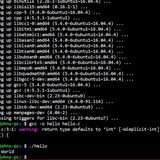
unexpected bash code behavior: won't total up numbers
I'm having trouble understanding why the bash program exits when the user enters integers.
total=0 # keeps track of the running total
# while the number of arguments isn't zero
# and the argument is an integer,
# add to the integer to the running total
# move to the next argument and check
# it against the req's (i.e. integer?)
while [ $# -gt 0 && $1 =~ ^-?[0-9+$ ]]; do
total=$((total + $1))
shift
done
# if the user entered something other than an
# integer or entered nothing at all
# display the error message "this program...."
if ! [ $1 =~ ^-?[0-9+$]]; then
echo "program only accepts integers"
echo "usage: $0 integer 1 integer 2 ... integer x"
exit
fi
# lastly, display the total
echo $total
I can't spot the error...
https://redd.it/17lsfnf
@r_bash
I'm having trouble understanding why the bash program exits when the user enters integers.
total=0 # keeps track of the running total
# while the number of arguments isn't zero
# and the argument is an integer,
# add to the integer to the running total
# move to the next argument and check
# it against the req's (i.e. integer?)
while [ $# -gt 0 && $1 =~ ^-?[0-9+$ ]]; do
total=$((total + $1))
shift
done
# if the user entered something other than an
# integer or entered nothing at all
# display the error message "this program...."
if ! [ $1 =~ ^-?[0-9+$]]; then
echo "program only accepts integers"
echo "usage: $0 integer 1 integer 2 ... integer x"
exit
fi
# lastly, display the total
echo $total
I can't spot the error...
https://redd.it/17lsfnf
@r_bash
Reddit
From the bash community on Reddit
Explore this post and more from the bash community
TIL bash -c takes up to 2 arguments
I expected
On the other hand
In man page I found this:
-c
If the -c option is present, then commands are read from the
first non-option argument commandstring. **If there are arguments after the commandstring, the first argument is assigned
to $0 and any remaining arguments are assigned to the positional parameters. The assignment to $0 sets the name of the
shell, which is used in warning and error messages.
Did you know this?
https://redd.it/17lxfr9
@r_bash
I expected
bash -c 'echo "[$@]"' 10 20 30 to print 10 20 30 but surprisingly it only showed 20 30.On the other hand
bash -c 'echo "[$0 $@]"' 10 20 30 prints 10 20 30.In man page I found this:
-c
If the -c option is present, then commands are read from the
first non-option argument commandstring. **If there are arguments after the commandstring, the first argument is assigned
to $0 and any remaining arguments are assigned to the positional parameters. The assignment to $0 sets the name of the
shell, which is used in warning and error messages.
Did you know this?
https://redd.it/17lxfr9
@r_bash
Reddit
From the bash community on Reddit
Explore this post and more from the bash community
Troubles when quoting grep statement for array
Hey all!
The idea is to get an array of space-separated colors from a global config file. This works but shellcheck keeps complaining about the $1 var not being quoted. However when I single quote it the variable isn't expanded.
I'm sure I'm missing something obvious but as I'm quite new to this I'm struggling to see what.
I hope someone can help!
https://redd.it/17m9bjb
@r_bash
Hey all!
The idea is to get an array of space-separated colors from a global config file. This works but shellcheck keeps complaining about the $1 var not being quoted. However when I single quote it the variable isn't expanded.
read -ra hexCols <<< "$(grep ^$1 $mainConf | cut -d: -f2 | xargs)"I'm sure I'm missing something obvious but as I'm quite new to this I'm struggling to see what.
I hope someone can help!
https://redd.it/17m9bjb
@r_bash
Reddit
From the bash community on Reddit
Explore this post and more from the bash community
line counting plugin
Hey people,
I've created a plugin that I want to share with you.
Here's the link: https://github.com/Nelliguns/line-counter-tmux
The reason for creating this plugin is that I received the question of how many lines of code it took to create a specific project of mine where I then started going through the different files and roughly summing them in my head. Which then sparked the idea of making this plugin.
Give it a try and let me now what you think, happy to receive feedback and ideas of improvements.
Hope you like it :)
https://redd.it/17mcp7b
@r_bash
Hey people,
I've created a plugin that I want to share with you.
Here's the link: https://github.com/Nelliguns/line-counter-tmux
The reason for creating this plugin is that I received the question of how many lines of code it took to create a specific project of mine where I then started going through the different files and roughly summing them in my head. Which then sparked the idea of making this plugin.
Give it a try and let me now what you think, happy to receive feedback and ideas of improvements.
Hope you like it :)
https://redd.it/17mcp7b
@r_bash
GitHub
GitHub - Nelliguns/line-counter-tmux
Contribute to Nelliguns/line-counter-tmux development by creating an account on GitHub.
Veriphone API for Laravel applications.
Veriphone API is a REST based JSON API. It provides a set of stateless endpoints that any program or web browser can call by sending a standard HTTP request. Veriphone will respond with a standard HTTP response carrying a JSON payload. This documentation describes these endpoints, their input/output parameters and authentication methods.
​
https://github.com/slvler/veriphone-service
https://redd.it/17mhvhb
@r_bash
Veriphone API is a REST based JSON API. It provides a set of stateless endpoints that any program or web browser can call by sending a standard HTTP request. Veriphone will respond with a standard HTTP response carrying a JSON payload. This documentation describes these endpoints, their input/output parameters and authentication methods.
​
https://github.com/slvler/veriphone-service
https://redd.it/17mhvhb
@r_bash
GitHub
GitHub - slvler/veriphone-service: veriphone.io service
veriphone.io service . Contribute to slvler/veriphone-service development by creating an account on GitHub.
Usernames from other files
Say I had a text file of usernames and in another bash noscript I needed to use those usernames for it to advance how would I make that so it basically Denys access if the username is not in the other file
https://redd.it/17mttty
@r_bash
Say I had a text file of usernames and in another bash noscript I needed to use those usernames for it to advance how would I make that so it basically Denys access if the username is not in the other file
https://redd.it/17mttty
@r_bash
Reddit
From the bash community on Reddit
Explore this post and more from the bash community
Batch rename files
I have a bunch of files that have long names.
The beginning part of the name is the same of everyfile, so what I want to do is batch rename all the files to remove the beginning section.
Is there a quick and easy way...
Say the files are called
Video Tutorial - Grade 11 - Lesson 1 - Introduction.mp4Video Tutorial - Grade 11 - Lesson 2 - Basics.mp4
I want the files to be named
Lesson 1 - Introduction.mp4
Lesson 2 - Basics.mp4
https://redd.it/17n96kr
@r_bash
I have a bunch of files that have long names.
The beginning part of the name is the same of everyfile, so what I want to do is batch rename all the files to remove the beginning section.
Is there a quick and easy way...
Say the files are called
Video Tutorial - Grade 11 - Lesson 1 - Introduction.mp4Video Tutorial - Grade 11 - Lesson 2 - Basics.mp4
I want the files to be named
Lesson 1 - Introduction.mp4
Lesson 2 - Basics.mp4
https://redd.it/17n96kr
@r_bash
Reddit
From the bash community on Reddit
Explore this post and more from the bash community
usage of single key bind for multiple commands
Im trying to write a bash noscript which have multiple commands which have their own independent keybindings to run , but I want to cycle through these commands with tab. How can i do that?
https://redd.it/17ne28u
@r_bash
Im trying to write a bash noscript which have multiple commands which have their own independent keybindings to run , but I want to cycle through these commands with tab. How can i do that?
https://redd.it/17ne28u
@r_bash
Reddit
From the bash community on Reddit
Explore this post and more from the bash community
sed html file?
I need to add a large number of sequential hyper links in a html file.
example (and 11 would be the incrementing variable):
look for ">11</td>"
replace with "><a href="11.mp3">11</a></td>
So my thought was to create an incrementing loop and use sed,
The problem I am having is likely escaping the html symbols.
Can someone show me a working noscript to accomplish this so I can see what I am doing wrong?
Thanks
​
The file with the first 10 links manually added.
https://pastebin.com/mQ8uYeF0
https://redd.it/17nern8
@r_bash
I need to add a large number of sequential hyper links in a html file.
example (and 11 would be the incrementing variable):
look for ">11</td>"
replace with "><a href="11.mp3">11</a></td>
So my thought was to create an incrementing loop and use sed,
The problem I am having is likely escaping the html symbols.
Can someone show me a working noscript to accomplish this so I can see what I am doing wrong?
Thanks
​
The file with the first 10 links manually added.
https://pastebin.com/mQ8uYeF0
https://redd.it/17nern8
@r_bash
Not familiar with bash syntax
What can I do? Is there a college level assignments on bash or anything like certs for bash noscripting only?
I know how to do something, but I need to keep googling the syntax and honestly, it's annoying, I am making lots of mistakes in syntax. It has been quite some time since I've studied about bash noscripting and still not being comfortable with it is concerning.
https://redd.it/17nki55
@r_bash
What can I do? Is there a college level assignments on bash or anything like certs for bash noscripting only?
I know how to do something, but I need to keep googling the syntax and honestly, it's annoying, I am making lots of mistakes in syntax. It has been quite some time since I've studied about bash noscripting and still not being comfortable with it is concerning.
https://redd.it/17nki55
@r_bash
Reddit
From the bash community on Reddit
Explore this post and more from the bash community
Become commands in Bash folders
https://programadorwebvalencia.com/become-commands-in-bash-folders/
https://redd.it/17nv5mo
@r_bash
https://programadorwebvalencia.com/become-commands-in-bash-folders/
https://redd.it/17nv5mo
@r_bash
Programador Web Valencia
Become commands in Bash folders
I want to show my focus to execute commands in Bash using watchers and folders. I named this trick Bash Folders. I had a problem. I needed to run a lot commands in files. For example, every day should transform videos (the extension isn’t relevant) to MP4.…
How to substitute in aliases
I'm doing this in my `.bashrc`
alias git-test="echo ${1}##*\/"
What I want to achieve is to get the last part of a url, for example from `https://www.reddit.com/r/bash/submit` get `submit`. But when I run it, it gives me nothing and I dont know why.
https://redd.it/17o8o38
@r_bash
I'm doing this in my `.bashrc`
alias git-test="echo ${1}##*\/"
What I want to achieve is to get the last part of a url, for example from `https://www.reddit.com/r/bash/submit` get `submit`. But when I run it, it gives me nothing and I dont know why.
https://redd.it/17o8o38
@r_bash
Use or option for files with awk
I want search for a list with awk:-
awk -F '/_' '/pool/ { print $9 }' /var/log/bootstrap.log /var/log/installer/syslog
is there a way to skip to second file if first file does not exits without error.
Thanks in advance/
https://redd.it/17obktx
@r_bash
I want search for a list with awk:-
awk -F '/_' '/pool/ { print $9 }' /var/log/bootstrap.log /var/log/installer/syslog
is there a way to skip to second file if first file does not exits without error.
Thanks in advance/
https://redd.it/17obktx
@r_bash
Reddit
From the bash community on Reddit
Explore this post and more from the bash community
Can you help me with my bash noscript / variable??
Lol - dunno why I can't paste that all into one inline code; can yall help me with what I'm trying to do... I want oh-my-posh to use a random theme that I like when terminal opens. So, I added my favs to $posh_favs, then I pick a random one with $pick_posh, now I just need to replace the 'cert' section of the eval command to $pick_posh - I'm having a hard time figuring it out, I think because of the quotes that are needed in the eval line...
Also, is this a 'good' way of doing what I'm trying to do??? Any suggestions to better the bash code are appreciated - but I'm mainly trying to replace 'cert' (in the eval line) with $pick_posh.
Thanks, all bash rockstars!
https://redd.it/17oh892
@r_bash
posh_favs=("cert" "atomic" "bubbles" "jonnychipz")pick_posh="${posh_favs[RANDOM%${#posh_favs[@]}]}";eval "$(oh-my-posh init bash --config /home/paulie420/.config/posh_themes/cert.omp.json)"Lol - dunno why I can't paste that all into one inline code; can yall help me with what I'm trying to do... I want oh-my-posh to use a random theme that I like when terminal opens. So, I added my favs to $posh_favs, then I pick a random one with $pick_posh, now I just need to replace the 'cert' section of the eval command to $pick_posh - I'm having a hard time figuring it out, I think because of the quotes that are needed in the eval line...
Also, is this a 'good' way of doing what I'm trying to do??? Any suggestions to better the bash code are appreciated - but I'm mainly trying to replace 'cert' (in the eval line) with $pick_posh.
Thanks, all bash rockstars!
https://redd.it/17oh892
@r_bash
Reddit
From the bash community on Reddit
Explore this post and more from the bash community
How to use xdotools to move and then maximize a window when I know the PID?
Hi all,
Struggling a bit here. I want to open two processes which show images so that I can automatically go through and validate the images by sight within a noscript.
Info: I have 4 monitors set up in a 2x2 format. I want the first image to show up in the top left monitor, and the second image to show up in the top right monitor.
For simplicity's sake in solving this part, I won't paste the whole noscript, just the current stuff I'm working with:
# Open the two image files and record their PIDs
gwenview "$PricedCard.CardFrontImgFile" &
FrontImgFilePid=$!
gwenview "$PricedCard.CardBackImgFile" &
BackImgFilePid=$!
# Output of xrandr --listmonitors
xrandr --listmonitors
Monitors: 4
0: +*DP-3 1920/527x1080/296+0+1080 DP-3
1: +DP-0 1920/527x1080/296+0+0 DP-0
2: +HDMI-0 1920/527x1080/296+1917+0 HDMI-0
3: +DP-5 1920/527x1080/296+1918+1080 DP-5
So far I've gotten to xdotools, however I don't know how to use this information to move and then maximize the images into each monitor. I also have the unique IDs of each monitor if that helps.
https://redd.it/17oh4wu
@r_bash
Hi all,
Struggling a bit here. I want to open two processes which show images so that I can automatically go through and validate the images by sight within a noscript.
Info: I have 4 monitors set up in a 2x2 format. I want the first image to show up in the top left monitor, and the second image to show up in the top right monitor.
For simplicity's sake in solving this part, I won't paste the whole noscript, just the current stuff I'm working with:
# Open the two image files and record their PIDs
gwenview "$PricedCard.CardFrontImgFile" &
FrontImgFilePid=$!
gwenview "$PricedCard.CardBackImgFile" &
BackImgFilePid=$!
# Output of xrandr --listmonitors
xrandr --listmonitors
Monitors: 4
0: +*DP-3 1920/527x1080/296+0+1080 DP-3
1: +DP-0 1920/527x1080/296+0+0 DP-0
2: +HDMI-0 1920/527x1080/296+1917+0 HDMI-0
3: +DP-5 1920/527x1080/296+1918+1080 DP-5
So far I've gotten to xdotools, however I don't know how to use this information to move and then maximize the images into each monitor. I also have the unique IDs of each monitor if that helps.
https://redd.it/17oh4wu
@r_bash
Reddit
From the bash community on Reddit
Explore this post and more from the bash community
Pattern matching with date-like substrings
Is there a simple way to look for date-like patterns in strings, in my case YYYYMMDD?
abcd20230822efgh -> yes
19850102abcd -> yes
ab123445678cde -> no
My current Implementation is rather rudimentary and I wonder whether there is a more efficient way. First I get rid of everything in the string besides the numbers. Then I pick a 8 element wide window and test it for a valid date. Then I shift the window 1 element further and test again. This is repeated until a valid date is found or the window reaches the end of the string.
It works but it feels pretty clunky.
https://redd.it/17olrsr
@r_bash
Is there a simple way to look for date-like patterns in strings, in my case YYYYMMDD?
abcd20230822efgh -> yes
19850102abcd -> yes
ab123445678cde -> no
My current Implementation is rather rudimentary and I wonder whether there is a more efficient way. First I get rid of everything in the string besides the numbers. Then I pick a 8 element wide window and test it for a valid date. Then I shift the window 1 element further and test again. This is repeated until a valid date is found or the window reaches the end of the string.
It works but it feels pretty clunky.
https://redd.it/17olrsr
@r_bash
Reddit
From the bash community on Reddit
Explore this post and more from the bash community
Looking for proper path with noscript
I have a noscript which requires sudo. I setup it up to run using a user service / timer, and that part executes fine.
However, as soon as the noscript is ran (as the user), I get thrown:
sudo[389308]: pam_unix(sudo:auth): auth could not identify password for [username]
MyService[389309]: sudo: a terminal is required to read the password; either use the -S option to read from standard input or configure an askpass helper
I assume my noscript is having issues with not having the sudo password.
I've looked online, and people are suggesting creating a .passwd file and sticking the password in there with chmod 400, however, that seems extremely unsecure.
What are my options for being able to safely pass the sudo password to bash using something like cached credentials?
The noscript needs sudo, and I've tried running the noscript as a user service. I also tried a system service globally, but it also has an issue with needing root's password.
​
https://redd.it/17on7ih
@r_bash
I have a noscript which requires sudo. I setup it up to run using a user service / timer, and that part executes fine.
However, as soon as the noscript is ran (as the user), I get thrown:
sudo[389308]: pam_unix(sudo:auth): auth could not identify password for [username]
MyService[389309]: sudo: a terminal is required to read the password; either use the -S option to read from standard input or configure an askpass helper
I assume my noscript is having issues with not having the sudo password.
I've looked online, and people are suggesting creating a .passwd file and sticking the password in there with chmod 400, however, that seems extremely unsecure.
What are my options for being able to safely pass the sudo password to bash using something like cached credentials?
The noscript needs sudo, and I've tried running the noscript as a user service. I also tried a system service globally, but it also has an issue with needing root's password.
​
https://redd.it/17on7ih
@r_bash
Reddit
From the bash community on Reddit
Explore this post and more from the bash community
Help with bash parser
Hey guys! Well, I'll be direct, I'm developing a game (text adventure) in Shell Bash, I have some good experience with the language but not with programming games. My question is, how can I make a parser with (verb and noun) for my game? It will have around 30 rooms.
What I'm trying to implement is for example (pick up the torch) (drop the sword) and also (go north). Could you give me some light?
I am literally lost. I know that shell noscript is not the best language for this, but it is evolving in the language
I did something like this, would that be the way?
function VERB()
{
\# Only verb here
case verb in
take) NOUN ;;
drop) NOUN ;;
*) echo "$userInput WHY?"
esac
}
while true; do
read -rep "> " verb noun
VERB
done
https://redd.it/17p6uc0
@r_bash
Hey guys! Well, I'll be direct, I'm developing a game (text adventure) in Shell Bash, I have some good experience with the language but not with programming games. My question is, how can I make a parser with (verb and noun) for my game? It will have around 30 rooms.
What I'm trying to implement is for example (pick up the torch) (drop the sword) and also (go north). Could you give me some light?
I am literally lost. I know that shell noscript is not the best language for this, but it is evolving in the language
I did something like this, would that be the way?
function VERB()
{
\# Only verb here
case verb in
take) NOUN ;;
drop) NOUN ;;
*) echo "$userInput WHY?"
esac
}
while true; do
read -rep "> " verb noun
VERB
done
https://redd.it/17p6uc0
@r_bash
Reddit
From the bash community on Reddit
Explore this post and more from the bash community
Looking for bash guide
I’m still a newb so if I’m not asking correctly .. then please help.
So I’ve been tinker with fedora LDXE for a bit and I want to customize my terminal ..
I have a few books and have read a few articles .. everything points me to playing with the .bashrc file (don’t worry VM so I’m breaking lots of things purposely)
Anyways I have two questions to start:
First- my terminal works fine .. I can change my preferences in the file menu …but my .bashrc is pretty much blank .. no PS1 section or Color section like some of the tutorials point out - why is that?!
Second - all the books and online bash manual I read really only talk about changing my prompt .. but I see some people getting really intricate with Color’s .. where can I find the information .. or what language do I need to learn for the Color’s .. I can’t find any info on it?
https://redd.it/17phbi5
@r_bash
I’m still a newb so if I’m not asking correctly .. then please help.
So I’ve been tinker with fedora LDXE for a bit and I want to customize my terminal ..
I have a few books and have read a few articles .. everything points me to playing with the .bashrc file (don’t worry VM so I’m breaking lots of things purposely)
Anyways I have two questions to start:
First- my terminal works fine .. I can change my preferences in the file menu …but my .bashrc is pretty much blank .. no PS1 section or Color section like some of the tutorials point out - why is that?!
Second - all the books and online bash manual I read really only talk about changing my prompt .. but I see some people getting really intricate with Color’s .. where can I find the information .. or what language do I need to learn for the Color’s .. I can’t find any info on it?
https://redd.it/17phbi5
@r_bash
Reddit
From the bash community on Reddit
Explore this post and more from the bash community