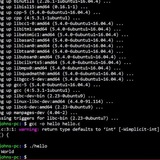
any tips why its not working?
if [[ $current_url != "${NGROK_REMOTE_URL}" \]\];
then
curl -s -X POST "https://api.telegram.org/botapi/sendMessage" -d "chat_id=secret" -d text=${NGROK_REMOTE_URL}
current_url=${NGROK_REMOTE_URL}
fi
https://redd.it/17wtqme
@r_bash
if [[ $current_url != "${NGROK_REMOTE_URL}" \]\];
then
curl -s -X POST "https://api.telegram.org/botapi/sendMessage" -d "chat_id=secret" -d text=${NGROK_REMOTE_URL}
current_url=${NGROK_REMOTE_URL}
fi
https://redd.it/17wtqme
@r_bash
Does anyone have a clue how to do this
Script 4: The server that hosts the images that you process with your previous shell noscript has been having connectivity problems. You want to write a shell noscript named checkserver.sh that you can schedule to run at night to ping the server and capture the results in a file. ping is a command to send packets to another computer to verify you can connect to it. Your noscript should take the IP address of the server as a parameter. For testing purposes, you may use 173.255.195.185. Your noscript should ping the server 10 times, save the output in a file and quit. The output file should include the date and time the ping was executed.
https://redd.it/17wxyau
@r_bash
Script 4: The server that hosts the images that you process with your previous shell noscript has been having connectivity problems. You want to write a shell noscript named checkserver.sh that you can schedule to run at night to ping the server and capture the results in a file. ping is a command to send packets to another computer to verify you can connect to it. Your noscript should take the IP address of the server as a parameter. For testing purposes, you may use 173.255.195.185. Your noscript should ping the server 10 times, save the output in a file and quit. The output file should include the date and time the ping was executed.
https://redd.it/17wxyau
@r_bash
Reddit
From the bash community on Reddit
Explore this post and more from the bash community
New to bash and can't figure out array items
I have been beating my head against a wall about this for longer than I care to admit and am looking for a clue.
I am pulling all my budget names from AWS and storing them into a variable:
`budgets=$(aws budgets describe-budgets --account-id "$ACCOUNT_ID" | jq '.Budgets[].BudgetName')`
One big string that looks like this:
`"Market Accounts" "Scratch account" "DataScience Accounts" "Infrastructure Accounts" "Networking Accounts"` etc..
so I convert it to an array so I can use the items individually:
`budgets=($budgets)`
but when I run it through a for loop:
`for budget in "${budgets[@]}"; do echo $budget; done`
It doesn't treat the quoted groups as items and treats every space as a delimiter.
So I get this output for `echo "${budgets[0]}"`
`"Market`
but my desired output is:
`"Market Accounts"`
Full snippet:
budgets=$(aws budgets describe-budgets --account-id "$ACCOUNT_ID" | jq '.Budgets[].BudgetName')
budgets=($budgets)
for budget in "${budgets[@]}"; do echo $budget; done
It has to be simpler that all the things I have tried. Any help is greatly appreciated.
https://redd.it/17x4fsh
@r_bash
I have been beating my head against a wall about this for longer than I care to admit and am looking for a clue.
I am pulling all my budget names from AWS and storing them into a variable:
`budgets=$(aws budgets describe-budgets --account-id "$ACCOUNT_ID" | jq '.Budgets[].BudgetName')`
One big string that looks like this:
`"Market Accounts" "Scratch account" "DataScience Accounts" "Infrastructure Accounts" "Networking Accounts"` etc..
so I convert it to an array so I can use the items individually:
`budgets=($budgets)`
but when I run it through a for loop:
`for budget in "${budgets[@]}"; do echo $budget; done`
It doesn't treat the quoted groups as items and treats every space as a delimiter.
So I get this output for `echo "${budgets[0]}"`
`"Market`
but my desired output is:
`"Market Accounts"`
Full snippet:
budgets=$(aws budgets describe-budgets --account-id "$ACCOUNT_ID" | jq '.Budgets[].BudgetName')
budgets=($budgets)
for budget in "${budgets[@]}"; do echo $budget; done
It has to be simpler that all the things I have tried. Any help is greatly appreciated.
https://redd.it/17x4fsh
@r_bash
Reddit
From the bash community on Reddit
Explore this post and more from the bash community
Many of my functions are not recognised by GitHub as functions
I'm wondering if there's something wrong with the way I format my functions in bash. They work just fine in bash. But GitHub doesn't recognise many of them as functions.
GitHub's Symbols panel only lists 7 of the noscript's 21 functions. https://i.imgur.com/njBUl8J.png
Notepad++ shows all 21 functions in it's Function List. https://i.imgur.com/OxUxXWw.png
I had a similar issue with Notepad++ when the first line in the function was a comment. I fixed that by adding a space after the
The bash noscript is here: https://github.com/007revad/Synology\_HDD\_db/blob/develop/syno\_hdd\_db.sh
Is there anything I can change in my bash noscript that will make GitHub recognise all of my functions as functions?
​
https://redd.it/17x7fp8
@r_bash
I'm wondering if there's something wrong with the way I format my functions in bash. They work just fine in bash. But GitHub doesn't recognise many of them as functions.
GitHub's Symbols panel only lists 7 of the noscript's 21 functions. https://i.imgur.com/njBUl8J.png
Notepad++ shows all 21 functions in it's Function List. https://i.imgur.com/OxUxXWw.png
I had a similar issue with Notepad++ when the first line in the function was a comment. I fixed that by adding a space after the
{The bash noscript is here: https://github.com/007revad/Synology\_HDD\_db/blob/develop/syno\_hdd\_db.sh
Is there anything I can change in my bash noscript that will make GitHub recognise all of my functions as functions?
​
https://redd.it/17x7fp8
@r_bash
Wayland noscript that is equivalent to x11
Hi, I wrote a noscript for browser functionality. Is it possible to rewrite it to wayland? Thanks in advance!
Basically, what this noscript does:
If browser isn't open, it opens it
If browser is open, but not active, it activates it
If more than one browser window is open, it cycles between them
​
\#!/bin/bash
\#Needs wmctrl ,libnotify-bin, noscript x11 only
​
defaultBrowser=$(xdg-settings get default-web-browser -eq)
if [ "$defaultBrowser" = "brave-browser.desktop" \]; then
findName="Brave"
launchName="brave-browser"
fi
​
if [ "$defaultBrowser" = "firefox_firefox.desktop" \]; then
findName="Firefox"
launchName="firefox"
fi
OUTPUT=$(wmctrl -l | awk '{print $1, $NF}' | grep $findName | awk '{print $1}')
​
a=($(echo "$OUTPUT" | tr ' ' '\\n'))
aSize=${#a[@\]}
​
\# Check if array size is 0
if [ "$aSize" -eq 0 \]; then
$launchName &
notify-send -t 800 "Launching: $findName"
exit
elif [ "$aSize" -eq 1 \]; then
wmctrl -ia "${a[0\]}"
exit
elif [[ -z $(wmctrl -lp | grep "$(xprop -root | grep _NET_ACTIVE_WINDOW | head -1 | awk '{print $5}' | sed 's/,//' | sed 's/\^0x/0x0/')" | grep $findName) \]\]; then
wmctrl -ia "${a[0\]}"
exit
else
activeWindowID=$(wmctrl -lp | grep "$(xprop -root | grep _NET_ACTIVE_WINDOW | head -1 | \\
awk '{print $5}' | sed 's/,//' | sed 's/\^0x/0x0/')" | awk '{print $1}')
​
for i in "${!a[@\]}"; do
if [ "${a[i\]}" == "$activeWindowID" \]; then
index="$i"
if [ "$index" -eq "$((aSize - 1))" \]; then
index="0"
else
((index++))
fi
wmctrl -ia "${a[$index\]}"
exit
fi
done
fi
https://redd.it/17xebi9
@r_bash
Hi, I wrote a noscript for browser functionality. Is it possible to rewrite it to wayland? Thanks in advance!
Basically, what this noscript does:
If browser isn't open, it opens it
If browser is open, but not active, it activates it
If more than one browser window is open, it cycles between them
​
\#!/bin/bash
\#Needs wmctrl ,libnotify-bin, noscript x11 only
​
defaultBrowser=$(xdg-settings get default-web-browser -eq)
if [ "$defaultBrowser" = "brave-browser.desktop" \]; then
findName="Brave"
launchName="brave-browser"
fi
​
if [ "$defaultBrowser" = "firefox_firefox.desktop" \]; then
findName="Firefox"
launchName="firefox"
fi
OUTPUT=$(wmctrl -l | awk '{print $1, $NF}' | grep $findName | awk '{print $1}')
​
a=($(echo "$OUTPUT" | tr ' ' '\\n'))
aSize=${#a[@\]}
​
\# Check if array size is 0
if [ "$aSize" -eq 0 \]; then
$launchName &
notify-send -t 800 "Launching: $findName"
exit
elif [ "$aSize" -eq 1 \]; then
wmctrl -ia "${a[0\]}"
exit
elif [[ -z $(wmctrl -lp | grep "$(xprop -root | grep _NET_ACTIVE_WINDOW | head -1 | awk '{print $5}' | sed 's/,//' | sed 's/\^0x/0x0/')" | grep $findName) \]\]; then
wmctrl -ia "${a[0\]}"
exit
else
activeWindowID=$(wmctrl -lp | grep "$(xprop -root | grep _NET_ACTIVE_WINDOW | head -1 | \\
awk '{print $5}' | sed 's/,//' | sed 's/\^0x/0x0/')" | awk '{print $1}')
​
for i in "${!a[@\]}"; do
if [ "${a[i\]}" == "$activeWindowID" \]; then
index="$i"
if [ "$index" -eq "$((aSize - 1))" \]; then
index="0"
else
((index++))
fi
wmctrl -ia "${a[$index\]}"
exit
fi
done
fi
https://redd.it/17xebi9
@r_bash
Reddit
From the bash community on Reddit
Explore this post and more from the bash community
HELP! Bash noscript wilding. Even GPT is stumped.
Hi there,
I've been modifying this noscript so that it uses grim and slurp to work on wayland. Now I've hit the road block. The output of the program (After modification) is:
Selected geometry: 1118,285 528x656
Screenshot command: grim -g "1118,285 528x656" /home/baighack3rss/Pictures/Screenshots\/1700230454.png
invalid geometry
Command exit status: 1
Now here is the interesting part. If I just copy the screenshot command and run it in the terminal it works but in the noscript it's an invalid geometry.
I've attached the noscript to this hastebin.
Thanks in advance!!
https://redd.it/17xg4m2
@r_bash
Hi there,
I've been modifying this noscript so that it uses grim and slurp to work on wayland. Now I've hit the road block. The output of the program (After modification) is:
Selected geometry: 1118,285 528x656
Screenshot command: grim -g "1118,285 528x656" /home/baighack3rss/Pictures/Screenshots\/1700230454.png
invalid geometry
Command exit status: 1
Now here is the interesting part. If I just copy the screenshot command and run it in the terminal it works but in the noscript it's an invalid geometry.
I've attached the noscript to this hastebin.
Thanks in advance!!
https://redd.it/17xg4m2
@r_bash
GitHub
yoru/config/awesome/utilities/screensht at main · rxyhn/yoru
夜 - Yoru | Aesthetic and Beautiful Awesome Environment :first_quarter_moon: - rxyhn/yoru
HELP! Bash noscript wilding. Even GPT is stumped.
Hi there,
I've been modifying this noscript so that it uses grim and slurp to work on wayland. Now I've hit the road block. The output of the program (After modification) is:
Selected geometry: 1118,285 528x656
Screenshot command: grim -g "1118,285 528x656" /home/baighack3rss/Pictures/Screenshots\/1700230454.png
invalid geometry
Command exit status: 1
Now here is the interesting part. If I just copy the screenshot command and run it in the terminal it works but in the noscript it's an invalid geometry.
I've attached the noscript to this hastebin.
Thanks in advance!!
https://redd.it/17xg4k2
@r_bash
Hi there,
I've been modifying this noscript so that it uses grim and slurp to work on wayland. Now I've hit the road block. The output of the program (After modification) is:
Selected geometry: 1118,285 528x656
Screenshot command: grim -g "1118,285 528x656" /home/baighack3rss/Pictures/Screenshots\/1700230454.png
invalid geometry
Command exit status: 1
Now here is the interesting part. If I just copy the screenshot command and run it in the terminal it works but in the noscript it's an invalid geometry.
I've attached the noscript to this hastebin.
Thanks in advance!!
https://redd.it/17xg4k2
@r_bash
GitHub
yoru/config/awesome/utilities/screensht at main · rxyhn/yoru
夜 - Yoru | Aesthetic and Beautiful Awesome Environment :first_quarter_moon: - rxyhn/yoru
Help! I am horrible at this.
I am not great at bash (or any of the others), to the point where I’m not sure what the proper names for things are. If anyone can help I would very much appreciate it!
I am trying to convert a column of a csv (list of protein names) to a list to grep matching lines from a bunch of other csvs. What I want are the names of the proteins in column A to become a string list like: Protein A\|Protein B\|Protein C\|Protein D\|
I have the noscript to run the grep function, all I need to know is if there is a way to get the 300 protein names into the above format. Thank you for any help!!!
https://redd.it/17y5q8r
@r_bash
I am not great at bash (or any of the others), to the point where I’m not sure what the proper names for things are. If anyone can help I would very much appreciate it!
I am trying to convert a column of a csv (list of protein names) to a list to grep matching lines from a bunch of other csvs. What I want are the names of the proteins in column A to become a string list like: Protein A\|Protein B\|Protein C\|Protein D\|
I have the noscript to run the grep function, all I need to know is if there is a way to get the 300 protein names into the above format. Thank you for any help!!!
https://redd.it/17y5q8r
@r_bash
Reddit
From the bash community on Reddit
Explore this post and more from the bash community
grep not finding anything in csv log file
Hi,
I have a CSV file that when I run the grep command, it doesn't find any matches in it. However, when I copy the text from a specific cell (eg: Message in column) of the CSV into another TXT file, grep works perfectly searching for the word "TEST".
I've read about using the param -a with grep but it didn't work.
Grep man explanation:
-a, --text Process a binary file as if it were text; this is equivalent to the --binary-files=text option.
Notes: when I do cat mylog.log.csv it doesn't appear to be a comma separated csv, I think it's separated by tabs. When I open it using excel it shows all ordered by columns.
​
If you print cat mylog.log.csv it outputs like this
��TimeStamp Component Severity Message Source Type Message Thread ID Source File Name Source Line Instance ID Msg ID App Area Business Obj BO ID Customized
2023-11-08 13:31:11.840349 Sql Note I Tec "ExecuteQueryDirect #Duration=911 #Fetched=7 #Query select columnname, datatypename, ISNULLABLE, length, length as precision, scale from sys.viewcolumns where schemaname = 'SYSBIC' and viewname = 'sap.test.TESTVIEW/TESTVIEW' order by position #Status=1 # #" TID=5956 ../Infrastructure/Engines/DBM/DBMCDataBase.cpp 10110
I read it could be something related to \\r so people recommended to use cat -A and it outputs weird formatting like this
M-^?M-~T^@i^@m^@e^@S^@t^@a^@m^@p^@^I^@ ^@C^@o^@m^@p^@o^@n^@e^@n^@t^@^I^@ ^@S^@e^@v^@e^@r^@i^@t^@y^@^I^@ ^@M^@e^@s^@s^@a^@g^@e^@ ^@S^@o^@u^@r^@c^@e^@^I^@ ^@T^@y^@p^@e^@^I^@ ^@M^@e^@s^@s^@a^@g^@e^@^I^@ ^@T^@h^@r^@e^@a^@d^@ ^@I^@D^@^I^@ ^@S^@o^@u^@r^@c^@e^@ ^@F^@i^@l^@e^@ ^@N^@a^@m^@e^@^I^@ ^@S^@o^@u^@r^@c^@e^@ ^@L^@i^@n^@e^@^I^@ ^@I^@n^@s^@t^@a^@n^@c^@e^@ ^@I^@D^@^I^@ ^@M^@s^@g^@ ^@I^@D^@^I^@ ^@A^@p^@p^@ ^@A^@r^@e^@a^@^I^@ ^@B^@u^@s^@i^@n^@e^@s^@s^@ ^@O^@b^@j^@^I^@ ^@B^@O^@ ^@I^@D^@^I^@ ^@C^@u^@s^@t^@o^@m^@i^@z^@e^@d^@^M^@$
Example of some columns in log csv file:
|TimeStamp|Message|
|:-|:-|
|2023-11-08 13:31:11.865258|static void B1SLogHelper::Log(IHttpResponse*, const char*): === Response Detail === status:200 content-type:application/json;odata.metadata=minimal;charset=utf-8 content: { "@odata.context" : "https://an_endpoint:50000/b1s/v1/sml.svc/$metadata#TEST_VIEW", "value" : [ { "ItemCode" : "111111111111", "ItemName" : "TEST_VIEW", "id__" : 111 }, \], "@odata.nextLink" : "TEST_VIEW?$orderby=ItemName%20asc&$skip=5400" } # #|
Link to download or check the csv file https://drive.google.com/file/d/1uCS4Wmo\_ROrFDZ6JQcgVEISyRfW7S682/view?usp=sharing
https://redd.it/17yes57
@r_bash
Hi,
I have a CSV file that when I run the grep command, it doesn't find any matches in it. However, when I copy the text from a specific cell (eg: Message in column) of the CSV into another TXT file, grep works perfectly searching for the word "TEST".
I've read about using the param -a with grep but it didn't work.
Grep man explanation:
-a, --text Process a binary file as if it were text; this is equivalent to the --binary-files=text option.
Notes: when I do cat mylog.log.csv it doesn't appear to be a comma separated csv, I think it's separated by tabs. When I open it using excel it shows all ordered by columns.
​
If you print cat mylog.log.csv it outputs like this
��TimeStamp Component Severity Message Source Type Message Thread ID Source File Name Source Line Instance ID Msg ID App Area Business Obj BO ID Customized
2023-11-08 13:31:11.840349 Sql Note I Tec "ExecuteQueryDirect #Duration=911 #Fetched=7 #Query select columnname, datatypename, ISNULLABLE, length, length as precision, scale from sys.viewcolumns where schemaname = 'SYSBIC' and viewname = 'sap.test.TESTVIEW/TESTVIEW' order by position #Status=1 # #" TID=5956 ../Infrastructure/Engines/DBM/DBMCDataBase.cpp 10110
I read it could be something related to \\r so people recommended to use cat -A and it outputs weird formatting like this
M-^?M-~T^@i^@m^@e^@S^@t^@a^@m^@p^@^I^@ ^@C^@o^@m^@p^@o^@n^@e^@n^@t^@^I^@ ^@S^@e^@v^@e^@r^@i^@t^@y^@^I^@ ^@M^@e^@s^@s^@a^@g^@e^@ ^@S^@o^@u^@r^@c^@e^@^I^@ ^@T^@y^@p^@e^@^I^@ ^@M^@e^@s^@s^@a^@g^@e^@^I^@ ^@T^@h^@r^@e^@a^@d^@ ^@I^@D^@^I^@ ^@S^@o^@u^@r^@c^@e^@ ^@F^@i^@l^@e^@ ^@N^@a^@m^@e^@^I^@ ^@S^@o^@u^@r^@c^@e^@ ^@L^@i^@n^@e^@^I^@ ^@I^@n^@s^@t^@a^@n^@c^@e^@ ^@I^@D^@^I^@ ^@M^@s^@g^@ ^@I^@D^@^I^@ ^@A^@p^@p^@ ^@A^@r^@e^@a^@^I^@ ^@B^@u^@s^@i^@n^@e^@s^@s^@ ^@O^@b^@j^@^I^@ ^@B^@O^@ ^@I^@D^@^I^@ ^@C^@u^@s^@t^@o^@m^@i^@z^@e^@d^@^M^@$
Example of some columns in log csv file:
|TimeStamp|Message|
|:-|:-|
|2023-11-08 13:31:11.865258|static void B1SLogHelper::Log(IHttpResponse*, const char*): === Response Detail === status:200 content-type:application/json;odata.metadata=minimal;charset=utf-8 content: { "@odata.context" : "https://an_endpoint:50000/b1s/v1/sml.svc/$metadata#TEST_VIEW", "value" : [ { "ItemCode" : "111111111111", "ItemName" : "TEST_VIEW", "id__" : 111 }, \], "@odata.nextLink" : "TEST_VIEW?$orderby=ItemName%20asc&$skip=5400" } # #|
Link to download or check the csv file https://drive.google.com/file/d/1uCS4Wmo\_ROrFDZ6JQcgVEISyRfW7S682/view?usp=sharing
https://redd.it/17yes57
@r_bash
Reddit
From the bash community on Reddit
Explore this post and more from the bash community
shopt doesn't set/unset inside an if-block
I have a helper noscript that I use every day... until today, when it started throwing syntax errors. I haven't changed my bash version nor the noscript in at least two weeks. I managed to narrow it down to `shopt -s extglob` not setting extglob when inside an if-block. What's even weirder is: none of the lines before that extglob use are launched, but all the lines outside the if-block are launched, so the "syntax error" is happening during runtime instead of at the start like I'd expect.
* why does `shopt -s` inside an if-block not set a shell option?
* why the "syntax error" after already executing some of the lines of the noscript?
* (probably unanswerable) why did this fail today when I haven't changed bash nor the noscript in weeks?
EDIT: I can't do code blocks in the starting textpost; can't use \`\`\`, \`\`\`bash nor four-spaces, I'll have to post it as a comment below.
https://redd.it/17yp7xn
@r_bash
I have a helper noscript that I use every day... until today, when it started throwing syntax errors. I haven't changed my bash version nor the noscript in at least two weeks. I managed to narrow it down to `shopt -s extglob` not setting extglob when inside an if-block. What's even weirder is: none of the lines before that extglob use are launched, but all the lines outside the if-block are launched, so the "syntax error" is happening during runtime instead of at the start like I'd expect.
* why does `shopt -s` inside an if-block not set a shell option?
* why the "syntax error" after already executing some of the lines of the noscript?
* (probably unanswerable) why did this fail today when I haven't changed bash nor the noscript in weeks?
EDIT: I can't do code blocks in the starting textpost; can't use \`\`\`, \`\`\`bash nor four-spaces, I'll have to post it as a comment below.
https://redd.it/17yp7xn
@r_bash
Reddit
From the bash community on Reddit
Explore this post and more from the bash community
How do you capture the values of pblack and t inside a variable from this ffmpeg command?
Normally when you run this command from the terminal, it would give you output as follows
ffmpeg -i "video.mkv" -r 1 -loop 1 -i $HOME/test.png -an -filtercomplex "blend=difference:shortest=1,blackframe=95:32" -f null -
[Parsedblackframe1 @ 0x6000013880b0] frame:15168 pblack:80 pts:252800 t:252.800000 type:P lastkeyframe:15000
Parsed_blackframe_1 @ 0x6000013880b0 frame:15169 pblack:81 pts:252817 t:252.817000 type:B lastkeyframe:15000
But lets say I wanted to run this from a bash noscript and extract the values of pblack and t in a json array like this \[\[80, 252.8\], \[81, 252.817\]\] what do I do?
I am assuming bash doesnt support array inside array
**This is what I tried and it does not work**
vals=ffmpeg -i "video.mkv" -r 1 -loop 1 -i $HOME/test.png -an -filtercomplex "blend=difference:shortest=1,blackframe=95:32" -f null - 2>&1 | grep blackframe | sed 's/.pblack\:\(.\)/\1/'
​
https://redd.it/17yscy2
@r_bash
Normally when you run this command from the terminal, it would give you output as follows
ffmpeg -i "video.mkv" -r 1 -loop 1 -i $HOME/test.png -an -filtercomplex "blend=difference:shortest=1,blackframe=95:32" -f null -
[Parsedblackframe1 @ 0x6000013880b0] frame:15168 pblack:80 pts:252800 t:252.800000 type:P lastkeyframe:15000
Parsed_blackframe_1 @ 0x6000013880b0 frame:15169 pblack:81 pts:252817 t:252.817000 type:B lastkeyframe:15000
But lets say I wanted to run this from a bash noscript and extract the values of pblack and t in a json array like this \[\[80, 252.8\], \[81, 252.817\]\] what do I do?
I am assuming bash doesnt support array inside array
**This is what I tried and it does not work**
vals=ffmpeg -i "video.mkv" -r 1 -loop 1 -i $HOME/test.png -an -filtercomplex "blend=difference:shortest=1,blackframe=95:32" -f null - 2>&1 | grep blackframe | sed 's/.pblack\:\(.\)/\1/'
​
https://redd.it/17yscy2
@r_bash
Reddit
From the bash community on Reddit
Explore this post and more from the bash community
Simple iterate through a directory to delete matched files not working
Hello,
I am simply trying to delete files in a directory that would match. However, wildcards are not working as expected when there is more than one match (`nf-flow` `nf-log` , etc.):
for MODULES in ppp pppoe nf-* nfnetlink nft-* *usb-core *usb2 *usb-ehci; do
if test -e /etc/modules.d/$MODULES; then
rm /etc/modules.d/$MODULES
fi
done
The wildcard errors with `unknown operand`
I have tried:
redirecting to > `/dev/null 2>&1` as well as `[[ test -e /etc/modules.d/$MODULES ]]` to recognize the wildcard but it still errors with `unknown operand`.
Stumped.
https://redd.it/17z2cyb
@r_bash
Hello,
I am simply trying to delete files in a directory that would match. However, wildcards are not working as expected when there is more than one match (`nf-flow` `nf-log` , etc.):
for MODULES in ppp pppoe nf-* nfnetlink nft-* *usb-core *usb2 *usb-ehci; do
if test -e /etc/modules.d/$MODULES; then
rm /etc/modules.d/$MODULES
fi
done
The wildcard errors with `unknown operand`
I have tried:
redirecting to > `/dev/null 2>&1` as well as `[[ test -e /etc/modules.d/$MODULES ]]` to recognize the wildcard but it still errors with `unknown operand`.
Stumped.
https://redd.it/17z2cyb
@r_bash
Reddit
From the bash community on Reddit
Explore this post and more from the bash community
read-ing and process substitution (named pipes?), but simpler?
Hi!
So, this is working fine (as expected, for me). But it bothers me to have an echo there for some reason. Is there a cleaner way? Some way to read straight from a variable?
$ data="1 2 3"
$ read x y z tail < <(echo $data)
$ echo $x $y $z
1 2 3
Also, this doesnt work. I guess its because 'read' is an internal command and doesnt have a stdin "of its own"? Also, that doesnt get rid of the echo anyway:)
$ echo $data | read x y z tail
$ echo $x $y $z
<blank>
And just for kicks i tried this, but had to ctrl-c my way out of it. Longshot anyway.
$ read -i "$data" x y z tail
^C
​
https://redd.it/17zau5s
@r_bash
Hi!
So, this is working fine (as expected, for me). But it bothers me to have an echo there for some reason. Is there a cleaner way? Some way to read straight from a variable?
$ data="1 2 3"
$ read x y z tail < <(echo $data)
$ echo $x $y $z
1 2 3
Also, this doesnt work. I guess its because 'read' is an internal command and doesnt have a stdin "of its own"? Also, that doesnt get rid of the echo anyway:)
$ echo $data | read x y z tail
$ echo $x $y $z
<blank>
And just for kicks i tried this, but had to ctrl-c my way out of it. Longshot anyway.
$ read -i "$data" x y z tail
^C
​
https://redd.it/17zau5s
@r_bash
Reddit
From the bash community on Reddit
Explore this post and more from the bash community
Trying to figure out how to implement a specific operation on bash arrays as efficiently as possible
So, say I have an array `A` that looks like the following:
A=(a$'\n' 'b c'$'\n' d e$'\n' f$'\n') #note: the "real" A typically has 512 elements
Notice that all elements end in a newline except for one: `d`
The goal here is to identify any elements that do NOT end with a newline and combine them with the following element, transforming A to
A=(a$'\n' 'b c'$'\n' de$'\n' f$'\n') #note: every element now ends in a newline.
It is worth noting that
1. This could occur at any element in the array (except for the last element)
2. The chances of this occurring are very slim. Itll happen on average once every 200,000 or so elements, so out of every 4000-ish `A` arrays one will have this.
3. While not 100% required, a pure-bash solution is much preferred over solutions that depend on external binaries.
My best solution so far is
IFS=
A[-1]="${A[-1]%$'\n')"
mapfile A <<<"${A[*]}"
`"${A[*]}"` prints each element of `A` separated by the 1st character of IFS, which is nothing meaning no separation. The newlines at the end of each element break it up for `mapfile` to read, and by omitting the `-t` flag mapfile keeps the newlines. You have to remove the final newline or else you add a single empty element to the end. This works, but increases the overall runtime of the code it is a part of by 50% or more (depending on the specific workload).
Any Ideas? Thanks in advance.
***
Information about the actual code and the actual issue that inspired this post is below.
[This](https://github.com/jkool702/forkrun/blob/testing-mySplit/mySplit.bash) is the actual code it is going in. I need this to deal with a weird issue I've encountered related to reading and writing to the same file at the same time. To be honest I dont understand why this issue is happening, so if anyone has an idea I'm all ears.
The code provides `xargs`-like functionality for parallelizing loops (only is faster). It writes/appends stdin to a tmpfile (on `/dev/shm`) with one background process, and reads data from the beginning of this file with another background process (well several other background processes, but only one is reading at a given time). This gets around "reading 1 byte at a time from a pipe", but because data can be read faster than it can be written the reading process occasionally "catches up" to the writing one, causing it to think it hit an EOF and you get a partial read line.
To correct for this, I run `mapfile` without the `-t` flag and check if the last element ends with a newline, and if not I keep reading until I hit one and then append the data onto `A[-1]`. Which works 100% reliably....for `A[-1]`
The weird issue that I dont fully understand is that in 1 line out of every 200,000 or so, mapfile splits a seemingly random line in half for seemingly no reason. It is almost like mapfile hits an EOF but instead of stopping and returning a partial line in `A[-1]` it just keeps going, in effect splitting the line into 2 array indices (the first of which does not end with a newline). Hense this question on how to efficiently deal with this.
https://redd.it/17zchsq
@r_bash
So, say I have an array `A` that looks like the following:
A=(a$'\n' 'b c'$'\n' d e$'\n' f$'\n') #note: the "real" A typically has 512 elements
Notice that all elements end in a newline except for one: `d`
The goal here is to identify any elements that do NOT end with a newline and combine them with the following element, transforming A to
A=(a$'\n' 'b c'$'\n' de$'\n' f$'\n') #note: every element now ends in a newline.
It is worth noting that
1. This could occur at any element in the array (except for the last element)
2. The chances of this occurring are very slim. Itll happen on average once every 200,000 or so elements, so out of every 4000-ish `A` arrays one will have this.
3. While not 100% required, a pure-bash solution is much preferred over solutions that depend on external binaries.
My best solution so far is
IFS=
A[-1]="${A[-1]%$'\n')"
mapfile A <<<"${A[*]}"
`"${A[*]}"` prints each element of `A` separated by the 1st character of IFS, which is nothing meaning no separation. The newlines at the end of each element break it up for `mapfile` to read, and by omitting the `-t` flag mapfile keeps the newlines. You have to remove the final newline or else you add a single empty element to the end. This works, but increases the overall runtime of the code it is a part of by 50% or more (depending on the specific workload).
Any Ideas? Thanks in advance.
***
Information about the actual code and the actual issue that inspired this post is below.
[This](https://github.com/jkool702/forkrun/blob/testing-mySplit/mySplit.bash) is the actual code it is going in. I need this to deal with a weird issue I've encountered related to reading and writing to the same file at the same time. To be honest I dont understand why this issue is happening, so if anyone has an idea I'm all ears.
The code provides `xargs`-like functionality for parallelizing loops (only is faster). It writes/appends stdin to a tmpfile (on `/dev/shm`) with one background process, and reads data from the beginning of this file with another background process (well several other background processes, but only one is reading at a given time). This gets around "reading 1 byte at a time from a pipe", but because data can be read faster than it can be written the reading process occasionally "catches up" to the writing one, causing it to think it hit an EOF and you get a partial read line.
To correct for this, I run `mapfile` without the `-t` flag and check if the last element ends with a newline, and if not I keep reading until I hit one and then append the data onto `A[-1]`. Which works 100% reliably....for `A[-1]`
The weird issue that I dont fully understand is that in 1 line out of every 200,000 or so, mapfile splits a seemingly random line in half for seemingly no reason. It is almost like mapfile hits an EOF but instead of stopping and returning a partial line in `A[-1]` it just keeps going, in effect splitting the line into 2 array indices (the first of which does not end with a newline). Hense this question on how to efficiently deal with this.
https://redd.it/17zchsq
@r_bash
GitHub
forkrun/mySplit.bash at testing-mySplit · jkool702/forkrun
runs multiple inputs through a noscript/function in parallel using bash coprocs - jkool702/forkrun
How do you convince your team to use logrotate?
I know this will sound stupid but we are using find with combination with exec command instead of logrotate to find the log files and delete it. It's not like we've been using it for a long time, I just put them few weeks ago. Because they hesitated to use logrotate which they didn't really know well.
There is 1 team member whose decision is important and I've informed him about this issue(to learn this)....
I'm not hopeful he'll get time to learn because he is very busy guy.
https://redd.it/17zjiot
@r_bash
I know this will sound stupid but we are using find with combination with exec command instead of logrotate to find the log files and delete it. It's not like we've been using it for a long time, I just put them few weeks ago. Because they hesitated to use logrotate which they didn't really know well.
There is 1 team member whose decision is important and I've informed him about this issue(to learn this)....
I'm not hopeful he'll get time to learn because he is very busy guy.
https://redd.it/17zjiot
@r_bash
Reddit
From the bash community on Reddit
Explore this post and more from the bash community
how do I assign sed -E 's/."url":"([^"])./\1/' to b named variable in bash
how to do
b=" sed -E 's/.\"url":"([\^"\]*).*/\\1/' "
​
it is showing errors like
​
b="sed -E 's/.*"url":"([\^"\]*).*/\\1/'"
∙
∙
∙
∙
∙
​
​
these empty spaces
​
what should i do now
https://redd.it/17ztwr8
@r_bash
how to do
b=" sed -E 's/.\"url":"([\^"\]*).*/\\1/' "
​
it is showing errors like
​
b="sed -E 's/.*"url":"([\^"\]*).*/\\1/'"
∙
∙
∙
∙
∙
​
​
these empty spaces
​
what should i do now
https://redd.it/17ztwr8
@r_bash
Reddit
From the bash community on Reddit
Explore this post and more from the bash community
Removing noscript/header bar from terminal
I'm using i3 on both desktop and laptop, I searched for different solutions on removing a noscript/header bar (whichever you call it, the bar with the "File Edit View Search Terminal Help" buttons) some of them being, adding these lines to my i3 config:
default_border pixel 1 #or 0
default_floating_border pixel 1 #or 0
or just
new_window pixel1
With no avail. The border on my pc still persists and with them here, i3 doesn't notify of an error with the config file. On the other note, I remember adding a line to
I even tried straight up scp-ing the i3/config and picom.conf files from the other machine which didn't fix the issue.
​
https://redd.it/180bcqs
@r_bash
I'm using i3 on both desktop and laptop, I searched for different solutions on removing a noscript/header bar (whichever you call it, the bar with the "File Edit View Search Terminal Help" buttons) some of them being, adding these lines to my i3 config:
default_border pixel 1 #or 0
default_floating_border pixel 1 #or 0
or just
new_window pixel1
With no avail. The border on my pc still persists and with them here, i3 doesn't notify of an error with the config file. On the other note, I remember adding a line to
crontab -e on my laptop (and later removing it) which seems to have done the trick. I rambled through the browsing history but couldn't find the site from which I copied the line. I even tried straight up scp-ing the i3/config and picom.conf files from the other machine which didn't fix the issue.
​
https://redd.it/180bcqs
@r_bash
Reddit
From the bash community on Reddit
Explore this post and more from the bash community
Using sed to replace mismatched characters
I'm looking to contribute to an open source project, where I noticed that it prints commands like this:
I now want to use sed to replace the single quotes with matching ` in each bash noscript, but I can't get the right pattern.
The closest I got was being able to replace all single quotes with a `, but obviously I only want it where it's mismatched.
Is sed appropriate for this?
I'm ripping my hair out trying to learn the way to do it with the CLI instead of just writing a Python noscript.
Any pointers for how I could do this?
I'm on MacOS btw, so it's BSD sed. I've tried looking at the man pages and reading up online, but it's kinda confusing to me.
https://redd.it/180fncv
@r_bash
I'm looking to contribute to an open source project, where I noticed that it prints commands like this:
<command>'

Where inside the echoed string, a backtick is being matched with a single quote.

I checked the bash noscript, and this is how it's coded. First off - is this a mistake, or just a formatting error in my terminal?

So anyway, I used grep to find all instances of \
and luckily the codebase is not that big, so I could manually check which are being closed by a single quote.I now want to use sed to replace the single quotes with matching ` in each bash noscript, but I can't get the right pattern.
The closest I got was being able to replace all single quotes with a `, but obviously I only want it where it's mismatched.
Is sed appropriate for this?
I'm ripping my hair out trying to learn the way to do it with the CLI instead of just writing a Python noscript.
Any pointers for how I could do this?
I'm on MacOS btw, so it's BSD sed. I've tried looking at the man pages and reading up online, but it's kinda confusing to me.
https://redd.it/180fncv
@r_bash
Reddit
From the bash community on Reddit
Explore this post and more from the bash community
confusing difference in behaviour between bash test and [ ]
Hi all,
it seems I found a difference in the behaviour of the bash builtin
$ touch foobar
$ if [ -e foo* ] ; then echo found ; fi
$ if [ -e "foo*" ] ; then echo found ; fi
$ if test -e foo ; then echo found ; fi
found
$ if test -e "foo" ; then echo found ; fi
$ type test
test is a shell builtin
$ type [
[[ is a shell keyword
$ bash --version
GNU bash, version 5.1.16(1)-release (x86_64-pc-linux-gnu)
Copyright (C) 2020 Free Software Foundation, Inc.
License GPLv3+: GNU GPL version 3 or later <http://gnu.org/licenses/gpl.html>
This is free software; you are free to change and redistribute it.
There is NO WARRANTY, to the extent permitted by law.
Apparently `[[` doesn't expand wildcards. If I got the docs right it should behave like `test` with additional operators to combine expressions, so this surprised me.
Is this expected or a weird bug/edge case? I'm just trying to understand, the `test` solution if fine for my needs.
Thx
[https://redd.it/180lnb2
@r_bash
Hi all,
it seems I found a difference in the behaviour of the bash builtin
test and [[.$ touch foobar
$ if [ -e foo* ] ; then echo found ; fi
$ if [ -e "foo*" ] ; then echo found ; fi
$ if test -e foo ; then echo found ; fi
found
$ if test -e "foo" ; then echo found ; fi
$ type test
test is a shell builtin
$ type [
[[ is a shell keyword
$ bash --version
GNU bash, version 5.1.16(1)-release (x86_64-pc-linux-gnu)
Copyright (C) 2020 Free Software Foundation, Inc.
License GPLv3+: GNU GPL version 3 or later <http://gnu.org/licenses/gpl.html>
This is free software; you are free to change and redistribute it.
There is NO WARRANTY, to the extent permitted by law.
Apparently `[[` doesn't expand wildcards. If I got the docs right it should behave like `test` with additional operators to combine expressions, so this surprised me.
Is this expected or a weird bug/edge case? I'm just trying to understand, the `test` solution if fine for my needs.
Thx
[https://redd.it/180lnb2
@r_bash
Reddit
From the bash community on Reddit
Explore this post and more from the bash community
Delve into the world of Bash
As an aspiring programmer, I'm eager to delve into the world of bash noscripting. Could you recommend a comprehensive resource that covers the full spectrum of bash noscripting concepts, from beginner to advanced level?
https://redd.it/180kybu
@r_bash
As an aspiring programmer, I'm eager to delve into the world of bash noscripting. Could you recommend a comprehensive resource that covers the full spectrum of bash noscripting concepts, from beginner to advanced level?
https://redd.it/180kybu
@r_bash
Reddit
From the bash community on Reddit
Explore this post and more from the bash community
Idk how to setup bash on windows
Actually i know how to setup bash on windows but it is not working as i expected. I am trying to make a scanner tool like the other tools on kali but im on windows so it is not working. Any ideas or solutions for that problem? Thanks.
https://redd.it/180nje0
@r_bash
Actually i know how to setup bash on windows but it is not working as i expected. I am trying to make a scanner tool like the other tools on kali but im on windows so it is not working. Any ideas or solutions for that problem? Thanks.
https://redd.it/180nje0
@r_bash
Reddit
From the bash community on Reddit
Explore this post and more from the bash community