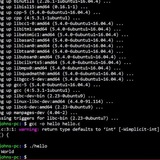
String comparison unexpected results?
I have the following noscript:
if sqlite3 webapp/instance/app.db "SELECT EXISTS(SELECT 1 FROM users WHERE username='admin');" > /dev/null
then
read -p "admin user exists, overwrite? " answer
if "$answer" = "y" ;
then
echo "Removing old admin account..."
sed -i '/ADMINPASSWORD/d' .env
sqlite3 webapp/instance/app.db "DELETE FROM users WHERE username='admin';"
ADMINPWMAYBE=ADMINPASSWORD
else
ADMINPWMAYBE=NULLPASSWORD
fi
fi
I run this and it goes as follows:
admin user exists, overwrite? y
There is no output and it doesn't delete the old ADMIN\PASSWORD
I have added
so what am I doing wrong?
https://redd.it/187meau
@r_bash
I have the following noscript:
if sqlite3 webapp/instance/app.db "SELECT EXISTS(SELECT 1 FROM users WHERE username='admin');" > /dev/null
then
read -p "admin user exists, overwrite? " answer
if "$answer" = "y" ;
then
echo "Removing old admin account..."
sed -i '/ADMINPASSWORD/d' .env
sqlite3 webapp/instance/app.db "DELETE FROM users WHERE username='admin';"
ADMINPWMAYBE=ADMINPASSWORD
else
ADMINPWMAYBE=NULLPASSWORD
fi
fi
I run this and it goes as follows:
admin user exists, overwrite? y
There is no output and it doesn't delete the old ADMIN\PASSWORD
I have added
echo "$answer" and it is indeed "y"so what am I doing wrong?
https://redd.it/187meau
@r_bash
Reddit
From the bash community on Reddit
Explore this post and more from the bash community
grep to output only needed capturing group
https://shnoscripts.com/grep-to-output-only-needed-capturing-group/
https://redd.it/187tjxd
@r_bash
https://shnoscripts.com/grep-to-output-only-needed-capturing-group/
https://redd.it/187tjxd
@r_bash
#!/bin/bash
grep to output only needed capturing group
Say you have some text and some pattern that you want to provide for grep. Everything is easy, until you want to extract only the pattern-matching part, not the whole line that has the match. What to do?
You can "grep" and use pipe for further processing…
You can "grep" and use pipe for further processing…
Calculating with Logs in Bash...
I think BC can do it, or maybe EXPR, but can't find enough documentation or examples even.
I want to calculate this formula and display a result in a noscript I am building...
N = Log2 (S^L)
It's for calculating the password strength of a given password.
I have S and I have L, i need to calculate N. Short of generating Log tables and storing them in an array, I am stuck in finding an elegant solution.
Here are the notes I have received on how it works...
\----
**Password Entropy**
Password entropy is a measure of the randomness or unpredictability of a password. It is often expressed in bits and gives an indication of the strength of a password against brute-force attacks. The formula to calculate password entropy is:
\[ \\text{Entropy} = \\log\2(\\text{Number of Possible Combinations}) \]
Where:
(\\text{Entropy}) is the password entropy in bits.
( \\log_2 ) is the base-2 logarithm.
(\\text{Number of Possible Combinations}) is the total number of possible combinations of the characters used in the password.
The formula takes into account the length of the password and the size of the character set.
Here's a step-by-step guide to calculating password entropy:
Determine the Character Set:
Identify the character set used in the password. This includes uppercase letters, lowercase letters, numbers, and special characters.
Calculate the Size of the Character Set ((S)):
Add up the number of characters in the character set.
Determine the Password Length ((L)):
Identify the length of the password.
Calculate the Number of Possible Combinations ((N)):
Raise the size of the character set ((S)) to the power of the password length ((L)). \[ N = S\^L \]
Calculate the Entropy ((\\text{Entropy})):
Take the base-2 logarithm of the number of possible combinations ((N)). [ \\text{Entropy} = \\log_2(N) \]
This entropy value gives an indication of the strength of the password. Generally, higher entropy values indicate stronger passwords that are more resistant to brute-force attacks. Keep in mind that the actual strength of a password also depends on other factors, such as the effectiveness of the password generation method and the randomness of the chosen characters.
https://redd.it/18804ax
@r_bash
I think BC can do it, or maybe EXPR, but can't find enough documentation or examples even.
I want to calculate this formula and display a result in a noscript I am building...
N = Log2 (S^L)
It's for calculating the password strength of a given password.
I have S and I have L, i need to calculate N. Short of generating Log tables and storing them in an array, I am stuck in finding an elegant solution.
Here are the notes I have received on how it works...
\----
**Password Entropy**
Password entropy is a measure of the randomness or unpredictability of a password. It is often expressed in bits and gives an indication of the strength of a password against brute-force attacks. The formula to calculate password entropy is:
\[ \\text{Entropy} = \\log\2(\\text{Number of Possible Combinations}) \]
Where:
(\\text{Entropy}) is the password entropy in bits.
( \\log_2 ) is the base-2 logarithm.
(\\text{Number of Possible Combinations}) is the total number of possible combinations of the characters used in the password.
The formula takes into account the length of the password and the size of the character set.
Here's a step-by-step guide to calculating password entropy:
Determine the Character Set:
Identify the character set used in the password. This includes uppercase letters, lowercase letters, numbers, and special characters.
Calculate the Size of the Character Set ((S)):
Add up the number of characters in the character set.
Determine the Password Length ((L)):
Identify the length of the password.
Calculate the Number of Possible Combinations ((N)):
Raise the size of the character set ((S)) to the power of the password length ((L)). \[ N = S\^L \]
Calculate the Entropy ((\\text{Entropy})):
Take the base-2 logarithm of the number of possible combinations ((N)). [ \\text{Entropy} = \\log_2(N) \]
This entropy value gives an indication of the strength of the password. Generally, higher entropy values indicate stronger passwords that are more resistant to brute-force attacks. Keep in mind that the actual strength of a password also depends on other factors, such as the effectiveness of the password generation method and the randomness of the chosen characters.
https://redd.it/18804ax
@r_bash
Reddit
From the bash community on Reddit
Explore this post and more from the bash community
Trying to understand what the period does in a regular expression/wild card?
I'm a little confused about the difference here:
This is true (returns 0 exit code): [[ "aramel" =\~ c* \]\]; echo $?
This is false (returns 1): [[ "aramel" =\~ c.* \]\]; echo $?
(notice the period after the 'c' in the latter.
​
Now, both will return a success if instead of writing 'aramel' we writ the word 'caramel'.
So it seems like one of them requires the c and the other does not?
​
I've been asking and searching but I am still unsure about what specifically the dot affects.
https://redd.it/185ti39
@r_bash
I'm a little confused about the difference here:
This is true (returns 0 exit code): [[ "aramel" =\~ c* \]\]; echo $?
This is false (returns 1): [[ "aramel" =\~ c.* \]\]; echo $?
(notice the period after the 'c' in the latter.
​
Now, both will return a success if instead of writing 'aramel' we writ the word 'caramel'.
So it seems like one of them requires the c and the other does not?
​
I've been asking and searching but I am still unsure about what specifically the dot affects.
https://redd.it/185ti39
@r_bash
Reddit
From the bash community on Reddit
Explore this post and more from the bash community
Basename breaks everything somehow
\#!/bin/bash
baseFolder=\~/gameconverter/psx
​
outputFolder=\~/gameconverter/output
rm -rf ${outputFolder}
mkdir ${outputFolder}
​
nonSplitted=$(find ${baseFolder} -maxdepth 1 -not -regex ".*(Disc [12\]).*")
disc1=$(find ${baseFolder} -maxdepth 1 -regex ".*(Disc [1\]).*")
disc2=$(find ${baseFolder} -maxdepth 1 -regex ".*(Disc [2\]).*")
​
for game in "${nonSplitted[@\]}"; do
gameName=$(basename "${game}")
input="${baseFolder}/${gameName}/${gameName}.cue"
output="${outputFolder}/${gameName}.chd"
chdman createcd -i "${input}" -o "${output}"
done
There are at least 20 psx games in basefolder but somehow, if I use basename or ##*/, it only runs once but with echo ${game} shows all the subfolders, why?
https://redd.it/188m8ch
@r_bash
\#!/bin/bash
baseFolder=\~/gameconverter/psx
​
outputFolder=\~/gameconverter/output
rm -rf ${outputFolder}
mkdir ${outputFolder}
​
nonSplitted=$(find ${baseFolder} -maxdepth 1 -not -regex ".*(Disc [12\]).*")
disc1=$(find ${baseFolder} -maxdepth 1 -regex ".*(Disc [1\]).*")
disc2=$(find ${baseFolder} -maxdepth 1 -regex ".*(Disc [2\]).*")
​
for game in "${nonSplitted[@\]}"; do
gameName=$(basename "${game}")
input="${baseFolder}/${gameName}/${gameName}.cue"
output="${outputFolder}/${gameName}.chd"
chdman createcd -i "${input}" -o "${output}"
done
There are at least 20 psx games in basefolder but somehow, if I use basename or ##*/, it only runs once but with echo ${game} shows all the subfolders, why?
https://redd.it/188m8ch
@r_bash
Reddit
From the bash community on Reddit
Explore this post and more from the bash community
Getting "read -p" to work within do loop reading files
I'm trying to read a file into my noscript, and prompt for input between each read. When I execute it, the prompt does not occur and only two lines are printed. Removing the "read yn" line means all the files.txt lines do print.
user@local ~/code/bash/interactivefilecopy> source pl.sh
in loop file001.txt
in loop file003.txt
user@local ~/code/bash/interactivefilecopy> cat pl.sh
while read -r linein; do
echo in loop $linein
read -p "whatever" yn
done <files.txt
user@local ~/code/bash/interactivefilecopy> cat files.txt
file001.txt
file002.txt
file003.txt
What am I doing wrong?
Thank you in advance.
https://redd.it/188ltyx
@r_bash
I'm trying to read a file into my noscript, and prompt for input between each read. When I execute it, the prompt does not occur and only two lines are printed. Removing the "read yn" line means all the files.txt lines do print.
user@local ~/code/bash/interactivefilecopy> source pl.sh
in loop file001.txt
in loop file003.txt
user@local ~/code/bash/interactivefilecopy> cat pl.sh
while read -r linein; do
echo in loop $linein
read -p "whatever" yn
done <files.txt
user@local ~/code/bash/interactivefilecopy> cat files.txt
file001.txt
file002.txt
file003.txt
What am I doing wrong?
Thank you in advance.
https://redd.it/188ltyx
@r_bash
Reddit
From the bash community on Reddit
Explore this post and more from the bash community
Functions and Libraries
So...... I have started moving all my snips of valuable functions that I use into a bunch of library files which I will make available to anyone who wants. The hardest part is documenting everything so it is actually useful.
My next step, once this step is done, is two make a "bash make" tool, that scans your noscript, scans the libraries that are called using `source` and then builds a single file containing only what is needed. Single file is easier for distribution.
BUT!!!! I have a question: Some of my functions from abc.lib.sh are needed in xyz.lib.sh as well as getting used by mainnoscript.sh. The kicker comes in that if I `source abc.lib.sh` in both the other files, the function loads twice which causes an error.
I can do a test before the source command to see if it is already loaded. I just want to know what is common practice for sequence of events.
I am currently doing:
1. declare statements
2. source statements
3. functions
4. main code
https://redd.it/18ae4xk
@r_bash
So...... I have started moving all my snips of valuable functions that I use into a bunch of library files which I will make available to anyone who wants. The hardest part is documenting everything so it is actually useful.
My next step, once this step is done, is two make a "bash make" tool, that scans your noscript, scans the libraries that are called using `source` and then builds a single file containing only what is needed. Single file is easier for distribution.
BUT!!!! I have a question: Some of my functions from abc.lib.sh are needed in xyz.lib.sh as well as getting used by mainnoscript.sh. The kicker comes in that if I `source abc.lib.sh` in both the other files, the function loads twice which causes an error.
I can do a test before the source command to see if it is already loaded. I just want to know what is common practice for sequence of events.
I am currently doing:
1. declare statements
2. source statements
3. functions
4. main code
https://redd.it/18ae4xk
@r_bash
Reddit
From the bash community on Reddit
Explore this post and more from the bash community
Help needed with my noscript
So basically i made simple neofetch, and i want to add ascii on left of the text.
i was thinking about creating something like list of ascii that i can change
github repo with code: https://github.com/Kotuu3/shfetch
https://redd.it/18akcqk
@r_bash
So basically i made simple neofetch, and i want to add ascii on left of the text.
i was thinking about creating something like list of ascii that i can change
github repo with code: https://github.com/Kotuu3/shfetch
https://redd.it/18akcqk
@r_bash
GitHub
GitHub - Kotuu3/shfetch: Simple yet effective bash linux fetch
Simple yet effective bash linux fetch. Contribute to Kotuu3/shfetch development by creating an account on GitHub.
Why learn bash if there's python?
I don't get it. Python is inherently a simpler language(in terms of syntax mainly which obviously makes it easier to learn and stuffs).
Why should I learn bash when I can do everything else in python?
https://redd.it/18amkcn
@r_bash
I don't get it. Python is inherently a simpler language(in terms of syntax mainly which obviously makes it easier to learn and stuffs).
Why should I learn bash when I can do everything else in python?
https://redd.it/18amkcn
@r_bash
Reddit
From the bash community on Reddit
Explore this post and more from the bash community
Backup database with rsync to remote server, how?
My brain is stuck trying to figure out how to do this with rsync in a noscript.
This is what I have so far, and its just very wrong:
docker compose exec -T database pg_dump -U user teslamate | rsync -az 192.168.1.100:/media/user/backup/teslamate/"teslamate.bck.$(date)
any suggestions?
https://redd.it/18aobj0
@r_bash
My brain is stuck trying to figure out how to do this with rsync in a noscript.
This is what I have so far, and its just very wrong:
docker compose exec -T database pg_dump -U user teslamate | rsync -az 192.168.1.100:/media/user/backup/teslamate/"teslamate.bck.$(date)
any suggestions?
https://redd.it/18aobj0
@r_bash
Reddit
From the bash community on Reddit
Explore this post and more from the bash community
Essential Bash Keyboard Shortcuts to Speed Up Your Workflow
https://linuxiac.com/essential-bash-keyboard-shortcuts/
https://redd.it/18av3w9
@r_bash
https://linuxiac.com/essential-bash-keyboard-shortcuts/
https://redd.it/18av3w9
@r_bash
Linuxiac
Essential Bash Keyboard Shortcuts to Speed Up Your Workflow
Unleash the power of Bash shortcuts in Linux! Streamline your command line experience with these powerful, easy-to-learn tips.
Bash noscript with ffmpeg uses 71 GB memory, how do I fix it?
​
https://preview.redd.it/zyznrwd4oe4c1.png?width=1330&format=png&auto=webp&s=cf9d3e9f41de3a4274b6a7183760f70f632fd74f
​
* [I am trying to generate a mosaic from 4 input videos using filter complex](https://trac.ffmpeg.org/wiki/Create%20a%20mosaic%20out%20of%20several%20input%20videos)
* The mosaic is generated inside a for loop because start time is different in each iteration on the mosaic
* Then I cut a part of the video as specified by timestamps in array (basically 4 parts) and finally join them
* Then delete the intermediate stuff
* [Here is the bash noscript that does all this](https://pastebin.com/vB9GMMj4)
* When tested on 640x480 the whole thing works perfectly
* When run on 1920x1080, first 2 iterations work well, 3rd iteration gets a KILLED 9 error meaning I guess it ran out of memory
* I am on Apple M1 16GB Sonoma 14 if that helps
* How can I resolve this?
https://redd.it/18b3yg6
@r_bash
​
https://preview.redd.it/zyznrwd4oe4c1.png?width=1330&format=png&auto=webp&s=cf9d3e9f41de3a4274b6a7183760f70f632fd74f
​
* [I am trying to generate a mosaic from 4 input videos using filter complex](https://trac.ffmpeg.org/wiki/Create%20a%20mosaic%20out%20of%20several%20input%20videos)
* The mosaic is generated inside a for loop because start time is different in each iteration on the mosaic
* Then I cut a part of the video as specified by timestamps in array (basically 4 parts) and finally join them
* Then delete the intermediate stuff
* [Here is the bash noscript that does all this](https://pastebin.com/vB9GMMj4)
* When tested on 640x480 the whole thing works perfectly
* When run on 1920x1080, first 2 iterations work well, 3rd iteration gets a KILLED 9 error meaning I guess it ran out of memory
* I am on Apple M1 16GB Sonoma 14 if that helps
* How can I resolve this?
https://redd.it/18b3yg6
@r_bash
Detecting hot keys and inserting text into stdin
Right now i have a program using a simple loop to get input:
I would like to be able to detect a hotkey combination, such as
to be clear, i don't want to edit the input after getting it, but instead add text into the input. for example how some programs automatically add a closing bracket when you enter an opening one.
is this possible? where should i look? i have already looked around and can't find anything for the inserting text.
https://redd.it/18bfn2z
@r_bash
Right now i have a program using a simple loop to get input:
while true
do
  read -ep "" string
  echo "Text Entered: $string"
done
I would like to be able to detect a hotkey combination, such as
ctrl+1, and from that, insert into the currently edited stdin.to be clear, i don't want to edit the input after getting it, but instead add text into the input. for example how some programs automatically add a closing bracket when you enter an opening one.
is this possible? where should i look? i have already looked around and can't find anything for the inserting text.
https://redd.it/18bfn2z
@r_bash
Reddit
From the bash community on Reddit
Explore this post and more from the bash community
Help creating AWK noscript that compares values ?
I need to create a awk noscript that does the following. Finds the specific Max value and Min value for a specific hour found in files that represent a day. So I have a directory with files multiple files like this
day1.csv
day2.csv
day3.csv
day4.csv
day5.csv
day6.csv
day.7.csv
Here is an example of what a few lines in each file would look like
Google,2023-11-30T04:00:00.000Z,38322391063,dev1
Google,2023-11-30T05:00:00.000Z,17091898399,dev1
Google,2023-11-30T06:00:00.000Z,19000746641,dev1
Facebook,2023-11-30T04:00:00.000Z,38322391063,dev1
Facebook,2023-11-30T05:00:00.000Z,17091898399,dev1
Facebook,2023-11-30T06:00:00.000Z,19000746641,dev1
if we take a look at the second field 2023-11-30T04:00:00.000Z , 04 = 4th hour.
So what I am wondering is how would I go about going through all the day files , getting the lines with the specific hours and their first field (Protocol) and 3rd field (usage). So for example if I wanted to see the Max and Min value for the 4th hour for Google over the 7 day files , I would have to find each line in each file that has Google as a first field and contains 04 as the hour in its date field and then store its 3rd field , the usage , and then compare all those lines to see which is the Highest value and which is the lowest. If someone could help me understand how to do this with awk I would really appreciate it.
https://redd.it/18bk8h2
@r_bash
I need to create a awk noscript that does the following. Finds the specific Max value and Min value for a specific hour found in files that represent a day. So I have a directory with files multiple files like this
day1.csv
day2.csv
day3.csv
day4.csv
day5.csv
day6.csv
day.7.csv
Here is an example of what a few lines in each file would look like
Google,2023-11-30T04:00:00.000Z,38322391063,dev1
Google,2023-11-30T05:00:00.000Z,17091898399,dev1
Google,2023-11-30T06:00:00.000Z,19000746641,dev1
Facebook,2023-11-30T04:00:00.000Z,38322391063,dev1
Facebook,2023-11-30T05:00:00.000Z,17091898399,dev1
Facebook,2023-11-30T06:00:00.000Z,19000746641,dev1
if we take a look at the second field 2023-11-30T04:00:00.000Z , 04 = 4th hour.
So what I am wondering is how would I go about going through all the day files , getting the lines with the specific hours and their first field (Protocol) and 3rd field (usage). So for example if I wanted to see the Max and Min value for the 4th hour for Google over the 7 day files , I would have to find each line in each file that has Google as a first field and contains 04 as the hour in its date field and then store its 3rd field , the usage , and then compare all those lines to see which is the Highest value and which is the lowest. If someone could help me understand how to do this with awk I would really appreciate it.
https://redd.it/18bk8h2
@r_bash
Reddit
From the bash community on Reddit
Explore this post and more from the bash community
Replacing white spaces with underscores. I originally put this on the Linux help sub but people here might also like it... I may edit this more and made one quick edit just now. This topic comes up a lot for those new to Linux ...
(This is a recent version I just finished. Before anyone points this out, yes, I know there are many ways to do this and you can do it with just one line. I am fully aware that most of those in this sub already know how to deal with the issue this noscript addresses but I felt like sharing it anyway because - why not?)
A few points:
*The help menu is there for a reason and that's why it doesn't have the simple one line and instead informs the user on how the tool works. I think noscripts should be helpful for not only technical people but folks new to Linux too.
*The find command does have flaws here and I was hesitant to specify max depth - but I did this because I felt it was a good balance between specifying no depth an using a simple max depth of only 1
*Wild cards are powerful - and I always have to think if I should use them - but I decided to go for it. Other than that, all I can say is I make the best decisions I can in the limited time I have to write this full knowing they always have flaws and if I obsessed over everything, I would get nothing done. So I move fast but unlike Facebook, I try "not" to break things, haha.
\#!/bin/bash -e
​
if [[ "$1" == "-h" \]\]; then
echo "================== Help Menu =================="
echo This noscript requires two arguments
echo "Ex: filerename [ \~/Desktop \] [ \\"file name\\" \]"
echo "Changes 'file name' in \~/Desktop to file_name'"
echo -e "Use quotes or wildcards to reference the file"
echo "[ \~/Desktop \] [ file*name (or) \\"file name\\" \]: \\"file_name\\""
echo "================== filerename ================="
exit 0
fi
​
varfind=$(find "$1" -maxdepth 2 -iwholename "*$2*")
​
​
if [[ -z "$varfind" \]\]; then
echo No results - please enter a valid string
echo Also consider altering your syntax
else
echo "$varfind"
read -r -p "The file(s) above match the string you entered.
Do you want to rename them? Enter \\"yes\\" or \\"no\\": " ans
if [[ "$ans" == "yes" \]\]; then
echo OK - processing files now
logloc=$HOME/tmp/remove-whitespace-rename.log
​
echo "$varfind" | while IFS= read -r fileitem
do
if mv -v "$fileitem" "$(echo "${fileitem}" | sed 's/ /_/g')" | tee -a "$logloc"; then
echo "success!"
underscore=$(echo "$fileitem" | grep _ ) &&
echo renamed "$1" "$underscore" &&
\#if [[ -e "${fileitem}" \]\]; then
sleep 1s && wait
exit 0
else
echo "Error: failed to rename file"
echo Check your syntax or review
exit 1
fi
done
else
echo OK - exiting noscript
exit 0
fi
fi
​
https://redd.it/18bmgr3
@r_bash
(This is a recent version I just finished. Before anyone points this out, yes, I know there are many ways to do this and you can do it with just one line. I am fully aware that most of those in this sub already know how to deal with the issue this noscript addresses but I felt like sharing it anyway because - why not?)
A few points:
*The help menu is there for a reason and that's why it doesn't have the simple one line and instead informs the user on how the tool works. I think noscripts should be helpful for not only technical people but folks new to Linux too.
*The find command does have flaws here and I was hesitant to specify max depth - but I did this because I felt it was a good balance between specifying no depth an using a simple max depth of only 1
*Wild cards are powerful - and I always have to think if I should use them - but I decided to go for it. Other than that, all I can say is I make the best decisions I can in the limited time I have to write this full knowing they always have flaws and if I obsessed over everything, I would get nothing done. So I move fast but unlike Facebook, I try "not" to break things, haha.
\#!/bin/bash -e
​
if [[ "$1" == "-h" \]\]; then
echo "================== Help Menu =================="
echo This noscript requires two arguments
echo "Ex: filerename [ \~/Desktop \] [ \\"file name\\" \]"
echo "Changes 'file name' in \~/Desktop to file_name'"
echo -e "Use quotes or wildcards to reference the file"
echo "[ \~/Desktop \] [ file*name (or) \\"file name\\" \]: \\"file_name\\""
echo "================== filerename ================="
exit 0
fi
​
varfind=$(find "$1" -maxdepth 2 -iwholename "*$2*")
​
​
if [[ -z "$varfind" \]\]; then
echo No results - please enter a valid string
echo Also consider altering your syntax
else
echo "$varfind"
read -r -p "The file(s) above match the string you entered.
Do you want to rename them? Enter \\"yes\\" or \\"no\\": " ans
if [[ "$ans" == "yes" \]\]; then
echo OK - processing files now
logloc=$HOME/tmp/remove-whitespace-rename.log
​
echo "$varfind" | while IFS= read -r fileitem
do
if mv -v "$fileitem" "$(echo "${fileitem}" | sed 's/ /_/g')" | tee -a "$logloc"; then
echo "success!"
underscore=$(echo "$fileitem" | grep _ ) &&
echo renamed "$1" "$underscore" &&
\#if [[ -e "${fileitem}" \]\]; then
sleep 1s && wait
exit 0
else
echo "Error: failed to rename file"
echo Check your syntax or review
exit 1
fi
done
else
echo OK - exiting noscript
exit 0
fi
fi
​
https://redd.it/18bmgr3
@r_bash
Reddit
From the bash community on Reddit
Explore this post and more from the bash community
nohup not working?
I have a simple fzf launcher (below) that I want to call from a sway bindsym $mod+d like this:
foot -e fzf-launcher
... ie it pops up a terminal and runs the noscript, the user picks a .desktop file and the noscript runs it with gtk-launcher. When I run the noscript from a normal terminal it works fine, but when I run it as above, it fails to launch anything - actually it starts the process but the process gets SIGHUP as soon as the noscript terminates.
The only way I've got it to work is to add a 'trap "" HUP' just before the gtk-launcher - in other words, the nohup doesn't seem to be working.
Has something changed in nohup or am I misunderstanding something here?
Here's the noscript 'fzf-launcher' - see the 3rd line from the end:
#!/bin/bash
# shellcheck disable=SC2016
locations=( "$HOME/.local/share/applications" "/usr/share/applications" )
#print out the available categories:
grep -r '^Categories' "${locations[@]}" | cut -d= -f2- | tr ';' '\n' | sort -u|column
selected_app=$(
find "${locations[@]}" -name '*.desktop' |
while read -r desktop; do
cat=$( awk -F= '/^Categories/ {print $2}' "$desktop" )
name=${desktop##*/} # filename
name=${name%.*} # basename .desktop
echo "$name '$cat' $desktop"
done |
column -t |
fzf -i --reverse --height 15 --ansi --preview 'echo {} | awk "{print \$3}" | xargs -- grep -iE "name=|exec="' |
awk '{print $3}'
)
if [[ "$selected_app" ]]; then
app="${selected_app##*/}"
# we need this trap otherwise the launched app dies when this noscript
# exits - but only when run as 'foot -e fzf-launcher':
trap '' SIGHUP # !!!! why is this needed? !!!!
nohup gtk-launch "$app" > /dev/null 2>&1 & disown $!
fi
https://redd.it/18c26qs
@r_bash
I have a simple fzf launcher (below) that I want to call from a sway bindsym $mod+d like this:
foot -e fzf-launcher
... ie it pops up a terminal and runs the noscript, the user picks a .desktop file and the noscript runs it with gtk-launcher. When I run the noscript from a normal terminal it works fine, but when I run it as above, it fails to launch anything - actually it starts the process but the process gets SIGHUP as soon as the noscript terminates.
The only way I've got it to work is to add a 'trap "" HUP' just before the gtk-launcher - in other words, the nohup doesn't seem to be working.
Has something changed in nohup or am I misunderstanding something here?
Here's the noscript 'fzf-launcher' - see the 3rd line from the end:
#!/bin/bash
# shellcheck disable=SC2016
locations=( "$HOME/.local/share/applications" "/usr/share/applications" )
#print out the available categories:
grep -r '^Categories' "${locations[@]}" | cut -d= -f2- | tr ';' '\n' | sort -u|column
selected_app=$(
find "${locations[@]}" -name '*.desktop' |
while read -r desktop; do
cat=$( awk -F= '/^Categories/ {print $2}' "$desktop" )
name=${desktop##*/} # filename
name=${name%.*} # basename .desktop
echo "$name '$cat' $desktop"
done |
column -t |
fzf -i --reverse --height 15 --ansi --preview 'echo {} | awk "{print \$3}" | xargs -- grep -iE "name=|exec="' |
awk '{print $3}'
)
if [[ "$selected_app" ]]; then
app="${selected_app##*/}"
# we need this trap otherwise the launched app dies when this noscript
# exits - but only when run as 'foot -e fzf-launcher':
trap '' SIGHUP # !!!! why is this needed? !!!!
nohup gtk-launch "$app" > /dev/null 2>&1 & disown $!
fi
https://redd.it/18c26qs
@r_bash
Reddit
From the bash community on Reddit
Explore this post and more from the bash community
Cut, dash, behaviour in noscript using stdin creates surprising result
Can anyone help explain below? In short, when the input is cat'd and read as input cut behaves differently, and seems to consider - a delimiter. Why would it do this?
What....? Where did the dash go...? Thanks all!
https://redd.it/18c8so8
@r_bash
Can anyone help explain below? In short, when the input is cat'd and read as input cut behaves differently, and seems to consider - a delimiter. Why would it do this?
$ cat inM – Municipality$ cat in|cut -c 1-4M –$ echo 'M – ' | cut -c 1-4M –$ cat `mycut.sh`while read X ; do echo $X | cut -c 1-4 ; done$ cat in|./mycut4.shMWhat....? Where did the dash go...? Thanks all!
https://redd.it/18c8so8
@r_bash
Help with selecting a Chrome or Firefox tab/window for typing
Hello,
I would like to put together a noscript where the noscript selects a particular Chrome or Firefox tab and then types in a character every few minutes (to keep the website from timing out). Does anyone know how to do this in Bash in a Wayland DE? Thank you!
https://redd.it/18c8cag
@r_bash
Hello,
I would like to put together a noscript where the noscript selects a particular Chrome or Firefox tab and then types in a character every few minutes (to keep the website from timing out). Does anyone know how to do this in Bash in a Wayland DE? Thank you!
https://redd.it/18c8cag
@r_bash
Reddit
From the bash community on Reddit
Explore this post and more from the bash community
virtualenv:command not found
i am a complete newbie trying to use venv in bash. Its been showing this for so long..i tried searching for solutions on stack overflow but theyre all for macOS and im using linux. Can someone please tell me what to do?
https://redd.it/18cuec6
@r_bash
i am a complete newbie trying to use venv in bash. Its been showing this for so long..i tried searching for solutions on stack overflow but theyre all for macOS and im using linux. Can someone please tell me what to do?
https://redd.it/18cuec6
@r_bash
Reddit
From the bash community on Reddit
Explore this post and more from the bash community
Can you capture lines displayed to the terminal as they are shown on the screen in a bash variable?
So, you can do a lot to control what part of the terminal some text gets printed to using escape/control codes with `printf`. For example,
printf '\033[D'
will move the cursor 1 character to the left, basically making it a backspace. So,
printf '12345\033[D\033[D\033[D\033[D\033[Dabcde'
will print `12345`, then go to the left 5 characters, then print `abcde`, which is the only output you see on screen. If I try and capture this in a variable and print it
x="$(printf '12345\033[D\033[D\033[D\033[D\033[Dabcde')"
echo "$x"
you get
abcde
BUT, if you run `${#x}` you get 25, not 5. And, sure enough
cat -A <<<"x"
gives
12345^[[D^[[D^[[D^[[D^[[Dabcde$
meaning that `$x` has the full series of commands, not just the output shown on screen.
Any good way (i.,e., without writing a full-fledged ascii parser) to get just the text printed as shown on screen (i,.e., so `x='abcde'; [[ ${#x} == 5 ]]`)? Can you somehow steal this from the screen buffer?
***
ACTUAL USE CASE
I wrote [this](https://github.com/jkool702/misc-public-noscripts/blob/main/memtester/memtester.sh) short noscript that runs a number of forked instances of `memtester`, which is a program that checks your RAM for stability (since unstable RAM causes all sorts of issues).
`memtester` is only single-threaded, so my noscript takes all the "not-unevictable" memory (minus 1 gb) and splits it up between `$(nproc)` memtester instances, each running in a bash coproc. Each instance sends its stdout/stderr both to unique log files and to the stdout/stderr of the shell that forked them all off.
Problem is `memtester` uses the backspace method described above to update what is shown on screen, so when you see
TESTNAME: ok
if you ran the output through `cat -A` youd see
TESTNAME: setting 1 ^H^H^H^H^H^H^H^H^Htesting 1^H^H^H^H^H^H^H^H^Hsetting 2 ^H^H^H^H^H^H^H^H^Htesting 2 ... setting N^H^H^H^H^H^H^H^H^Htesting N^H^H^H^H^H^H^H^H^Hok
As an example, getting [these 42 lines of output](https://github.com/jkool702/misc-public-noscripts/blob/main/memtester/memtester_1.4mb_output.txt) output involved 1.4 mb of recorded commands in the log file.
Im trying to figure out a decent way to monitor all the instances (while ensuring that one's backspacing doesnt overwrite/hide another's error message. And, well, this would be much easier if I could collapse the output into just what got printed top screen.
https://redd.it/18czvbq
@r_bash
So, you can do a lot to control what part of the terminal some text gets printed to using escape/control codes with `printf`. For example,
printf '\033[D'
will move the cursor 1 character to the left, basically making it a backspace. So,
printf '12345\033[D\033[D\033[D\033[D\033[Dabcde'
will print `12345`, then go to the left 5 characters, then print `abcde`, which is the only output you see on screen. If I try and capture this in a variable and print it
x="$(printf '12345\033[D\033[D\033[D\033[D\033[Dabcde')"
echo "$x"
you get
abcde
BUT, if you run `${#x}` you get 25, not 5. And, sure enough
cat -A <<<"x"
gives
12345^[[D^[[D^[[D^[[D^[[Dabcde$
meaning that `$x` has the full series of commands, not just the output shown on screen.
Any good way (i.,e., without writing a full-fledged ascii parser) to get just the text printed as shown on screen (i,.e., so `x='abcde'; [[ ${#x} == 5 ]]`)? Can you somehow steal this from the screen buffer?
***
ACTUAL USE CASE
I wrote [this](https://github.com/jkool702/misc-public-noscripts/blob/main/memtester/memtester.sh) short noscript that runs a number of forked instances of `memtester`, which is a program that checks your RAM for stability (since unstable RAM causes all sorts of issues).
`memtester` is only single-threaded, so my noscript takes all the "not-unevictable" memory (minus 1 gb) and splits it up between `$(nproc)` memtester instances, each running in a bash coproc. Each instance sends its stdout/stderr both to unique log files and to the stdout/stderr of the shell that forked them all off.
Problem is `memtester` uses the backspace method described above to update what is shown on screen, so when you see
TESTNAME: ok
if you ran the output through `cat -A` youd see
TESTNAME: setting 1 ^H^H^H^H^H^H^H^H^Htesting 1^H^H^H^H^H^H^H^H^Hsetting 2 ^H^H^H^H^H^H^H^H^Htesting 2 ... setting N^H^H^H^H^H^H^H^H^Htesting N^H^H^H^H^H^H^H^H^Hok
As an example, getting [these 42 lines of output](https://github.com/jkool702/misc-public-noscripts/blob/main/memtester/memtester_1.4mb_output.txt) output involved 1.4 mb of recorded commands in the log file.
Im trying to figure out a decent way to monitor all the instances (while ensuring that one's backspacing doesnt overwrite/hide another's error message. And, well, this would be much easier if I could collapse the output into just what got printed top screen.
https://redd.it/18czvbq
@r_bash
GitHub
misc-public-noscripts/memtester/memtester.sh at main · jkool702/misc-public-noscripts
miscellanuious noscripts that I want to make publically available - jkool702/misc-public-noscripts
While loop runs only once
Hi. I wrote the below function in my bashrc file:
function kube-find(){
if "$#" -ne 2 ; then
echo "usage kube-find where what";
echo "example: kube-find app-pod error123";
return;
fi
kubectl get po | grep $1 | awk '{print $1}' | while read i; do echo $i; kubectl exec $i -- grep -irl $2 /opt/myapp/logs; done
}
In remote server that's running RHEL it works fine but in my local wsl the while loop doesn't run for all the pods. It exits after the first one.
Does anyone know why that is? Could it be because of the difference in bash version? Thank you!
https://redd.it/18d0vfo
@r_bash
Hi. I wrote the below function in my bashrc file:
function kube-find(){
if "$#" -ne 2 ; then
echo "usage kube-find where what";
echo "example: kube-find app-pod error123";
return;
fi
kubectl get po | grep $1 | awk '{print $1}' | while read i; do echo $i; kubectl exec $i -- grep -irl $2 /opt/myapp/logs; done
}
In remote server that's running RHEL it works fine but in my local wsl the while loop doesn't run for all the pods. It exits after the first one.
Does anyone know why that is? Could it be because of the difference in bash version? Thank you!
https://redd.it/18d0vfo
@r_bash
Reddit
From the bash community on Reddit
Explore this post and more from the bash community