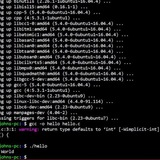
Help with automation noscript!
Hello guys! I am trying to make an automated installer for my tool, I have only 2 problems.
​
function configurervm() {
createcwuser
gpg --keyserver hkp://keyserver.ubuntu.com --recv-keys 409B6B1796C275462A1703113804BB82D39DC0E3 7D2BAF1CF37B13E2069D6956105BD0E739499BDB
gpg2 --keyserver hkp://keyserver.ubuntu.com --recv-keys 409B6B1796C275462A1703113804BB82D39DC0E3 7D2BAF1CF37B13E2069D6956105BD0E739499BDB
curl -sSL https://get.rvm.io | bash -s stable
export rvmpath="$HOME/.rvm"
source /etc/profile.d/rvm.sh
adduser folder rvm
}
function setupfolder() {
local secret=$(head /dev/urandom | tr -dc A-Za-z0-9 | head -c 63 ; echo '')
local RAILSENV=production
getpgpass
sudo -i -u folder << EOF
rvm --version
rvm autolibs disable
rvm install "ruby-3.2.2"
rvm use 3.2.2 --default
git clone https://gitlab.com/xxxx/xxxx.git folder
echo "GitLab login successful."
cd folder
git folder "$BRANCH"
bundle
yarn
cp .env.example .env
sed -i -e "/SECRETKEYBASE/ s/=.*/=$secret/" .env
sed -i -e '/REDISURL/ s/=./=redis:\/\/localhost:6379/' .env
sed -i -e '/POSTGRES_HOST/ s/=./=localhost/' .env
sed -i -e '/POSTGRESUSERNAME/ s/=.*/=folder/' .env
sed -i -e "/POSTGRESPASSWORD/ s/=./=$pg_pass/" .env
sed -i -e '/RAILS_ENV/ s/=./=$RAILSENV/' .env
echo -en "\nINSTALLATIONENV=linuxnoscript" >> ".env"
rake assets:precompile RAILSENV=production NODEOPTIONS=--openssl-legacy-provider
EOF
}
this step source /etc/profile.d/rvm.shThe other problem I have, something exactly similar happens to me... which is here:
​
function installdependencies() {
apt update && apt upgrade -y
apt list --upgradable -a
apt --fix-broken install
apt install -y curl gnupg gnupg1 gnupg2
curl -sS https://dl.yarnpkg.com/debian/pubkey.gpg | apt-key add -
echo "deb https://dl.yarnpkg.com/debian/ stable main" | tee /etc/apt/sources.list.d/yarn.list
curl -fsSL https://packages.redis.io/gpg | sudo gpg --dearmor -o /usr/share/keyrings/redis-archive-keyring.gpg
echo "deb signed-by=/usr/share/keyrings/redis-archive-keyring.gpg https://packages.redis.io/deb $(lsbrelease -cs) main" | sudo tee /etc/apt/sources.list.d/redis.list
mkdir -p /etc/apt/keyrings
curl -fsSL https://deb.nodesource.com/gpgkey/nodesource-repo.gpg.key | sudo gpg --dearmor -o /etc/apt/keyrings/nodesource.gpg
NODEMAJOR=20
echo "deb signed-by=/etc/apt/keyrings/nodesource.gpg https://deb.nodesource.com/node$NODEMAJOR.x nodistro main" | sudo tee /etc/apt/sources.list.d/nodesource.list
apt update
apt install -y \
git software-properties-common ca-certificates imagemagick libpq-dev \
libxml2-dev libxslt1-dev file g++ gcc autoconf build-essential \
libssl-dev libyaml-dev libreadline-dev gnupg2 \
postgresql-client redis-tools \
nodejs yarn patch ruby-dev zlib1g-dev liblzma-dev \
libgmp-dev libncurses5-dev libffi-dev libgdbm6 libgdbm-dev sudo \
libvips python3-pip
}
once it is finishing it throws spanpd firefox pkg error... but here again if I manually run the apt --fix-broken install and run the noscript again everything works perfectly... this apt --fix I already have -broken install in the noscript but it doesn't seem to run.
https://redd.it/1bj2s55
@r_bash
Hello guys! I am trying to make an automated installer for my tool, I have only 2 problems.
​
function configurervm() {
createcwuser
gpg --keyserver hkp://keyserver.ubuntu.com --recv-keys 409B6B1796C275462A1703113804BB82D39DC0E3 7D2BAF1CF37B13E2069D6956105BD0E739499BDB
gpg2 --keyserver hkp://keyserver.ubuntu.com --recv-keys 409B6B1796C275462A1703113804BB82D39DC0E3 7D2BAF1CF37B13E2069D6956105BD0E739499BDB
curl -sSL https://get.rvm.io | bash -s stable
export rvmpath="$HOME/.rvm"
source /etc/profile.d/rvm.sh
adduser folder rvm
}
function setupfolder() {
local secret=$(head /dev/urandom | tr -dc A-Za-z0-9 | head -c 63 ; echo '')
local RAILSENV=production
getpgpass
sudo -i -u folder << EOF
rvm --version
rvm autolibs disable
rvm install "ruby-3.2.2"
rvm use 3.2.2 --default
git clone https://gitlab.com/xxxx/xxxx.git folder
echo "GitLab login successful."
cd folder
git folder "$BRANCH"
bundle
yarn
cp .env.example .env
sed -i -e "/SECRETKEYBASE/ s/=.*/=$secret/" .env
sed -i -e '/REDISURL/ s/=./=redis:\/\/localhost:6379/' .env
sed -i -e '/POSTGRES_HOST/ s/=./=localhost/' .env
sed -i -e '/POSTGRESUSERNAME/ s/=.*/=folder/' .env
sed -i -e "/POSTGRESPASSWORD/ s/=./=$pg_pass/" .env
sed -i -e '/RAILS_ENV/ s/=./=$RAILSENV/' .env
echo -en "\nINSTALLATIONENV=linuxnoscript" >> ".env"
rake assets:precompile RAILSENV=production NODEOPTIONS=--openssl-legacy-provider
EOF
}
this step source /etc/profile.d/rvm.shThe other problem I have, something exactly similar happens to me... which is here:
​
function installdependencies() {
apt update && apt upgrade -y
apt list --upgradable -a
apt --fix-broken install
apt install -y curl gnupg gnupg1 gnupg2
curl -sS https://dl.yarnpkg.com/debian/pubkey.gpg | apt-key add -
echo "deb https://dl.yarnpkg.com/debian/ stable main" | tee /etc/apt/sources.list.d/yarn.list
curl -fsSL https://packages.redis.io/gpg | sudo gpg --dearmor -o /usr/share/keyrings/redis-archive-keyring.gpg
echo "deb signed-by=/usr/share/keyrings/redis-archive-keyring.gpg https://packages.redis.io/deb $(lsbrelease -cs) main" | sudo tee /etc/apt/sources.list.d/redis.list
mkdir -p /etc/apt/keyrings
curl -fsSL https://deb.nodesource.com/gpgkey/nodesource-repo.gpg.key | sudo gpg --dearmor -o /etc/apt/keyrings/nodesource.gpg
NODEMAJOR=20
echo "deb signed-by=/etc/apt/keyrings/nodesource.gpg https://deb.nodesource.com/node$NODEMAJOR.x nodistro main" | sudo tee /etc/apt/sources.list.d/nodesource.list
apt update
apt install -y \
git software-properties-common ca-certificates imagemagick libpq-dev \
libxml2-dev libxslt1-dev file g++ gcc autoconf build-essential \
libssl-dev libyaml-dev libreadline-dev gnupg2 \
postgresql-client redis-tools \
nodejs yarn patch ruby-dev zlib1g-dev liblzma-dev \
libgmp-dev libncurses5-dev libffi-dev libgdbm6 libgdbm-dev sudo \
libvips python3-pip
}
once it is finishing it throws spanpd firefox pkg error... but here again if I manually run the apt --fix-broken install and run the noscript again everything works perfectly... this apt --fix I already have -broken install in the noscript but it doesn't seem to run.
https://redd.it/1bj2s55
@r_bash
Planetary hours in Shell Script
Greetings to all,
I have developed a Shell Script named AstroICON, a straightforward noscript that displays the weekday in relation to the planet and the planetary hour. I am sharing this code as I am aware that there are individuals in this community who are engaged in astrology and utilize Linux. This noscript operates seamlessly on i3blocks and, I believe, should also function correctly on polybar.
To use it, the process is quite simple: grant execution permission with chmod +x AstroICON\_v1.2A.sh
. Then, set the variables for sunrise, sunset, and the following day's sunrise times in the 24-hour format. After these steps, you can run the noscript using ./AstroICON\_v1.2A.sh
. It is worth noting that the noscript accepts parameters from 1 to 8, and if no parameter is provided, it automatically determines the current day and planetary hour.
If anyone is interested in enhancing the noscript, please feel free to do so; just get in touch. Warm regards to everyone.
Below is the code:
#!/bin/bash
# Configuration section: Enables or disables functionality for each day of the week and for the planetary hours chart.
# Set to 1 to enable or 0 to disable the functionality for the respective day or feature.
#IMPORTANT (The day variables must not exceed line 15): this version of the program is automatic and uses sed to configure the variables according to the day of the week, it does not require manual configuration, only the sunrise, sunset and next sunrise times must be configured manually.
MONDAY_MOON_=0
TUESDAY_MARS_=0
WEDNESDAY_MERCURY_=0
THURSDAY_JUPITER_=0
FRIDAY_VENUS_=0
SATURDAY_SATURN_=0
SUNDAY_SUN_=0
PLANETARY_HOURS_CHART_=0
# The name defined by the FILE variable must be the same as the file name
FILE="AstroICON_v1.2A.sh"
# Variable to control the display of the current day's planet symbol.
DAY_OF_WEEK_=1
# Time configuration: Define sunrise and sunset times in 24-hour format.
HOUR_SUNRISE="06"
MINUTES_SUNRISE="11"
HOUR_SUNSET="18"
MINUTES_SUNSET="30"
HOUR_SUNRISE_OF_NEXT_DAY="06"
MINUTES_SUNRISE_OF_NEXT_DAY="11"
# Planet symbols: Assigns icons for each planet.
MOON="☽"
MARS="♂"
MERCURY="☿"
JUPITER="♃"
VENUS="♀"
SATURN="♄"
SUN="☉"
# always resets variables to 0
sed -i '1,15s/MONDAY_MOON_=1/MONDAY_MOON_=0/' "$FILE"
sed -i '1,15s/TUESDAY_MARS_=1/TUESDAY_MARS_=0/' "$FILE"
sed -i '1,15s/WEDNESDAY_MERCURY_=1/WEDNESDAY_MERCURY_=0/' "$FILE"
sed -i '1,15s/THURSDAY_JUPITER_=1/THURSDAY_JUPITER_=0/' "$FILE"
sed -i '1,15s/FRIDAY_VENUS_=1/FRIDAY_VENUS_=1/' "$FILE"
sed -i '1,15s/SATURDAY_SATURN_=1/SATURDAY_SATURN_=0/' "$FILE"
sed -i '1,15s/SUNDAY_SUN_=1/SUNDAY_SUN_=0/' "$FILE"
# Conditional reset: Checks if any command-line argument is passed and resets the configuration.
if [[ $# -gt 0 ]]; then
MONDAY_MOON_=0
TUESDAY_MARS_=0
WEDNESDAY_MERCURY_=0
THURSDAY_JUPITER_=0
FRIDAY_VENUS_=0
SATURDAY_SATURN_=0
SUNDAY_SUN_=0
PLANETARY_HOURS_CHART_=0
DAY_OF_WEEK_=0
fi
# Total minutes in a day
TOTAL_MINUTES_IN_DAY=1440
# Convert sunrise and sunset times to total minutes from midnight
MINUTES_SUNRISE_TOTAL=$((HOUR_SUNRISE * 60 + MINUTES_SUNRISE))
MINUTES_SUNSET_TOTAL=$((HOUR_SUNSET * 60 + MINUTES_SUNSET))
# Calculate total daylight minutes
DAYLIGHT_MINUTES=$((MINUTES_SUNSET_TOTAL - MINUTES_SUNRISE_TOTAL))
# Calculate daylight period per hour
DAYLIGHT_PERIOD=$((DAYLIGHT_MINUTES / 12))
# Calculate total night minutes
# Note: This calculation assumes that the sunrise of the next day is the end of the night period
MINUTES_SUNRISE_NEXT_DAY_TOTAL=$((HOUR_SUNRISE_OF_NEXT_DAY * 60 + MINUTES_SUNRISE_OF_NEXT_DAY))
NIGHT_MINUTES=$((TOTAL_MINUTES_IN_DAY - MINUTES_SUNSET_TOTAL + MINUTES_SUNRISE_NEXT_DAY_TOTAL))
# Calculate night period per hour
NIGHT_PERIOD=$((NIGHT_MINUTES /
Greetings to all,
I have developed a Shell Script named AstroICON, a straightforward noscript that displays the weekday in relation to the planet and the planetary hour. I am sharing this code as I am aware that there are individuals in this community who are engaged in astrology and utilize Linux. This noscript operates seamlessly on i3blocks and, I believe, should also function correctly on polybar.
To use it, the process is quite simple: grant execution permission with chmod +x AstroICON\_v1.2A.sh
. Then, set the variables for sunrise, sunset, and the following day's sunrise times in the 24-hour format. After these steps, you can run the noscript using ./AstroICON\_v1.2A.sh
. It is worth noting that the noscript accepts parameters from 1 to 8, and if no parameter is provided, it automatically determines the current day and planetary hour.
If anyone is interested in enhancing the noscript, please feel free to do so; just get in touch. Warm regards to everyone.
Below is the code:
#!/bin/bash
# Configuration section: Enables or disables functionality for each day of the week and for the planetary hours chart.
# Set to 1 to enable or 0 to disable the functionality for the respective day or feature.
#IMPORTANT (The day variables must not exceed line 15): this version of the program is automatic and uses sed to configure the variables according to the day of the week, it does not require manual configuration, only the sunrise, sunset and next sunrise times must be configured manually.
MONDAY_MOON_=0
TUESDAY_MARS_=0
WEDNESDAY_MERCURY_=0
THURSDAY_JUPITER_=0
FRIDAY_VENUS_=0
SATURDAY_SATURN_=0
SUNDAY_SUN_=0
PLANETARY_HOURS_CHART_=0
# The name defined by the FILE variable must be the same as the file name
FILE="AstroICON_v1.2A.sh"
# Variable to control the display of the current day's planet symbol.
DAY_OF_WEEK_=1
# Time configuration: Define sunrise and sunset times in 24-hour format.
HOUR_SUNRISE="06"
MINUTES_SUNRISE="11"
HOUR_SUNSET="18"
MINUTES_SUNSET="30"
HOUR_SUNRISE_OF_NEXT_DAY="06"
MINUTES_SUNRISE_OF_NEXT_DAY="11"
# Planet symbols: Assigns icons for each planet.
MOON="☽"
MARS="♂"
MERCURY="☿"
JUPITER="♃"
VENUS="♀"
SATURN="♄"
SUN="☉"
# always resets variables to 0
sed -i '1,15s/MONDAY_MOON_=1/MONDAY_MOON_=0/' "$FILE"
sed -i '1,15s/TUESDAY_MARS_=1/TUESDAY_MARS_=0/' "$FILE"
sed -i '1,15s/WEDNESDAY_MERCURY_=1/WEDNESDAY_MERCURY_=0/' "$FILE"
sed -i '1,15s/THURSDAY_JUPITER_=1/THURSDAY_JUPITER_=0/' "$FILE"
sed -i '1,15s/FRIDAY_VENUS_=1/FRIDAY_VENUS_=1/' "$FILE"
sed -i '1,15s/SATURDAY_SATURN_=1/SATURDAY_SATURN_=0/' "$FILE"
sed -i '1,15s/SUNDAY_SUN_=1/SUNDAY_SUN_=0/' "$FILE"
# Conditional reset: Checks if any command-line argument is passed and resets the configuration.
if [[ $# -gt 0 ]]; then
MONDAY_MOON_=0
TUESDAY_MARS_=0
WEDNESDAY_MERCURY_=0
THURSDAY_JUPITER_=0
FRIDAY_VENUS_=0
SATURDAY_SATURN_=0
SUNDAY_SUN_=0
PLANETARY_HOURS_CHART_=0
DAY_OF_WEEK_=0
fi
# Total minutes in a day
TOTAL_MINUTES_IN_DAY=1440
# Convert sunrise and sunset times to total minutes from midnight
MINUTES_SUNRISE_TOTAL=$((HOUR_SUNRISE * 60 + MINUTES_SUNRISE))
MINUTES_SUNSET_TOTAL=$((HOUR_SUNSET * 60 + MINUTES_SUNSET))
# Calculate total daylight minutes
DAYLIGHT_MINUTES=$((MINUTES_SUNSET_TOTAL - MINUTES_SUNRISE_TOTAL))
# Calculate daylight period per hour
DAYLIGHT_PERIOD=$((DAYLIGHT_MINUTES / 12))
# Calculate total night minutes
# Note: This calculation assumes that the sunrise of the next day is the end of the night period
MINUTES_SUNRISE_NEXT_DAY_TOTAL=$((HOUR_SUNRISE_OF_NEXT_DAY * 60 + MINUTES_SUNRISE_OF_NEXT_DAY))
NIGHT_MINUTES=$((TOTAL_MINUTES_IN_DAY - MINUTES_SUNSET_TOTAL + MINUTES_SUNRISE_NEXT_DAY_TOTAL))
# Calculate night period per hour
NIGHT_PERIOD=$((NIGHT_MINUTES /
12))
# Calculate hourly intervals for the day period
hour_day_1=$(date -d "$HOUR_SUNRISE:$MINUTES_SUNRISE today + 0 minutes" +'%H:%M')
for i in {2..12}; do
minutes_x=$(( "$DAYLIGHT_PERIOD" * ($i - 1) ))
hour_day=$(date -d "$HOUR_SUNRISE:$MINUTES_SUNRISE today + ${minutes_x} minutes" +'%H:%M')
eval "hour_day_$i='$hour_day'"
done
# Calculate hourly intervals for the night period
hour_night_1=$(date -d "$HOUR_SUNSET:$MINUTES_SUNSET today + 0 minutes" +'%H:%M')
for i in {2..12}; do
minutes_nx=$(( "$NIGHT_PERIOD" * ($i - 1) ))
hour_night=$(date -d "$HOUR_SUNSET:$MINUTES_SUNSET today + ${minutes_nx} minutes" +'%H:%M')
eval "hour_night_$i='$hour_night'"
done
# Assign calculated hours to variables start1 through start24
for i in {1..24}; do
if [ "$i" -le 12 ]; then
eval "start$i=\$hour_day_$i"
else
j=$((i - 12)) # Adjust index for night hours
eval "start$i=\$hour_night_$j"
fi
done
# Transition threshold: Determines when the day transitions to the next in terms of planetary influence.
TRANSITION_THRESHOLD="$HOUR_SUNRISE:$MINUTES_SUNRISE"
# Get current time
NOW_TIME=$(date +%H:%M)
# Calculate current day of the week (1 is Monday, 7 is Sunday)
CURRENT_WEEKDAY=$(date +%u)
# Adjust current day based on the time threshold
if [[ "$NOW_TIME" < "$TRANSITION_THRESHOLD" ]]; then
if [[ "$CURRENT_WEEKDAY" -eq 1 ]]; then
CURRENT_WEEKDAY=7
else
CURRENT_WEEKDAY=$((CURRENT_WEEKDAY - 1))
fi
fi
day_of_week="$CURRENT_WEEKDAY"
# Assign the corresponding planet symbol to the current day.
# Use sed to set the variable corresponding to the current day to 1 within the first 15 lines
case $day_of_week in
1) symbol="$MOON" ; sed -i '1,15s/MONDAY_MOON_=0/MONDAY_MOON_=1/' ;;
2) symbol="$MARS" ; sed -i '1,15s/TUESDAY_MARS_=0/TUESDAY_MARS_=1/' "$FILE" ;;
3) symbol="$MERCURY" ; sed -i '1,15s/WEDNESDAY_MERCURY_=0/WEDNESDAY_MERCURY_=1/' "$FILE" ;;
4) symbol="$JUPITER" ; sed -i '1,15s/THURSDAY_JUPITER_=0/THURSDAY_JUPITER_=1/' "$FILE" ;;
5) symbol="$VENUS" ; sed -i '1,15s/FRIDAY_VENUS_=0/FRIDAY_VENUS_=1/' "$FILE" ;;
6) symbol="$SATURN" ; sed -i '1,15s/SATURDAY_SATURN_=0/SATURDAY_SATURN_=1/' "$FILE" ;;
7) symbol="$SUN" ; sed -i '1,15s/SUNDAY_SUN_=0/SUNDAY_SUN_=1/' "$FILE" ;;
*) symbol="Unknown" ;;
esac
# Print the symbol if DAY_OF_WEEK_ is enabled
if [ "$DAY_OF_WEEK_" -eq 1 ]; then
echo -n "$symbol"
fi
# Get current time in HH:MM format
current_time=$(date +%H:%M)
# Function to check the current time against start and end times to determine the governing planet
check_time() {
# Converting hours to minutes since midnight for easier comparison
local start_minutes=$((10#${1:0:2} * 60 + 10#${1:3:2}))
local end_minutes=$((10#${2:0:2} * 60 + 10#${2:3:2}))
local current_minutes=$((10#${current_time:0:2} * 60 + 10#${current_time:3:2}))
# Handles the case of an interval that crosses midnight
if [[ "$end_minutes" -le "$start_minutes" ]]; then
# If the current time is before midnight and the interval ends after midnight
if [[ "$current_minutes" -gt "$start_minutes" || "$current_minutes" -lt "$end_minutes" ]]; then
echo -n "$3"
fi
else
# Normal interval, which doesn't cross midnight
if [[ "$current_minutes" -gt "$start_minutes" && "$current_minutes" -lt "$end_minutes" ]]; then
echo -n "$3"
fi
fi
}
# Define functions for each day to check planetary hours
check_planetary_hours() {
local day_planets=("$@") # Receives the planets for the specific day
local starts=(
"$start1" "$start2" "$start3" "$start4" "$start5" "$start6"
"$start7" "$start8" "$start9" "$start10" "$start11"
# Calculate hourly intervals for the day period
hour_day_1=$(date -d "$HOUR_SUNRISE:$MINUTES_SUNRISE today + 0 minutes" +'%H:%M')
for i in {2..12}; do
minutes_x=$(( "$DAYLIGHT_PERIOD" * ($i - 1) ))
hour_day=$(date -d "$HOUR_SUNRISE:$MINUTES_SUNRISE today + ${minutes_x} minutes" +'%H:%M')
eval "hour_day_$i='$hour_day'"
done
# Calculate hourly intervals for the night period
hour_night_1=$(date -d "$HOUR_SUNSET:$MINUTES_SUNSET today + 0 minutes" +'%H:%M')
for i in {2..12}; do
minutes_nx=$(( "$NIGHT_PERIOD" * ($i - 1) ))
hour_night=$(date -d "$HOUR_SUNSET:$MINUTES_SUNSET today + ${minutes_nx} minutes" +'%H:%M')
eval "hour_night_$i='$hour_night'"
done
# Assign calculated hours to variables start1 through start24
for i in {1..24}; do
if [ "$i" -le 12 ]; then
eval "start$i=\$hour_day_$i"
else
j=$((i - 12)) # Adjust index for night hours
eval "start$i=\$hour_night_$j"
fi
done
# Transition threshold: Determines when the day transitions to the next in terms of planetary influence.
TRANSITION_THRESHOLD="$HOUR_SUNRISE:$MINUTES_SUNRISE"
# Get current time
NOW_TIME=$(date +%H:%M)
# Calculate current day of the week (1 is Monday, 7 is Sunday)
CURRENT_WEEKDAY=$(date +%u)
# Adjust current day based on the time threshold
if [[ "$NOW_TIME" < "$TRANSITION_THRESHOLD" ]]; then
if [[ "$CURRENT_WEEKDAY" -eq 1 ]]; then
CURRENT_WEEKDAY=7
else
CURRENT_WEEKDAY=$((CURRENT_WEEKDAY - 1))
fi
fi
day_of_week="$CURRENT_WEEKDAY"
# Assign the corresponding planet symbol to the current day.
# Use sed to set the variable corresponding to the current day to 1 within the first 15 lines
case $day_of_week in
1) symbol="$MOON" ; sed -i '1,15s/MONDAY_MOON_=0/MONDAY_MOON_=1/' ;;
2) symbol="$MARS" ; sed -i '1,15s/TUESDAY_MARS_=0/TUESDAY_MARS_=1/' "$FILE" ;;
3) symbol="$MERCURY" ; sed -i '1,15s/WEDNESDAY_MERCURY_=0/WEDNESDAY_MERCURY_=1/' "$FILE" ;;
4) symbol="$JUPITER" ; sed -i '1,15s/THURSDAY_JUPITER_=0/THURSDAY_JUPITER_=1/' "$FILE" ;;
5) symbol="$VENUS" ; sed -i '1,15s/FRIDAY_VENUS_=0/FRIDAY_VENUS_=1/' "$FILE" ;;
6) symbol="$SATURN" ; sed -i '1,15s/SATURDAY_SATURN_=0/SATURDAY_SATURN_=1/' "$FILE" ;;
7) symbol="$SUN" ; sed -i '1,15s/SUNDAY_SUN_=0/SUNDAY_SUN_=1/' "$FILE" ;;
*) symbol="Unknown" ;;
esac
# Print the symbol if DAY_OF_WEEK_ is enabled
if [ "$DAY_OF_WEEK_" -eq 1 ]; then
echo -n "$symbol"
fi
# Get current time in HH:MM format
current_time=$(date +%H:%M)
# Function to check the current time against start and end times to determine the governing planet
check_time() {
# Converting hours to minutes since midnight for easier comparison
local start_minutes=$((10#${1:0:2} * 60 + 10#${1:3:2}))
local end_minutes=$((10#${2:0:2} * 60 + 10#${2:3:2}))
local current_minutes=$((10#${current_time:0:2} * 60 + 10#${current_time:3:2}))
# Handles the case of an interval that crosses midnight
if [[ "$end_minutes" -le "$start_minutes" ]]; then
# If the current time is before midnight and the interval ends after midnight
if [[ "$current_minutes" -gt "$start_minutes" || "$current_minutes" -lt "$end_minutes" ]]; then
echo -n "$3"
fi
else
# Normal interval, which doesn't cross midnight
if [[ "$current_minutes" -gt "$start_minutes" && "$current_minutes" -lt "$end_minutes" ]]; then
echo -n "$3"
fi
fi
}
# Define functions for each day to check planetary hours
check_planetary_hours() {
local day_planets=("$@") # Receives the planets for the specific day
local starts=(
"$start1" "$start2" "$start3" "$start4" "$start5" "$start6"
"$start7" "$start8" "$start9" "$start10" "$start11"
"$start12"
"$start13" "$start14" "$start15" "$start16" "$start17" "$start18"
"$start19" "$start20" "$start21" "$start22" "$start23" "$start24"
)
# Loop through each time slot and check the planetary hour
for ((i = 0; i < ${#starts[@]}; i++)); do
next_index=$(( (i + 1 ) % ${#starts[@]} ))
check_time "${starts[i]}" "${starts[next_index]}" "${day_planets[i]}"
done
echo
}
# Day-specific functions: Define functions for each day to check and output planetary hours.
MONDAY_MOON() {
check_planetary_hours "$MOON" "$SATURN" "$JUPITER" "$MARS" "$SUN" "$VENUS" "$MERCURY" \
"$MOON" "$SATURN" "$JUPITER" "$MARS" "$SUN" "$VENUS" "$MERCURY" \
"$MOON" "$SATURN" "$JUPITER" "$MARS" "$SUN" "$VENUS" "$MERCURY" \
"$MOON" "$SATURN" "$JUPITER"
}
TUESDAY_MARS() {
check_planetary_hours "$MARS" "$SUN" "$VENUS" "$MERCURY" "$MOON" "$SATURN" "$JUPITER" \
"$MARS" "$SUN" "$VENUS" "$MERCURY" "$MOON" "$SATURN" "$JUPITER" \
"$MARS" "$SUN" "$VENUS" "$MERCURY" "$MOON" "$SATURN" "$JUPITER" \
"$MARS" "$SUN" "$VENUS"
}
WEDNESDAY_MERCURY() {
check_planetary_hours "$MERCURY" "$MOON" "$SATURN" "$JUPITER" "$MARS" "$SUN" "$VENUS" \
"$MERCURY" "$MOON" "$SATURN" "$JUPITER" "$MARS" "$SUN" "$VENUS" \
"$MERCURY" "$MOON" "$SATURN" "$JUPITER" "$MARS" "$SUN" "$VENUS" \
"$MERCURY" "$MOON" "$SATURN"
}
THURSDAY_JUPITER() {
check_planetary_hours "$JUPITER" "$MARS" "$SUN" "$VENUS" "$MERCURY" "$MOON" "$SATURN" \
"$JUPITER" "$MARS" "$SUN" "$VENUS" "$MERCURY" "$MOON" "$SATURN" \
"$JUPITER" "$MARS" "$SUN" "$VENUS" "$MERCURY" "$MOON" "$SATURN" \
"$JUPITER" "$MARS" "$SUN"
}
FRIDAY_VENUS() {
check_planetary_hours "$VENUS" "$MERCURY" "$MOON" "$SATURN" "$JUPITER" "$MARS" "$SUN" \
"$VENUS" "$MERCURY" "$MOON" "$SATURN" "$JUPITER" "$MARS" "$SUN" \
"$VENUS" "$MERCURY" "$MOON" "$SATURN" "$JUPITER" "$MARS" "$SUN" \
"$VENUS" "$MERCURY" "$MOON"
}
SATURDAY_SATURN() {
check_planetary_hours "$SATURN" "$JUPITER" "$MARS" "$SUN" "$VENUS" "$MERCURY" "$MOON" \
"$SATURN" "$JUPITER" "$MARS" "$SUN" "$VENUS" "$MERCURY" "$MOON" \
"$SATURN" "$JUPITER" "$MARS" "$SUN" "$VENUS" "$MERCURY" "$MOON" \
"$SATURN" "$JUPITER" "$MARS"
}
SUNDAY_SUN() {
check_planetary_hours "$SUN" "$VENUS" "$MERCURY" "$MOON" "$SATURN" "$JUPITER" "$MARS" \
"$SUN" "$VENUS" "$MERCURY" "$MOON" "$SATURN" "$JUPITER" "$MARS" \
"$SUN" "$VENUS" "$MERCURY" "$MOON" "$SATURN" "$JUPITER" "$MARS" \
"$SUN" "$VENUS" "$MERCURY"
}
PLANETARY_HOURS_CHART(){
printf " DAY-----------M---T---W---T---F---S---S--\n"
printf "%-2s - %-11s | ☽ | ♂ | ☿ | ♃ | ♀ | ♄ | ☉ |\n" "1" "$hour_day_1"
printf "%-2s - %-11s | ♄ | ☉ | ☽ | ♂ | ☿ | ♃ | ♀ |\n" "2" "$hour_day_2"
printf "%-2s - %-11s | ♃ | ♀ | ♄ | ☉ | ☽ | ♂ | ☿ |\n" "3" "$hour_day_3"
printf "%-2s - %-11s | ♂ | ☿ | ♃ | ♀ | ♄ | ☉ | ☽ |\n" "4" "$hour_day_4"
printf "%-2s - %-11s | ☉ | ☽ | ♂ | ☿ | ♃ | ♀ | ♄ |\n" "5" "$hour_day_5"
printf "%-2s - %-11s | ♀ | ♄ | ☉ | ☽ | ♂ | ☿ | ♃ |\n" "6" "$hour_day_6"
printf "%-2s - %-11s | ☿ | ♃ | ♀ | ♄ | ☉ | ☽ | ♂ |\n" "7" "$hour_day_7"
printf "%-2s - %-11s | ☽ | ♂ | ☿ | ♃ | ♀ | ♄ | ☉ |\n" "8" "$hour_day_8"
printf "%-2s - %-11s | ♄ | ☉ | ☽ | ♂ | ☿ | ♃ | ♀ |\n" "9" "$hour_day_9"
printf "%-2s - %-11s | ♃ | ♀ | ♄ | ☉ | ☽ | ♂ | ☿ |\n" "10" "$hour_day_10"
printf "%-2s
"$start13" "$start14" "$start15" "$start16" "$start17" "$start18"
"$start19" "$start20" "$start21" "$start22" "$start23" "$start24"
)
# Loop through each time slot and check the planetary hour
for ((i = 0; i < ${#starts[@]}; i++)); do
next_index=$(( (i + 1 ) % ${#starts[@]} ))
check_time "${starts[i]}" "${starts[next_index]}" "${day_planets[i]}"
done
echo
}
# Day-specific functions: Define functions for each day to check and output planetary hours.
MONDAY_MOON() {
check_planetary_hours "$MOON" "$SATURN" "$JUPITER" "$MARS" "$SUN" "$VENUS" "$MERCURY" \
"$MOON" "$SATURN" "$JUPITER" "$MARS" "$SUN" "$VENUS" "$MERCURY" \
"$MOON" "$SATURN" "$JUPITER" "$MARS" "$SUN" "$VENUS" "$MERCURY" \
"$MOON" "$SATURN" "$JUPITER"
}
TUESDAY_MARS() {
check_planetary_hours "$MARS" "$SUN" "$VENUS" "$MERCURY" "$MOON" "$SATURN" "$JUPITER" \
"$MARS" "$SUN" "$VENUS" "$MERCURY" "$MOON" "$SATURN" "$JUPITER" \
"$MARS" "$SUN" "$VENUS" "$MERCURY" "$MOON" "$SATURN" "$JUPITER" \
"$MARS" "$SUN" "$VENUS"
}
WEDNESDAY_MERCURY() {
check_planetary_hours "$MERCURY" "$MOON" "$SATURN" "$JUPITER" "$MARS" "$SUN" "$VENUS" \
"$MERCURY" "$MOON" "$SATURN" "$JUPITER" "$MARS" "$SUN" "$VENUS" \
"$MERCURY" "$MOON" "$SATURN" "$JUPITER" "$MARS" "$SUN" "$VENUS" \
"$MERCURY" "$MOON" "$SATURN"
}
THURSDAY_JUPITER() {
check_planetary_hours "$JUPITER" "$MARS" "$SUN" "$VENUS" "$MERCURY" "$MOON" "$SATURN" \
"$JUPITER" "$MARS" "$SUN" "$VENUS" "$MERCURY" "$MOON" "$SATURN" \
"$JUPITER" "$MARS" "$SUN" "$VENUS" "$MERCURY" "$MOON" "$SATURN" \
"$JUPITER" "$MARS" "$SUN"
}
FRIDAY_VENUS() {
check_planetary_hours "$VENUS" "$MERCURY" "$MOON" "$SATURN" "$JUPITER" "$MARS" "$SUN" \
"$VENUS" "$MERCURY" "$MOON" "$SATURN" "$JUPITER" "$MARS" "$SUN" \
"$VENUS" "$MERCURY" "$MOON" "$SATURN" "$JUPITER" "$MARS" "$SUN" \
"$VENUS" "$MERCURY" "$MOON"
}
SATURDAY_SATURN() {
check_planetary_hours "$SATURN" "$JUPITER" "$MARS" "$SUN" "$VENUS" "$MERCURY" "$MOON" \
"$SATURN" "$JUPITER" "$MARS" "$SUN" "$VENUS" "$MERCURY" "$MOON" \
"$SATURN" "$JUPITER" "$MARS" "$SUN" "$VENUS" "$MERCURY" "$MOON" \
"$SATURN" "$JUPITER" "$MARS"
}
SUNDAY_SUN() {
check_planetary_hours "$SUN" "$VENUS" "$MERCURY" "$MOON" "$SATURN" "$JUPITER" "$MARS" \
"$SUN" "$VENUS" "$MERCURY" "$MOON" "$SATURN" "$JUPITER" "$MARS" \
"$SUN" "$VENUS" "$MERCURY" "$MOON" "$SATURN" "$JUPITER" "$MARS" \
"$SUN" "$VENUS" "$MERCURY"
}
PLANETARY_HOURS_CHART(){
printf " DAY-----------M---T---W---T---F---S---S--\n"
printf "%-2s - %-11s | ☽ | ♂ | ☿ | ♃ | ♀ | ♄ | ☉ |\n" "1" "$hour_day_1"
printf "%-2s - %-11s | ♄ | ☉ | ☽ | ♂ | ☿ | ♃ | ♀ |\n" "2" "$hour_day_2"
printf "%-2s - %-11s | ♃ | ♀ | ♄ | ☉ | ☽ | ♂ | ☿ |\n" "3" "$hour_day_3"
printf "%-2s - %-11s | ♂ | ☿ | ♃ | ♀ | ♄ | ☉ | ☽ |\n" "4" "$hour_day_4"
printf "%-2s - %-11s | ☉ | ☽ | ♂ | ☿ | ♃ | ♀ | ♄ |\n" "5" "$hour_day_5"
printf "%-2s - %-11s | ♀ | ♄ | ☉ | ☽ | ♂ | ☿ | ♃ |\n" "6" "$hour_day_6"
printf "%-2s - %-11s | ☿ | ♃ | ♀ | ♄ | ☉ | ☽ | ♂ |\n" "7" "$hour_day_7"
printf "%-2s - %-11s | ☽ | ♂ | ☿ | ♃ | ♀ | ♄ | ☉ |\n" "8" "$hour_day_8"
printf "%-2s - %-11s | ♄ | ☉ | ☽ | ♂ | ☿ | ♃ | ♀ |\n" "9" "$hour_day_9"
printf "%-2s - %-11s | ♃ | ♀ | ♄ | ☉ | ☽ | ♂ | ☿ |\n" "10" "$hour_day_10"
printf "%-2s
- %-11s | ♂ | ☿ | ♃ | ♀ | ♄ | ☉ | ☽ |\n" "11" "$hour_day_11"
printf "%-2s - %-11s | ☉ | ☽ | ♂ | ☿ | ♃ | ♀ | ♄ |\n" "12" "$hour_day_12"
printf "%-2s NIGHT---------M---T---W---T---F---S---S-|\n"
printf "%-2s - %-11s | ♀ | ♄ | ☉ | ☽ | ♂ | ☿ | ♃ |\n" "1" "$hour_night_1"
printf "%-2s - %-11s | ☿ | ♃ | ♀ | ♄ | ☉ | ☽ | ♂ |\n" "2" "$hour_night_2"
printf "%-2s - %-11s | ☽ | ♂ | ☿ | ♃ | ♀ | ♄ | ☉ |\n" "3" "$hour_night_3"
printf "%-2s - %-11s | ♄ | ☉ | ☽ | ♂ | ☿ | ♃ | ♀ |\n" "4" "$hour_night_4"
printf "%-2s - %-11s | ♃ | ♀ | ♄ | ☉ | ☽ | ♂ | ☿ |\n" "5" "$hour_night_5"
printf "%-2s - %-11s | ♂ | ☿ | ♃ | ♀ | ♄ | ☉ | ☽ |\n" "6" "$hour_night_6"
printf "%-2s - %-11s | ☉ | ☽ | ♂ | ☿ | ♃ | ♀ | ♄ |\n" "7" "$hour_night_7"
printf "%-2s - %-11s | ♀ | ♄ | ☉ | ☽ | ♂ | ☿ | ♃ |\n" "8" "$hour_night_8"
printf "%-2s - %-11s | ☿ | ♃ | ♀ | ♄ | ☉ | ☽ | ♂ |\n" "9" "$hour_night_9"
printf "%-2s - %-11s | ☽ | ♂ | ☿ | ♃ | ♀ | ♄ | ☉ |\n" "10" "$hour_night_10"
printf "%-2s - %-11s | ♄ | ☉ | ☽ | ♂ | ☿ | ♃ | ♀ |\n" "11" "$hour_night_11"
printf "%-2s - %-11s | ♃ | ♀ | ♄ | ☉ | ☽ | ♂ | ☿ |\n" "12" "$hour_night_12"
}
# displays planetary hours using parameters
day_number="$1"
# Set variable for the specific day
case $day_number in
1) echo -n "$MOON" ; day_var="MONDAY_MOON_" ;;
2) echo -n "$MARS" ; day_var="TUESDAY_MARS_" ;;
3) echo -n "$MERCURY" ; day_var="WEDNESDAY_MERCURY_" ;;
4) echo -n "$JUPITER" ; day_var="THURSDAY_JUPITER_" ;;
5) echo -n "$VENUS" ; day_var="FRIDAY_VENUS_" ;;
6) echo -n "$SATURN" ; day_var="SATURDAY_SATURN_" ;;
7) echo -n "$SUN" ; day_var="SUNDAY_SUN_" ;;
8) day_var="PLANETARY_HOURS_CHART_" ;;
*)
# If day_number was set but is not valid
if [[ -n "$day_number" ]]; then
echo "Invalid day number. Please provide a number from 1 to 8."
exit 1
fi
esac
# Activate the selected day's variable
if [[ -n "$day_var" ]]; then
declare "$day_var=1"
fi
# Check each variable and call the corresponding function if enabled
if [ "${MONDAY_MOON_}" -eq 1 ]; then MONDAY_MOON; fi
if [ "${TUESDAY_MARS_}" -eq 1 ]; then TUESDAY_MARS; fi
if [ "${WEDNESDAY_MERCURY_}" -eq 1 ]; then WEDNESDAY_MERCURY; fi
if [ "${THURSDAY_JUPITER_}" -eq 1 ]; then THURSDAY_JUPITER; fi
if [ "${FRIDAY_VENUS_}" -eq 1 ]; then FRIDAY_VENUS; fi
if [ "${SATURDAY_SATURN_}" -eq 1 ]; then SATURDAY_SATURN; fi
if [ "${SUNDAY_SUN_}" -eq 1 ]; then SUNDAY_SUN; fi
if [ "${PLANETARY_HOURS_CHART_}" -eq 1 ]; then PLANETARY_HOURS_CHART; fi
https://redd.it/1bjpl4w
@r_bash
printf "%-2s - %-11s | ☉ | ☽ | ♂ | ☿ | ♃ | ♀ | ♄ |\n" "12" "$hour_day_12"
printf "%-2s NIGHT---------M---T---W---T---F---S---S-|\n"
printf "%-2s - %-11s | ♀ | ♄ | ☉ | ☽ | ♂ | ☿ | ♃ |\n" "1" "$hour_night_1"
printf "%-2s - %-11s | ☿ | ♃ | ♀ | ♄ | ☉ | ☽ | ♂ |\n" "2" "$hour_night_2"
printf "%-2s - %-11s | ☽ | ♂ | ☿ | ♃ | ♀ | ♄ | ☉ |\n" "3" "$hour_night_3"
printf "%-2s - %-11s | ♄ | ☉ | ☽ | ♂ | ☿ | ♃ | ♀ |\n" "4" "$hour_night_4"
printf "%-2s - %-11s | ♃ | ♀ | ♄ | ☉ | ☽ | ♂ | ☿ |\n" "5" "$hour_night_5"
printf "%-2s - %-11s | ♂ | ☿ | ♃ | ♀ | ♄ | ☉ | ☽ |\n" "6" "$hour_night_6"
printf "%-2s - %-11s | ☉ | ☽ | ♂ | ☿ | ♃ | ♀ | ♄ |\n" "7" "$hour_night_7"
printf "%-2s - %-11s | ♀ | ♄ | ☉ | ☽ | ♂ | ☿ | ♃ |\n" "8" "$hour_night_8"
printf "%-2s - %-11s | ☿ | ♃ | ♀ | ♄ | ☉ | ☽ | ♂ |\n" "9" "$hour_night_9"
printf "%-2s - %-11s | ☽ | ♂ | ☿ | ♃ | ♀ | ♄ | ☉ |\n" "10" "$hour_night_10"
printf "%-2s - %-11s | ♄ | ☉ | ☽ | ♂ | ☿ | ♃ | ♀ |\n" "11" "$hour_night_11"
printf "%-2s - %-11s | ♃ | ♀ | ♄ | ☉ | ☽ | ♂ | ☿ |\n" "12" "$hour_night_12"
}
# displays planetary hours using parameters
day_number="$1"
# Set variable for the specific day
case $day_number in
1) echo -n "$MOON" ; day_var="MONDAY_MOON_" ;;
2) echo -n "$MARS" ; day_var="TUESDAY_MARS_" ;;
3) echo -n "$MERCURY" ; day_var="WEDNESDAY_MERCURY_" ;;
4) echo -n "$JUPITER" ; day_var="THURSDAY_JUPITER_" ;;
5) echo -n "$VENUS" ; day_var="FRIDAY_VENUS_" ;;
6) echo -n "$SATURN" ; day_var="SATURDAY_SATURN_" ;;
7) echo -n "$SUN" ; day_var="SUNDAY_SUN_" ;;
8) day_var="PLANETARY_HOURS_CHART_" ;;
*)
# If day_number was set but is not valid
if [[ -n "$day_number" ]]; then
echo "Invalid day number. Please provide a number from 1 to 8."
exit 1
fi
esac
# Activate the selected day's variable
if [[ -n "$day_var" ]]; then
declare "$day_var=1"
fi
# Check each variable and call the corresponding function if enabled
if [ "${MONDAY_MOON_}" -eq 1 ]; then MONDAY_MOON; fi
if [ "${TUESDAY_MARS_}" -eq 1 ]; then TUESDAY_MARS; fi
if [ "${WEDNESDAY_MERCURY_}" -eq 1 ]; then WEDNESDAY_MERCURY; fi
if [ "${THURSDAY_JUPITER_}" -eq 1 ]; then THURSDAY_JUPITER; fi
if [ "${FRIDAY_VENUS_}" -eq 1 ]; then FRIDAY_VENUS; fi
if [ "${SATURDAY_SATURN_}" -eq 1 ]; then SATURDAY_SATURN; fi
if [ "${SUNDAY_SUN_}" -eq 1 ]; then SUNDAY_SUN; fi
if [ "${PLANETARY_HOURS_CHART_}" -eq 1 ]; then PLANETARY_HOURS_CHART; fi
https://redd.it/1bjpl4w
@r_bash
Reddit
From the bash community on Reddit
Explore this post and more from the bash community
Seeing error message if stopped by
We use
But this unfortunately this silently stops. You don't see an error message from bash.
I got the recommendation to add this:
This looks good, or do you have a better way, so that it is more obvious that the noscript was stopped because of a non-zero exit code?
https://redd.it/1bk0xrr
@r_bash
set -eWe use
set -e so that the bash noscript stops if a non-zero exit code happens.But this unfortunately this silently stops. You don't see an error message from bash.
I got the recommendation to add this:
trap 'echo "Warning: A command has failed. Exiting the noscript. Line was ($0:$LINENO): $(sed -n "${LINENO}p" "$0")"; exit 3' ERR
This looks good, or do you have a better way, so that it is more obvious that the noscript was stopped because of a non-zero exit code?
https://redd.it/1bk0xrr
@r_bash
Reddit
From the bash community on Reddit
Explore this post and more from the bash community
ShellCheck Wrapper Script for Bash Scripting
Hello r/bash,
I've written a Bash noscript that enhances the use of ShellCheck for linting shell noscripts. This is a utility aimed at those who need to ensure their noscripts adhere to best practices and are free of common errors.
Key Features:
Recursive or single-directory checking.
Verbose mode for detailed analysis.
Ability to specify ShellCheck exclusions.
Option to output results to a file.
Automatic ShellCheck installation if not present.
Moving error-free noscripts to a specified directory.
Summary report of ShellCheck results.
Color output for easier reading.
The noscript supports various configurations, allowing you to tailor the linting process to your needs, including the exclusion of specific checks and the organization of noscripts based on their linting results.
It's a straightforward tool designed to integrate with existing workflows, offering practical options for those looking to improve the quality of their Bash noscripts.
Feel free to try it and see if it fits your noscripting routine.
Example Usage:
./shellcheck.sh --color -s -d GitHub-Projects -m "$PWD/GitHub-Projects/completed"
./shellcheck.sh --recursive -v --output noscript-errors.txt
GitHub Script
https://redd.it/1bk5fu2
@r_bash
Hello r/bash,
I've written a Bash noscript that enhances the use of ShellCheck for linting shell noscripts. This is a utility aimed at those who need to ensure their noscripts adhere to best practices and are free of common errors.
Key Features:
Recursive or single-directory checking.
Verbose mode for detailed analysis.
Ability to specify ShellCheck exclusions.
Option to output results to a file.
Automatic ShellCheck installation if not present.
Moving error-free noscripts to a specified directory.
Summary report of ShellCheck results.
Color output for easier reading.
The noscript supports various configurations, allowing you to tailor the linting process to your needs, including the exclusion of specific checks and the organization of noscripts based on their linting results.
It's a straightforward tool designed to integrate with existing workflows, offering practical options for those looking to improve the quality of their Bash noscripts.
Feel free to try it and see if it fits your noscripting routine.
Example Usage:
./shellcheck.sh --color -s -d GitHub-Projects -m "$PWD/GitHub-Projects/completed"
./shellcheck.sh --recursive -v --output noscript-errors.txt
GitHub Script
https://redd.it/1bk5fu2
@r_bash
GitHub
noscript-repo/Bash/Misc/shellcheck.sh at main · slyfox1186/noscript-repo
My personal noscript repository with multiple languages supported. AHK v1+v2 | BASH | BATCH | JSON | POWERSHELL | POWERSHELL | PYTHON | WINDOWS REGISTRY | XML - slyfox1186/noscript-repo
BashPitfall
[Credit: This post was inspired by what seemed to be an odd comment in another thread.\]
Can you guess what this code prints?
z=42
a() {
local z
z=27
b
echo "a/z=$z"
}
b() {
local -g z
z=79
}
a
echo "main/z=$z"
If you guessed
$ ./test.sh
a/z=79
main/z=42
This code, however, prints
z=42
a() {
local z
z=27
b
echo "a/z=$z"
}
b() {
local -g z=79
}
a
echo "main/z=$z"
And this one complains
set -u
a() {
local z
z=27
b
echo "a/z=$z"
}
b() {
local -g z
z=79
}
a
echo "main/z=$z"
But this one, that combines the declaration and assignment of global
set -u
a() {
local z
z=27
b
echo "a/z=$z"
}
b() {
local -g z=79
}
a
echo "main/z=$z"
See, the denoscription for
>The
But you also have to take into account dynamic scoping, also documented in the man page:
>The shell uses dynamic scoping to control a variable's visibility within functions. With dynamic scoping, visible variables and their values are a result of the sequence of function calls that caused execution to reach the current function. The value of a variable that a function sees depends on its value within its caller, if any, whether that caller is the "global" scope or another shell function. This is also the value that a local variable declaration "shadows", and the value that is restored when the function returns.
Everyone who's used
But what the docs don't say is that the only thing
set -u
a() {
local z
z=27
b
echo "a/z=$z"
}
b() {
local -gA z=(Hi=there Lo=blow)
}
a
declare -p h
yields, instead of
$ ./test.sh
a/z=27
declare -A z=(Lo="blow" Hi="there" )
but divorce the assignment from the declaration:
set -u
a() {
local z
z=27
b
echo "a/z=$z"
}
b() {
local -gA z
z=(Hi=there Lo=blow)
}
a
declare -p z
and you get this, because this
$ ./test.sh
./test.sh: line 11: Hi: unbound variable
Confused? So was I, so I filed a bug report, which led to an interesting email chat with Chet Ramey and the other bash maintainers. The upshot:
1. NOTABUG, but we'll accept documentation suggestions to remove this confusion.
2. Yes, a
https://redd.it/1bk9iyb
@r_bash
local -g var is Pretty Useless[Credit: This post was inspired by what seemed to be an odd comment in another thread.\]
Can you guess what this code prints?
z=42
a() {
local z
z=27
b
echo "a/z=$z"
}
b() {
local -g z
z=79
}
a
echo "main/z=$z"
If you guessed
a/z is 27 and main/z is 79, because z in b() points to the global z, I'm afraid you've been misled by the bash docs:$ ./test.sh
a/z=79
main/z=42
This code, however, prints
a/z=27 and main/z=79:z=42
a() {
local z
z=27
b
echo "a/z=$z"
}
b() {
local -g z=79
}
a
echo "main/z=$z"
And this one complains
z: unbound variable:set -u
a() {
local z
z=27
b
echo "a/z=$z"
}
b() {
local -g z
z=79
}
a
echo "main/z=$z"
But this one, that combines the declaration and assignment of global
z, doesn't:set -u
a() {
local z
z=27
b
echo "a/z=$z"
}
b() {
local -g z=79
}
a
echo "main/z=$z"
See, the denoscription for
declare (to which local is a rough twin) says this:>The
-g option forces variables to be created or modified at the global scope, even when declare is executed in a shell function. It is ignored in all other cases.But you also have to take into account dynamic scoping, also documented in the man page:
>The shell uses dynamic scoping to control a variable's visibility within functions. With dynamic scoping, visible variables and their values are a result of the sequence of function calls that caused execution to reach the current function. The value of a variable that a function sees depends on its value within its caller, if any, whether that caller is the "global" scope or another shell function. This is also the value that a local variable declaration "shadows", and the value that is restored when the function returns.
Everyone who's used
local to shadow a throwaway variable like i from another variable named i in its caller function knows this in their gut.But what the docs don't say is that the only thing
local -g var is good for is enabling functions to create/modify global variables with special declare attributes, like the -A (associative array) flag, and only if you assign a value at the same time:set -u
a() {
local z
z=27
b
echo "a/z=$z"
}
b() {
local -gA z=(Hi=there Lo=blow)
}
a
declare -p h
yields, instead of
z: unbound variable...$ ./test.sh
a/z=27
declare -A z=(Lo="blow" Hi="there" )
but divorce the assignment from the declaration:
set -u
a() {
local z
z=27
b
echo "a/z=$z"
}
b() {
local -gA z
z=(Hi=there Lo=blow)
}
a
declare -p z
and you get this, because this
b's z is actually a's z, which is clearly not an associative array:$ ./test.sh
./test.sh: line 11: Hi: unbound variable
Confused? So was I, so I filed a bug report, which led to an interesting email chat with Chet Ramey and the other bash maintainers. The upshot:
1. NOTABUG, but we'll accept documentation suggestions to remove this confusion.
2. Yes, a
local -g var declaration-without-assignment is Pretty Useless.https://redd.it/1bk9iyb
@r_bash
Reddit
kolorcuk's comment on "TIL: local keyword is for dynamic scoping"
Explore this conversation and more from the bash community
Terminals are Colorful and Beautiful with Powerlevel10k
https://dly.to/eIIlIJUvevj
https://redd.it/1bl2zo4
@r_bash
https://dly.to/eIIlIJUvevj
https://redd.it/1bl2zo4
@r_bash
daily.dev
Terminals are Colorful and Beautiful with Powerlevel10k | daily.dev
Learn how to install and configure Powerlevel10k on your macOS system to transform your terminal into a visually stunning and highly customizable interface.
Docker log monitoring noscript help
I have a noscript that's monitoring the new log entries using:
docker logs -f -n 0 <container>
The problem is that when the container restarts, the noscript stops. I was able to get around it by putting it in a while loop that checks for the container name in docker ps:
docker ps | while read line; do if [ ${line} != *"<container>"* ]; then sleep 30; ...
I added the sleep to give the container the chance to spin up, and it works, but I'm sure there's probably an easier way. I'm completely new to bash, fairly new to linux, but with a little programming experience. Is there a way to keep the noscript alive even after the container stops without it erroring out?
https://redd.it/1bltzyc
@r_bash
I have a noscript that's monitoring the new log entries using:
docker logs -f -n 0 <container>
The problem is that when the container restarts, the noscript stops. I was able to get around it by putting it in a while loop that checks for the container name in docker ps:
docker ps | while read line; do if [ ${line} != *"<container>"* ]; then sleep 30; ...
I added the sleep to give the container the chance to spin up, and it works, but I'm sure there's probably an easier way. I'm completely new to bash, fairly new to linux, but with a little programming experience. Is there a way to keep the noscript alive even after the container stops without it erroring out?
https://redd.it/1bltzyc
@r_bash
Reddit
From the bash community on Reddit
Explore this post and more from the bash community
performance between xargs and arrays in bash? External programs
In general, how do the performance between xargs and arrays in bash compare? I don't write noscripts professionally but for personal noscripts, I tend to prefer posix when possible for being ubiquitous (even though this will probably never benefit me for home use) and whatever marginal performances there are.
But it seems arrays are mainly the deciding factor for switching to bash and I was wondering:
How performance compares between xargs in posix noscript to get array-like features vs. bash's native array support (obviously you can use xargs in bash too but that's irrelevant). Are there other reasons to use one over the other?
Somewhat related to above, is calling external program like xargs always slower than something that can be done natively in the shell? Why is this generally the case, doesn't it depend more on how it's implemented in the external program and in bash, such as the coding language it's implemented in and how well it's optimized?
Unless you handling with a ton of data (not usually the case for simple home noscripts unless you're dealing with logs or databases I assume), are there any other reasons to not simply write a noscript in the simplest way possible to quickly understand what's going on? E.g. Except in the case of logs, databases, or lots of files in the filesystem, I'm guessing you will not shave more than a second or two off execution time if you liberally pipe commands involving e.g. grep, sed, cut, column vs. a single long awk command but unless you're regularly dealing with awk the former seems preferable. I was initially set on learning enough awk to replace all those commands with just awk but now I'm having second thoughts.
I'm also wondering if there's a modern alternative to awk that might be less archaic in syntax/usage (e.g. maybe even a general programming language with libraries to do what awk can). Or perhaps awk is still worth learning in 2024 because it can do things modern applications/languages can't do as well?
https://redd.it/1bmbvy5
@r_bash
In general, how do the performance between xargs and arrays in bash compare? I don't write noscripts professionally but for personal noscripts, I tend to prefer posix when possible for being ubiquitous (even though this will probably never benefit me for home use) and whatever marginal performances there are.
But it seems arrays are mainly the deciding factor for switching to bash and I was wondering:
How performance compares between xargs in posix noscript to get array-like features vs. bash's native array support (obviously you can use xargs in bash too but that's irrelevant). Are there other reasons to use one over the other?
Somewhat related to above, is calling external program like xargs always slower than something that can be done natively in the shell? Why is this generally the case, doesn't it depend more on how it's implemented in the external program and in bash, such as the coding language it's implemented in and how well it's optimized?
Unless you handling with a ton of data (not usually the case for simple home noscripts unless you're dealing with logs or databases I assume), are there any other reasons to not simply write a noscript in the simplest way possible to quickly understand what's going on? E.g. Except in the case of logs, databases, or lots of files in the filesystem, I'm guessing you will not shave more than a second or two off execution time if you liberally pipe commands involving e.g. grep, sed, cut, column vs. a single long awk command but unless you're regularly dealing with awk the former seems preferable. I was initially set on learning enough awk to replace all those commands with just awk but now I'm having second thoughts.
I'm also wondering if there's a modern alternative to awk that might be less archaic in syntax/usage (e.g. maybe even a general programming language with libraries to do what awk can). Or perhaps awk is still worth learning in 2024 because it can do things modern applications/languages can't do as well?
https://redd.it/1bmbvy5
@r_bash
Reddit
From the bash community on Reddit
Explore this post and more from the bash community
Is it better to use if or [ for simple checks?
I'm not new to bash, but I don't know most things behind the scenes of bash noscript. So, if I'm doing something simple like checking if a variable has a value, is it better to use an if statement, or \[\[? Or does it even matter?
Example:
my_var="some value"
[[ "$my_var" ] && {
: Do something
}
if [ "$my_var" ]; then
: Do something
fi
​
https://redd.it/1bn3gu7
@r_bash
I'm not new to bash, but I don't know most things behind the scenes of bash noscript. So, if I'm doing something simple like checking if a variable has a value, is it better to use an if statement, or \[\[? Or does it even matter?
Example:
my_var="some value"
[[ "$my_var" ] && {
: Do something
}
if [ "$my_var" ]; then
: Do something
fi
​
https://redd.it/1bn3gu7
@r_bash
Reddit
From the bash community on Reddit
Explore this post and more from the bash community
I need to have something to detect and unmount a Windows OS drive. I have some code that I wrote in order to detect it whether it's mounted or not. This works fine so far...
...can I get some help smoothing this code down to something that is just as reliable.
Here is the function. It may be a bit crude but so far it has worked without any hitches. Can I do the same in a better way? This is for a backup noscript that allows me to find a Windows OS drive whether mounted or not in order to exclude that partition from any backups that are initiated, and the only way I could think of to do that was to look for the "Microsoft reserved" flag that is attached on every drive where an OS is installed. I couldn't reliably look solely for "Microsoft basic data" or anything merely "ntfs" because of /media drives that are formatted as ntfs and don't have any associated OS. This is what I came up with to find the drive partition where the OS is installed. It has been good finding only one Windows OS installed, but I have yet to try it on more than one (one is enough).
[Edit:\] I can't do anything about the formatting. As soon as I enter the change the browser left justifies everything, removing all my white spaces.
https://redd.it/1bn484p
@r_bash
...can I get some help smoothing this code down to something that is just as reliable.
Here is the function. It may be a bit crude but so far it has worked without any hitches. Can I do the same in a better way? This is for a backup noscript that allows me to find a Windows OS drive whether mounted or not in order to exclude that partition from any backups that are initiated, and the only way I could think of to do that was to look for the "Microsoft reserved" flag that is attached on every drive where an OS is installed. I couldn't reliably look solely for "Microsoft basic data" or anything merely "ntfs" because of /media drives that are formatted as ntfs and don't have any associated OS. This is what I came up with to find the drive partition where the OS is installed. It has been good finding only one Windows OS installed, but I have yet to try it on more than one (one is enough).
[Edit:\] I can't do anything about the formatting. As soon as I enter the change the browser left justifies everything, removing all my white spaces.
unmount=true FIND_WIN_PARTITION(){ unset FIND_WIN_OS FIND_WIN_REC WIN_OS_DRIVE ; local FIND_WIN_OS FIND_WIN_REC WIN_OS_DRIVE ; FIND_WIN_REC=$(sudo fdisk -l | grep "Microsoft reserved" | awk '{print $1}') ; # Find the reserved drive flag. FIND_WIN_OS="${FIND_WIN_REC:5:3}" ; # removes ("/dev/") echoing the next 3 characters (sd?, nvm, dis...) if eval sudo fdisk -l | grep "${FIND_WIN_OS}" | grep "Microsoft basic data" | awk '{print $1}' ; then # Now we can find the Windows OS drive WIN_OS_DRIVE="$(sudo fdisk -l | grep "${FIND_WIN_OS}" | grep "Microsoft basic data" | grep -v "/media" | awk '{print $1}')" &>/dev/null ; # unmount, true or false if [[ "${unmount}" == true ]] ; then if df | grep "$WIN_OS_DRIVE" &>/dev/null ;then sudo umount -f "$WIN_OS_DRIVE" ;fi ; fi ; if [[ -n "${FIND_WIN_OS}" ]] ; then { echo "${FIND_WIN_OS}" ; return 0 ; } ; fi ; else [[ -z ${FIND_WIN_REC} ]] && return 1 ;fi ; }https://redd.it/1bn484p
@r_bash
Reddit
From the bash community on Reddit
Explore this post and more from the bash community
compgen -c
Hi,
I'm getting a bit confused with this command, I have a few machines that are configured in the same way, same bash version and distro, etc.
I've noticed that in one of those machines the output of `compgen -c` is sligthly different than on the rest, for example, commands that start with the letter k such as keepass* are grouped together, but on this machine it isn't.
Does anyone know what determines the output/ordering with this command? Does the number of installed programs affect it? I've checked things like the locale and it's all configured exactly the same.
Thanks.
https://redd.it/1bni2k2
@r_bash
Hi,
I'm getting a bit confused with this command, I have a few machines that are configured in the same way, same bash version and distro, etc.
I've noticed that in one of those machines the output of `compgen -c` is sligthly different than on the rest, for example, commands that start with the letter k such as keepass* are grouped together, but on this machine it isn't.
Does anyone know what determines the output/ordering with this command? Does the number of installed programs affect it? I've checked things like the locale and it's all configured exactly the same.
Thanks.
https://redd.it/1bni2k2
@r_bash
Reddit
From the bash community on Reddit
Explore this post and more from the bash community
Enhance ArchLinux with this Bash Wrapper for Reflector
Greetings, r/bash and /r/archlinux enthusiasts,
I'm sharing a Bash noscript designed to automate the updating of your Pacman mirrorlist, ensuring you're always fetching packages from the fastest, most reliable mirrors. This tool not only updates your mirrorlist but also offers the flexibility to create a systemd service for automatic updates at your preferred frequency.
Key Features:
Update your Pacman mirrorlist with mirrors best suited for your region.
Customize the number of mirrors to test, filter by country, protocol, and more.
Create a systemd service to automate updates on an hourly, daily, weekly, or monthly basis.
Includes options for dry runs, logging, and verbose output for detailed process insights.
The noscript requires root or sudo privileges and is designed with options to tailor its operation to your needs, such as setting the country or region code for mirror filtering, excluding specific mirrors, and adjusting the number of mirrors to test.
Usage:
Options include:
-h, --help for displaying the help menu.
-c, --country <code> to set the country or region code.
--config <path> to use a specific configuration file.
And more, detailed within the noscript's help section.
Example Commands:
To set the service frequency to daily and test 100 mirrors:
For a dry run using HTTP protocol and creating the systemd service:
The noscript is thoroughly commented, making customization straightforward for those different levels of Bash knowledge. Feel free to adapt, improve, and share your enhancements.
Half of why I post these things is to get feedback on how my submission can be improved and/or just done plain better. You don't know what you don't know.
Cheers!
GitHub Script
Config File
https://redd.it/1bnoxqv
@r_bash
Greetings, r/bash and /r/archlinux enthusiasts,
I'm sharing a Bash noscript designed to automate the updating of your Pacman mirrorlist, ensuring you're always fetching packages from the fastest, most reliable mirrors. This tool not only updates your mirrorlist but also offers the flexibility to create a systemd service for automatic updates at your preferred frequency.
Key Features:
Update your Pacman mirrorlist with mirrors best suited for your region.
Customize the number of mirrors to test, filter by country, protocol, and more.
Create a systemd service to automate updates on an hourly, daily, weekly, or monthly basis.
Includes options for dry runs, logging, and verbose output for detailed process insights.
The noscript requires root or sudo privileges and is designed with options to tailor its operation to your needs, such as setting the country or region code for mirror filtering, excluding specific mirrors, and adjusting the number of mirrors to test.
Usage:
./update_mirrorlist.sh [OPTIONS]Options include:
-h, --help for displaying the help menu.
-c, --country <code> to set the country or region code.
--config <path> to use a specific configuration file.
And more, detailed within the noscript's help section.
Example Commands:
To set the service frequency to daily and test 100 mirrors:
./update_mirrorlist.sh -f daily -m 100For a dry run using HTTP protocol and creating the systemd service:
./update_mirrorlist.sh -s -p http --dry-runThe noscript is thoroughly commented, making customization straightforward for those different levels of Bash knowledge. Feel free to adapt, improve, and share your enhancements.
Half of why I post these things is to get feedback on how my submission can be improved and/or just done plain better. You don't know what you don't know.
Cheers!
GitHub Script
Config File
https://redd.it/1bnoxqv
@r_bash
GitHub
noscript-repo/Bash/Arch Linux Scripts/update_mirrorlist.sh at main · slyfox1186/noscript-repo
My personal noscript repository with multiple languages supported. AHK v1+v2 | BASH | BATCH | JSON | POWERSHELL | POWERSHELL | PYTHON | WINDOWS REGISTRY | XML - slyfox1186/noscript-repo
grep \ sed \ awk random parameter from a line between special characters
I have a echo of "getend passwd <user>" with format:
randomUsername:<random>:<random>:<random>:randomFullname:<random>:<random>
How to get randomFullname parameter between fixed quantity of special characters like : ?
THX
https://redd.it/1bog8s4
@r_bash
I have a echo of "getend passwd <user>" with format:
randomUsername:<random>:<random>:<random>:randomFullname:<random>:<random>
How to get randomFullname parameter between fixed quantity of special characters like : ?
THX
https://redd.it/1bog8s4
@r_bash
Reddit
From the bash community on Reddit
Explore this post and more from the bash community
rsync-based mv--remove dirs in source as they get synced?
I'm implementing an rsync-based version of mv because destination is not reliable (not using
Any way, with
However, the rsync operation is potentially very long and I would like it to behave like mv where as a file gets moved, it gets deleted (vs. the existing behavior described above where empty remaining directories do not get deleted).
Is there a way to implement this without invoking an rsync on every sub directory of source directory (so that when each sub directory gets synced, rsync ends so clean up of files can begin for that sub directory)? I imagine that would significantly slow down performance of the overall sync. I guess rync would need to support some kind of hook otherwise (not that I would expect it to, it's not inline with unix philosophy of just doing one thing well).
https://redd.it/1boex01
@r_bash
I'm implementing an rsync-based version of mv because destination is not reliable (not using
--checksum though, rsync by default compares file sizes and modification times which I assume is good enough for media files)?Any way, with
--remove-source-files it only removes files, leaving behind empty directories under the source directory. I handle this manually by checking if there are files in source dir after the rsync operation and if not, rm -r it.However, the rsync operation is potentially very long and I would like it to behave like mv where as a file gets moved, it gets deleted (vs. the existing behavior described above where empty remaining directories do not get deleted).
Is there a way to implement this without invoking an rsync on every sub directory of source directory (so that when each sub directory gets synced, rsync ends so clean up of files can begin for that sub directory)? I imagine that would significantly slow down performance of the overall sync. I guess rync would need to support some kind of hook otherwise (not that I would expect it to, it's not inline with unix philosophy of just doing one thing well).
https://redd.it/1boex01
@r_bash
Reddit
From the bash community on Reddit
Explore this post and more from the bash community
duplicate a telnet entry
I am trying to replicate something simple like this
telnet IP
#011000 (typed in manually)
I hit the enter key and the command executes
when I try to duplicate that
echo '#011000' | netcat -N IP
this does NOT work. I'm guessing because of the carriage return isn't being sent.
What am I missing to get this to work. I'm guessing the echo isn't sending an "enter" key at the end
I also tried
echo '#011000\r' | netcat -N IP
but that didn't work either.
What am I missing?
https://redd.it/1bokgip
@r_bash
I am trying to replicate something simple like this
telnet IP
#011000 (typed in manually)
I hit the enter key and the command executes
when I try to duplicate that
echo '#011000' | netcat -N IP
this does NOT work. I'm guessing because of the carriage return isn't being sent.
What am I missing to get this to work. I'm guessing the echo isn't sending an "enter" key at the end
I also tried
echo '#011000\r' | netcat -N IP
but that didn't work either.
What am I missing?
https://redd.it/1bokgip
@r_bash
Reddit
From the bash community on Reddit
Explore this post and more from the bash community
Help with variables
Hi all. I am not a programmer though I have some basics of coding from some years ago. I tried writing a noscript for my computer (Linux) mostly for fun.
I don't know much of bash, but since the noscript was overall easy, I only read the very basics.
The idea of the noscript is to launch some games with MelonDS or mgba.
The command for melonDS is "melonDS path/of/the game".
The noscript:
- lists the games
-asks for input for the name of the game and stores the name in a variable (a)
- if the last three letters are "nds" then executes the command "melonDS path/$a" (where a is the name of the game)
- haven't written the rest yet
The problem is that I don't understand what I might be doing wrong, because the final result is indeed "melonDS /path/of/the game" but melonDS just launches without the actual game. When I run the exact same command from terminal, it works.
Sorry, if this is maybe a noob mistake, that's my real first noscript.
Update:code
Update 2: I noticed that the "d" variable part was wrong. Thanks for pointing out!
Now, I noticed that the name and path is not stored in the correct way. There are the '\' signs, so the final command comes out wrong.
picture
https://redd.it/1bpc37r
@r_bash
Hi all. I am not a programmer though I have some basics of coding from some years ago. I tried writing a noscript for my computer (Linux) mostly for fun.
I don't know much of bash, but since the noscript was overall easy, I only read the very basics.
The idea of the noscript is to launch some games with MelonDS or mgba.
The command for melonDS is "melonDS path/of/the game".
The noscript:
- lists the games
-asks for input for the name of the game and stores the name in a variable (a)
- if the last three letters are "nds" then executes the command "melonDS path/$a" (where a is the name of the game)
- haven't written the rest yet
The problem is that I don't understand what I might be doing wrong, because the final result is indeed "melonDS /path/of/the game" but melonDS just launches without the actual game. When I run the exact same command from terminal, it works.
Sorry, if this is maybe a noob mistake, that's my real first noscript.
Update:code
Update 2: I noticed that the "d" variable part was wrong. Thanks for pointing out!
Now, I noticed that the name and path is not stored in the correct way. There are the '\' signs, so the final command comes out wrong.
picture
https://redd.it/1bpc37r
@r_bash
Validating input and adding a prefix before executing ansible playbook
I am creating a bash noscript that runs an ansible playbook. So far I have
The targethostnames variable accepts one or more store number. I need to do the following:
1)Make sure that each store number is five digits long and starts with number 2
Something like `$storenumber =~ ^20-9{4}$
while [ ! $store_number =~ ^2[0-9{4}$ ]]; do
read -p "Store number must be five digits starting with 2. Please enter a valid store number: " storenumber
done
```
The above validates for one user input but I don't know how to validate for several inputs separated by comma.
2) Add a "store" prefix before each store number. So it would be like store22345
I am expecting the value of "targethostnames=store22345,store28750" and so on. One input is minimum.
https://redd.it/1bpeuxc
@r_bash
I am creating a bash noscript that runs an ansible playbook. So far I have
cd /path/to/playbook
python3 inventory_updater.py

# Check if there are no errors from executing python noscript.
[ $? -eq 0 ] # Is this an appropriate way to check with an if condition and exit code ?

read -p "Enter store numbers separated by commas (e.g., 22345,28750): " store_numbers
    ansible-playbook update_specific_stores.yml -e "target_hostnames=$store_numbers"
The targethostnames variable accepts one or more store number. I need to do the following:
1)Make sure that each store number is five digits long and starts with number 2
Something like `$storenumber =~ ^20-9{4}$
. Prompt user if incorrect.
while [ ! $store_number =~ ^2[0-9{4}$ ]]; do
read -p "Store number must be five digits starting with 2. Please enter a valid store number: " storenumber
done
```
The above validates for one user input but I don't know how to validate for several inputs separated by comma.
2) Add a "store" prefix before each store number. So it would be like store22345
I am expecting the value of "targethostnames=store22345,store28750" and so on. One input is minimum.
https://redd.it/1bpeuxc
@r_bash
Reddit
From the bash community on Reddit
Explore this post and more from the bash community