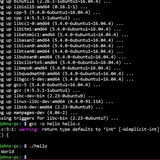
I want the noscript named "test" to run again, if I input a 1. It says the fi is unexpected. Why?
https://redd.it/1fc9a4j
@r_bash
https://redd.it/1fc9a4j
@r_bash
Understanding bash pipes to chain commands
I'm using this to get the most recently updated file in a MySQL directory:
ls -ltr /var/lib/mysql/$DB/* | tail -1
The result looks like this:
-rw-rw---- 1 mysql mysql 2209 Dec 7 2020 /var/lib/mysql/foo/bar.MYI
The goal is to only back up the database if something has changed more recently than the last backup.
Next I'm trying to extract that date as an ENOCH timestamp, so I used this (using -tr to just get the filename):
ls -tr /var/lib/mysql/$DB/* | tail -1 | stat -c "%Y %n"
This throws an error, though:
stat: missing operand
Using -ltr threw the same error.
I'm only guessing that stat's not correctly getting the output of tail -1 as its input?
I can do it in 2 lines with no problem (typed but not tested):
most_recent=$(ls -ltr /var/lib/mysql/$DB/* | tail -1)
last_modified=$(stat -c "%Y %n" "/var/lib/mysql/DB/$most_recent" | awk '{print $1}')
But for the sake of education, why doesn't it work when I chain them together? Is there a built-in variable to specify "this is the output from the previous command"?
https://redd.it/1fchrka
@r_bash
I'm using this to get the most recently updated file in a MySQL directory:
ls -ltr /var/lib/mysql/$DB/* | tail -1
The result looks like this:
-rw-rw---- 1 mysql mysql 2209 Dec 7 2020 /var/lib/mysql/foo/bar.MYI
The goal is to only back up the database if something has changed more recently than the last backup.
Next I'm trying to extract that date as an ENOCH timestamp, so I used this (using -tr to just get the filename):
ls -tr /var/lib/mysql/$DB/* | tail -1 | stat -c "%Y %n"
This throws an error, though:
stat: missing operand
Using -ltr threw the same error.
I'm only guessing that stat's not correctly getting the output of tail -1 as its input?
I can do it in 2 lines with no problem (typed but not tested):
most_recent=$(ls -ltr /var/lib/mysql/$DB/* | tail -1)
last_modified=$(stat -c "%Y %n" "/var/lib/mysql/DB/$most_recent" | awk '{print $1}')
But for the sake of education, why doesn't it work when I chain them together? Is there a built-in variable to specify "this is the output from the previous command"?
https://redd.it/1fchrka
@r_bash
Reddit
From the bash community on Reddit
Explore this post and more from the bash community
Watch out for Implicit Subshells
Bash subshells can be tricky if you're not expecting them. A quirk of behavior in bash pipes that tends to go unremarked is that pipelined commands run through a subshell, which can trip up shell and noscripting newbies.
https://redd.it/1fcjl8p
@r_bash
Bash subshells can be tricky if you're not expecting them. A quirk of behavior in bash pipes that tends to go unremarked is that pipelined commands run through a subshell, which can trip up shell and noscripting newbies.
 #!/usr/bin/env bash

 printf '## ===== TEST ONE: Simple Mid-Process Loop =====\n\n'
 set -x
 looped=1
 for number in $(echo {1..3})
 do
     let looped="$number"
     if [ $looped = 3 ]; then break ; fi
 done
 set +x
 printf '## +++++ TEST ONE RESULT: looped = %s +++++\n\n' "$looped"

 printf '## ===== TEST TWO: Looping Over Piped-in Input =====\n\n'
 set -x
 looped=1
 echo {1..3} | for number in $(</dev/stdin)
 do
     let looped="$number"
     if [ $looped = 3 ]; then break ; fi
 done
 set +x
 printf '\n## +++++ TEST ONE RESULT: looped = %s +++++\n\n' "$looped"

 printf '## ===== TEST THREE: Reading from a Named Pipe =====\n\n'
 set -x
 looped=1
 pipe="$(mktemp -u)"
 mkfifo "$pipe"
 echo {1..3} > "$pipe" &
 for number in $(cat $pipe)
 do
     let looped="$number"
     if [ $looped = 3 ]; then break ; fi
 done
 set +x
 rm -v "$pipe"

 printf '\n## +++++ TEST THREE RESULT: looped = %s +++++\n' "$looped"
https://redd.it/1fcjl8p
@r_bash
wizard zines
subshells
minishell-42
Hi everyone! 👋
I’ve just released my minishell-42 project on GitHub! It's a minimal BASH implementation in c, developed as part of the 42 curriculum. The project mimics a real Unix shell with built-in commands, argument handling, and more.
I’d love for you to check it out, and if you find it helpful or interesting, please consider giving it a ⭐️ to show your support!
Here’s the link: https://github.com/ERROR244/minishell.git
Feedback is always welcome, and if you have any ideas to improve it, feel free to open an issue or contribute directly with a pull request!
Thank you so much! 🙏
https://redd.it/1fclked
@r_bash
Hi everyone! 👋
I’ve just released my minishell-42 project on GitHub! It's a minimal BASH implementation in c, developed as part of the 42 curriculum. The project mimics a real Unix shell with built-in commands, argument handling, and more.
I’d love for you to check it out, and if you find it helpful or interesting, please consider giving it a ⭐️ to show your support!
Here’s the link: https://github.com/ERROR244/minishell.git
Feedback is always welcome, and if you have any ideas to improve it, feel free to open an issue or contribute directly with a pull request!
Thank you so much! 🙏
https://redd.it/1fclked
@r_bash
GitHub
GitHub - ERROR244/minishell: Minishell As beautiful as a shell, This project is about creating a simple shell. Yes, my own little…
Minishell As beautiful as a shell, This project is about creating a simple shell. Yes, my own little bash. - ERROR244/minishell
Should I solve leetcode using bash noscripting? Or are there real world problems to solve using bash?
Yeah my job doesn't have anything to noscript/automate using bash, yeah it doesn't truly. I can't see how bash can be useful. Like it could be use for data science, analysis, visualization etc, however, it breaks my heart because I see no body teaching it. I get a book called data science at the command line but it's too complicated to follow. I stopped at docker image in 2nd chapter. I could not fathom what was going on...
Please help me. Should I just start solving leetcode?
There is another book called cyberops with bash. However, I am not dive deep into cybersecurity at this moment. I want something similar to this stuffs.
https://redd.it/1fclgr1
@r_bash
Yeah my job doesn't have anything to noscript/automate using bash, yeah it doesn't truly. I can't see how bash can be useful. Like it could be use for data science, analysis, visualization etc, however, it breaks my heart because I see no body teaching it. I get a book called data science at the command line but it's too complicated to follow. I stopped at docker image in 2nd chapter. I could not fathom what was going on...
Please help me. Should I just start solving leetcode?
There is another book called cyberops with bash. However, I am not dive deep into cybersecurity at this moment. I want something similar to this stuffs.
https://redd.it/1fclgr1
@r_bash
Reddit
From the bash community on Reddit
Explore this post and more from the bash community
unexpected EOF while
HI all,
I working on a noscript to send my the CPU temp tp home assistant...
when I run the noscript I get: line 34: unexpected EOF while looking for matching `"'
it should be this line:
sendtoha "sensor.${srvname}cputemperature" "${cputemp}" "CPU Package Temperature" "mdi:cpu-64-bit" "${srvname}cputemp"
this is my noscript:
#!/bin/bash
# Home Assistant Settings
urlbase="http://192.168.10.xx:yyyy/api/states"
token="blablablablablablablablablablablablablablablablablablablablablablablabla"
# Server name
srvname="pve"
# Constants for device info
DEVICEIDENTIFIERS='"PVE_server"'
DEVICENAME="desc"
DEVICEMANUFACTURER="INTEL"
DEVICEMODEL="desc"
# Function to send data to Home Assistant
sendtoha() {
local sensorname=$1
local temperature=$2
local friendlyname=$3
local icon=$4
local uniqueid=$5
local url="${urlbase}/${sensorname}"
local deviceinfo="{\"identifiers\":${DEVICEIDENTIFIERS},\"name\":\"${DEVICENAME}\",\"manufacturer\":\"${DEVICEMANUFACTURER}\",\"model\":\"${DEVICEMODEL}\"}"
local payload="{\"state\":\"${temperature}\",\"attributes\": {\"friendlyname\":\"${friendlyname}\",\"icon\":\"${icon}\",\"stateclass\":\"measurement\",\"unitofmeasurement\":\"°C\",\"deviceclass\":\"temperature\",\"uniqueid\":\"
curl -X POST -H "Authorization: Bearer ${token}" -H 'Content-type: application/json' --data "${payload}" "${url}"
}
# Send CPU package temperature
cputemp=$(sensors | grep 'Package id 0' | awk '{print $4}' | sed 's/+//;s/°C//')
sendtoha "sensor.${srvname}cputemperature" "${cputemp}" "CPU Package Temperature" "mdi:cpu-64-bit" "${srvname}cputemp"
I looks like I am closing the sentence fine...
Any insights?
https://redd.it/1fcp30x
@r_bash
HI all,
I working on a noscript to send my the CPU temp tp home assistant...
when I run the noscript I get: line 34: unexpected EOF while looking for matching `"'
it should be this line:
sendtoha "sensor.${srvname}cputemperature" "${cputemp}" "CPU Package Temperature" "mdi:cpu-64-bit" "${srvname}cputemp"
this is my noscript:
#!/bin/bash
# Home Assistant Settings
urlbase="http://192.168.10.xx:yyyy/api/states"
token="blablablablablablablablablablablablablablablablablablablablablablablabla"
# Server name
srvname="pve"
# Constants for device info
DEVICEIDENTIFIERS='"PVE_server"'
DEVICENAME="desc"
DEVICEMANUFACTURER="INTEL"
DEVICEMODEL="desc"
# Function to send data to Home Assistant
sendtoha() {
local sensorname=$1
local temperature=$2
local friendlyname=$3
local icon=$4
local uniqueid=$5
local url="${urlbase}/${sensorname}"
local deviceinfo="{\"identifiers\":${DEVICEIDENTIFIERS},\"name\":\"${DEVICENAME}\",\"manufacturer\":\"${DEVICEMANUFACTURER}\",\"model\":\"${DEVICEMODEL}\"}"
local payload="{\"state\":\"${temperature}\",\"attributes\": {\"friendlyname\":\"${friendlyname}\",\"icon\":\"${icon}\",\"stateclass\":\"measurement\",\"unitofmeasurement\":\"°C\",\"deviceclass\":\"temperature\",\"uniqueid\":\"
curl -X POST -H "Authorization: Bearer ${token}" -H 'Content-type: application/json' --data "${payload}" "${url}"
}
# Send CPU package temperature
cputemp=$(sensors | grep 'Package id 0' | awk '{print $4}' | sed 's/+//;s/°C//')
sendtoha "sensor.${srvname}cputemperature" "${cputemp}" "CPU Package Temperature" "mdi:cpu-64-bit" "${srvname}cputemp"
I looks like I am closing the sentence fine...
Any insights?
https://redd.it/1fcp30x
@r_bash
i accidentally pressed the
it was like bash entered some kind of different text entry mode, but it stopped when i pressed the same key again
what happened? what is that? when i press the
thank you
https://redd.it/1fcwzu9
@r_bash
 or the key above tab and left of the 1 key, and idk what happened

so i was dinking around in bash and i accidentally pressed the
the "tidle" key if you press it while holding shift, or the key above tab and left of the 1 key, and idk what happened it was like bash entered some kind of different text entry mode, but it stopped when i pressed the same key again
what happened? what is that? when i press the
 key does bash somehow enter bash into a new program that i need to enter text into?

what is going on?

also i tried "
man" but the command didn't run, so i have no clue what is going onthank you
https://redd.it/1fcwzu9
@r_bash
Reddit
From the bash community on Reddit
Explore this post and more from the bash community
Variable with single quotes causes odd behavior
Background:
I’m writing a noscript that prompts the user to enter a username and a password to connect to an smb share. The supplied credentials are then passed to a tool called
I wanted to wrap their input in single quotes in case there are any special characters. When I’m using the tool manually, I put the username and password inside single quotes & it always works.
When I run
I’ve tried having the user manually enter the credentials with quotes (e.g. ‘Password123’), & I’ve also tried things like:
…
I’ve done this exact thing for other tools & it always works.
TL;DR
I can manually use a tool with single quotes around argument values, or I can use variables for argument values, but can’t do both.
Why does adding the single quotes change the behavior of my noscript? I’ve literally done
I’d really appreciate any insight! I’m totally perplexed
https://redd.it/1fcy7ge
@r_bash
Background:
I’m writing a noscript that prompts the user to enter a username and a password to connect to an smb share. The supplied credentials are then passed to a tool called
smbmap.I wanted to wrap their input in single quotes in case there are any special characters. When I’m using the tool manually, I put the username and password inside single quotes & it always works.
When I run
smbmap using my noscript it fails if I add the single quotes, but works if I don’t add them.I’ve tried having the user manually enter the credentials with quotes (e.g. ‘Password123’), & I’ve also tried things like:
read passwdlogin=“‘“login+=$passwdlogin+=“‘“…
smbmap -H IP -u $user -p $loginI’ve done this exact thing for other tools & it always works.
TL;DR
I can manually use a tool with single quotes around argument values, or I can use variables for argument values, but can’t do both.
Why does adding the single quotes change the behavior of my noscript? I’ve literally done
echo $login, copy/pasted the value into smbmap & successfully run it manually.I’d really appreciate any insight! I’m totally perplexed
https://redd.it/1fcy7ge
@r_bash
Reddit
From the bash community on Reddit
Explore this post and more from the bash community
I'm new to bash and noscripting and need help
i'm trying to do an ip sweep with bash and i ran into some problems earlier on my linux system whenever i tried to run the noscript but I then made some changes and stopped seeing the error message but now when i run the noscript i don't get any response at all. I'm not sure if this is a problem with the noscript or the system
The noscript I'm trying to run(from a course on yt)
```
!/bin/bash
for ip in `seq 1 254` ; do
ping -c 1 $1.$ip | grep "64 bytes" | cut -d " " -f 4 | tr -d ":" &
done
./ipsweep.sh 192.168.4
https://redd.it/1fcwwha
@r_bash
i'm trying to do an ip sweep with bash and i ran into some problems earlier on my linux system whenever i tried to run the noscript but I then made some changes and stopped seeing the error message but now when i run the noscript i don't get any response at all. I'm not sure if this is a problem with the noscript or the system
The noscript I'm trying to run(from a course on yt)
```
!/bin/bash
for ip in `seq 1 254` ; do
ping -c 1 $1.$ip | grep "64 bytes" | cut -d " " -f 4 | tr -d ":" &
done
./ipsweep.sh 192.168.4
https://redd.it/1fcwwha
@r_bash
Reddit
From the bash community on Reddit
Explore this post and more from the bash community
echo $?
Hi to all,
I know that with the command "echo $?" I get the last command state.
But what about if I would ike to see the state of a command prior to the last one in bash history?
Does anybody know?
Thanks!
Vassari
https://redd.it/1fd5yar
@r_bash
Hi to all,
I know that with the command "echo $?" I get the last command state.
But what about if I would ike to see the state of a command prior to the last one in bash history?
Does anybody know?
Thanks!
Vassari
https://redd.it/1fd5yar
@r_bash
Reddit
From the bash community on Reddit
Explore this post and more from the bash community
what is the "user id"?
hello, i'm trying to understand the "whoami" command, and it says in the man page
"Print the user name associated with the current effective user ID."
what is the user id?
thank you
https://redd.it/1fdfoqn
@r_bash
hello, i'm trying to understand the "whoami" command, and it says in the man page
"Print the user name associated with the current effective user ID."
what is the user id?
thank you
https://redd.it/1fdfoqn
@r_bash
Reddit
From the bash community on Reddit
Explore this post and more from the bash community
Can't use tee, but echo works
Hey all,
I am trying to export a GPIO pin, so I can set the level.
If I do:
>echo 362 > /sys/class/gpio/export
No issues.
However, doing:
echo "362" | sudo tee /sys/class/gpio/export
3[ 192.027364] export_store: invalid GPIO 3
6[ 192.031368] export_store: invalid GPIO 6
2[ 192.035549] export_store: invalid GPIO 2
So it's writing them separately, is this expected?
I can get around that by just passing the command to bash by doing:
sudo sh -c "echo 362 > /sys/class/gpio/export"
And this works.
However, it's interesting I see the tee approach done quite a bit online, but it doesn't seem to work for me. Anyone have any ideas?
https://redd.it/1fdv3k7
@r_bash
Hey all,
I am trying to export a GPIO pin, so I can set the level.
If I do:
>echo 362 > /sys/class/gpio/export
No issues.
However, doing:
echo "362" | sudo tee /sys/class/gpio/export
3[ 192.027364] export_store: invalid GPIO 3
6[ 192.031368] export_store: invalid GPIO 6
2[ 192.035549] export_store: invalid GPIO 2
So it's writing them separately, is this expected?
I can get around that by just passing the command to bash by doing:
sudo sh -c "echo 362 > /sys/class/gpio/export"
And this works.
However, it's interesting I see the tee approach done quite a bit online, but it doesn't seem to work for me. Anyone have any ideas?
https://redd.it/1fdv3k7
@r_bash
Reddit
From the bash community on Reddit
Explore this post and more from the bash community
Script with Watch command shows unwanted characters ?
Hi,
I have a bash noscript that gives the below out.
SERVICE MNXT STATUS
enodebl2 [ RUNNING ]
l1run.sh RUNNING
l1appnbiot.sh [ STOPPED ]
When the noscript is run with `watch` command, the output show the below characters.
***** SERVICE MNXT STATUS ***** enodebl2 ^[1;32m RUNNING ^[0m l1run.sh [ ^[1;32m RUNNING ^[0m ] l1appnbiot.sh ^[1;31m STOPPED ^[0m
What is causing this, and how to get rid of them ?
https://redd.it/1feawox
@r_bash
Hi,
I have a bash noscript that gives the below out.
SERVICE MNXT STATUS
enodebl2 [ RUNNING ]
l1run.sh RUNNING
l1appnbiot.sh [ STOPPED ]
When the noscript is run with `watch` command, the output show the below characters.
***** SERVICE MNXT STATUS ***** enodebl2 ^[1;32m RUNNING ^[0m l1run.sh [ ^[1;32m RUNNING ^[0m ] l1appnbiot.sh ^[1;31m STOPPED ^[0m
What is causing this, and how to get rid of them ?
https://redd.it/1feawox
@r_bash
Reddit
From the bash community on Reddit
Explore this post and more from the bash community
I have about 100 function in my .bashrc. Should I convert them into noscripts? Do they take unnecessary memory?
As per noscript. Actually I have a dedicated .bash_functions file that is sourced from .bashrc. Most of my custom functions are one liners.
Thanks.
https://redd.it/1fectb3
@r_bash
As per noscript. Actually I have a dedicated .bash_functions file that is sourced from .bashrc. Most of my custom functions are one liners.
Thanks.
https://redd.it/1fectb3
@r_bash
Reddit
From the bash community on Reddit
Explore this post and more from the bash community
Best Practices: Multiple spaces in a $(...) for readability
Let's say that I do this in an attempt to make it easier for me to read the noscript:
foo=$(nice -n 19 ionice -c 3 \
find /foo/ -maxdepth 1 -type f -exec du -b {} + | awk '{sum += $1} END {print sum}')
In case it doesn't post the way I typed it, there's a \\ followed by a line break, then 6 spaces on the second line to make it line up with the first line.
I'm not having an errors when I run it, but is this something that I should worry about becoming an error later on? I don't use bash that often, and I dread having an error in 3 or 4 years and having no idea why.
Not that most of you can see the future... I guess I'm just asking about "best practices" O:-)
https://redd.it/1ff9eh9
@r_bash
Let's say that I do this in an attempt to make it easier for me to read the noscript:
foo=$(nice -n 19 ionice -c 3 \
find /foo/ -maxdepth 1 -type f -exec du -b {} + | awk '{sum += $1} END {print sum}')
In case it doesn't post the way I typed it, there's a \\ followed by a line break, then 6 spaces on the second line to make it line up with the first line.
I'm not having an errors when I run it, but is this something that I should worry about becoming an error later on? I don't use bash that often, and I dread having an error in 3 or 4 years and having no idea why.
Not that most of you can see the future... I guess I'm just asking about "best practices" O:-)
https://redd.it/1ff9eh9
@r_bash
Reddit
From the bash community on Reddit
Explore this post and more from the bash community
FOSS project is looking for BASH enthusiasts
https://preview.redd.it/lgbrquf1kkod1.png?width=996&format=png&auto=webp&s=1063d8906c4a2753b09e25c44568d386373b226f
We are excited to introduce the next generation of the Armbian Config tool! This redesigned and lightweight tool is central to managing single-board computers, offering a wide range of features for both hardware-specific and general system configuration.
# Key Advantages:
* Extremely lightweight with minimal dependencies
* Redesigned from scratch for better performance and flexibility
* JSON-based menu structure with options for TUI, CLI, or API
# Quick Recap
The `armbian-config` tool has been essential for configuring single-board computers, combining our long-term expertise in Linux and the embedded world. However, the old version had become bulky and difficult to maintain, prompting us to redesign it from the ground up. This new version offers better performance, flexibility, and robustness. We’re calling on the community to help test and complete it before the upcoming release!
You can help by installing the developer version for testing:
echo "deb [signed-by=/usr/share/keyrings/armbian.gpg] stable main" \
| sudo tee /etc/apt/sources.list.d/armbian-development.list > /dev/null
sudo apt update
sudo apt install armbian-configng
https://armbian.github.io/configng
Then, execute:
sudo armbian-configng
Check help with:
sudo bin/armbian-configng --help
*Note: This is a developer version meant for testing purposes only.*
# Users: We Need Your Feedback!
This tool is not yet production-ready, and we expect issues to arise. We encourage you to submit bug reports and feature requests as you encounter them. Our team will address these based on priority and feasibility.
* [**Submit Bug Report**](https://github.com/armbian/configng/issues/new?assignees=&labels=Bug&projects=&template=1-bugreport.yml&noscript=%5BBug%5D%3A+)
* [**Request a Feature**](https://github.com/armbian/configng/issues/new?assignees=&labels=Feature+Request&projects=&template=2-feature.yml&noscript=%5BFeature+Request%5D%3A+)
# Developers: Show your talent!
We’re looking for developers to contribute to this project! If you have skills in application design, function development, or code improvement, we’d love to have your input. This new tool has been completely redesigned, so it’s more than just copy-pasting from the old `armbian-config`.
As a token of our appreciation, contributors of non-trivial code will be entered into a draw to [win a mini PC or a high-end desktop workstation](https://www.armbian.com/newsflash/armbian-khadas-are-rewarding-contributors/). Stick around to help maintain the tool, and we can even discuss monthly compensation.
Head over to GitHub to contribute: [https://github.com/armbian/configng](https://github.com/armbian/configng)
Propose changes by opening a pull request!
Thank you for your support!
https://redd.it/1fftcpo
@r_bash
https://preview.redd.it/lgbrquf1kkod1.png?width=996&format=png&auto=webp&s=1063d8906c4a2753b09e25c44568d386373b226f
We are excited to introduce the next generation of the Armbian Config tool! This redesigned and lightweight tool is central to managing single-board computers, offering a wide range of features for both hardware-specific and general system configuration.
# Key Advantages:
* Extremely lightweight with minimal dependencies
* Redesigned from scratch for better performance and flexibility
* JSON-based menu structure with options for TUI, CLI, or API
# Quick Recap
The `armbian-config` tool has been essential for configuring single-board computers, combining our long-term expertise in Linux and the embedded world. However, the old version had become bulky and difficult to maintain, prompting us to redesign it from the ground up. This new version offers better performance, flexibility, and robustness. We’re calling on the community to help test and complete it before the upcoming release!
You can help by installing the developer version for testing:
echo "deb [signed-by=/usr/share/keyrings/armbian.gpg] stable main" \
| sudo tee /etc/apt/sources.list.d/armbian-development.list > /dev/null
sudo apt update
sudo apt install armbian-configng
https://armbian.github.io/configng
Then, execute:
sudo armbian-configng
Check help with:
sudo bin/armbian-configng --help
*Note: This is a developer version meant for testing purposes only.*
# Users: We Need Your Feedback!
This tool is not yet production-ready, and we expect issues to arise. We encourage you to submit bug reports and feature requests as you encounter them. Our team will address these based on priority and feasibility.
* [**Submit Bug Report**](https://github.com/armbian/configng/issues/new?assignees=&labels=Bug&projects=&template=1-bugreport.yml&noscript=%5BBug%5D%3A+)
* [**Request a Feature**](https://github.com/armbian/configng/issues/new?assignees=&labels=Feature+Request&projects=&template=2-feature.yml&noscript=%5BFeature+Request%5D%3A+)
# Developers: Show your talent!
We’re looking for developers to contribute to this project! If you have skills in application design, function development, or code improvement, we’d love to have your input. This new tool has been completely redesigned, so it’s more than just copy-pasting from the old `armbian-config`.
As a token of our appreciation, contributors of non-trivial code will be entered into a draw to [win a mini PC or a high-end desktop workstation](https://www.armbian.com/newsflash/armbian-khadas-are-rewarding-contributors/). Stick around to help maintain the tool, and we can even discuss monthly compensation.
Head over to GitHub to contribute: [https://github.com/armbian/configng](https://github.com/armbian/configng)
Propose changes by opening a pull request!
Thank you for your support!
https://redd.it/1fftcpo
@r_bash
After "Hello World", I figured "MTU Test" would be a good second noscript
https://github.com/michealespinola/mtutest/blob/main/mtutest.sh
https://redd.it/1fgfood
@r_bash
https://github.com/michealespinola/mtutest/blob/main/mtutest.sh
https://redd.it/1fgfood
@r_bash
GitHub
mtutest/mtutest.sh at main · michealespinola/mtutest
A noscript to automagically determine the ideal Maximum Transmission Unit (MTU) size - michealespinola/mtutest
If you pipe a list of files, what bash command do you pipe it to, for it to move those files to another directory?
E.g. ls | mv ... what?
https://redd.it/1fgtg88
@r_bash
E.g. ls | mv ... what?
https://redd.it/1fgtg88
@r_bash
Reddit
From the bash community on Reddit
Explore this post and more from the bash community
Why is the output getting mixed up? I've done tons of troubleshooting but nothing has worked. I followed a noscript from a textbook so I expected it to just function, and not reverse the order of the numbers. I can tell it has to do with the third period but can't tell why or how.
https://redd.it/1fh13d2
@r_bash
https://redd.it/1fh13d2
@r_bash
Reddit
From the bash community on Reddit: Why is the output getting mixed up? I've done tons of troubleshooting but nothing has worked.…
Explore this post and more from the bash community