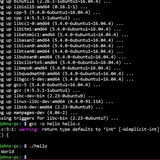
Cucking bored gibbme some linux command line homework
Like practical skills using bash noscripts. Command line tools like find, awk, sed etc. And how am I supposed to learn about sed and awk? What book is best. I am currently in amazon.in and can't find any books lesser than 100$(equivalent).
https://redd.it/1fion5f
@r_bash
Like practical skills using bash noscripts. Command line tools like find, awk, sed etc. And how am I supposed to learn about sed and awk? What book is best. I am currently in amazon.in and can't find any books lesser than 100$(equivalent).
https://redd.it/1fion5f
@r_bash
Reddit
From the bash community on Reddit
Explore this post and more from the bash community
Adding spaces in the
SOLVED. I just needed to add single quotes to the format. export day="$(date '+%a, %b %d, %Y')" Thank you for the replies.
I'd like to set `day` as a variable with the following format "Tue, Sep 17, 2024".
I found the codes: export day="$(date +%a, %b %d, %Y)", but I don't understand how to add the padding.
The man page mentions padding with underscores and zeros but I'm clearly not doing it correctly. Ex.: `echo $day -> Tue,0Sep017,02024` `echo $day -> Tue,_Sep_17,_2024`
https://redd.it/1firt7w
@r_bash
date command?SOLVED. I just needed to add single quotes to the format. export day="$(date '+%a, %b %d, %Y')" Thank you for the replies.
I'd like to set `day` as a variable with the following format "Tue, Sep 17, 2024".
I found the codes: export day="$(date +%a, %b %d, %Y)", but I don't understand how to add the padding.
The man page mentions padding with underscores and zeros but I'm clearly not doing it correctly. Ex.: `echo $day -> Tue,0Sep017,02024` `echo $day -> Tue,_Sep_17,_2024`
https://redd.it/1firt7w
@r_bash
Reddit
From the bash community on Reddit
Explore this post and more from the bash community
I need your opinions on scron (the code written in it)
https://github.com/omarafal/scron
I'm not exactly sure where to post this, I hope this is the right place as I need any feedback I can get on my bash noscripting code.
So as the noscript suggests, I made a cli tool that basically uses cron for scheduling commands but adds a couple of things; logging for the scheduled commands and simplifies the date/time part of cron making it a bit more human-readable.
It's a mix of bash noscripting and python but mostly bash noscripting.
I want to emphasize that cron is already easy to use, the syntax is far from hard by a mile but some people (including myself) took a biiiit of some time to get the hang of it. So I made this in hopes that it would make scheduling commands a bit more easier and quicker I guess. It in no way replaces cron, if you want to make more complex "timing", use cron, this is called "simple cron" for a reason, to schedule things on the go.
Please do go a tiny bit easy on me lol, this is my first time doing something like this or even posting at all. I'm open to any suggestions, feedback, and comments.
https://redd.it/1fix8vy
@r_bash
https://github.com/omarafal/scron
I'm not exactly sure where to post this, I hope this is the right place as I need any feedback I can get on my bash noscripting code.
So as the noscript suggests, I made a cli tool that basically uses cron for scheduling commands but adds a couple of things; logging for the scheduled commands and simplifies the date/time part of cron making it a bit more human-readable.
It's a mix of bash noscripting and python but mostly bash noscripting.
I want to emphasize that cron is already easy to use, the syntax is far from hard by a mile but some people (including myself) took a biiiit of some time to get the hang of it. So I made this in hopes that it would make scheduling commands a bit more easier and quicker I guess. It in no way replaces cron, if you want to make more complex "timing", use cron, this is called "simple cron" for a reason, to schedule things on the go.
Please do go a tiny bit easy on me lol, this is my first time doing something like this or even posting at all. I'm open to any suggestions, feedback, and comments.
https://redd.it/1fix8vy
@r_bash
GitHub
GitHub - omarafal/scron
Contribute to omarafal/scron development by creating an account on GitHub.
Merging multiple files into an array when there might not be a trailing \n
I have several text files that I would like to merge into a single array. This works:
arr=$( cat -s foo.txt bar.txt )
But!
When foo.txt (for example) doesn't have a blank line at the end, the first line of bar.txt is added to the last line of foo.txt.
Meaning:
# foo.txt
uno
dos
# bar.txt
tres
quatro
# arr=$( cat -s foo.txt bar.txt )
uno
dostres
quatro
I know that I can do this with multiple arrays, but this seems cumbersome and will be hard to read in the future:
fooArr=$( cat -s foo.txt )
barArr=$( cat -s bar.txt )
arr=( "${foo@}" "${bar@}")
Is there a better way to combine the files with one cat, AND make sure that the arrays are properly delimited?
https://redd.it/1fjl1rv
@r_bash
I have several text files that I would like to merge into a single array. This works:
arr=$( cat -s foo.txt bar.txt )
But!
When foo.txt (for example) doesn't have a blank line at the end, the first line of bar.txt is added to the last line of foo.txt.
Meaning:
# foo.txt
uno
dos
# bar.txt
tres
quatro
# arr=$( cat -s foo.txt bar.txt )
uno
dostres
quatro
I know that I can do this with multiple arrays, but this seems cumbersome and will be hard to read in the future:
fooArr=$( cat -s foo.txt )
barArr=$( cat -s bar.txt )
arr=( "${foo@}" "${bar@}")
Is there a better way to combine the files with one cat, AND make sure that the arrays are properly delimited?
https://redd.it/1fjl1rv
@r_bash
Reddit
From the bash community on Reddit
Explore this post and more from the bash community
Opinions sought regarding style: single vs. double quotes
I’m looking for style suggestions on single vs. double quoting. I am not asking about functionality (i.e. when is double quoting necessary). My current style is as follows:
var1=“${foo}/${bar}”
var2=‘this is a string’
var3=“foo’s bar”
All normal strings are single quoted (var1) unless they have an embedded single quote (var3), and all strings that need expansion are double quoted (var2).
This is consistent in my mind, but when I look at lots of bash noscripts written by others, I see that they use double quotes almost exclusively. This is also correct and consistent. Note that I looked at some of my 10-20 year old noscripts and in those days, I was using double quotes for everything.
Is there any good reason for using one style over another, or does personal preference rule?
https://redd.it/1fjyfez
@r_bash
I’m looking for style suggestions on single vs. double quoting. I am not asking about functionality (i.e. when is double quoting necessary). My current style is as follows:
var1=“${foo}/${bar}”
var2=‘this is a string’
var3=“foo’s bar”
All normal strings are single quoted (var1) unless they have an embedded single quote (var3), and all strings that need expansion are double quoted (var2).
This is consistent in my mind, but when I look at lots of bash noscripts written by others, I see that they use double quotes almost exclusively. This is also correct and consistent. Note that I looked at some of my 10-20 year old noscripts and in those days, I was using double quotes for everything.
Is there any good reason for using one style over another, or does personal preference rule?
https://redd.it/1fjyfez
@r_bash
Reddit
From the bash community on Reddit
Explore this post and more from the bash community
First argument ($1) returning my username instead of what I assign it
Trying to pass an argument to a bash noscript in Cygwin. I kept getting erroneous results, so I started printing the first argument and assigning it to another variable and I see that no matter what I pass into my noscript the value of $1 is "USER=123456" where 123456 is my actual username and my home directory path is /home/123456 and my Winblows home dir is C:\\Users\\123456. I see the output of "set" has a line item "USER=123456" so it seems $1 is printing this set value. I'm not sure if this is specific to Cygwin or my bash configuration. Any suggestions?
https://redd.it/1fk1qyr
@r_bash
Trying to pass an argument to a bash noscript in Cygwin. I kept getting erroneous results, so I started printing the first argument and assigning it to another variable and I see that no matter what I pass into my noscript the value of $1 is "USER=123456" where 123456 is my actual username and my home directory path is /home/123456 and my Winblows home dir is C:\\Users\\123456. I see the output of "set" has a line item "USER=123456" so it seems $1 is printing this set value. I'm not sure if this is specific to Cygwin or my bash configuration. Any suggestions?
https://redd.it/1fk1qyr
@r_bash
Reddit
From the bash community on Reddit
Explore this post and more from the bash community
GitHub - mdeacey/universal-os-detector: A Bash noscript for universal OS detection
https://github.com/mdeacey/universal-os-detector/
https://redd.it/1fk9mea
@r_bash
https://github.com/mdeacey/universal-os-detector/
https://redd.it/1fk9mea
@r_bash
GitHub
GitHub - mdeacey/universal-os-detector: A Bash noscript for universal OS detection
A Bash noscript for universal OS detection. Contribute to mdeacey/universal-os-detector development by creating an account on GitHub.
ETL automation testing with unix noscripting!
Hi Everyone! What are some good free resources to learn unix noscripting for ETL automation testing?
https://redd.it/1fkdhg8
@r_bash
Hi Everyone! What are some good free resources to learn unix noscripting for ETL automation testing?
https://redd.it/1fkdhg8
@r_bash
Reddit
From the bash community on Reddit
Explore this post and more from the bash community
How can I adjust my PS1 to have time on right side?
Hello,
I have a specific PS1 and I'd like to add a timestamp right adjusted on the right side of the terminal per new shell line. I can easily put \t or \T inline and it works fine but when I try to offset it with a function it blows up and doesn't work. it seems the function just runs once.
all I get is the proper date printed out in the top right on the first go around of a login shell.
Note if I just put on \t where
My goal is to have that timestamp on the far right away.
https://redd.it/1fkshv9
@r_bash
Hello,
I have a specific PS1 and I'd like to add a timestamp right adjusted on the right side of the terminal per new shell line. I can easily put \t or \T inline and it works fine but when I try to offset it with a function it blows up and doesn't work. it seems the function just runs once.
#Color codes
Reset="\[\e[0m\]"
Red="\[\e[0;31m\]"
Green="\[\e[0;32m\]"
Blue="\[\033[0;34m\]"
Yellow='\[\033[0;33m\]'

terraform_ws() {
  #Check if .terraform/environment file exists and that we have a terraform executable.
  if [ -f .terraform/environment ] && command -v terraform &> /dev/null; then
    local workspace
    workspace="$(< .terraform/environment)"
    echo "[${Blue}$workspace${Reset}]"
  fi
}

__kube_ps1() {
  if command -v kubectl > /dev/null 2>&1; then
    CONTEXT="$(kubectl config current-context | awk -F'/' '{print $NF}')"
    if [ -n "$CONTEXT" ]; then
      echo "(${Yellow}k8s:${CONTEXT}${Reset})"
    fi
  fi
}

ps1_pre_exec() {
  # Make user@hostname in PS1 colorful. Red if non zero and green if zero.
  if [ $? != 0 ]; then
    echo "${Red}\u@\h${Reset} \w$(terraform_ws) $(__kube_ps1)"
  else
    echo "${Green}\u@\h${Reset} \w$(terraform_ws) $(__kube_ps1)"
  fi
}

ps1_cursor() {
 echo "\n${Yellow}> ${Reset}"
}

update_timestamp() {
  local date_str=$(date +'%Y-%m-%d %H:%M:%S')
  local date_len=${#date_str}
  local term_width=$(tput cols)
  printf "\e[${term_width}s\e[${term_width - ${date_len}}D${date_str}"
}

#Define PS1
PROMPT_DIRTRIM=2
PROMPT_COMMAND='__git_ps1 "$(ps1_pre_exec)" "$(update_timestamp) $(ps1_cursor)"'
all I get is the proper date printed out in the top right on the first go around of a login shell.
Note if I just put on \t where
$(update_timestamp) is it works fine. Also PS1 cusor goes to another line and my actuall prompt looks likeeggman@eggman-2455 ~/.dotfiles/link (k8s:tacobell) (master %|u=) [02:50:51]
>
My goal is to have that timestamp on the far right away.
https://redd.it/1fkshv9
@r_bash
Reddit
From the bash community on Reddit
Explore this post and more from the bash community
Log output of most recent command?
Hey guys, I am working on a cli co-pilot application utilizing chatgpt's api. I am relatively new to bash and to coding as a whole -- this is my first application of any sort of scale.
One of the features I would like to implement is an '--explain-last' flag. The basic functionality is to automatically send the most recent terminal output over to chatgpt to rapidly troubleshoot errors/other problems. Example:
error: ErrorNotFound
$ai --explain-last
This error occurs when you are writing a reddit post and can't think of an error to use as an example.
Although the app does have an interactive mode, this feature is its primary purpose (frankly, to help me learn bash more quickly).
Because terminal output is not stored anywhere on the system, I believe I will have to implement a background service to maintain a last_output.txt snapshot file which will be overwritten each time a new command is issued/output is generated. Because I never know when I will encounter a weird error, I want this process to be entirely frictionless and to integrate quietly behind the scenes.
What is the best way I should do this? Am I thinking about this problem correctly?
Thanks in advance!
Edit: Come to think of it, I will probably send over both the input and the output. Not relevant to this specific task that I am asking about, but maybe a bit more context.
https://redd.it/1fkwyng
@r_bash
Hey guys, I am working on a cli co-pilot application utilizing chatgpt's api. I am relatively new to bash and to coding as a whole -- this is my first application of any sort of scale.
One of the features I would like to implement is an '--explain-last' flag. The basic functionality is to automatically send the most recent terminal output over to chatgpt to rapidly troubleshoot errors/other problems. Example:
error: ErrorNotFound
$ai --explain-last
This error occurs when you are writing a reddit post and can't think of an error to use as an example.
Although the app does have an interactive mode, this feature is its primary purpose (frankly, to help me learn bash more quickly).
Because terminal output is not stored anywhere on the system, I believe I will have to implement a background service to maintain a last_output.txt snapshot file which will be overwritten each time a new command is issued/output is generated. Because I never know when I will encounter a weird error, I want this process to be entirely frictionless and to integrate quietly behind the scenes.
What is the best way I should do this? Am I thinking about this problem correctly?
Thanks in advance!
Edit: Come to think of it, I will probably send over both the input and the output. Not relevant to this specific task that I am asking about, but maybe a bit more context.
https://redd.it/1fkwyng
@r_bash
Reddit
From the bash community on Reddit
Explore this post and more from the bash community
How does adding a new value to an array pass back to the caller?
Hello, I'm facing a problem when trying to implement an extension to some bash code.
Currently, a file is parsed for key/value pairs and they are collected as dynamic names with something like this in the end:
scopes+=("$current_scope")
variables+=("$variable")
values+=("$value")
At the end, in a different function, I iterate those arrays and collect my expected names.
The extension entails parsing some array and structures of strings, rather than only key/value.
I got to the point of internalising the parsed tokens and found out that I would be needing to eval the assignment, since (ignore the dumb quoting here):
"${arr_name}[$arr_idx]"="${arr_val}"
Can't be expanded at the correct time (Gives "unknown command" error, but copy-pasting the expansion printed in the error is accepted on an interactive shell).
This lead to this portion of my noscript were I expand the things only when they are in the expected format:
if [[ "$arr_var" =~ ^[a-zA-Z_][a-zA-Z0-9_]*$ ]] && [[ "$arr_val_idx" =~ ^[0-9]+$ ]]; then
# Safe assignment using eval after validation
eval "${arr_var}[$arr_val_idx]=\"$(printf '%q' "$arr_val")\""
And for structures, the same thing later:
if [[ "$struct_name" =~ ^[a-zA-Z_][a-zA-Z0-9_]*$ ]] && [[ "$struct_var_name" =~ ^[a-zA-Z_][a-zA-Z0-9_]*$ ]]; then
# Safe assignment using eval after validation
eval "${struct_name}[$struct_var_name]=\"$(printf '%q' "$struct_val")\""
This seems fine, and at the end of my function I can try to read a test value:
mytry="${scope_foo[bar]}"
printf "TRY: {$mytry}\n"
This works as expected, and the value is there.
The issue arises from the fact that the definition seems to be local to the function where the eval happens.
If I put the previous test outside of the function doing the eval, it does not work.
My question is, why does the "scopes+=("thing")" works as expected after the assignign function returns, but the eval does not?
To test this behaviour, i tried:
myfn() {
arr=a; idx=0; val=foo;
eval "${arr}[$idx]=\"$(printf '%q' "$val")\""
}
$ myfn
$ echo ${a[0]}
>foo
This works as expected and the fact the function returns doesn't seems to matter, the value is there.
Can I get some guidance?
https://redd.it/1fld2ks
@r_bash
Hello, I'm facing a problem when trying to implement an extension to some bash code.
Currently, a file is parsed for key/value pairs and they are collected as dynamic names with something like this in the end:
scopes+=("$current_scope")
variables+=("$variable")
values+=("$value")
At the end, in a different function, I iterate those arrays and collect my expected names.
The extension entails parsing some array and structures of strings, rather than only key/value.
I got to the point of internalising the parsed tokens and found out that I would be needing to eval the assignment, since (ignore the dumb quoting here):
"${arr_name}[$arr_idx]"="${arr_val}"
Can't be expanded at the correct time (Gives "unknown command" error, but copy-pasting the expansion printed in the error is accepted on an interactive shell).
This lead to this portion of my noscript were I expand the things only when they are in the expected format:
if [[ "$arr_var" =~ ^[a-zA-Z_][a-zA-Z0-9_]*$ ]] && [[ "$arr_val_idx" =~ ^[0-9]+$ ]]; then
# Safe assignment using eval after validation
eval "${arr_var}[$arr_val_idx]=\"$(printf '%q' "$arr_val")\""
And for structures, the same thing later:
if [[ "$struct_name" =~ ^[a-zA-Z_][a-zA-Z0-9_]*$ ]] && [[ "$struct_var_name" =~ ^[a-zA-Z_][a-zA-Z0-9_]*$ ]]; then
# Safe assignment using eval after validation
eval "${struct_name}[$struct_var_name]=\"$(printf '%q' "$struct_val")\""
This seems fine, and at the end of my function I can try to read a test value:
mytry="${scope_foo[bar]}"
printf "TRY: {$mytry}\n"
This works as expected, and the value is there.
The issue arises from the fact that the definition seems to be local to the function where the eval happens.
If I put the previous test outside of the function doing the eval, it does not work.
My question is, why does the "scopes+=("thing")" works as expected after the assignign function returns, but the eval does not?
To test this behaviour, i tried:
myfn() {
arr=a; idx=0; val=foo;
eval "${arr}[$idx]=\"$(printf '%q' "$val")\""
}
$ myfn
$ echo ${a[0]}
>foo
This works as expected and the fact the function returns doesn't seems to matter, the value is there.
Can I get some guidance?
https://redd.it/1fld2ks
@r_bash
Reddit
From the bash community on Reddit
Explore this post and more from the bash community
Book technical reviewer needed
Hello,
I'm a security consultant and penetration tester. I'm writing a book noscriptd "Bash Shell Scripting for Pentesters". My publisher needs book technical reviewers. From what I understand, the task is basically reading the chapters and checking that the code runs and the content is technically correct.
It doesn't pay, but they do print your name in the book as TR (and maybe short bio, not sure about that), you get a free copy of the book, and a 12 month subnoscription to Packt online with 12 free ebooks.
If you're interested, email AshwinK@packt.com and mention the name of the book.
If you do become a TR for my book, please keep the following in mind:
I have a limited amount of time and deadlines to turn in each chapter (and perform edits later), so don't uncessarily recommend adding content unless it just has to be there. It's more important to check that the content that's already there is correct, clear, and the code works.
https://redd.it/1flfvt9
@r_bash
Hello,
I'm a security consultant and penetration tester. I'm writing a book noscriptd "Bash Shell Scripting for Pentesters". My publisher needs book technical reviewers. From what I understand, the task is basically reading the chapters and checking that the code runs and the content is technically correct.
It doesn't pay, but they do print your name in the book as TR (and maybe short bio, not sure about that), you get a free copy of the book, and a 12 month subnoscription to Packt online with 12 free ebooks.
If you're interested, email AshwinK@packt.com and mention the name of the book.
If you do become a TR for my book, please keep the following in mind:
I have a limited amount of time and deadlines to turn in each chapter (and perform edits later), so don't uncessarily recommend adding content unless it just has to be there. It's more important to check that the content that's already there is correct, clear, and the code works.
https://redd.it/1flfvt9
@r_bash
Reddit
From the bash community on Reddit
Explore this post and more from the bash community
yeet: A BPF tool for observing bash noscript activity.
You just install it and can SQL activity right out of the kernel.
https://yeet.cx/@yeet/execsnoop
https://redd.it/1flrjx2
@r_bash
You just install it and can SQL activity right out of the kernel.
https://yeet.cx/@yeet/execsnoop
https://redd.it/1flrjx2
@r_bash
yeet.cx
@yeet/execsnoop
Discover the latest and most popular yeet packages.
Can someone please describe everything that happens in this syntax and why?
date '+%Y-%m-%d|whoami||a #' |whoami||a #|" |whoami||a # 2>&1
https://redd.it/1fm4fsa
@r_bash
date '+%Y-%m-%d|whoami||a #' |whoami||a #|" |whoami||a # 2>&1
https://redd.it/1fm4fsa
@r_bash
Reddit
From the bash community on Reddit
Explore this post and more from the bash community
I created a bash noscript that sets bright color wallpapers during the day and dark color wallpapers during the night. Only requires a folder with wallpaper images as argument.
https://github.com/TimoKats/CircadianWallpaper
https://redd.it/1fmoq94
@r_bash
https://github.com/TimoKats/CircadianWallpaper
https://redd.it/1fmoq94
@r_bash
GitHub
GitHub - TimoKats/CircadianWallpaper: Bash noscript that selects a brighter wallpaper during the day and a darker wallpaper during…
Bash noscript that selects a brighter wallpaper during the day and a darker wallpaper during the night. - TimoKats/CircadianWallpaper
Issue command simultaneously to multiple servers ?
Hi,
I have the below code which loops through a set of server and get the IP addresses in range of 10.42.8 from it, then goes into each server in the IP and runs TSSI command.
function findworkers ()
{
knsw=$(kubectl get nodes -A -o name | grep worker)
for knodew in $knsw;
do
podres=$( echo $knodew | cut -c 6- )
echo "IP Addresses Found in $podres"
ssh -q $podres arp -n | grep 10.42.8 | grep ether | awk '{print $1}'
for rruaddr in $(ssh -q $podres arp -n | grep 10.42.8 | grep ether | awk '{print $1}')
do
ssh -q $podres ssh -q $rruaddr tssi
done
done
}
The output of the above command is as below.
IP Addresses Found in bai-ran-cluster-worker1
10.42.8.11
10.42.8.3
sh: tssi: not found
sh: tssi: not found
IP Addresses Found in bai-ran-cluster-worker2
10.42.8.30
10.42.8.24
TX 1 TSSI: 23.3428 dBm
TX 2 TSSI: -inf dBm
TX 3 TSSI: 22.8387 dBm
TX 4 TSSI: -inf dBm
TX 1 TSSI: -8.8506 dBm
TX 2 TSSI: -inf dBm
TX 3 TSSI: -10.0684 dBm
TX 4 TSSI: -inf dBm
What happens is it runs the TSSI all together for all the IP addresses found.
I'm unable to figure out how to run TSSI for each IP so the expected output is
IP Addresses Found in bai-ran-cluster-worker2
10.42.8.30
TX 1 TSSI: 23.3428 dBm
TX 2 TSSI: -inf dBm
TX 3 TSSI: 22.8387 dBm
TX 4 TSSI: -inf dBm
10.42.8.24
TX 1 TSSI: -8.8506 dBm
TX 2 TSSI: -inf dBm
TX 3 TSSI: -10.0684 dBm
TX 4 TSSI: -inf dBm
Any thoughts on how to write the loop for this ?
Thanks..
https://redd.it/1fmsftd
@r_bash
Hi,
I have the below code which loops through a set of server and get the IP addresses in range of 10.42.8 from it, then goes into each server in the IP and runs TSSI command.
function findworkers ()
{
knsw=$(kubectl get nodes -A -o name | grep worker)
for knodew in $knsw;
do
podres=$( echo $knodew | cut -c 6- )
echo "IP Addresses Found in $podres"
ssh -q $podres arp -n | grep 10.42.8 | grep ether | awk '{print $1}'
for rruaddr in $(ssh -q $podres arp -n | grep 10.42.8 | grep ether | awk '{print $1}')
do
ssh -q $podres ssh -q $rruaddr tssi
done
done
}
The output of the above command is as below.
IP Addresses Found in bai-ran-cluster-worker1
10.42.8.11
10.42.8.3
sh: tssi: not found
sh: tssi: not found
IP Addresses Found in bai-ran-cluster-worker2
10.42.8.30
10.42.8.24
TX 1 TSSI: 23.3428 dBm
TX 2 TSSI: -inf dBm
TX 3 TSSI: 22.8387 dBm
TX 4 TSSI: -inf dBm
TX 1 TSSI: -8.8506 dBm
TX 2 TSSI: -inf dBm
TX 3 TSSI: -10.0684 dBm
TX 4 TSSI: -inf dBm
What happens is it runs the TSSI all together for all the IP addresses found.
I'm unable to figure out how to run TSSI for each IP so the expected output is
IP Addresses Found in bai-ran-cluster-worker2
10.42.8.30
TX 1 TSSI: 23.3428 dBm
TX 2 TSSI: -inf dBm
TX 3 TSSI: 22.8387 dBm
TX 4 TSSI: -inf dBm
10.42.8.24
TX 1 TSSI: -8.8506 dBm
TX 2 TSSI: -inf dBm
TX 3 TSSI: -10.0684 dBm
TX 4 TSSI: -inf dBm
Any thoughts on how to write the loop for this ?
Thanks..
https://redd.it/1fmsftd
@r_bash
Reddit
From the bash community on Reddit
Explore this post and more from the bash community
Convert all directories in every command to absolute ones in the bash history
Currently I use
$ cd folder <Ctrl+R>
should allow me to select
To fix this, I modified the
cd() {
if [ -d "$1" ]; then
local dir=$(realpath "$1")
builtin cd "$dir" && history -s "cd $dir"
else
builtin cd "$1"
fi
}
This works, but I want it to work for
https://redd.it/1fmy6n8
@r_bash
Currently I use
fzf with a custom keybinding Ctrl+R to search commands in my bash history. For example:$ cd folder <Ctrl+R>
should allow me to select
cd ./long/path/to/folder. This wonderful way helps me quickly navigate to a directorie or even a file, which is very close to what zoxide does. The only drawback is that ./long/path/to/folder must be an absolute path. To fix this, I modified the
cd command:cd() {
if [ -d "$1" ]; then
local dir=$(realpath "$1")
builtin cd "$dir" && history -s "cd $dir"
else
builtin cd "$1"
fi
}
This works, but I want it to work for
vim and other commands that use directories too. Is there a better way to do this?https://redd.it/1fmy6n8
@r_bash
Reddit
From the bash community on Reddit
Explore this post and more from the bash community
Command into remote system works from CLI but not from Bash noscript ?
Hi,
I'm running the below command from my system and it works.
root@bai-ran-cluster-master0# ssh -q bai-ran-cluster-worker1 ssh -q 10.42.8.11 '/tmp/SWWW/a.sh' >> prechecks.log
root@bai-ran-cluster-master0# cat prechecks.log
HELLO
HELLO
HELLO
This works fine, but when I add this command into a Bash file and run it from my system, it does not work.
Code in Bash noscript
worker="bai-ran-cluster-worker1"
ipaddr=10.42.8.11
ssh -q $worker ssh -q $rruip '/tmp/SWWW/a.sh' | tee -a prechecks.log
cat prechecks.log
No error, but nothing happens.
The remote OS is Yocto, and the shell is /bin/sh
I tried the below but its not working, anything else I can check ?
ssh -q $worker ssh -q $rruip 'sh /tmp/SWWW/a.sh' | tee -a prechecks.log
ssh -q $worker ssh -q $rruip '/bin/sh /tmp/SWWW/a.sh' | tee -a prechecks.log
Below is the Shell information from the OS
root@benetelru:~# echo $0
-sh
root@benetelru:~# echo $SHELL
/bin/sh
root@system:~# cat /etc/shells
# /etc/shells: valid login shells
/bin/sh
https://redd.it/1fn1eo5
@r_bash
Hi,
I'm running the below command from my system and it works.
root@bai-ran-cluster-master0# ssh -q bai-ran-cluster-worker1 ssh -q 10.42.8.11 '/tmp/SWWW/a.sh' >> prechecks.log
root@bai-ran-cluster-master0# cat prechecks.log
HELLO
HELLO
HELLO
This works fine, but when I add this command into a Bash file and run it from my system, it does not work.
Code in Bash noscript
worker="bai-ran-cluster-worker1"
ipaddr=10.42.8.11
ssh -q $worker ssh -q $rruip '/tmp/SWWW/a.sh' | tee -a prechecks.log
cat prechecks.log
No error, but nothing happens.
The remote OS is Yocto, and the shell is /bin/sh
I tried the below but its not working, anything else I can check ?
ssh -q $worker ssh -q $rruip 'sh /tmp/SWWW/a.sh' | tee -a prechecks.log
ssh -q $worker ssh -q $rruip '/bin/sh /tmp/SWWW/a.sh' | tee -a prechecks.log
Below is the Shell information from the OS
root@benetelru:~# echo $0
-sh
root@benetelru:~# echo $SHELL
/bin/sh
root@system:~# cat /etc/shells
# /etc/shells: valid login shells
/bin/sh
https://redd.it/1fn1eo5
@r_bash
Reddit
From the bash community on Reddit
Explore this post and more from the bash community