Course to improve
I already understand how mostly everything works in bash, however, I am looking for a course to learn how to more effectively format noscripts. My noscripts are so messy and hard to read. Any ideas?
https://redd.it/1gudh85
@r_bash
I already understand how mostly everything works in bash, however, I am looking for a course to learn how to more effectively format noscripts. My noscripts are so messy and hard to read. Any ideas?
https://redd.it/1gudh85
@r_bash
Reddit
From the bash community on Reddit
Explore this post and more from the bash community
Reading array not working
I'm running my noscripts on ubuntu.
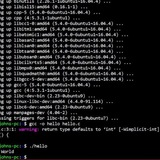
I've tried to read an array using read command and it's as follows:
read -a arr
which is working when I execute it as a standalone command and not working when I'm trying it use it in a shell noscript file.
https://preview.redd.it/hjo58avuxz1e1.png?width=582&format=png&auto=webp&s=faea749ec637d31dff18fc0f027ab901f7d83df0
https://redd.it/1gviv1m
@r_bash
I'm running my noscripts on ubuntu.
I've tried to read an array using read command and it's as follows:
read -a arr
which is working when I execute it as a standalone command and not working when I'm trying it use it in a shell noscript file.
https://preview.redd.it/hjo58avuxz1e1.png?width=582&format=png&auto=webp&s=faea749ec637d31dff18fc0f027ab901f7d83df0
https://redd.it/1gviv1m
@r_bash
Running a Binary From Another Disk – macOS
Hello,
I faced a real-life challenge by trying to run a Unix binary installed on another partition of my SSD. Trying to execute it showed the "Segmentation error" message which usually points to an incompatibility. Switching to the partition with a newer macOS that hosts the binary allows me to run it as intended.
I suspect it's because of the paths to dependencies hardcoded in the binary. My question is, is it possible to make it use these paths even if I'm currently working from the other partition?
https://redd.it/1gvk0he
@r_bash
Hello,
I faced a real-life challenge by trying to run a Unix binary installed on another partition of my SSD. Trying to execute it showed the "Segmentation error" message which usually points to an incompatibility. Switching to the partition with a newer macOS that hosts the binary allows me to run it as intended.
I suspect it's because of the paths to dependencies hardcoded in the binary. My question is, is it possible to make it use these paths even if I'm currently working from the other partition?
https://redd.it/1gvk0he
@r_bash
Reddit
From the bash community on Reddit
Explore this post and more from the bash community
Test your skills on my 16 Bash Questions
* **Take the full quiz over**[ **here!**](https://danlevy.net/quiz-bash-in-the-shell/)
https://preview.redd.it/zkcmzq2hi92e1.jpg?width=530&format=pjpg&auto=webp&s=85e1167c4770f76f281055a44f41bfb81c136011
https://preview.redd.it/dav6nq2hi92e1.jpg?width=530&format=pjpg&auto=webp&s=7d116ad0b23e7ec21f099e2c3f46232b9f160938
https://preview.redd.it/18wx3o2hi92e1.jpg?width=530&format=pjpg&auto=webp&s=b01a8533e5d8519bc4997721d48620f0501c52d7
https://preview.redd.it/c47kr62hi92e1.jpg?width=530&format=pjpg&auto=webp&s=dda69af41d5ee672e6d9e46dcb3b64eed4e15408
https://redd.it/1gwh8v3
@r_bash
* **Take the full quiz over**[ **here!**](https://danlevy.net/quiz-bash-in-the-shell/)
https://preview.redd.it/zkcmzq2hi92e1.jpg?width=530&format=pjpg&auto=webp&s=85e1167c4770f76f281055a44f41bfb81c136011
https://preview.redd.it/dav6nq2hi92e1.jpg?width=530&format=pjpg&auto=webp&s=7d116ad0b23e7ec21f099e2c3f46232b9f160938
https://preview.redd.it/18wx3o2hi92e1.jpg?width=530&format=pjpg&auto=webp&s=b01a8533e5d8519bc4997721d48620f0501c52d7
https://preview.redd.it/c47kr62hi92e1.jpg?width=530&format=pjpg&auto=webp&s=dda69af41d5ee672e6d9e46dcb3b64eed4e15408
https://redd.it/1gwh8v3
@r_bash
danlevy.net
Quiz: Bash & Shell Mastery
Can you talk to computers? Like, well?
Bashtype - A Simple Typing Program in Bash
https:\/\/github.com\/gargum\/Bashtype
https://redd.it/1gwjamo
@r_bash
https:\/\/github.com\/gargum\/Bashtype
https://redd.it/1gwjamo
@r_bash
Is there ever a good reason to use exit 1 in a noscript?
Is there ever a good reason to use `exit 1` in a **function** (noscript is wrong)? You should *always* use `return 1` and let the caller handle what to do after? The latter is more transparent, e.g. you can't assume `exit 1` from a function always exits the noscript if the function is run inside a subshell like command substitution? Or is `exit 1` in a function still fine and the maintainer of the noscript should be mindful of this, e.g. depending on whether it's run in a subshell in which case it won't exit the noscript?
I have an `abort` function:
abort() {
printf "%b\n" "${R}Abort:${E} $*" >&2
exit 1
}
which I intended to use to print message and exit the noscript when it's called.
But I have a function running in a command substition that uses this `abort` function so I can't rely on it to exit the noscript.
Instead, change `exit 1` to `return 1` and `var=$(func) || exit $?`? Or can anyone recommend better practices? It would be neater if the abort function can handle killing the noscript (with signals?) instead of handling at every time `abort` gets called but not sure if this introduces more caveats or is more prone to error.
I guess I shouldn't take "exit" to typically mean exit the noscript? I believe I also see typical `abort`/`die` with `exit 1` instead of `return 1`, so I suppose the maintainer of the noscript should simply be conscious of calling it in a subshell and handling that specific case.
https://redd.it/1gvwzxa
@r_bash
Is there ever a good reason to use `exit 1` in a **function** (noscript is wrong)? You should *always* use `return 1` and let the caller handle what to do after? The latter is more transparent, e.g. you can't assume `exit 1` from a function always exits the noscript if the function is run inside a subshell like command substitution? Or is `exit 1` in a function still fine and the maintainer of the noscript should be mindful of this, e.g. depending on whether it's run in a subshell in which case it won't exit the noscript?
I have an `abort` function:
abort() {
printf "%b\n" "${R}Abort:${E} $*" >&2
exit 1
}
which I intended to use to print message and exit the noscript when it's called.
But I have a function running in a command substition that uses this `abort` function so I can't rely on it to exit the noscript.
Instead, change `exit 1` to `return 1` and `var=$(func) || exit $?`? Or can anyone recommend better practices? It would be neater if the abort function can handle killing the noscript (with signals?) instead of handling at every time `abort` gets called but not sure if this introduces more caveats or is more prone to error.
I guess I shouldn't take "exit" to typically mean exit the noscript? I believe I also see typical `abort`/`die` with `exit 1` instead of `return 1`, so I suppose the maintainer of the noscript should simply be conscious of calling it in a subshell and handling that specific case.
https://redd.it/1gvwzxa
@r_bash
Reddit
From the bash community on Reddit
Explore this post and more from the bash community
I don't know how to use 'less' and 'read in a while loop together, and I'm sick of coming up with hacky workarounds.
This is a problem I run into frequently, but I'll describe the current application.
So, I have a list of subnoscript files for all the episodes of a program called "Forged in Fire". I'm trying to review each file that contains something about "meeting parameters" to compile a list of the episodes where there has been a "parameter failure". I thought it would be as simple as...
egrep -o "./Forged.in.Fire.S.E.extractedsub" ./matching_episodes | uniq | sort | while read file ; do less -FX "$file" ; reset ; read -p "Did that episode have a parameter failure?: yes_no" ; if [ "$yes_no" = "yes" ] ; then echo "$file" >> ./episodes_with_parameter_failures ; fi ; done
However it turns out that between piping information into "while", the way "less" blocks and how "read" blocks for input, this isn't working. All that happens is 'less' runs, and when I exit, the next instance of 'less' runs immediately instead of my prompt. I've tried a whole host of things like trying to run 'clear', or 'reset', or other more direct tty options to no avail.
I'm not really sure how to change my approach to this because it seems like it's just simply not feasible due to the way 'while' is creating a subshell thanks to the standard-input redirection, and then with 'less' and 'read' both blocking for input. But I'm not sure what other tools in bash I might be able to use.
I need to be able to
Read a dynamically-created list of files
For each file, use some kind of pager like 'less' or 'more (no, it doesn't work with 'more' either) to able to page up and down, and seek within the file contents
Upon exit from the pager, prompt the user for input
Run conditional tests on the input
I'm wondering if I could somehow used 'xargs' to avoid piped input, but I still think there's an underlying issue of competing blocking going on between "less" and "read" that won't resolve? Perhaps not, because as a workaround I did this...
echo '#!/bin/bash' > ./noscript.sh ; egrep -o "./Forged.in.Fire.S.E._extracted_sub" ./matchingepisodes | uniq | sort | while read file ; do echo -ne "less "$file"\n./review.sh "$file"\n"; done >> ./noscript.sh
That allows me to run 'noscript.sh' afterwards, and works as I want, but I would really like to understand this to not have to rely on such a hacky workaround for next time I encounter something like this, because there are many occasions where I would like to run a loop that presents me the contents of something in a pager program, and then be prompted about what to do about it. But the current ways I know how to skin this cat really suck.
So long story short, I really want to be able to do something like this...
*produce list of files* | while read file ; do less "$file" ; read -p "Question about file" userinput ; if expression evaluating $user_input ; then run some code ; fi ; done
As a quick one-liner and have it actually work.
https://redd.it/1gwsdkq
@r_bash
This is a problem I run into frequently, but I'll describe the current application.
So, I have a list of subnoscript files for all the episodes of a program called "Forged in Fire". I'm trying to review each file that contains something about "meeting parameters" to compile a list of the episodes where there has been a "parameter failure". I thought it would be as simple as...
egrep -o "./Forged.in.Fire.S.E.extractedsub" ./matching_episodes | uniq | sort | while read file ; do less -FX "$file" ; reset ; read -p "Did that episode have a parameter failure?: yes_no" ; if [ "$yes_no" = "yes" ] ; then echo "$file" >> ./episodes_with_parameter_failures ; fi ; done
However it turns out that between piping information into "while", the way "less" blocks and how "read" blocks for input, this isn't working. All that happens is 'less' runs, and when I exit, the next instance of 'less' runs immediately instead of my prompt. I've tried a whole host of things like trying to run 'clear', or 'reset', or other more direct tty options to no avail.
I'm not really sure how to change my approach to this because it seems like it's just simply not feasible due to the way 'while' is creating a subshell thanks to the standard-input redirection, and then with 'less' and 'read' both blocking for input. But I'm not sure what other tools in bash I might be able to use.
I need to be able to
Read a dynamically-created list of files
For each file, use some kind of pager like 'less' or 'more (no, it doesn't work with 'more' either) to able to page up and down, and seek within the file contents
Upon exit from the pager, prompt the user for input
Run conditional tests on the input
I'm wondering if I could somehow used 'xargs' to avoid piped input, but I still think there's an underlying issue of competing blocking going on between "less" and "read" that won't resolve? Perhaps not, because as a workaround I did this...
echo '#!/bin/bash' > ./noscript.sh ; egrep -o "./Forged.in.Fire.S.E._extracted_sub" ./matchingepisodes | uniq | sort | while read file ; do echo -ne "less "$file"\n./review.sh "$file"\n"; done >> ./noscript.sh
That allows me to run 'noscript.sh' afterwards, and works as I want, but I would really like to understand this to not have to rely on such a hacky workaround for next time I encounter something like this, because there are many occasions where I would like to run a loop that presents me the contents of something in a pager program, and then be prompted about what to do about it. But the current ways I know how to skin this cat really suck.
So long story short, I really want to be able to do something like this...
*produce list of files* | while read file ; do less "$file" ; read -p "Question about file" userinput ; if expression evaluating $user_input ; then run some code ; fi ; done
As a quick one-liner and have it actually work.
https://redd.it/1gwsdkq
@r_bash
Reddit
From the bash community on Reddit
Explore this post and more from the bash community
Repository updater
Need a repo updater and need to implement in your custom bash noscripts to make your noscript up-to-date and monitor for the updates??, here it is called repo-updater
Needs a code update for better use
It was originally created for Android Sysinfo noscript to check updates here
https://redd.it/1gy2ybp
@r_bash
Need a repo updater and need to implement in your custom bash noscripts to make your noscript up-to-date and monitor for the updates??, here it is called repo-updater
Needs a code update for better use
It was originally created for Android Sysinfo noscript to check updates here
https://redd.it/1gy2ybp
@r_bash
GitHub
GitHub - Aj-Seven/repo-updater: A simple Bash noscript to check and update repositories. 🔄
A simple Bash noscript to check and update repositories. 🔄 - Aj-Seven/repo-updater
Ble-sh Performance Tune Help
Hello everyone,
I am a newbie Ble-sh user. I installed it using all default configurations. I think it's a bit slow, and that latency bothers me a lot. I would like to know some good tips to tune the performance. Do you mind sharing them with me?
I appreciate any help you can provide.
PS: I also use Atuin integrated with it. I would greatly appreciate any performance tunes upon it as well.
https://redd.it/1gzn6gu
@r_bash
Hello everyone,
I am a newbie Ble-sh user. I installed it using all default configurations. I think it's a bit slow, and that latency bothers me a lot. I would like to know some good tips to tune the performance. Do you mind sharing them with me?
I appreciate any help you can provide.
PS: I also use Atuin integrated with it. I would greatly appreciate any performance tunes upon it as well.
https://redd.it/1gzn6gu
@r_bash
GitHub
GitHub - akinomyoga/ble.sh: Bash Line Editor―a line editor written in pure Bash with syntax highlighting, auto suggestions, vim…
Bash Line Editor―a line editor written in pure Bash with syntax highlighting, auto suggestions, vim modes, etc. for Bash interactive sessions. - akinomyoga/ble.sh
Clicraft: An Unofficial CLI Minecraft clone
Hello! I am a relatively new Linux user and I spent the better part of a month working on a project called clicraft. It is available at https://github.com/DontEvenTalkToMe/clicraft ! Please do check it out and give me some feedback as I would like to develop my skills further, thanks!
https://redd.it/1h08y46
@r_bash
Hello! I am a relatively new Linux user and I spent the better part of a month working on a project called clicraft. It is available at https://github.com/DontEvenTalkToMe/clicraft ! Please do check it out and give me some feedback as I would like to develop my skills further, thanks!
https://redd.it/1h08y46
@r_bash
GitHub
GitHub - DontEvenTalkToMe/clicraft: Welcome to cli-craft, DontEvenTalkToMe's Unofficial Minecraft Clone built for a CLI! It is…
Welcome to cli-craft, DontEvenTalkToMe's Unofficial Minecraft Clone built for a CLI! It is noscripted in Bash! - DontEvenTalkToMe/clicraft
How to expand array in string?
I'm trying to make the noscript support the usage described below and am having trouble passing
# Usage: re <pattern> dirs
trap 'rm /tmp/.rg-fzf-{f,r} >/dev/null 2>&1' EXIT INT QUIT TERM
INITIALQUERY="$1"
shift
DIRS=( "$@" )
RGPREFIX="rg --column --line-number --no-heading --color=always --smart-case"
fzf --ansi --disabled --query "$INITIALQUERY" \
--bind "start:reload:$RGPREFIX {q} ${DIRS*}" \
--bind "change:reload:sleep 0.1; $RGPREFIX {q} ${DIRS[*]} || true" \
--bind 'ctrl-r:transform:[[ ! $FZFPROMPT =~ ripgrep ]] &&
echo "rebind(change)+change-prompt(1. ripgrep> )+disable-search+transform-query:echo \{q} > /tmp/.rg-fzf-f; cat /tmp/.rg-fzf-r" ||
echo "unbind(change)+change-prompt(2. fzf> )+enable-search+transform-query:echo \{q} > /tmp/.rg-fzf-r; cat /tmp/.rg-fzf-f"' \
... \
--bind 'enter:become(nvim {1} +{2})'
Basically I'm trying to tweak this fzf command that uses
https://redd.it/1gxsqz4
@r_bash
I'm trying to make the noscript support the usage described below and am having trouble passing
$DIRS (directory names as arguments) to fzf as a string. Pretty sure converting array to string should be avoided, but what are alternatives? A directory could contain a space. # Usage: re <pattern> dirs
trap 'rm /tmp/.rg-fzf-{f,r} >/dev/null 2>&1' EXIT INT QUIT TERM
INITIALQUERY="$1"
shift
DIRS=( "$@" )
RGPREFIX="rg --column --line-number --no-heading --color=always --smart-case"
fzf --ansi --disabled --query "$INITIALQUERY" \
--bind "start:reload:$RGPREFIX {q} ${DIRS*}" \
--bind "change:reload:sleep 0.1; $RGPREFIX {q} ${DIRS[*]} || true" \
--bind 'ctrl-r:transform:[[ ! $FZFPROMPT =~ ripgrep ]] &&
echo "rebind(change)+change-prompt(1. ripgrep> )+disable-search+transform-query:echo \{q} > /tmp/.rg-fzf-f; cat /tmp/.rg-fzf-r" ||
echo "unbind(change)+change-prompt(2. fzf> )+enable-search+transform-query:echo \{q} > /tmp/.rg-fzf-r; cat /tmp/.rg-fzf-f"' \
... \
--bind 'enter:become(nvim {1} +{2})'
Basically I'm trying to tweak this fzf command that uses
rg (grep-like alternative) command to support taking the rest of the arguments starting from the second argument as directories to search for, with the first argument being the string to search for.https://redd.it/1gxsqz4
@r_bash
GitHub
fzf/ADVANCED.md at cc2b2146ee30ad38f3ed62c43bb211af48f88d2f · junegunn/fzf
:cherry_blossom: A command-line fuzzy finder. Contribute to junegunn/fzf development by creating an account on GitHub.
help with bash noscript
im working on a bash noscript that takes two text files, input file contains some text and dictionary.txt contains a list of 4 letter words that exist in the input file. im trying to find all 4 letter words in file and compare then to the words in dictionary.txt, if a word in input does not exist in dictionary, print that four letter word. here is my noscript:
#!/bin/bash
# Check if the input file and dictionary file are provided
if [ $# -eq 0 ]; then
echo "input file and dictionary missing"
exit 1
fi
# Check if the input file is valid
input_file=$1
if [ ! -f "$input_file" ]; then
echo "$input_file is not a file"
exit 1
fi
# Check if the dictionary file is valid
dictionary_file=$2
if [ ! -f "$dictionary_file" ]; then
echo "$dictionary_file is not a file"
exit 1
fi
# Read the dictionary into an array
mapfile -t dictionary < "$dictionary_file"
# Convert dictionary array to lowercase for case-insensitive comparison
dictionary=("${dictionary[@],,}")
# Check the input file for 4-letter words
grep -o '\b[a-zA-Z]\{4\}\b' "$input_file" | while read word; do
# Convert the word to lowercase
word=$(echo "$word" | tr '[:upper:]' '[:lower:]')
# Check if the word is NOT in the dictionary
if ! [[ " ${dictionary[@]} " =~ " ${word} " ]]; then
echo "$word"
fi
done
#!/bin/bash
# Check if the input file and dictionary file are provided
if [ $# -eq 0 ]; then
echo "input file and dictionary missing"
exit 1
fi
# Check if the input file is valid
input_file=$1
if [ ! -f "$input_file" ]; then
echo "$input_file is not a file"
exit 1
fi
# Check if the dictionary file is valid
dictionary_file=$2
if [ ! -f "$dictionary_file" ]; then
echo "$dictionary_file is not a file"
exit 1
fi
# Read the dictionary into an array
mapfile -t dictionary < "$dictionary_file"
# Convert dictionary array to lowercase for case-insensitive comparison
dictionary=("${dictionary[@],,}")
# Check the input file for 4-letter words
grep -o '\b[a-zA-Z]\{4\}\b' "$input_file" | while read word; do
# Convert the word to lowercase
word=$(echo "$word" | tr '[:upper:]' '[:lower:]')
# Check if the word is NOT in the dictionary
if ! [[ " ${dictionary[@]} " =~ " ${word} " ]]; then
echo "$word"
fi
doneim working on a bash noscript that takes two text files, input file contains some text and dictionary.txt contains a list of 4 letter words that exist in the input file. im trying to find all 4 letter words in file and compare then to the words in dictionary.txt, if a word in input does not exist in dictionary, print that four letter word. here is my noscript: #!/bin/bash
# Check if the input file and dictionary file are provided
if [ $# -eq 0 ]; then
echo "input file and dictionary missing"
exit 1
fi
# Check if the input file is valid
input_file=$1
if [ ! -f "$input_file" ]; then
echo "$input_file is not a file"
exit 1
fi
# Check if the dictionary file is valid
dictionary_file=$2
if [ ! -f "$dictionary_file" ]; then
echo "$dictionary_file is not a file"
exit 1
fi
# Read the dictionary into an array
mapfile -t dictionary < "$dictionary_file"
# Convert dictionary array to lowercase for case-insensitive comparison
dictionary=("${dictionary[@],,}")
# Check the input file for 4-letter words
grep -o '\b[a-zA-Z]\{4\}\b' "$input_file" | while read word; do
# Convert the word to lowercase
word=$(echo "$word" | tr '[:upper:]' '[:lower:]')
# Check if the word is NOT in the dictionary
if ! [[ " ${dictionary[@]} " =~ " ${word} " ]]; then
echo "$word"
fi
done
#!/bin/bash
#
im working on a bash noscript that takes two text files, input file contains some text and dictionary.txt contains a list of 4 letter words that exist in the input file. im trying to find all 4 letter words in file and compare then to the words in dictionary.txt, if a word in input does not exist in dictionary, print that four letter word. here is my noscript:
#!/bin/bash
# Check if the input file and dictionary file are provided
if [ $# -eq 0 ]; then
echo "input file and dictionary missing"
exit 1
fi
# Check if the input file is valid
input_file=$1
if [ ! -f "$input_file" ]; then
echo "$input_file is not a file"
exit 1
fi
# Check if the dictionary file is valid
dictionary_file=$2
if [ ! -f "$dictionary_file" ]; then
echo "$dictionary_file is not a file"
exit 1
fi
# Read the dictionary into an array
mapfile -t dictionary < "$dictionary_file"
# Convert dictionary array to lowercase for case-insensitive comparison
dictionary=("${dictionary[@],,}")
# Check the input file for 4-letter words
grep -o '\b[a-zA-Z]\{4\}\b' "$input_file" | while read word; do
# Convert the word to lowercase
word=$(echo "$word" | tr '[:upper:]' '[:lower:]')
# Check if the word is NOT in the dictionary
if ! [[ " ${dictionary[@]} " =~ " ${word} " ]]; then
echo "$word"
fi
done
#!/bin/bash
# Check if the input file and dictionary file are provided
if [ $# -eq 0 ]; then
echo "input file and dictionary missing"
exit 1
fi
# Check if the input file is valid
input_file=$1
if [ ! -f "$input_file" ]; then
echo "$input_file is not a file"
exit 1
fi
# Check if the dictionary file is valid
dictionary_file=$2
if [ ! -f "$dictionary_file" ]; then
echo "$dictionary_file is not a file"
exit 1
fi
# Read the dictionary into an array
mapfile -t dictionary < "$dictionary_file"
# Convert dictionary array to lowercase for case-insensitive comparison
dictionary=("${dictionary[@],,}")
# Check the input file for 4-letter words
grep -o '\b[a-zA-Z]\{4\}\b' "$input_file" | while read word; do
# Convert the word to lowercase
word=$(echo "$word" | tr '[:upper:]' '[:lower:]')
# Check if the word is NOT in the dictionary
if ! [[ " ${dictionary[@]} " =~ " ${word} " ]]; then
echo "$word"
fi
doneim working on a bash noscript that takes two text files, input file contains some text and dictionary.txt contains a list of 4 letter words that exist in the input file. im trying to find all 4 letter words in file and compare then to the words in dictionary.txt, if a word in input does not exist in dictionary, print that four letter word. here is my noscript: #!/bin/bash
# Check if the input file and dictionary file are provided
if [ $# -eq 0 ]; then
echo "input file and dictionary missing"
exit 1
fi
# Check if the input file is valid
input_file=$1
if [ ! -f "$input_file" ]; then
echo "$input_file is not a file"
exit 1
fi
# Check if the dictionary file is valid
dictionary_file=$2
if [ ! -f "$dictionary_file" ]; then
echo "$dictionary_file is not a file"
exit 1
fi
# Read the dictionary into an array
mapfile -t dictionary < "$dictionary_file"
# Convert dictionary array to lowercase for case-insensitive comparison
dictionary=("${dictionary[@],,}")
# Check the input file for 4-letter words
grep -o '\b[a-zA-Z]\{4\}\b' "$input_file" | while read word; do
# Convert the word to lowercase
word=$(echo "$word" | tr '[:upper:]' '[:lower:]')
# Check if the word is NOT in the dictionary
if ! [[ " ${dictionary[@]} " =~ " ${word} " ]]; then
echo "$word"
fi
done
#!/bin/bash
#
Check if the input file and dictionary file are provided
if [ $# -eq 0 ]; then
echo "input file and dictionary missing"
exit 1
fi
# Check if the input file is valid
input_file=$1
if [ ! -f "$input_file" ]; then
echo "$input_file is not a file"
exit 1
fi
# Check if the dictionary file is valid
dictionary_file=$2
if [ ! -f "$dictionary_file" ]; then
echo "$dictionary_file is not a file"
exit 1
fi
# Read the dictionary into an array
mapfile -t dictionary < "$dictionary_file"
# Convert dictionary array to lowercase for case-insensitive comparison
dictionary=("${dictionary[@],,}")
# Check the input file for 4-letter words
grep -o '\b[a-zA-Z]\{4\}\b' "$input_file" | while read word; do
# Convert the word to lowercase
word=$(echo "$word" | tr '[:upper:]' '[:lower:]')
# Check if the word is NOT in the dictionary
if ! [[ " ${dictionary[@]} " =~ " ${word} " ]]; then
echo "$word"
fi
done
https://redd.it/1gxdzdz
@r_bash
if [ $# -eq 0 ]; then
echo "input file and dictionary missing"
exit 1
fi
# Check if the input file is valid
input_file=$1
if [ ! -f "$input_file" ]; then
echo "$input_file is not a file"
exit 1
fi
# Check if the dictionary file is valid
dictionary_file=$2
if [ ! -f "$dictionary_file" ]; then
echo "$dictionary_file is not a file"
exit 1
fi
# Read the dictionary into an array
mapfile -t dictionary < "$dictionary_file"
# Convert dictionary array to lowercase for case-insensitive comparison
dictionary=("${dictionary[@],,}")
# Check the input file for 4-letter words
grep -o '\b[a-zA-Z]\{4\}\b' "$input_file" | while read word; do
# Convert the word to lowercase
word=$(echo "$word" | tr '[:upper:]' '[:lower:]')
# Check if the word is NOT in the dictionary
if ! [[ " ${dictionary[@]} " =~ " ${word} " ]]; then
echo "$word"
fi
done
https://redd.it/1gxdzdz
@r_bash
Reddit
From the bash community on Reddit
Explore this post and more from the bash community
Cannot understand why less than is not working.
Greetings.
Background information, I'm attempting to write a noscript to semi-automate tarballing a bunch of archived logs into single file for clients to download. Logrotate uses 2 digit months and days for the filenames, meaning using 07 for the month of July instead of just 7. I'm attempting to do a test to see if the month entered is under 10, so I can then prepend the numeral 0 in front of the input so tar function works. I keep getting a "input_start_month: integer expression expected" error on the highlighted line
The kicker is that the less-than-or-equal-to test above this line works fine.
read -p "Enter starting month of logs to pull in numerical format: " inputstartmonth
read -p "Enter ending month of logs to pull in numerical format: (if only within a single month, just enter the month again): " inputendmonth
# Verify Month range is valid and fix single digit input to multiple digits, i.e 5 to 05
if input_start_month -le input_end_month ; then #THIS LINE WORKS
echo "Month range is valid."
if "$input_start_month" -lt 10 ; then #ERRORS HERE
$startmonth = "0$inputstartmonth"
else
$startmonth = "$inputstartmonth"
fi
if $input_end_month -le 9 ; then
$endmonth = "0$inputendmonth"
else
$endmonth = "$inputendmonth"
fi
else
echo "ERROR! Month range is invalid."
exit 1;
fi
https://redd.it/1h16ey0
@r_bash
Greetings.
Background information, I'm attempting to write a noscript to semi-automate tarballing a bunch of archived logs into single file for clients to download. Logrotate uses 2 digit months and days for the filenames, meaning using 07 for the month of July instead of just 7. I'm attempting to do a test to see if the month entered is under 10, so I can then prepend the numeral 0 in front of the input so tar function works. I keep getting a "input_start_month: integer expression expected" error on the highlighted line
The kicker is that the less-than-or-equal-to test above this line works fine.
read -p "Enter starting month of logs to pull in numerical format: " inputstartmonth
read -p "Enter ending month of logs to pull in numerical format: (if only within a single month, just enter the month again): " inputendmonth
# Verify Month range is valid and fix single digit input to multiple digits, i.e 5 to 05
if input_start_month -le input_end_month ; then #THIS LINE WORKS
echo "Month range is valid."
if "$input_start_month" -lt 10 ; then #ERRORS HERE
$startmonth = "0$inputstartmonth"
else
$startmonth = "$inputstartmonth"
fi
if $input_end_month -le 9 ; then
$endmonth = "0$inputendmonth"
else
$endmonth = "$inputendmonth"
fi
else
echo "ERROR! Month range is invalid."
exit 1;
fi
https://redd.it/1h16ey0
@r_bash
Reddit
From the bash community on Reddit
Explore this post and more from the bash community
Linux Foundation Certificate Shell Scripting using Bash (SC103)
I got a coupon to attempt the certificate exam SC103 from The Linux Foundation. Wondering if anyone has given this exam? How should I prepare specifically for this exam as this would be online proctored exam. I have few months before the voucher expires. Any suggestions would be appreciated.
https://redd.it/1h1qfjy
@r_bash
I got a coupon to attempt the certificate exam SC103 from The Linux Foundation. Wondering if anyone has given this exam? How should I prepare specifically for this exam as this would be online proctored exam. I have few months before the voucher expires. Any suggestions would be appreciated.
https://redd.it/1h1qfjy
@r_bash
Reddit
From the bash community on Reddit
Explore this post and more from the bash community
Parsing byte counts
A few noscripts I wrote have "byte count" as an optional input. Id like these to accept using prefixes (e.g., 64 kb or 128 MiB). But, there are 2 competing systems at play here.
kilobyte is 1000, megabyte is 1000^2, etc.
kibibyte is 1024, mebibyte is 1024^2, etc.
Is there some universally agreed upon syntax for which prefic abbreviations map to 1000^n vs which map to 1024^N?
NOTE: for my use cases it doesnt make sense to specify bit count, so wshether or not there is a trailing
My intuition here is that
1000^N:
k, kb, kB --> 1000
m, mb, mB --> 1000^2
etc.
1024^N:
K, Ki, ki, Kb, Kib, kib, KB, KiB, kiB --> 1024
M, Mi, mi, Mb, Mib, mib, MB, MiB, miB --> 1024^2
etc.
Are there any commonly used programs that would conflict with this mapping?
As far as the actual implementation, I use something like
getBytes() {
local +i nn
local -A byteMap
byteMap=([k]=1 [m]=2 [g]=3 [t]=4 [p]=5 [e]=6)
for nn in "${@}"; do
nn="${nn//[bB ]/}"
case "${nn}" in
kmgtpe)
echo "$(( ${nn//^0-9/} ( 1000 ${byteMap[${nn//[0-9]/}]} ) ))"
;;
KMGTPEIi)
nn="${nn,,}"
nn="${nn%i}"
echo "$(( ${nn//^0-9/} ( 1024 ${byteMap[${nn//[0-9]/}]} ) ))"
;;
)
echo "${nn//^0-9/}"
;;
esac
done
}
but if anyone has a better implementation please do suggest it!
https://redd.it/1h230p8
@r_bash
A few noscripts I wrote have "byte count" as an optional input. Id like these to accept using prefixes (e.g., 64 kb or 128 MiB). But, there are 2 competing systems at play here.
kilobyte is 1000, megabyte is 1000^2, etc.
kibibyte is 1024, mebibyte is 1024^2, etc.
Is there some universally agreed upon syntax for which prefic abbreviations map to 1000^n vs which map to 1024^N?
NOTE: for my use cases it doesnt make sense to specify bit count, so wshether or not there is a trailing
b or B it will always refer to bytes.My intuition here is that
1000^N:
k, kb, kB --> 1000
m, mb, mB --> 1000^2
etc.
1024^N:
K, Ki, ki, Kb, Kib, kib, KB, KiB, kiB --> 1024
M, Mi, mi, Mb, Mib, mib, MB, MiB, miB --> 1024^2
etc.
Are there any commonly used programs that would conflict with this mapping?
As far as the actual implementation, I use something like
getBytes() {
local +i nn
local -A byteMap
byteMap=([k]=1 [m]=2 [g]=3 [t]=4 [p]=5 [e]=6)
for nn in "${@}"; do
nn="${nn//[bB ]/}"
case "${nn}" in
kmgtpe)
echo "$(( ${nn//^0-9/} ( 1000 ${byteMap[${nn//[0-9]/}]} ) ))"
;;
KMGTPEIi)
nn="${nn,,}"
nn="${nn%i}"
echo "$(( ${nn//^0-9/} ( 1024 ${byteMap[${nn//[0-9]/}]} ) ))"
;;
)
echo "${nn//^0-9/}"
;;
esac
done
}
but if anyone has a better implementation please do suggest it!
https://redd.it/1h230p8
@r_bash
Reddit
From the bash community on Reddit
Explore this post and more from the bash community