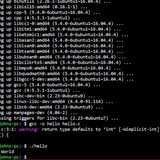
any way I can improve this bash noscript that has double stow command?
stow doesn't delete. It can only throw error or use --adopt to overwrite MY REPO's files instead of overwriting computer files with dotfiles.
I know normal ln can overwrite destination files like this:
but I want to use stow. Current config works decently well but I was wondering if I can replace 2 stow lines with 1?
https://redd.it/1hh740o
@r_bash
stow doesn't delete. It can only throw error or use --adopt to overwrite MY REPO's files instead of overwriting computer files with dotfiles.
I know normal ln can overwrite destination files like this:
ln -sf ~/.dotfiles/alacritty ~/.config/alacritty
but I want to use stow. Current config works decently well but I was wondering if I can replace 2 stow lines with 1?
# this code clones repo, runs install noscript, cd's into that repo, uses stow to distribute files via stow.

# I need to repeat stow twice. First so that if files exist already, those files overwrite
# this git repo files, then I reset this repo and run stow again.
# all this because git stow can't overwrite files / directories if they are already present

git clone --recurse-submodules git@github.com:monoira/.dotfiles.git ~/.dotfiles &&
  bash ~/.dotfiles/install_noscripts/_install.sh &&
  cd ~/.dotfiles &&
  stow -v --adopt alacritty cmus git nvim sqlfluff tmux zsh &&
  git add . && git reset --hard &&
  stow -v --adopt alacritty cmus git nvim sqlfluff tmux zsh
https://redd.it/1hh740o
@r_bash
Reddit
From the bash community on Reddit
Explore this post and more from the bash community
Find files larger than X mb and promp to delete/skip each one found
Hi. I've asked Gemini, Copilot, Claude, etc. for a bash noscript to find files larger than X mb (this should be a parameter to the noscript) starting in the current path, recursively, and then read (prompt) a question to delete or skip each one found.
I've got this:
When executing "./findlargefiles.sh 50", I'm getting an infinite loop of
"Please answer y or n."
Any ideas? I'm trying it on an Ubuntu 22.04 server
Thanks
https://redd.it/1hhtp6g
@r_bash
Hi. I've asked Gemini, Copilot, Claude, etc. for a bash noscript to find files larger than X mb (this should be a parameter to the noscript) starting in the current path, recursively, and then read (prompt) a question to delete or skip each one found.
I've got this:
#!/bin/bashif [ $# -ne 1 ]; thenecho "Usage: $0 <size_in_MB>"exit 1fisize_in_mb=$1find . -type f -size +"${size_in_mb}M" | while IFS= read -r file; do# Get the file sizesize=$(du -h "$file" | cut -f1)echo "File: $file"echo "Size: $size"while true; doread -p "Do you want to delete this file? (y/n): " choicecase "$choice" in[Yy]* )rm "$file"echo "Deleted: $file"break;;[Nn]* )echo "Skipped: $file"break;;* )echo "Please answer y or n.";;esacdonedoneWhen executing "./findlargefiles.sh 50", I'm getting an infinite loop of
"Please answer y or n."
Any ideas? I'm trying it on an Ubuntu 22.04 server
Thanks
https://redd.it/1hhtp6g
@r_bash
Reddit
From the bash community on Reddit
Explore this post and more from the bash community
Rate my Ubuntu debloater bash noscript
(I give you permission to steal it)
https://redd.it/1hhw6xe
@r_bash
(I give you permission to steal it)
https://redd.it/1hhw6xe
@r_bash
Reddit
From the bash community on Reddit
Explore this post and more from the bash community
Need help understanding and altering a noscript
Hello folks,
I am looking for some help on what this part of a noscript is doing but also alter it to spit out a different output.
p=
This is a part of an Intune macOS noscript that creates a temp admin account and makes a password using the serial number of the device. The problem I am having is that newer macbooks don't contain numbers in their serial! This is conflicting with our password policy that requires a password have atleast 2 numbers and 1 non-alphanumeric.
I understand everything up to the tr and base64. From what I've gathered online, the tr is translating the range of characters, uppercase A to Z and numbers 0 to 9 but I can't get my head around what they're translating to (K-ZA-J and 4-90-3). After this I'm assuming base64 converts the whole thing again to something else.
Any help and suggestions on how to create some numerics out of a character serial would be greatly appreciated.
https://redd.it/1hiiopc
@r_bash
Hello folks,
I am looking for some help on what this part of a noscript is doing but also alter it to spit out a different output.
p=
system_profiler SPHardwareDataType | awk '/Serial/ {print $4}' | tr '[A-Z]' '[K-ZA-J]' | tr 0-9 4-90-3 | base64This is a part of an Intune macOS noscript that creates a temp admin account and makes a password using the serial number of the device. The problem I am having is that newer macbooks don't contain numbers in their serial! This is conflicting with our password policy that requires a password have atleast 2 numbers and 1 non-alphanumeric.
I understand everything up to the tr and base64. From what I've gathered online, the tr is translating the range of characters, uppercase A to Z and numbers 0 to 9 but I can't get my head around what they're translating to (K-ZA-J and 4-90-3). After this I'm assuming base64 converts the whole thing again to something else.
Any help and suggestions on how to create some numerics out of a character serial would be greatly appreciated.
https://redd.it/1hiiopc
@r_bash
Reddit
From the bash community on Reddit
Explore this post and more from the bash community
Executing a noscript from another noscript programmatically (regardless of run location)
I'm trying to build a simple noscript that will stop my docker containers, drop a volume, then start my containers back up. To start my containers, I have a helper noscript in the root of my project,
Is there a way to essentially do "if subfolder, go up a folder, then run noscript"? If I run the noscript from the root, it'd need to search the current location for the compose noscript. If run from elsewhere, it'd need to go up a level from the noscript's location to find the compose noscript.
I know I can hard code the noscript, but that's inflexible, as if the noscript is moved to another machine, it'd need to be modified. I don't know if my thinking of how to write this noscript is wrong, and would appreciate any feedback.
https://redd.it/1hhbaz2
@r_bash
I'm trying to build a simple noscript that will stop my docker containers, drop a volume, then start my containers back up. To start my containers, I have a helper noscript in the root of my project,
compose.sh. The noscript I'm creating is in a subfolder, noscripts.Is there a way to essentially do "if subfolder, go up a folder, then run noscript"? If I run the noscript from the root, it'd need to search the current location for the compose noscript. If run from elsewhere, it'd need to go up a level from the noscript's location to find the compose noscript.
I know I can hard code the noscript, but that's inflexible, as if the noscript is moved to another machine, it'd need to be modified. I don't know if my thinking of how to write this noscript is wrong, and would appreciate any feedback.
https://redd.it/1hhbaz2
@r_bash
Reddit
From the bash community on Reddit
Explore this post and more from the bash community
Change terminal color programmatically?
Hello mates, I am using bash terminal. I can change my terminal color if an ssh session is opened. I wrote a function if "$SSH_CONNECTION" then the terminal color is changed. However, I want to do similar change for virtualenv, nothing happens. I print "$VIRTUAL_ENV" and it's null. What should I do?
https://redd.it/1hj8oof
@r_bash
Hello mates, I am using bash terminal. I can change my terminal color if an ssh session is opened. I wrote a function if "$SSH_CONNECTION" then the terminal color is changed. However, I want to do similar change for virtualenv, nothing happens. I print "$VIRTUAL_ENV" and it's null. What should I do?
https://redd.it/1hj8oof
@r_bash
Reddit
From the bash community on Reddit
Explore this post and more from the bash community
Why variable is not updated in the function called in a while loop?
```
readonly BATTERY_CRITICAL_THRESHOLD=15
readonly REFRESH_INTERVAL=1
readonly BAT_PATH="/sys/class/power_supply/BAT0/capacity"
BATTERY_ALERT_STATE=0
get_battery_status() {
local battery_pct ac_state icon
battery_pct=$(<"$BAT_PATH")
ac_state=$(<"$AC_PATH")
if ((battery_pct <= BATTERY_CRITICAL_THRESHOLD)) && ((BATTERY_ALERT_STATE == 0)); then
BATTERY_ALERT_STATE=1
notify-send "Battery Critical" "Battery level is at $battery_pct%"
elif ((battery_pct > BATTERY_CRITICAL_THRESHOLD)) && ((BATTERY_ALERT_STATE == 1)); then
BATTERY_ALERT_STATE=0
fi
printf '%s%%' "$battery_pct"
}
# Main loop in main shell context
while true; do
get_battery_status
sleep "$REFRESH_INTERVAL"
done
```
Above is a bash noscript I write.
What I expect is it will change `BATTERY_ALERT_STATE` to 1 when battery level is lower than 15, and then send a notification. After `BATTERY_ALERT_STATE` is changed to 1, it won't be changed until the battery_pct is greater than `BATTERY_CRITICAL_THRESHOLD`.
But, in practice, it's not the case, it seems that `BATTERY_ALERT_STATE` has never been changed, and therefore the notification is continueously being sent.
I don't know why, I have debugged it for days, searched online and asked ai, no result.
Can anyone told me why?
https://redd.it/1hjbl7t
@r_bash
```
readonly BATTERY_CRITICAL_THRESHOLD=15
readonly REFRESH_INTERVAL=1
readonly BAT_PATH="/sys/class/power_supply/BAT0/capacity"
BATTERY_ALERT_STATE=0
get_battery_status() {
local battery_pct ac_state icon
battery_pct=$(<"$BAT_PATH")
ac_state=$(<"$AC_PATH")
if ((battery_pct <= BATTERY_CRITICAL_THRESHOLD)) && ((BATTERY_ALERT_STATE == 0)); then
BATTERY_ALERT_STATE=1
notify-send "Battery Critical" "Battery level is at $battery_pct%"
elif ((battery_pct > BATTERY_CRITICAL_THRESHOLD)) && ((BATTERY_ALERT_STATE == 1)); then
BATTERY_ALERT_STATE=0
fi
printf '%s%%' "$battery_pct"
}
# Main loop in main shell context
while true; do
get_battery_status
sleep "$REFRESH_INTERVAL"
done
```
Above is a bash noscript I write.
What I expect is it will change `BATTERY_ALERT_STATE` to 1 when battery level is lower than 15, and then send a notification. After `BATTERY_ALERT_STATE` is changed to 1, it won't be changed until the battery_pct is greater than `BATTERY_CRITICAL_THRESHOLD`.
But, in practice, it's not the case, it seems that `BATTERY_ALERT_STATE` has never been changed, and therefore the notification is continueously being sent.
I don't know why, I have debugged it for days, searched online and asked ai, no result.
Can anyone told me why?
https://redd.it/1hjbl7t
@r_bash
Reddit
From the bash community on Reddit
Explore this post and more from the bash community
XDG & ~/.bashrc
I created a file to be sourced by bashrc to organize directories and files after running xdg-ninja.
I'm just not sure it's fool proof. I was hoping that a more experienced user could comment.
This is a shortened version with only one example. (cargo)
\#! /usr/bin/env dash
\# shellcheck shell=dash
\# shellcheck enable=all
\#------------------------------------------------------------------------------|
\# xdg-ninja
\#------------------------------------------------------------------------------|
alias 'xdg-ninja'='xdg-ninja --skip-ok --skip-unsupported' ;
\#------------------------------------------------------------------------------|
\# XDG Base Directory specification:
\#------------------------------------------------------------------------------|
export XDG_CACHE_HOME="${HOME}/.cache" ;
export XDG_CONFIG_HOME="${HOME}/.config" ;
export XDG_DATA_HOME="${HOME}/.local/share" ;
export XDG_STATE_HOME="${HOME}/.local/state" ;
\#------------------------------------------------------------------------------|
\# xdgmv
\#------------------------------------------------------------------------------|
xdgmv () {
test "${#}" -ne '2' && return ; test -e "${1}" || return ;
if test -d "${2%/*}" ;
then
mv --backup='numbered' --force "${1}" "${2}" ;
else
mkdir -p "${2%/*}" &&
mv --backup='numbered' --force "${1}" "${2}" ;
fi ;
} ;
\#------------------------------------------------------------------------------|
\# [cargo\]: "${HOME}/.cargo"
\#------------------------------------------------------------------------------|
xdgmv "${HOME}/.cargo" "${XDG_DATA_HOME}/cargo" &&
export CARGO_HOME="${XDG_DATA_HOME}/cargo" ;
\#------------------------------------------------------------------------------|
\# unset function(s)
\#------------------------------------------------------------------------------|
unset xdgmv ;
\#------------------------------------------------------------------------------|
https://redd.it/1hjybbv
@r_bash
I created a file to be sourced by bashrc to organize directories and files after running xdg-ninja.
I'm just not sure it's fool proof. I was hoping that a more experienced user could comment.
This is a shortened version with only one example. (cargo)
\#! /usr/bin/env dash
\# shellcheck shell=dash
\# shellcheck enable=all
\#------------------------------------------------------------------------------|
\# xdg-ninja
\#------------------------------------------------------------------------------|
alias 'xdg-ninja'='xdg-ninja --skip-ok --skip-unsupported' ;
\#------------------------------------------------------------------------------|
\# XDG Base Directory specification:
\#------------------------------------------------------------------------------|
export XDG_CACHE_HOME="${HOME}/.cache" ;
export XDG_CONFIG_HOME="${HOME}/.config" ;
export XDG_DATA_HOME="${HOME}/.local/share" ;
export XDG_STATE_HOME="${HOME}/.local/state" ;
\#------------------------------------------------------------------------------|
\# xdgmv
\#------------------------------------------------------------------------------|
xdgmv () {
test "${#}" -ne '2' && return ; test -e "${1}" || return ;
if test -d "${2%/*}" ;
then
mv --backup='numbered' --force "${1}" "${2}" ;
else
mkdir -p "${2%/*}" &&
mv --backup='numbered' --force "${1}" "${2}" ;
fi ;
} ;
\#------------------------------------------------------------------------------|
\# [cargo\]: "${HOME}/.cargo"
\#------------------------------------------------------------------------------|
xdgmv "${HOME}/.cargo" "${XDG_DATA_HOME}/cargo" &&
export CARGO_HOME="${XDG_DATA_HOME}/cargo" ;
\#------------------------------------------------------------------------------|
\# unset function(s)
\#------------------------------------------------------------------------------|
unset xdgmv ;
\#------------------------------------------------------------------------------|
https://redd.it/1hjybbv
@r_bash
Reddit
From the bash community on Reddit
Explore this post and more from the bash community
friends I am looking for this but if you know bash manager types similar to this, can you share it?
https://redd.it/1hk3jpb
@r_bash
https://redd.it/1hk3jpb
@r_bash
Reddit
From the bash community on Reddit: friends I am looking for this but if you know bash manager types similar to this, can you share…
Explore this post and more from the bash community
Grep question about dashes
Im pulling my hair out with this and could use some help. Im trying to match some strings with grep that contain a hyphen, but there are similar strings that dont contain a hyphen. Here is an example.
echo "test-case another-value foo" | grep -Eom 1 "test-case"
test-case
echo "test-case another-value foo" | grep -Eom 1 "test"
test
I dont want grep to return test, I only want it to return test-case. I also need to be able to grep for foo if needed.
https://redd.it/1hk9edb
@r_bash
Im pulling my hair out with this and could use some help. Im trying to match some strings with grep that contain a hyphen, but there are similar strings that dont contain a hyphen. Here is an example.
echo "test-case another-value foo" | grep -Eom 1 "test-case"
test-case
echo "test-case another-value foo" | grep -Eom 1 "test"
test
I dont want grep to return test, I only want it to return test-case. I also need to be able to grep for foo if needed.
https://redd.it/1hk9edb
@r_bash
Reddit
From the bash community on Reddit
Explore this post and more from the bash community
Array lengths - this works but the traditional method doesn't
Any ideas? The first one works, The second one doesn't in a noscript, doing a test from the command prompt all is good. Its a simple list of numbers all <100 , array length < 10
len="$(echo "${nlist[@]}" | wc -w)" # Good
len="${#nlist@}" # Bad
https://redd.it/1hkn7gw
@r_bash
Any ideas? The first one works, The second one doesn't in a noscript, doing a test from the command prompt all is good. Its a simple list of numbers all <100 , array length < 10
len="$(echo "${nlist[@]}" | wc -w)" # Good
len="${#nlist@}" # Bad
https://redd.it/1hkn7gw
@r_bash
Reddit
From the bash community on Reddit
Explore this post and more from the bash community
Multiple coprocs?
I have a use case where I have to execute several processes. For the most part, the processes will communicate with each other via CAN, or rather a virualized
But I also need to retain each process's stdin/out/err in the top-level management session, so I can see things each process is printing, and send commands to them outside of their normal command and control channel on
Just reading up on the
There may be only one active coprocess at a time.
Huh? How's come? What's the best practice for juggling multiple simultaneously running programs with all I/O streams available in a way that's not going to drive me insane, if I can't use multiple coprocs?
https://redd.it/1hkven3
@r_bash
I have a use case where I have to execute several processes. For the most part, the processes will communicate with each other via CAN, or rather a virualized
vcan0.But I also need to retain each process's stdin/out/err in the top-level management session, so I can see things each process is printing, and send commands to them outside of their normal command and control channel on
vcan0.Just reading up on the
coproc command and thought it sounded perfect, but then I read what is essentially the last line in the entire bash man page:There may be only one active coprocess at a time.
Huh? How's come? What's the best practice for juggling multiple simultaneously running programs with all I/O streams available in a way that's not going to drive me insane, if I can't use multiple coprocs?
https://redd.it/1hkven3
@r_bash
Reddit
From the bash community on Reddit
Explore this post and more from the bash community
pure-bash-bible alternative?
Since pure-bash-bible Got archived, is there any viable alternative for it? I know bash but I don't remember every little thing like reversing an array.
I want to have bash cheatsheet.
https://redd.it/1hjvy3m
@r_bash
Since pure-bash-bible Got archived, is there any viable alternative for it? I know bash but I don't remember every little thing like reversing an array.
I want to have bash cheatsheet.
https://redd.it/1hjvy3m
@r_bash
GitHub
GitHub - dylanaraps/pure-bash-bible: 📖 A collection of pure bash alternatives to external processes.
📖 A collection of pure bash alternatives to external processes. - dylanaraps/pure-bash-bible