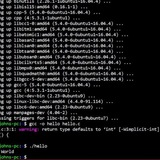
Linux mint cinnamon
I have a school project and they've asked for a few screenshots showing the use of commands to create a tutorial book.
Commands like creating a file, then transferring the file to a different directory.
Everyone I attempt to use the command lines it doesn't work. I've looked up command "cheat sheets" I feel like I'm missing something
https://redd.it/1k1lxu9
@r_bash
I have a school project and they've asked for a few screenshots showing the use of commands to create a tutorial book.
Commands like creating a file, then transferring the file to a different directory.
Everyone I attempt to use the command lines it doesn't work. I've looked up command "cheat sheets" I feel like I'm missing something
https://redd.it/1k1lxu9
@r_bash
Reddit
From the bash community on Reddit
Explore this post and more from the bash community
How many REAL MEN are there out there who think sudo is for pussies and just do everything as root?
I can't be the only one.
https://redd.it/1k1tygt
@r_bash
I can't be the only one.
https://redd.it/1k1tygt
@r_bash
Reddit
From the bash community on Reddit
Explore this post and more from the bash community
How do you organize large Bash noscripts for better readability and maintenance?
I know “just use Python" but anyway, how do you keep bigger noscripts clean and maintainable? Any tips or examples?
https://redd.it/1k20ou8
@r_bash
I know “just use Python" but anyway, how do you keep bigger noscripts clean and maintainable? Any tips or examples?
https://redd.it/1k20ou8
@r_bash
Reddit
From the bash community on Reddit
Explore this post and more from the bash community
How do I list directory contents while looking for FILENAME.EXT with
I don't understand how to properly list (
I'm using this bad, ugly and weird workaround:
Thanks
https://redd.it/1k2afs4
@r_bash
find /directory -type f -name "*.EXT"$ find /directory -type f -name "*.EXT" -exec
I don't understand how to properly list (
ls) the contents of the path itself (the one containing the matched foo.EXT files).I'm using this bad, ugly and weird workaround:
-exec bash -c 'ls -ahl "$(dirname "{}")/"' \;
Thanks
https://redd.it/1k2afs4
@r_bash
Reddit
From the bash community on Reddit
Explore this post and more from the bash community
Bugz4Term fire automated commands right for your bug bounty arsenal disposal ( V1.1 )
A Bash tool that fires 4 horizontal terminator panes (2 in each tab) loaded with custom commands from .bugz4term.conf in CWD each line representing a custom command on the config to be loaded ( For terminator users Only! )
Do Checkout bugz4term ( V1.1 ) on Github!
https://github.com/Demgainschill/Bugz4Term
https://redd.it/1k2ylag
@r_bash
A Bash tool that fires 4 horizontal terminator panes (2 in each tab) loaded with custom commands from .bugz4term.conf in CWD each line representing a custom command on the config to be loaded ( For terminator users Only! )
Do Checkout bugz4term ( V1.1 ) on Github!
https://github.com/Demgainschill/Bugz4Term
https://redd.it/1k2ylag
@r_bash
GitHub
GitHub - Demgainschill/Bugz4Term: Fire 4 Horizontal terminator panes (2 in each tab) loaded with custom commands from .bugz4term.conf…
Fire 4 Horizontal terminator panes (2 in each tab) loaded with custom commands from .bugz4term.conf each line representing a custom command on the config to be loaded - Demgainschill/Bugz4Term
Bash: Interactive fuzzy string insertion from the tmux scrollback buffer into the shell prompt using fzf (Ideal for quickly inserting any string from the tmux history)
https://www.jamescherti.com/tmux-autocomplete-fzf-fuzzy-insertion-scrollback/
https://redd.it/1k37pek
@r_bash
https://www.jamescherti.com/tmux-autocomplete-fzf-fuzzy-insertion-scrollback/
https://redd.it/1k37pek
@r_bash
Subingestor a subdomain enumeration bash tool using subfinder and dnsx inorder to find live subdomains for a given link.
Find Subdomains for a given link using Subfinder and dnsx inorder to find live subdomain links.
Please go checkout my tool on Github!
Also please do star if it is helpful ( And i'm sure it will be )
https://github.com/Demgainschill/Subingestor
https://redd.it/1k3i2ac
@r_bash
Find Subdomains for a given link using Subfinder and dnsx inorder to find live subdomain links.
Please go checkout my tool on Github!
Also please do star if it is helpful ( And i'm sure it will be )
https://github.com/Demgainschill/Subingestor
https://redd.it/1k3i2ac
@r_bash
GitHub
GitHub - Demgainschill/Subingestor: Recon tool for finding live subdomains using subfinder and dnsx
Recon tool for finding live subdomains using subfinder and dnsx - Demgainschill/Subingestor
Curl doesn't return json
Can anyone tell me why this returns web page mumbo jumbo and not pure json? And how to get it to return jscon? Thanks
curl --url https://www.reddit.com/r/IAmA/comments/16h7303/i\_am\_a\_sleep\_expert\_ask\_me\_anything/.json
https://redd.it/1k3ozbn
@r_bash
Can anyone tell me why this returns web page mumbo jumbo and not pure json? And how to get it to return jscon? Thanks
curl --url https://www.reddit.com/r/IAmA/comments/16h7303/i\_am\_a\_sleep\_expert\_ask\_me\_anything/.json
https://redd.it/1k3ozbn
@r_bash
ask about rsync: how do I write option for ignore permission?
Hi, I was using rsync -anchuv a/ b/ but doing reverse rsync -anchuv b/ a/ I realize that the permissions are not equal between files into a/ and b/ .
I read in man that -p is for preserve permissions
how do I do this: ignore permission? or I should use -apn?
flags chuv is of old use of -r insted of actual (today in use) -a...
Thank you and regards!
https://redd.it/1k3x9xr
@r_bash
Hi, I was using rsync -anchuv a/ b/ but doing reverse rsync -anchuv b/ a/ I realize that the permissions are not equal between files into a/ and b/ .
I read in man that -p is for preserve permissions
how do I do this: ignore permission? or I should use -apn?
flags chuv is of old use of -r insted of actual (today in use) -a...
Thank you and regards!
https://redd.it/1k3x9xr
@r_bash
Reddit
From the bash community on Reddit
Explore this post and more from the bash community
Alternatives to Tabby and MobaXterm?
Are there any Terminals that have these capabilities?
1. Quick commands buttons (like Macros in Moba)
2. The capability of ignoring a key (I use caffeine to have my laptop awake; it uses the F15 key that presses the ~ tilde button on the terminal)
Tabby has started exhibiting issues downloading plugins, and the dev is not that vocal (perhaps busy) about a solution. Moba ,is unfortunate,ly too costly. I use Windterm now, but Windterm cannot ignore the F15 key that caffeine hits.
https://redd.it/1k4783k
@r_bash
Are there any Terminals that have these capabilities?
1. Quick commands buttons (like Macros in Moba)
2. The capability of ignoring a key (I use caffeine to have my laptop awake; it uses the F15 key that presses the ~ tilde button on the terminal)
Tabby has started exhibiting issues downloading plugins, and the dev is not that vocal (perhaps busy) about a solution. Moba ,is unfortunate,ly too costly. I use Windterm now, but Windterm cannot ignore the F15 key that caffeine hits.
https://redd.it/1k4783k
@r_bash
Reddit
From the bash community on Reddit
Explore this post and more from the bash community
Clean up consecutive identical escape sequences?
I have some utf-8 art that my editor saves as ANSI with every single character's fg and bg color defined in an escape sequence. How would i go about making a noscript that would remove every escape sequence that was identical to the previous, but not remove the characters being escaped?
https://redd.it/1k3v650
@r_bash
I have some utf-8 art that my editor saves as ANSI with every single character's fg and bg color defined in an escape sequence. How would i go about making a noscript that would remove every escape sequence that was identical to the previous, but not remove the characters being escaped?
https://redd.it/1k3v650
@r_bash
Reddit
From the bash community on Reddit
Explore this post and more from the bash community
I created a way to display animations as you wait for long running commamds in the terminal.
https://github.com/jorexdeveloper/terminal-animations
https://redd.it/1k3st99
@r_bash
https://github.com/jorexdeveloper/terminal-animations
https://redd.it/1k3st99
@r_bash
GitHub
GitHub - jorexdeveloper/terminal-animations: Show animations for running commands in the terminal.
Show animations for running commands in the terminal. - jorexdeveloper/terminal-animations
forcing three AND conditions to inspect and check contents (against file extension) inside a folder <3.2.5.2 Conditional Constructs>
Hello everyone
Can please someone verify this conditional construct I came up with?
Does it need improvements? Fixes?
Thanks
Explanation:
Example of an invalid set:
-
-
-
https://redd.it/1k3r1jq
@r_bash
Hello everyone
Can please someone verify this conditional construct I came up with?
Does it need improvements? Fixes?
Thanks
cd /some/path/some/movies/moviename
[[ $(ls *.m4a 2>/dev/null) && $(ls *.mkv 2>/dev/null) && $(ls *.srt 2>/dev/null) ]] && printf '%s\n' "Directory \`${PWD##*/}\` has valid contents" || printf '%s\n' WARNING! "Found invalid files into:" "\`${PWD##*/}\`"
Explanation:
folder/ must contain exactly this set only, nothing more nothing less; here's the only valid triplet: .m4a AND .mkv AND .srtExample of an invalid set:
-
moviefolder/-
moviename.mkv-
moviename.srthttps://redd.it/1k3r1jq
@r_bash
Reddit
From the bash community on Reddit
Explore this post and more from the bash community
How can I improve this beginner Bash backup noscript?
Hey folks! 👋 I'm learning Bash noscripting and built a basic backup noscript that creates a `.tar.gz` file of a directory with the current date in the filename.
Here’s what I’ve got so far:
#!/bin/bash
echo "Welcome to the backup program"
BACKUP_FILE="backup_$(date +'%Y-%m-%d_%H-%M-%S').tar.gz"
TARGET_DIR="/mnt/f/Programming/Linux/"
if [ -d "$TARGET_DIR" ]; then
echo "Backing up..."
tar -cvpzf "$BACKUP_FILE" "$TARGET_DIR"
echo "Backup Done ✅"
else
echo "❌ Cannot create backup"
echo "Directory $TARGET_DIR does not exist"
exit 1
fi
It works fine, but I’d love suggestions from more experienced users on how to make it more robust or efficient.
Things like better error handling, logs, user input, or best practices for naming and organizing backups.
Any tips or advice? 🙏
https://redd.it/1k3m9ku
@r_bash
Hey folks! 👋 I'm learning Bash noscripting and built a basic backup noscript that creates a `.tar.gz` file of a directory with the current date in the filename.
Here’s what I’ve got so far:
#!/bin/bash
echo "Welcome to the backup program"
BACKUP_FILE="backup_$(date +'%Y-%m-%d_%H-%M-%S').tar.gz"
TARGET_DIR="/mnt/f/Programming/Linux/"
if [ -d "$TARGET_DIR" ]; then
echo "Backing up..."
tar -cvpzf "$BACKUP_FILE" "$TARGET_DIR"
echo "Backup Done ✅"
else
echo "❌ Cannot create backup"
echo "Directory $TARGET_DIR does not exist"
exit 1
fi
It works fine, but I’d love suggestions from more experienced users on how to make it more robust or efficient.
Things like better error handling, logs, user input, or best practices for naming and organizing backups.
Any tips or advice? 🙏
https://redd.it/1k3m9ku
@r_bash
Reddit
From the bash community on Reddit
Explore this post and more from the bash community
I made this alias to generate commit messages with AI based on the git diff
I just released a little bash noscript that helps you write better Git commit messages using AI, it’s especially handy when you’re upgrading package versions, because it searches for the package changes and describe the improvements of that upgrade.
It uses Gemmini to analyze your
I explained the whole thing in a short write-up here:
👉 How to Write Better Git Commit Messages Using AI
I use it as a git alias but it can be integrated in your workflow in any way you want.
https://redd.it/1k54k5p
@r_bash
I just released a little bash noscript that helps you write better Git commit messages using AI, it’s especially handy when you’re upgrading package versions, because it searches for the package changes and describe the improvements of that upgrade.
It uses Gemmini to analyze your
git diff and automatically generates a clean, meaningful commit message. Perfect for when you don't have much to say about the change or you just want to move forward.I explained the whole thing in a short write-up here:
👉 How to Write Better Git Commit Messages Using AI
I use it as a git alias but it can be integrated in your workflow in any way you want.
https://redd.it/1k54k5p
@r_bash
Linkedin
How to Write Better Git Commit Messages Using AI in the Terminal
I've been thinking about doing this for a while but never had the time..
🧵 Let’s stop calling Bash noscripts “hacky”—here’s how I made a structured Bash framework
I'm tired of seeing solid Bash noscripts dismissed as “unprofessional” just because they don’t come wrapped in some heavyweight framework or runtime.
Meanwhile, we’re seeing simple CLI tools implemented in Node.js or Python, pulling in dozens of dependencies just to call a few system commands or hit a REST API. Why?
The truth is, a lot of modern DevOps tooling is essentially a bunch of noscripts with some wrappers and branding. So why not embrace that and do noscripting right?
That’s why I built **Mush** — a way to organize Bash noscripts like a real project:
Structure your commands like subcommands (`mush <command>`)
Package and distribute noscripts cleanly
Support for configuration, help docs, and testing
No dependencies, just Bash
It’s Bash-first, Unix-friendly, and designed for people who actually like the command line.
Would love your feedback—especially from fellow Bash fans.
Is there a future for structured Bash tooling? Or will it always be seen as the "quick and dirty" option?
https://redd.it/1k54dtx
@r_bash
I'm tired of seeing solid Bash noscripts dismissed as “unprofessional” just because they don’t come wrapped in some heavyweight framework or runtime.
Meanwhile, we’re seeing simple CLI tools implemented in Node.js or Python, pulling in dozens of dependencies just to call a few system commands or hit a REST API. Why?
The truth is, a lot of modern DevOps tooling is essentially a bunch of noscripts with some wrappers and branding. So why not embrace that and do noscripting right?
That’s why I built **Mush** — a way to organize Bash noscripts like a real project:
Structure your commands like subcommands (`mush <command>`)
Package and distribute noscripts cleanly
Support for configuration, help docs, and testing
No dependencies, just Bash
It’s Bash-first, Unix-friendly, and designed for people who actually like the command line.
Would love your feedback—especially from fellow Bash fans.
Is there a future for structured Bash tooling? Or will it always be seen as the "quick and dirty" option?
https://redd.it/1k54dtx
@r_bash
GitHub
GitHub - javanile/mush: Mush, a build system for shell.
Mush, a build system for shell. Contribute to javanile/mush development by creating an account on GitHub.