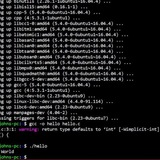
I made this alias to generate commit messages with AI based on the git diff
I just released a little bash noscript that helps you write better Git commit messages using AI, it’s especially handy when you’re upgrading package versions, because it searches for the package changes and describe the improvements of that upgrade.
It uses Gemmini to analyze your
I explained the whole thing in a short write-up here:
👉 How to Write Better Git Commit Messages Using AI
I use it as a git alias but it can be integrated in your workflow in any way you want.
https://redd.it/1k54k5p
@r_bash
I just released a little bash noscript that helps you write better Git commit messages using AI, it’s especially handy when you’re upgrading package versions, because it searches for the package changes and describe the improvements of that upgrade.
It uses Gemmini to analyze your
git diff and automatically generates a clean, meaningful commit message. Perfect for when you don't have much to say about the change or you just want to move forward.I explained the whole thing in a short write-up here:
👉 How to Write Better Git Commit Messages Using AI
I use it as a git alias but it can be integrated in your workflow in any way you want.
https://redd.it/1k54k5p
@r_bash
Linkedin
How to Write Better Git Commit Messages Using AI in the Terminal
I've been thinking about doing this for a while but never had the time..
🧵 Let’s stop calling Bash noscripts “hacky”—here’s how I made a structured Bash framework
I'm tired of seeing solid Bash noscripts dismissed as “unprofessional” just because they don’t come wrapped in some heavyweight framework or runtime.
Meanwhile, we’re seeing simple CLI tools implemented in Node.js or Python, pulling in dozens of dependencies just to call a few system commands or hit a REST API. Why?
The truth is, a lot of modern DevOps tooling is essentially a bunch of noscripts with some wrappers and branding. So why not embrace that and do noscripting right?
That’s why I built **Mush** — a way to organize Bash noscripts like a real project:
Structure your commands like subcommands (`mush <command>`)
Package and distribute noscripts cleanly
Support for configuration, help docs, and testing
No dependencies, just Bash
It’s Bash-first, Unix-friendly, and designed for people who actually like the command line.
Would love your feedback—especially from fellow Bash fans.
Is there a future for structured Bash tooling? Or will it always be seen as the "quick and dirty" option?
https://redd.it/1k54dtx
@r_bash
I'm tired of seeing solid Bash noscripts dismissed as “unprofessional” just because they don’t come wrapped in some heavyweight framework or runtime.
Meanwhile, we’re seeing simple CLI tools implemented in Node.js or Python, pulling in dozens of dependencies just to call a few system commands or hit a REST API. Why?
The truth is, a lot of modern DevOps tooling is essentially a bunch of noscripts with some wrappers and branding. So why not embrace that and do noscripting right?
That’s why I built **Mush** — a way to organize Bash noscripts like a real project:
Structure your commands like subcommands (`mush <command>`)
Package and distribute noscripts cleanly
Support for configuration, help docs, and testing
No dependencies, just Bash
It’s Bash-first, Unix-friendly, and designed for people who actually like the command line.
Would love your feedback—especially from fellow Bash fans.
Is there a future for structured Bash tooling? Or will it always be seen as the "quick and dirty" option?
https://redd.it/1k54dtx
@r_bash
GitHub
GitHub - javanile/mush: Mush, a build system for shell.
Mush, a build system for shell. Contribute to javanile/mush development by creating an account on GitHub.
Command Line Issues Error But Not When Command Immediately Rerun?
1. Code produces error as expected:
`[[ 'a(' == *[(]* ]]`
`-bash: syntax error in conditional expression: unexpected token \`('`
2. Corrected by escaping the open paren but the command line still produces an error (different than the first error; almost as though it is till dealing with the first command some how):
`[[ 'a(' == *[\(]* ]]`
`-bash: syntax error near unexpected token \`'a(''`
3. When I rerun the last command using up arrow/enter, the code now works:
`[[ 'a(' == *[\(]* ]]`
`echo $?`
`0`
Why does the corrected command (2) initially fail?
https://redd.it/1k5f300
@r_bash
1. Code produces error as expected:
`[[ 'a(' == *[(]* ]]`
`-bash: syntax error in conditional expression: unexpected token \`('`
2. Corrected by escaping the open paren but the command line still produces an error (different than the first error; almost as though it is till dealing with the first command some how):
`[[ 'a(' == *[\(]* ]]`
`-bash: syntax error near unexpected token \`'a(''`
3. When I rerun the last command using up arrow/enter, the code now works:
`[[ 'a(' == *[\(]* ]]`
`echo $?`
`0`
Why does the corrected command (2) initially fail?
https://redd.it/1k5f300
@r_bash
Reddit
From the bash community on Reddit
Explore this post and more from the bash community
Shell TUI example for quickly creating interactive command menus
https://github.com/sdcampbell/Bash-TUI-Example
https://redd.it/1k5zbid
@r_bash
https://github.com/sdcampbell/Bash-TUI-Example
https://redd.it/1k5zbid
@r_bash
GitHub
GitHub - sdcampbell/Bash-TUI-Example: A starter package for a Bash TUI program
A starter package for a Bash TUI program. Contribute to sdcampbell/Bash-TUI-Example development by creating an account on GitHub.
How not to get caught out by differences in macos and linux?
I am writing a bash noscript for building containers using Podman. My laptop is a M2 MacOS with bash 3.whatever, and my server uses alma linux (RHEL) 9.5. I aam running the following command to startup a postgres instance:
while read -r line; do
modified_line="${line//:su/$su}"
# modified_line="${modified_line//:\'sp\'/\'$sp\'}"
modified_line="${modified_line//:\'sp\'/'$sp'}"
modified_line="${modified_line//:d/$d}"
modified_line="${modified_line//:u/$u}"
modified_line="${modified_line//:schema/$schema}"
# modified_line="${modified_line//:\'pass\'/\'$pass\'}"
modified_line="${modified_line//:\'pass\'/'$pass'}"
echo "$modified_line" >> $dir/docker-entrypoint-initdb.d/0.0.0-a_modified.sql
done < $dir/migrations/0.0.0-a_users_dbs.sql
`modified_line="${modified_line//:\'sp\'/'$sp'}"` only works on MacOS bash and `# modified_line="${modified_line//:\'sp\'/\'$sp\'}"` only works on the almalinux bash.
The output between the two is vastly different as well. The MacOS version essentially creates a new file with the text replaced as desired, while the linux version writes two copies of the appended output into a new file, neither of which is correct.
How am I supposed to write bash code that is compliant with both systems?? Should I write in fish or another language that isnt subject to these versioning issues? Or should I save the effort and run all of my code in containers, so that I dont have to deal with this MacOS crap?
**Note:** this question isnt about how to fix the code. Im not too proud to say, I turn to chatgpt as often as I need to, but more of how to consider writing bash moving forward.
https://redd.it/1k63nk7
@r_bash
I am writing a bash noscript for building containers using Podman. My laptop is a M2 MacOS with bash 3.whatever, and my server uses alma linux (RHEL) 9.5. I aam running the following command to startup a postgres instance:
while read -r line; do
modified_line="${line//:su/$su}"
# modified_line="${modified_line//:\'sp\'/\'$sp\'}"
modified_line="${modified_line//:\'sp\'/'$sp'}"
modified_line="${modified_line//:d/$d}"
modified_line="${modified_line//:u/$u}"
modified_line="${modified_line//:schema/$schema}"
# modified_line="${modified_line//:\'pass\'/\'$pass\'}"
modified_line="${modified_line//:\'pass\'/'$pass'}"
echo "$modified_line" >> $dir/docker-entrypoint-initdb.d/0.0.0-a_modified.sql
done < $dir/migrations/0.0.0-a_users_dbs.sql
`modified_line="${modified_line//:\'sp\'/'$sp'}"` only works on MacOS bash and `# modified_line="${modified_line//:\'sp\'/\'$sp\'}"` only works on the almalinux bash.
The output between the two is vastly different as well. The MacOS version essentially creates a new file with the text replaced as desired, while the linux version writes two copies of the appended output into a new file, neither of which is correct.
How am I supposed to write bash code that is compliant with both systems?? Should I write in fish or another language that isnt subject to these versioning issues? Or should I save the effort and run all of my code in containers, so that I dont have to deal with this MacOS crap?
**Note:** this question isnt about how to fix the code. Im not too proud to say, I turn to chatgpt as often as I need to, but more of how to consider writing bash moving forward.
https://redd.it/1k63nk7
@r_bash
Reddit
From the bash community on Reddit
Explore this post and more from the bash community
Want to know why your bash noscript is slow? Profile a bash noscript by efficiently logging time deltas for each statement
https://bauer.codes/post/2025/04/bash-profiling/
https://redd.it/1k6i4jq
@r_bash
https://bauer.codes/post/2025/04/bash-profiling/
https://redd.it/1k6i4jq
@r_bash
bauer.codes
bauer.codes | Profiling Bash
profile a bash noscript by efficiently logging time deltas for each statement
I made a CLI to use saved curl requests
I'm slowly going from using GUI apps to just CLI/TUI and while doing that I wanted to ditch Postman as the app I use to test my apis. Looked through a couple of them but none was what I wanted so I made this one.
I'ts called Curlier and it runs .sh files with the curl request inside of it. It's handy cause I can do whatever I want to the curl response inside my .sh file allowing me to just do curly <request_name> and getting the reponse parsed as I want (or whatever I want to do with it tbh).
Idk, felt like sharing it here for people to try it out, contribute and tell me what they think about it.
Kinda new to shell noscripting so be kind.
https://redd.it/1k6im99
@r_bash
I'm slowly going from using GUI apps to just CLI/TUI and while doing that I wanted to ditch Postman as the app I use to test my apis. Looked through a couple of them but none was what I wanted so I made this one.
I'ts called Curlier and it runs .sh files with the curl request inside of it. It's handy cause I can do whatever I want to the curl response inside my .sh file allowing me to just do curly <request_name> and getting the reponse parsed as I want (or whatever I want to do with it tbh).
Idk, felt like sharing it here for people to try it out, contribute and tell me what they think about it.
Kinda new to shell noscripting so be kind.
https://redd.it/1k6im99
@r_bash
GitHub
GitHub - F2BEAR/curlier: A minimal, extensible, and flexible CLI tool to execute saved requests using curl.
A minimal, extensible, and flexible CLI tool to execute saved requests using curl. - F2BEAR/curlier
What's a Bash command or concept that took you way too long to learn, but now you can't live without?
For me, it was using
https://redd.it/1k6n0v5
@r_bash
For me, it was using
xargs properly, once it clicked, it completely changed how I write noscripts. Would love to hear your “Aha!” moments and what finally made things click!https://redd.it/1k6n0v5
@r_bash
Reddit
From the bash community on Reddit
Explore this post and more from the bash community
Is it possible that RSYNC lists all the directories to say that it passes for all of them?
Hello! (thanks to ~~goog~~... translator)
Is it possible that RSYNC lists all the directories to say that it passes for all of them to see if there was something inside them that has changed?
I clarify that I am using RSYNC with origin = Linux and destination (a pendrive) with Fat32.
and finally verbose say that the copy will be small weight something like equiv. to about 1 common.jpg (little transfer little copy).
See this screenshot for see the list o dirs with and without files into them...
of course I understand that dirs below are listed because they have newer files to copy, but upper them, the list is only of dirs.
https://imgbox.com/WoKhKR20
I am testing an SD formatted with Ext4 to try how RSYNC works with Linux origin and destination in both cases.
And in this case of a modest test with few test directories, when I do RSYNC, RSYNc does not list the directories, that is, it does not warn me that I pass through the directories of this small Linux Test Origin Destination (Ext4).
Thanks and greetings!
https://redd.it/1k6rg7h
@r_bash
Hello! (thanks to ~~goog~~... translator)
Is it possible that RSYNC lists all the directories to say that it passes for all of them to see if there was something inside them that has changed?
I clarify that I am using RSYNC with origin = Linux and destination (a pendrive) with Fat32.
and finally verbose say that the copy will be small weight something like equiv. to about 1 common.jpg (little transfer little copy).
See this screenshot for see the list o dirs with and without files into them...
of course I understand that dirs below are listed because they have newer files to copy, but upper them, the list is only of dirs.
https://imgbox.com/WoKhKR20
I am testing an SD formatted with Ext4 to try how RSYNC works with Linux origin and destination in both cases.
And in this case of a modest test with few test directories, when I do RSYNC, RSYNc does not list the directories, that is, it does not warn me that I pass through the directories of this small Linux Test Origin Destination (Ext4).
Thanks and greetings!
https://redd.it/1k6rg7h
@r_bash
Imgbox
imgbox - fast, simple image host
Use imgbox to upload, host and share all your images. It's simple, free and blazing fast!
Script works locally not when curl is used
I have a noscript that requires a y/n response that works when run locally, but when I curl it it seems as if a random character is passed:
Script `test.sh`:
#!/bin/bash
while true; do
read -p "Do you want to proceed? (Yn) " yn
case $yn in
[Y] ) echo ok, we will proceed;
break;;
[n] ) echo exiting...;
exit;;
* ) echo invalid response;;
esac
done
echo doing stuff...
df -hT
Whenever I use curl like this:
`curl -sSL https://url.com/test.sh | bash -x`
Then I get:
+ true
+ read -p 'Do you want to proceed? (Yn) ' yn
+ case $yn in
+ echo invalid response
invalid response
+ true
+ read -p 'Do you want to proceed? (Yn) ' yn
+ case $yn in
+ echo invalid response
invalid response
+ true
+ read -p 'Do you want to proceed? (Yn) ' yn
+ case $yn in
+ echo invalid response
invalid response
+ true
+ read -p 'Do you want to proceed? (Yn) ' yn
+ case $yn in
+ echo invalid response
invalid response
+ true
+ read -p 'Do you want to proceed? (Yn) ' yn
+ case $yn in
+ echo invalid response
invalid response
It seems as a character is passed continually. What is going wrong here? I really have no idea. Same noscript locally and curl.
https://redd.it/1k6umwg
@r_bash
I have a noscript that requires a y/n response that works when run locally, but when I curl it it seems as if a random character is passed:
Script `test.sh`:
#!/bin/bash
while true; do
read -p "Do you want to proceed? (Yn) " yn
case $yn in
[Y] ) echo ok, we will proceed;
break;;
[n] ) echo exiting...;
exit;;
* ) echo invalid response;;
esac
done
echo doing stuff...
df -hT
Whenever I use curl like this:
`curl -sSL https://url.com/test.sh | bash -x`
Then I get:
+ true
+ read -p 'Do you want to proceed? (Yn) ' yn
+ case $yn in
+ echo invalid response
invalid response
+ true
+ read -p 'Do you want to proceed? (Yn) ' yn
+ case $yn in
+ echo invalid response
invalid response
+ true
+ read -p 'Do you want to proceed? (Yn) ' yn
+ case $yn in
+ echo invalid response
invalid response
+ true
+ read -p 'Do you want to proceed? (Yn) ' yn
+ case $yn in
+ echo invalid response
invalid response
+ true
+ read -p 'Do you want to proceed? (Yn) ' yn
+ case $yn in
+ echo invalid response
invalid response
It seems as a character is passed continually. What is going wrong here? I really have no idea. Same noscript locally and curl.
https://redd.it/1k6umwg
@r_bash
MediaOptions
URL.com - MediaOptions
URL.com is a sought-after domain that MediaOptions can help broker for you. Contact us today to get the domain name your company needs!
Need help running automatic command on terminal
As noscript says, first of all I am new to this. I need help (not sure which MacOS terminal I should even begin with- the basic one that it comes with, iTerm2, or Tabby)
I am trying to run a sha512 hash command that will generate a seed. But I need to do it automated- way faster than manually typing. I need to run the command about 100,000 times.
The command I need to use: echo -n "1710084026-4b0f5fc279ba41b3e6d6b73fb26b8b333a1c3b7963a4c5b03f412538596b440c-UYwqnEx6DT9L-Number: 50796" |sha512sum
Which generates the seed: 312e1a1f5e194adfa429fefc001d2d01ea41d96591ae9fbbd59ab7f04a541f4d658440163142908d97a6c083b37482ab6565d9d212a95c58fab9a19589244a41
Now, I need to also change the "Number" value each time I run the command, so the seed generated changes obviously. For example, listed above is "50796", and I would need to change each time, lets say the second number I would test next would be "40048".
That would give the generated seed of:
885120a467d71ec6e14964e9898eb2ac1c49060945665d74665564bf075bbf6919ef886f37d3843993452092bcbcd39945e4774f252edd3dbfc2c6f7823af890
I need to do this for about 100,000 different numbers, until I get the seed match I am looking for. I have 120 characters for the hash seed im looking for, but missing the last 8.
I don't even know if I'm In the right place to post this, or what subreddit to do. But I desperately need help with this.
So far, I have this:
\#!/bin/bash
start_number=0
end_number=100000
target_seed="30b842d3b1c1fcf6eb24bc06f64b7d9733106633bbd98c66bda1365466a044580d0a452500397252ff4d129d17404a5ee244e0c42bab5624e86a423a"
echo "Searching for target seed pattern in range $start_number to $end_number..."
echo "Target pattern: $target_seed"
echo ""
found=false
for ((num=start_number; num<=end_number; num++)); do
\# Generate the seed
seed=$(echo -n "1710084026-4b0f5fc279ba41b3e6d6b73fb26b8b333a1c3b7963a4c5b03f412538596b440c-UYwqnEx6DT9L-Number: $num" | sha512sum | awk '{print $1}')
\# Display progress every 1000 iterations
if (( num % 1000 == 0 )); then
echo -ne "Checked: $num | Current seed: $seed\\r"
fi
\# Check for match
if [[ "$seed" == "$target_seed" \]\]; then
echo -e "\\n\\nMATCH FOUND!"
echo "Number: $num"
echo "Seed: $seed"
found=true
break
fi
done
if [[ "$found" == false \]\]; then
echo -e "\\n\\nNo match found in the specified range."
fi
But I haven't had matches, or I am doing something improperly. Does anyone have any help they could show me or point me to the right direction? Thank you so much!
https://redd.it/1k86if3
@r_bash
As noscript says, first of all I am new to this. I need help (not sure which MacOS terminal I should even begin with- the basic one that it comes with, iTerm2, or Tabby)
I am trying to run a sha512 hash command that will generate a seed. But I need to do it automated- way faster than manually typing. I need to run the command about 100,000 times.
The command I need to use: echo -n "1710084026-4b0f5fc279ba41b3e6d6b73fb26b8b333a1c3b7963a4c5b03f412538596b440c-UYwqnEx6DT9L-Number: 50796" |sha512sum
Which generates the seed: 312e1a1f5e194adfa429fefc001d2d01ea41d96591ae9fbbd59ab7f04a541f4d658440163142908d97a6c083b37482ab6565d9d212a95c58fab9a19589244a41
Now, I need to also change the "Number" value each time I run the command, so the seed generated changes obviously. For example, listed above is "50796", and I would need to change each time, lets say the second number I would test next would be "40048".
That would give the generated seed of:
885120a467d71ec6e14964e9898eb2ac1c49060945665d74665564bf075bbf6919ef886f37d3843993452092bcbcd39945e4774f252edd3dbfc2c6f7823af890
I need to do this for about 100,000 different numbers, until I get the seed match I am looking for. I have 120 characters for the hash seed im looking for, but missing the last 8.
I don't even know if I'm In the right place to post this, or what subreddit to do. But I desperately need help with this.
So far, I have this:
\#!/bin/bash
start_number=0
end_number=100000
target_seed="30b842d3b1c1fcf6eb24bc06f64b7d9733106633bbd98c66bda1365466a044580d0a452500397252ff4d129d17404a5ee244e0c42bab5624e86a423a"
echo "Searching for target seed pattern in range $start_number to $end_number..."
echo "Target pattern: $target_seed"
echo ""
found=false
for ((num=start_number; num<=end_number; num++)); do
\# Generate the seed
seed=$(echo -n "1710084026-4b0f5fc279ba41b3e6d6b73fb26b8b333a1c3b7963a4c5b03f412538596b440c-UYwqnEx6DT9L-Number: $num" | sha512sum | awk '{print $1}')
\# Display progress every 1000 iterations
if (( num % 1000 == 0 )); then
echo -ne "Checked: $num | Current seed: $seed\\r"
fi
\# Check for match
if [[ "$seed" == "$target_seed" \]\]; then
echo -e "\\n\\nMATCH FOUND!"
echo "Number: $num"
echo "Seed: $seed"
found=true
break
fi
done
if [[ "$found" == false \]\]; then
echo -e "\\n\\nNo match found in the specified range."
fi
But I haven't had matches, or I am doing something improperly. Does anyone have any help they could show me or point me to the right direction? Thank you so much!
https://redd.it/1k86if3
@r_bash
Reddit
From the bash community on Reddit
Explore this post and more from the bash community
I know that cp does not have --exclude=this_dir/ ... but I like exclude any (only 1) subdir/
**Hi**, How can I copy a dir/ excluding only 1 subdir/ of a dir/ in this alias:
fecha="cp -r ../parcial/ ./$(date +%y%m%d)"
dir/ is ../parcial/ and exclude subdir/ is "some_subdir_name/"
Thank you and regards!
https://redd.it/1k8fs31
@r_bash
**Hi**, How can I copy a dir/ excluding only 1 subdir/ of a dir/ in this alias:
fecha="cp -r ../parcial/ ./$(date +%y%m%d)"
dir/ is ../parcial/ and exclude subdir/ is "some_subdir_name/"
Thank you and regards!
https://redd.it/1k8fs31
@r_bash
Reddit
From the bash community on Reddit
Explore this post and more from the bash community
On my system, why do some commands print their output in a read-only mode that ends with (END), which I have to leave with a any-keypress? What is this and how can I turn this off once and for all?
noscript
https://redd.it/1k91qur
@r_bash
noscript
https://redd.it/1k91qur
@r_bash
Reddit
From the bash community on Reddit
Explore this post and more from the bash community
Efficiently delete a block of text containing a line matching regex pattern
File in the format:
General
StartWithLastProfile=1
Profile0
Name=default
IsRelative=1
Path=Profiles/default.cta
Profile1
Name=alicew
IsRelative=0
Path=D:\Mozilla\Firefox\Profiles\alicew
Default=1
Profile2
Name=sheldon
IsRelative=0
Path=D:\Mozilla\Firefox\Profiles\sheldon
How to delete entire block of text (delimited by an empty line) if line matches
General
StartWithLastProfile=1
Profile0
Name=default
IsRelative=1
Path=Profiles/default.cta
Profile2
Name=sheldon
IsRelative=0
Path=D:\Mozilla\Firefox\Profiles\sheldon
Preferably efficiently (i.e. requires only reading the file once) and in something relatively easy to understand and extend like awk or bash.
https://redd.it/1k9msmj
@r_bash
File in the format:
General
StartWithLastProfile=1
Profile0
Name=default
IsRelative=1
Path=Profiles/default.cta
Profile1
Name=alicew
IsRelative=0
Path=D:\Mozilla\Firefox\Profiles\alicew
Default=1
Profile2
Name=sheldon
IsRelative=0
Path=D:\Mozilla\Firefox\Profiles\sheldon
How to delete entire block of text (delimited by an empty line) if line matches
Name=alicew? It can be assumed there's only one unique match. So the file should be overwritten as:General
StartWithLastProfile=1
Profile0
Name=default
IsRelative=1
Path=Profiles/default.cta
Profile2
Name=sheldon
IsRelative=0
Path=D:\Mozilla\Firefox\Profiles\sheldon
Preferably efficiently (i.e. requires only reading the file once) and in something relatively easy to understand and extend like awk or bash.
https://redd.it/1k9msmj
@r_bash
Reddit
From the bash community on Reddit
Explore this post and more from the bash community