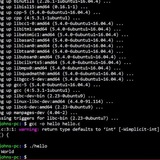
Stop auto execute after exit ^x^e
Hi, \
As noscript, how do I stop Bash from auto executing command after I'm done editing using ^x^e?
https://redd.it/1kph7k1
@r_bash
Hi, \
As noscript, how do I stop Bash from auto executing command after I'm done editing using ^x^e?
https://redd.it/1kph7k1
@r_bash
Reddit
From the bash community on Reddit
Explore this post and more from the bash community
Version managers ARE SLOW
It really is too much. You add one nvm here, another rbenv there and top it of with some zoxide. I had to wait about one second just for my shell to start up! That really is suckless-less.
Well, I thought you could fix that problem by lazy-loading all those init noscripts. But when writing all that directly in bash, it quickly gets kind of bloated and not really easy to maintain. So, I've gotten to write a simple lazy-loader to do all that for you.
With lazysh (very creative name), you can list your init noscripts inside of your bashrc (or your shell's rc-file) with the lazy loader and it figures out which commands a single init command modifies by itself and caches the result such that your shell will start up blazingly fast next time!
You can view the project on Github. After installing, you simply add the following lines to your *rc-file and put in your init commands (replacing
source $(echo '
# Initializing zoxide
eval "$(zoxide init bash)"
# Initializing rbenv
eval "$(rbenv init - bash)"
# ... any other init command
' | lazysh bash)
https://redd.it/1kpmq9g
@r_bash
It really is too much. You add one nvm here, another rbenv there and top it of with some zoxide. I had to wait about one second just for my shell to start up! That really is suckless-less.
Well, I thought you could fix that problem by lazy-loading all those init noscripts. But when writing all that directly in bash, it quickly gets kind of bloated and not really easy to maintain. So, I've gotten to write a simple lazy-loader to do all that for you.
With lazysh (very creative name), you can list your init noscripts inside of your bashrc (or your shell's rc-file) with the lazy loader and it figures out which commands a single init command modifies by itself and caches the result such that your shell will start up blazingly fast next time!
You can view the project on Github. After installing, you simply add the following lines to your *rc-file and put in your init commands (replacing
bash with zsh or fish, respectively):source $(echo '
# Initializing zoxide
eval "$(zoxide init bash)"
# Initializing rbenv
eval "$(rbenv init - bash)"
# ... any other init command
' | lazysh bash)
https://redd.it/1kpmq9g
@r_bash
GitHub
GitHub - theaino/lazysh: Lazy-loading commands to speed up shell startup times
Lazy-loading commands to speed up shell startup times - theaino/lazysh
Check if gzipped file is valid (fast).
I have a tgz, and I want to be sure that the download was not cut.
I could run
For the current use case, t would be enough to somehow check the final bytes. Afaik gzipped files have a some special bytes at the end.
How would you do that?
https://redd.it/1kqbdib
@r_bash
I have a tgz, and I want to be sure that the download was not cut.
I could run
tar -tzf foo.tgz >/dev/null. But this takes 30 seconds.For the current use case, t would be enough to somehow check the final bytes. Afaik gzipped files have a some special bytes at the end.
How would you do that?
https://redd.it/1kqbdib
@r_bash
Reddit
From the bash community on Reddit
Explore this post and more from the bash community
Bash Shell Scripting and Automated Backups with Cron: Your Comprehensive Guide
I just published a comprehensive guide on Medium that walks through bash shell noscripting fundamentals and how to set up automated backups using cron jobs.
If you have any questions or suggestions for improvements, I'd love to hear your feedback!
PS: This is my first time writing an article
Link: https://medium.com/@sharmamanav34568/bash-shell-noscripting-and-automated-backups-with-cron-your-comprehensive-guide-3435a3409e16
https://redd.it/1kqihm6
@r_bash
I just published a comprehensive guide on Medium that walks through bash shell noscripting fundamentals and how to set up automated backups using cron jobs.
If you have any questions or suggestions for improvements, I'd love to hear your feedback!
PS: This is my first time writing an article
Link: https://medium.com/@sharmamanav34568/bash-shell-noscripting-and-automated-backups-with-cron-your-comprehensive-guide-3435a3409e16
https://redd.it/1kqihm6
@r_bash
Medium
Bash Shell Scripting and Automated Backups with Cron: Your Comprehensive Guide
Creating a simple backup noscript.
is there any naming convention for functions in bash noscripting?
Hello friends, I'm a c programmer who every once in a while makes little bash noscripts to automatize process.
right now I'm making a noscript a bit more complex than usual and I'm using functions for the first time in quite a while. I think it's the first time I use them since I started learning c, so it does bother me a bit to find that the parenthesis are used to define the function and not to call it and that to call a function you just have to write the name.
I have the impression that when reading a code I might have a difficult time remembering that the line that only has "get_path" is a call to the get_path function since I'm used to using get_path() to call said function. So my question is, is there any kind of naming convention for functions in bash noscripting? maybe something like ft_get_path ?
https://redd.it/1kqnyw5
@r_bash
Hello friends, I'm a c programmer who every once in a while makes little bash noscripts to automatize process.
right now I'm making a noscript a bit more complex than usual and I'm using functions for the first time in quite a while. I think it's the first time I use them since I started learning c, so it does bother me a bit to find that the parenthesis are used to define the function and not to call it and that to call a function you just have to write the name.
I have the impression that when reading a code I might have a difficult time remembering that the line that only has "get_path" is a call to the get_path function since I'm used to using get_path() to call said function. So my question is, is there any kind of naming convention for functions in bash noscripting? maybe something like ft_get_path ?
https://redd.it/1kqnyw5
@r_bash
Reddit
From the bash community on Reddit
Explore this post and more from the bash community
Minimal Bash noscript to convert media files using yt-dlp + ffmpeg
Hey folks!!, I just wrote my first Bash noscript and packaged it into a tool called `m2m`.
It's a simple command-line utility that uses yt-dlp and ffmpeg to download and convert videos.
GitHub repo: https://github.com/Saffron-sh/m2m
It's very minimal, but I’m open to feedback, improvements, and general bash advice. Cheers!
https://redd.it/1kpjxq4
@r_bash
Hey folks!!, I just wrote my first Bash noscript and packaged it into a tool called `m2m`.
It's a simple command-line utility that uses yt-dlp and ffmpeg to download and convert videos.
GitHub repo: https://github.com/Saffron-sh/m2m
It's very minimal, but I’m open to feedback, improvements, and general bash advice. Cheers!
https://redd.it/1kpjxq4
@r_bash
GitHub
GitHub - Saffron-sh/m2m: A minimal bash tool to convert video files to any other supported media files using yt-dlp and ffmpeg.
A minimal bash tool to convert video files to any other supported media files using yt-dlp and ffmpeg. - Saffron-sh/m2m
Any tips for a new bash enthusiast_?
Never will I ever use vim for text editing again 🥴.
Nano is my favorite for now, until I become a "pro" in bash noscripting 😁.
I heard this is the place to be to get proper help with bash, anyone here have time to teach me a bit more about it please.
https://redd.it/1kqqlbj
@r_bash
Never will I ever use vim for text editing again 🥴.
Nano is my favorite for now, until I become a "pro" in bash noscripting 😁.
I heard this is the place to be to get proper help with bash, anyone here have time to teach me a bit more about it please.
https://redd.it/1kqqlbj
@r_bash
Reddit
From the bash community on Reddit
Explore this post and more from the bash community
Do you actually use getopts in your noscripts?
I always see
https://redd.it/1ksm8f2
@r_bash
I always see
getopts in discussions, but in real life most noscripts that I come across are just parsing $@ manually. Curious if anyone actually uses it regularly, or if it's more of a 'looks good in theory' kind of thing.https://redd.it/1ksm8f2
@r_bash
Reddit
From the bash community on Reddit
Explore this post and more from the bash community
Run non bash command from noscript
Hello,
Newbie here, who started bash noscripting. I am trying to call cowsay from a noscript I am working on. It's just a basic noscript which reads input from a user and spits it out with cowsay. However the fails at the cowsay line with error command not found. Cowsay has been added to path as I am able to call it from anywhere in the terminal without issues. How do I get it to run from the noscript?
Thanks.
https://redd.it/1kt0mq1
@r_bash
Hello,
Newbie here, who started bash noscripting. I am trying to call cowsay from a noscript I am working on. It's just a basic noscript which reads input from a user and spits it out with cowsay. However the fails at the cowsay line with error command not found. Cowsay has been added to path as I am able to call it from anywhere in the terminal without issues. How do I get it to run from the noscript?
Thanks.
https://redd.it/1kt0mq1
@r_bash
Reddit
From the bash community on Reddit
Explore this post and more from the bash community
Help parsing a string in Bash
Hi,
I was hopign that i could get some help on how to parse a string in bash.
I woudl like to take an input string and parse it to two different variables. The first variable is TITLE and the second is TAGS.
The properties of TITLE is that it will always appear before tags and can be made of multiple words. The properties of the TAGS is that they may
For example the most complext input string that I can imagine would be somethign like the following
This is the noscript of the input string +These +are +the +tags
The above input string needs to be parsed into the following two variables
TITLE="This is the noscript of the input string"
TAGS="These are the tags"
Can anyone help?
Thanks
https://redd.it/1kt449m
@r_bash
Hi,
I was hopign that i could get some help on how to parse a string in bash.
I woudl like to take an input string and parse it to two different variables. The first variable is TITLE and the second is TAGS.
The properties of TITLE is that it will always appear before tags and can be made of multiple words. The properties of the TAGS is that they may
For example the most complext input string that I can imagine would be somethign like the following
This is the noscript of the input string +These +are +the +tags
The above input string needs to be parsed into the following two variables
TITLE="This is the noscript of the input string"
TAGS="These are the tags"
Can anyone help?
Thanks
https://redd.it/1kt449m
@r_bash
Reddit
From the bash community on Reddit
Explore this post and more from the bash community
need for speed
hello everyone,
let me start by saying that I'm not a coder
I wrote the following fetch noscript with scroll effect just for fun:
>https://codeberg.org/ldm/scr0ll
I also published it on r/unixporn, but I received some comments complaining about the speed...
is this problem due to a badly written noscript? or is bash slow? can the noscript be further optimized?
https://redd.it/1ktghg0
@r_bash
hello everyone,
let me start by saying that I'm not a coder
I wrote the following fetch noscript with scroll effect just for fun:
>https://codeberg.org/ldm/scr0ll
I also published it on r/unixporn, but I received some comments complaining about the speed...
is this problem due to a badly written noscript? or is bash slow? can the noscript be further optimized?
https://redd.it/1ktghg0
@r_bash
Codeberg.org
scr0ll
Exit Code for CLI Applications
I've been doing a lot of devops and bash lately, and I'm dissatisfied with the lack of standards around exit codes. Yes, there are some sensible standards such as exit codes over 68 and 126 mapping to signal and OS related failures, but what about custom exit codes?
Obviously 0 is everything went well, but how do you handle cases where the noscript ran as predicted (without crashing) but a distinct/warning-like outcome took place, and an exit code should inform the user on the kind of error that came accross.
I say this because 1 is the catch-all "something went wrong", but at the same time that means your successful but noteworthy exit codes are separated from 0 since you set them to 2,3,4...
Is there some solution I'm missing? I'm starting to settle towards:
0 - success
1 - catchall error
2-67 - custom output state, successful execution but important enough that automated noscripts will want to know about it.
Take
https://redd.it/1kt9n4c
@r_bash
I've been doing a lot of devops and bash lately, and I'm dissatisfied with the lack of standards around exit codes. Yes, there are some sensible standards such as exit codes over 68 and 126 mapping to signal and OS related failures, but what about custom exit codes?
Obviously 0 is everything went well, but how do you handle cases where the noscript ran as predicted (without crashing) but a distinct/warning-like outcome took place, and an exit code should inform the user on the kind of error that came accross.
I say this because 1 is the catch-all "something went wrong", but at the same time that means your successful but noteworthy exit codes are separated from 0 since you set them to 2,3,4...
Is there some solution I'm missing? I'm starting to settle towards:
0 - success
1 - catchall error
2-67 - custom output state, successful execution but important enough that automated noscripts will want to know about it.
Take
diff for example: 0 means inputs are the same, 1 if different, 2 if trouble. Well for most other programs, 1 means they shit the bed. So I'm a little confused.https://redd.it/1kt9n4c
@r_bash
Reddit
From the bash community on Reddit
Explore this post and more from the bash community
Command to var
Maybe I'm just overly tired.... and the fact that I can't seem to type the right search query so I'm getting nothing.
Suppose I have a stupid long command
and this command will basically replace the base git command in my noscript. I want to be able to assign that long command and be able to call it.
I'll try to provide an example.
For some reason, I can't get it to work.
I also tried it as a function, but when I run it, all I get is the git --help menu
https://redd.it/1ktrn4g
@r_bash
Maybe I'm just overly tired.... and the fact that I can't seem to type the right search query so I'm getting nothing.
Suppose I have a stupid long command
git --work-tree=/path/to/work/tree --git-dir=/path/folder
and this command will basically replace the base git command in my noscript. I want to be able to assign that long command and be able to call it.
I'll try to provide an example.
MY_COMMAND=`git --work-tree=/path/to/work/tree --git-dir=/path/folder`

MY_COMMAND commit -m "new commit"
MY_COMMAND push
For some reason, I can't get it to work.
I also tried it as a function, but when I run it, all I get is the git --help menu
my_command() {
    git --work-tree=/path/to/work/tree --git-dir=/path/folder
}

my_command commit -m "new commit"
https://redd.it/1ktrn4g
@r_bash
Reddit
From the bash community on Reddit
Explore this post and more from the bash community
Check out my custom utility noscripts library
I've made a modular repogh-tsilvs-bashlib of utility function noscripts for bash.
Some of it may be useful for:
- Active Podman users
- Frequent Bash users
- Users daily driving Fedora Silverblue
- Developers versioning their code with Git
- ADB users
- And many more!
Would appreciate your feeedback.
gh-tsilvs-bashlib: https://github.com/tsilvs/bashlib
https://redd.it/1ktv7b7
@r_bash
I've made a modular repogh-tsilvs-bashlib of utility function noscripts for bash.
Some of it may be useful for:
- Active Podman users
- Frequent Bash users
- Users daily driving Fedora Silverblue
- Developers versioning their code with Git
- ADB users
- And many more!
Would appreciate your feeedback.
gh-tsilvs-bashlib: https://github.com/tsilvs/bashlib
https://redd.it/1ktv7b7
@r_bash
GitHub
GitHub - tsilvs/bash_utils: My Bash utilities library
My Bash utilities library. Contribute to tsilvs/bash_utils development by creating an account on GitHub.
I need help to be able to capture when Caps Lock is on or off
A while back, I saw a video where they were trying to give Caps Lock more uses, and today it occurred to me that maybe I could open the rofi using `super + Caps_Lock`. I wrote the following quick bash noscript to test my idea, and if I run it from the terminal, it correctly notifies me when it's enabled and when it's not.
```bash
#!/bin/bash
function main() {
(
export DISPLAY=${DISPLAY:-:0}
state=$(xset q | grep "Caps Lock:" | awk '{print $4}')
if [[ "$state" == "on" ]]; then
notify-send "Caps Lock activated"
else
notify-send "Caps Lock deactivated"
fi
)
}
main $@
```
So I added the following rule to my sxhkd configuration to run it:
```bash
super + Caps_Lock
sh ~/Workspace/Playground/caps-lock.sh
```
But when I press super + Caps_Lock, it only takes me to the case where it's enabled, and no key combination takes me to the other case. Do you have any idea what it could be or how I can fix this?
https://redd.it/1kty42l
@r_bash
A while back, I saw a video where they were trying to give Caps Lock more uses, and today it occurred to me that maybe I could open the rofi using `super + Caps_Lock`. I wrote the following quick bash noscript to test my idea, and if I run it from the terminal, it correctly notifies me when it's enabled and when it's not.
```bash
#!/bin/bash
function main() {
(
export DISPLAY=${DISPLAY:-:0}
state=$(xset q | grep "Caps Lock:" | awk '{print $4}')
if [[ "$state" == "on" ]]; then
notify-send "Caps Lock activated"
else
notify-send "Caps Lock deactivated"
fi
)
}
main $@
```
So I added the following rule to my sxhkd configuration to run it:
```bash
super + Caps_Lock
sh ~/Workspace/Playground/caps-lock.sh
```
But when I press super + Caps_Lock, it only takes me to the case where it's enabled, and no key combination takes me to the other case. Do you have any idea what it could be or how I can fix this?
https://redd.it/1kty42l
@r_bash
Reddit
From the bash community on Reddit
Explore this post and more from the bash community
Using tree to ignore a folder
I need to use tree to list all files in a folder and sub-folders and write them to a txt file, but to ignore one specific folder, "Document Scans".
ie. scan all in /media/me/Documents/ but ignore the folder /media/me/Documents/Document Scans/
I have been using the command as below, however it does not exclude the Document Scan Folder. I'm not sure why.
Where am I going wrong?
https://redd.it/1ku6fze
@r_bash
I need to use tree to list all files in a folder and sub-folders and write them to a txt file, but to ignore one specific folder, "Document Scans".
ie. scan all in /media/me/Documents/ but ignore the folder /media/me/Documents/Document Scans/
I have been using the command as below, however it does not exclude the Document Scan Folder. I'm not sure why.
tree -sh /media/me/Documents/* -I /media/me/Documents/Document\ Scans/ > /home/me/TreeList.txtWhere am I going wrong?
https://redd.it/1ku6fze
@r_bash
Reddit
From the bash community on Reddit
Explore this post and more from the bash community
2D Array?
I am trying to make a 2D array in a .sh file to run with bash, the array is defined below:
array=( \
(25 "test1") \
(110 "test2") \
(143 "test3") \
(465 "test4") \
(587 "test5") \
(993 "test6") \
)
I have tried with and without the
file.sh: line 4: syntax error near unexpected token
file.sh: line 6: syntax error near unexpected token
Is there anything blatantly wrong that I'm just not seeing?
https://redd.it/1ku8v3u
@r_bash
I am trying to make a 2D array in a .sh file to run with bash, the array is defined below:
array=( \
(25 "test1") \
(110 "test2") \
(143 "test3") \
(465 "test4") \
(587 "test5") \
(993 "test6") \
)
I have tried with and without the
\ and each time receive the following error: file.sh: line 4: syntax error near unexpected token
('
    file.sh: line 4:
(25 "test1") \'file.sh: line 6: syntax error near unexpected token
('
    file.sh: line 6:
(143 "test3") \'Is there anything blatantly wrong that I'm just not seeing?
https://redd.it/1ku8v3u
@r_bash
Reddit
From the bash community on Reddit
Explore this post and more from the bash community
A bash implementation of Tabloid
https://github.com/notweerdmonk/tabloid.bash
https://redd.it/1kuhmr7
@r_bash
https://github.com/notweerdmonk/tabloid.bash
https://redd.it/1kuhmr7
@r_bash
GitHub
GitHub - notweerdmonk/tabloid.bash: A bash implementation of Tabloid, the clickbait programming language
A bash implementation of Tabloid, the clickbait programming language - GitHub - notweerdmonk/tabloid.bash: A bash implementation of Tabloid, the clickbait programming language
Can I evaluate variables in a file without using eval?
Hey everyone,
I'm using env vars as bookmarks for folders I use often. I decided I love fzf's UI, so I wanted to pipe the list of env vars into fzf, but when I'm adding them to an assoc array, they show up as simply strings, without being evaluated.
an example:
I did try moving my bookmarks into it's own file, then sourcing the file, suggested by chatgpt. But I couldn't get it to work. I know eval is a thing,
but seems like I'm not supposed to use eval.
I'd appreciate any advice.
https://redd.it/1kul6ee
@r_bash
Hey everyone,
I'm using env vars as bookmarks for folders I use often. I decided I love fzf's UI, so I wanted to pipe the list of env vars into fzf, but when I'm adding them to an assoc array, they show up as simply strings, without being evaluated.
an example:
BOOKS="${HOME}/Documents/Books/"
I did try moving my bookmarks into it's own file, then sourcing the file, suggested by chatgpt. But I couldn't get it to work. I know eval is a thing,
but seems like I'm not supposed to use eval.
I'd appreciate any advice.
https://redd.it/1kul6ee
@r_bash
Reddit
From the bash community on Reddit
Explore this post and more from the bash community
New Resource: Complete Bash Scripting Course with Real-World DevOps Projects
Hey r/bash ! 👋
After months of development, I just launched my comprehensive Bash Scripting for DevOps course on Udemy. As someone who's spent countless hours doing repetitive server tasks manually (we've all been there!), I wanted to create something that actually teaches practical automation skills.
**What makes this different:**
* 6 modules taking you from basic commands to production-ready noscripts
* Real-world DevOps scenarios (not just toy examples)
* Complete project you can download and study
* Focus on maintainable, debuggable code
**You'll learn to build:**
* Dynamic noscripts with parameters
* Intelligent loops for processing at scale
* Conditional logic for decision-making
* Reusable function libraries
* Log parsing and monitoring systems
Perfect if you're tired of running the same commands over and over, or want to level up your automation game. No advanced prerequisites needed - just basic command line familiarity.
The course includes a complete example project and professional debugging techniques I use daily.
**Course link:** [https://www.udemy.com/course/mastering-bash-noscripts/?referralCode=0C6353B2C97D60937925](https://www.udemy.com/course/mastering-bash-noscripts/?referralCode=0C6353B2C97D60937925)
Happy to answer any questions about the content or approach! What's your biggest automation challenge right now?
https://redd.it/1kv28s7
@r_bash
Hey r/bash ! 👋
After months of development, I just launched my comprehensive Bash Scripting for DevOps course on Udemy. As someone who's spent countless hours doing repetitive server tasks manually (we've all been there!), I wanted to create something that actually teaches practical automation skills.
**What makes this different:**
* 6 modules taking you from basic commands to production-ready noscripts
* Real-world DevOps scenarios (not just toy examples)
* Complete project you can download and study
* Focus on maintainable, debuggable code
**You'll learn to build:**
* Dynamic noscripts with parameters
* Intelligent loops for processing at scale
* Conditional logic for decision-making
* Reusable function libraries
* Log parsing and monitoring systems
Perfect if you're tired of running the same commands over and over, or want to level up your automation game. No advanced prerequisites needed - just basic command line familiarity.
The course includes a complete example project and professional debugging techniques I use daily.
**Course link:** [https://www.udemy.com/course/mastering-bash-noscripts/?referralCode=0C6353B2C97D60937925](https://www.udemy.com/course/mastering-bash-noscripts/?referralCode=0C6353B2C97D60937925)
Happy to answer any questions about the content or approach! What's your biggest automation challenge right now?
https://redd.it/1kv28s7
@r_bash
Udemy
Free Bash Shell Tutorial - Automate Linux with Bash: From Zero to DevOps Pro
Zero to automation hero • Master loops, functions & text processing • Build real DevOps projects that impress - Free Course