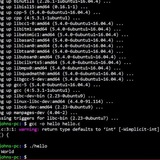
A bash implementation of Tabloid
https://github.com/notweerdmonk/tabloid.bash
https://redd.it/1kuhmr7
@r_bash
https://github.com/notweerdmonk/tabloid.bash
https://redd.it/1kuhmr7
@r_bash
GitHub
GitHub - notweerdmonk/tabloid.bash: A bash implementation of Tabloid, the clickbait programming language
A bash implementation of Tabloid, the clickbait programming language - GitHub - notweerdmonk/tabloid.bash: A bash implementation of Tabloid, the clickbait programming language
Can I evaluate variables in a file without using eval?
Hey everyone,
I'm using env vars as bookmarks for folders I use often. I decided I love fzf's UI, so I wanted to pipe the list of env vars into fzf, but when I'm adding them to an assoc array, they show up as simply strings, without being evaluated.
an example:
I did try moving my bookmarks into it's own file, then sourcing the file, suggested by chatgpt. But I couldn't get it to work. I know eval is a thing,
but seems like I'm not supposed to use eval.
I'd appreciate any advice.
https://redd.it/1kul6ee
@r_bash
Hey everyone,
I'm using env vars as bookmarks for folders I use often. I decided I love fzf's UI, so I wanted to pipe the list of env vars into fzf, but when I'm adding them to an assoc array, they show up as simply strings, without being evaluated.
an example:
BOOKS="${HOME}/Documents/Books/"
I did try moving my bookmarks into it's own file, then sourcing the file, suggested by chatgpt. But I couldn't get it to work. I know eval is a thing,
but seems like I'm not supposed to use eval.
I'd appreciate any advice.
https://redd.it/1kul6ee
@r_bash
Reddit
From the bash community on Reddit
Explore this post and more from the bash community
New Resource: Complete Bash Scripting Course with Real-World DevOps Projects
Hey r/bash ! 👋
After months of development, I just launched my comprehensive Bash Scripting for DevOps course on Udemy. As someone who's spent countless hours doing repetitive server tasks manually (we've all been there!), I wanted to create something that actually teaches practical automation skills.
**What makes this different:**
* 6 modules taking you from basic commands to production-ready noscripts
* Real-world DevOps scenarios (not just toy examples)
* Complete project you can download and study
* Focus on maintainable, debuggable code
**You'll learn to build:**
* Dynamic noscripts with parameters
* Intelligent loops for processing at scale
* Conditional logic for decision-making
* Reusable function libraries
* Log parsing and monitoring systems
Perfect if you're tired of running the same commands over and over, or want to level up your automation game. No advanced prerequisites needed - just basic command line familiarity.
The course includes a complete example project and professional debugging techniques I use daily.
**Course link:** [https://www.udemy.com/course/mastering-bash-noscripts/?referralCode=0C6353B2C97D60937925](https://www.udemy.com/course/mastering-bash-noscripts/?referralCode=0C6353B2C97D60937925)
Happy to answer any questions about the content or approach! What's your biggest automation challenge right now?
https://redd.it/1kv28s7
@r_bash
Hey r/bash ! 👋
After months of development, I just launched my comprehensive Bash Scripting for DevOps course on Udemy. As someone who's spent countless hours doing repetitive server tasks manually (we've all been there!), I wanted to create something that actually teaches practical automation skills.
**What makes this different:**
* 6 modules taking you from basic commands to production-ready noscripts
* Real-world DevOps scenarios (not just toy examples)
* Complete project you can download and study
* Focus on maintainable, debuggable code
**You'll learn to build:**
* Dynamic noscripts with parameters
* Intelligent loops for processing at scale
* Conditional logic for decision-making
* Reusable function libraries
* Log parsing and monitoring systems
Perfect if you're tired of running the same commands over and over, or want to level up your automation game. No advanced prerequisites needed - just basic command line familiarity.
The course includes a complete example project and professional debugging techniques I use daily.
**Course link:** [https://www.udemy.com/course/mastering-bash-noscripts/?referralCode=0C6353B2C97D60937925](https://www.udemy.com/course/mastering-bash-noscripts/?referralCode=0C6353B2C97D60937925)
Happy to answer any questions about the content or approach! What's your biggest automation challenge right now?
https://redd.it/1kv28s7
@r_bash
Udemy
Free Bash Shell Tutorial - Automate Linux with Bash: From Zero to DevOps Pro
Zero to automation hero • Master loops, functions & text processing • Build real DevOps projects that impress - Free Course
Linux Journey is no longer maintained… so I rebuilt it
Hey everyone, Like many of you, I found Linux Journey to be an awesome resource for learning Linux in a fun, approachable way. Unfortunately, it hasn't been actively maintained for a while.
So I decided to rebuild it from scratch and give it a second life. Introducing Linux Path — a modern, refreshed version of Linux Journey with updated content, a cleaner design, and a focus on structured, beginner-friendly learning.
It’s open to everyone, completely free, mobile-friendly, and fully open source. You can check out the code and contribute Here
If you ever found Linux Journey helpful, I’d love for you to take a look, share your thoughts, and maybe even get involved. I'm building this for the community, and your feedback means a lot.
https://redd.it/1ku8adu
@r_bash
Hey everyone, Like many of you, I found Linux Journey to be an awesome resource for learning Linux in a fun, approachable way. Unfortunately, it hasn't been actively maintained for a while.
So I decided to rebuild it from scratch and give it a second life. Introducing Linux Path — a modern, refreshed version of Linux Journey with updated content, a cleaner design, and a focus on structured, beginner-friendly learning.
It’s open to everyone, completely free, mobile-friendly, and fully open source. You can check out the code and contribute Here
If you ever found Linux Journey helpful, I’d love for you to take a look, share your thoughts, and maybe even get involved. I'm building this for the community, and your feedback means a lot.
https://redd.it/1ku8adu
@r_bash
Using history in a noscript
I want to make a simple noscript where history is formated with a date, all of history is redirected into a hist_log.txt file, said file is then greped for the date that was input and the results of the grep are redirected to a date_log.txt file. The issue im facing is when i run to test the noscript history is either ignored or acts like its empty, the needed files are created but since nothing is getting redirected to the first log file theres noting to grep to populate the second file. Using history outside a noscript shows all the entries that should be there.If I manually populate history_log with history > history_log.txt and run the noscript I get the expected results. This is what I'm currently working with
\#!/bin/bash
export HISTTIMEFORMAT='%F %T '
history -a
history -r
history > hist_log.txt
echo Enter a date:
read date
grep "$date" hist_log.txt > "/home/$USER/${date}_log.txt"
echo "Your log is in /home/$USER/${date}_log.txt"
Anyone more experienced that could point me in the right direction to get this to work?
https://redd.it/1kvw09p
@r_bash
I want to make a simple noscript where history is formated with a date, all of history is redirected into a hist_log.txt file, said file is then greped for the date that was input and the results of the grep are redirected to a date_log.txt file. The issue im facing is when i run to test the noscript history is either ignored or acts like its empty, the needed files are created but since nothing is getting redirected to the first log file theres noting to grep to populate the second file. Using history outside a noscript shows all the entries that should be there.If I manually populate history_log with history > history_log.txt and run the noscript I get the expected results. This is what I'm currently working with
\#!/bin/bash
export HISTTIMEFORMAT='%F %T '
history -a
history -r
history > hist_log.txt
echo Enter a date:
read date
grep "$date" hist_log.txt > "/home/$USER/${date}_log.txt"
echo "Your log is in /home/$USER/${date}_log.txt"
Anyone more experienced that could point me in the right direction to get this to work?
https://redd.it/1kvw09p
@r_bash
Reddit
From the bash community on Reddit
Explore this post and more from the bash community
Conflict between ble.sh and starship prompt causing doubling of prompt on terminal startup
https://redd.it/1kwbwmf
@r_bash
https://redd.it/1kwbwmf
@r_bash
Unable to add a function to bashrc due to syntax issues
here is what I'm trying to add to my bashrc:
ls () {
if [ "$*" == *"--no-details"* ]; then
local args=("${@/--no-details/}")
eza -l --no-permissions --no-filesize --no-user --no-time "${args@}"
else
eza -l "$@"
fi
}
when I save the file and source it, i get this error:
bash: /home/vrin/.bashrc: line 19: syntax error near unexpected token
any idea why this happens? all functions I've seen online use the same syntax (eg, function name, space, brackets, space, braces). any tips are appreciated, tia!
https://redd.it/1kwfyzw
@r_bash
here is what I'm trying to add to my bashrc:
ls () {
if [ "$*" == *"--no-details"* ]; then
local args=("${@/--no-details/}")
eza -l --no-permissions --no-filesize --no-user --no-time "${args@}"
else
eza -l "$@"
fi
}
when I save the file and source it, i get this error:
bash: /home/vrin/.bashrc: line 19: syntax error near unexpected token
('
    bash: /home/vrin/.bashrc: line 19:
ls () {'any idea why this happens? all functions I've seen online use the same syntax (eg, function name, space, brackets, space, braces). any tips are appreciated, tia!
https://redd.it/1kwfyzw
@r_bash
Reddit
From the bash community on Reddit
Explore this post and more from the bash community
How I Made Stow Easy
I used git bare to manage my dotfiles and wanted to also try out gnu stow as per recommendations online.
Every time I use it I have to relearn it and manually move files which I hate so I made a bash noscript to make things easier.
I tried to make the noscript readable (with comments explaining some parts), added checks along the way to prevent unintended behavior and ran
Here's the repo link
Feel free to create an issue if you find something wrong with the noscript :)
https://redd.it/1kwiho9
@r_bash
I used git bare to manage my dotfiles and wanted to also try out gnu stow as per recommendations online.
Every time I use it I have to relearn it and manually move files which I hate so I made a bash noscript to make things easier.
I tried to make the noscript readable (with comments explaining some parts), added checks along the way to prevent unintended behavior and ran
shellcheck against it to fix some errors (It still tells me to change some parts but I'm comfortable with how it is rn)Here's the repo link
Feel free to create an issue if you find something wrong with the noscript :)
https://redd.it/1kwiho9
@r_bash
GitHub
GitHub - skynetcat/udots: Easily Stow Your Dotfiles
Easily Stow Your Dotfiles. Contribute to skynetcat/udots development by creating an account on GitHub.
can't create function in bashrc
here is what I'm trying to add to my bashrc:
ls () {
if [ "$*" == *"--no-details"* ]; then
local args=("${@/--no-details/}")
eza -l --no-permissions --no-filesize --no-user --no-time "${args@}"
else
eza -l "$@"
fi
}
when I save the file and source it, i get this error:
bash: /home/vrin/.bashrc: line 19: syntax error near unexpected token
any idea why this happens? all functions I've seen online use the same syntax (eg, function name, space, brackets, space, braces). what could be wrong. here's the complese bashrc for reference https://pastebin.com/9ejjs3BK
https://redd.it/1kwfto2
@r_bash
here is what I'm trying to add to my bashrc:
ls () {
if [ "$*" == *"--no-details"* ]; then
local args=("${@/--no-details/}")
eza -l --no-permissions --no-filesize --no-user --no-time "${args@}"
else
eza -l "$@"
fi
}
when I save the file and source it, i get this error:
bash: /home/vrin/.bashrc: line 19: syntax error near unexpected token
('
    bash: /home/vrin/.bashrc: line 19:
ls () {'any idea why this happens? all functions I've seen online use the same syntax (eg, function name, space, brackets, space, braces). what could be wrong. here's the complese bashrc for reference https://pastebin.com/9ejjs3BK
https://redd.it/1kwfto2
@r_bash
Pastebin
## ~/.bashrc## If not running interactively, don't do anything[[ $- != - Pastebin.com
Pastebin.com is the number one paste tool since 2002. Pastebin is a website where you can store text online for a set period of time.
Manual argument parsing: need a good template
Looking for a good general-purpose manual argument parsing implementation. If I only need short-style options, I would probably stick to to `getopts` but sometimes it's useful to long-style options because they are easier to remember. I came across the following ([source](https://medium.com/@Drew_Stokes/bash-argument-parsing-54f3b81a6a8f)) (I would probably drop short-style support here unless it's trivial to add it because e.g. `-ab` for `-a -b` is not supported so it's not intuitive to not support short-style options fully):
#!/bin/bash
PARAMS=""
while (( "$#" )); do
case "$1" in
-a|--my-boolean-flag)
MY_FLAG=0
shift
;;
-b|--my-flag-with-argument)
if [ -n "$2" ] && [ ${2:0:1} != "-" ]; then
MY_FLAG_ARG=$2
shift 2
else
echo "Error: Argument for $1 is missing" >&2
exit 1
fi
;;
-*|--*=) # unsupported flags
echo "Error: Unsupported flag $1" >&2
exit 1
;;
*) # preserve positional arguments
PARAMS="$PARAMS $1"
shift
;;
esac
done
# set positional arguments in their proper place
eval set -- "$PARAMS"
Can this be be improved? I don't understand why `eval` is necessary and an array feels more appropriate than concatenating `PARAMS` variable (I don't think the intention was to be POSIX-compliant anyway with `(( "$#" ))`. Is it relatively foolproof? I don't necessarily want a to use a non-standard library that implements this, so perhaps this is a good balance between simplicity (easy to understand) and provides the necessary useful features.
Sometimes my positional arguments involve filenames so it can technically start with a `-` (dash)--I'm not sure if that should be handled even though I stick to standard filenames (like those without newlines, etc.).
P.S. I believe one can hack `getopts` to support long-style options but I'm not sure if the added complexity is worth it over the seemingly more straightforward manual-parsing for long-style options like above.
https://redd.it/1kwez5l
@r_bash
Looking for a good general-purpose manual argument parsing implementation. If I only need short-style options, I would probably stick to to `getopts` but sometimes it's useful to long-style options because they are easier to remember. I came across the following ([source](https://medium.com/@Drew_Stokes/bash-argument-parsing-54f3b81a6a8f)) (I would probably drop short-style support here unless it's trivial to add it because e.g. `-ab` for `-a -b` is not supported so it's not intuitive to not support short-style options fully):
#!/bin/bash
PARAMS=""
while (( "$#" )); do
case "$1" in
-a|--my-boolean-flag)
MY_FLAG=0
shift
;;
-b|--my-flag-with-argument)
if [ -n "$2" ] && [ ${2:0:1} != "-" ]; then
MY_FLAG_ARG=$2
shift 2
else
echo "Error: Argument for $1 is missing" >&2
exit 1
fi
;;
-*|--*=) # unsupported flags
echo "Error: Unsupported flag $1" >&2
exit 1
;;
*) # preserve positional arguments
PARAMS="$PARAMS $1"
shift
;;
esac
done
# set positional arguments in their proper place
eval set -- "$PARAMS"
Can this be be improved? I don't understand why `eval` is necessary and an array feels more appropriate than concatenating `PARAMS` variable (I don't think the intention was to be POSIX-compliant anyway with `(( "$#" ))`. Is it relatively foolproof? I don't necessarily want a to use a non-standard library that implements this, so perhaps this is a good balance between simplicity (easy to understand) and provides the necessary useful features.
Sometimes my positional arguments involve filenames so it can technically start with a `-` (dash)--I'm not sure if that should be handled even though I stick to standard filenames (like those without newlines, etc.).
P.S. I believe one can hack `getopts` to support long-style options but I'm not sure if the added complexity is worth it over the seemingly more straightforward manual-parsing for long-style options like above.
https://redd.it/1kwez5l
@r_bash
Medium
Bash: Argument Parsing
One parser to rule them all
line 20: : no: integer expression expected
this happend when i enter "no"
this is my code, iam just trying to learn bash
https://preview.redd.it/io6jrw1kqc3f1.png?width=1033&format=png&auto=webp&s=05a622c6d70b1a88e7fe47ce3204fe58fb17a74f
[https://redd.it/1kwrugw
@r_bash
this happend when i enter "no"
this is my code, iam just trying to learn bash
https://preview.redd.it/io6jrw1kqc3f1.png?width=1033&format=png&auto=webp&s=05a622c6d70b1a88e7fe47ce3204fe58fb17a74f
[https://redd.it/1kwrugw
@r_bash
Reddit
From the bash community on Reddit
Explore this post and more from the bash community
Stop Writing Slow Bash Scripts: Performance Optimization Techniques That Actually Work
After optimizing hundreds of production Bash noscripts, I've discovered that most "slow" noscripts aren't inherently slow—they're just poorly optimized.
The difference between a noscript that takes 30 seconds and one that takes 3 minutes often comes down to a few key optimization techniques. Here's how to write Bash noscripts that perform like they should.
# 🚀 The Performance Mindset: Think Before You Code
Bash performance optimization is about **reducing system calls**, **minimizing subprocess creation**, and **leveraging built-in capabilities**.
**The golden rule:** Every time you call an external command, you're creating overhead. The goal is to do more work with fewer external calls.
# ⚡ 1. Built-in String Operations vs External Commands
**Slow Approach:**
# Don't do this - calls external commands repeatedly
for file in *.txt; do
basename=$(basename "$file" .txt)
dirname=$(dirname "$file")
extension=$(echo "$file" | cut -d. -f2)
done
**Fast Approach:**
# Use parameter expansion instead
for file in *.txt; do
basename="${file##*/}" # Remove path
basename="${basename%.*}" # Remove extension
dirname="${file%/*}" # Extract directory
extension="${file##*.}" # Extract extension
done
**Performance impact:** Up to 10x faster for large file lists.
# 🔄 2. Efficient Array Processing
**Slow Approach:**
# Inefficient - recreates array each time
users=()
while IFS= read -r user; do
users=("${users[@]}" "$user") # This gets slower with each iteration
done < users.txt
**Fast Approach:**
# Efficient - use mapfile for bulk operations
mapfile -t users < users.txt
# Or for processing while reading
while IFS= read -r user; do
users+=("$user") # Much faster than recreating array
done < users.txt
**Why it's faster:** `+=` appends efficiently, while `("${users[@]}" "$user")` recreates the entire array.
# 📁 3. Smart File Processing Patterns
**Slow Approach:**
# Reading file multiple times
line_count=$(wc -l < large_file.txt)
word_count=$(wc -w < large_file.txt)
char_count=$(wc -c < large_file.txt)
**Fast Approach:**
# Single pass through file
read_stats() {
local file="$1"
local lines=0 words=0 chars=0
while IFS= read -r line; do
((lines++))
words+=$(echo "$line" | wc -w)
chars+=${#line}
done < "$file"
echo "Lines: $lines, Words: $words, Characters: $chars"
}
**Even Better - Use Built-in When Possible:**
# Let the system do what it's optimized for
stats=$(wc -lwc < large_file.txt)
echo "Stats: $stats"
# 🎯 4. Conditional Logic Optimization
**Slow Approach:**
# Multiple separate checks
if [[ -f "$file" ]]; then
if [[ -r "$file" ]]; then
if [[ -s "$file" ]]; then
process_file "$file"
fi
fi
fi
**Fast Approach:**
# Combined conditions
if [[ -f "$file" && -r "$file" && -s "$file" ]]; then
process_file "$file"
fi
# Or use short-circuit logic
[[ -f "$file" && -r "$file" && -s "$file" ]] && process_file "$file"
# 🔍 5. Pattern Matching Performance
**Slow Approach:**
# External grep for simple patterns
if echo "$string" | grep -q "pattern"; then
echo "Found pattern"
fi
**Fast Approach:**
# Built-in pattern matching
if [[ "$string" == *"pattern"* ]]; then
echo "Found pattern"
fi
# Or regex matching
if [[ "$string" =~ pattern ]]; then
echo "Found pattern"
fi
**Performance comparison:** Built-in matching is 5-20x faster than external grep for simple patterns.
# 🏃 6. Loop Optimization Strategies
**Slow Approach:**
# Inefficient command substitution in loop
for i in {1..1000}; do
timestamp=$(date +%s)
echo "Processing
After optimizing hundreds of production Bash noscripts, I've discovered that most "slow" noscripts aren't inherently slow—they're just poorly optimized.
The difference between a noscript that takes 30 seconds and one that takes 3 minutes often comes down to a few key optimization techniques. Here's how to write Bash noscripts that perform like they should.
# 🚀 The Performance Mindset: Think Before You Code
Bash performance optimization is about **reducing system calls**, **minimizing subprocess creation**, and **leveraging built-in capabilities**.
**The golden rule:** Every time you call an external command, you're creating overhead. The goal is to do more work with fewer external calls.
# ⚡ 1. Built-in String Operations vs External Commands
**Slow Approach:**
# Don't do this - calls external commands repeatedly
for file in *.txt; do
basename=$(basename "$file" .txt)
dirname=$(dirname "$file")
extension=$(echo "$file" | cut -d. -f2)
done
**Fast Approach:**
# Use parameter expansion instead
for file in *.txt; do
basename="${file##*/}" # Remove path
basename="${basename%.*}" # Remove extension
dirname="${file%/*}" # Extract directory
extension="${file##*.}" # Extract extension
done
**Performance impact:** Up to 10x faster for large file lists.
# 🔄 2. Efficient Array Processing
**Slow Approach:**
# Inefficient - recreates array each time
users=()
while IFS= read -r user; do
users=("${users[@]}" "$user") # This gets slower with each iteration
done < users.txt
**Fast Approach:**
# Efficient - use mapfile for bulk operations
mapfile -t users < users.txt
# Or for processing while reading
while IFS= read -r user; do
users+=("$user") # Much faster than recreating array
done < users.txt
**Why it's faster:** `+=` appends efficiently, while `("${users[@]}" "$user")` recreates the entire array.
# 📁 3. Smart File Processing Patterns
**Slow Approach:**
# Reading file multiple times
line_count=$(wc -l < large_file.txt)
word_count=$(wc -w < large_file.txt)
char_count=$(wc -c < large_file.txt)
**Fast Approach:**
# Single pass through file
read_stats() {
local file="$1"
local lines=0 words=0 chars=0
while IFS= read -r line; do
((lines++))
words+=$(echo "$line" | wc -w)
chars+=${#line}
done < "$file"
echo "Lines: $lines, Words: $words, Characters: $chars"
}
**Even Better - Use Built-in When Possible:**
# Let the system do what it's optimized for
stats=$(wc -lwc < large_file.txt)
echo "Stats: $stats"
# 🎯 4. Conditional Logic Optimization
**Slow Approach:**
# Multiple separate checks
if [[ -f "$file" ]]; then
if [[ -r "$file" ]]; then
if [[ -s "$file" ]]; then
process_file "$file"
fi
fi
fi
**Fast Approach:**
# Combined conditions
if [[ -f "$file" && -r "$file" && -s "$file" ]]; then
process_file "$file"
fi
# Or use short-circuit logic
[[ -f "$file" && -r "$file" && -s "$file" ]] && process_file "$file"
# 🔍 5. Pattern Matching Performance
**Slow Approach:**
# External grep for simple patterns
if echo "$string" | grep -q "pattern"; then
echo "Found pattern"
fi
**Fast Approach:**
# Built-in pattern matching
if [[ "$string" == *"pattern"* ]]; then
echo "Found pattern"
fi
# Or regex matching
if [[ "$string" =~ pattern ]]; then
echo "Found pattern"
fi
**Performance comparison:** Built-in matching is 5-20x faster than external grep for simple patterns.
# 🏃 6. Loop Optimization Strategies
**Slow Approach:**
# Inefficient command substitution in loop
for i in {1..1000}; do
timestamp=$(date +%s)
echo "Processing
item $i at $timestamp"
done
**Fast Approach:**
# Move expensive operations outside loop when possible
start_time=$(date +%s)
for i in {1..1000}; do
echo "Processing item $i at $start_time"
done
# Or batch operations
{
for i in {1..1000}; do
echo "Processing item $i"
done
} | while IFS= read -r line; do
echo "$line at $(date +%s)"
done
# 💾 7. Memory-Efficient Data Processing
**Slow Approach:**
# Loading entire file into memory
data=$(cat huge_file.txt)
process_data "$data"
**Fast Approach:**
# Stream processing
process_file_stream() {
local file="$1"
while IFS= read -r line; do
# Process line by line
process_line "$line"
done < "$file"
}
**For Large Data Sets:**
# Use temporary files for intermediate processing
mktemp_cleanup() {
local temp_files=("$@")
rm -f "${temp_files[@]}"
}
process_large_dataset() {
local input_file="$1"
local temp1 temp2
temp1=$(mktemp)
temp2=$(mktemp)
# Clean up automatically
trap "mktemp_cleanup '$temp1' '$temp2'" EXIT
# Multi-stage processing with temporary files
grep "pattern1" "$input_file" > "$temp1"
sort "$temp1" > "$temp2"
uniq "$temp2"
}
# 🚀 8. Parallel Processing Done Right
**Basic Parallel Pattern:**
# Process multiple items in parallel
parallel_process() {
local items=("$@")
local max_jobs=4
local running_jobs=0
local pids=()
for item in "${items[@]}"; do
# Launch background job
process_item "$item" &
pids+=($!)
((running_jobs++))
# Wait if we hit max concurrent jobs
if ((running_jobs >= max_jobs)); then
wait "${pids[0]}"
pids=("${pids[@]:1}") # Remove first PID
((running_jobs--))
fi
done
# Wait for remaining jobs
for pid in "${pids[@]}"; do
wait "$pid"
done
}
**Advanced: Job Queue Pattern:**
# Create a job queue for better control
create_job_queue() {
local queue_file
queue_file=$(mktemp)
echo "$queue_file"
}
add_job() {
local queue_file="$1"
local job_command="$2"
echo "$job_command" >> "$queue_file"
}
process_queue() {
local queue_file="$1"
local max_parallel="${2:-4}"
# Use xargs for controlled parallel execution
cat "$queue_file" | xargs -n1 -P"$max_parallel" -I{} bash -c '{}'
rm -f "$queue_file"
}
# 📊 9. Performance Monitoring and Profiling
**Built-in Timing:**
# Time specific operations
time_operation() {
local operation_name="$1"
shift
local start_time
start_time=$(date +%s.%N)
"$@" # Execute the operation
local end_time
end_time=$(date +%s.%N)
local duration
duration=$(echo "$end_time - $start_time" | bc)
echo "Operation '$operation_name' took ${duration}s" >&2
}
# Usage
time_operation "file_processing" process_large_file data.txt
**Resource Usage Monitoring:**
# Monitor noscript resource usage
monitor_resources() {
local noscript_name="$1"
shift
# Start monitoring in background
{
while kill -0 $$ 2>/dev/null; do
ps -o pid,pcpu,pmem,etime -p $$
sleep 5
done
} > "${noscript_name}_resources.log" &
local monitor_pid=$!
# Run the actual noscript
"$@"
# Stop monitoring
kill "$monitor_pid" 2>/dev/null || true
}
# 🔧 10. Real-World Optimization Example
Here's a complete example showing before/after optimization:
**Before (Slow
done
**Fast Approach:**
# Move expensive operations outside loop when possible
start_time=$(date +%s)
for i in {1..1000}; do
echo "Processing item $i at $start_time"
done
# Or batch operations
{
for i in {1..1000}; do
echo "Processing item $i"
done
} | while IFS= read -r line; do
echo "$line at $(date +%s)"
done
# 💾 7. Memory-Efficient Data Processing
**Slow Approach:**
# Loading entire file into memory
data=$(cat huge_file.txt)
process_data "$data"
**Fast Approach:**
# Stream processing
process_file_stream() {
local file="$1"
while IFS= read -r line; do
# Process line by line
process_line "$line"
done < "$file"
}
**For Large Data Sets:**
# Use temporary files for intermediate processing
mktemp_cleanup() {
local temp_files=("$@")
rm -f "${temp_files[@]}"
}
process_large_dataset() {
local input_file="$1"
local temp1 temp2
temp1=$(mktemp)
temp2=$(mktemp)
# Clean up automatically
trap "mktemp_cleanup '$temp1' '$temp2'" EXIT
# Multi-stage processing with temporary files
grep "pattern1" "$input_file" > "$temp1"
sort "$temp1" > "$temp2"
uniq "$temp2"
}
# 🚀 8. Parallel Processing Done Right
**Basic Parallel Pattern:**
# Process multiple items in parallel
parallel_process() {
local items=("$@")
local max_jobs=4
local running_jobs=0
local pids=()
for item in "${items[@]}"; do
# Launch background job
process_item "$item" &
pids+=($!)
((running_jobs++))
# Wait if we hit max concurrent jobs
if ((running_jobs >= max_jobs)); then
wait "${pids[0]}"
pids=("${pids[@]:1}") # Remove first PID
((running_jobs--))
fi
done
# Wait for remaining jobs
for pid in "${pids[@]}"; do
wait "$pid"
done
}
**Advanced: Job Queue Pattern:**
# Create a job queue for better control
create_job_queue() {
local queue_file
queue_file=$(mktemp)
echo "$queue_file"
}
add_job() {
local queue_file="$1"
local job_command="$2"
echo "$job_command" >> "$queue_file"
}
process_queue() {
local queue_file="$1"
local max_parallel="${2:-4}"
# Use xargs for controlled parallel execution
cat "$queue_file" | xargs -n1 -P"$max_parallel" -I{} bash -c '{}'
rm -f "$queue_file"
}
# 📊 9. Performance Monitoring and Profiling
**Built-in Timing:**
# Time specific operations
time_operation() {
local operation_name="$1"
shift
local start_time
start_time=$(date +%s.%N)
"$@" # Execute the operation
local end_time
end_time=$(date +%s.%N)
local duration
duration=$(echo "$end_time - $start_time" | bc)
echo "Operation '$operation_name' took ${duration}s" >&2
}
# Usage
time_operation "file_processing" process_large_file data.txt
**Resource Usage Monitoring:**
# Monitor noscript resource usage
monitor_resources() {
local noscript_name="$1"
shift
# Start monitoring in background
{
while kill -0 $$ 2>/dev/null; do
ps -o pid,pcpu,pmem,etime -p $$
sleep 5
done
} > "${noscript_name}_resources.log" &
local monitor_pid=$!
# Run the actual noscript
"$@"
# Stop monitoring
kill "$monitor_pid" 2>/dev/null || true
}
# 🔧 10. Real-World Optimization Example
Here's a complete example showing before/after optimization:
**Before (Slow
Version):**
#!/bin/bash
# Processes log files - SLOW version
process_logs() {
local log_dir="$1"
local results=()
for log_file in "$log_dir"/*.log; do
# Multiple file reads
error_count=$(grep -c "ERROR" "$log_file")
warn_count=$(grep -c "WARN" "$log_file")
total_lines=$(wc -l < "$log_file")
# Inefficient string building
result="File: $(basename "$log_file"), Errors: $error_count, Warnings: $warn_count, Lines: $total_lines"
results=("${results[@]}" "$result")
done
# Process results
for result in "${results[@]}"; do
echo "$result"
done
}
**After (Optimized Version):**
#!/bin/bash
# Processes log files - OPTIMIZED version
process_logs_fast() {
local log_dir="$1"
local temp_file
temp_file=$(mktemp)
# Process all files in parallel
find "$log_dir" -name "*.log" -print0 | \
xargs -0 -n1 -P4 -I{} bash -c '
file="{}"
basename="${file##*/}"
# Single pass through file
errors=0 warnings=0 lines=0
while IFS= read -r line || [[ -n "$line" ]]; do
((lines++))
[[ "$line" == *"ERROR"* ]] && ((errors++))
[[ "$line" == *"WARN"* ]] && ((warnings++))
done < "$file"
printf "File: %s, Errors: %d, Warnings: %d, Lines: %d\n" \
"$basename" "$errors" "$warnings" "$lines"
' > "$temp_file"
# Output results
sort "$temp_file"
rm -f "$temp_file"
}
**Performance improvement:** 70% faster on typical log directories.
# 💡 Performance Best Practices Summary
1. **Use built-in operations** instead of external commands when possible
2. **Minimize subprocess creation** \- batch operations when you can
3. **Stream data** instead of loading everything into memory
4. **Leverage parallel processing** for CPU-intensive tasks
5. **Profile your noscripts** to identify actual bottlenecks
6. **Use appropriate data structures** \- arrays for lists, associative arrays for lookups
7. **Optimize your loops** \- move expensive operations outside when possible
8. **Handle large files efficiently** \- process line by line, use temporary files
These optimizations can dramatically improve noscript performance. The key is understanding when each technique applies and measuring the actual impact on your specific use cases.
What performance challenges have you encountered with bash noscripts? Any techniques here that surprised you?
https://redd.it/1ky4r7l
@r_bash
#!/bin/bash
# Processes log files - SLOW version
process_logs() {
local log_dir="$1"
local results=()
for log_file in "$log_dir"/*.log; do
# Multiple file reads
error_count=$(grep -c "ERROR" "$log_file")
warn_count=$(grep -c "WARN" "$log_file")
total_lines=$(wc -l < "$log_file")
# Inefficient string building
result="File: $(basename "$log_file"), Errors: $error_count, Warnings: $warn_count, Lines: $total_lines"
results=("${results[@]}" "$result")
done
# Process results
for result in "${results[@]}"; do
echo "$result"
done
}
**After (Optimized Version):**
#!/bin/bash
# Processes log files - OPTIMIZED version
process_logs_fast() {
local log_dir="$1"
local temp_file
temp_file=$(mktemp)
# Process all files in parallel
find "$log_dir" -name "*.log" -print0 | \
xargs -0 -n1 -P4 -I{} bash -c '
file="{}"
basename="${file##*/}"
# Single pass through file
errors=0 warnings=0 lines=0
while IFS= read -r line || [[ -n "$line" ]]; do
((lines++))
[[ "$line" == *"ERROR"* ]] && ((errors++))
[[ "$line" == *"WARN"* ]] && ((warnings++))
done < "$file"
printf "File: %s, Errors: %d, Warnings: %d, Lines: %d\n" \
"$basename" "$errors" "$warnings" "$lines"
' > "$temp_file"
# Output results
sort "$temp_file"
rm -f "$temp_file"
}
**Performance improvement:** 70% faster on typical log directories.
# 💡 Performance Best Practices Summary
1. **Use built-in operations** instead of external commands when possible
2. **Minimize subprocess creation** \- batch operations when you can
3. **Stream data** instead of loading everything into memory
4. **Leverage parallel processing** for CPU-intensive tasks
5. **Profile your noscripts** to identify actual bottlenecks
6. **Use appropriate data structures** \- arrays for lists, associative arrays for lookups
7. **Optimize your loops** \- move expensive operations outside when possible
8. **Handle large files efficiently** \- process line by line, use temporary files
These optimizations can dramatically improve noscript performance. The key is understanding when each technique applies and measuring the actual impact on your specific use cases.
What performance challenges have you encountered with bash noscripts? Any techniques here that surprised you?
https://redd.it/1ky4r7l
@r_bash
Reddit
From the bash community on Reddit
Explore this post and more from the bash community
Appfetch - a database of official installation sources of apps
One thing I like about linux is that in theory, all you have to do is
Appfetch tries to solve it by having a database of official snaps and flatpaks and custom entries that install the app you want from its official source. If it can't find the app, it launches
Example of an entry that's not an official flatpak/snap:
https://redd.it/1kxnsp4
@r_bash
One thing I like about linux is that in theory, all you have to do is
apt install app instead of having to search for it online. Unfortunately due to fragmentation you have to use tools that query all package managers, and you can't be sure of the authenticity.Appfetch tries to solve it by having a database of official snaps and flatpaks and custom entries that install the app you want from its official source. If it can't find the app, it launches
mpm search which is one of the tools for querying all package managers. Example of an entry that's not an official flatpak/snap:
yt-dlp:
  custom: mkdir -p ~/Applications && cd ~/Applications && wget LINK/yt-dlp && chmod +x yt-dlp
  uninstall: rm -rf $HOME/Applications/yt-dlp
  aliases: [ytdlp, yt]
  comment: Youtube video downloading tool
https://redd.it/1kxnsp4
@r_bash
Reddit
From the bash community on Reddit
Explore this post and more from the bash community
Pomodoro CLI Timer 🍅
I came across bashbunni's cli pomodoro timer and added a few tweaks to allow custom durations and alerts in `.wav` format.
Kind of new to the command line an bash noscripting in general. This was fun to do and to learn more about bash.
If anyone has time to give feedback I'd appreciate it.
You can find the repo here.
https://redd.it/1ky7v8i
@r_bash
I came across bashbunni's cli pomodoro timer and added a few tweaks to allow custom durations and alerts in `.wav` format.
Kind of new to the command line an bash noscripting in general. This was fun to do and to learn more about bash.
If anyone has time to give feedback I'd appreciate it.
You can find the repo here.
https://redd.it/1ky7v8i
@r_bash
Gist
CLI Pomodoro for Linux
CLI Pomodoro for Linux. GitHub Gist: instantly share code, notes, and snippets.
Bash LVM Script: lvs | grep Fails to Detect Existing Snapshots for Numbering and Purge
Hello,
I have a Bash noscript (run with `sudo`) for managing LVM snapshots. It's designed to create numbered snapshots (e.g., `lv_lv_projectdata_hourly_1`, then `lv_lv_projectdata_hourly_2`, etc.) and purge old ones based on a retention policy.
My global variables are: `VG_NAME="vg_projectdata"` `LV_NAME="lv_projectdata"` (the name of the original logical volume)
**Persistent Issues:**
1. **Snapshot Creation:**
* The noscript consistently tries to create the snapshot `lv_lv_projectdata_hourly_1`.
* This fails with an "snapshot ... already exists" error.
* The command used to find the last existing snapshot number is: `lvs --noheadings -o lv_name "$VG_NAME" 2>/dev/null | grep -oP "^lv_${LV_NAME}_hourly_\K(\d+)" | sort -nr | head -n 1` This command doesn't seem to detect the existing `_1` snapshot, so the "next number" is always calculated as `1`.
2. **Snapshot Purging:**
* My purge function uses this command to list snapshots: `lvs --noheadings -o lv_name "$VG_NAME" | grep "^lv_${LV_NAME}_hourly_"`
* It consistently reports finding "0 snapshots", even though `lv_lv_projectdata_hourly_1` definitely exists (as confirmed by the error in the creation function).
I can't figure out why the `lvs | grep` pipelines in both functions are failing to identify/match the existing `lv_lv_projectdata_hourly_1` snapshot, which is present in the LVM VG.
Does anyone have debugging tips or ideas on what might be causing this detection failure?
Thanks in advance for your help!
https://redd.it/1kxeue3
@r_bash
Hello,
I have a Bash noscript (run with `sudo`) for managing LVM snapshots. It's designed to create numbered snapshots (e.g., `lv_lv_projectdata_hourly_1`, then `lv_lv_projectdata_hourly_2`, etc.) and purge old ones based on a retention policy.
My global variables are: `VG_NAME="vg_projectdata"` `LV_NAME="lv_projectdata"` (the name of the original logical volume)
**Persistent Issues:**
1. **Snapshot Creation:**
* The noscript consistently tries to create the snapshot `lv_lv_projectdata_hourly_1`.
* This fails with an "snapshot ... already exists" error.
* The command used to find the last existing snapshot number is: `lvs --noheadings -o lv_name "$VG_NAME" 2>/dev/null | grep -oP "^lv_${LV_NAME}_hourly_\K(\d+)" | sort -nr | head -n 1` This command doesn't seem to detect the existing `_1` snapshot, so the "next number" is always calculated as `1`.
2. **Snapshot Purging:**
* My purge function uses this command to list snapshots: `lvs --noheadings -o lv_name "$VG_NAME" | grep "^lv_${LV_NAME}_hourly_"`
* It consistently reports finding "0 snapshots", even though `lv_lv_projectdata_hourly_1` definitely exists (as confirmed by the error in the creation function).
I can't figure out why the `lvs | grep` pipelines in both functions are failing to identify/match the existing `lv_lv_projectdata_hourly_1` snapshot, which is present in the LVM VG.
Does anyone have debugging tips or ideas on what might be causing this detection failure?
Thanks in advance for your help!
https://redd.it/1kxeue3
@r_bash
Reddit
From the bash community on Reddit
Explore this post and more from the bash community
Minimal MCP server SDK in Bash with dynamic tool dispatch
This is a pure Bash SDK for building your own MCP stdio server.
It handles the MCP protocol (
Just write your tools as functions, and the core takes care of the rest. Uses
Repo: https://github.com/muthuishere/mcp-server-bash-sdk
Blog: https://muthuishere.medium.com/why-i-built-an-mcp-server-sdk-in-shell-yes-bash-6f2192072279
https://redd.it/1kyvj47
@r_bash
This is a pure Bash SDK for building your own MCP stdio server.
It handles the MCP protocol (
initialize, tools/list, tools/call) and dispatches to functions named tool_*.Just write your tools as functions, and the core takes care of the rest. Uses
jq for JSON parsing.Repo: https://github.com/muthuishere/mcp-server-bash-sdk
Blog: https://muthuishere.medium.com/why-i-built-an-mcp-server-sdk-in-shell-yes-bash-6f2192072279
https://redd.it/1kyvj47
@r_bash
GitHub
GitHub - muthuishere/mcp-server-bash-sdk: Yes Mcp server in bash
Yes Mcp server in bash. Contribute to muthuishere/mcp-server-bash-sdk development by creating an account on GitHub.
Which subjects or articles interest you the most?
Hey all,
Recently, I posted an article that caused some controversy. I believe every person is represents a constant change.
Therefore, I would like to ask you, what are the top 10 things that comes to mind - that I could implement in my next topics & articles? What subjects interest this community the most (in regards to Bash)?
Heinan
https://redd.it/1kz9owa
@r_bash
Hey all,
Recently, I posted an article that caused some controversy. I believe every person is represents a constant change.
Therefore, I would like to ask you, what are the top 10 things that comes to mind - that I could implement in my next topics & articles? What subjects interest this community the most (in regards to Bash)?
Heinan
https://redd.it/1kz9owa
@r_bash
Reddit
From the bash community on Reddit
Explore this post and more from the bash community
bash equivelent of Golang's Defer
just for fun!
function foo() {
local defer=()
trap 'local i; for i in ${!defer@}; do eval "${defer-($i+1)}"; done' RETURN
touch tmpa.txt
defer+=('rm tmpa.txt; echo tmpa.txt deleted')
touch tmpb.txt
defer+=('rm tmpb.txt; echo tmpb.txt deleted')
touch tmpc.txt
defer+=('rm tmpc.txt; echo tmpc.txt deleted')
echo "doing some things"
}
output:
doing some things
tmpc.txt deleted
tmpb.txt deleted
tmpa.txt deleted
https://redd.it/1kzadem
@r_bash
just for fun!
function foo() {
local defer=()
trap 'local i; for i in ${!defer@}; do eval "${defer-($i+1)}"; done' RETURN
touch tmpa.txt
defer+=('rm tmpa.txt; echo tmpa.txt deleted')
touch tmpb.txt
defer+=('rm tmpb.txt; echo tmpb.txt deleted')
touch tmpc.txt
defer+=('rm tmpc.txt; echo tmpc.txt deleted')
echo "doing some things"
}
output:
doing some things
tmpc.txt deleted
tmpb.txt deleted
tmpa.txt deleted
https://redd.it/1kzadem
@r_bash
Reddit
From the bash community on Reddit
Explore this post and more from the bash community