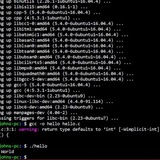
bash.org message of the day for your terminal
https://github.com/graydot/bashorg-motd
https://redd.it/1m2gwli
@r_bash
https://github.com/graydot/bashorg-motd
https://redd.it/1m2gwli
@r_bash
GitHub
GitHub - graydot/bashorg-motd: A homage to bash.org with 10,700+ IRC quotes for your terminal. Peak 2000s sysadmin humor - internet…
A homage to bash.org with 10,700+ IRC quotes for your terminal. Peak 2000s sysadmin humor - internet archaeology at its finest! - graydot/bashorg-motd
imagemagick use image from clipboard
This currently creates a file, then modifies it, saves it as the same name (replacing)
I was wondering if it's possible to make magick use clipboard image instead of file. That way I can use
Can it be done? (I am sorry if I am not supposed to post this here)
https://redd.it/1m2v043
@r_bash
#!/bin/bash

DIR="$HOME/Pictures/Screenshots"
FILE="Screenshot_$(date +'%Y%m%d-%H%M%S').png"

gnome-screenshot -w -f "$DIR/$FILE" &&
magick "$DIR/$FILE" -fuzz 50% -trim +repage "$DIR/$FILE" &&
xclip -selection clipboard -t image/png -i "$DIR/$FILE"
notify-send "Screenshot saved as $FILE."
This currently creates a file, then modifies it, saves it as the same name (replacing)
I was wondering if it's possible to make magick use clipboard image instead of file. That way I can use
--clipboard with gnome-screenshot. So I don't have to write file twice.Can it be done? (I am sorry if I am not supposed to post this here)
https://redd.it/1m2v043
@r_bash
Reddit
From the bash community on Reddit
Explore this post and more from the bash community
In hunt of productivity tools in bash (to list in devreal.org)
Modern software development feels like chasing smoke, frameworks rise and fall, GUIs shift faster than we can learn them, and the tools we depend on are often opaque, bloated, or short-lived.
I think the terminal is where real development will happen. The long-lasting inventions on how to work with the computer will be made in the terminal. Now even more, with AI, it is easier for an agent to execute a command than to click buttons to do a task.
*I am creating a list productivity applications* in "devreal.org". Do you know of any applications that meet the criteria? Do you have any good idea to add to the project?
* [https://devreal.org](https://devreal.org)
https://redd.it/1m2y6br
@r_bash
Modern software development feels like chasing smoke, frameworks rise and fall, GUIs shift faster than we can learn them, and the tools we depend on are often opaque, bloated, or short-lived.
I think the terminal is where real development will happen. The long-lasting inventions on how to work with the computer will be made in the terminal. Now even more, with AI, it is easier for an agent to execute a command than to click buttons to do a task.
*I am creating a list productivity applications* in "devreal.org". Do you know of any applications that meet the criteria? Do you have any good idea to add to the project?
* [https://devreal.org](https://devreal.org)
https://redd.it/1m2y6br
@r_bash
Reddit
From the bash community on Reddit
Explore this post and more from the bash community
Ncat with -e
Hi all
I have used **netcat (nc)** in the past,
and then switched to **ncat**, which is newer, has more features,
and was created by the person who also created nmap.
I wrote this command for a simple server that runs a noscript file per every client that connects to it:
ncat -l 5000 -k -e 'server_noscript'
The `server_noscript` file contains this code:
read Line
echo 'You entered: '$Line
and to connect, the client code is:
ncat localhost 5000
It works good, but has a small problem:
After I connect as a client to the server and then enter a line,
the line is displayed back to me, by the `echo 'You entered: '$Line` command, as expected,
but the connection is not closed, as it should.
(the `server_noscript` file ends after that line)
Instead,
I can press another [Enter], and nothing happens,
and then I can press another [Enter], which then displays (on the client side) **"Ncat: Broken pipe."**,
and then the connection is finally closed.
See it in this screenshot:
https://i.ibb.co/84DPTrcD/Ncat.png
Can you please tell me what I should do in order to make the Server disconnect the client
right after the server noscript ends?
Thank you
https://redd.it/1m37kxa
@r_bash
Hi all
I have used **netcat (nc)** in the past,
and then switched to **ncat**, which is newer, has more features,
and was created by the person who also created nmap.
I wrote this command for a simple server that runs a noscript file per every client that connects to it:
ncat -l 5000 -k -e 'server_noscript'
The `server_noscript` file contains this code:
read Line
echo 'You entered: '$Line
and to connect, the client code is:
ncat localhost 5000
It works good, but has a small problem:
After I connect as a client to the server and then enter a line,
the line is displayed back to me, by the `echo 'You entered: '$Line` command, as expected,
but the connection is not closed, as it should.
(the `server_noscript` file ends after that line)
Instead,
I can press another [Enter], and nothing happens,
and then I can press another [Enter], which then displays (on the client side) **"Ncat: Broken pipe."**,
and then the connection is finally closed.
See it in this screenshot:
https://i.ibb.co/84DPTrcD/Ncat.png
Can you please tell me what I should do in order to make the Server disconnect the client
right after the server noscript ends?
Thank you
https://redd.it/1m37kxa
@r_bash
Bash one liner website
Sorry for the weird post. I remember visiting a website in the early 2010s which was a bit like twitter, but for bash one liners. It was literally just a feed of one liners, some useful, some not, some outright dangerous.
I can't for the life of me remember the name of it. Does it ring a bell for anyone?
https://redd.it/1m3dgc8
@r_bash
Sorry for the weird post. I remember visiting a website in the early 2010s which was a bit like twitter, but for bash one liners. It was literally just a feed of one liners, some useful, some not, some outright dangerous.
I can't for the life of me remember the name of it. Does it ring a bell for anyone?
https://redd.it/1m3dgc8
@r_bash
Reddit
From the bash community on Reddit
Explore this post and more from the bash community
How to make "unique" sourcing work?
(Maybe it works already and my expectation and how it actually works don't match up...)
I have a collection of noscripts that has grown over time. When some things started to get repetitive, I moved them to a separate file (
`A.sh` sources `base.sh`
The guard for sourcing (in
While this seems to work, I now have another problem:
`foobar.sh` sources `base.sh`
Now
# Update
It seems the issue is my assumption that
The solution is to use
\--------------------------------------------------------------------------
#
#!/usr/bin/env bash
# prevent multiple inclusion
-n ${__BASE_sh__} && return || BASEsh=.
function errcho() {
# write to stderr with red-colored "ERROR:" prefix
# using printf as "echo" might just print the special sequence instead of "executing" it
>&2 printf "\e[31mERROR:\e[0m "
>&2 echo -e "${@}"
}
# `foobar.sh`
#!/usr/bin/env bash
SCRIPTPATH=$(readlink -f "$0")
SCRIPTNAME=$(basename "${SCRIPTPATH}")
SCRIPTDIR=$(dirname "${SCRIPTPATH}")
source "${SCRIPTDIR}/base.sh"
errcho "Gotcha!!!"
# `main.sh`
#!/usr/bin/env bash
SCRIPTPATH=$(readlink -f "$0")
SCRIPTNAME=$(basename "${SCRIPTPATH}")
SCRIPTDIR=$(dirname "${SCRIPTPATH}")
source "${SCRIPTDIR}/base.sh"
"${SCRIPTDIR}/foobar.sh"
# Result
❯ ./main.sh
foobar.sh: line 9: errcho: command not found
https://redd.it/1m3dwu0
@r_bash
(Maybe it works already and my expectation and how it actually works don't match up...)
I have a collection of noscripts that has grown over time. When some things started to get repetitive, I moved them to a separate file (
base.sh). To be clever, I tried to make the inclusion / source of base.sh "unique", e.g.if`A.sh` sources `base.sh`
B.sh sources base.sh AND A.shB.sh should have sourced base.sh only once (via A.sh).The guard for sourcing (in
base.sh) is [ -n ${__BASE_sh__} ] && return || __BASE_sh__=.While this seems to work, I now have another problem:
`foobar.sh` sources `base.sh`
main.sh sources base.sh and calls foobar.shNow
foobar.sh knows nothing about base.sh and fails...# Update
It seems the issue is my assumption that
[ -n ${__BASE_sh__} ] and [ ! -z ${__BASE_sh__} ] would be same is wrong. They are NOT.The solution is to use
[ ! -z ${__BASE_sh__} ] and the noscripts work as expected.\--------------------------------------------------------------------------
#
base.sh#!/usr/bin/env bash
# prevent multiple inclusion
-n ${__BASE_sh__} && return || BASEsh=.
function errcho() {
# write to stderr with red-colored "ERROR:" prefix
# using printf as "echo" might just print the special sequence instead of "executing" it
>&2 printf "\e[31mERROR:\e[0m "
>&2 echo -e "${@}"
}
# `foobar.sh`
#!/usr/bin/env bash
SCRIPTPATH=$(readlink -f "$0")
SCRIPTNAME=$(basename "${SCRIPTPATH}")
SCRIPTDIR=$(dirname "${SCRIPTPATH}")
source "${SCRIPTDIR}/base.sh"
errcho "Gotcha!!!"
# `main.sh`
#!/usr/bin/env bash
SCRIPTPATH=$(readlink -f "$0")
SCRIPTNAME=$(basename "${SCRIPTPATH}")
SCRIPTDIR=$(dirname "${SCRIPTPATH}")
source "${SCRIPTDIR}/base.sh"
"${SCRIPTDIR}/foobar.sh"
# Result
❯ ./main.sh
foobar.sh: line 9: errcho: command not found
https://redd.it/1m3dwu0
@r_bash
Reddit
From the bash community on Reddit
Explore this post and more from the bash community
Estou criando um pré-processador de shell baseado em comentários de arquivos shell
https://github.com/KiamMota/shellmake
https://redd.it/1m4eavj
@r_bash
https://github.com/KiamMota/shellmake
https://redd.it/1m4eavj
@r_bash
GitHub
GitHub - KiamMota/shellmake: a shell noscript preprocessor.
a shell noscript preprocessor. Contribute to KiamMota/shellmake development by creating an account on GitHub.
Insufficiently known POSIX shell features
https://apenwarr.ca/log/20110228
https://redd.it/1m4ixon
@r_bash
https://apenwarr.ca/log/20110228
https://redd.it/1m4ixon
@r_bash
apenwarr.ca
Insufficiently known POSIX shell features
I've seen several articles in the past with noscripts like "Top 10 things you
didn't know about bash programming." These articles are disappoin...
didn't know about bash programming." These articles are disappoin...
What makes Warp 2.0 different than other agentic systems - Comparing Warp 2.0 with other terminal-based AI-assisted coding
https://medium.com/vibecodingpub/what-makes-warp-2-0-different-than-other-agentic-systems-3a3f53479bdb?sk=4d596b69ced965d3182d8908438f8cf5
https://redd.it/1m4wbhd
@r_bash
https://medium.com/vibecodingpub/what-makes-warp-2-0-different-than-other-agentic-systems-3a3f53479bdb?sk=4d596b69ced965d3182d8908438f8cf5
https://redd.it/1m4wbhd
@r_bash
Medium
What makes Warp 2.0 different than other agentic systems
Comparing Warp 2.0 with other terminal-based AI-assisted coding
Ok, made a little Network checker in bash
May not be the best but kinda works lol
Though the main point can be done via just
nmap -v -sn 192.168.0.1/24 | grep "Host is up" -B1
Thoughts guys?
https://pastebin.com/BNHDsJ5F
https://redd.it/1m50k62
@r_bash
May not be the best but kinda works lol
Though the main point can be done via just
nmap -v -sn 192.168.0.1/24 | grep "Host is up" -B1
Thoughts guys?
https://pastebin.com/BNHDsJ5F
https://redd.it/1m50k62
@r_bash
Pastebin
│ File: netcheck.sh───────┼───────────────────────────────────────────── - Pastebin.com
Pastebin.com is the number one paste tool since 2002. Pastebin is a website where you can store text online for a set period of time.
Synlinks - When do you use a "hard" link
I use ln -s a lot . . . i like to keep all my files i don't want to lose in a central location that gets stored on an extra drive locally and even a big fat usb lol.
I know that there are hard links. And I have looked it up, and read about it . . . and i feel dense as a rock. Is there anyone who can sum up quickly, what a good use case is for a hard link? or . . . point me to some explanation? Or . . . is there any case where a soft link "just won't do"?
https://redd.it/1m5283v
@r_bash
I use ln -s a lot . . . i like to keep all my files i don't want to lose in a central location that gets stored on an extra drive locally and even a big fat usb lol.
I know that there are hard links. And I have looked it up, and read about it . . . and i feel dense as a rock. Is there anyone who can sum up quickly, what a good use case is for a hard link? or . . . point me to some explanation? Or . . . is there any case where a soft link "just won't do"?
https://redd.it/1m5283v
@r_bash
Reddit
From the bash community on Reddit
Explore this post and more from the bash community
Definitive way to set bash aliases on reboot or login?
Hello friends,
I have a handful of bash aliases that I like to use.
Is there a way to set these up by running some kind of noscript on a freshly set up Debian server so that they persist over reboots and are applied on every login?
I’ve tried inserting the alias statements into /home/$USER/.bashrc but keep running into permissions issues.
I’ve tried inserting the alias statements into /etc/bash.bashrc but keep running into permissions issues.
I’ve tried inserting the alias statements into /home/$USER/.bash_aliases but I’m clearly doing something wrong there too
I’ve tried putting an executable noscript e.g. '00-setup-bash-aliases.sh' in /etc/profile.d, I thought this was working but it seems to have stopped.
It has to be something really simple but poor old brain-injury me is really struggling here.
Please help! :)
Thanks!
https://redd.it/1m5j662
@r_bash
Hello friends,
I have a handful of bash aliases that I like to use.
Is there a way to set these up by running some kind of noscript on a freshly set up Debian server so that they persist over reboots and are applied on every login?
I’ve tried inserting the alias statements into /home/$USER/.bashrc but keep running into permissions issues.
I’ve tried inserting the alias statements into /etc/bash.bashrc but keep running into permissions issues.
I’ve tried inserting the alias statements into /home/$USER/.bash_aliases but I’m clearly doing something wrong there too
I’ve tried putting an executable noscript e.g. '00-setup-bash-aliases.sh' in /etc/profile.d, I thought this was working but it seems to have stopped.
It has to be something really simple but poor old brain-injury me is really struggling here.
Please help! :)
Thanks!
https://redd.it/1m5j662
@r_bash
Reddit
From the bash community on Reddit
Explore this post and more from the bash community
Exit pipe if cmd1 fails
What's the recommended way for this? Traps? Example much appreciated.
-----------
P.S. Unrelated, but for good practice (for noscript maintenance) where some variables that involve calculations (command substitutions that don't necessarily take a lot of time to execute) are used throughout the noscript but not always needed--is it best to define them at top of noscript; when they are needed (i.e. littering the noscript with variable declarations is not a concern); or have a function that sets the variable as global?
I currently use a function that sets the global variable which the rest of the noscript can use--I put it in the function to avoid duplicating code that other functions would otherwise need to use the variable but global variable should always be avoided? If it's a one-liner maybe it's better to re-use that instead of a global variable to be more explicit? Or simply doc that a global variable is set implicitly is adequate?
https://redd.it/1m5kle9
@r_bash
cmd1 | cmd2 | cmd3, if cmd1 fails I don't want rest of cmd2, cmd3, etc. to run which would be pointless.cmd1 >/tmp/file || exit works (I need the output of cmd1 whose output is processed by cmd2 and cmd3), but is there a good way to not have to write to a fail but a variable instead? I tried: mapfile -t output < <(cmd1 || exit) but it still continues presumably because it's exiting only within the process substitution.What's the recommended way for this? Traps? Example much appreciated.
-----------
P.S. Unrelated, but for good practice (for noscript maintenance) where some variables that involve calculations (command substitutions that don't necessarily take a lot of time to execute) are used throughout the noscript but not always needed--is it best to define them at top of noscript; when they are needed (i.e. littering the noscript with variable declarations is not a concern); or have a function that sets the variable as global?
I currently use a function that sets the global variable which the rest of the noscript can use--I put it in the function to avoid duplicating code that other functions would otherwise need to use the variable but global variable should always be avoided? If it's a one-liner maybe it's better to re-use that instead of a global variable to be more explicit? Or simply doc that a global variable is set implicitly is adequate?
https://redd.it/1m5kle9
@r_bash
Reddit
From the bash community on Reddit
Explore this post and more from the bash community
nsupdate noscript file
Sorry not sure how to describe this.
for bash noscript file i can start the file with
\#!/bin/bash
I want to do the same with nsupdate ... it has ; as a comment char
I'm thinking
;!/usr/bin/nsupdate
<nsupdate commands>
or ?
https://redd.it/1m68h73
@r_bash
Sorry not sure how to describe this.
for bash noscript file i can start the file with
\#!/bin/bash
I want to do the same with nsupdate ... it has ; as a comment char
I'm thinking
;!/usr/bin/nsupdate
<nsupdate commands>
or ?
https://redd.it/1m68h73
@r_bash
Reddit
From the bash community on Reddit
Explore this post and more from the bash community
Bash completion: how/where to configure user created commands?
I have bash completion on my Arch linux machine. When I am `unrar`ing something, tab completion will complete the command (from unr<TAB>) for me. Hitting tab again, lists all the options that are available. After the options are covered, hitting tab again, looks for the folders and any files with `.rar` extension. If there are no folders in the directory and there is only one file with the extension `.rar`, it picks that file to complete the tab.
When I use tab completion on a program I wrote (in C), it will complete the program name, but tabbing after that only searches for a file name when that is not the next option. And the files it displays, don't have the required extension, like `unrar` does.
How can I setup my programs to behave like `unrar`?
I have run `complete` (lists nothing of `unrar`):
[code\]complete -F _comp_complete_longopt mv
complete -F _comp_complete_longopt head
complete -F _comp_complete_longopt uniq
complete -F _comp_command else
complete -F _comp_complete_longopt mkfifo
complete -F _comp_complete_longopt tee
complete -F _comp_complete_longopt grep
complete -F _comp_complete_longopt objdump
complete -F _comp_complete_longopt cut
complete -F _comp_command nohup
complete -a unalias
complete -u groups
complete -F _comp_complete_longopt texindex
complete -F _comp_complete_known_hosts telnet
complete -F _comp_command vsound
complete -c which
complete -F _comp_complete_longopt m4
complete -F _comp_complete_longopt cp
complete -F _comp_complete_longopt base64
complete -F _comp_complete_longopt strip
complete -v readonly
complete -F _comp_complete_known_hosts showmount
complete -F _comp_complete_longopt tac
complete -F _comp_complete_known_hosts fping
complete -c type
complete -F _comp_complete_known_hosts ssh-installkeys
complete -F _comp_complete_longopt expand
complete -F _comp_complete_longopt ln
complete -F _comp_command aoss
complete -F _comp_complete_longopt ld
complete -F _comp_complete_longopt ennoscript
complete -F _comp_command xargs
complete -j -P '"%' -S '"' jobs
complete -F _comp_complete_service service
complete -F _comp_complete_longopt tail
complete -F _comp_complete_longopt unexpand
complete -F _comp_complete_longopt netstat
complete -F _comp_complete_longopt ls
complete -v unset
complete -F _comp_complete_longopt csplit
complete -F _comp_complete_known_hosts rsh
complete -F _comp_command exec
complete -F _comp_complete_longopt sum
complete -F _comp_complete_longopt nm
complete -F _comp_complete_longopt nl
complete -F _comp_complete_user_at_host ytalk
complete -u sux
complete -F _comp_complete_longopt paste
complete -F _comp_complete_known_hosts drill
complete -F _comp_complete_longopt dir
complete -F _comp_complete_longopt a2ps
complete -F _comp_root_command really
complete -F _comp_complete_known_hosts dig
complete -F _comp_complete_user_at_host talk
complete -F _comp_complete_longopt df
complete -F _comp_command eval
complete -F _comp_complete_longopt chroot
complete -F _comp_command do
complete -F _comp_complete_longopt du
complete -F _comp_complete_longopt wc
complete -A shopt shopt
complete -F _comp_complete_known_hosts ftp
complete -F _comp_complete_longopt uname
complete -F _comp_complete_known_hosts rlogin
complete -F _comp_complete_longopt rm
complete -F _comp_root_command gksudo
complete -F _comp_command nice
complete -F _comp_complete_longopt tr
complete -F _comp_root_command gksu
complete -F _comp_complete_longopt ptx
complete -F _comp_complete_known_hosts traceroute
complete -j -P '"%' -S '"' fg
complete -F _comp_complete_longopt who
complete -F _comp_complete_longopt less
complete -F _comp_complete_longopt mknod
complete -F _comp_command padsp
complete -F _comp_complete_longopt bison
complete -F
I have bash completion on my Arch linux machine. When I am `unrar`ing something, tab completion will complete the command (from unr<TAB>) for me. Hitting tab again, lists all the options that are available. After the options are covered, hitting tab again, looks for the folders and any files with `.rar` extension. If there are no folders in the directory and there is only one file with the extension `.rar`, it picks that file to complete the tab.
When I use tab completion on a program I wrote (in C), it will complete the program name, but tabbing after that only searches for a file name when that is not the next option. And the files it displays, don't have the required extension, like `unrar` does.
How can I setup my programs to behave like `unrar`?
I have run `complete` (lists nothing of `unrar`):
[code\]complete -F _comp_complete_longopt mv
complete -F _comp_complete_longopt head
complete -F _comp_complete_longopt uniq
complete -F _comp_command else
complete -F _comp_complete_longopt mkfifo
complete -F _comp_complete_longopt tee
complete -F _comp_complete_longopt grep
complete -F _comp_complete_longopt objdump
complete -F _comp_complete_longopt cut
complete -F _comp_command nohup
complete -a unalias
complete -u groups
complete -F _comp_complete_longopt texindex
complete -F _comp_complete_known_hosts telnet
complete -F _comp_command vsound
complete -c which
complete -F _comp_complete_longopt m4
complete -F _comp_complete_longopt cp
complete -F _comp_complete_longopt base64
complete -F _comp_complete_longopt strip
complete -v readonly
complete -F _comp_complete_known_hosts showmount
complete -F _comp_complete_longopt tac
complete -F _comp_complete_known_hosts fping
complete -c type
complete -F _comp_complete_known_hosts ssh-installkeys
complete -F _comp_complete_longopt expand
complete -F _comp_complete_longopt ln
complete -F _comp_command aoss
complete -F _comp_complete_longopt ld
complete -F _comp_complete_longopt ennoscript
complete -F _comp_command xargs
complete -j -P '"%' -S '"' jobs
complete -F _comp_complete_service service
complete -F _comp_complete_longopt tail
complete -F _comp_complete_longopt unexpand
complete -F _comp_complete_longopt netstat
complete -F _comp_complete_longopt ls
complete -v unset
complete -F _comp_complete_longopt csplit
complete -F _comp_complete_known_hosts rsh
complete -F _comp_command exec
complete -F _comp_complete_longopt sum
complete -F _comp_complete_longopt nm
complete -F _comp_complete_longopt nl
complete -F _comp_complete_user_at_host ytalk
complete -u sux
complete -F _comp_complete_longopt paste
complete -F _comp_complete_known_hosts drill
complete -F _comp_complete_longopt dir
complete -F _comp_complete_longopt a2ps
complete -F _comp_root_command really
complete -F _comp_complete_known_hosts dig
complete -F _comp_complete_user_at_host talk
complete -F _comp_complete_longopt df
complete -F _comp_command eval
complete -F _comp_complete_longopt chroot
complete -F _comp_command do
complete -F _comp_complete_longopt du
complete -F _comp_complete_longopt wc
complete -A shopt shopt
complete -F _comp_complete_known_hosts ftp
complete -F _comp_complete_longopt uname
complete -F _comp_complete_known_hosts rlogin
complete -F _comp_complete_longopt rm
complete -F _comp_root_command gksudo
complete -F _comp_command nice
complete -F _comp_complete_longopt tr
complete -F _comp_root_command gksu
complete -F _comp_complete_longopt ptx
complete -F _comp_complete_known_hosts traceroute
complete -j -P '"%' -S '"' fg
complete -F _comp_complete_longopt who
complete -F _comp_complete_longopt less
complete -F _comp_complete_longopt mknod
complete -F _comp_command padsp
complete -F _comp_complete_longopt bison
complete -F
_comp_complete_longopt od
complete -F _comp_complete_load -D
complete -F _comp_complete_longopt split
complete -F _comp_complete_longopt fold
complete -F _comp_complete_user_at_host finger
complete -F _comp_root_command kdesudo
complete -u w
complete -F _comp_complete_longopt irb
complete -F _comp_command tsocks
complete -F _comp_complete_longopt diff
complete -F _comp_complete_longopt shar
complete -F _comp_complete_longopt vdir
complete -j -P '"%' -S '"' disown
complete -F _comp_complete_longopt bash
complete -A stopped -P '"%' -S '"' bg
complete -F _comp_complete_longopt objcopy
complete -F _comp_complete_longopt bc
complete -b builtin
complete -F _comp_command ltrace
complete -F _comp_complete_known_hosts traceroute6
complete -F _comp_complete_longopt date
complete -F _comp_complete_longopt cat
complete -F _comp_complete_longopt readelf
complete -F _comp_complete_longopt awk
complete -F _comp_complete_longopt seq
complete -F _comp_complete_longopt mkdir
complete -F _comp_complete_minimal ''
complete -F _comp_complete_longopt sort
complete -F _comp_complete_longopt pr
complete -F _comp_complete_longopt colordiff
complete -F _comp_complete_longopt fmt
complete -F _comp_complete_longopt sed
complete -F _comp_complete_longopt gperf
complete -F _comp_command time
complete -F _comp_root_command fakeroot
complete -u slay
complete -F _comp_complete_longopt grub
complete -F _comp_complete_longopt rmdir
complete -F _comp_complete_longopt units
complete -F _comp_complete_longopt touch
complete -F _comp_complete_longopt ldd
complete -F _comp_command then
complete -F _comp_command command
complete -F _comp_complete_known_hosts fping6[/code\]
https://redd.it/1m6phvu
@r_bash
complete -F _comp_complete_load -D
complete -F _comp_complete_longopt split
complete -F _comp_complete_longopt fold
complete -F _comp_complete_user_at_host finger
complete -F _comp_root_command kdesudo
complete -u w
complete -F _comp_complete_longopt irb
complete -F _comp_command tsocks
complete -F _comp_complete_longopt diff
complete -F _comp_complete_longopt shar
complete -F _comp_complete_longopt vdir
complete -j -P '"%' -S '"' disown
complete -F _comp_complete_longopt bash
complete -A stopped -P '"%' -S '"' bg
complete -F _comp_complete_longopt objcopy
complete -F _comp_complete_longopt bc
complete -b builtin
complete -F _comp_command ltrace
complete -F _comp_complete_known_hosts traceroute6
complete -F _comp_complete_longopt date
complete -F _comp_complete_longopt cat
complete -F _comp_complete_longopt readelf
complete -F _comp_complete_longopt awk
complete -F _comp_complete_longopt seq
complete -F _comp_complete_longopt mkdir
complete -F _comp_complete_minimal ''
complete -F _comp_complete_longopt sort
complete -F _comp_complete_longopt pr
complete -F _comp_complete_longopt colordiff
complete -F _comp_complete_longopt fmt
complete -F _comp_complete_longopt sed
complete -F _comp_complete_longopt gperf
complete -F _comp_command time
complete -F _comp_root_command fakeroot
complete -u slay
complete -F _comp_complete_longopt grub
complete -F _comp_complete_longopt rmdir
complete -F _comp_complete_longopt units
complete -F _comp_complete_longopt touch
complete -F _comp_complete_longopt ldd
complete -F _comp_command then
complete -F _comp_command command
complete -F _comp_complete_known_hosts fping6[/code\]
https://redd.it/1m6phvu
@r_bash
Reddit
From the bash community on Reddit
Explore this post and more from the bash community
How do you handle secrets in Bash when external tools aren't an option?
In restricted environments (no Vault, no Secrets Manager, no GPG), what's your go-to method for managing secrets securely in Bash? E.g local noscripts, CI jobs, embedded systems. Curious how others balance security and practicality here.
https://redd.it/1m75h10
@r_bash
In restricted environments (no Vault, no Secrets Manager, no GPG), what's your go-to method for managing secrets securely in Bash? E.g local noscripts, CI jobs, embedded systems. Curious how others balance security and practicality here.
https://redd.it/1m75h10
@r_bash
Reddit
From the bash community on Reddit
Explore this post and more from the bash community
Running group of processes parellel, wait till last is finished
I have the following problem and the following bash noscript. I need to execute the command on ln 1, wait and then execute the commands on ln3 and 4 parallel. After finishing those the command on ln 5, wait and then the commands on ln6 and 6 in paralelle:
Without success, i tried the following:
put an & after line 2,3,6 and 7, this will start the command on line 5 prematurely.
Brackets, no effect:
writing the parallel commands in two different txt files and call them with parallel, but this just makes the noscript so much less maintanable for such a simple problem.
Anyone has some good pointers?
https://redd.it/1m7fbcr
@r_bash
I have the following problem and the following bash noscript. I need to execute the command on ln 1, wait and then execute the commands on ln3 and 4 parallel. After finishing those the command on ln 5, wait and then the commands on ln6 and 6 in paralelle:
[1] php -f getCommands.php [2] [ -f /tmp/download.txt ] && parallel -j4 --ungroup :::: /tmp/download.txt [3] [ -f /tmp/update.txt ] && parallel -j4 --ungroup :::: /tmp/update.txt [4] [5] php -f getSecondSetOfCommands.php [6] [ -f /tmp/download2.txt ] && parallel -j4 --ungroup :::: /tmp/download2.txt [7] [ -f /tmp/update2.txt ] && parallel -j4 --ungroup :::: /tmp/update2.txtWithout success, i tried the following:
put an & after line 2,3,6 and 7, this will start the command on line 5 prematurely.
Brackets, no effect:
php -f getCommands.php { [ -f /tmp/download.txt ] && parallel -j4 --ungroup :::: /tmp/download.txt [ -f /tmp/update.txt ] && parallel -j4 --ungroup :::: /tmp/update.txt } &writing the parallel commands in two different txt files and call them with parallel, but this just makes the noscript so much less maintanable for such a simple problem.
Anyone has some good pointers?
https://redd.it/1m7fbcr
@r_bash
Reddit
From the bash community on Reddit
Explore this post and more from the bash community
I have created a (subnoscript) translator for YouTube videos using only bash.
Why?
For some reason, YouTube's automatic translator hasn't been working for me, and the translation quality is usually not good. Anyway, this transcribes using Whisper-1 and translates using OpenAI's GPT.
What does the noscript do?
* It downloads the video
* Creates an ogg audio (ogg allows trannoscription of long videos due to its small size)
* Transcribes the audio with Whisper
* Simultaneously translates the subnoscript file (.srt) based on a Chunk\_Size
* Merges the new translation with the video, creating an MKV
How to use?
`this_noscript_file youtube_url [output_dir]`
*Note: I really didn't write this for anything beyond personal use, so don't expect anything stable or user-focused. I'm just sharing it in case it helps someone and they want to take a look at the noscript. If anyone wants to improve it, I will gladly accept any PR.*
*kinda 100 lines of bash code*
[https://gist.github.com/kelvinauta/0561842fc9a7e138cd166c42fdd5f4bc](https://gist.github.com/kelvinauta/0561842fc9a7e138cd166c42fdd5f4bc)
https://redd.it/1m7rold
@r_bash
Why?
For some reason, YouTube's automatic translator hasn't been working for me, and the translation quality is usually not good. Anyway, this transcribes using Whisper-1 and translates using OpenAI's GPT.
What does the noscript do?
* It downloads the video
* Creates an ogg audio (ogg allows trannoscription of long videos due to its small size)
* Transcribes the audio with Whisper
* Simultaneously translates the subnoscript file (.srt) based on a Chunk\_Size
* Merges the new translation with the video, creating an MKV
How to use?
`this_noscript_file youtube_url [output_dir]`
*Note: I really didn't write this for anything beyond personal use, so don't expect anything stable or user-focused. I'm just sharing it in case it helps someone and they want to take a look at the noscript. If anyone wants to improve it, I will gladly accept any PR.*
*kinda 100 lines of bash code*
[https://gist.github.com/kelvinauta/0561842fc9a7e138cd166c42fdd5f4bc](https://gist.github.com/kelvinauta/0561842fc9a7e138cd166c42fdd5f4bc)
https://redd.it/1m7rold
@r_bash
Gist
Download the video -> Transcribe it using OpenAI Whisper-1 -> Translate the subnoscript lines in parallel -> Create an mkv with the…
Download the video -> Transcribe it using OpenAI Whisper-1 -> Translate the subnoscript lines in parallel -> Create an mkv with the subnoscripts - translate-youtube-video.sh
Building A Privacy-First Terminal History Tool
After losing commands too many times due to bash history conflicts, I started researching what's available. The landscape is... messy.
The Current State:
Bash history still fights with itself across multiple sessions
Atuin is great, but it sends your commands to their servers (raising privacy concerns?)
McFly is looking for maintainers (uncertain future)
Everyone's solving 80% of the problem, but with different trade-offs
What I'm Building: CommandChronicles focuses on local-first privacy with the rich features you want. Your command history stays on your machine, syncs seamlessly across your sessions, and includes a fuzzy search that works.
The goal isn't to reinvent everything - it's to combine the reliability people want from modern tools with the privacy and control of local storage.
Question for the community: What's your biggest pain point with terminal history? Are you sticking with basic bash history, or have you found something that works well for your workflow?
Currently in early development, but would love to hear what features matter most to developers who've been burned by history loss before.
https://redd.it/1m7wmmm
@r_bash
After losing commands too many times due to bash history conflicts, I started researching what's available. The landscape is... messy.
The Current State:
Bash history still fights with itself across multiple sessions
Atuin is great, but it sends your commands to their servers (raising privacy concerns?)
McFly is looking for maintainers (uncertain future)
Everyone's solving 80% of the problem, but with different trade-offs
What I'm Building: CommandChronicles focuses on local-first privacy with the rich features you want. Your command history stays on your machine, syncs seamlessly across your sessions, and includes a fuzzy search that works.
The goal isn't to reinvent everything - it's to combine the reliability people want from modern tools with the privacy and control of local storage.
Question for the community: What's your biggest pain point with terminal history? Are you sticking with basic bash history, or have you found something that works well for your workflow?
Currently in early development, but would love to hear what features matter most to developers who've been burned by history loss before.
https://redd.it/1m7wmmm
@r_bash
CommandChronicles
CommandChronicles - Never Lose a Command Again
Terminal history tracker for developers with end-to-end encryption. Save, search, and sync your command line history across all devices.