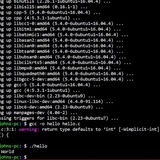
Simple shell noscript that automates tasks like building github projects, kernels, applications etc. by creating rootless podman containers displayed in tmux and logged with neovim.
https://redd.it/1opwkqd
@r_bash
https://redd.it/1opwkqd
@r_bash
Reddit
From the bash community on Reddit: Simple shell noscript that automates tasks like building github projects, kernels, applications…
Explore this post and more from the bash community
Does my bash noscript scream C# dev?
I was told that this noscript looks very C-sharp-ish. I dont know what that means, beside the possible visual similarity of (beautiful) pascal case.
Do you think it is bad?
https://redd.it/1oq02fy
@r_bash
#!/usr/bin/env bash
# vim: fen fdm=marker sw=2 ts=2

set -euo pipefail

# ┌────┐
# │VARS│
# └────┘
_ORIGINAL_DIR=$(pwd)
_SCRIPT_DIR=$( cd -- "$( dirname -- "${BASH_SOURCE[0]}" )" &> /dev/null && pwd )
_LOGDIR="/tmp/linstall_logs"
_WORKDIR="/tmp/linstor-build"
mkdir -p "$_LOGDIR" "$_WORKDIR"

# ┌────────────┐
# │INSTALL DEPS│
# └────────────┘
packages=(
 drbd-utils
 autoconf
 automake
 libtool
 pkg-config
 git
 build-essential
 python3
 ocaml
 ocaml-findlib
 libpcre3-dev
 zlib1g-dev
 libsqlite3-dev
 dkms
 linux-headers-"$(uname -r)"
 flex
 bison
 libssl-dev
 po4a
 asciidoctor
 make
 gcc
 xsltproc
 docbook-xsl
 docbook-xml
 resource-agents
)

InstallDeps() {
 sudo apt update
 for p in "${packages[@]}" ; do
  sudo apt install -y "$p"
  echo "Installing $p" >> "$_LOGDIR"/$0-deps.log
 done
}

ValidateDeps() {
 for p in "${packages[@]}"; do
  if dpkg -l | grep -q "^ii $p"; then
   echo "$p installed" >> "$_LOGDIR"/$0-pkg.log
  else
   echo "$p NOT installed" >> "$_LOGDIR"/$0-fail.log
  fi
 done
}

# ┌─────┐
# │BUILD│
# └─────┘
CloneCL() {
 cd $_WORKDIR
 git clone https://github.com/coccinelle/coccinelle.git
 echo "cloning to $_WORKDIR - noscript running from $_SCRIPT_DIR with original path at $_ORIGINAL_DIR" >> $_LOGDIR/$0-${FUNCNAME[0]}.log
}

BuildCL() {
 cd $_WORKDIR/coccinelle
 sleep 0.2
 ./autogen
 sleep 0.2
 ./configure
 sleep 0.2
 make -j $(nproc)
 sleep 0.2
 make install
}

CloneDRBD() {
 cd $_WORKDIR
 git clone --recursive https://github.com/LINBIT/drbd.git
 echo "cloning to $_WORKDIR - noscript running from $_SCRIPT_DIR with original path at $_ORIGINAL_DIR" >> $_LOGDIR/$0-${FUNCNAME[0]}.log
}

BuildDRBD() {
 cd $_WORKDIR/drbd
 sleep 0.2
 git checkout drbd-9.2.15
 sleep 0.2
 make clean
 sleep 0.2
 make -j $(nproc) KDIR=/lib/modules/$(uname -r)/build
 sleep 0.2
 make install KBUILD_SIGN_PIN=
}

RunModProbe() {
 modprobe -r drbd
 sleep 0.2
 depmod -a
 sleep 0.2
 modprobe drbd
 sleep 0.2
 modprobe handshake
 sleep 0.2
 modprobe drbd_transport_tcp
}

CloneDRBDUtils() {
 cd $_WORKDIR
 git clone https://github.com/LINBIT/drbd-utils.git
 echo "cloning to $_WORKDIR - noscript running from $_SCRIPT_DIR with original path at $_ORIGINAL_DIR" >> $_LOGDIR/$0-${FUNCNAME[0]}.log
}

BuildDRBDUtils() {
 cd $_WORKDIR/drbd-utils
 ./autogen.sh
 sleep 0.2
 ./configure --prefix=/usr --localstatedir=/var --sysconfdir=/etc
 sleep 0.2
 make -j $(nproc)
 sleep 0.2
 make install
}

Main() {
 InstallDeps
 sleep 0.1
 ValidateDeps
 sleep 0.1
 CloneCL
 sleep 0.1
 BuildCL
 sleep 0.1
 CloneDRBD
 sleep 0.1
 BuildDRBD
 sleep 0.1
 CloneDRBDUtils
 sleep 0.1
 BuildDRBDUtils
 sleep 0.1
}

# "$@"
Main
I was told that this noscript looks very C-sharp-ish. I dont know what that means, beside the possible visual similarity of (beautiful) pascal case.
Do you think it is bad?
https://redd.it/1oq02fy
@r_bash
Reddit
From the bash community on Reddit
Explore this post and more from the bash community
Grepping logs remains terrible
https://chronicles.mad-scientist.club/tales/grepping-logs-remains-terrible/
https://redd.it/1oqeuud
@r_bash
https://chronicles.mad-scientist.club/tales/grepping-logs-remains-terrible/
https://redd.it/1oqeuud
@r_bash
chronicles.mad-scientist.club
Books. Statues, innoscriptions, memori- al stones.
"Explain what?" "This." He indicated the gardens, the huge imposture was undertaken.
What’s your go-to programming language for noscripting in Linux?
Curious what everyone uses for small automation tasks or system noscripts on Linux.
I used to write all my noscripts in Bash, but I’ve recently started migrating some stuff to Python for better readability and error handling.
Do you stick with Bash, or use something else like Perl, Ruby, or even Go?
https://redd.it/1oqw06f
@r_bash
Curious what everyone uses for small automation tasks or system noscripts on Linux.
I used to write all my noscripts in Bash, but I’ve recently started migrating some stuff to Python for better readability and error handling.
Do you stick with Bash, or use something else like Perl, Ruby, or even Go?
https://redd.it/1oqw06f
@r_bash
Reddit
From the bash community on Reddit
Explore this post and more from the bash community
Interrupts: The Only Reliable Error Handling in Bash
I claim that process group interrupts are the only reliable method for stopping bash noscript execution on errors without manually checking return codes after every command invocation.
**I welcome counterexamples** showing an alternative approach that provides reliable error propagation while meeting both constraints:
- No manual return code checking after each command
- No interrupt-based mechanisms
### What am I claiming?
I am claiming that using interrupts is the only reliable way to stop on errors in bash WITHOUT having to check return codes of each command that you are calling.
### Why do I want to avoid checking return codes of each command?
It is **error prone** as its fairly easy to forget to check a return code of a command. Moving the burden of error checking onto the client instead of the function writer having a way to stop the execution if there is an issue discovered.
And adds noise to the code having to perform, something like
```bash
if ! someFunc; then
echo "..."
return 1
fi
someFunc || {
echo "..."
return 1
}
```
### What do I mean by interrupt?
I mean using an interrupt that will halt the entire process group `kill -INT 0`, `kill -INT -$$` with wire up functions like below:
```bash
interrupt (){
echo.log.yellow "FunctionChain: $(function_chain)";
echo.log.yellow "PWD: [$PWD]";
echo.log.yellow "PID : [$$]";
echo.log.yellow "BASHPID: [$BASHPID]";
interrupt_quietly
}
interrupt_quietly(){
if [[ "${__NO_INTERRUPT__EXIT_ONLY:?}" == "${TRUE:?}" ]]; then
echo.log "Exiting without interrupting the parent process. (__NO_INTERRUPT__EXIT_ONLY=${__NO_INTERRUPT__EXIT_ONLY})";
else
kill -INT 0
kill -INT -$$;
echo.red "Interrupting failed. We will now 'exit 1' as best best effort to stop execution." 1>&2;
fi;
exit "${__NO_INTERRUPT__EXIT_ONLY__EXIT_CODE:?}"
}
```
Such `kill -INT 0`, `kill -INT -$$` usage allows a function that is deep in the call stack to STOP the processing when it detects there has been an issue.
### Why not just use "bash strict mode"?
One of the reasons is that `set -eEuo pipefail` is not so strict and can be very easily accidentally bypassed, just by a check somewhere up the chain whether function has been successful.
```bash
#!/usr/bin/env bash
set -eEuo pipefail
foo() {
echo "foo: i fail"
return 1
}
bar() {
foo
}
main() {
if bar; then
echo "bar was success"
fi
echo "Main finished."
}
main "${@}"
```
Output will be
```txt
foo: i fail
Main finished.
```
Showing us that strict mode did not catch the issue with `foo`.
### Interrupt works reliably:
#### Interrupt works reliably: With simple example where bash strict mode failed
```bash
#!/usr/bin/env bash
foo() {
echo "foo: i fail"
interrupt "FOO FAILED"
}
bar() {
foo
}
main() {
if bar; then
echo "bar was success"
fi
echo "Main finished."
}
main "${@}"
```
Output:
```txt
foo: i fail
Interrupting: [FOO FAILED]
FunctionChain: [main:19 (scratch2.sh)-->main:13 (scratch2.sh)-->bar:9 (scratch2.sh)-->foo:5 (scratch2.sh)-->interrupt]
PWD: [/usr/local/workplace/thorg-root/dendron_notes_external/thorg-vault-external]
PID : [2787322]
BASHPID: [2787322]
```
#### Interrupt works reliably: With subprocesses
```bash
#!/usr/bin/env bash
foo() {
echo "foo: i fail"
interrupt "FOO FAILED"
}
bar() {
foo
}
main() {
bar_res=$(bar)
echo "Main finished."
}
main "${@}"
```
Output:
```txt
FunctionChain: [main:17 (scratch2.sh)-->main:13 (scratch2.sh)-->bar:9 (scratch2.sh)-->foo:5 (scratch2.sh)-->interrupt]
PWD: [/Users/nkondrat/vintrin-env]
PID : [2788193]
BASHPID: [2788195]
```
#### Interrupt works reliably: With pipes
```bash
#!/usr/bin/env bash
foo() {
local input
input="$(cat)"
echo "foo: i fail"
interrupt "FOO FAILED"
}
bar() {
foo
}
main() {
echo hi | bar | grep "hi"
echo "Main finished."
}
main "${@}"
```
Output
```txt
Interrupting: [FOO FAILED]
FunctionChain: [main:19
I claim that process group interrupts are the only reliable method for stopping bash noscript execution on errors without manually checking return codes after every command invocation.
**I welcome counterexamples** showing an alternative approach that provides reliable error propagation while meeting both constraints:
- No manual return code checking after each command
- No interrupt-based mechanisms
### What am I claiming?
I am claiming that using interrupts is the only reliable way to stop on errors in bash WITHOUT having to check return codes of each command that you are calling.
### Why do I want to avoid checking return codes of each command?
It is **error prone** as its fairly easy to forget to check a return code of a command. Moving the burden of error checking onto the client instead of the function writer having a way to stop the execution if there is an issue discovered.
And adds noise to the code having to perform, something like
```bash
if ! someFunc; then
echo "..."
return 1
fi
someFunc || {
echo "..."
return 1
}
```
### What do I mean by interrupt?
I mean using an interrupt that will halt the entire process group `kill -INT 0`, `kill -INT -$$` with wire up functions like below:
```bash
interrupt (){
echo.log.yellow "FunctionChain: $(function_chain)";
echo.log.yellow "PWD: [$PWD]";
echo.log.yellow "PID : [$$]";
echo.log.yellow "BASHPID: [$BASHPID]";
interrupt_quietly
}
interrupt_quietly(){
if [[ "${__NO_INTERRUPT__EXIT_ONLY:?}" == "${TRUE:?}" ]]; then
echo.log "Exiting without interrupting the parent process. (__NO_INTERRUPT__EXIT_ONLY=${__NO_INTERRUPT__EXIT_ONLY})";
else
kill -INT 0
kill -INT -$$;
echo.red "Interrupting failed. We will now 'exit 1' as best best effort to stop execution." 1>&2;
fi;
exit "${__NO_INTERRUPT__EXIT_ONLY__EXIT_CODE:?}"
}
```
Such `kill -INT 0`, `kill -INT -$$` usage allows a function that is deep in the call stack to STOP the processing when it detects there has been an issue.
### Why not just use "bash strict mode"?
One of the reasons is that `set -eEuo pipefail` is not so strict and can be very easily accidentally bypassed, just by a check somewhere up the chain whether function has been successful.
```bash
#!/usr/bin/env bash
set -eEuo pipefail
foo() {
echo "foo: i fail"
return 1
}
bar() {
foo
}
main() {
if bar; then
echo "bar was success"
fi
echo "Main finished."
}
main "${@}"
```
Output will be
```txt
foo: i fail
Main finished.
```
Showing us that strict mode did not catch the issue with `foo`.
### Interrupt works reliably:
#### Interrupt works reliably: With simple example where bash strict mode failed
```bash
#!/usr/bin/env bash
foo() {
echo "foo: i fail"
interrupt "FOO FAILED"
}
bar() {
foo
}
main() {
if bar; then
echo "bar was success"
fi
echo "Main finished."
}
main "${@}"
```
Output:
```txt
foo: i fail
Interrupting: [FOO FAILED]
FunctionChain: [main:19 (scratch2.sh)-->main:13 (scratch2.sh)-->bar:9 (scratch2.sh)-->foo:5 (scratch2.sh)-->interrupt]
PWD: [/usr/local/workplace/thorg-root/dendron_notes_external/thorg-vault-external]
PID : [2787322]
BASHPID: [2787322]
```
#### Interrupt works reliably: With subprocesses
```bash
#!/usr/bin/env bash
foo() {
echo "foo: i fail"
interrupt "FOO FAILED"
}
bar() {
foo
}
main() {
bar_res=$(bar)
echo "Main finished."
}
main "${@}"
```
Output:
```txt
FunctionChain: [main:17 (scratch2.sh)-->main:13 (scratch2.sh)-->bar:9 (scratch2.sh)-->foo:5 (scratch2.sh)-->interrupt]
PWD: [/Users/nkondrat/vintrin-env]
PID : [2788193]
BASHPID: [2788195]
```
#### Interrupt works reliably: With pipes
```bash
#!/usr/bin/env bash
foo() {
local input
input="$(cat)"
echo "foo: i fail"
interrupt "FOO FAILED"
}
bar() {
foo
}
main() {
echo hi | bar | grep "hi"
echo "Main finished."
}
main "${@}"
```
Output
```txt
Interrupting: [FOO FAILED]
FunctionChain: [main:19
(scratch2.sh)-->main:15 (scratch2.sh)-->bar:11 (scratch2.sh)-->foo:7 (scratch2.sh)-->interrupt]
PWD: [/Users/nkondrat/vintrin-env]
PID : [2788569]
BASHPID: [2788572]
```
#### Interrupts works reliably: when called from another file
```bash
#!/usr/bin/env bash
main() {
echo "main-1 about to call another noscript"
/tmp/scratch3.sh
echo "post-calling another noscript"
}
main "${@}"
```
```bash
#!/usr/bin/env bash
#/tmp/scratch3.sh
main() {
echo "IN another file, about to fail"
interrupt "interrupting from another file"
}
main "${@}"
```
Output:
```txt
main-1 about to call another noscript
IN another file, about to fail
Interrupting: [interrupting from another file]
FunctionChain: [main:10 (scratch3.sh)-->main:7 (scratch3.sh)-->interrupt]
PWD: [/Users/nkondrat/vintrin-env]
PID : [2792454]
BASHPID: [2792454]
```
### In Conclusion: Interrupts Work Reliably Across Cases
Process group interrupts work reliably across all core bash noscript usage patterns.
Process group interrupts work best when running noscripts in the terminal, as interrupting the process group in noscripts running under CI/CD is not advisable, as it can halt your CI/CD runner.
And if you have another reliable way for error propagation in bash that meets
- No manual return code checking after each command
- No interrupt-based mechanisms
Would be great to hear about it!
https://redd.it/1orh24d
@r_bash
PWD: [/Users/nkondrat/vintrin-env]
PID : [2788569]
BASHPID: [2788572]
```
#### Interrupts works reliably: when called from another file
```bash
#!/usr/bin/env bash
main() {
echo "main-1 about to call another noscript"
/tmp/scratch3.sh
echo "post-calling another noscript"
}
main "${@}"
```
```bash
#!/usr/bin/env bash
#/tmp/scratch3.sh
main() {
echo "IN another file, about to fail"
interrupt "interrupting from another file"
}
main "${@}"
```
Output:
```txt
main-1 about to call another noscript
IN another file, about to fail
Interrupting: [interrupting from another file]
FunctionChain: [main:10 (scratch3.sh)-->main:7 (scratch3.sh)-->interrupt]
PWD: [/Users/nkondrat/vintrin-env]
PID : [2792454]
BASHPID: [2792454]
```
### In Conclusion: Interrupts Work Reliably Across Cases
Process group interrupts work reliably across all core bash noscript usage patterns.
Process group interrupts work best when running noscripts in the terminal, as interrupting the process group in noscripts running under CI/CD is not advisable, as it can halt your CI/CD runner.
And if you have another reliable way for error propagation in bash that meets
- No manual return code checking after each command
- No interrupt-based mechanisms
Would be great to hear about it!
https://redd.it/1orh24d
@r_bash
Reddit
From the bash community on Reddit
Explore this post and more from the bash community
I need some help with a pseudo-launcher noscript I am creating. Nothing serious, just a fun little project.
This is my current noscript:
Is there a way to force the terminal to close or hide while vlc is playing, without compromising the startup of Google Chrome?
https://redd.it/1os1vpq
@r_bash
This is my current noscript:
#!/bin/bash

clear
cvlc --loop "/home/justloginalready/.local/share/dreamjourneyai-eroldin/Chasm.mp3" >/dev/null 2>&1 &
figlet "Welcome to DreamjourneyAI" -w 90 -c
echo ""
echo "Dream Guardian: \"Greetings. If you are indeed my master, speak your name.\""
read -r -p "> My name is: " username
echo ""
if [ "${username,,}" = "eroldin" ]; then
 echo "Dream Guardian: \"Master Eroldin! I'm so happy you have returned.\" (≧ヮ≦) 💕"
else
 echo "Dream Guardian: \"You are not my master. Begone, foul knave!\" (。•̀ ⤙ •́ 。ꐦ) !!!"
 sleep 3.5
 exit 1
fi
echo "Dream Guardian: \"My appologies master but as commanded by you, I have to ask you for the secret codeword.\""
read -r -s -p "> The secret codeword is: " password
echo ""
echo ""
if [ "$password" = "SUPERSECUREPASSWORD" ]; then
 echo "Dream Guardian: \"Correct master! I will open the gate for you. Have fun~!\" (•̀ᴗ•́ )ゞ"
 sleep 2
 vlc --play-and-exit --fullscreen /home/justloginalready/Videos/20251108_1943_video.mp4 \
 >/dev/null 2>&1
 setsid google-chrome-stable --app="https://dreamjourneyai.com/app" \
 --start-maximized \
 --class=DreamjourneyAI \
 --name=DreamjourneyAI \
 --user-data-dir=/home/justloginalready/.local/share/dreamjourneyai-eroldin \
 >/dev/null 2>&1 &
 sleep 0.5
 exit 0
else
 echo "Dream Gaurdian: \"Master... did you really forget the secret codeword? Perhaps you should visit the doctor and get"
 echo "tested for dementia.\" (-_-')"
 sleep 3.5
 exit 1
fi
Is there a way to force the terminal to close or hide while vlc is playing, without compromising the startup of Google Chrome?
https://redd.it/1os1vpq
@r_bash
Reddit
From the bash community on Reddit: I need some help with a pseudo-launcher noscript I am creating. Nothing serious, just a fun little…
Explore this post and more from the bash community
I built sbsh to make bash environments reproducible and persistent
I wanted to share a small open-source tool I have been building and using every day called **sbsh**. It lets you define your terminal environments declaratively, something I have started calling **Terminal as Code**, so they are reproducible and persistent.
🔗 Repo: [github.com/eminwux/sbsh](https://github.com/eminwux/sbsh)
🎥 **Demo: u**sing a [bash-demo profile](https://github.com/eminwux/sbsh/blob/main/docs/profiles/bash-demo.yaml)
https://i.redd.it/eqyjmpbkz30g1.gif
Instead of starting a shell and manually setting up variables or aliases, you can describe your setup once and start it with a single command.
Each profile defines:
* Environment variables
* Working directory
* Lifecycle hooks
* Custom prompts
* Which shell or command to run
Run `sbsh -p bash-demo` to launch a fully configured session.
Sessions can be detached, reattached, listed, and logged, similar to `tmux`, but focused on reproducibility and environment setup.
You can also define profiles that run **Docker** or **Kubernetes** commands directly.
📁 Example profiles: [docs/profiles](https://github.com/eminwux/sbsh/tree/main/docs/profiles)
**I would love feedback from anyone who enjoys customizing their terminal or automating CLI workflows. Would this be useful in your daily setup?**
https://redd.it/1os2e7k
@r_bash
I wanted to share a small open-source tool I have been building and using every day called **sbsh**. It lets you define your terminal environments declaratively, something I have started calling **Terminal as Code**, so they are reproducible and persistent.
🔗 Repo: [github.com/eminwux/sbsh](https://github.com/eminwux/sbsh)
🎥 **Demo: u**sing a [bash-demo profile](https://github.com/eminwux/sbsh/blob/main/docs/profiles/bash-demo.yaml)
https://i.redd.it/eqyjmpbkz30g1.gif
Instead of starting a shell and manually setting up variables or aliases, you can describe your setup once and start it with a single command.
Each profile defines:
* Environment variables
* Working directory
* Lifecycle hooks
* Custom prompts
* Which shell or command to run
Run `sbsh -p bash-demo` to launch a fully configured session.
Sessions can be detached, reattached, listed, and logged, similar to `tmux`, but focused on reproducibility and environment setup.
You can also define profiles that run **Docker** or **Kubernetes** commands directly.
📁 Example profiles: [docs/profiles](https://github.com/eminwux/sbsh/tree/main/docs/profiles)
**I would love feedback from anyone who enjoys customizing their terminal or automating CLI workflows. Would this be useful in your daily setup?**
https://redd.it/1os2e7k
@r_bash
GitHub
GitHub - eminwux/sbsh: sbsh - tty supervisor
sbsh - tty supervisor. Contribute to eminwux/sbsh development by creating an account on GitHub.
My first shell project
I always wanted to try Bash and write small noscripts to automate something. It feels cool for me. One of the most repetitive things I do is type:
So I decided to make a little noscript that does it all for me. It is a really small noscript, but it's my first time actually building something in Bash, and it felt surprisingly satisfying to see it work. I know it’s simple, but I’d love to hear feedback or ideas for improving it
Code: https://github.com/OgShadoww/GitRun
https://redd.it/1oskosd
@r_bash
I always wanted to try Bash and write small noscripts to automate something. It feels cool for me. One of the most repetitive things I do is type:
git add . && git commit -m "" && git pushSo I decided to make a little noscript that does it all for me. It is a really small noscript, but it's my first time actually building something in Bash, and it felt surprisingly satisfying to see it work. I know it’s simple, but I’d love to hear feedback or ideas for improving it
Code: https://github.com/OgShadoww/GitRun
https://redd.it/1oskosd
@r_bash
GitHub
GitHub - OgShadoww/GitRun: Small CLI tool for fast git push
Small CLI tool for fast git push. Contribute to OgShadoww/GitRun development by creating an account on GitHub.
A web-based bash noscript formatter and linter with AI-powered autofix
https://github.com/overflowy/bash-noscript-tools
https://redd.it/1osmadt
@r_bash
https://github.com/overflowy/bash-noscript-tools
https://redd.it/1osmadt
@r_bash
Reddit
From the bash community on Reddit: A web-based bash noscript formatter and linter with AI-powered autofix
Explore this post and more from the bash community
Learning Bash/Shell and made myself a dice roller in my terminal.
https://github.com/Catfish993/CLI-Programs/blob/main/diceroller
https://redd.it/1osrtuz
@r_bash
https://github.com/Catfish993/CLI-Programs/blob/main/diceroller
https://redd.it/1osrtuz
@r_bash
GitHub
CLI-Programs/diceroller at main · Catfish993/CLI-Programs
A collection of small CLI programs written in Bash/Shell - Catfish993/CLI-Programs
My PIPESTATUS got messed up
My `PIPESTATUS` is not working. My `bashrc` right now:
```bash
#!/usr/bin/bash
# ~/.bashrc
#
# If not running interactively, don't do anything
[[ $- != *i* ]] && return
# ------------------------------------------------------------------ Bash stuff
HISTCONTROL=ignoreboth:erasedups
# --------------------------------------------------------------------- Aliases
alias ls='ls --color=auto'
alias grep='grep --color=auto'
alias ..='cd ..'
alias dotfiles='/usr/bin/git --git-dir="$HOME/.dotfiles/" --work-tree="$HOME"'
# Completion for dotfiles
[[ $PS1 && -f /usr/share/bash-completion/completions/git ]] &&
source /usr/share/bash-completion/completions/git &&
__git_complete dotfiles __git_main
alias klip='qdbus org.kde.klipper /klipper setClipboardContents "$(cat)"'
# alias arti='cargo run --profile quicktest --all-features -p arti -- '
# -------------------------------------------------------------------- env vars
export XDG_CONFIG_HOME="$HOME/.config"
export XDG_DATA_HOME="$HOME/.local/share"
export XDG_STATE_HOME="$HOME/.local/state"
export EDITOR=nvim
# Colored manpages, with less(1)/LESS_TERMCAP_xx vars
export GROFF_NO_SGR=1
export LESS_TERMCAP_mb=$'\e[1;5;38;2;255;0;255m' # Start blinking
export LESS_TERMCAP_md=$'\e[1;38;2;55;172;231m' # Start bold mode
export LESS_TERMCAP_me=$'\e[0m' # End all mode like so, us, mb, md, mr
export LESS_TERMCAP_us=$'\e[4;38;2;255;170;80m' # Start underlining
export LESS_TERMCAP_ue=$'\e[0m' # End underlining
# ----------------------------------------------------------------------- $PATH
if [[ "$PATH" != *"$HOME/.local/bin"* ]]; then
export PATH="$HOME/.local/bin:$PATH"
fi
if [[ "$PATH" != *"$HOME/.cargo/bin"* ]]; then
export PATH="$HOME/.cargo/bin:$PATH"
fi
# ------------------------------------------------------------------------- bat
# alias bathelp='bat --plain --paging=always --language=help'
# helpb() {
# builtin help "$@" 2>&1 | bathelp
# }
# help() {
# "$@" --help 2>&1 | bathelp
# }
# ------------------------------------------------------------------------- fzf
# eval "$(fzf --bash)"
#
# IGNORE_DIRS=(".git" "node_modules" "target")
# WALKER_SKIP="$(
# IFS=','
# echo "${IGNORE_DIRS[*]}"
# )"
# TREE_IGNORE="$(
# IFS='|'
# echo "${IGNORE_DIRS[*]}"
# )"
#
# export FZF_DEFAULT_OPTS="--multi
# --highlight-line
# --height 50%
# --tmux 80%
# --layout reverse
# --border sharp
# --info inline-right
# --walker-skip $WALKER_SKIP
# --preview '~/.config/fzf/preview.sh {}'
# --preview-border line
# --tabstop 4"
# export FZF_CTRL_T_OPTS="
# --walker-skip $WALKER_SKIP
# --bind 'ctrl-/:change-preview-window(down|hidden|)'"
# # --preview 'bat -n --color=always {}'
# export FZF_CTRL_R_OPTS="
# --no-preview"
# export FZF_ALT_C_OPTS="
# --walker-skip $WALKER_SKIP
# --preview \"tree -C -I '$TREE_IGNORE' --gitignore {}\""
# # Options for path completion (e.g. vim **<TAB>)
# export FZF_COMPLETION_PATH_OPTS="
# --walker file,dir,follow,hidden"
# # Options for directory completion (e.g. cd **<TAB>)
# export FZF_COMPLETION_DIR_OPTS="
# --walker dir,follow,hidden"
#
# unset IGNORE_DIRS
# unset WALKER_SKIP
# unset TREE_IGNORE
#
# # Advanced customization of fzf options via _fzf_comprun function
# # - The first argument to the function is the name of the command.
# # - You should make sure to pass the rest of the arguments ($@) to fzf.
# _fzf_comprun() {
# local command=$1
# shift
#
# case "$command" in
# cd)
# fzf --preview 'tree -C {} | head -200' "$@"
# ;;
# export | unset)
# fzf --preview "eval 'echo \$'{}" "$@"
# ;;
# ssh)
# fzf --preview 'dig {}' "$@"
# ;;
# *)
# fzf --preview 'bat -n --color=always {}' "$@"
# ;;
# esac
# }
#
My `PIPESTATUS` is not working. My `bashrc` right now:
```bash
#!/usr/bin/bash
# ~/.bashrc
#
# If not running interactively, don't do anything
[[ $- != *i* ]] && return
# ------------------------------------------------------------------ Bash stuff
HISTCONTROL=ignoreboth:erasedups
# --------------------------------------------------------------------- Aliases
alias ls='ls --color=auto'
alias grep='grep --color=auto'
alias ..='cd ..'
alias dotfiles='/usr/bin/git --git-dir="$HOME/.dotfiles/" --work-tree="$HOME"'
# Completion for dotfiles
[[ $PS1 && -f /usr/share/bash-completion/completions/git ]] &&
source /usr/share/bash-completion/completions/git &&
__git_complete dotfiles __git_main
alias klip='qdbus org.kde.klipper /klipper setClipboardContents "$(cat)"'
# alias arti='cargo run --profile quicktest --all-features -p arti -- '
# -------------------------------------------------------------------- env vars
export XDG_CONFIG_HOME="$HOME/.config"
export XDG_DATA_HOME="$HOME/.local/share"
export XDG_STATE_HOME="$HOME/.local/state"
export EDITOR=nvim
# Colored manpages, with less(1)/LESS_TERMCAP_xx vars
export GROFF_NO_SGR=1
export LESS_TERMCAP_mb=$'\e[1;5;38;2;255;0;255m' # Start blinking
export LESS_TERMCAP_md=$'\e[1;38;2;55;172;231m' # Start bold mode
export LESS_TERMCAP_me=$'\e[0m' # End all mode like so, us, mb, md, mr
export LESS_TERMCAP_us=$'\e[4;38;2;255;170;80m' # Start underlining
export LESS_TERMCAP_ue=$'\e[0m' # End underlining
# ----------------------------------------------------------------------- $PATH
if [[ "$PATH" != *"$HOME/.local/bin"* ]]; then
export PATH="$HOME/.local/bin:$PATH"
fi
if [[ "$PATH" != *"$HOME/.cargo/bin"* ]]; then
export PATH="$HOME/.cargo/bin:$PATH"
fi
# ------------------------------------------------------------------------- bat
# alias bathelp='bat --plain --paging=always --language=help'
# helpb() {
# builtin help "$@" 2>&1 | bathelp
# }
# help() {
# "$@" --help 2>&1 | bathelp
# }
# ------------------------------------------------------------------------- fzf
# eval "$(fzf --bash)"
#
# IGNORE_DIRS=(".git" "node_modules" "target")
# WALKER_SKIP="$(
# IFS=','
# echo "${IGNORE_DIRS[*]}"
# )"
# TREE_IGNORE="$(
# IFS='|'
# echo "${IGNORE_DIRS[*]}"
# )"
#
# export FZF_DEFAULT_OPTS="--multi
# --highlight-line
# --height 50%
# --tmux 80%
# --layout reverse
# --border sharp
# --info inline-right
# --walker-skip $WALKER_SKIP
# --preview '~/.config/fzf/preview.sh {}'
# --preview-border line
# --tabstop 4"
# export FZF_CTRL_T_OPTS="
# --walker-skip $WALKER_SKIP
# --bind 'ctrl-/:change-preview-window(down|hidden|)'"
# # --preview 'bat -n --color=always {}'
# export FZF_CTRL_R_OPTS="
# --no-preview"
# export FZF_ALT_C_OPTS="
# --walker-skip $WALKER_SKIP
# --preview \"tree -C -I '$TREE_IGNORE' --gitignore {}\""
# # Options for path completion (e.g. vim **<TAB>)
# export FZF_COMPLETION_PATH_OPTS="
# --walker file,dir,follow,hidden"
# # Options for directory completion (e.g. cd **<TAB>)
# export FZF_COMPLETION_DIR_OPTS="
# --walker dir,follow,hidden"
#
# unset IGNORE_DIRS
# unset WALKER_SKIP
# unset TREE_IGNORE
#
# # Advanced customization of fzf options via _fzf_comprun function
# # - The first argument to the function is the name of the command.
# # - You should make sure to pass the rest of the arguments ($@) to fzf.
# _fzf_comprun() {
# local command=$1
# shift
#
# case "$command" in
# cd)
# fzf --preview 'tree -C {} | head -200' "$@"
# ;;
# export | unset)
# fzf --preview "eval 'echo \$'{}" "$@"
# ;;
# ssh)
# fzf --preview 'dig {}' "$@"
# ;;
# *)
# fzf --preview 'bat -n --color=always {}' "$@"
# ;;
# esac
# }
#
---------------------------------------------------------------------- Prompt
# starship.toml#custom.input_color sets input style, PS0 resets it
# PS0='\[\e[0m\]'
if [[ $TERM_PROGRAM != @(vscode|zed) ]]; then
export STARSHIP_CONFIG=~/.config/starship/circles.toml
# export STARSHIP_CONFIG=~/.config/starship/dividers.toml
else
export STARSHIP_CONFIG=~/.config/starship/vscode-zed.toml
fi
# eval "$(starship init bash)"
# ---------------------------------------------------------------------- zoxide
# fucks up starship's status.pipestatus module
# eval "$(zoxide init bash)"
# ------------------------------------------------------------------------ tmux
if [[ $TERM_PROGRAM != @(tmux|vscode|zed) && "$DISPLAY" && -x "$(command -v tmux)" ]]; then
if [[ "$(tmux list-sessions -F '69' -f '#{==:#{session_attached},0}' 2> /dev/null)" ]]; then
tmux attach-session
else
tmux new-session
fi
fi
```
AS you may notice, all `eval`'s are commented out, so there's no shell integrations and stuff. I was initislly thinking its happening cause of `starship.rs` (prompt) but now it does not seem like so. Although `starship.rs` does show the different exit codes in the prompt. I'm not using `ble.sh` or https://github.com/rcaloras/bash-preexec
https://redd.it/1ostpgh
@r_bash
# starship.toml#custom.input_color sets input style, PS0 resets it
# PS0='\[\e[0m\]'
if [[ $TERM_PROGRAM != @(vscode|zed) ]]; then
export STARSHIP_CONFIG=~/.config/starship/circles.toml
# export STARSHIP_CONFIG=~/.config/starship/dividers.toml
else
export STARSHIP_CONFIG=~/.config/starship/vscode-zed.toml
fi
# eval "$(starship init bash)"
# ---------------------------------------------------------------------- zoxide
# fucks up starship's status.pipestatus module
# eval "$(zoxide init bash)"
# ------------------------------------------------------------------------ tmux
if [[ $TERM_PROGRAM != @(tmux|vscode|zed) && "$DISPLAY" && -x "$(command -v tmux)" ]]; then
if [[ "$(tmux list-sessions -F '69' -f '#{==:#{session_attached},0}' 2> /dev/null)" ]]; then
tmux attach-session
else
tmux new-session
fi
fi
```
AS you may notice, all `eval`'s are commented out, so there's no shell integrations and stuff. I was initislly thinking its happening cause of `starship.rs` (prompt) but now it does not seem like so. Although `starship.rs` does show the different exit codes in the prompt. I'm not using `ble.sh` or https://github.com/rcaloras/bash-preexec
https://redd.it/1ostpgh
@r_bash
GitHub
GitHub - rcaloras/bash-preexec: ⚡ preexec and precmd functions for Bash just like Zsh.
⚡ preexec and precmd functions for Bash just like Zsh. - GitHub - rcaloras/bash-preexec: ⚡ preexec and precmd functions for Bash just like Zsh.
Automating Mint Updates?
Context: I'm trying to write a hardening bash/shell noscript for Mint 21. In it, I'd like to automate these tasks:
* Set the “Refresh the list of updates automatically:” value to “Daily”
* Enable the "Apply updates automatically" option
* Enable the "Remove obsolete kernels and dependencies" option
I know all this could be done pretty quickly in Update Manager, but it's just one of many things I'm trying automate.
I thought it would be simple, since I believe Linux Mint stores these update settings in dconf(?)
This is what I tried:
`#!/bin/bash`
`# Linux Mint Update Manager Settings Script`
`# Set the refresh interval to daily (1 day = 1440 minutes)`
`dconf write /com/linuxmint/updates/refresh-minutes 1440`
`# Enable automatic updates`
`dconf write /com/linuxmint/updates/auto-update true`
`# Enable automatic removal of obsolete kernels`
`dconf write /com/linuxmint/updates/remove-obsolete-kernels true`
Using `dconf read` does verify the changes were applied, but I'd have thought that the changes would've reflected in the Update Manager GUI (like other changes I've made via the noscript have) but everything looks the same. Can anyone tell me if I'm doing something wrong?
https://redd.it/1ot57dw
@r_bash
Context: I'm trying to write a hardening bash/shell noscript for Mint 21. In it, I'd like to automate these tasks:
* Set the “Refresh the list of updates automatically:” value to “Daily”
* Enable the "Apply updates automatically" option
* Enable the "Remove obsolete kernels and dependencies" option
I know all this could be done pretty quickly in Update Manager, but it's just one of many things I'm trying automate.
I thought it would be simple, since I believe Linux Mint stores these update settings in dconf(?)
This is what I tried:
`#!/bin/bash`
`# Linux Mint Update Manager Settings Script`
`# Set the refresh interval to daily (1 day = 1440 minutes)`
`dconf write /com/linuxmint/updates/refresh-minutes 1440`
`# Enable automatic updates`
`dconf write /com/linuxmint/updates/auto-update true`
`# Enable automatic removal of obsolete kernels`
`dconf write /com/linuxmint/updates/remove-obsolete-kernels true`
Using `dconf read` does verify the changes were applied, but I'd have thought that the changes would've reflected in the Update Manager GUI (like other changes I've made via the noscript have) but everything looks the same. Can anyone tell me if I'm doing something wrong?
https://redd.it/1ot57dw
@r_bash
Reddit
From the bash community on Reddit
Explore this post and more from the bash community
busymd - A minimalist Markdown viewer for busy terminals in 300 lines of pure Bash.
https://redd.it/1otffwr
@r_bash
https://redd.it/1otffwr
@r_bash
Reddit
From the bash community on Reddit: busymd - A minimalist Markdown viewer for busy terminals in 300 lines of pure Bash.
Explore this post and more from the bash community