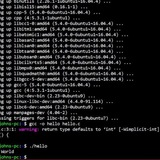
what is the best way to measure the time of a command ?
i wana measure the time of `python3 prog.py< in >out`
i know how to do that in c/c++ but i don't wana overhead
so what is the best way to do that in the terminal ?
(in milliseconds)
thanks
https://redd.it/1ps5gju
@r_bash
i wana measure the time of `python3 prog.py< in >out`
i know how to do that in c/c++ but i don't wana overhead
so what is the best way to do that in the terminal ?
(in milliseconds)
thanks
https://redd.it/1ps5gju
@r_bash
Reddit
From the bash community on Reddit
Explore this post and more from the bash community
I built a terminal-native SQL playground to understand DBMS internals better
https://github.com/tejgokani/TermiBase
https://redd.it/1psb88v
@r_bash
https://github.com/tejgokani/TermiBase
https://redd.it/1psb88v
@r_bash
GitHub
GitHub - tejgokani/TermiBase: TermiBase — a terminal-native SQL playground that visualizes how queries are parsed, planned, and…
TermiBase — a terminal-native SQL playground that visualizes how queries are parsed, planned, and executed, built to teach DBMS internals through hands-on interaction - tejgokani/TermiBase
Are there any set of good practice assignments out there for learning bash
Title, thought of this when going through a bash course on YouTube. Edit: something for sed/awk will be useful as well
https://redd.it/1psquhh
@r_bash
Title, thought of this when going through a bash course on YouTube. Edit: something for sed/awk will be useful as well
https://redd.it/1psquhh
@r_bash
Reddit
From the bash community on Reddit
Explore this post and more from the bash community
Just discovered per-directory history. What else exists?
I came across this project: https://github.com/martinec/bash-per-directory-history
It's not seen much activity over the years and I can think of a few things for improvement. Just wanted to know if any knows of any alternatives that is more maintained before I start modifying this.
Meanwhile, what other cool stuff like this exists for bash?
https://redd.it/1psvweu
@r_bash
I came across this project: https://github.com/martinec/bash-per-directory-history
It's not seen much activity over the years and I can think of a few things for improvement. Just wanted to know if any knows of any alternatives that is more maintained before I start modifying this.
Meanwhile, what other cool stuff like this exists for bash?
https://redd.it/1psvweu
@r_bash
GitHub
GitHub - martinec/bash-per-directory-history: Per directory history for Bash
Per directory history for Bash. Contribute to martinec/bash-per-directory-history development by creating an account on GitHub.
Methods to consider aborting everything if one of the steps below fails?
- Take a look at this noscript above
- It creates a docker network and a volume
- Then it builds a few images
- Then runs a container to generate certs
- Copy certs back to local machine and then runs a few other containers dependend on the above one
- Let us say that one of these steps fail. Now obviously if the network exists or volume does or even the image exists or if you attempt running the container with the same name twice, it is most certainly going to fail
- Let us say you want to abort everything and undo whatever was done if one of the steps fail
- Let's talk about the methods to handle such a case
# Put an if statement on every command
- This does the job but is going to look very ugly for like 25 invocations above
# Set -Euox pipefail
- I was warned somewhere that you should not do this because it causes unpredictable behavior
## Questions
- What are my options here?
- If someone presses Ctrl + C in the
#!/usr/bin/env bash

docker network create "network.development.ch_api"
docker volume create "redis_certs.development.ch_api"

docker build \
    --file "${PWD}/docker/development/caddy_server/Dockerfile" \
    --tag "caddy_server.development.ch_api" \
    --quiet .
docker build \
    --file "${PWD}/docker/development/express_server/Dockerfile" \
    --tag "express_server.development.ch_api" \
    --quiet .
docker build \
    --file "${PWD}/docker/development/postgres_server/Dockerfile" \
    --tag "postgres_server.development.ch_api" \
    --quiet .
docker build \
    --file "${PWD}/docker/development/redis_certs/Dockerfile" \
    --tag "redis_certs.development.ch_api" \
    --quiet .
docker build \
    --file "${PWD}/docker/development/redis_server/Dockerfile" \
    --tag "redis_server.development.ch_api" \
    --quiet .

docker run \
    --detach \
    --env-file "${PWD}/docker/development/.env" \
    --interactive \
    --name "redis_certs.development.ch_api" \
    --network "network.development.ch_api" \
    --tty \
    --volume "redis_certs.development.ch_api:/home/tests/tls:rw" \
    "redis_certs.development.ch_api"

docker container wait "redis_certs.development.ch_api"

docker cp "redis_certs.development.ch_api:/home/tests/tls/ca.crt" "${PWD}/certs/docker/development/redis/ca.crt"

docker cp "redis_certs.development.ch_api:/home/tests/tls/client.crt" "${PWD}/certs/docker/development/redis/client.crt"

docker cp "redis_certs.development.ch_api:/home/tests/tls/client.key" "${PWD}/certs/docker/development/redis/client.key"

docker run \
    --detach \
    --env-file "${PWD}/docker/development/.env" \
    --interactive \
    --name "redis_server.development.ch_api" \
    --network "network.development.ch_api" \
    --publish 41729:41729  \
    --restart unless-stopped \
    --tty  \
    --volume "redis_certs.development.ch_api:/etc/ssl/certs:ro" \
    "redis_server.development.ch_api"

docker run \
    --detach \
    --env-file "${PWD}/docker/development/.env" \
    --interactive \
    --name "postgres_server.development.ch_api" \
    --network "network.development.ch_api" \
    --publish 47293:47293  \
    --restart unless-stopped \
    --tty \
    "postgres_server.development.ch_api"

docker run \
    --detach \
    --env-file "${PWD}/docker/development/.env" \
    --interactive \
    --name "express_server.development.ch_api" \
    --network "network.development.ch_api" \
    --publish 34273:34273 \
    --restart unless-stopped \
    --tty \
    --volume "redis_certs.development.ch_api:/home/node/ch_api/certs/docker/development/redis:ro" \
    "express_server.development.ch_api"

docker run \
    --detach \
    --env-file "${PWD}/docker/development/.env" \
    --interactive \
    --name "caddy_server.development.ch_api" \
    --network "network.development.ch_api" \
    --publish 80:80 \
    --publish 443:443 \
    --restart unless-stopped \
    --tty \
    "caddy_server.development.ch_api"
- Take a look at this noscript above
- It creates a docker network and a volume
- Then it builds a few images
- Then runs a container to generate certs
- Copy certs back to local machine and then runs a few other containers dependend on the above one
- Let us say that one of these steps fail. Now obviously if the network exists or volume does or even the image exists or if you attempt running the container with the same name twice, it is most certainly going to fail
- Let us say you want to abort everything and undo whatever was done if one of the steps fail
- Let's talk about the methods to handle such a case
# Put an if statement on every command
if docker run .... then
  success
else
  abort
fi
- This does the job but is going to look very ugly for like 25 invocations above
# Set -Euox pipefail
- I was warned somewhere that you should not do this because it causes unpredictable behavior
## Questions
- What are my options here?
- If someone presses Ctrl + C in the
Bring Oh My Bash and all you need wherever you go through the ssh
https://i.imgur.com/2HbQebm.png
https://redd.it/1ptmj2j
@r_bash
https://i.imgur.com/2HbQebm.png
https://redd.it/1ptmj2j
@r_bash
Understanding Linux Networking Commands by Learning Their Limits
While learning Linux networking, I realized I often knew what command to run but not what its output can’t tell me.
So I started documenting commands along with their limitations:
ss / netstat → shows listening sockets, not firewall behavior
ip → shows configuration, not end-to-end reachability
ping → ICMP-based, not real traffic
traceroute/mtr → path info can be incomplete
dig/nslookup → DNS only, not service health
nc → basic port checks, limited context
curl → app-layer view, not network internals
This way of learning has helped me interpret outputs more carefully instead of assuming “network issue” too quickly.
I’ve written a blog focused only on how these commands work and their limitations, mainly as learning notes. I’ll add the link in comments for anyone interested.
What command’s limitation surprised you the most when you were learning?
https://redd.it/1pv88w1
@r_bash
While learning Linux networking, I realized I often knew what command to run but not what its output can’t tell me.
So I started documenting commands along with their limitations:
ss / netstat → shows listening sockets, not firewall behavior
ip → shows configuration, not end-to-end reachability
ping → ICMP-based, not real traffic
traceroute/mtr → path info can be incomplete
dig/nslookup → DNS only, not service health
nc → basic port checks, limited context
curl → app-layer view, not network internals
This way of learning has helped me interpret outputs more carefully instead of assuming “network issue” too quickly.
I’ve written a blog focused only on how these commands work and their limitations, mainly as learning notes. I’ll add the link in comments for anyone interested.
What command’s limitation surprised you the most when you were learning?
https://redd.it/1pv88w1
@r_bash
Reddit
From the bash community on Reddit
Explore this post and more from the bash community
Improving the "command failed with exit 129" errors; check out my project: dexit - "Decode Exit".
https://github.com/eatnumber1/dexit
https://redd.it/1pvutw5
@r_bash
https://github.com/eatnumber1/dexit
https://redd.it/1pvutw5
@r_bash
GitHub
GitHub - eatnumber1/dexit: dexit (Decode Exit) - decode shell exit codes
dexit (Decode Exit) - decode shell exit codes. Contribute to eatnumber1/dexit development by creating an account on GitHub.
Tenho feito um curso de bash do "you stuck at programming" e isso me incentivou a usar o bash mas o recurso do fish de recomendação de comandos é tão melhror, que pra mim não faz sentido usar outro shell
Qual o motivo que vc usa bash?
https://redd.it/1px4yvz
@r_bash
Qual o motivo que vc usa bash?
https://redd.it/1px4yvz
@r_bash
Reddit
From the bash community on Reddit
Explore this post and more from the bash community
guys i made a timer (im new to bash)
\#!/bin/bash
while true; do
clear
time=$(date +"%H:%M:%S")
echo "
\+------------+
| $time |
\+------------+
"
sleep 1
done
https://redd.it/1pxnwy4
@r_bash
\#!/bin/bash
while true; do
clear
time=$(date +"%H:%M:%S")
echo "
\+------------+
| $time |
\+------------+
"
sleep 1
done
https://redd.it/1pxnwy4
@r_bash
Reddit
From the bash community on Reddit
Explore this post and more from the bash community