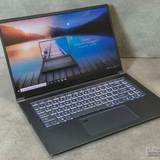
MSI Vector 16 HX A14V - i7-14650HX and RTX 4080
Hello, MSI Vector 16 owners (i7-14650HX + RTX 4080).
Could someone run an OCCT benchmark for comparison?
My unit was recently serviced and the thermal paste was replaced under warranty, but the temps still look suspicious.
I tested it in Extreme Performance and Balanced modes (the results are the same).
The issue has been present since the day of purchase, and during this time I tried to fix it with undervolting - but it doesn’t help.
The laptop still overloads and reboots during gaming, and the fan constantly runs in Turbo mode like a vacuum cleaner.
I’m considering sending it back again, but I need more reference data from other Vector 16 users before doing that.
Official Intel position:
An Intel representative confirms that sustained temperatures of 95-102°C on the i7-14650HX are not normal and indicate a cooling system issue
(source: Intel Community — i7-14650HX overheating).
https://preview.redd.it/hpe93s6qr65g1.jpg?width=1600&format=pjpg&auto=webp&s=ee000a3f452544fb9384d8f223e0dd9be63f49ca
https://redd.it/1pdzohr
@MSILaptops
Hello, MSI Vector 16 owners (i7-14650HX + RTX 4080).
Could someone run an OCCT benchmark for comparison?
My unit was recently serviced and the thermal paste was replaced under warranty, but the temps still look suspicious.
I tested it in Extreme Performance and Balanced modes (the results are the same).
The issue has been present since the day of purchase, and during this time I tried to fix it with undervolting - but it doesn’t help.
The laptop still overloads and reboots during gaming, and the fan constantly runs in Turbo mode like a vacuum cleaner.
I’m considering sending it back again, but I need more reference data from other Vector 16 users before doing that.
Official Intel position:
An Intel representative confirms that sustained temperatures of 95-102°C on the i7-14650HX are not normal and indicate a cooling system issue
(source: Intel Community — i7-14650HX overheating).
https://preview.redd.it/hpe93s6qr65g1.jpg?width=1600&format=pjpg&auto=webp&s=ee000a3f452544fb9384d8f223e0dd9be63f49ca
https://redd.it/1pdzohr
@MSILaptops
Intel
i7 14650HX Cpu overheating
Hey, I am also facing this problem. I just bought a Rog Strix G615JHR on 5th August 2025 with an i7 14650hx and an rtx 5050, it idles at about 55 to 60 degree Celsius and whenever i open valorant or even any other games like gta v or mw3 or battlefield 6…
Extremely high temps
Im using msi gf63 thin 11sc and the temperature before was low but in the recent day the temp somehow spike up to these when i was only using opera and watching youtube
https://preview.redd.it/jl4mfrsvm75g1.png?width=1413&format=png&auto=webp&s=c911f8744493f357fd1aece5bfff40fc85847cbc
https://redd.it/1pe3q2t
@MSILaptops
Im using msi gf63 thin 11sc and the temperature before was low but in the recent day the temp somehow spike up to these when i was only using opera and watching youtube
https://preview.redd.it/jl4mfrsvm75g1.png?width=1413&format=png&auto=webp&s=c911f8744493f357fd1aece5bfff40fc85847cbc
https://redd.it/1pe3q2t
@MSILaptops
Should i buy this? MSI Cyborg 15 B2RWFKG-076IT
Hi, I'm thinking of buying a new laptop. I'd mainly use it for university(engineering) and for some gaming. The specs I've seen are:
Intel 240H CPU
NVIDIA 5060 GPU (55W)
16GB DDR5 RAM
1TB NVMe SSD Storage
The offer I saw is €999. Should I buy it? Do you recommend it?
https://redd.it/1pe2if1
@MSILaptops
Hi, I'm thinking of buying a new laptop. I'd mainly use it for university(engineering) and for some gaming. The specs I've seen are:
Intel 240H CPU
NVIDIA 5060 GPU (55W)
16GB DDR5 RAM
1TB NVMe SSD Storage
The offer I saw is €999. Should I buy it? Do you recommend it?
https://redd.it/1pe2if1
@MSILaptops
Reddit
From the MSILaptops community on Reddit
Explore this post and more from the MSILaptops community
MSI CENTER SDK
anyone have a problem regarding the loading time for sdk initialisation? How can I fix this? Should I wait?
https://redd.it/1pe1kmd
@MSILaptops
anyone have a problem regarding the loading time for sdk initialisation? How can I fix this? Should I wait?
https://redd.it/1pe1kmd
@MSILaptops
Reddit
From the MSILaptops community on Reddit
Explore this post and more from the MSILaptops community
Random sound stutter on new MSI Raider 18 5080 laptop
I really need some help. I purchased the device a few days ago, but I’ve been experiencing several sound issues. When the problem occurs, the system freezes for a split second. It happens randomly, completely randomly, so it’s hard to capture, but it usually occurs when there’s any audio playing in a video game.
I found this video online, and it describes exactly what I’m experiencing: https://youtu.be/VKdAkwiIbxo
I have tried reinstalling windows using MSI recovery, updated all drivers and newest BIOS, it still happens. Is it a defect and I should RMA?
Latencymon also reports crazy latency, although I’m not sure if it related at all.
https://preview.redd.it/wn99ad2it85g1.png?width=2952&format=png&auto=webp&s=85c5495e3f75f82a6617b0dfcaf22c63a538645a
https://redd.it/1pea5ed
@MSILaptops
I really need some help. I purchased the device a few days ago, but I’ve been experiencing several sound issues. When the problem occurs, the system freezes for a split second. It happens randomly, completely randomly, so it’s hard to capture, but it usually occurs when there’s any audio playing in a video game.
I found this video online, and it describes exactly what I’m experiencing: https://youtu.be/VKdAkwiIbxo
I have tried reinstalling windows using MSI recovery, updated all drivers and newest BIOS, it still happens. Is it a defect and I should RMA?
Latencymon also reports crazy latency, although I’m not sure if it related at all.
https://preview.redd.it/wn99ad2it85g1.png?width=2952&format=png&auto=webp&s=85c5495e3f75f82a6617b0dfcaf22c63a538645a
https://redd.it/1pea5ed
@MSILaptops
Katana 17 B13VFK cpu stuck at ≈ 1.8ghz
The CPU is a 13th gen i7-13620H, with a base clock of 2.40ghz and turbo at 4.9ghz but no matter what I do I cannot get it to go past about 1.8ghz. I'm using HWiNFO64 to check the P cores clock and the and it never even goes above 2ghz on any of the cores. So thats not even the base clock speed? I've tried disabling Intel tuning- my PL1 and PL2 dynamic show 85w and 140w but the CPU package power only shows about 13w at most. The cpu is at 60c normally and 67-72c under heavy load. I've tried everything related to MSI extreme performance too.
This is really frustrating, I just want to use my CPU that I paid for, not just 1/4 of it's power. The fans are super powerful and I also have a cooling pad for my laptop as well so I'm not really concerned that it would be overheating or thermal throttling. But I am hesitant to change anything in the BIOS without fully knowing what I'm doing. Any advice is greatly appreciated.
https://redd.it/1pedkvm
@MSILaptops
The CPU is a 13th gen i7-13620H, with a base clock of 2.40ghz and turbo at 4.9ghz but no matter what I do I cannot get it to go past about 1.8ghz. I'm using HWiNFO64 to check the P cores clock and the and it never even goes above 2ghz on any of the cores. So thats not even the base clock speed? I've tried disabling Intel tuning- my PL1 and PL2 dynamic show 85w and 140w but the CPU package power only shows about 13w at most. The cpu is at 60c normally and 67-72c under heavy load. I've tried everything related to MSI extreme performance too.
This is really frustrating, I just want to use my CPU that I paid for, not just 1/4 of it's power. The fans are super powerful and I also have a cooling pad for my laptop as well so I'm not really concerned that it would be overheating or thermal throttling. But I am hesitant to change anything in the BIOS without fully knowing what I'm doing. Any advice is greatly appreciated.
https://redd.it/1pedkvm
@MSILaptops
Reddit
From the MSILaptops community on Reddit
Explore this post and more from the MSILaptops community
GF63 Thin overheating constantly
I own a GF63 thin (as the noscript says), but one thing I have common issues with is the heating, no matter how I arrange it, no matter what cooling settings I put, it always crawls its way up to 95C on the cpu and shuts off.
It pisses me off alot given its a $1000 Laptop, and yet I cant even load TF2 for more than 15 minutes without it overheating.
Does anyone know how I could make it overheat less? I'm not very smart with computers, so sorry in advance.
https://redd.it/1peqpwj
@MSILaptops
I own a GF63 thin (as the noscript says), but one thing I have common issues with is the heating, no matter how I arrange it, no matter what cooling settings I put, it always crawls its way up to 95C on the cpu and shuts off.
It pisses me off alot given its a $1000 Laptop, and yet I cant even load TF2 for more than 15 minutes without it overheating.
Does anyone know how I could make it overheat less? I'm not very smart with computers, so sorry in advance.
https://redd.it/1peqpwj
@MSILaptops
Reddit
From the MSILaptops community on Reddit
Explore this post and more from the MSILaptops community
Can you help me about my fan's speed
https://preview.redd.it/2kg7oslq3d5g1.png?width=1960&format=png&auto=webp&s=0c87ae2bc3da45da0a4eee97b387a0def07eaca8
Guys, I normally use this feature on auto, but my CPU goes up to 90 degrees and sometimes the system shuts down by itself because it gets too hot. What settings can I use to reduce the temperatures? I’d appreciate any help.
Cpu : Intel Core i9-14900HX
Gpu : NVIDIA GeForce RTX 4070
https://redd.it/1peronc
@MSILaptops
https://preview.redd.it/2kg7oslq3d5g1.png?width=1960&format=png&auto=webp&s=0c87ae2bc3da45da0a4eee97b387a0def07eaca8
Guys, I normally use this feature on auto, but my CPU goes up to 90 degrees and sometimes the system shuts down by itself because it gets too hot. What settings can I use to reduce the temperatures? I’d appreciate any help.
Cpu : Intel Core i9-14900HX
Gpu : NVIDIA GeForce RTX 4070
https://redd.it/1peronc
@MSILaptops
Help MSI Stealth GS66 12UH Thunderbolt port not working anymore
Hi all!
So, since approx. 2 weeks ago, the Thunderbolt connection of my MSI Stealth GS66 12UH has suddenly stopped working, and I am suspecting a software update somewhere being the culprit of all of this.
The reason why I suspect it's not hardware-related is that right after an EC Reset, the Thunderbolt device I'm connecting suddenly works again for that one small moment... until the laptop starts again. Then it doesn't connect anymore.
So I've contacted MSI about it, and they're not blaming their BIOS, because in their environment and internal tests it's going fine.
So now I'm here, making a post on Reddit, asking you guys what could be the cause of this sudden behaviour of my laptop's Thunderbolt port and hoping someone knows how to troubleshoot this.
Some necessary information
I have the latest BIOS version from MSI for my laptop.
The Thunderbolt devices I'm testing with are the Anker 737 Power Bank (PowerCore 24K) and the Dell Universal Dock. (UD22 Dockingstation)
I have fully updated Windows 11.
I have completely wiped my laptop to the MSI factory settings.
Thank you!
https://redd.it/1pes4a5
@MSILaptops
Hi all!
So, since approx. 2 weeks ago, the Thunderbolt connection of my MSI Stealth GS66 12UH has suddenly stopped working, and I am suspecting a software update somewhere being the culprit of all of this.
The reason why I suspect it's not hardware-related is that right after an EC Reset, the Thunderbolt device I'm connecting suddenly works again for that one small moment... until the laptop starts again. Then it doesn't connect anymore.
So I've contacted MSI about it, and they're not blaming their BIOS, because in their environment and internal tests it's going fine.
So now I'm here, making a post on Reddit, asking you guys what could be the cause of this sudden behaviour of my laptop's Thunderbolt port and hoping someone knows how to troubleshoot this.
Some necessary information
I have the latest BIOS version from MSI for my laptop.
The Thunderbolt devices I'm testing with are the Anker 737 Power Bank (PowerCore 24K) and the Dell Universal Dock. (UD22 Dockingstation)
I have fully updated Windows 11.
I have completely wiped my laptop to the MSI factory settings.
Thank you!
https://redd.it/1pes4a5
@MSILaptops
Reddit
From the MSILaptops community on Reddit
Explore this post and more from the MSILaptops community
Trackpad not clicking brand new MSI Katana HX I9 14900 / 5070 (Fix included in post)
So... I recently purchased a brand new MSI Katana MSI Katana HX I9 14900 / 5070 with a stock 512gb ssd / 16gb (2x8) laptop.
I upgraded the ram from 16gb to 64gb and upgraded the SSD from 512gb to 4tb.
Sometime today I log on to my laptop to play a game and I notice the trackpad is tracking but the click isnt working.
Things I tried
* FN + F4 (disable trackpad)
* Windows update
* Installed / reinstalled trackpad drivers
* Updated bios
I noticed the trackpad wasnt clicking in the bios as well, which means that its not driver based.
I decided to put the original ram and original ssd back in and take it bck to the store for a refund. After I took the bottom case off the trackpad started clicking....
I put the bottom case back on and tigtened the screws and ....no click.
... I thought surely its not this... so I loosened the screws on the bottom of the case near the trackpad and VOILA ... trackpad clicks as per usual.
So... after I dug deeper i realised the bottom case wasnt clicked in properly (bottom case needs to be clicked in hard) and then the screws can be tighened as per normal.
Hopefully this helps someone who I is in a similar situation.
https://redd.it/1peuglq
@MSILaptops
So... I recently purchased a brand new MSI Katana MSI Katana HX I9 14900 / 5070 with a stock 512gb ssd / 16gb (2x8) laptop.
I upgraded the ram from 16gb to 64gb and upgraded the SSD from 512gb to 4tb.
Sometime today I log on to my laptop to play a game and I notice the trackpad is tracking but the click isnt working.
Things I tried
* FN + F4 (disable trackpad)
* Windows update
* Installed / reinstalled trackpad drivers
* Updated bios
I noticed the trackpad wasnt clicking in the bios as well, which means that its not driver based.
I decided to put the original ram and original ssd back in and take it bck to the store for a refund. After I took the bottom case off the trackpad started clicking....
I put the bottom case back on and tigtened the screws and ....no click.
... I thought surely its not this... so I loosened the screws on the bottom of the case near the trackpad and VOILA ... trackpad clicks as per usual.
So... after I dug deeper i realised the bottom case wasnt clicked in properly (bottom case needs to be clicked in hard) and then the screws can be tighened as per normal.
Hopefully this helps someone who I is in a similar situation.
https://redd.it/1peuglq
@MSILaptops
Reddit
From the MSILaptops community on Reddit
Explore this post and more from the MSILaptops community
Throttlestop
When I use throttlestop on my MSI gf65 i5 rtx3060 I'm not noticing much different temps. am I doing it wrong or something. I have it set to -132 on both cache and core
https://redd.it/1perrc0
@MSILaptops
When I use throttlestop on my MSI gf65 i5 rtx3060 I'm not noticing much different temps. am I doing it wrong or something. I have it set to -132 on both cache and core
https://redd.it/1perrc0
@MSILaptops
Reddit
From the MSILaptops community on Reddit
Explore this post and more from the MSILaptops community
Msi gf65 thin 10ue (3060) thermal pads thickness?
I've searched online and came across different answers. Seemed inconsistent, some said 1mm + 1.5mm and others 1mm + 2mm. So I'm just confused. I would prefer thermal pads over putty, just preference. Thanks in advance.
https://redd.it/1pf22id
@MSILaptops
I've searched online and came across different answers. Seemed inconsistent, some said 1mm + 1.5mm and others 1mm + 2mm. So I'm just confused. I would prefer thermal pads over putty, just preference. Thanks in advance.
https://redd.it/1pf22id
@MSILaptops
Reddit
From the MSILaptops community on Reddit
Explore this post and more from the MSILaptops community
Is MSI thin 15 good?
I'm planning to buy msi thin 15 as it is cheaper than other gaming laptop. I5 12450 with rtx 305. Need your honest opinion. Thank you!
https://redd.it/1pf26pt
@MSILaptops
I'm planning to buy msi thin 15 as it is cheaper than other gaming laptop. I5 12450 with rtx 305. Need your honest opinion. Thank you!
https://redd.it/1pf26pt
@MSILaptops
Reddit
From the MSILaptops community on Reddit
Explore this post and more from the MSILaptops community
I can’t play online games with my internet even though the Wi-Fi works
Hello, for some time now I haven’t been able to play online games on my laptop, such as Overwatch or Minecraft. As soon as I connect, I’m immediately disconnected, then I manage to reconnect for a few seconds before being disconnected again, and this keeps repeating. However, Google, Spotify and downloads work perfectly.
Here’s what I know so far:
It’s not an Ethernet cable issue (I’ve tried two different cables).
It’s not a Wi-Fi issue either, because even when I use connection sharing from my boyfriend’s PC connected to the same Wi-Fi, the result is the same (and his PC connects to the Wi-Fi and plays games without any problem).
When I try sharing my phone’s mobile data, everything works fine but I would prefer to use the wifi of our apartement.
I think it might be a problem with my network card (Intel(R) Wi-Fi AX201 160MHz) or my laptop, but I don’t know what to do since It is already up to date, same for my other devices.
https://redd.it/1pf6a5k
@MSILaptops
Hello, for some time now I haven’t been able to play online games on my laptop, such as Overwatch or Minecraft. As soon as I connect, I’m immediately disconnected, then I manage to reconnect for a few seconds before being disconnected again, and this keeps repeating. However, Google, Spotify and downloads work perfectly.
Here’s what I know so far:
It’s not an Ethernet cable issue (I’ve tried two different cables).
It’s not a Wi-Fi issue either, because even when I use connection sharing from my boyfriend’s PC connected to the same Wi-Fi, the result is the same (and his PC connects to the Wi-Fi and plays games without any problem).
When I try sharing my phone’s mobile data, everything works fine but I would prefer to use the wifi of our apartement.
I think it might be a problem with my network card (Intel(R) Wi-Fi AX201 160MHz) or my laptop, but I don’t know what to do since It is already up to date, same for my other devices.
https://redd.it/1pf6a5k
@MSILaptops
Reddit
From the MSILaptops community on Reddit
Explore this post and more from the MSILaptops community
Was trying to add M.2 to my Vector A16 HX, and I can’t figure out how to install it
https://redd.it/1pf7ysy
@MSILaptops
https://redd.it/1pf7ysy
@MSILaptops
Trackpad not clicking brand new MSI Katana HX I9 14900 / 5070 (Fix included in post)
So... I recently purchased a brand new MSI Katana MSI Katana HX I9 14900 / 5070 with a stock 512gb ssd / 16gb (2x8) laptop.
I upgraded the ram from 16gb to 64gb and upgraded the SSD from 512gb to 4tb.
Sometime today I log on to my laptop to play a game and I notice the trackpad is tracking but the click isnt working.
Things I tried
* FN + F4 (disable trackpad)
* Windows update
* Installed / reinstalled trackpad drivers
* Updated bios
I noticed the trackpad wasnt clicking in the bios as well, which means that its not driver based.
I decided to put the original ram and original ssd back in and take it bck to the store for a refund. After I took the bottom case off the trackpad started clicking....
I put the bottom case back on and tigtened the screws and ....no click.
... I thought surely its not this... so I loosened the screws on the bottom of the case near the trackpad and VOILA ... trackpad clicks as per usual.
So... after I dug deeper i realised the bottom case wasnt clicked in properly (bottom case needs to be clicked in hard) and then the screws can be tighened as per normal.
Hopefully this helps someone who I is in a similar situation.
https://redd.it/1pf90yt
@MSILaptops
So... I recently purchased a brand new MSI Katana MSI Katana HX I9 14900 / 5070 with a stock 512gb ssd / 16gb (2x8) laptop.
I upgraded the ram from 16gb to 64gb and upgraded the SSD from 512gb to 4tb.
Sometime today I log on to my laptop to play a game and I notice the trackpad is tracking but the click isnt working.
Things I tried
* FN + F4 (disable trackpad)
* Windows update
* Installed / reinstalled trackpad drivers
* Updated bios
I noticed the trackpad wasnt clicking in the bios as well, which means that its not driver based.
I decided to put the original ram and original ssd back in and take it bck to the store for a refund. After I took the bottom case off the trackpad started clicking....
I put the bottom case back on and tigtened the screws and ....no click.
... I thought surely its not this... so I loosened the screws on the bottom of the case near the trackpad and VOILA ... trackpad clicks as per usual.
So... after I dug deeper i realised the bottom case wasnt clicked in properly (bottom case needs to be clicked in hard) and then the screws can be tighened as per normal.
Hopefully this helps someone who I is in a similar situation.
https://redd.it/1pf90yt
@MSILaptops
Reddit
From the MSILaptops community on Reddit
Explore this post and more from the MSILaptops community