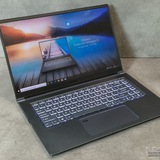
MSI Vector 16 HX AI A2XW ( RTX5080) Screen flickering during restart happens occasionally
https://redd.it/1pj83lg
@MSILaptops
https://redd.it/1pj83lg
@MSILaptops
Msi laptop Unresponsive
Msi GE76 Rader 11UE shut down in game, wouldn't turn back on. Tried a hard reset. Took it to professional, was told battery had no voltage and needed a replacement. I was worried it might be a motherboard issue, as I recently applied new non conductive thermal paste and cleaned up fans.
They didn't say anything was wrong with the motherboard nor did they say they did a inspection of it, just said they cleaned up and reapplyed some as they said I used too much. Still won't turn on with new battery installed after charging overnight, tried resetting EC and it is still completely unresponsive. The adapter doesn't seem to have any damage, perhaps a bit lose but it still clicks when plugged in.
Also, I didn't smell any burning when the laptop shut off, nor did I see any discoloration of the motherboard of what I can see. However the fans did go on for a little after shut off.
I really don't want to have to buy another laptop as this laptop performaned well and was expensive and I can't afford to buy another.
If anyone has any ideas on what the actual fuck happened, sound off in the comments. I'm exhausted at this point, and my warranty ended last year in May.
https://redd.it/1pjadn6
@MSILaptops
Msi GE76 Rader 11UE shut down in game, wouldn't turn back on. Tried a hard reset. Took it to professional, was told battery had no voltage and needed a replacement. I was worried it might be a motherboard issue, as I recently applied new non conductive thermal paste and cleaned up fans.
They didn't say anything was wrong with the motherboard nor did they say they did a inspection of it, just said they cleaned up and reapplyed some as they said I used too much. Still won't turn on with new battery installed after charging overnight, tried resetting EC and it is still completely unresponsive. The adapter doesn't seem to have any damage, perhaps a bit lose but it still clicks when plugged in.
Also, I didn't smell any burning when the laptop shut off, nor did I see any discoloration of the motherboard of what I can see. However the fans did go on for a little after shut off.
I really don't want to have to buy another laptop as this laptop performaned well and was expensive and I can't afford to buy another.
If anyone has any ideas on what the actual fuck happened, sound off in the comments. I'm exhausted at this point, and my warranty ended last year in May.
https://redd.it/1pjadn6
@MSILaptops
Reddit
From the MSILaptops community on Reddit
Explore this post and more from the MSILaptops community
Is it worth buying the Titan 18 HX Dragon? CES 2026 is 3 weeks away
Title. I definitely like the laptop and have the capacity to buy it, but I am wondering if it would be a stupid choice, as CES 2026 is 3 weeks away and there is a chance they unveil something even better.
https://preview.redd.it/9d3muq2klf6g1.png?width=1102&format=png&auto=webp&s=896afa93ade7959092e86605bcdbb4f9a990cd96
https://redd.it/1pjc0cx
@MSILaptops
Title. I definitely like the laptop and have the capacity to buy it, but I am wondering if it would be a stupid choice, as CES 2026 is 3 weeks away and there is a chance they unveil something even better.
https://preview.redd.it/9d3muq2klf6g1.png?width=1102&format=png&auto=webp&s=896afa93ade7959092e86605bcdbb4f9a990cd96
https://redd.it/1pjc0cx
@MSILaptops
MSI Thin 15 Gaming Laptop Review — Power, Portability, and Performance in a Slim Form
https://medium.com/@WrittenByES/msi-thin-15-gaming-laptop-review-power-portability-and-performance-in-a-slim-form-4c5e7747b75d
https://redd.it/1pjeftv
@MSILaptops
https://medium.com/@WrittenByES/msi-thin-15-gaming-laptop-review-power-portability-and-performance-in-a-slim-form-4c5e7747b75d
https://redd.it/1pjeftv
@MSILaptops
Medium
MSI Thin 15 Gaming Laptop Review — Power, Portability, and Performance in a Slim Form
The MSI Thin 15 offers a compelling balance between powerful hardware and a sleek, lightweight design. With a 13th Gen Intel Core…
Potential screen replacement due to likely failed TCON on an MSI Creator Z16P-B12U Laptop
Hey all, I bought a Z16P around 3 years ago now and had sent it in for repairs once; having an issue again, this time with major screen banding towards the bottom of the screen that reflects/inverts the image at the top.
Through some troubleshooting, I've ruled out either the integrated or dedicated GPU (issue persists when completely disabling either GPU and running on the other), drivers (issue persists in BIOS and during POST) and a few other related issues.
The banding is of random heights up the bottom portion of the screen, and the "height" or number of bands re-randomizes during any new display re-initializing event (Reboot, Win Key + Ctrl+ Shift+B, refresh rate modification, driver re-install, etc). Sounds like a TCON to me.
So, two questions:
-Would a panel replacement swap the TCON for this model, and for that matter do I NEED to swap the full panel or can I swap just the timing chip? I believe it is fully integrated like with most models but would feel better if someone more familiar with the model confirmed. It's a shame because the panel is otherwise in beautiful shape, it's just the timing that's utterly borked.
-How much of a PITA is it to perform a panel replacement myself on this model if it's needed? I am a moderate experience repairman in general for PCs but no experience on this particular model.
Oh, and of course the third question would be- any other advice or wisdom or similar experience with this/a similar model? Thanks in advance!
https://redd.it/1pjl7ab
@MSILaptops
Hey all, I bought a Z16P around 3 years ago now and had sent it in for repairs once; having an issue again, this time with major screen banding towards the bottom of the screen that reflects/inverts the image at the top.
Through some troubleshooting, I've ruled out either the integrated or dedicated GPU (issue persists when completely disabling either GPU and running on the other), drivers (issue persists in BIOS and during POST) and a few other related issues.
The banding is of random heights up the bottom portion of the screen, and the "height" or number of bands re-randomizes during any new display re-initializing event (Reboot, Win Key + Ctrl+ Shift+B, refresh rate modification, driver re-install, etc). Sounds like a TCON to me.
So, two questions:
-Would a panel replacement swap the TCON for this model, and for that matter do I NEED to swap the full panel or can I swap just the timing chip? I believe it is fully integrated like with most models but would feel better if someone more familiar with the model confirmed. It's a shame because the panel is otherwise in beautiful shape, it's just the timing that's utterly borked.
-How much of a PITA is it to perform a panel replacement myself on this model if it's needed? I am a moderate experience repairman in general for PCs but no experience on this particular model.
Oh, and of course the third question would be- any other advice or wisdom or similar experience with this/a similar model? Thanks in advance!
https://redd.it/1pjl7ab
@MSILaptops
Reddit
From the MSILaptops community on Reddit
Explore this post and more from the MSILaptops community
Confirming storage upgrade for MSI Thin 15 B12VE - Can I add a 2.5" SATA SSD?
Hi everyone,
I have an MSI Thin 15 B12VE and I'm planning to upgrade my storage because the main drive is getting full.
I've read online that this specific model has:
1. One M.2 NVMe slot (which is already taken by my OS drive).
2. One empty 2.5" SATA slot.
I'm looking at buying a 2.5" SATA SSD (like a Samsung 870 EVO or Kingston A400) to put in that empty slot so I can have dual drives.
Can anyone with this laptop confirm if this is correct? I want to make sure I don't need to replace my main NVMe drive and can just add the SATA SSD for extra game storage.
Thanks!
https://redd.it/1pjox9o
@MSILaptops
Hi everyone,
I have an MSI Thin 15 B12VE and I'm planning to upgrade my storage because the main drive is getting full.
I've read online that this specific model has:
1. One M.2 NVMe slot (which is already taken by my OS drive).
2. One empty 2.5" SATA slot.
I'm looking at buying a 2.5" SATA SSD (like a Samsung 870 EVO or Kingston A400) to put in that empty slot so I can have dual drives.
Can anyone with this laptop confirm if this is correct? I want to make sure I don't need to replace my main NVMe drive and can just add the SATA SSD for extra game storage.
Thanks!
https://redd.it/1pjox9o
@MSILaptops
Reddit
From the MSILaptops community on Reddit
Explore this post and more from the MSILaptops community
Laptop having the same issue despite MSI claiming to have fixed it
I was having issues with my laptop (system and app crashes) so I sent it into MSI to fix it, and it temporarily resolved the problem, only for it to have the same exact issues two months later (with the added issue of my Windows key not being recognized). What do I do now?
https://redd.it/1pjqwh6
@MSILaptops
I was having issues with my laptop (system and app crashes) so I sent it into MSI to fix it, and it temporarily resolved the problem, only for it to have the same exact issues two months later (with the added issue of my Windows key not being recognized). What do I do now?
https://redd.it/1pjqwh6
@MSILaptops
Reddit
From the MSILaptops community on Reddit
Explore this post and more from the MSILaptops community
Looking to use FSE on my laptop so I can do some couch gaming
If anyone has some experience with it and has some pros and cons of using FSE, let me know please
https://redd.it/1pjs4jg
@MSILaptops
If anyone has some experience with it and has some pros and cons of using FSE, let me know please
https://redd.it/1pjs4jg
@MSILaptops
Reddit
From the MSILaptops community on Reddit
Explore this post and more from the MSILaptops community
help pls :>
Ok so to start off I’m not really a tech savvy person but according to a friend, my old hard drive which is a HGST HTS541010B7E610 is starting to fail so I have to replace it. I have a MSI GV72 (MS-1799) and he recommends I get an SSD but neither of us know what should I get for gaming :>
https://redd.it/1pjt4ok
@MSILaptops
Ok so to start off I’m not really a tech savvy person but according to a friend, my old hard drive which is a HGST HTS541010B7E610 is starting to fail so I have to replace it. I have a MSI GV72 (MS-1799) and he recommends I get an SSD but neither of us know what should I get for gaming :>
https://redd.it/1pjt4ok
@MSILaptops
Reddit
From the MSILaptops community on Reddit
Explore this post and more from the MSILaptops community
MSHybrid VS. Discrete (VRR support?)
# After 2 years I just found out laptop supports VRR? But only in MSHybrid mode. Now I’m confused which mode is actually better.
I’ve been using my laptop (MSI Raider 18 HX, 4K 120Hz Mini-LED) in discrete GPU mode for almost two years. But today I discovered that when switching to MSHybrid, the option to enable VRR appears (not to be confused with Windows dynamic refresh rate).
https://preview.redd.it/f449zvdx1k6g1.jpg?width=2045&format=pjpg&auto=webp&s=c0ea17fa921ce72777cab6484fdd7906c989f6b9
VRR shows up in the Windows Graphics settings (not in advanced display) and also in the Intel Control Panel. All of these settings simply do not exist when the laptop is in discrete-only mode, Nvidia doesn't support VRR, they only use G-sync, which MSI laptops don't support.
So now I’m wondering: which mode do you guys use, and is there any real advantage to running discrete-only?
# What I’ve noticed so far:
# MSHybrid mode
VRR becomes available
Allows higher CPU power up to \~240W in my case (only when the NVIDIA GPU is idle)
GPU power is limited to \~150-160W on performance preset
HDR brightness is lower compared to discrete mode
Full display control becomes available in the INTEL Control Panel
# Discrete GPU mode
HDR brightness is higher
GPU gets more power (175W on performance preset)
Slightly better performance: Cyberpunk 2077 benchmark shows +3 FPS at 4K
A few milliseconds less input lag (not noticeable at all)
CPU power is limited (up to \~140W in my case)
CPU should theoretically run cooler since the iGPU is disabled
Full display control becomes available in the NVIDIA Control Panel
|Feature|MSHybrid Mode|Discrete GPU Mode|
|:-|:-|:-|
|VRR support|✔️ Available|❌ Not available|
|CPU power limit|Up to \~240W (only when NVIDIA GPU idle)|Up to \~140W|
|GPU power limit|\~150W-160W (performance preset)|\~175W (performance preset)|
|Display control panel|Intel Control Panel|NVIDIA Control Panel|
|HDR brightness|Good|Higher|
|Performance in games|Almost the same|Slightly higher (+3 fps in 4K resolution)|
|Input lag|Almost the same|A few ms lower|
# So. does discrete mode even make sense?
Hybrid gives me VRR and higher CPU power, while discrete gives higher GPU wattage, better HDR brightness (I don't use HDR) and a tiny FPS boost, I would say there is no difference.
https://redd.it/1pjuz72
@MSILaptops
# After 2 years I just found out laptop supports VRR? But only in MSHybrid mode. Now I’m confused which mode is actually better.
I’ve been using my laptop (MSI Raider 18 HX, 4K 120Hz Mini-LED) in discrete GPU mode for almost two years. But today I discovered that when switching to MSHybrid, the option to enable VRR appears (not to be confused with Windows dynamic refresh rate).
https://preview.redd.it/f449zvdx1k6g1.jpg?width=2045&format=pjpg&auto=webp&s=c0ea17fa921ce72777cab6484fdd7906c989f6b9
VRR shows up in the Windows Graphics settings (not in advanced display) and also in the Intel Control Panel. All of these settings simply do not exist when the laptop is in discrete-only mode, Nvidia doesn't support VRR, they only use G-sync, which MSI laptops don't support.
So now I’m wondering: which mode do you guys use, and is there any real advantage to running discrete-only?
# What I’ve noticed so far:
# MSHybrid mode
VRR becomes available
Allows higher CPU power up to \~240W in my case (only when the NVIDIA GPU is idle)
GPU power is limited to \~150-160W on performance preset
HDR brightness is lower compared to discrete mode
Full display control becomes available in the INTEL Control Panel
# Discrete GPU mode
HDR brightness is higher
GPU gets more power (175W on performance preset)
Slightly better performance: Cyberpunk 2077 benchmark shows +3 FPS at 4K
A few milliseconds less input lag (not noticeable at all)
CPU power is limited (up to \~140W in my case)
CPU should theoretically run cooler since the iGPU is disabled
Full display control becomes available in the NVIDIA Control Panel
|Feature|MSHybrid Mode|Discrete GPU Mode|
|:-|:-|:-|
|VRR support|✔️ Available|❌ Not available|
|CPU power limit|Up to \~240W (only when NVIDIA GPU idle)|Up to \~140W|
|GPU power limit|\~150W-160W (performance preset)|\~175W (performance preset)|
|Display control panel|Intel Control Panel|NVIDIA Control Panel|
|HDR brightness|Good|Higher|
|Performance in games|Almost the same|Slightly higher (+3 fps in 4K resolution)|
|Input lag|Almost the same|A few ms lower|
# So. does discrete mode even make sense?
Hybrid gives me VRR and higher CPU power, while discrete gives higher GPU wattage, better HDR brightness (I don't use HDR) and a tiny FPS boost, I would say there is no difference.
https://redd.it/1pjuz72
@MSILaptops
MSI gs63 crashes after running fusion post windows 11 update
I bought this laptop back in 2018 and it was a workhorse for the entire time I've had it. Ever since updating to windows 11 it will completely crash and restart after about 2 minutes in fusion 360. I'd like to keep the laptop and I don't exactly have the cash to buy a brand new one so I'm wondering what I should upgrade or replace to hopefully fix my issue.
I've already downloaded all the drivers from the MSI website and did a factory reset.
Thanks in advance and I wanna add I know next to nothing about computers.
https://redd.it/1pk1ynp
@MSILaptops
I bought this laptop back in 2018 and it was a workhorse for the entire time I've had it. Ever since updating to windows 11 it will completely crash and restart after about 2 minutes in fusion 360. I'd like to keep the laptop and I don't exactly have the cash to buy a brand new one so I'm wondering what I should upgrade or replace to hopefully fix my issue.
I've already downloaded all the drivers from the MSI website and did a factory reset.
Thanks in advance and I wanna add I know next to nothing about computers.
https://redd.it/1pk1ynp
@MSILaptops
Reddit
From the MSILaptops community on Reddit
Explore this post and more from the MSILaptops community
6 yrs of MSI GF 63 Thin 9RC
I've been using my MSI GF63 Thin 9RC for 6 years now – still going strong!Super light, decent 1080p gaming on medium settings even today (GTX 1650 + i5-9300H), and the keyboard feels great. After warranty ended, I slapped in a 1 TB SSD and 16 GB RAM – night-and-day difference.Yes, the single fan gets loud and the bottom gets hot, and the screen is basic 60 Hz, but zero hardware issues in 6 years, hinges solid, no dead pixels.For a ₹49k laptop from 2019, it’s been an absolute steal. Still happily using it daily in 2025!
https://redd.it/1pk3gz0
@MSILaptops
I've been using my MSI GF63 Thin 9RC for 6 years now – still going strong!Super light, decent 1080p gaming on medium settings even today (GTX 1650 + i5-9300H), and the keyboard feels great. After warranty ended, I slapped in a 1 TB SSD and 16 GB RAM – night-and-day difference.Yes, the single fan gets loud and the bottom gets hot, and the screen is basic 60 Hz, but zero hardware issues in 6 years, hinges solid, no dead pixels.For a ₹49k laptop from 2019, it’s been an absolute steal. Still happily using it daily in 2025!
https://redd.it/1pk3gz0
@MSILaptops
Reddit
From the MSILaptops community on Reddit
Explore this post and more from the MSILaptops community
Does GF65 support visual output from type C ?(for PSVR 2)
MSI GF65 Thin 10UE-045XTR Intel Core i7 10750H RTX3060 . I've been using this laptop for 5 years now and dont have any problems. Recently bought ps vr 2 adaptor for pc but appearantly I need a cable, laptop dont have display port. display port to hdmi cable didnt worked. Planning to buy a display to type C cable, would it work? Does it support visual output from type C ?? What can I do to play vr games on this laptop
https://redd.it/1pk7cb6
@MSILaptops
MSI GF65 Thin 10UE-045XTR Intel Core i7 10750H RTX3060 . I've been using this laptop for 5 years now and dont have any problems. Recently bought ps vr 2 adaptor for pc but appearantly I need a cable, laptop dont have display port. display port to hdmi cable didnt worked. Planning to buy a display to type C cable, would it work? Does it support visual output from type C ?? What can I do to play vr games on this laptop
https://redd.it/1pk7cb6
@MSILaptops
Reddit
From the MSILaptops community on Reddit
Explore this post and more from the MSILaptops community
Msi gf66
Hi. Im having a problem where my laptop wont turn on after shutting it down unless i do ec/bios reset.
My guess is something is shortcircuiting or something along those lines.
Was wondering if anyone has had samekind of problem or just general advice because i have been troubleshooting for a while now.
Thanks in advance.
https://redd.it/1pk7rb4
@MSILaptops
Hi. Im having a problem where my laptop wont turn on after shutting it down unless i do ec/bios reset.
My guess is something is shortcircuiting or something along those lines.
Was wondering if anyone has had samekind of problem or just general advice because i have been troubleshooting for a while now.
Thanks in advance.
https://redd.it/1pk7rb4
@MSILaptops
Reddit
From the MSILaptops community on Reddit
Explore this post and more from the MSILaptops community
Help With MSI GF 65 Thin
So I hate to say it but I think my graphics card(gtx 1660 ti) is going bad. I’ve had this laptop for 5 years now so I def know it’s outdated but I’m barely getting 30fps on most games I have. I’m not very computer savvy so I don’t know what else it can be. I do have 16gb Ram and a 1TB ssd. I’ve cleaned the vents out plenty of times. I have all my Nvidia settings to performance. Is there something else I can do to help? Or is it time to get a new laptop?
Thanks in advance!
https://redd.it/1pkaefe
@MSILaptops
So I hate to say it but I think my graphics card(gtx 1660 ti) is going bad. I’ve had this laptop for 5 years now so I def know it’s outdated but I’m barely getting 30fps on most games I have. I’m not very computer savvy so I don’t know what else it can be. I do have 16gb Ram and a 1TB ssd. I’ve cleaned the vents out plenty of times. I have all my Nvidia settings to performance. Is there something else I can do to help? Or is it time to get a new laptop?
Thanks in advance!
https://redd.it/1pkaefe
@MSILaptops
Reddit
From the MSILaptops community on Reddit
Explore this post and more from the MSILaptops community