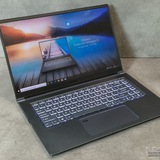
Confirming storage upgrade for MSI Thin 15 B12VE - Can I add a 2.5" SATA SSD?
Hi everyone,
I have an MSI Thin 15 B12VE and I'm planning to upgrade my storage because the main drive is getting full.
I've read online that this specific model has:
1. One M.2 NVMe slot (which is already taken by my OS drive).
2. One empty 2.5" SATA slot.
I'm looking at buying a 2.5" SATA SSD (like a Samsung 870 EVO or Kingston A400) to put in that empty slot so I can have dual drives.
Can anyone with this laptop confirm if this is correct? I want to make sure I don't need to replace my main NVMe drive and can just add the SATA SSD for extra game storage.
Thanks!
https://redd.it/1pjox9o
@MSILaptops
Hi everyone,
I have an MSI Thin 15 B12VE and I'm planning to upgrade my storage because the main drive is getting full.
I've read online that this specific model has:
1. One M.2 NVMe slot (which is already taken by my OS drive).
2. One empty 2.5" SATA slot.
I'm looking at buying a 2.5" SATA SSD (like a Samsung 870 EVO or Kingston A400) to put in that empty slot so I can have dual drives.
Can anyone with this laptop confirm if this is correct? I want to make sure I don't need to replace my main NVMe drive and can just add the SATA SSD for extra game storage.
Thanks!
https://redd.it/1pjox9o
@MSILaptops
Reddit
From the MSILaptops community on Reddit
Explore this post and more from the MSILaptops community
Laptop having the same issue despite MSI claiming to have fixed it
I was having issues with my laptop (system and app crashes) so I sent it into MSI to fix it, and it temporarily resolved the problem, only for it to have the same exact issues two months later (with the added issue of my Windows key not being recognized). What do I do now?
https://redd.it/1pjqwh6
@MSILaptops
I was having issues with my laptop (system and app crashes) so I sent it into MSI to fix it, and it temporarily resolved the problem, only for it to have the same exact issues two months later (with the added issue of my Windows key not being recognized). What do I do now?
https://redd.it/1pjqwh6
@MSILaptops
Reddit
From the MSILaptops community on Reddit
Explore this post and more from the MSILaptops community
Looking to use FSE on my laptop so I can do some couch gaming
If anyone has some experience with it and has some pros and cons of using FSE, let me know please
https://redd.it/1pjs4jg
@MSILaptops
If anyone has some experience with it and has some pros and cons of using FSE, let me know please
https://redd.it/1pjs4jg
@MSILaptops
Reddit
From the MSILaptops community on Reddit
Explore this post and more from the MSILaptops community
help pls :>
Ok so to start off I’m not really a tech savvy person but according to a friend, my old hard drive which is a HGST HTS541010B7E610 is starting to fail so I have to replace it. I have a MSI GV72 (MS-1799) and he recommends I get an SSD but neither of us know what should I get for gaming :>
https://redd.it/1pjt4ok
@MSILaptops
Ok so to start off I’m not really a tech savvy person but according to a friend, my old hard drive which is a HGST HTS541010B7E610 is starting to fail so I have to replace it. I have a MSI GV72 (MS-1799) and he recommends I get an SSD but neither of us know what should I get for gaming :>
https://redd.it/1pjt4ok
@MSILaptops
Reddit
From the MSILaptops community on Reddit
Explore this post and more from the MSILaptops community
MSHybrid VS. Discrete (VRR support?)
# After 2 years I just found out laptop supports VRR? But only in MSHybrid mode. Now I’m confused which mode is actually better.
I’ve been using my laptop (MSI Raider 18 HX, 4K 120Hz Mini-LED) in discrete GPU mode for almost two years. But today I discovered that when switching to MSHybrid, the option to enable VRR appears (not to be confused with Windows dynamic refresh rate).
https://preview.redd.it/f449zvdx1k6g1.jpg?width=2045&format=pjpg&auto=webp&s=c0ea17fa921ce72777cab6484fdd7906c989f6b9
VRR shows up in the Windows Graphics settings (not in advanced display) and also in the Intel Control Panel. All of these settings simply do not exist when the laptop is in discrete-only mode, Nvidia doesn't support VRR, they only use G-sync, which MSI laptops don't support.
So now I’m wondering: which mode do you guys use, and is there any real advantage to running discrete-only?
# What I’ve noticed so far:
# MSHybrid mode
VRR becomes available
Allows higher CPU power up to \~240W in my case (only when the NVIDIA GPU is idle)
GPU power is limited to \~150-160W on performance preset
HDR brightness is lower compared to discrete mode
Full display control becomes available in the INTEL Control Panel
# Discrete GPU mode
HDR brightness is higher
GPU gets more power (175W on performance preset)
Slightly better performance: Cyberpunk 2077 benchmark shows +3 FPS at 4K
A few milliseconds less input lag (not noticeable at all)
CPU power is limited (up to \~140W in my case)
CPU should theoretically run cooler since the iGPU is disabled
Full display control becomes available in the NVIDIA Control Panel
|Feature|MSHybrid Mode|Discrete GPU Mode|
|:-|:-|:-|
|VRR support|✔️ Available|❌ Not available|
|CPU power limit|Up to \~240W (only when NVIDIA GPU idle)|Up to \~140W|
|GPU power limit|\~150W-160W (performance preset)|\~175W (performance preset)|
|Display control panel|Intel Control Panel|NVIDIA Control Panel|
|HDR brightness|Good|Higher|
|Performance in games|Almost the same|Slightly higher (+3 fps in 4K resolution)|
|Input lag|Almost the same|A few ms lower|
# So. does discrete mode even make sense?
Hybrid gives me VRR and higher CPU power, while discrete gives higher GPU wattage, better HDR brightness (I don't use HDR) and a tiny FPS boost, I would say there is no difference.
https://redd.it/1pjuz72
@MSILaptops
# After 2 years I just found out laptop supports VRR? But only in MSHybrid mode. Now I’m confused which mode is actually better.
I’ve been using my laptop (MSI Raider 18 HX, 4K 120Hz Mini-LED) in discrete GPU mode for almost two years. But today I discovered that when switching to MSHybrid, the option to enable VRR appears (not to be confused with Windows dynamic refresh rate).
https://preview.redd.it/f449zvdx1k6g1.jpg?width=2045&format=pjpg&auto=webp&s=c0ea17fa921ce72777cab6484fdd7906c989f6b9
VRR shows up in the Windows Graphics settings (not in advanced display) and also in the Intel Control Panel. All of these settings simply do not exist when the laptop is in discrete-only mode, Nvidia doesn't support VRR, they only use G-sync, which MSI laptops don't support.
So now I’m wondering: which mode do you guys use, and is there any real advantage to running discrete-only?
# What I’ve noticed so far:
# MSHybrid mode
VRR becomes available
Allows higher CPU power up to \~240W in my case (only when the NVIDIA GPU is idle)
GPU power is limited to \~150-160W on performance preset
HDR brightness is lower compared to discrete mode
Full display control becomes available in the INTEL Control Panel
# Discrete GPU mode
HDR brightness is higher
GPU gets more power (175W on performance preset)
Slightly better performance: Cyberpunk 2077 benchmark shows +3 FPS at 4K
A few milliseconds less input lag (not noticeable at all)
CPU power is limited (up to \~140W in my case)
CPU should theoretically run cooler since the iGPU is disabled
Full display control becomes available in the NVIDIA Control Panel
|Feature|MSHybrid Mode|Discrete GPU Mode|
|:-|:-|:-|
|VRR support|✔️ Available|❌ Not available|
|CPU power limit|Up to \~240W (only when NVIDIA GPU idle)|Up to \~140W|
|GPU power limit|\~150W-160W (performance preset)|\~175W (performance preset)|
|Display control panel|Intel Control Panel|NVIDIA Control Panel|
|HDR brightness|Good|Higher|
|Performance in games|Almost the same|Slightly higher (+3 fps in 4K resolution)|
|Input lag|Almost the same|A few ms lower|
# So. does discrete mode even make sense?
Hybrid gives me VRR and higher CPU power, while discrete gives higher GPU wattage, better HDR brightness (I don't use HDR) and a tiny FPS boost, I would say there is no difference.
https://redd.it/1pjuz72
@MSILaptops
MSI gs63 crashes after running fusion post windows 11 update
I bought this laptop back in 2018 and it was a workhorse for the entire time I've had it. Ever since updating to windows 11 it will completely crash and restart after about 2 minutes in fusion 360. I'd like to keep the laptop and I don't exactly have the cash to buy a brand new one so I'm wondering what I should upgrade or replace to hopefully fix my issue.
I've already downloaded all the drivers from the MSI website and did a factory reset.
Thanks in advance and I wanna add I know next to nothing about computers.
https://redd.it/1pk1ynp
@MSILaptops
I bought this laptop back in 2018 and it was a workhorse for the entire time I've had it. Ever since updating to windows 11 it will completely crash and restart after about 2 minutes in fusion 360. I'd like to keep the laptop and I don't exactly have the cash to buy a brand new one so I'm wondering what I should upgrade or replace to hopefully fix my issue.
I've already downloaded all the drivers from the MSI website and did a factory reset.
Thanks in advance and I wanna add I know next to nothing about computers.
https://redd.it/1pk1ynp
@MSILaptops
Reddit
From the MSILaptops community on Reddit
Explore this post and more from the MSILaptops community
6 yrs of MSI GF 63 Thin 9RC
I've been using my MSI GF63 Thin 9RC for 6 years now – still going strong!Super light, decent 1080p gaming on medium settings even today (GTX 1650 + i5-9300H), and the keyboard feels great. After warranty ended, I slapped in a 1 TB SSD and 16 GB RAM – night-and-day difference.Yes, the single fan gets loud and the bottom gets hot, and the screen is basic 60 Hz, but zero hardware issues in 6 years, hinges solid, no dead pixels.For a ₹49k laptop from 2019, it’s been an absolute steal. Still happily using it daily in 2025!
https://redd.it/1pk3gz0
@MSILaptops
I've been using my MSI GF63 Thin 9RC for 6 years now – still going strong!Super light, decent 1080p gaming on medium settings even today (GTX 1650 + i5-9300H), and the keyboard feels great. After warranty ended, I slapped in a 1 TB SSD and 16 GB RAM – night-and-day difference.Yes, the single fan gets loud and the bottom gets hot, and the screen is basic 60 Hz, but zero hardware issues in 6 years, hinges solid, no dead pixels.For a ₹49k laptop from 2019, it’s been an absolute steal. Still happily using it daily in 2025!
https://redd.it/1pk3gz0
@MSILaptops
Reddit
From the MSILaptops community on Reddit
Explore this post and more from the MSILaptops community
Does GF65 support visual output from type C ?(for PSVR 2)
MSI GF65 Thin 10UE-045XTR Intel Core i7 10750H RTX3060 . I've been using this laptop for 5 years now and dont have any problems. Recently bought ps vr 2 adaptor for pc but appearantly I need a cable, laptop dont have display port. display port to hdmi cable didnt worked. Planning to buy a display to type C cable, would it work? Does it support visual output from type C ?? What can I do to play vr games on this laptop
https://redd.it/1pk7cb6
@MSILaptops
MSI GF65 Thin 10UE-045XTR Intel Core i7 10750H RTX3060 . I've been using this laptop for 5 years now and dont have any problems. Recently bought ps vr 2 adaptor for pc but appearantly I need a cable, laptop dont have display port. display port to hdmi cable didnt worked. Planning to buy a display to type C cable, would it work? Does it support visual output from type C ?? What can I do to play vr games on this laptop
https://redd.it/1pk7cb6
@MSILaptops
Reddit
From the MSILaptops community on Reddit
Explore this post and more from the MSILaptops community
Msi gf66
Hi. Im having a problem where my laptop wont turn on after shutting it down unless i do ec/bios reset.
My guess is something is shortcircuiting or something along those lines.
Was wondering if anyone has had samekind of problem or just general advice because i have been troubleshooting for a while now.
Thanks in advance.
https://redd.it/1pk7rb4
@MSILaptops
Hi. Im having a problem where my laptop wont turn on after shutting it down unless i do ec/bios reset.
My guess is something is shortcircuiting or something along those lines.
Was wondering if anyone has had samekind of problem or just general advice because i have been troubleshooting for a while now.
Thanks in advance.
https://redd.it/1pk7rb4
@MSILaptops
Reddit
From the MSILaptops community on Reddit
Explore this post and more from the MSILaptops community
Help With MSI GF 65 Thin
So I hate to say it but I think my graphics card(gtx 1660 ti) is going bad. I’ve had this laptop for 5 years now so I def know it’s outdated but I’m barely getting 30fps on most games I have. I’m not very computer savvy so I don’t know what else it can be. I do have 16gb Ram and a 1TB ssd. I’ve cleaned the vents out plenty of times. I have all my Nvidia settings to performance. Is there something else I can do to help? Or is it time to get a new laptop?
Thanks in advance!
https://redd.it/1pkaefe
@MSILaptops
So I hate to say it but I think my graphics card(gtx 1660 ti) is going bad. I’ve had this laptop for 5 years now so I def know it’s outdated but I’m barely getting 30fps on most games I have. I’m not very computer savvy so I don’t know what else it can be. I do have 16gb Ram and a 1TB ssd. I’ve cleaned the vents out plenty of times. I have all my Nvidia settings to performance. Is there something else I can do to help? Or is it time to get a new laptop?
Thanks in advance!
https://redd.it/1pkaefe
@MSILaptops
Reddit
From the MSILaptops community on Reddit
Explore this post and more from the MSILaptops community
Msi Katana i5 rtx 5060
Hello Dears ! I am just before decision as found in my market good price for this setup - i5, 5060 (115), 16 RAM and 512 ssd and no Windows which I need to buy separately. I read that this is good setup for cyberpunk and other games. Any experiences from your side and important question - is It worth to Invest around 10% more in this setup or take 4060 (140w) which is cheaper. I am looking as home computer to play games (come back after 7 years break). and reduce time on scrolling ;-) mamy thanks in advance for any comments.
https://redd.it/1pk6gqa
@MSILaptops
Hello Dears ! I am just before decision as found in my market good price for this setup - i5, 5060 (115), 16 RAM and 512 ssd and no Windows which I need to buy separately. I read that this is good setup for cyberpunk and other games. Any experiences from your side and important question - is It worth to Invest around 10% more in this setup or take 4060 (140w) which is cheaper. I am looking as home computer to play games (come back after 7 years break). and reduce time on scrolling ;-) mamy thanks in advance for any comments.
https://redd.it/1pk6gqa
@MSILaptops
Reddit
From the MSILaptops community on Reddit
Explore this post and more from the MSILaptops community
Can anyone help me figure out why I have sudden onset performance issues when gaming?
I have an MSI GF63 Thin, i5-11400H, Nvidia geforce RTX 3050, secondhand—but the guy who got it originally (i assume in 2023) rarely ever used it, and only for remote work meetings. I’ve had it since June this year, and it’s been fine with games, even smoothly running red dead in ultra settings.
Recently, i’ve been experiencing an issue where games cause the entire laptop to freeze up and suffer, even on the lowest settings. My laptop storage is fine with over 200GB free, i even moved red dead to an external hard drive to make sure i had plenty of space left on it to increase performance. But even games like fortnite lag every 2 seconds, constantly dropping to literally 2FPS and freezing up.
So far I have tried:
- going to a place with better wifi (my bad wifi causes enough problems if its own)
- updating to windows 11
- updating my drivers
- changing settings so the laptop can’t limit performance
- reducing all game settings to the minimum/best for performance
- checked my CPU/GPU temps— which are at 71°C, and i even have a cooling pad for it
- scanned for viruses
None of these things have fixed the issue. Is there anything else I can try, or could it potentially be a hardware issue? I feel like I’ve tried everything, and I have no idea why this is suddenly happening to my laptop. I’m careful with it, so I don’t feel like I could have physically damaged something.
Any help would be greatly appreciated. I tried to include as much information as I could think of but if any more context would help diagnose the issue I’d be happy to provide
https://redd.it/1pkav7j
@MSILaptops
I have an MSI GF63 Thin, i5-11400H, Nvidia geforce RTX 3050, secondhand—but the guy who got it originally (i assume in 2023) rarely ever used it, and only for remote work meetings. I’ve had it since June this year, and it’s been fine with games, even smoothly running red dead in ultra settings.
Recently, i’ve been experiencing an issue where games cause the entire laptop to freeze up and suffer, even on the lowest settings. My laptop storage is fine with over 200GB free, i even moved red dead to an external hard drive to make sure i had plenty of space left on it to increase performance. But even games like fortnite lag every 2 seconds, constantly dropping to literally 2FPS and freezing up.
So far I have tried:
- going to a place with better wifi (my bad wifi causes enough problems if its own)
- updating to windows 11
- updating my drivers
- changing settings so the laptop can’t limit performance
- reducing all game settings to the minimum/best for performance
- checked my CPU/GPU temps— which are at 71°C, and i even have a cooling pad for it
- scanned for viruses
None of these things have fixed the issue. Is there anything else I can try, or could it potentially be a hardware issue? I feel like I’ve tried everything, and I have no idea why this is suddenly happening to my laptop. I’m careful with it, so I don’t feel like I could have physically damaged something.
Any help would be greatly appreciated. I tried to include as much information as I could think of but if any more context would help diagnose the issue I’d be happy to provide
https://redd.it/1pkav7j
@MSILaptops
Reddit
From the MSILaptops community on Reddit
Explore this post and more from the MSILaptops community
MSI Raider GE75 BIOS password bypass? Help!
I have to reset the BIOS settings/bypass the bios passwords that were put on this device by a disgruntled ..person. MSI Raider Ge75, I can give some proof of ownership if necessary. Considering going through MSI but it's likely expensive + shipping, end of life product, out of warranty. But unless I'm missing something it is possible to reflash and do a fresh install with new SSD without a motherboard swap, bricking the rig, or paying MSI and shipping it to California for their service to do a reset.
Because I plan to upgrade the DDR4 to 32 gb (possibly 64 but prices are insane) plus new SATA SSD, take out old HDD, and/or add a drive in the empty NVMe slot, im looking at $500 or so in just upgrades alone, so if bypassing BIOS pw is also expensive..it starts to not make sense economically vs just buying a more modern rig. Desperate for some help on this tbh, and thinking local shops might be cheaper, but riskier? my daughter will be born in a matter of days or weeks and I'll probably be broke and busy and exhausted and if I don't get this done soon, Idk if I ever will!
I did try pulling CMOS battery, which didnt work. I didn’t try to jump or short anything, felt out of my depth at that point and it’s been gathering dust until I realized it’s my only device that has a working gpu…soldered to the board.
https://redd.it/1pkdnvk
@MSILaptops
I have to reset the BIOS settings/bypass the bios passwords that were put on this device by a disgruntled ..person. MSI Raider Ge75, I can give some proof of ownership if necessary. Considering going through MSI but it's likely expensive + shipping, end of life product, out of warranty. But unless I'm missing something it is possible to reflash and do a fresh install with new SSD without a motherboard swap, bricking the rig, or paying MSI and shipping it to California for their service to do a reset.
Because I plan to upgrade the DDR4 to 32 gb (possibly 64 but prices are insane) plus new SATA SSD, take out old HDD, and/or add a drive in the empty NVMe slot, im looking at $500 or so in just upgrades alone, so if bypassing BIOS pw is also expensive..it starts to not make sense economically vs just buying a more modern rig. Desperate for some help on this tbh, and thinking local shops might be cheaper, but riskier? my daughter will be born in a matter of days or weeks and I'll probably be broke and busy and exhausted and if I don't get this done soon, Idk if I ever will!
I did try pulling CMOS battery, which didnt work. I didn’t try to jump or short anything, felt out of my depth at that point and it’s been gathering dust until I realized it’s my only device that has a working gpu…soldered to the board.
https://redd.it/1pkdnvk
@MSILaptops
Reddit
From the MSILaptops community on Reddit
Explore this post and more from the MSILaptops community
Thermal paste for MSI thin gf63 12ve-292it
Hi, I need some advice on which thermal paste to buy for my PC. From Amazon, if possible, because I'll be ordering it from there. Mine is a MSI thin gf63 12ve-292it. My PC has been overheating and shutting down for a while now, making an unignorable fan noise. Besides that, can you tell me approximately how often it needs to be replaced? I use it practically every day for gaming. I bought it two years ago. I'm leaving some specifications below that I think might help, thanks :)
CPU/Processor
i7-12650H
Graphics
NVIDIA® GeForce RTX™ 4050, 6GB GDDR6
STORAGE CAPABILITY
512GB1 NVMe SSD PCIe Gen4
Memory
DDR IV 8GB2 (3200MHz)
https://redd.it/1pkgfle
@MSILaptops
Hi, I need some advice on which thermal paste to buy for my PC. From Amazon, if possible, because I'll be ordering it from there. Mine is a MSI thin gf63 12ve-292it. My PC has been overheating and shutting down for a while now, making an unignorable fan noise. Besides that, can you tell me approximately how often it needs to be replaced? I use it practically every day for gaming. I bought it two years ago. I'm leaving some specifications below that I think might help, thanks :)
CPU/Processor
i7-12650H
Graphics
NVIDIA® GeForce RTX™ 4050, 6GB GDDR6
STORAGE CAPABILITY
512GB1 NVMe SSD PCIe Gen4
Memory
DDR IV 8GB2 (3200MHz)
https://redd.it/1pkgfle
@MSILaptops
Reddit
From the MSILaptops community on Reddit
Explore this post and more from the MSILaptops community
GPU Clock Lock
MSI GE76 Raider.
GPU is registering abnormally high power usage. This is causing the core clock to be locked at 210mhz. I can overclock it to around 700mhz, about half the 3080 should be.
Reinstalled drivers/bios. Took it to a repair shop, they said everything is testing normal so the GPU is failing and needs a new motherboard. Anyone know how to fix this? Purchased in 2021.
https://redd.it/1pkg3i3
@MSILaptops
MSI GE76 Raider.
GPU is registering abnormally high power usage. This is causing the core clock to be locked at 210mhz. I can overclock it to around 700mhz, about half the 3080 should be.
Reinstalled drivers/bios. Took it to a repair shop, they said everything is testing normal so the GPU is failing and needs a new motherboard. Anyone know how to fix this? Purchased in 2021.
https://redd.it/1pkg3i3
@MSILaptops
Reddit
From the MSILaptops community on Reddit
Explore this post and more from the MSILaptops community