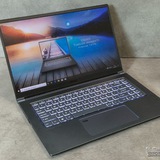
msi modern 15 i5 battery
is limiting to 80% really help prolong battery life?
https://redd.it/1pppfqh
@MSILaptops
is limiting to 80% really help prolong battery life?
https://redd.it/1pppfqh
@MSILaptops
Reddit
From the MSILaptops community on Reddit
Explore this post and more from the MSILaptops community
My freind keep saying he has a rtx 3090ti laptop (dedicated gpu not external)
Did any company made laptops with rtx3090ti??
He sent me proofs of task manager even in minecraft f3 menu pls reply if its true
https://redd.it/1pps8et
@MSILaptops
Did any company made laptops with rtx3090ti??
He sent me proofs of task manager even in minecraft f3 menu pls reply if its true
https://redd.it/1pps8et
@MSILaptops
Reddit
From the MSILaptops community on Reddit
Explore this post and more from the MSILaptops community
Buzzing noise on my GF63
I bought this one used and it had no problems at first. Recently it started making a weird buzzing sound sometimes. It's a fairly short, low noise, goes like brrrt and I can't figure out why it happens. My drivers are up to date, I've tried restarting the laptop, which sometimes works, sometimes doesn't. One time it froze up and made the noise for a longer time, but usually it's just short bursts.
Does anyone know what this is and how to fix it?
https://redd.it/1ppv3xh
@MSILaptops
I bought this one used and it had no problems at first. Recently it started making a weird buzzing sound sometimes. It's a fairly short, low noise, goes like brrrt and I can't figure out why it happens. My drivers are up to date, I've tried restarting the laptop, which sometimes works, sometimes doesn't. One time it froze up and made the noise for a longer time, but usually it's just short bursts.
Does anyone know what this is and how to fix it?
https://redd.it/1ppv3xh
@MSILaptops
Reddit
From the MSILaptops community on Reddit
Explore this post and more from the MSILaptops community
Vector GP76 wired headphones problem
Sometimes wired headphones is detected, and in windows settings the volume bar is moving but there is no sound. Not sure what the cause is, and usually fixes itself in days or 1-2 weeks. Any solution for this?
https://preview.redd.it/nafuu9fv308g1.png?width=864&format=png&auto=webp&s=a6ad027acc76b13f6ec374fd0b32fe1ba7b35f07
https://redd.it/1ppxc2e
@MSILaptops
Sometimes wired headphones is detected, and in windows settings the volume bar is moving but there is no sound. Not sure what the cause is, and usually fixes itself in days or 1-2 weeks. Any solution for this?
https://preview.redd.it/nafuu9fv308g1.png?width=864&format=png&auto=webp&s=a6ad027acc76b13f6ec374fd0b32fe1ba7b35f07
https://redd.it/1ppxc2e
@MSILaptops
CPU power throttling Intel CPU-s
Hello everyone, I wanted to share if anyone is having issues with high temperatures and power throttling, I have found solutions that works on Cashy-OS (Or maybe every other distro) and Windows as well.
For the start. For windows use xtu tuning utility. Set turbo boost power on both sides from default 200 down to 27-35w ( I use 27). You can modify it to start on system start up. This should lower temps by 20 degrees, depends from game to game. Fps stays the same!!!
Now for the interesting part. For a long time I wondered if I can do this in Linux as well since I dual boot. Turns out you can. Simply by using the terminal with 2 simple commands. As long as I knew this feature is built in the kernel and should technically work on any distro? But its a thing called Intel rapl. Its supposed to control total package power. Now just like on windows. You can set same parameters or different ones. Good thing you can do this while in game.
For the short explanation u have constant 0 which is maximum package power?
And you have constraint 1 which is your power for turbo boost (which generates the most heat probably)
On my mashine I have set constraint 1 to 27 and 0 to factory 45.
Commands:
echo "45000000" | sudo tee /sys/class/powercap/intel-rapl/intel-rapl:0/constraint 0 powerlimit uw
echo "27000000" | sudo tee /sys/class/powercap/intel-rapl/intel-rapl:0/constraint 1 powerlimit uw
I hope this wasn't to long, and I would be happy if it helps anyone.
Edit: Few grammar corrections 😅
Also I tested this method on world of tanks on cashy os. Before I had 85-93 °C and after I had 65-70 °C!!!!
And at the same time keeping my fps hovering around 150. On both cases I used max fan speeds.
Oh forgot to add, my laptop is MSI Katana GF66 12UE with rtx 3060.
https://redd.it/1ppxoi3
@MSILaptops
Hello everyone, I wanted to share if anyone is having issues with high temperatures and power throttling, I have found solutions that works on Cashy-OS (Or maybe every other distro) and Windows as well.
For the start. For windows use xtu tuning utility. Set turbo boost power on both sides from default 200 down to 27-35w ( I use 27). You can modify it to start on system start up. This should lower temps by 20 degrees, depends from game to game. Fps stays the same!!!
Now for the interesting part. For a long time I wondered if I can do this in Linux as well since I dual boot. Turns out you can. Simply by using the terminal with 2 simple commands. As long as I knew this feature is built in the kernel and should technically work on any distro? But its a thing called Intel rapl. Its supposed to control total package power. Now just like on windows. You can set same parameters or different ones. Good thing you can do this while in game.
For the short explanation u have constant 0 which is maximum package power?
And you have constraint 1 which is your power for turbo boost (which generates the most heat probably)
On my mashine I have set constraint 1 to 27 and 0 to factory 45.
Commands:
echo "45000000" | sudo tee /sys/class/powercap/intel-rapl/intel-rapl:0/constraint 0 powerlimit uw
echo "27000000" | sudo tee /sys/class/powercap/intel-rapl/intel-rapl:0/constraint 1 powerlimit uw
I hope this wasn't to long, and I would be happy if it helps anyone.
Edit: Few grammar corrections 😅
Also I tested this method on world of tanks on cashy os. Before I had 85-93 °C and after I had 65-70 °C!!!!
And at the same time keeping my fps hovering around 150. On both cases I used max fan speeds.
Oh forgot to add, my laptop is MSI Katana GF66 12UE with rtx 3060.
https://redd.it/1ppxoi3
@MSILaptops
Reddit
From the MSILaptops community on Reddit
Explore this post and more from the MSILaptops community
MSI cyborg vs MSI stealth (newest gen with rtx 50 series)
I don't see the msi cyborg listed at many websites unlike the msi stealth. I was looking for a laptop to travel and game on occationaly as my lenovo legion has started to break. Curious if there's anyone who prefer either or.
https://redd.it/1pq2m5o
@MSILaptops
I don't see the msi cyborg listed at many websites unlike the msi stealth. I was looking for a laptop to travel and game on occationaly as my lenovo legion has started to break. Curious if there's anyone who prefer either or.
https://redd.it/1pq2m5o
@MSILaptops
Reddit
From the MSILaptops community on Reddit
Explore this post and more from the MSILaptops community
Audio issue acpi crackle and how downgrade bios
Hi, I’m looking for a way to downgrade the BIOS on an MSI Creator Z17 A12UHT (2022).
Since updating to BIOS E17N1IMS.115, my system has become ¹unstable:
ACPI-related issues as Audio crackling / glitches (especially under load with traktor or on youtube)
And now also Wi-Fi disappearing.
I’ve already tried: Clean driver reinstall (also Intel only, no Killer),Removing drivers via pnputil, BIOS reset or optimized defaults.
LatencyMon always shiw ACPI.sys power-related behavior looks off
Some moths agi Everything was more stable than now..I think before this BIOS update 115 , so at this point I strongly suspect a regression introduced by the new BIOS, which seems to have added new problems instead of fixing anything.
I’d like to try with old BIOS versions ( E17N1IMS.111), but MSI doesn’t seem to host them anymore.. or is it hidden?
After days of optimization in this hell, this desperate man has even started to have crazy thoughts like
"Maybe if I had a mac.."
Brothers help me to find my way back to the right path.
https://redd.it/1pq5zng
@MSILaptops
Hi, I’m looking for a way to downgrade the BIOS on an MSI Creator Z17 A12UHT (2022).
Since updating to BIOS E17N1IMS.115, my system has become ¹unstable:
ACPI-related issues as Audio crackling / glitches (especially under load with traktor or on youtube)
And now also Wi-Fi disappearing.
I’ve already tried: Clean driver reinstall (also Intel only, no Killer),Removing drivers via pnputil, BIOS reset or optimized defaults.
LatencyMon always shiw ACPI.sys power-related behavior looks off
Some moths agi Everything was more stable than now..I think before this BIOS update 115 , so at this point I strongly suspect a regression introduced by the new BIOS, which seems to have added new problems instead of fixing anything.
I’d like to try with old BIOS versions ( E17N1IMS.111), but MSI doesn’t seem to host them anymore.. or is it hidden?
After days of optimization in this hell, this desperate man has even started to have crazy thoughts like
"Maybe if I had a mac.."
Brothers help me to find my way back to the right path.
https://redd.it/1pq5zng
@MSILaptops
Reddit
From the MSILaptops community on Reddit
Explore this post and more from the MSILaptops community
For those looking to research the MSI Vector 5070 ti A16, here's my experience against 5070 ti competitors Acer Predator Neo Helios 16 and Neo Helios 16s
Hey guys, I just want to share my experiences with 3 laptops. I got both Acers eBay refurbished when both were pretty discounted ($1210 lowest during black friday but since has gone up). The MSI Vector a16 which is available now at 1299 from Walmart.
General specs: As most people are aware, the Acer slim comes with a slightly underwatted GPU, a thinner chasis that uses aluminum partially and a OLED screen, and comes in at around 5 lbs. The full size model uses the 140 W and is a bit thicker at a little bit under 6 lbs. The vector is a bit bulkier going over 6.2 lbs and it is certainly thicker as well and it's largely to accommodate the fans and more heat pipes. All around the same graphics card and the CPUs are comparable with the acers slightly taking the edge. Both acer laptops have the advantages of 32gb ram and the vector has 16.
Build: Mostly the Acer laptops are the same. Both Acers have standard trackpad and keyboard. I did notice the matte finish made my fingers a bit dry. The MSI Vector has a noticeably clickier keyboard which is nice and smoother trackpad. The Vector does feel a bit more premium than the standard Helios but the slim has more aluminum in its bottom that gives it a nice feel too. All three have arguments for best build depending on priorities of size, finish, and feel but id generally lean the 16s due to its way better slim feel.
Performance: this is where things get interesting. I tested all 3 vigorously against benchmarks and games - the 16 predator and Msi vector performed similarly hitting 120-123 fps in Halo Infinite with lows of about 110-113 on all settings maxed (no RT). The slim despite its smaller gpu, holds up admirably hitting 107-110 fps in quiet areas, dropping to 97 in full combat. Similar results were found with Witcher 3, and a few other games. Interestingly, benchmarking results actually showed the full size predator matched the mini predator, suggesting the constraint is likely thermal + power supply+ CPU based. My conclusion is if you're looking for pure performance, the full size Acer predator is the best since it comes with more RAM, but I would not be worried about performance on the slim. It is actually very strong and quite close. Across real games, i consistently found ~11-13% difference at most.
Screen: All of them have great screens, but if you care about OLED, there's an obvious winner with the predator 16s. It is a bit reflective so it's not for everyone. But all offer 1440p. The msi vector and non slim have 500 nit ips.
Thermals: Another interesting discussion here. The MSi Vector is BY far the loudest, and it sometimes is loud even during idle. However my unit became busted at some point drawing 95 degrees on idle (a lemon!) But even before then, this was the case that it was a little louder than the others and it seemed consistent with reviews. Both predators are easily quieter during idle stages. However, there is a trade-off in terms of noise and cooling consistently. I found that the larger MSI vector stayed in lower temperature And I believe Acer has a a lower throttling point for both laptops. From a practicality perspective though, if you don't plan to run a turbo fan and you care about noise, the Acer laptops are probably better. The slim definitely out of the box runs the hottest and you'll notice throttling right away. But we'll talk a little bit more about that in a second. If you care about noise, the MSI Vector is not a good fit. The larger Predator likely has the best balance of noise and thermals. You will realistically never use the cool burst extreme for the Vector since its so obnoxious, I wouldn't even use extreme performance.
Battery life and portability: to be honest, all these have not great battery life, but I think the MSI Vector probably has the second weakest whereas the slim despite its low profile and portability purpose actually has an awful battery
Hey guys, I just want to share my experiences with 3 laptops. I got both Acers eBay refurbished when both were pretty discounted ($1210 lowest during black friday but since has gone up). The MSI Vector a16 which is available now at 1299 from Walmart.
General specs: As most people are aware, the Acer slim comes with a slightly underwatted GPU, a thinner chasis that uses aluminum partially and a OLED screen, and comes in at around 5 lbs. The full size model uses the 140 W and is a bit thicker at a little bit under 6 lbs. The vector is a bit bulkier going over 6.2 lbs and it is certainly thicker as well and it's largely to accommodate the fans and more heat pipes. All around the same graphics card and the CPUs are comparable with the acers slightly taking the edge. Both acer laptops have the advantages of 32gb ram and the vector has 16.
Build: Mostly the Acer laptops are the same. Both Acers have standard trackpad and keyboard. I did notice the matte finish made my fingers a bit dry. The MSI Vector has a noticeably clickier keyboard which is nice and smoother trackpad. The Vector does feel a bit more premium than the standard Helios but the slim has more aluminum in its bottom that gives it a nice feel too. All three have arguments for best build depending on priorities of size, finish, and feel but id generally lean the 16s due to its way better slim feel.
Performance: this is where things get interesting. I tested all 3 vigorously against benchmarks and games - the 16 predator and Msi vector performed similarly hitting 120-123 fps in Halo Infinite with lows of about 110-113 on all settings maxed (no RT). The slim despite its smaller gpu, holds up admirably hitting 107-110 fps in quiet areas, dropping to 97 in full combat. Similar results were found with Witcher 3, and a few other games. Interestingly, benchmarking results actually showed the full size predator matched the mini predator, suggesting the constraint is likely thermal + power supply+ CPU based. My conclusion is if you're looking for pure performance, the full size Acer predator is the best since it comes with more RAM, but I would not be worried about performance on the slim. It is actually very strong and quite close. Across real games, i consistently found ~11-13% difference at most.
Screen: All of them have great screens, but if you care about OLED, there's an obvious winner with the predator 16s. It is a bit reflective so it's not for everyone. But all offer 1440p. The msi vector and non slim have 500 nit ips.
Thermals: Another interesting discussion here. The MSi Vector is BY far the loudest, and it sometimes is loud even during idle. However my unit became busted at some point drawing 95 degrees on idle (a lemon!) But even before then, this was the case that it was a little louder than the others and it seemed consistent with reviews. Both predators are easily quieter during idle stages. However, there is a trade-off in terms of noise and cooling consistently. I found that the larger MSI vector stayed in lower temperature And I believe Acer has a a lower throttling point for both laptops. From a practicality perspective though, if you don't plan to run a turbo fan and you care about noise, the Acer laptops are probably better. The slim definitely out of the box runs the hottest and you'll notice throttling right away. But we'll talk a little bit more about that in a second. If you care about noise, the MSI Vector is not a good fit. The larger Predator likely has the best balance of noise and thermals. You will realistically never use the cool burst extreme for the Vector since its so obnoxious, I wouldn't even use extreme performance.
Battery life and portability: to be honest, all these have not great battery life, but I think the MSI Vector probably has the second weakest whereas the slim despite its low profile and portability purpose actually has an awful battery
life because of its OLED monitor that you cannot set below 240 no matter how you try unless you use CRU and which case you might get down to 120. As it relates to size and weight, the 16s is just straight up the best for portability and the Vector is a giant brick, the standard Helios is a nice in between but still a bit heavy. I cannot imagine carrying the vector around alot, and even the larger helios feels like a drag to carry around the house. The Vector made my backpack bulge with my work laptop. The slim is super nice if you want to watch movies in bed
Software: They are all terrible resource hogs. The MSI Vector has the distinguishing factor of actually raising your CPU temperature when you use it to monitor, so do not use it. It's such a resource hog. Acer also comes with so much bloat predownloaded but all can be deleted.
Customability: This part is probably not for the casual gamer, but if you're willing to tweak settings, each one has extremely interesting outcomes. The MSI Vector has probably the most custom options since it uses an AMD chip and you can actually unlock undervolting to better manage temperature and fan noise. MSI also doesn't block stuff as much. You must do this for this laptop, otherwise it is so loud. The Predator slim also has the ability to access god mode or the more advanced bios. While you still cannot unlock undervolting using throttle stop will get you extremely similar performance for way cooler temperatures and this will significantly alter the value proposition. By setting power limits, I was able to get FPS in Halo from about 104 to 107 and my laptop was noticeably cooler whereas before it was peaking at temperatures of 95 to 100 plus, it stayed at a cool 80° C with similar performance. This is a massive win. I did not notice similar advanced bios for the larger Predator, but I did not try to use any throttle stop since it wasn't as needed, but it might still have been nicer
External fans: I highly recommend this for anyone using any of these laptops. You'll notice it the mos the MSI Vector but the larger Predator will also benefit for a lower stress games and it brings it to a pretty quiet session for esports. It will still be loud for AAA games.
Value for price: This highly depends on sales you find. During black Friday if you took advantage of ebay refurbished, the best value is likely either of the predator laptops with 32 gigs of ram. At full price new, the msi vector has the cheapest point of entry but ram upgrades will close that out significantly.
FINAL THOUGHTS:
1.If you are looking for a desktop replacement with best price per performance, the helios predator 16 is the best since it performs the best, and ram prices arent cheap. Build quality can be mitigated by external accessories. If it is largely docked, size is not as big an issue and it runs decently quiet when not gaming.
2. If you care at all about oled, size, and portability - i cannot stress this enough - the Predator 16s stomps. The performance is not that different at all especially once you factor in upscaling/frame gen. You can 100% play whatever AAA games you want with little to no compromises. If you feel comfortable messing with power limits it increases its value because the primary issue with this laptop is its terrible cooling. I do wish the battery life was better. If you are looking for a secondary device to complement your desktop, this is what you are looking for.
3. The MSI vector despite me getting a lemon has alot going for it as well. It has a better keyboard + trackpad and is lowest price brand new. Customer support and qc for acer is also extremely questionable. However it is not a portable machine and it is noisy. As a result i must recommend the acers over this. I should say in no way does me getting a lemon discourage me against it. I still think it's a good machine for its price especially if you are not interested in refurbish and can't find better deals.
Hopefully this helps people that are buying laptops in this range. Overall i think if
Software: They are all terrible resource hogs. The MSI Vector has the distinguishing factor of actually raising your CPU temperature when you use it to monitor, so do not use it. It's such a resource hog. Acer also comes with so much bloat predownloaded but all can be deleted.
Customability: This part is probably not for the casual gamer, but if you're willing to tweak settings, each one has extremely interesting outcomes. The MSI Vector has probably the most custom options since it uses an AMD chip and you can actually unlock undervolting to better manage temperature and fan noise. MSI also doesn't block stuff as much. You must do this for this laptop, otherwise it is so loud. The Predator slim also has the ability to access god mode or the more advanced bios. While you still cannot unlock undervolting using throttle stop will get you extremely similar performance for way cooler temperatures and this will significantly alter the value proposition. By setting power limits, I was able to get FPS in Halo from about 104 to 107 and my laptop was noticeably cooler whereas before it was peaking at temperatures of 95 to 100 plus, it stayed at a cool 80° C with similar performance. This is a massive win. I did not notice similar advanced bios for the larger Predator, but I did not try to use any throttle stop since it wasn't as needed, but it might still have been nicer
External fans: I highly recommend this for anyone using any of these laptops. You'll notice it the mos the MSI Vector but the larger Predator will also benefit for a lower stress games and it brings it to a pretty quiet session for esports. It will still be loud for AAA games.
Value for price: This highly depends on sales you find. During black Friday if you took advantage of ebay refurbished, the best value is likely either of the predator laptops with 32 gigs of ram. At full price new, the msi vector has the cheapest point of entry but ram upgrades will close that out significantly.
FINAL THOUGHTS:
1.If you are looking for a desktop replacement with best price per performance, the helios predator 16 is the best since it performs the best, and ram prices arent cheap. Build quality can be mitigated by external accessories. If it is largely docked, size is not as big an issue and it runs decently quiet when not gaming.
2. If you care at all about oled, size, and portability - i cannot stress this enough - the Predator 16s stomps. The performance is not that different at all especially once you factor in upscaling/frame gen. You can 100% play whatever AAA games you want with little to no compromises. If you feel comfortable messing with power limits it increases its value because the primary issue with this laptop is its terrible cooling. I do wish the battery life was better. If you are looking for a secondary device to complement your desktop, this is what you are looking for.
3. The MSI vector despite me getting a lemon has alot going for it as well. It has a better keyboard + trackpad and is lowest price brand new. Customer support and qc for acer is also extremely questionable. However it is not a portable machine and it is noisy. As a result i must recommend the acers over this. I should say in no way does me getting a lemon discourage me against it. I still think it's a good machine for its price especially if you are not interested in refurbish and can't find better deals.
Hopefully this helps people that are buying laptops in this range. Overall i think if
youre after 1440p peeformance these laptops offer among some of the best price for performance and perform close/better than desktop 5060tis while offering good vram 12gbs. While im sure the Lenovo laptops 5070 ti are nicer, there is alot going for these. Happy to answer questions.
https://redd.it/1pq6q5b
@MSILaptops
https://redd.it/1pq6q5b
@MSILaptops
Reddit
From the MSILaptops community on Reddit
Explore this post and more from the MSILaptops community
Does my VECTOR have one or two ram sticks
I bought the msi vector from Walmart for 1300. And I bought one stick of 16gb ram. Now wondering does it have 2x8gb not 1x16gb from the box?
https://redd.it/1pq6sc5
@MSILaptops
I bought the msi vector from Walmart for 1300. And I bought one stick of 16gb ram. Now wondering does it have 2x8gb not 1x16gb from the box?
https://redd.it/1pq6sc5
@MSILaptops
Reddit
From the MSILaptops community on Reddit
Explore this post and more from the MSILaptops community
Question
Why does my laptop power up when the screen auto locks? what I mean is the CPU goes to max that I allow and fans kick on.
https://redd.it/1pqal51
@MSILaptops
Why does my laptop power up when the screen auto locks? what I mean is the CPU goes to max that I allow and fans kick on.
https://redd.it/1pqal51
@MSILaptops
Reddit
From the MSILaptops community on Reddit
Explore this post and more from the MSILaptops community
Vector A16 HX A8W bios updated forced by windows 11 now fans are loud as hell. Can’t find bios setting to set to PWM
As the noscript reads. Lovely windows BS forced a bios update and now my computers running slower and the fans are going insane. Usually this is an easy fix in bios but this is the most complicated idiotic bios I’ve ever seen.
I found an option to set fans to manual. But that doesn’t open any additional controls.
Internet says find hardware monitor but I don’t have an options called that even when I open the advanced menu.
Any help here would be great. I’ve had this thing three days and it was a great computer until this update happened.
And my son has the same laptop so I am able to do side by side comparisons and this bios update is garbage. I boot slower. The machines running hotter. And the fans are so loud I can’t use it while doing anything else bc of the noise.
https://redd.it/1pq6m2c
@MSILaptops
As the noscript reads. Lovely windows BS forced a bios update and now my computers running slower and the fans are going insane. Usually this is an easy fix in bios but this is the most complicated idiotic bios I’ve ever seen.
I found an option to set fans to manual. But that doesn’t open any additional controls.
Internet says find hardware monitor but I don’t have an options called that even when I open the advanced menu.
Any help here would be great. I’ve had this thing three days and it was a great computer until this update happened.
And my son has the same laptop so I am able to do side by side comparisons and this bios update is garbage. I boot slower. The machines running hotter. And the fans are so loud I can’t use it while doing anything else bc of the noise.
https://redd.it/1pq6m2c
@MSILaptops
Reddit
From the MSILaptops community on Reddit
Explore this post and more from the MSILaptops community
Need help MSI 15m A9SЕ (it's about m2)
I’m looking for detailed information about the MSI Creator 15M A9SE, as I can’t find reliable specs about its M.2 SSD slots. How many SSDs does it support, is PCIe 4.0 available, and what is the maximum supported capacity per slot? Thanks in advance.
https://redd.it/1pqd0fa
@MSILaptops
I’m looking for detailed information about the MSI Creator 15M A9SE, as I can’t find reliable specs about its M.2 SSD slots. How many SSDs does it support, is PCIe 4.0 available, and what is the maximum supported capacity per slot? Thanks in advance.
https://redd.it/1pqd0fa
@MSILaptops
Reddit
From the MSILaptops community on Reddit
Explore this post and more from the MSILaptops community
Asus or msi?? Models below...
So I'm looking for a laptop and will be using it for my architectural works (Still in clg).
I'm confused between these 3 laptops.
1) ASUS ROG Strix G16,Smartchoice, AMD Ryzen 9 8940HX, Gaming Laptop(RTX 5050-8GB/16GB RAM/1TB SSD/FHD+/16"/165Hz/90Whr/Windows 11/M365 Basic (1Year)/Office Home 2024/Eclipse Gray/2.5 Kg) G614PH-RV033WS
Note:- I'll upgrade it to 32gb after buying
2) ASUS TUF F16,14th Gen,Intel Core i7 14650HX,Gaming Laptop(RTX 5070-8GB/115W TGP/32GB/1TB /2.5K QHD+/16"/165Hz/90WHrs/Windows 11/M365 Basic (1Year)/Office Home 2024/Jaeger Gray/2.2 Kg)FX688JPR-QT043WS
3) MSI Crosshair 16 HX, Intel 14th Gen. i7-14700HX, 41CM QHD+ 240Hz Gaming Laptop (32GB/1TB NVMe SSD/Windows 11 Home/MSO 2021/NVIDIA GeForce RTX 4070, GDDR6 8GB/Cosmos Gray/2.5Kg) D14VGKG-668IN
So which according to you is better than other 2.
https://redd.it/1pqhbg2
@MSILaptops
So I'm looking for a laptop and will be using it for my architectural works (Still in clg).
I'm confused between these 3 laptops.
1) ASUS ROG Strix G16,Smartchoice, AMD Ryzen 9 8940HX, Gaming Laptop(RTX 5050-8GB/16GB RAM/1TB SSD/FHD+/16"/165Hz/90Whr/Windows 11/M365 Basic (1Year)/Office Home 2024/Eclipse Gray/2.5 Kg) G614PH-RV033WS
Note:- I'll upgrade it to 32gb after buying
2) ASUS TUF F16,14th Gen,Intel Core i7 14650HX,Gaming Laptop(RTX 5070-8GB/115W TGP/32GB/1TB /2.5K QHD+/16"/165Hz/90WHrs/Windows 11/M365 Basic (1Year)/Office Home 2024/Jaeger Gray/2.2 Kg)FX688JPR-QT043WS
3) MSI Crosshair 16 HX, Intel 14th Gen. i7-14700HX, 41CM QHD+ 240Hz Gaming Laptop (32GB/1TB NVMe SSD/Windows 11 Home/MSO 2021/NVIDIA GeForce RTX 4070, GDDR6 8GB/Cosmos Gray/2.5Kg) D14VGKG-668IN
So which according to you is better than other 2.
https://redd.it/1pqhbg2
@MSILaptops
Reddit
From the MSILaptops community on Reddit
Explore this post and more from the MSILaptops community
MSI CrosshairA16 how to turn off the VRM setting because window 11 didn’t see the drive.
I tried most of the trick in bios but i still cant make it editable (VRM).
https://redd.it/1pqk612
@MSILaptops
I tried most of the trick in bios but i still cant make it editable (VRM).
https://redd.it/1pqk612
@MSILaptops
Reddit
From the MSILaptops community on Reddit
Explore this post and more from the MSILaptops community
MSI GP68 hx should I install ptm7950
So just purchased this pre owned gaming laptop with 13950hx and Rtx 4080.
Idles fine at 35c with llano cooler but when gaming cpu reaches 85c and in cinebench it reaches 95c
Considering that the laptop is 2 years old should I repaste the cpu and gpu with ptm 7950?
I am in Canada now where it’s cold but heading back to India soon and room temps there are 25c so am concerned that it will over heat once am there.
Please guide as to what all will I need am specially concerned about repasting the other areas like vrm with thermal putty.
Am ok opening and reassembling the laptop but haven’t done a cooler disassembly ever. Any help would be greatly appreciated.
https://redd.it/1pqlf9k
@MSILaptops
So just purchased this pre owned gaming laptop with 13950hx and Rtx 4080.
Idles fine at 35c with llano cooler but when gaming cpu reaches 85c and in cinebench it reaches 95c
Considering that the laptop is 2 years old should I repaste the cpu and gpu with ptm 7950?
I am in Canada now where it’s cold but heading back to India soon and room temps there are 25c so am concerned that it will over heat once am there.
Please guide as to what all will I need am specially concerned about repasting the other areas like vrm with thermal putty.
Am ok opening and reassembling the laptop but haven’t done a cooler disassembly ever. Any help would be greatly appreciated.
https://redd.it/1pqlf9k
@MSILaptops
Reddit
From the MSILaptops community on Reddit
Explore this post and more from the MSILaptops community
Does anyone have an STL file of the Keycaps of the MSI GL63 or similar Laptops
Two of the Keys on my gl63 have broken and it feels a bit silly to replace the entire keyboard just for that. I can get the keycaps and the plastic scissor mechanism 3D printed locally, however, I'm having a hard time finding those files online. Does anyone here happen to have or know of a site where i can find an STL for diy replacement parts?
I've done this before with the scroll wheel on some Logitech mice, but they're were far easier to find
https://redd.it/1pqmjch
@MSILaptops
Two of the Keys on my gl63 have broken and it feels a bit silly to replace the entire keyboard just for that. I can get the keycaps and the plastic scissor mechanism 3D printed locally, however, I'm having a hard time finding those files online. Does anyone here happen to have or know of a site where i can find an STL for diy replacement parts?
I've done this before with the scroll wheel on some Logitech mice, but they're were far easier to find
https://redd.it/1pqmjch
@MSILaptops
Reddit
From the MSILaptops community on Reddit
Explore this post and more from the MSILaptops community