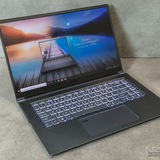
Changing Thermal paste msi pulse 17 b13vfk
So i was noticing my laptop is running really high temps while gaming (100 degrees celsius) even with the fanboost on so i think i have to put new thermal paste on the cpu and gpu and clean out the fans. I havent done that by myself ever so i wanted to know if anyone knows a video how to correctly open everything i cant seem to find anything thats my model. Also any tips on how to do that by myself are also welcome :D
https://redd.it/1q9li02
@MSILaptops
So i was noticing my laptop is running really high temps while gaming (100 degrees celsius) even with the fanboost on so i think i have to put new thermal paste on the cpu and gpu and clean out the fans. I havent done that by myself ever so i wanted to know if anyone knows a video how to correctly open everything i cant seem to find anything thats my model. Also any tips on how to do that by myself are also welcome :D
https://redd.it/1q9li02
@MSILaptops
Reddit
From the MSILaptops community on Reddit
Explore this post and more from the MSILaptops community
MSI / Nahimic keeps reinstalling itself on Windows 11 — permanent fix (works)
After fixing audio instability on my MSI laptop (Intel HX platform), I removed Nahimic — but it kept silently reinstalling itself. It didn’t show in Settings → Apps, yet the tray icon, services, and drivers came back, along with audio crunching.
Killing the processes didn’t work — they respawn immediately. The reason is important:
Nahimic is NOT an app.
It’s an OEM A-Volute extension driver (APO). Windows and MSI Center will always try to re-inject it unless you block it at the device-policy level.
Here’s the process that finally stopped it permanently.
# 1) Remove Nahimic cleanly (Safe Mode recommended)
Boot into Safe Mode
Device Manager → Sound, video and game controllers
Uninstall all Nahimic / A-Volute / AH4 entries ✔ Check Delete the driver software
Disable Nahimic service (
Reboot to normal Windows
# 2) Permanently block Nahimic from reinstalling (CRITICAL)
Open Registry Editor and create this path if it doesn’t exist:
HKEY_LOCAL_MACHINE
\SOFTWARE
\Policies
\Microsoft
\Windows
\DeviceInstall
\Restrictions
Inside Restrictions, create:
Multi-String Value
Name: DenyDeviceIDs
Value (one per line):
SWC\VEN_AVOLUTE
ROOT\AVolute
ROOT\AVoluteAH4
DWORD (32-bit)
Name: DenyDeviceIDsRetroactive
Value: 1
Reboot.
# Result
Nahimic does not reinstall
No tray icon
No background services respawning
Audio stable (no startup / device-switch crunch)
Survives reboots, MSI Center scans, and Windows Update
# Key takeaway
Uninstalling Nahimic is not enough.
You must block the A-Volute device IDs or Windows will keep putting it back.
This is the same method enterprise IT uses to suppress broken OEM audio middleware.
https://redd.it/1q9s4w7
@MSILaptops
After fixing audio instability on my MSI laptop (Intel HX platform), I removed Nahimic — but it kept silently reinstalling itself. It didn’t show in Settings → Apps, yet the tray icon, services, and drivers came back, along with audio crunching.
Killing the processes didn’t work — they respawn immediately. The reason is important:
Nahimic is NOT an app.
It’s an OEM A-Volute extension driver (APO). Windows and MSI Center will always try to re-inject it unless you block it at the device-policy level.
Here’s the process that finally stopped it permanently.
# 1) Remove Nahimic cleanly (Safe Mode recommended)
Boot into Safe Mode
Device Manager → Sound, video and game controllers
Uninstall all Nahimic / A-Volute / AH4 entries ✔ Check Delete the driver software
Disable Nahimic service (
services.msc)Reboot to normal Windows
# 2) Permanently block Nahimic from reinstalling (CRITICAL)
Open Registry Editor and create this path if it doesn’t exist:
HKEY_LOCAL_MACHINE
\SOFTWARE
\Policies
\Microsoft
\Windows
\DeviceInstall
\Restrictions
Inside Restrictions, create:
Multi-String Value
Name: DenyDeviceIDs
Value (one per line):
SWC\VEN_AVOLUTE
ROOT\AVolute
ROOT\AVoluteAH4
DWORD (32-bit)
Name: DenyDeviceIDsRetroactive
Value: 1
Reboot.
# Result
Nahimic does not reinstall
No tray icon
No background services respawning
Audio stable (no startup / device-switch crunch)
Survives reboots, MSI Center scans, and Windows Update
# Key takeaway
Uninstalling Nahimic is not enough.
You must block the A-Volute device IDs or Windows will keep putting it back.
This is the same method enterprise IT uses to suppress broken OEM audio middleware.
https://redd.it/1q9s4w7
@MSILaptops
Reddit
From the MSILaptops community on Reddit
Explore this post and more from the MSILaptops community
Undervolted my Vector 16 HX AI (Ultra 7 255HX) to -80mV + Unparked Cores
Hey guys i have the MSI Vector 16 HX AI with the Core Ultra 7 255HX and RTX 5070 Ti.
I’ve been tweaking it for better temps/performance and managed to set a -80mV undervolt (Core & Ring) in the BIOS. I also disabled CPU Core Parking completely to stop the stuttering.
So far it’s been perfectly stable in games with no crashes, and temps are good.
But i want to know,
Is -80mV considered a good result for the 255HX? Since it's stable, should I try pushing it further or is that asking for trouble later?
For those who have this laptop, what values are you running daily?
https://redd.it/1q9w3p3
@MSILaptops
Hey guys i have the MSI Vector 16 HX AI with the Core Ultra 7 255HX and RTX 5070 Ti.
I’ve been tweaking it for better temps/performance and managed to set a -80mV undervolt (Core & Ring) in the BIOS. I also disabled CPU Core Parking completely to stop the stuttering.
So far it’s been perfectly stable in games with no crashes, and temps are good.
But i want to know,
Is -80mV considered a good result for the 255HX? Since it's stable, should I try pushing it further or is that asking for trouble later?
For those who have this laptop, what values are you running daily?
https://redd.it/1q9w3p3
@MSILaptops
Reddit
From the MSILaptops community on Reddit
Explore this post and more from the MSILaptops community
Replacement fan
I cant find anywhere to buy replacemenf fans for my vector 16 hx ai ultra 5 255hx 5070ti. The fans are making a loud noise and is overheating like crazy i cang send it to msi because i need the pc and i heard service times are long.
https://redd.it/1qa5n02
@MSILaptops
I cant find anywhere to buy replacemenf fans for my vector 16 hx ai ultra 5 255hx 5070ti. The fans are making a loud noise and is overheating like crazy i cang send it to msi because i need the pc and i heard service times are long.
https://redd.it/1qa5n02
@MSILaptops
Reddit
From the MSILaptops community on Reddit
Explore this post and more from the MSILaptops community
MSI Katana 15 issues
I've had my katana 15 b13v for about a year and it's had issues with the keyboard from day one. I can't play games using WASD without the keys "lagging." Whenever I press a key it sometimes works with no issue but it usually doesn't register my key press until 15 seconds after I press it and then it does the action that the key would cause for double the time I pressed it. I don't have this issue with a Bluetooth mouse or the trackpad but it carries over to a Bluetooth keyboard.
I've tried to figure out why it could be happening but I can't figure out anything that would cause both wired and Bluetooth keyboards to experience the same issue. Any help is appreciated.
Edit: forgot to mention that it also had hard lag spikes while playing the red strings club but not while playing portal revolution so the issues could be related since the keyboard lag only happens with games like portal revolution.
https://redd.it/1qb73s4
@MSILaptops
I've had my katana 15 b13v for about a year and it's had issues with the keyboard from day one. I can't play games using WASD without the keys "lagging." Whenever I press a key it sometimes works with no issue but it usually doesn't register my key press until 15 seconds after I press it and then it does the action that the key would cause for double the time I pressed it. I don't have this issue with a Bluetooth mouse or the trackpad but it carries over to a Bluetooth keyboard.
I've tried to figure out why it could be happening but I can't figure out anything that would cause both wired and Bluetooth keyboards to experience the same issue. Any help is appreciated.
Edit: forgot to mention that it also had hard lag spikes while playing the red strings club but not while playing portal revolution so the issues could be related since the keyboard lag only happens with games like portal revolution.
https://redd.it/1qb73s4
@MSILaptops
Reddit
From the MSILaptops community on Reddit
Explore this post and more from the MSILaptops community
limit to 80%
are there any third party app i can use to limit my battery charge to 80%? I own msi modern 15 but it doesn't have a limit feature on the msi center or settings.
https://redd.it/1qbi18g
@MSILaptops
are there any third party app i can use to limit my battery charge to 80%? I own msi modern 15 but it doesn't have a limit feature on the msi center or settings.
https://redd.it/1qbi18g
@MSILaptops
Reddit
From the MSILaptops community on Reddit
Explore this post and more from the MSILaptops community
Msi Gamer Thin A15 - 15,6' Ryzen 5 7535HS Rtx4060 8VRam Ram 16gb /ssd 512
I'm planning to buy that laptop, and I wanted to ask if it's recommended for AAA games and Valorant.
I'd appreciate a response from someone with experience using that laptop.
https://redd.it/1qbgy56
@MSILaptops
I'm planning to buy that laptop, and I wanted to ask if it's recommended for AAA games and Valorant.
I'd appreciate a response from someone with experience using that laptop.
https://redd.it/1qbgy56
@MSILaptops
Reddit
From the MSILaptops community on Reddit
Explore this post and more from the MSILaptops community
Low Benchmark Score ?
So I get on my MSI Vector 16 HX A14VHG-670 16" - Core i9-14900HX - RTX 4080 - 32GB RAM - a 17.4-17.5k Score in 3d mark time spy Roger user Score is 18600k and Best 22k why is my Score so low ?
https://redd.it/1qbbm57
@MSILaptops
So I get on my MSI Vector 16 HX A14VHG-670 16" - Core i9-14900HX - RTX 4080 - 32GB RAM - a 17.4-17.5k Score in 3d mark time spy Roger user Score is 18600k and Best 22k why is my Score so low ?
https://redd.it/1qbbm57
@MSILaptops
Reddit
From the MSILaptops community on Reddit
Explore this post and more from the MSILaptops community
Vector A16 HX help on problems.
hello everyone recently got my hands on the vector 16 and been loving it however I'm been faced with 2 minors issues i was hoping someone would have a fix too
1)After installed my Amd drivers I'm been getting a window system driver tab that keeps opening up even after deleting it the only way I'm been able to get rid of it is going into task manager and ending task from there.
2)After waking up my laptop my Wi-Fi would become unavailable and wont allow me to connect to any WIFI doing a restart fixes this but having to do this every time has become very tedious.
https://redd.it/1qb7zqw
@MSILaptops
hello everyone recently got my hands on the vector 16 and been loving it however I'm been faced with 2 minors issues i was hoping someone would have a fix too
1)After installed my Amd drivers I'm been getting a window system driver tab that keeps opening up even after deleting it the only way I'm been able to get rid of it is going into task manager and ending task from there.
2)After waking up my laptop my Wi-Fi would become unavailable and wont allow me to connect to any WIFI doing a restart fixes this but having to do this every time has become very tedious.
https://redd.it/1qb7zqw
@MSILaptops
Reddit
From the MSILaptops community on Reddit
Explore this post and more from the MSILaptops community
MSI Cyborg fan speed very high while gaming – is this normal?
Hi everyone,
I have an MSI Cyborg laptop and I’m a bit concerned about the fan behavior. When the laptop is idle, the fans run at around 1500 RPM, with CPU temperatures between 36–46°C and GPU temperatures around 32–38°C.
When I play CS2 (which is basically the only game I play), the CPU reaches about 68–73°C and the GPU around 65°C, but the fans ramp up to around 6000 RPM.
I’d like to know if this is normal behavior or if there might be something wrong.
https://redd.it/1qbqcg0
@MSILaptops
Hi everyone,
I have an MSI Cyborg laptop and I’m a bit concerned about the fan behavior. When the laptop is idle, the fans run at around 1500 RPM, with CPU temperatures between 36–46°C and GPU temperatures around 32–38°C.
When I play CS2 (which is basically the only game I play), the CPU reaches about 68–73°C and the GPU around 65°C, but the fans ramp up to around 6000 RPM.
I’d like to know if this is normal behavior or if there might be something wrong.
https://redd.it/1qbqcg0
@MSILaptops
Reddit
From the MSILaptops community on Reddit
Explore this post and more from the MSILaptops community
Dns errore After PC down battery
Hi, please, after the PC battery was completely discharged the PC no longer recognizes the DNS, it connects to the internet but it doesn't resolve the DNS, I've tried everything, flush DNS, uninstall the network card, update the drivers, change the DNS (8.8.8.8) but nothing works, has this happened to anyone? Thank you
https://redd.it/1qbtog3
@MSILaptops
Hi, please, after the PC battery was completely discharged the PC no longer recognizes the DNS, it connects to the internet but it doesn't resolve the DNS, I've tried everything, flush DNS, uninstall the network card, update the drivers, change the DNS (8.8.8.8) but nothing works, has this happened to anyone? Thank you
https://redd.it/1qbtog3
@MSILaptops
Reddit
From the MSILaptops community on Reddit
Explore this post and more from the MSILaptops community
MSI Vector 16 HX AI Micro-stutters are driving me crazy (Core Ultra 7 + 5070 Ti)
I have an MSI Vector 16 HX AI with the Core Ultra 7 and RTX 5070 Ti. It’s a good laptop, but I keep getting these annoying micro-stutters. Basically, random FPS drops out of nowhere, then it goes back to normal. It’s happening in Hogwarts Legacy, Jedi Survivor, BF6 etc..
I feel like I’ve tried everything to fix it:
Switching to Discrete Graphics Mode
Setting User Scenario to Extreme Performance
Disabling CPU Core Parking
Removing Nahimic audio drivers
Clean installing all display drivers
Even completely reinstalling Windows
Cleared Shader cache
Nothing works. I’m just trying to play my games and these drops are really pissing me off. Has anyone with this model (or the Core Ultra chips) found a fix for this?
https://redd.it/1qbxqp4
@MSILaptops
I have an MSI Vector 16 HX AI with the Core Ultra 7 and RTX 5070 Ti. It’s a good laptop, but I keep getting these annoying micro-stutters. Basically, random FPS drops out of nowhere, then it goes back to normal. It’s happening in Hogwarts Legacy, Jedi Survivor, BF6 etc..
I feel like I’ve tried everything to fix it:
Switching to Discrete Graphics Mode
Setting User Scenario to Extreme Performance
Disabling CPU Core Parking
Removing Nahimic audio drivers
Clean installing all display drivers
Even completely reinstalling Windows
Cleared Shader cache
Nothing works. I’m just trying to play my games and these drops are really pissing me off. Has anyone with this model (or the Core Ultra chips) found a fix for this?
https://redd.it/1qbxqp4
@MSILaptops
Reddit
From the MSILaptops community on Reddit
Explore this post and more from the MSILaptops community
Msi 15Hx B14WGK Help
Msi Katana 15HX B14WGK-068XTR İNTEL CORE İ7 14650HX 16GB 1TB SSD RTX5070 FREEDOS 15.6'' QHD 165Hz
Hey everyone, is this laptop worth buying? They say it has problems. What are the problems? I don't know much about them, can you help me?
https://redd.it/1qbzs6i
@MSILaptops
Msi Katana 15HX B14WGK-068XTR İNTEL CORE İ7 14650HX 16GB 1TB SSD RTX5070 FREEDOS 15.6'' QHD 165Hz
Hey everyone, is this laptop worth buying? They say it has problems. What are the problems? I don't know much about them, can you help me?
https://redd.it/1qbzs6i
@MSILaptops
Reddit
From the MSILaptops community on Reddit
Explore this post and more from the MSILaptops community
Replace Display??
My MSI Katana is not showing any display when I turn on. But if I connect the laptop to an external display using HDMI, screen is coming up on the external display. Anyone know why this? And what is the solution
https://redd.it/1qbyqlt
@MSILaptops
My MSI Katana is not showing any display when I turn on. But if I connect the laptop to an external display using HDMI, screen is coming up on the external display. Anyone know why this? And what is the solution
https://redd.it/1qbyqlt
@MSILaptops
Reddit
From the MSILaptops community on Reddit
Explore this post and more from the MSILaptops community
Which IS better for MSI Vector 32 Ram gb?
amd ryzen 9 7945hx vs intel core ultra 7 255hx
https://redd.it/1qc34iw
@MSILaptops
amd ryzen 9 7945hx vs intel core ultra 7 255hx
https://redd.it/1qc34iw
@MSILaptops
Reddit
From the MSILaptops community on Reddit
Explore this post and more from the MSILaptops community