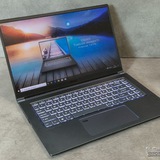
Msi Gamer Thin A15 - 15,6' Ryzen 5 7535HS Rtx4060 8VRam Ram 16gb /ssd 512
I'm planning to buy that laptop, and I wanted to ask if it's recommended for AAA games and Valorant.
I'd appreciate a response from someone with experience using that laptop.
https://redd.it/1qbgy56
@MSILaptops
I'm planning to buy that laptop, and I wanted to ask if it's recommended for AAA games and Valorant.
I'd appreciate a response from someone with experience using that laptop.
https://redd.it/1qbgy56
@MSILaptops
Reddit
From the MSILaptops community on Reddit
Explore this post and more from the MSILaptops community
Low Benchmark Score ?
So I get on my MSI Vector 16 HX A14VHG-670 16" - Core i9-14900HX - RTX 4080 - 32GB RAM - a 17.4-17.5k Score in 3d mark time spy Roger user Score is 18600k and Best 22k why is my Score so low ?
https://redd.it/1qbbm57
@MSILaptops
So I get on my MSI Vector 16 HX A14VHG-670 16" - Core i9-14900HX - RTX 4080 - 32GB RAM - a 17.4-17.5k Score in 3d mark time spy Roger user Score is 18600k and Best 22k why is my Score so low ?
https://redd.it/1qbbm57
@MSILaptops
Reddit
From the MSILaptops community on Reddit
Explore this post and more from the MSILaptops community
Vector A16 HX help on problems.
hello everyone recently got my hands on the vector 16 and been loving it however I'm been faced with 2 minors issues i was hoping someone would have a fix too
1)After installed my Amd drivers I'm been getting a window system driver tab that keeps opening up even after deleting it the only way I'm been able to get rid of it is going into task manager and ending task from there.
2)After waking up my laptop my Wi-Fi would become unavailable and wont allow me to connect to any WIFI doing a restart fixes this but having to do this every time has become very tedious.
https://redd.it/1qb7zqw
@MSILaptops
hello everyone recently got my hands on the vector 16 and been loving it however I'm been faced with 2 minors issues i was hoping someone would have a fix too
1)After installed my Amd drivers I'm been getting a window system driver tab that keeps opening up even after deleting it the only way I'm been able to get rid of it is going into task manager and ending task from there.
2)After waking up my laptop my Wi-Fi would become unavailable and wont allow me to connect to any WIFI doing a restart fixes this but having to do this every time has become very tedious.
https://redd.it/1qb7zqw
@MSILaptops
Reddit
From the MSILaptops community on Reddit
Explore this post and more from the MSILaptops community
MSI Cyborg fan speed very high while gaming – is this normal?
Hi everyone,
I have an MSI Cyborg laptop and I’m a bit concerned about the fan behavior. When the laptop is idle, the fans run at around 1500 RPM, with CPU temperatures between 36–46°C and GPU temperatures around 32–38°C.
When I play CS2 (which is basically the only game I play), the CPU reaches about 68–73°C and the GPU around 65°C, but the fans ramp up to around 6000 RPM.
I’d like to know if this is normal behavior or if there might be something wrong.
https://redd.it/1qbqcg0
@MSILaptops
Hi everyone,
I have an MSI Cyborg laptop and I’m a bit concerned about the fan behavior. When the laptop is idle, the fans run at around 1500 RPM, with CPU temperatures between 36–46°C and GPU temperatures around 32–38°C.
When I play CS2 (which is basically the only game I play), the CPU reaches about 68–73°C and the GPU around 65°C, but the fans ramp up to around 6000 RPM.
I’d like to know if this is normal behavior or if there might be something wrong.
https://redd.it/1qbqcg0
@MSILaptops
Reddit
From the MSILaptops community on Reddit
Explore this post and more from the MSILaptops community
Dns errore After PC down battery
Hi, please, after the PC battery was completely discharged the PC no longer recognizes the DNS, it connects to the internet but it doesn't resolve the DNS, I've tried everything, flush DNS, uninstall the network card, update the drivers, change the DNS (8.8.8.8) but nothing works, has this happened to anyone? Thank you
https://redd.it/1qbtog3
@MSILaptops
Hi, please, after the PC battery was completely discharged the PC no longer recognizes the DNS, it connects to the internet but it doesn't resolve the DNS, I've tried everything, flush DNS, uninstall the network card, update the drivers, change the DNS (8.8.8.8) but nothing works, has this happened to anyone? Thank you
https://redd.it/1qbtog3
@MSILaptops
Reddit
From the MSILaptops community on Reddit
Explore this post and more from the MSILaptops community
MSI Vector 16 HX AI Micro-stutters are driving me crazy (Core Ultra 7 + 5070 Ti)
I have an MSI Vector 16 HX AI with the Core Ultra 7 and RTX 5070 Ti. It’s a good laptop, but I keep getting these annoying micro-stutters. Basically, random FPS drops out of nowhere, then it goes back to normal. It’s happening in Hogwarts Legacy, Jedi Survivor, BF6 etc..
I feel like I’ve tried everything to fix it:
Switching to Discrete Graphics Mode
Setting User Scenario to Extreme Performance
Disabling CPU Core Parking
Removing Nahimic audio drivers
Clean installing all display drivers
Even completely reinstalling Windows
Cleared Shader cache
Nothing works. I’m just trying to play my games and these drops are really pissing me off. Has anyone with this model (or the Core Ultra chips) found a fix for this?
https://redd.it/1qbxqp4
@MSILaptops
I have an MSI Vector 16 HX AI with the Core Ultra 7 and RTX 5070 Ti. It’s a good laptop, but I keep getting these annoying micro-stutters. Basically, random FPS drops out of nowhere, then it goes back to normal. It’s happening in Hogwarts Legacy, Jedi Survivor, BF6 etc..
I feel like I’ve tried everything to fix it:
Switching to Discrete Graphics Mode
Setting User Scenario to Extreme Performance
Disabling CPU Core Parking
Removing Nahimic audio drivers
Clean installing all display drivers
Even completely reinstalling Windows
Cleared Shader cache
Nothing works. I’m just trying to play my games and these drops are really pissing me off. Has anyone with this model (or the Core Ultra chips) found a fix for this?
https://redd.it/1qbxqp4
@MSILaptops
Reddit
From the MSILaptops community on Reddit
Explore this post and more from the MSILaptops community
Msi 15Hx B14WGK Help
Msi Katana 15HX B14WGK-068XTR İNTEL CORE İ7 14650HX 16GB 1TB SSD RTX5070 FREEDOS 15.6'' QHD 165Hz
Hey everyone, is this laptop worth buying? They say it has problems. What are the problems? I don't know much about them, can you help me?
https://redd.it/1qbzs6i
@MSILaptops
Msi Katana 15HX B14WGK-068XTR İNTEL CORE İ7 14650HX 16GB 1TB SSD RTX5070 FREEDOS 15.6'' QHD 165Hz
Hey everyone, is this laptop worth buying? They say it has problems. What are the problems? I don't know much about them, can you help me?
https://redd.it/1qbzs6i
@MSILaptops
Reddit
From the MSILaptops community on Reddit
Explore this post and more from the MSILaptops community
Replace Display??
My MSI Katana is not showing any display when I turn on. But if I connect the laptop to an external display using HDMI, screen is coming up on the external display. Anyone know why this? And what is the solution
https://redd.it/1qbyqlt
@MSILaptops
My MSI Katana is not showing any display when I turn on. But if I connect the laptop to an external display using HDMI, screen is coming up on the external display. Anyone know why this? And what is the solution
https://redd.it/1qbyqlt
@MSILaptops
Reddit
From the MSILaptops community on Reddit
Explore this post and more from the MSILaptops community
Which IS better for MSI Vector 32 Ram gb?
amd ryzen 9 7945hx vs intel core ultra 7 255hx
https://redd.it/1qc34iw
@MSILaptops
amd ryzen 9 7945hx vs intel core ultra 7 255hx
https://redd.it/1qc34iw
@MSILaptops
Reddit
From the MSILaptops community on Reddit
Explore this post and more from the MSILaptops community
Can anyone diagnose what's wrong with my Katana.
https://reddit.com/link/1qbxu2j/video/9pgq2c3ll5dg1/player
The laptop won't turn on at all, and the power button briefly turns on after plugging in the charger, before shutting off again. Any advice would be appreciated.
https://redd.it/1qbxu2j
@MSILaptops
https://reddit.com/link/1qbxu2j/video/9pgq2c3ll5dg1/player
The laptop won't turn on at all, and the power button briefly turns on after plugging in the charger, before shutting off again. Any advice would be appreciated.
https://redd.it/1qbxu2j
@MSILaptops
Reddit
From the MSILaptops community on Reddit
Explore this post and more from the MSILaptops community
I would like to buy an MSI Thin 15 B7VF-217XRO laptop
I would like to buy an MSI Thin 15 B7VF-217XRO laptop, and I'd like to get some information from people who own this model.
For example, I'm interested in:
how loud the fans are
how high the temperatures get during gaming
how games perform on it
how durable the laptop is
and whether the 45W RTX 4060 is much worse compared to the ~100W versions
I'd appreciate any feedback or experience you can share.
Thank you in advance for your answers!
https://redd.it/1qbx8jr
@MSILaptops
I would like to buy an MSI Thin 15 B7VF-217XRO laptop, and I'd like to get some information from people who own this model.
For example, I'm interested in:
how loud the fans are
how high the temperatures get during gaming
how games perform on it
how durable the laptop is
and whether the 45W RTX 4060 is much worse compared to the ~100W versions
I'd appreciate any feedback or experience you can share.
Thank you in advance for your answers!
https://redd.it/1qbx8jr
@MSILaptops
Reddit
From the MSILaptops community on Reddit
Explore this post and more from the MSILaptops community
Keyboard LEDs on MSI GE66 Raider
Hello, my father recently bought an MSI GE66 Raider laptop and he wants to activate the LED backlights on the keyboard. I've tried many things but can't figure it out. I've had an MSI laptop before and I was able to activate them using Dragon Center, but I don't understand how to do it on his, even after searching online. If someone could help me, otherwise he's sending the PC back to the sender. I only have two days to figure it out.
P.S.: The PC must be from the United States because the keyboard is QWERTY.
https://redd.it/1qcl6ts
@MSILaptops
Hello, my father recently bought an MSI GE66 Raider laptop and he wants to activate the LED backlights on the keyboard. I've tried many things but can't figure it out. I've had an MSI laptop before and I was able to activate them using Dragon Center, but I don't understand how to do it on his, even after searching online. If someone could help me, otherwise he's sending the PC back to the sender. I only have two days to figure it out.
P.S.: The PC must be from the United States because the keyboard is QWERTY.
https://redd.it/1qcl6ts
@MSILaptops
Reddit
From the MSILaptops community on Reddit
Explore this post and more from the MSILaptops community
MSI GF63 charging super slow, shows only 25W
Hey, I’m having a really frustrating issue with my MSI GF63. Even with the original charger, it seems to only charge at around 25W, which is super slow.
I checked BIOS → Main → System Information, and I can’t see anything about the charger at all. The laptop still charges a little, but sometimes the battery drops even while plugged in.
I’m not sure what’s going on. I’ve tried:
• Plugging/unplugging
• Moving the cable around
• Restarting the laptop
I have no idea if it’s the charger, the charging port, or something else.
https://redd.it/1qcqths
@MSILaptops
Hey, I’m having a really frustrating issue with my MSI GF63. Even with the original charger, it seems to only charge at around 25W, which is super slow.
I checked BIOS → Main → System Information, and I can’t see anything about the charger at all. The laptop still charges a little, but sometimes the battery drops even while plugged in.
I’m not sure what’s going on. I’ve tried:
• Plugging/unplugging
• Moving the cable around
• Restarting the laptop
I have no idea if it’s the charger, the charging port, or something else.
https://redd.it/1qcqths
@MSILaptops
Reddit
From the MSILaptops community on Reddit
Explore this post and more from the MSILaptops community
fans not kicking in and bad game performance?
Pretty much what the noscript says. I have a Katana GF66 12UE and games are running extremely poorly with crashes, freezes and constant low frame rate. However, the fans sometimes kick in whilst the game is running and once that happens everything runs really smoothly. This doesn't always happen though and when it does it takes a good amount of time (20 min to an hour). It's kept on a flat surface to allow good ventilation and the performance mode is set to best performance. Not sure what to do :(
https://redd.it/1qcsook
@MSILaptops
Pretty much what the noscript says. I have a Katana GF66 12UE and games are running extremely poorly with crashes, freezes and constant low frame rate. However, the fans sometimes kick in whilst the game is running and once that happens everything runs really smoothly. This doesn't always happen though and when it does it takes a good amount of time (20 min to an hour). It's kept on a flat surface to allow good ventilation and the performance mode is set to best performance. Not sure what to do :(
https://redd.it/1qcsook
@MSILaptops
Reddit
From the MSILaptops community on Reddit
Explore this post and more from the MSILaptops community